Accelerate360
- PM Seller Rank
- #28,566
- Rating
- 4.8 / 5
- Feedback (12 mo)
- 229
- Products Listed
- 28
Accelerate360 Profile & Rating
Accelerate360 primarily sells Industrial & Scientific, Sports & Outdoors, Toys & Games, Home & Kitchen and Tools & Home Improvement products from plink, gofire, bene casa, zyliss and joseph joseph.
The seller, Accelerate360, currently offers 28 products for sale, all shipping from the United States. The average price of the products is a budget-friendly $21.39.
As an established seller on Amazon, Accelerate360 has received more than 229 customer feedbacks in the past 12 months. This signifies that they are a prominent business seller on Amazon.
Our assessment of numerous customer feedbacks indicates that Accelerate360 is a professionally managed Amazon business. Their considerable sales volume positions them as a top seller. We highly recommend them for your purchases.
Accelerate360 has earned an average star rating of 4.0, which signifies a satisfactory customer perception of the products sold by this store. This cost-effective choice is endorsed by PickSmartly.
Accelerate360 ranks as one of the after-1000 sellers on the US Amazon Marketplace, securing the 28566th position on our PM Sellers ranking list. Our PM ranking is primarily derived from our analysis of sellers' feedback, reviews, and ratings over the past year.
Top 20 Accelerate360 Products
Last Updated: Sep 11, 2023


Plink 9013 Garbage Disposal Cleaner and Deodorizer, Variety Pack, 20-Count
Plink Garbage Disposer Cleaner and Deodorizer cleans, removes buildup, unclogs disposals, and deodorizes without any phosphates, bleach, or scrubbing.Proudly made...
Check Price on Amazon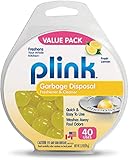
Plink Garbage Disposal Cleaner, Freshener & Odor Removing Balls, Easy to Use, Fresh Lemon Scent, 40
Plink Garbage Disposer Cleaner cleans, removes sink buildup, unclogs disposals, and deodorizes without any phosphates, bleach, or scrubbing..Works in less...
Check Price on Amazon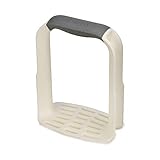

Squish 41093 Sink Stopper/Strainer Stopper/Strainer
STRAINER traps Food and Debris.FLEXIBLE STOPPER fits most Kitchen Sinks.STOPPER suctions to wall for storage.DISHWASHER SAFE.BPA FREE
Check Price on Amazon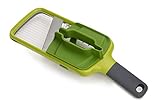
Joseph Joseph Multi Hand-held Mandoline Slicer with Food Grip and Adjustable Blades Dishwasher Safe,
Safely and evenly slice a variety of fruit and vegetables.Precision food grip features three styles of grip: Pinch grip for...
Check Price on Amazon
True Red Cup Party Shot Glasses, 1.5 Ounce Shot Glass, Disposable Shot Glasses, Red Party Cups, Plas
PARTY SHOT GLASS - The king of all barware essentials. Every good party starts with a shot, and this set...
Check Price on Amazon

Bene Casa - Black Nonstick Aluminum Frying Pan with Glass Lid (6") - Dishwasher Safe for Easy Cleani
CONTENTS: Aluminum non-stick frypan with a glass lid to cook up many types of meals..USES: With a non stick surface...
Check Price on Amazon
Joseph Joseph GoAvocado 3-in-1 Avocado Slicer
Cuts, de-stones, and slices the avocado all with one tool.Versatile slice & scoop head.Stainless-steel pitter to safely remove stone.Folding plastic...
Check Price on Amazon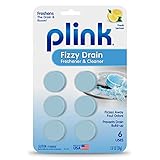
Plink Fizzy Drain Freshner, Prevents Buildup and Maintains a Clear Drain, Removes Drain Odor, Lemon
Plink’s Fizzy Drain Freshener and Cleaner deodorizes and cleans sink drains and freshens the entire room with a pleasant lemon...
Check Price on Amazon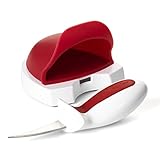
Zyliss Oyster Tool and Knife Set - Oyster Shucking Knife - Stainless Steel Knife & No-Slip Handle -
Oyster Shucker Knife: This knife has a stainless steel blade and non-slip handle with safety guard.Easy Kitchen Gadget: Insert and...
Check Price on Amazon
LifeToGo Adult Face Mask - Pack of 5 Breathable, Comfortable, Multicolored Washable Cloth Face Mask
EXCELLENT COLORING AND QUALITY: High-resolution digital printing on soft cotton fabric gives these masks a great look and feel that...
Check Price on Amazon
Dr. Natural 32oz Castile Soap (Peppermint, 32oz)
MADE IN THE USA - 100% natural super moisturizing ingredients - Certified Organic Shea Butter..PARABEN-FREE, SULFATE-FREE, CRUELTY-FREE, NO ANIMAL TESTING...
Check Price on Amazon
Bene Casa - Cuban Flag Design Double Nines Dominoes Set (55 Dominoes) - Ideal for 2-10 Players - Inc
CONTENTS: This set comes with 55 gorgeous Double-Nine Dominoes with a Cuban flag design printed on the back of each..NUMBER...
Check Price on Amazon
Joseph Joseph Handi-Zest Multi-Function Zester with Blade Wiper, Green
Razor sharp, etched stainless-steel blade.Integrated cleaning blade ensures no wasted zest.Ergonomic handle.Protective sheath for safe storage.Perfect for zesting citrus fruits...
Check Price on Amazon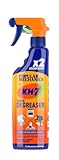
KH-7 Heavy Duty Degreaser for Oven, Stove, Grill, Food Surfaces, Vehicles, Clothing & More. 25 oz
CONCENTRATED DEGREASER - made from a powerful concentrated formula! KH-7 makes it easy for you to simply wipe off even...
Check Price on Amazon
Trodat Stamp 'N Stick Clothes and Personal Belongings DIY Stamper, English Text with Special Charact
Do it yourself (DIY) stamping kit is the ideal name stamp for clothing and as a label maker for kids....
Check Price on Amazon
Product Analysis
Top 10 best sellers, ranked by PM Score
- 1 ecoegg Laundry Egg Fresh Linen, 70 Loads
- 2 ecoegg Laundry Egg Spring Blossom, 70 Loads
- 3 Plink 9013 Garbage Disposal Cleaner and Deodorizer, Variety Pack, 20-Count
- 4 Plink Garbage Disposal Cleaner, Freshener & Odor Removing Balls, Easy to Us
- 5 Joseph Joseph Easy-Mash Plastic Potato Masher Ergonomic with Non-Slip Grip
- 6 Squish 41093 Sink Stopper/Strainer Stopper/Strainer
- 7 Joseph Joseph Multi Hand-held Mandoline Slicer with Food Grip and Adjustabl
- 8 True Red Cup Party Shot Glasses, 1.5 Ounce Shot Glass, Disposable Shot Glas
- 9 GOFIRE: Ultimate All Purpose Fire Starter- Non-Toxic, Earth-Friendly, Porta
- 10 Bene Casa - Black Nonstick Aluminum Frying Pan with Glass Lid (6") - Dishwa
Rating distribution
Price comparison — click a bar to view on Amazon
Disclaimer
Please note that the prices displayed are not current. They are estimates from the past two or three months, derived from our analysis and algorithms for Accelerate360 products. This information provides a general understanding of the price range. For the most accurate, up-to-date sale prices, please click on the chart bars.
Our Unbiased Accelerate360 Review
Is Accelerate360 a Trustworthy Seller on Amazon?
Absolutely. Accelerate360 is a prominent seller on Amazon's North American marketplaces, trading under the brands of Plink , Gofire , Bene Casa , Zyliss , Joseph Joseph , Explore Hardware , Dr. Natural , Parker & Bailey , Squish , Westinghouse , Kh-7 , Lifetogo , True , Mbr.
Amazon is a reputable platform that enforces a rigorous KYC (Know Your Customer) procedure for all its sellers. This process allows Amazon to gather vital information about each seller that can be used for identification and communication purposes.
Furthermore, Amazon offers robust buyer protection. If you ever feel that a purchase has not lived up to your expectations, you have the right to return the product and claim a refund, ensuring your transactions are safe and secure.
Is Accelerate360 Known for Quality Products?
Based on our analysis of Accelerate360's customer feedback and product reviews, it is clear that they have a solid reputation. With an average star rating of 3.96, and having sold over 26,011 items in the Industrial & Scientific , Sports & Outdoors , Toys & Games , Home & Kitchen , Tools & Home Improvement , Health & Household category on Amazon, their track record speaks for itself.
From this data, we can confidently assert that Accelerate360 offers valuable, high-quality products. Customers predominantly give them positive ratings, indicating a successful balance between price and quality. This suggests that Accelerate360 is committed to providing products that not only meet expectations but also offer value and convenience to their consumers.
Featured Product Reviews Related to Accelerate360


Accelerate360 FAQs
Common questions buyers ask about this seller — how to find their products, payment and shipping, returns, and how PickSmartly ranks what they sell.
To search for Accelerate360 products on PickSmartly, you can do the following:
- Go to the PickSmartly homepage.
- Look for the search bar, which is usually at the top of the page.
- Enter "Accelerate360" into the search bar and hit Enter.
- You will then see a list of Accelerate360 products that are currently available.
Please note that product availability can change, so if you don't see what you're looking for, be sure to check back later.
Accelerate360 offers a wide variety of products. Their offerings cover zesters, mandolins and beer brewing pots kettles in Industrial & Scientific, Sports & Outdoors, Toys & Games, Home & Kitchen, Tools & Home Improvement and Health & Household categories. To get a complete picture of all the products Accelerate360 offers, please visit the Accelerate360 section on the PickSmartly website.
To confirm that you're buying a high-quality Accelerate360 product, you should look at the product reviews and ratings on the PickSmartly . We select and showcase products based on various factors such as customer satisfaction, product performance, and dependability.
PickSmartly employs a thorough selection procedure to highlight the best Accelerate360 products. We take into account aspects like product quality, customer feedback, product attributes, cost, and Accelerate360's standing in the marketplace.
The quantity of suggested products for each brand on PickSmartly may differ. However, we generally strive to present a broad range of about 10-15 leading products for each brand, providing our users with a thorough overview and multiple options. Accelerate360 has 28 products for sale, and we analyzed 20 of them in detail to recommend to shoppers.
To purchase Accelerate360 products through PickSmartly, follow these steps:
- Go to the PickSmartly website and find the Accelerate360 brand page.
- Look through the Accelerate360 products listed there.
- Click on the product you like to see more details, reviews, and its price.
- To buy, click 'Check on Amazon'. This will take you to the product's Amazon page.
- Finish your purchase on the Amazon page.
Our Seller Guide offers detailed insights about Accelerate360, a featured seller on PickSmartly. It includes a quick overview of Accelerate360's history, an outline of the products they sell, their reputation in the market, and a picked list of their best products according to our selection standards. This guide is designed to help users understand more about Accelerate360 and its product range.
Accelerate360 accepts various payment methods including credit cards and debit cards. They might also accept bank transfers and checks. As you'll be completing your purchase on Amazon, you can refer to Amazon's 'Manage Payment Methods' page for comprehensive information on payment options. Here is the link: Amazon Payment Methods
As a buyer, you can check a Accelerate360's shipping methods on Amazon by following these steps:
- Visit the Product Page: Navigate to the product page of the item you're interested in.
- Check Accelerate360 Information: On the product page, you'll see a section that says "Sold by [Seller's Name]". Click on the Seller's name.
- Visit Seller's Page: This will take you to the Accelerate360's page where you can find more information about their policies.
- Look for Shipping Information: On the Seller's page, look for a section that says "Shipping Policies" or "Delivery Policies". This section will provide information about the seller's shipping methods, costs, and estimated delivery times.
Please note that not all sellers provide detailed shipping information. If you can't find the information you're looking for, you can contact the seller directly to ask about their shipping methods. To do this, click on the "Ask a question" button on the seller's page.
If you have ordered from Accelerate360 through Amazon, you can follow these steps to track your order:
- Sign in to Your Amazon Account: Go to Amazon's homepage and sign in using your credentials.
- Go to Your Orders: From the top right of the screen, click on 'Returns & Orders'. This will take you to a page listing all your recent orders.
- Find Your Order: Look for the order you placed with Accelerate360.
- Track Package: Once you've found the order, there should be an option on the right side that says 'Track Package'. Click on this to see the current status and location of your package.
If you have not received a tracking number or if the tracking information is not available, you may need to contact Accelerate360 directly for more information. You can do this by going back to the product page, clicking on Accelerate360's name to go to their seller page, and then clicking on 'Ask a question'.
To check the return policy of a specific seller like Accelerate360 on Amazon, follow these steps:
- Go to the Amazon homepage.
- Type "Accelerate360" into the search bar and click on the search icon.
- Click on any product that is sold by Accelerate360.
- On the product page, you will see the seller's name. Click on the name "Accelerate360".
- This will take you to the seller's detailed page. Look for the section "Returns & Refunds".
- Click on it, and you will be able to see the specific return policy for Accelerate360.
Remember, policies can vary by seller, so it's always a good idea to check this before you make a purchase.
To contact the seller Accelerate360 on Amazon, you can follow these steps:
- Go to the Amazon homepage.
- Log into your account if you're not already logged in.
- Go to "Your Orders".
- Find the order that you want to discuss or ask about, then click on "Contact Seller".
- In the pop-up window, select the subject of your issue from the drop-down menu, write your message, and then press "Send".
Remember to keep all communication with the seller within Amazon's platform for your own protection and to comply with Amazon's policies. If you haven't placed an order and just have a query, you can still go to the seller's profile and look for a "Contact" button or link there.
To find out if Accelerate360 offers a warranty on their products, you will need to check the product details on the individual product pages on Amazon. Here's how you can do this:
- Go to the Amazon homepage.
- Type "Accelerate360" into the search bar and click on the search icon.
- Click on any product that is sold by Accelerate360.
- Scroll down to the product details or product description section. If a warranty is offered, it will usually be mentioned here.
If you are unable to find the warranty information or if it's unclear, you can contact Accelerate360 directly through Amazon to ask about the warranty for a specific product. Remember, warranties can vary from product to product and from seller to seller, so it's always a good idea to check this information before making a purchase.
Typical procedures for handling damaged or defective items on Amazon are as follows:
- Contact the Seller: If the item was sold by a third-party seller like Accelerate360, you should contact them directly. You can do this by going to "Your Orders", locating your order, and clicking on "Problem with order". From there, you can choose "Contact Seller" and describe the issue in detail.
- Return the Item: Amazon usually allows you to return items sold and fulfilled by third-party sellers within 30 days of receipt. The seller's return policy can be found on the product page or seller profile. If the item is damaged or defective, the seller is generally responsible for return shipping costs.
- Request a Refund or Replacement: Depending on the issue and the seller's policy, you may be able to request a refund or replacement. If the seller doesn't respond or refuses to help, you can file an A-to-z Guarantee claim with Amazon.
Remember, these are general steps and the specific policy may vary for Accelerate360. It's always best to check the seller's specific return and refund policy on their profile page or contact them directly for the most accurate information.
According to Amazon's general policies:
- Cancel an Order: After placing an order, you can cancel it within a certain timeframe if the seller hasn't shipped it yet. You can do this by going to "Your Orders" and clicking "Cancel Items". If the seller has already shipped the product, you may need to wait until you receive it and then initiate a return.
- Change an Order: Changing an order after it's been placed can be more challenging. Amazon generally doesn't allow changes to orders once they've been placed. If you need to change something, you usually have to cancel the original order (if the seller hasn't shipped it yet) and place a new one.
Remember, these are general policies and Accelerate360's may vary. For the most accurate information, check the seller's specific policy on their profile page or contact them directly. If the seller is unresponsive or their policy is unclear, you can contact Amazon customer service for assistance.