Understanding Signal Integrity and Bandwidth
The most common mistake when purchasing an adapter is focusing solely on the physical connector while ignoring the underlying data protocol. An adapter might fit perfectly into your port, but if it does not support the necessary bandwidth, you will experience lag, flickering, or complete signal loss. For video adapters, you must look specifically at the resolution and refresh rate capabilities. For instance, an adapter designed for standard HD may fail to drive a 4K monitor at 60Hz, resulting in a choppy visual experience. Always verify if the adapter supports DisplayPort Alt Mode or specific HDMI standards to ensure the bandwidth matches your display's requirements.
Power Delivery and Pass-Through Capabilities
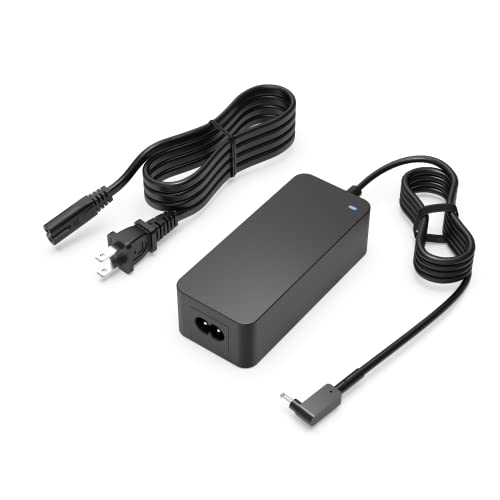
As modern laptops move toward a single-port ecosystem, the ability to charge your device while using an adapter is a non-negotiable feature for many professionals. When shopping for multi-port adapters or hubs, look for 'Power Delivery' (PD) support. A high-quality adapter should allow you to plug your charging cable into the adapter itself, which then passes the power through to your computer. Pay close attention to the wattage rating. If your laptop requires 65W to operate efficiently, an adapter that only supports 15W pass-through will cause your battery to drain even while plugged in. Furthermore, consider how much power the adapter consumes itself, as this can subtract from the total available wattage for your device.
Connector Standards and Physical Durability
The physical build of an adapter dictates its longevity in a mobile environment. Because adapters are frequently plugged, unplugged, and carried in laptop bags, they are subject to significant mechanical stress. Look for adapters with reinforced housing—aluminum shells are generally superior to plastic because they act as a heat sink, helping to dissipate the thermal energy generated during high-speed data transfers. Additionally, check the cable length of the integrated lead. A cable that is too short can put undue strain on your device's ports, potentially damaging the internal motherboard connections over time. A flexible, braided cable is often a sign of better build quality and resistance to fraying.
Compatibility and Ecosystem Matching
Before finalizing your purchase, you must perform a compatibility audit of your specific hardware ecosystem. Not all USB-C ports are created equal. Some support data transfer only, some support video output, and some support both. Using an adapter designed for video on a data-only port will result in a dead connection. If you are working in a professional creative environment, ensure the adapter supports the specific color depths and high-dynamic-range (HDR) standards required for your workflow. For specialized industrial or audio applications, check for shielding against electromagnetic interference (EMI), which prevents buzzing in audio equipment or data corruption in high-interference environments.