Prioritize Stability and Base Weight
The most common failure point for inexpensive stands is tipping. If you have a large phone with a heavy protective case, a lightweight plastic stand will likely wobble or tip over when you attempt to tap the touchscreen. When shopping, look for stands with a weighted base or a wide footprint. Metal stands, particularly those made of aluminum alloy, offer superior center-of-gravity management compared to hollow plastic alternatives. A high-quality stand should remain stationary even when you are interacting with the screen, rather than sliding across your desk or tilting backward.
Evaluate Adjustability and Viewing Angles
A stand that only offers one fixed angle is rarely a long-term solution. To maximize comfort, you should look for models that offer at least two types of movement: tilt and rotation. Tilt adjustment allows you to change the vertical angle to reduce glare from overhead lights and to find the optimal eye level for viewing. Rotation—often referred to as a 360-degree swivel—is crucial if you frequently switch between portrait mode for social media scrolling and landscape mode for watching videos. For those working at a desk for extended periods, a stand with an adjustable height mechanism can help prevent neck strain by bringing the device closer to your natural line of sight.
Consider Portability vs. Desktop Permanence
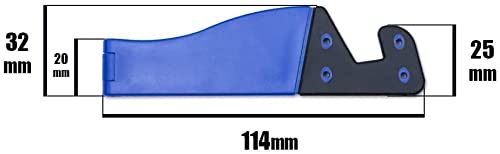
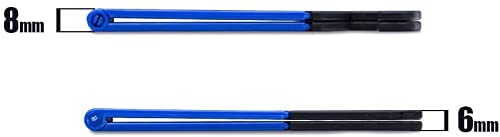
Your intended use case should dictate the form factor of your stand. If you are a frequent traveler or a student moving between libraries and cafes, a collapsible, foldable stand is your best bet. These models are designed to fold flat, fitting easily into a pocket or a laptop sleeve. Conversely, if the stand is intended for a dedicated home office or a bedside table, you can prioritize a more robust, non-folding design that emphasizes maximum stability and premium aesthetics. Desktop-centric stands often feature more complex hinge mechanisms that provide a wider range of motion but are too bulky for travel.
Material Quality and Device Protection
Beyond the structural integrity of the stand, consider how it interacts with your phone. A metal stand is durable and looks professional, but it can scratch your device if it lacks protective padding. Look for stands that incorporate silicone or rubberized grips on the contact points—specifically where the phone rests and where the base meets the table. These soft-touch materials serve a dual purpose: they prevent the device from sliding and protect the chassis of your phone from micro-scratches. Additionally, ensure the design allows for easy access to your charging port. A stand that blocks the bottom of the device will become frustrating once your battery begins to run low.
Recommendation Logic
When making your final decision, follow this hierarchy: First, determine your primary environment (Travel vs. Desk). Second, identify your device size (Small/Standard vs. Large/Max). If you are a traveler with a standard phone, prioritize a lightweight, folding aluminum stand. If you are a professional with a large flagship device, prioritize a heavy-base, multi-axis adjustable metal stand. Always cross-reference the weight of your phone with the stability rating of the stand to ensure a wobble-free experience.