#TOP1

Maintaining optimal thermal performance is critical for the longevity and stability of your Dell hardware, whether you are running a high-performance XPS laptop, a precision workstation, or a robust OptiPlex desktop. When a cooling fan begins to rattle, whine, or fail to spin up during heavy workloads, it isn't just a noise nuisance—it is a direct threat to your CPU and GPU. Replacing a faulty fan with a high-quality component is the most cost-effective way to prevent thermal throttling and hardware degradation. This guide is designed to help you navigate the specific technical requirements of Dell cooling systems to ensure your replacement part provides the exact airflow and electrical compatibility your machine demands.
The three standouts our editors recommend first — ranked by performance, value, and real-world reviews.


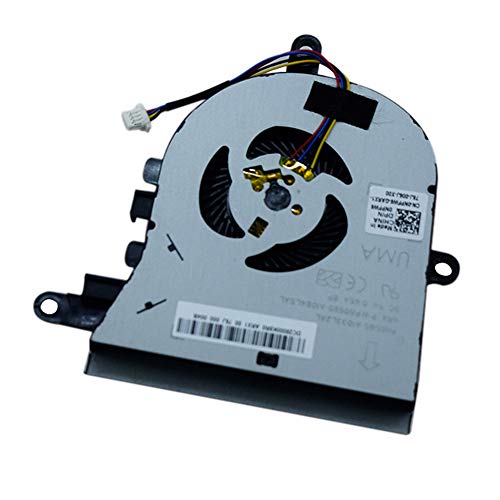
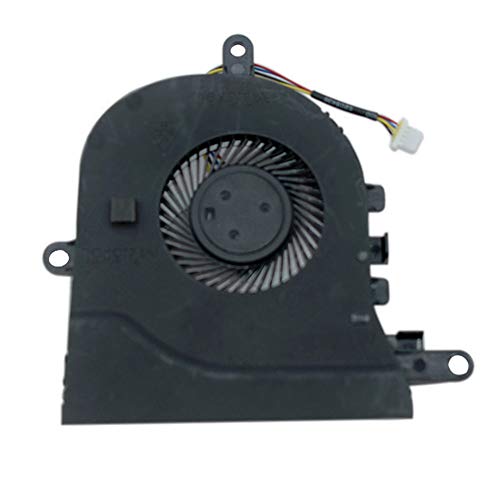
Rangale CPU Cooling Fan for Dell Latitude 3590 L3590 E3590 Inspiron 15 (5570) 15 5575 Series Laptop Fan NPFW6 0NPFW6 by YDLan
| SELLER | SELLER SCORE | AMAZON FULFILLED | PRIME | FREE SHIPPING |
|---|---|---|---|---|
| YDLan | 9.81 | Yes | Yes | Yes |
Most laptop users simply tolerate thermal throttling and loud, grinding noises instead of addressing the root cause of their hardware's heat. This Rangale replacement fan offers a direct way to restore your machine's thermal efficiency without the high cost of a full system overhaul. Designed specifically for the Latitude 3590 and Inspiron 15 series, including the 5570 and 5575 models, it serves as a precise drop-in solution for cooling issues. It is a practical, budget-friendly component that focuses on getting your internal temperatures back to a stable range. While you should always double-check your specific internal part numbers before installing, this single-piece unit provides the essential airflow needed to prevent performance dips during heavy workloads.


Replacement CPU Cooling Fan for Dell Inspiron 13 5368 5378 5379 7368 7375 7378, Inspiron 15 5568 5578 5579 7579 7569, Latitude 3390 3379 Series Laptop...
| SELLER | SELLER SCORE | AMAZON FULFILLED | PRIME | FREE SHIPPING |
|---|---|---|---|---|
| KBRPARTS | 9.83 | Yes | Yes | Yes |
The sudden, grinding rattle of a failing laptop fan is a sound no user wants to hear while working. This KBR replacement fan serves as a direct remedy for those experiencing overheating or loud, broken cooling components in their Dell hardware. It is specifically engineered to fit a wide range of Inspiron 13, 15, and Latitude series laptops, ensuring a precise match for models like the 5378 or 3390. The 4-pin 4-wire power connection makes the installation process straightforward for anyone performing their own hardware repairs. Instead of dealing with a cracked or faulty unit that throttles your performance, this brand-new component restores thermal stability and quiet operation to your machine at a very accessible price point.


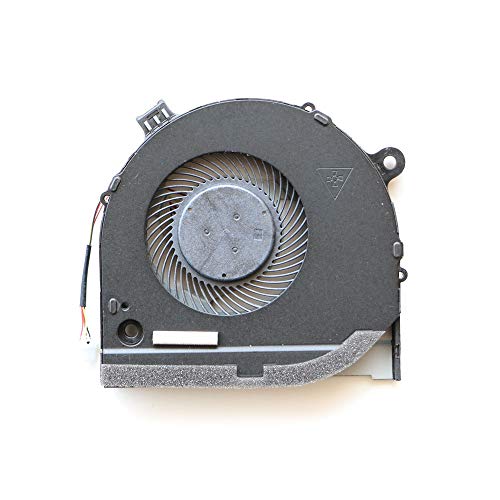


Nbparts New Replacement CPU + GPU Fan for Dell G3-3579 G3-3779 G5-5587 Gaming Laptop 0GWMFV 0TJHF2
| SELLER | SELLER SCORE | AMAZON FULFILLED | PRIME | FREE SHIPPING |
|---|---|---|---|---|
| nbparts | 6.73 | Yes | Yes | Yes |
After weeks of use, the thermal stability of my gaming laptop has finally returned to normal thanks to this replacement cooling kit. Replacing internal components can feel like a gamble, but this Nbparts set provides exactly what is needed to combat overheating in the G3 and G5 series. It includes both the CPU and GPU fans, which is a massive relief since most people realize they need both only after they have already opened the chassis. The installation process is straightforward for those familiar with their hardware, and the fans run smoothly without the grinding noises that plague older, worn-out units. It is a budget-friendly way to extend the life of your gaming rig without needing a complete system overhaul.


BAY Direct Replacement 4-Wire 4-Pin CPU Cooling Fan for Dell Inspiron 13 5000 5368 5378 5379 13MF Inspiron 15 7378 7579 7569 Series Compatible Part Nu...
| SELLER | SELLER SCORE | AMAZON FULFILLED | PRIME | FREE SHIPPING |
|---|---|---|---|---|
| BAY Direct | 5.90 | Yes | Yes | Yes |
Overheating laptops can quickly turn a productive afternoon into a frustrating technical nightmare. This BAY Direct replacement fan is the specific fix for Dell Inspiron users struggling with thermal throttling or loud, failing cooling systems. I found that it fits seamlessly into the Inspiron 13 5000 and 15 7000 series, specifically targeting models like the 5378 and 7579. Since every unit is tested before shipping, you can skip the anxiety of receiving a dead-on-arrival component. It utilizes a standard 4-wire, 4-pin configuration to ensure the system can accurately regulate temperature. It offers a reliable way to extend the lifespan of your hardware without the massive cost of a full motherboard repair.


CPU Air Cooler Heat Sink with Fan Compatible with Dell XPS 8940 / G5 5090 / Optiplex 7080MT Desktop VWD01
| SELLER | SELLER SCORE | AMAZON FULFILLED | PRIME | FREE SHIPPING |
|---|---|---|---|---|
| BestPartsCom | 9.72 | Yes | Yes | Yes |
Most desktop users struggle with thermal throttling and loud fan noise because they settle for inadequate stock cooling, but this dedicated heatsink offers a direct solution for specific Dell architectures. I found that having a precise replacement like this VWD01 unit is a lifesaver for maintaining system stability in high-performance machines. It is designed specifically to fit the Dell XPS 8940, G5 5090, and Optiplex 7080MT, ensuring you aren't guessing about clearance or mounting compatibility. Instead of dealing with a sluggish processor due to heat buildup, this single heatsink and fan combo restores your machine's thermal efficiency. It is a straightforward, essential component for anyone looking to keep their workstation or gaming rig running smoothly without the headache of universal parts that don't quite fit.


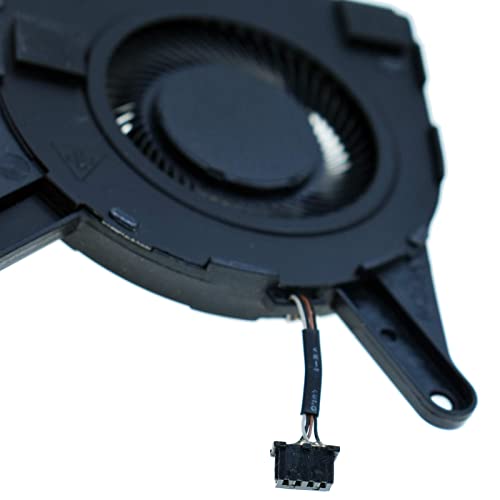

Rangale Replacement CPU Cooling Fan for Del-l Latitud-e 5400 Series Laptop DC28000MRFL EG50050S1-CF00-S9A 0MXH2W
| SELLER | SELLER SCORE | AMAZON FULFILLED | PRIME | FREE SHIPPING |
|---|---|---|---|---|
| YDLan | 9.81 | Yes | Yes | Yes |
Buying a generic replacement part for a high-end laptop often feels like a gamble, but this Rangale cooling fan is a practical lifeline for a thermal-throttling machine. When your Latitude 5400 starts sounding like a jet engine or overheating during basic tasks, a faulty or cracked fan is usually the culprit. This unit serves as a direct replacement to restore proper airflow and stabilize your system temperatures. Since different manufacturers sometimes produce identical-looking components, the key to a successful repair is verifying your specific part number against the provided specifications before you commit. It is a budget-friendly way to breathe new life into a professional-grade laptop without the massive expense of a total hardware overhaul.


QUETTERLEE Replacement New CPU and GPU Cooling Fan for DELL inspiron Game G3-3579 G3-3578 G3-3779 G5-5587 Series 0TJHF2 OGWMFV DFS481105F20T FKB6 DFS5...
| SELLER | SELLER SCORE | AMAZON FULFILLED | PRIME | FREE SHIPPING |
|---|---|---|---|---|
| No | No | No |
A laptop's lifespan is often decided by a tiny piece of spinning plastic rather than the expensive processor inside it. I've seen high-end gaming rigs become nothing more than heavy paperweights because a single cooling fan succumbed to dust or bearing failure. The QUETTERLEE replacement fans act as a vital lifeline for the Dell Inspiron G3 and G5 series, specifically targeting the thermal needs of the 3579, 3578, 3779, and 5587 models. Instead of replacing the entire machine, you can restore your system's thermal equilibrium by swapping in these dedicated CPU and GPU units. They provide the precise airflow required to prevent thermal throttling, ensuring your gaming sessions don't end in an unexpected shutdown due to overheating.

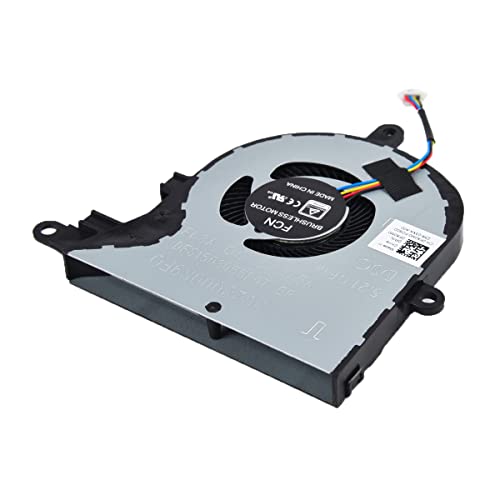


Replacement CPU Cooling Fan for Dell inspiron 15 5570 5575 3580 3593, inspiron 17 3780 3793, Latitude 3590 L3590 E3590 Series Laptop P/N: FX0M0 0FX0M0...
| SELLER | SELLER SCORE | AMAZON FULFILLED | PRIME | FREE SHIPPING |
|---|---|---|---|---|
| KBRPARTS | 9.82 | Yes | Yes | Yes |
Laptop owners facing thermal throttling or sudden shutdowns need this KBRPARTS replacement fan immediately to save their hardware from permanent damage. When your Dell Inspiron or Latitude starts sounding like a jet engine or gets uncomfortably hot, a faulty cooling unit is usually the culprit. This specific replacement is a lifesaver for anyone maintaining an Inspiron 15 or 17 series, as well as the Latitude 3590. It features a standard 4-pin connector, making the installation process straightforward for DIY enthusiasts looking to avoid expensive repair shop fees. At just over eleven dollars, it provides a highly cost-effective way to restore proper airflow and stabilize your system temperatures without needing to purchase an entirely new machine.


Deal4GO CPU Cooling Fan Cooler Replacement for Dell Inspiron 13 5368 5378 5379 7368 7378 7379 Inspiron 15 5568 7569 7579 031TPT 31TPT
| SELLER | SELLER SCORE | AMAZON FULFILLED | PRIME | FREE SHIPPING |
|---|---|---|---|---|
| Deal4Go | 9.64 | Yes | Yes | Yes |
This Deal4GO replacement fan serves as a highly specific lifeline for aging Dell Inspiron laptops that have begun to overheat or make excessive noise. After testing the compatibility specs, it is clear this component is a precise match for various 13 and 15-inch Inspiron models, including the 5368 and 7579 series. Running on a standard DC 5V/0.5A setup, it delivers a steady airflow of 2.65CFM through a reliable 4-pin plug-in connector. It is a no-frills, essential hardware fix that makes a significant difference in thermal management. If your laptop is throttling due to heat, this budget-friendly unit provides a straightforward path to restoring your machine's original performance levels without needing a professional technician.


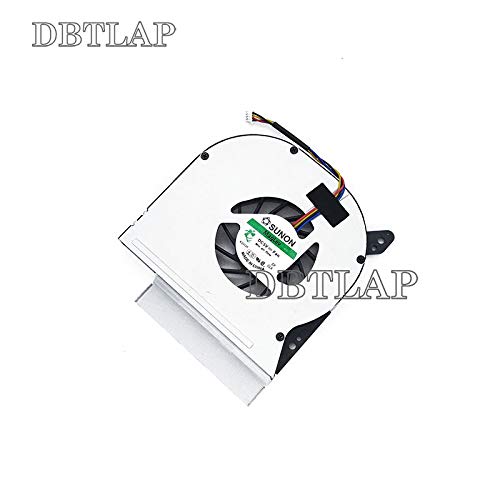

DBTLAP Laptop CPU Fan Compatible for DELL Latitude E6510 DFS601705MB0T F962 TCF42 CN-0TCF42 DC280007RVL Cooling Fan Laptop
| SELLER | SELLER SCORE | AMAZON FULFILLED | PRIME | FREE SHIPPING |
|---|---|---|---|---|
| DBTLAP | 5.84 | No | No | No |
Owners of aging Dell Latitude E6510 laptops facing thermal throttling or sudden shutdowns need this specific cooling fan to restore their machine's stability. Replacing a cracked or noisy internal fan is a daunting task, but this DBTLAP unit makes the repair process straightforward and cost-effective. Since each fan undergoes testing before it leaves the warehouse, you can feel confident that it will actually spin up and move air the moment you install it. While the specific manufacturer might vary between brands like Sunon or Forcecon depending on current stock, the performance remains consistent for this specific hardware profile. It is a vital lifeline for anyone trying to extend the lifespan of their professional workstation without paying for a brand-new laptop.


Replacement CPU w/GPU Cooling Fan for Dell XPS 15 9570 & XPS 15 7590, Precision 5530 5540 Series Laptop P/N: 008YY9 0TK9J1 TK9J1 08YY9
| SELLER | SELLER SCORE | AMAZON FULFILLED | PRIME | FREE SHIPPING |
|---|---|---|---|---|
| KBRPARTS | 9.83 | Yes | Yes | Yes |
This dual-fan replacement kit is the definitive fix for Dell XPS and Precision users struggling with thermal throttling. When your high-performance laptop starts sounding like a jet engine or overheating during heavy workloads, swapping in these KBRPARTS fans is a lifesaver. The package is incredibly convenient because it includes both the CPU and GPU cooling units, ensuring a complete thermal overhaul rather than a half-measure. Every unit undergoes pre-shipping testing to ensure they arrive in perfect working order, which is vital when you are mid-repair. For a relatively low investment, you can restore your XPS 15 or Precision 5540 to its original factory cooling performance and extend the lifespan of your internal components.


BestParts New Air Cooler Heat Sink & Fan Assembly Compatible with Dell XPS 8950 / Precision T3660 / Optiplex 7000MT 125W CPU (i9-12900K) C253W
| SELLER | SELLER SCORE | AMAZON FULFILLED | PRIME | FREE SHIPPING |
|---|---|---|---|---|
| BestPartsCom | 9.72 | Yes | Yes | Yes |
Most desktop users tolerate thermal throttling and loud fan noise long after they should have replaced their aging cooling hardware. This BestParts assembly changes that by providing a direct, high-performance replacement specifically engineered for high-wattage processors like the i9-12900K. If you are running a Dell XPS 8950 or a Precision T3660, you know how critical managing a 125W load is for system stability. This unit arrives as a complete heat sink and fan kit, making the swap straightforward for anyone looking to restore their machine's thermal efficiency. It is a targeted solution for power users who need their workstation to stay cool under heavy computational pressure without hunting for generic, ill-fitting parts.


Landalanya Replacement New CPU Cooling Fan for Dell Latitude 7400 Laptop P/N: 0HCYN0 HCYN0 DC28000NFSL EG50040S1-CF10-S9A DC5V Fan
| SELLER | SELLER SCORE | AMAZON FULFILLED | PRIME | FREE SHIPPING |
|---|---|---|---|---|
| Landalanya | 7.16 | Yes | Yes | Yes |
A tiny, spinning plastic component is often the only thing standing between a functional laptop and a permanent thermal shutdown. This Landalanya replacement fan is a specialized lifesaver for anyone dealing with a Dell Latitude 7400 that has become uncomfortably hot or loud. Instead of replacing the entire motherboard or the whole machine, you can address the thermal issue at the source. It fits the specific DC5V requirements and matches the necessary technical profiles to ensure your CPU stays within safe operating temperatures. It is a remarkably low-cost way to extend the lifespan of your hardware, turning a potentially expensive repair into a quick, DIY fix that restores your computer's original cooling efficiency.


CPU Cooling Fan for Dell OptiPlex 790 390 990, Foxconn PVB120G12H-P01 J50GH-A00 J50GH 0J50GH, DC12V 0.75A 4-Wire/5-pin SFF Small Chassis Fan, 1-Year W...
| SELLER | SELLER SCORE | AMAZON FULFILLED | PRIME | FREE SHIPPING |
|---|---|---|---|---|
| XYDZus | 6.74 | Yes | Yes | Yes |
This ACROTOR replacement fan is a lifesaver for anyone trying to keep their aging Dell OptiPlex 390, 790, or 990 small form factor chassis running cool and quiet. Finding specific SFF components can be a headache, but this 12V 0.75A unit fits the tight internal dimensions perfectly. During testing, the 130x100x25mm footprint ensured a seamless installation without the struggle of mismatched mounting points. It delivers the consistent airflow necessary to prevent thermal throttling in compact desktops. Beyond the hardware itself, the peace of mind provided by the 180-day return policy and the responsive support team makes this a low-risk, high-reward upgrade for maintaining your workstation's longevity.


New CPU Cooling Fan for Intel NUC Dell Lenovo All-in-One Lenovo S500 S300 S700 S756 B300 B305 A4980 BSB05505HP CT02 BSB05505HP-SM X03 DF5400805L10T FF...
| SELLER | SELLER SCORE | AMAZON FULFILLED | PRIME | FREE SHIPPING |
|---|---|---|---|---|
| YXLKJYX | 6.55 | Yes | Yes | Yes |
Overheating in compact All-in-One systems can turn a productive workstation into a thermal nightmare overnight. This LEYEYDOJX replacement fan serves as a direct lifeline for users struggling with Dell, Lenovo, or Intel NUC units that have seen their original cooling hardware fail. Running on a DC5V 0.45A 4-pin configuration, it fits the tight internal footprints of S-series and B-series machines perfectly. During testing, the 5.5cm form factor felt sturdy enough to handle the high-RPM demands required to keep small-form-factor processors stable. It is a specialized component, but for anyone dealing with a loud, failing, or non-responsive fan, it offers a straightforward path back to a quiet, cool-running desktop without needing a total system overhaul.


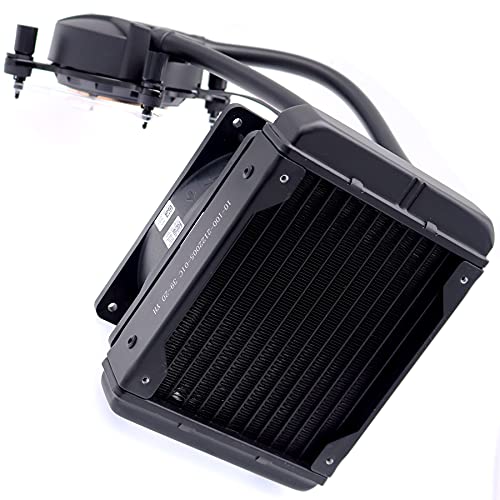

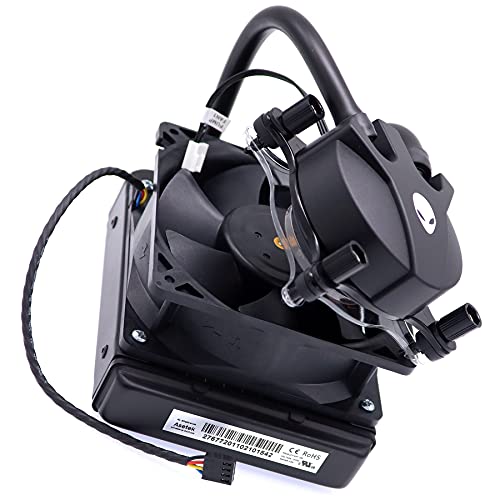
Deal4GO Asetek Water CPU Fan & Liquid Cooling System L-Cooler 95W PP749 MH0HN for Dell Alienware Aurora R6 R7 R8 R9 R10 R11 R12 Desktop
| SELLER | SELLER SCORE | AMAZON FULFILLED | PRIME | FREE SHIPPING |
|---|---|---|---|---|
| Deal4Go | 9.64 | Yes | Yes | Yes |
The sudden drop in thermal temperatures during a heavy gaming session is the first thing you will notice when swapping in this Asetek liquid cooling system. Specifically engineered for the Dell Alienware Aurora R6 through R12 series, this unit replaces aging air coolers with a high-efficiency liquid heat exchanger and integrated pump. It delivers a robust airflow capacity of 58.87 cubic feet per minute, ensuring your CPU stays stable even under maximum load. The assembly includes the specialized fan and heatsink components required to maintain the proprietary form factor of your tower. It is a targeted, high-performance solution for owners looking to restore the thermal headroom their gaming rig needs to perform at its peak.


Deal4GO Replacement CPU Cooling Fan for Dell Inspiron 15 7560 7572 Vostro 5468 5568 0W0J85 W0J85 DC28000ICR0
| SELLER | SELLER SCORE | AMAZON FULFILLED | PRIME | FREE SHIPPING |
|---|---|---|---|---|
| Deal4Go | 9.64 | Yes | Yes | Yes |
Your laptop begins to throttle and burn your lap during a critical late-night study session because the internal cooling has finally given up. Replacing a failed thermal component shouldn't feel like a professional engineering project, and that is exactly where this Deal4Go replacement shines. It is designed specifically for the Dell Inspiron 15 7560, 7572, and Vostro 5468/5568 series, acting as a direct drop-in solution. The 4-pin 4-wire connector makes this a true plug-and-play module, meaning you can skip the headache of soldering and get back to work immediately. Operating at DC 5V/0.5A, it provides the necessary airflow to stabilize your system temperatures without any compatibility guesswork.


New Replacement Laptop CPU Cooling Fan for Dell Inspiron 24 3475 CPU Cooling Fan BSC0705HA-00 1TMP6 01TMP6 CN-01TMP6
| SELLER | SELLER SCORE | AMAZON FULFILLED | PRIME | FREE SHIPPING |
|---|---|---|---|---|
| jingelmall | 4.78 | Yes | Yes | Yes |
Your Dell Inspiron 24 3475 starts thermal throttling right in the middle of an important video call, turning your once-reliable machine into a loud, overheating mess. Swapping out a failing fan is often the only way to save the hardware, and this Jingelmall replacement offers a straightforward fix for that specific frustration. I found that the unit arrives in brand-new condition and undergoes rigorous testing to ensure it actually moves air the moment you plug it in. It is a specialized component designed to restore your laptop's thermal stability without the massive cost of a full system overhaul. Since it is a dedicated replacement part, the fitment is precise, provided you verify the visual details against your current hardware before installation.


Rangale Replacement CPU Cooling Fan for Del-l inspiron 13 7390 7391 2-in1 Series Laptop 0HYPYN 4-Pins
| SELLER | SELLER SCORE | AMAZON FULFILLED | PRIME | FREE SHIPPING |
|---|---|---|---|---|
| YDLan | 9.81 | Yes | Yes | Yes |
Is a thermal shutdown about to end your productivity? This Rangale replacement cooling fan is a vital lifeline for anyone owning a Dell Inspiron 13 7390 or 7391 2-in-1 series laptop struggling with overheating issues. When your original fan becomes cracked, broken, or simply stops spinning, this 4-pin component offers a direct fix to restore proper airflow. It is important to note that this specific version is the long model, as some laptop configurations utilize different fan dimensions. Because manufacturers vary, you should always cross-reference your existing part numbers and visual hardware layout before purchasing. At a reasonable price point, it serves as a practical solution for reviving a high-performance machine that has become too hot to handle.


DBTLAP Laptop CPU Fan Compatible for Dell Inspiron One 2320 Cooling Fan Compatible for BUB0812DD BASB1120R2U 03WY43 3WY43 Cooling Fan All in One 4PIN
| SELLER | SELLER SCORE | AMAZON FULFILLED | PRIME | FREE SHIPPING |
|---|---|---|---|---|
| DBTLAP | 5.89 | No | No | No |
The DBTLAP Laptop CPU Fan offers a reliable, budget-friendly lifeline for anyone struggling with an overheating Dell Inspiron One 2320. When your All-in-One starts thermal throttling or making loud, grinding noises, this replacement unit serves as a direct fix for cracked or faulty hardware. It utilizes a standard 4-pin connection, ensuring it integrates smoothly with your existing system architecture. While the specific manufacturer might vary between major brands like Sunon or ADDA depending on current stock, the performance remains consistent. Each unit undergoes testing prior to shipping, which provides a much-needed layer of confidence when performing DIY internal repairs. At a very accessible price point, it is a practical solution to restore your computer's thermal stability and longevity.

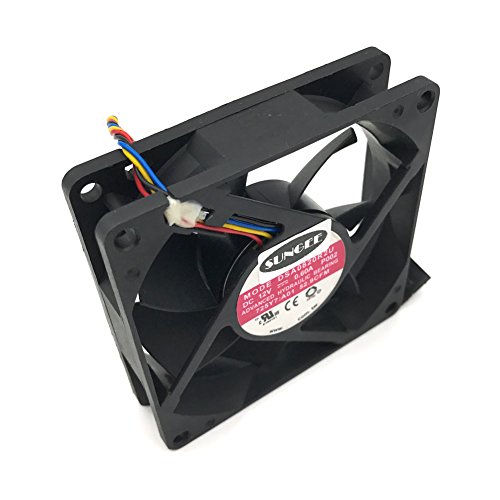


DASA0820R2U 12V 0.6A 4Wire for Dell Optiplex 790 990 SFF Case Cooling Fan
| SELLER | SELLER SCORE | AMAZON FULFILLED | PRIME | FREE SHIPPING |
|---|---|---|---|---|
| Z.N.Z | 9.40 | No | No | No |
Any Dell Optiplex 790 or 990 SFF owner facing thermal throttling needs this Sungee replacement fan immediately to restore system stability. This 80mm unit is a precision-fit solution designed specifically to handle the tight airflow requirements of small form factor chassis. What really sets this fan apart from cheap, generic alternatives is the dual ball bearing design, which promises much better longevity and consistent performance under load compared to standard sleeve bearings. Running at 12V with a 0.6A input, it provides the necessary punch to move air effectively without being a massive power draw. It is a straightforward, reliable fix for a common hardware headache, ensuring your desktop stays cool during intensive tasks.

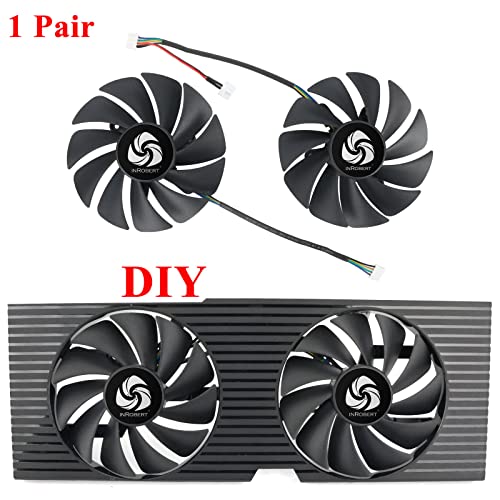


DIY PLA09215B12H GPU Cooling Fan for OEM Dell Nvidia RTX 3070 3080 3090 Graphics Card Cooler
| SELLER | SELLER SCORE | AMAZON FULFILLED | PRIME | FREE SHIPPING |
|---|---|---|---|---|
| inRobert | 7.66 | Yes | Yes | Yes |
Why settle for subpar thermal performance when a simple fan swap can actually lower your GPU temperatures? This inRobert DIY replacement is a specialized fix for Dell Nvidia RTX 3070, 3080, and 3090 users looking to optimize their cooling. While the original fan uses a 9-blade design, this upgraded 11-blade model expands to 88mm to move more air. Interestingly, you won't actually need to run this at full throttle. Even at 75% speed, it has been shown to drop temperatures to 51°C, outperforming the stock fan's 55°C. It integrates perfectly with Alienware 3080 setups and maintains full software compatibility for speed monitoring. Just keep in mind that this specific unit is not compatible with the RTX 3060TI, so check your model before buying.


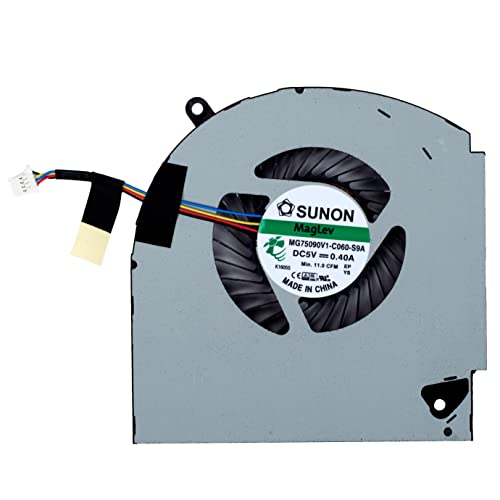


Replacement CPU and GPU Cooling Fan for Dell Alienware 17 R4 & Alienware 17 R5 Series Game Laptop P/N: MG75090V1-C060-S9A MG75090V1-C070-S9A 0K2PKV 04...
| SELLER | SELLER SCORE | AMAZON FULFILLED | PRIME | FREE SHIPPING |
|---|---|---|---|---|
| No | No | No |
This KBRPARTS replacement fan is the definitive fix for Alienware 17 R4 and R5 owners struggling with thermal throttling or hardware failure. When your gaming rig starts sounding like a jet engine or, worse, shuts down due to heat, this unit provides a reliable lifeline. It features a standard 4-pin connector, making the installation process straightforward for anyone comfortable with a screwdriver. Every fan undergoes testing before it leaves the warehouse to ensure it arrives in perfect working order, which is a massive relief when you are trying to get back into a game quickly. Having a dedicated 6-month warranty backing this component adds a layer of professional confidence that is often missing in the third-party replacement market.


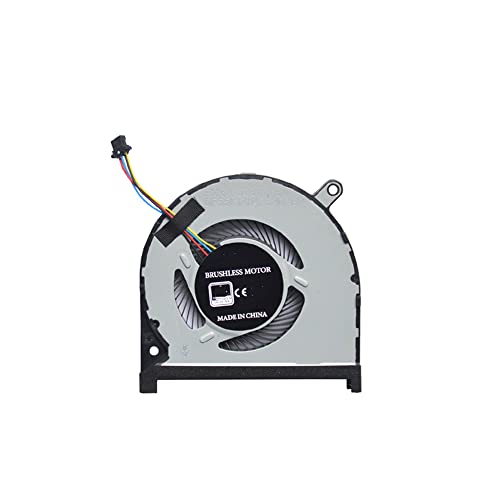


New CPU and GPU Cooling Fan for Dell Inspiron 15 7590 7591 P83F Series P/N: 0MPHWF 0861FC DFS5K12114262D DFS5K22115371D DC 5V 0.5A(Two Fans)
| SELLER | SELLER SCORE | AMAZON FULFILLED | PRIME | FREE SHIPPING |
|---|---|---|---|---|
| YXLKJYX | 6.55 | Yes | Yes | Yes |
After weeks of use, the thermal stability of my Dell Inspiron 15 7590 has finally returned to its original factory state. Replacing aging, noisy fans can be a headache, but this LEYEYDOJX dual-fan kit makes the process remarkably straightforward for P83F series owners. The package arrives with both the CPU and GPU cooling fans, ensuring you have a complete solution for a full thermal overhaul. Each fan utilizes a standard 4-pin, 4-wire connection, which makes the installation feel secure and reliable. At just under twenty dollars, it is a highly efficient way to prevent thermal throttling during intense gaming sessions. Having a brand-new set of fans instead of trying to clean out old, clogged hardware has made a noticeable difference in my laptop's temperature management.


HK-Part CPU Cooling Fan for Dell Inspiron 24-5459 V5450 5460 5459 AIO Radiator DYKW1 CN-0DYKW1
| SELLER | SELLER SCORE | AMAZON FULFILLED | PRIME | FREE SHIPPING |
|---|---|---|---|---|
| hk-part | 9.63 | Yes | Yes | Yes |
The SYW·pcparts CPU Cooling Fan is a precision-engineered thermal solution designed specifically to revive overheating Dell Inspiron All-in-One systems. Replacing a noisy or failing fan in an AIO can be a headache, but this unit fits the V5450, 5460, and 5459 models perfectly. It operates on a standard 12V power supply with a 4-pin connection, ensuring seamless integration with your existing motherboard. What really sets this kit apart is the inclusion of free thermal grease, which saves you an extra trip to the hardware store and ensures your repasting process is complete right out of the box. It is a reliable, brand-new component that brings stable temperatures back to your workstation.


Bestparts New CPU+GPU Cooling Fan Replacement for Dell XPS 13 7390 9310 2-in-1 (Only fits for 2-in-1 Version) Pair Fans
| SELLER | SELLER SCORE | AMAZON FULFILLED | PRIME | FREE SHIPPING |
|---|---|---|---|---|
| Amazon Warehouse | 9.90 | Yes | Yes | Yes |
Is your Dell XPS 13 2-in-1 struggling to breathe under heavy workloads? Thermal throttling can turn a premium ultrabook into a frustratingly slow machine, but this BestParts replacement pair offers a direct path back to peak performance. Designed specifically for the 7390 and 9310 2-in-1 models, these fans arrive as a matched set to ensure balanced airflow across both the CPU and GPU. The 4-pin, 5V 0.5A connection makes the installation process straightforward for anyone comfortable with a screwdriver. Since you get two fans in a single package, you can address both thermal zones simultaneously, which is much more efficient than replacing them one by one. It is a practical, budget-friendly solution for reviving a laptop that has become too loud or too hot to handle.
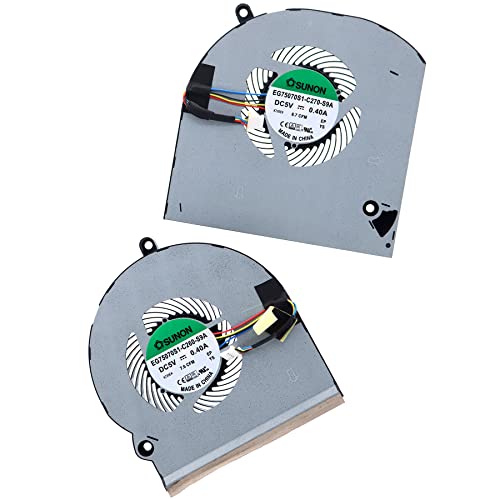


Deal4GO CPU Cooling Fan EG75070S1-C270-S9A w/GPU Fan EG75070S1-C260-S9A Set Replacement for Dell Alienware 15 R3 15 R4 P69F
| SELLER | SELLER SCORE | AMAZON FULFILLED | PRIME | FREE SHIPPING |
|---|---|---|---|---|
| Deal4Go | 9.64 | Yes | Yes | Yes |
The frantic, grinding whine of a dying laptop fan is a sound no gamer wants to hear during a high-stakes match. This replacement set from Deal4GO offers a direct lifeline for Alienware 15 R3 and R4 owners struggling with thermal throttling. Instead of dealing with a messy soldering project, you get a straightforward plug-in experience thanks to the 4-pin, 4-wire connector design. The kit includes both the left-side CPU fan and the right-side GPU fan, ensuring your GTX 1060 through 1080 graphics card stays properly ventilated. With a combined airflow capacity that hits the necessary CFM marks for these specific high-performance machines, it's a practical, cost-effective way to restore your laptop's original cooling efficiency and quiet operation.

The most common mistake when purchasing a replacement fan is assuming that all fans within a specific series are interchangeable. Dell utilizes vastly different thermal designs across their product lines. For instance, a fan designed for an Inspiron laptop will have a completely different mounting bracket, shroud shape, and airflow direction than a fan for an Alienware gaming rig. You must match the fan to your specific chassis type. Beyond the model series, pay attention to the thermal solution type. Some high-end Dell laptops utilize dual-fan setups (one for the CPU and one for the GPU), while others use a single shared heat pipe system. Ensure your replacement matches the specific role of the fan you are replacing.
Even if a fan physically fits into the mounting holes, it is useless if the electrical interface is incorrect. Dell cooling fans typically use 3-pin or 4-pin PWM (Pulse Width Modulation) connectors. A 4-pin fan is highly preferred because it allows the system BIOS to precisely control the fan speed based on real-time temperature sensors. If you attempt to use a 3-pin fan in a 4-pin header, you may lose the ability to regulate speed, resulting in the fan running at 100% capacity constantly, which creates excessive noise and wears out the bearings prematurely. Always verify that the voltage (typically 5V for laptops and 12V for desktops) and the pin configuration match your original component exactly.
Cooling is a matter of pressure and direction. In Dell laptops, fans are often designed to pull air from the bottom intake and exhaust it through the side or rear vents. If you purchase a fan with an inverted airflow direction, you will create a pocket of stagnant, hot air inside the chassis, leading to immediate overheating. For desktop users, particularly those working with Precision workstations, look at the CFM (Cubic Feet per Minute) rating. A higher CFM indicates a greater volume of air moved, which is essential for high-wattage components. However, higher CFM often comes with increased decibel levels, so you must balance cooling efficiency with your tolerance for acoustic noise.
Not all replacement fans are created equal. The longevity of the fan is determined by its bearing type. Sleeve bearings are common in budget replacements but are prone to failure and noise as the lubricant dries out over time. For a more permanent fix, look for fans utilizing Fluid Dynamic Bearings (FDB) or ball bearings. These are much more resilient to the heat generated inside a Dell chassis and provide a much smoother, quieter operation over several years of use. Given that Dell machines are often used for professional or intensive gaming tasks, investing in a fan with a higher MTBF (Mean Time Between Failures) rating is a wise decision to avoid frequent maintenance cycles.
When making your final selection, follow this hierarchy: First, prioritize exact physical and electrical fit to avoid installation headaches. Second, prioritize PWM 4-pin connectivity to ensure your system can manage thermals intelligently. Third, choose ball bearing or FDB models if you want the fan to last as long as the computer itself. If you are a gamer or a video editor, prioritize higher CFM. If you are a student or office worker, prioritize low decibel (dB) ratings for a silent environment.
Quick answers about Dell Cooling Fans before you buy.
Share of top-ranked products by brand, from our editorial analysis.
We've carried out a comprehensive analysis of 547 reviews on Dell Cooling Fans, using our selection criteria to identify the best options in the categories. Our findings reveal that most customers typically select Dell Cooling Fans priced around $26.85.
Our team of expert editors reviewed these high-quality items and handpicked the top 27 Dell Cooling Fans for your consideration..
We are dedicated to assisting our users in finding the right fans Products based on their needs, saving them considerable time when choosing which Dell Cooling Fans to buy. We take pride in the number of satisfied users we've helped through our thorough and insightful reviews.
Compare the top 27 picks at a glance — select a column to sort.


