#TOP1

In a modern office environment, the ability to digitize paper workflows instantly and securely is a necessity rather than a luxury. Ethernet document scanners bridge the gap between physical filing cabinets and digital cloud storage by allowing multiple users on a local area network (LAN) to send documents directly to a shared destination without needing a dedicated PC to act as a middleman. Unlike USB-only models that tether a scanner to a single workstation, Ethernet-enabled devices offer the scalability and autonomy required for high-volume professional environments. Choosing the right model requires more than just looking at resolution. You must evaluate network stability, processing speed, and how the device integrates into your existing digital ecosystem.
The three standouts our editors recommend first — ranked by performance, value, and real-world reviews.

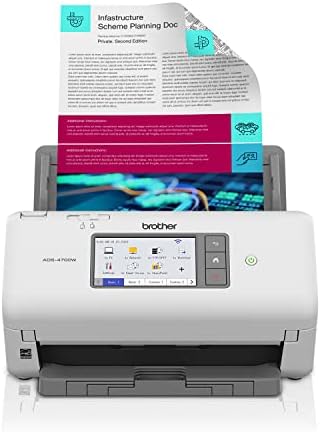


Raven Pro Document Scanner - Huge Touchscreen, High Speed Color Duplex Feeder (ADF), Wireless Scan to Cloud, WiFi, Ethernet, USB, Home or Office Deskt...
| SELLER | SELLER SCORE | AMAZON FULFILLED | PRIME | FREE SHIPPING |
|---|---|---|---|---|
| Raven Scanner | 9.45 | Yes | Yes | Yes |
The Raven Pro Document Scanner redefines desktop efficiency with its massive 8-inch LED touchscreen that makes navigating complex workflows feel as intuitive as using a smartphone. I was particularly impressed by how this machine eliminates the need for a connected PC. You can scan directly to Google Drive, Dropbox, or QuickBooks Online via Wi-Fi or Ethernet. The 100-page automatic document feeder is a powerhouse, utilizing ultrasonic detection to prevent jams even when you are cycling through a thick stack of receipts or business cards. Because every scan undergoes OCR to create searchable PDFs, finding a specific handwritten note or printed line item is incredibly fast. It is a robust, standalone solution for anyone looking to digitize a high volume of paperwork without the tether of a computer.
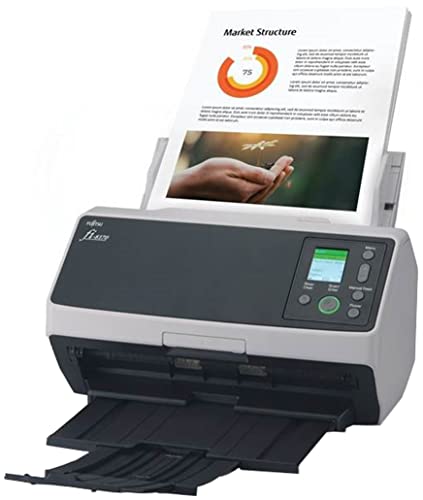


Fujitsu fi-8170 Professional High Speed Color Duplex Document Scanner - Network Enabled
| SELLER | SELLER SCORE | AMAZON FULFILLED | PRIME | FREE SHIPPING |
|---|---|---|---|---|
| Amazon.com | 9.68 | Yes | Yes | Yes |
The Fujitsu fi-8170 redefines office productivity with its blistering 70-page-per-minute duplex scanning speed. This isn't just another desktop peripheral. It is a robust workhorse built on a legendary platform designed for heavy-duty, daily use. I found the versatility particularly impressive, as it effortlessly transitions from standard paper to thick ID cards and passports without skipping a beat. The Clear Image Capture technology ensures every scan is crisp and professional, which is vital for digital archiving. Setting it up into your existing workflow is a breeze thanks to TWAIN/ISIS integration via Ethernet or USB. Plus, the included PaperStream ClickScan software makes the process incredibly intuitive—you essentially just hit a button and send your files directly to email or a folder.
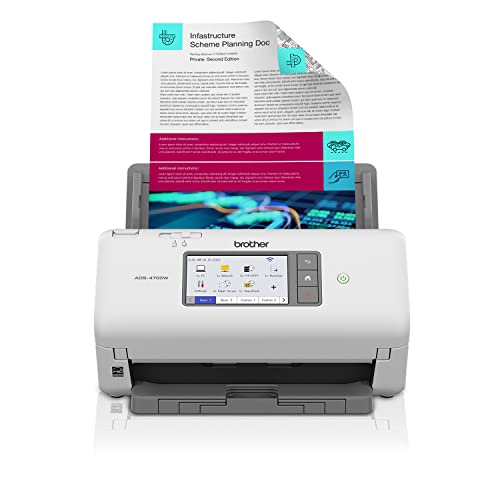
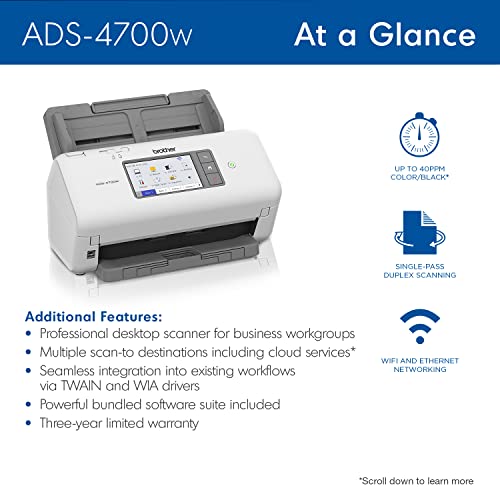


Brother ADS-4700W Professional Desktop Scanner with Fast Scan Speeds, Duplex, Wireless, and Large Touchscreen
| SELLER | SELLER SCORE | AMAZON FULFILLED | PRIME | FREE SHIPPING |
|---|---|---|---|---|
| Amazon.com | 9.68 | Yes | Yes | Yes |
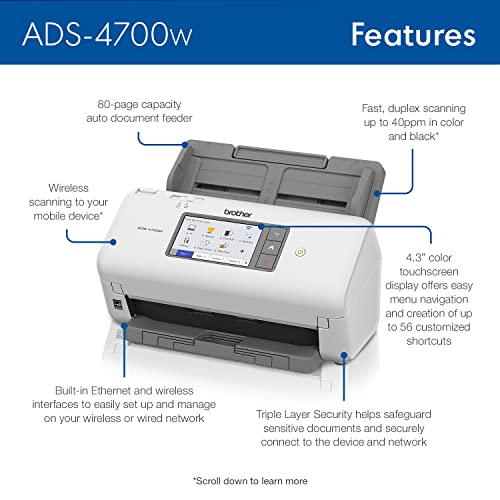
Most people assume a desktop scanner is just a peripheral, but the Brother ADS-4700W functions more like a dedicated workstation for your paper trail. I found that the real magic lies in the 4.3-inch color touchscreen, which turns complex digital filing into a simple one-touch operation. You aren't just scanning. You are routing data directly to SharePoint, Google Drive, or Dropbox without ever touching a computer. With speeds hitting 40ppm and a robust 80-page auto document feeder, this machine handles heavy-duty duplex scanning with ease. Whether you are utilizing the wireless connectivity for mobile scanning via AirPrint or leveraging the triple-layer security to protect sensitive files, this device is built specifically to eliminate the bottleneck of traditional document processing.
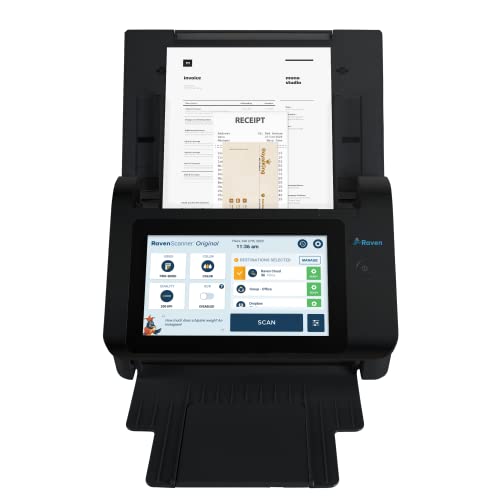


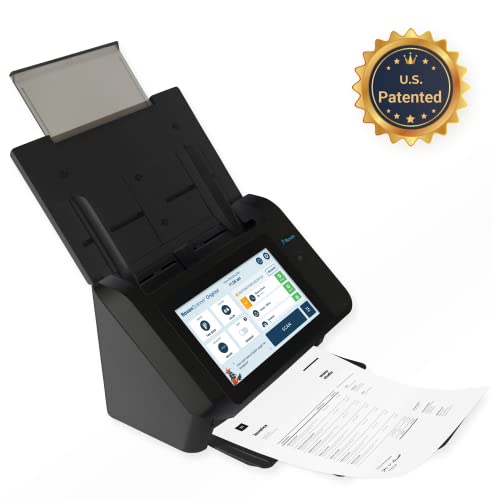

Raven Original Document Scanner - Huge Touchscreen, Color Duplex Feeder (ADF), Wireless Scanning to Cloud, WiFi, Ethernet, USB, Home or Office Desktop...
| SELLER | SELLER SCORE | AMAZON FULFILLED | PRIME | FREE SHIPPING |
|---|---|---|---|---|
| Raven Scanner | 9.29 | Yes | Yes | Yes |
Small business owners drowning in paperwork need the Raven Original Document Scanner to reclaim their desk space and their sanity. This isn't just another peripheral tethered to a laptop. The massive 8-inch touchscreen makes it feel more like a dedicated smart device that handles the heavy lifting independently. I was particularly impressed by how seamlessly it pushes scans directly to the cloud, whether you are a Dropbox devotee or a Google Drive user. The 50-sheet anti-jam feeder handles everything from fragile receipts to thick ID cards without the usual headache, and the built-in OCR ensures every PDF you create is actually searchable. It is a robust, standalone powerhouse that turns a chaotic filing process into a streamlined, wireless workflow.
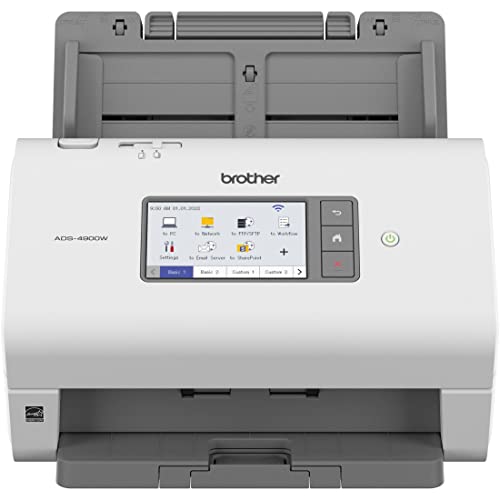


Brother ADS-4900W Professional Desktop Scanner with Fast Scan Speeds, Duplex, Wireless, and Large Touchscreen
| SELLER | SELLER SCORE | AMAZON FULFILLED | PRIME | FREE SHIPPING |
|---|---|---|---|---|
| Amazon.com | 9.68 | Yes | Yes | Yes |
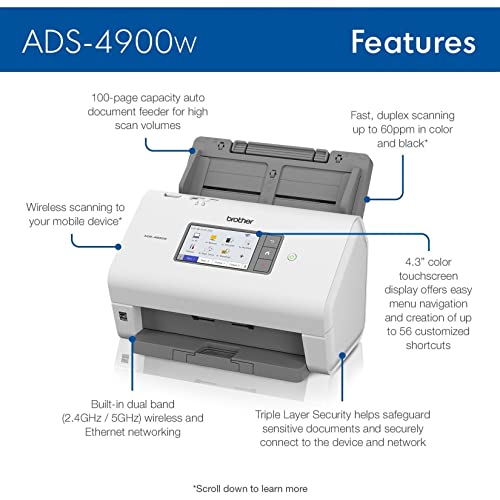
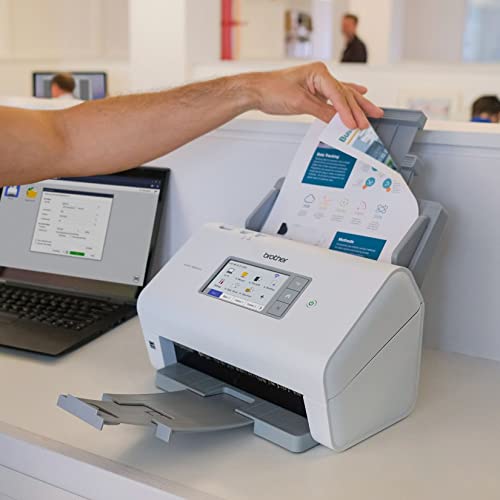
After weeks of use in a high-volume office environment, the Brother ADS-4900W has proven itself as a true workhorse rather than just another piece of desk clutter. The speed is genuinely impressive, pulling through double-sided documents at 60ppm without breaking a sweat, which keeps the morning paper trail from piling up. I found the 4.3-inch color touchscreen to be a game changer for efficiency. Being able to set up 56 customizable shortcuts means you can scan directly to Google Drive or Dropbox with a single tap. Whether you are connecting via the dual-band wireless or using the robust Ethernet interface, the integration into existing workflows feels seamless. It handles everything from single sheets to large batches via the 100-page feeder, making it a reliable backbone for any serious digitization project.



Brother ADS-4300N Professional Desktop Scanner with Fast Scan Speeds, Duplex, and Networking
| SELLER | SELLER SCORE | AMAZON FULFILLED | PRIME | FREE SHIPPING |
|---|---|---|---|---|
| Amazon.com | 9.68 | Yes | Yes | Yes |
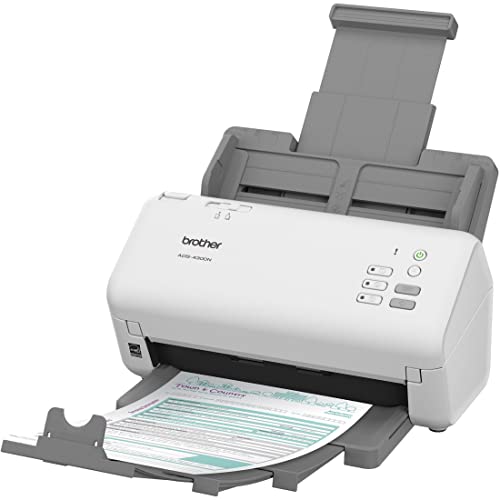
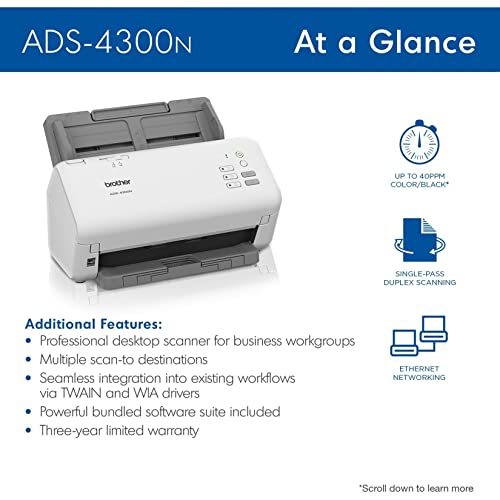
Does your current office hardware struggle to keep pace with a modern, high-volume workload? The Brother ADS-4300N is a powerhouse designed specifically to bridge the gap between physical paperwork and digital efficiency. I found the 40ppm duplex scanning speed incredibly impressive, especially with the 80-page auto document feeder handling single and double-sided materials in one pass. It doesn't just scan. It integrates seamlessly into your existing ecosystem via Ethernet and wide driver support like TWAIN and ISIS. You can push files directly to SharePoint, cloud services, or even a USB stick without much fuss. With triple-layer security protecting your sensitive data and the ability to scan directly to mobile via AirPrint, this scanner feels like a true professional-grade tool for any busy workgroup.

The primary reason to invest in an Ethernet scanner is to facilitate seamless network communication. When evaluating models, look for robust Gigabit Ethernet support to ensure that large, high-resolution PDF files move across your network without bottlenecking. Some high-end professional models also offer Wi-Fi capabilities as a secondary option, providing flexibility if you need to move the device between desks. However, for mission-critical reliability and security, a hardwired Ethernet connection remains the gold standard. Additionally, check if the scanner supports 'Scan-to-Network' or 'Scan-to-FTP' protocols, which allow the device to drop files directly into a specific folder on your server or a network-attached storage (NAS) device.
Speed is measured in Pages Per Minute (PPM) and Images Per Minute (IPM). If you are scanning single-sided documents, PPM is your primary metric. If you are scanning double-sided documents (duplexing), IPM is the more accurate indicator of performance. For a small home office, a scanner capable of 30–40 PPM is sufficient. However, for a medium-sized business or a legal firm, you should look for devices exceeding 60–80 PPM. Beyond speed, pay close attention to the 'Daily Duty Cycle.' This specification tells you how many pages the scanner can reliably handle every day before the mechanical components are at risk of overheating or premature wear. A scanner rated for 5,000 pages per day will far outlast a consumer-grade model rated for 500.
A scanner is only as good as its ability to handle diverse media. Look for models with an adjustable paper guide system to prevent skewing, which can ruin OCR (Optical Character Recognition) accuracy. Advanced scanners feature ultrasonic multi-feed detection. This uses sound waves to ensure that two pages haven't accidentally stuck together, preventing a single scan from missing critical information. Furthermore, consider the capacity of the Automatic Document Feeder (ADF). A larger ADF allows you to load massive stacks of paper at once, reducing the time spent manually reloading the tray. If you frequently scan fragile or thick documents, ensure the scanner has a 'manual feed' slot or a gentle roller mechanism to prevent tearing.
The hardware is only half the battle. The software determines how usable your digital files will be. High-quality Ethernet scanners should come with professional-grade software that supports Optical Character Recognition (OCR). This technology converts images of text into searchable, editable data, which is essential for digital archiving. Look for software that supports various file formats, such as searchable PDFs, TIFFs, and JPEG, and check for integration with popular cloud services. The ability to automatically name files based on content or to route them to specific email addresses via the network can save hours of manual administrative labor every week.
Quick answers about Ethernet Document Scanners before you buy.
Share of top-ranked products by brand, from our editorial analysis.
We've carried out a comprehensive analysis of 2,699 reviews on Ethernet Document Scanners, using our selection criteria to identify the best options in the office electronics products. Our findings reveal that most customers typically select Ethernet Document Scanners priced around $599.94.
Our team of expert editors reviewed these high-quality items and handpicked the top 6 Ethernet Document Scanners for your consideration..
We are dedicated to assisting our users in finding the right scanners Products based on their needs, saving them considerable time when choosing which Ethernet Document Scanners to buy. We take pride in the number of satisfied users we've helped through our thorough and insightful reviews.
Compare the top 6 picks at a glance — select a column to sort.


