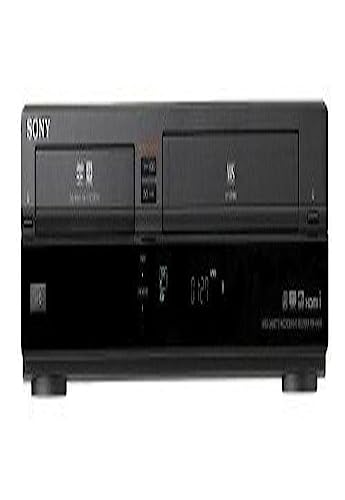
Prioritize Video Output Compatibility
When selecting a Sony combo unit, the most critical factor is how the device connects to your current television. Older VCR components often rely on composite (red, white, and yellow) connections, while modern displays favor HDMI. Because true HDMI-out on a VCR-capable device is rare, you must check if the unit supports component video (Red, Green, Blue) for a higher-quality analog signal. If you are connecting this to a 4K or smart TV, you may need to factor in the cost of an external upscaler to ensure the VHS playback doesn't look overly pixelated or washed out on a high-resolution screen.
Evaluate Playback Reliability and Features
A combo unit is only as good as its weakest component. For the VCR side, look for units that offer stable tape loading mechanisms and, if possible, features like 'Hi-Fi Stereo' audio to ensure your old tapes sound as rich as possible. On the DVD side, ensure the player supports multi-region playback if you collect international media, and check for progressive scan capabilities, which significantly improve the sharpness of DVD images. Sony units are known for their robust mechanical builds, but always verify that the tray mechanisms for both the disc and the tape are rated for frequent use.
Consider Space and Connectivity Constraints
The primary advantage of a Sony combo is the reduction of footprint. However, not all combos are created equal in terms of port availability. Look for units that provide sufficient RCA outputs for audio and video, as well as S-Video ports if you are using a high-end CRT television for an authentic retro experience. Additionally, consider the depth of the unit. Some larger Sony models may require more clearance in a media cabinet than others. If you plan on digitizing your tapes, ensure the unit has a stable output signal that won't flicker, which is essential when running the signal through a capture card.
Your decision should be driven by your primary intent. If your goal is preservation, prioritize a unit with the cleanest analog-to-digital signal path to make transferring tapes to a computer easier. If your goal is convenience, look for a model with a simplified remote control that manages both formats effectively, preventing the frustration of toggling between different input modes. For those seeking a cinematic experience, focus on the DVD side's ability to handle high-bitrate discs and the VCR's ability to provide stable, flicker-free playback of your most cherished analog recordings.