Determine Your Primary Use Case: Portable vs. Desktop
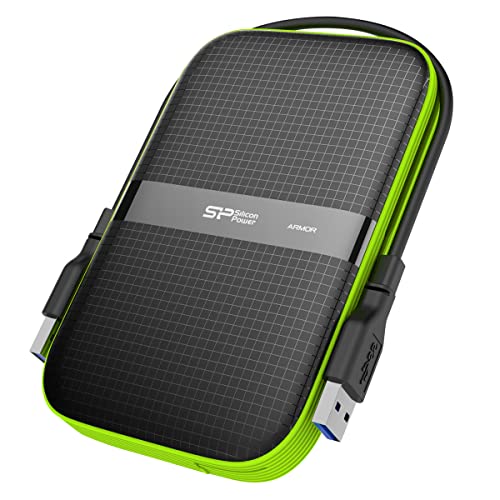
The first fork in the road is deciding between a portable drive and a desktop-class drive. Silicon Power's portable line is designed for mobility. These are typically powered via the USB connection itself, making them perfect for laptops and travel. If you are frequently moving between locations, a portable drive is non-negotiable. However, if your goal is to create a massive central backup for a home office or a workstation, you should look toward their desktop external drives. These usually require a dedicated power outlet but offer significantly higher storage capacities and often feature more robust internal components designed for constant uptime.
Prioritize Durability and Environmental Protection
One of the standout features of many Silicon Power models is their emphasis on ruggedness. If you are an outdoor enthusiast or someone who works in high-activity environments, look for drives that feature specialized protective casing. Some models are engineered with shock-resistant shells or rubberized exteriors designed to withstand accidental drops. When reviewing specifications, check if the drive offers any level of moisture or dust resistance. For users who carry their drives in backpacks alongside heavy gear, a drive with a reinforced chassis is a much smarter investment than a standard slim drive that may be vulnerable to physical pressure.
Interface Speeds and Connection Types
A common mistake is buying a high-capacity drive only to be throttled by a slow connection. You must match the drive's interface to your computer's capabilities. For modern setups, look for USB 3.2 Gen 1 or Gen 2 support to ensure fast data transfer rates. If you are transferring large video files or high-resolution photo libraries, the difference between a standard USB connection and a high-speed interface is measured in minutes or even hours. Additionally, check the connector type. While USB-A remains common, many newer laptops and mobile devices require USB-C. Choosing a drive that includes a USB-C cable or a native USB-C port will save you from the frustration of carrying extra adapters.
Capacity vs. Longevity
When selecting capacity, it is wise to follow the 'rule of halves.' If you believe you need 2TB of space today, consider stepping up to 4TB. External drives slow down as they approach maximum capacity, and having extra 'breathing room' helps maintain optimal performance. Furthermore, consider the type of storage technology. While traditional spinning hard drives (HDD) offer the most bang for your buck in terms of raw terabytes, Silicon Power also offers solid-state options (SSD). If your budget allows, an SSD is significantly faster and much more resistant to physical shock because it has no moving parts, making it the superior choice for mission-critical data.
Summary of Recommendation Logic
To make your final decision, follow this logic: If you are a traveler, prioritize a shock-resistant portable drive with USB-C. If you are a desktop user needing bulk storage, prioritize a high-capacity desktop drive with an external power supply. If speed is your absolute priority, bypass the traditional hard drives and invest in a Silicon Power SSD. By aligning the drive's physical build and interface with your daily habits, you ensure your data remains both safe and accessible.