#TOP1

Stepping into the world of flight simulation requires more than just a standard gamepad. It requires tactile precision and an interface that mimics the physical reality of a cockpit. Whether you are navigating a commercial airliner through a storm or engaging in high-G dogfights in a fighter jet, the quality of your flight controls directly dictates your immersion and your ability to master complex flight physics. This guide is designed to help you navigate the technical nuances of joysticks, throttles, and rudder pedals to ensure your hardware matches your ambitions in the virtual skies.
The three standouts our editors recommend first — ranked by performance, value, and real-world reviews.





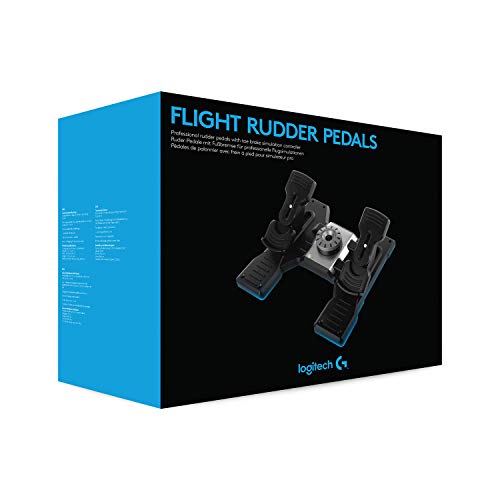
Logitech Pro Flight Rudder Pedals
| SELLER | SELLER SCORE | AMAZON FULFILLED | PRIME | FREE SHIPPING |
|---|---|---|---|---|
| Trends Goods | 9.89 | No | No | No |
Most flight sim enthusiasts overlook how much their landing precision depends on their feet rather than their hands. The Logitech G Pro Flight Rudder Pedals change that by bringing a level of tactile nuance that keyboard and joystick setups simply cannot replicate. The self-centering mechanism feels incredibly smooth, but the real magic lies in the adjustable tension dial. You can easily swap between the light, twitchy response needed for a bush plane and the heavy, stable resistance required for a commercial jet. I also found the differential toe brakes to be indispensable for taxiing maneuvers, providing precise control when navigating a runway. At 2.3 kg, they have enough heft to stay put, making them a substantial addition to any serious cockpit setup.



Logitech G Saitek PRO Flight Throttle Quadrant, Professional Simulation Axis Levers, LCD Display, 3x Two-Way Rocker Switches, Adjustable Bracket, USB,...
| SELLER | SELLER SCORE | AMAZON FULFILLED | PRIME | FREE SHIPPING |
|---|---|---|---|---|
| Amazon.com | 9.68 | Yes | Yes | Yes |
Serious flight simulation enthusiasts cannot afford to overlook the Logitech G Saitek Pro Flight Throttle Quadrant if they want true cockpit immersion. This unit moves beyond basic controls by offering three distinct axis levers and three two-way rocker switches, giving you a massive amount of tactile agency over your aircraft. I found the modularity particularly impressive. You can swap out the lever heads to customize your setup for specific needs like mixture, flaps, or prop pitch. The adjustable bracket is a lifesaver for desk management, allowing you to mount it in front of or on top of your workspace, whether you're sitting in the pilot or co-pilot seat. It’s a sturdy, versatile piece of kit that bridges the gap between a simple joystick and a full-scale flight deck.
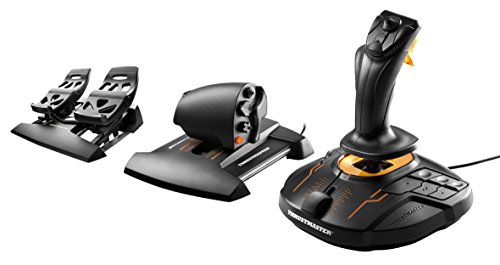


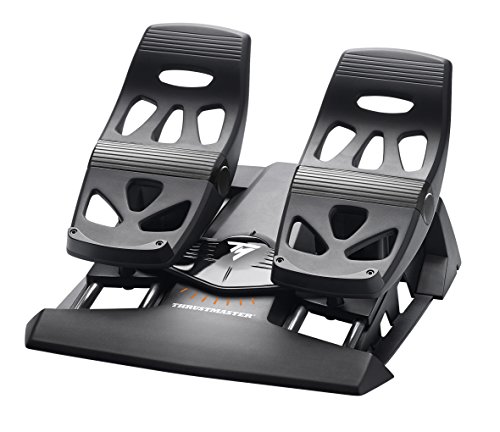

Thrustmaster T16000M FCS Flight Pack (PC)
| SELLER | SELLER SCORE | AMAZON FULFILLED | PRIME | FREE SHIPPING |
|---|---|---|---|---|
| Amazon.com | 9.68 | Yes | Yes | Yes |
You are banking a heavy cargo plane through a storm, and every micro-adjustment to your pitch and yaw feels instantaneous and life-like. That level of control is exactly what the Thrustmaster T16000M FCS delivers thanks to its patented H.E.A.R.T technology, which ensures your precision stays razor-sharp without degrading over time. I found the ambidextrous design incredibly thoughtful. You can swap three removable components to make it feel natural whether you are left or right-handed. With 16 tactile buttons featuring braille-style identification and a twist rudder for seamless axis control, you won't be fumbling for commands mid-flight. Plus, the T.A.R.G.E.T software makes customizing your mapping profiles for different sims a breeze, turning a standard setup into a professional-grade cockpit.



Thrustmaster USB T-Flight Stick X (Windows)
| SELLER | SELLER SCORE | AMAZON FULFILLED | PRIME | FREE SHIPPING |
|---|---|---|---|---|
| Amazon.com | 9.68 | Yes | Yes | Yes |
Budget-conscious flight sim enthusiasts need the Thrustmaster T-Flight Stick X to bridge the gap between casual gaming and immersive flight control without breaking the bank. This plug-and-play device is a dream for immediate takeoff, featuring preconfigured settings for popular titles like Microsoft Flight Simulator X. I found the precision of the joystick impressive, especially with the adjustable resistance control that lets you fine-tune the feel. The ergonomic design is thoughtful, providing a wide hand rest and a throttle lever that feels natural during long sessions. You also get a rotating handle with a built-in locking system for rudder control and a versatile trigger that switches between airbrake and rapid fire modes. With twelve programmable buttons and internal memory, it offers a level of customization that punches far above its weight class.


| SELLER | SELLER SCORE | AMAZON FULFILLED | PRIME | FREE SHIPPING |
|---|---|---|---|---|
| Amazon.com | 9.68 | Yes | Yes | Yes |
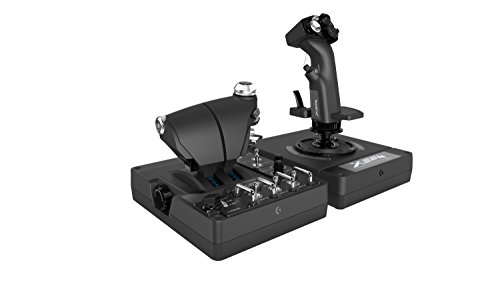



Logitech G X56 H.O.T.A.S Throttle and Joystick Flight Simulator Game Controller, 4 Spring Options, +189 Programmable Controls, RGB Lighting, 2x USB, P...
| SELLER | SELLER SCORE | AMAZON FULFILLED | PRIME | FREE SHIPPING |
|---|---|---|---|---|
| Amazon.com | 9.68 | Yes | Yes | Yes |
Most flight sim enthusiasts eventually realize that a standard gamepad simply cannot replicate the visceral tension of a cockpit, which is exactly where the Logitech G X56 steps in to bridge the gap. This HOTAS setup delivers military-grade precision through 16-bit aileron and elevator axes paired with reliable hall-effect sensors. I found the tactile experience particularly impressive thanks to the advanced four-spring system that lets you customize stick resistance to your preference. The twin throttles include a friction adjuster and lock, while the new mini analog stick surfaces allow for granular control over everything from pitch and roll to independent gimballed weapons. It is a deeply immersive setup that feels tailor-made for VR pilots who need to find every programmable control by touch alone.


| SELLER | SELLER SCORE | AMAZON FULFILLED | PRIME | FREE SHIPPING |
|---|---|---|---|---|
| E-COMMERCE WORLD | 9.19 | No | No | No |
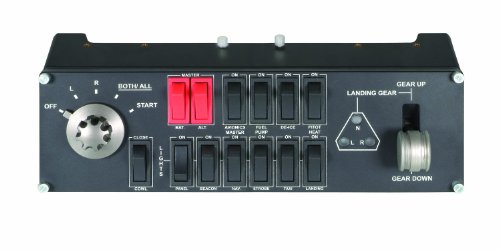


Logitech G Pro Flight Switch Panel, WHITE
| SELLER | SELLER SCORE | AMAZON FULFILLED | PRIME | FREE SHIPPING |
|---|---|---|---|---|
| Amazon.com | 9.68 | Yes | Yes | Yes |
You are sitting in your virtual cockpit, waiting for that crucial moment to transition from taxiing to takeoff, and you reach out to flip the engine switches just like a real pilot. The Logitech G Pro Flight Switch Panel makes this tactile interaction feel incredibly authentic, especially with the landing gear control that uses LEDs to mirror your actual gear status in Microsoft FSX. It is a highly customizable piece of hardware that integrates seamlessly with major software like Prepar3D and X-Plane 10. What really sets this apart is the modular design. You can stack it, place it side-by-side, or mount it next to your yoke using the included brackets. It turns a standard desk setup into a professional-feeling flight station that grows with your passion.


Thrustmaster USB Joystick (PC)
| SELLER | SELLER SCORE | AMAZON FULFILLED | PRIME | FREE SHIPPING |
|---|---|---|---|---|
| Amazon.com | 9.68 | Yes | Yes | Yes |
Budget-conscious flight sim enthusiasts will find this joystick to be an absolute steal for the price. While most entry-level controllers leave you struggling with limited perspective, the inclusion of a dedicated Point-Of-View button sets this unit apart by allowing for seamless camera control and deeper immersion. You get a solid layout featuring three axes, four buttons, and a trigger to manage your maneuvers. I was particularly impressed by the ergonomic handle. The enlarged rest makes long sessions much more comfortable than standard sticks. Even though it is an affordable option, the weighted base and non-slip rubber pads ensure it stays planted on your desk during intense dogfights rather than sliding around.
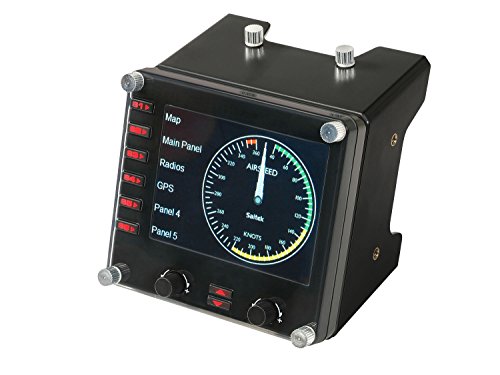


Logitech G Pro Flight Instrument Panel
| SELLER | SELLER SCORE | AMAZON FULFILLED | PRIME | FREE SHIPPING |
|---|---|---|---|---|
| Amazon.com | 9.68 | Yes | Yes | Yes |
The Logitech G Pro Flight Instrument Panel turns your desk into a high-fidelity cockpit with its incredibly responsive 3.5-inch LCD screen. This isn't just a static display. It is a true multi-functional device that breathes life into your flight simulation setup. I found that the screen integrates seamlessly with your software, meaning it automatically updates to reflect real-time aircraft data and software events. Instead of glancing away from your main monitors to check vital stats, you get accurate, instantaneous access to critical flight information right at your fingertips. It transforms the way you monitor your instruments, making the entire experience feel much more immersive and professional during long sessions in the air.
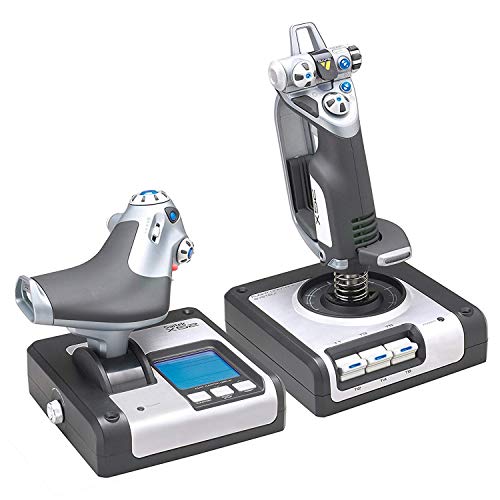
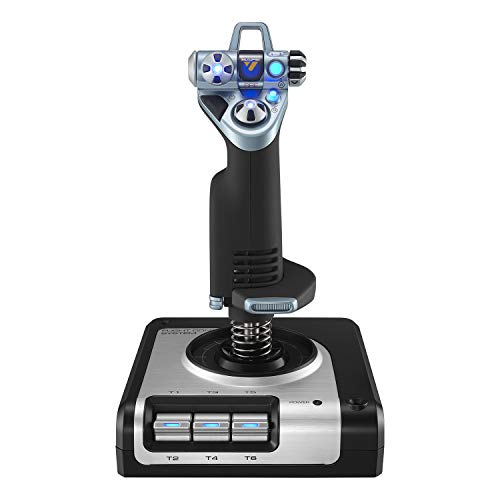

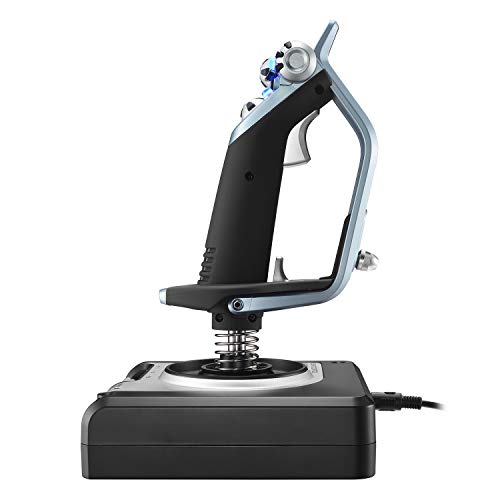

Logitech G X52 Flight Control System
| SELLER | SELLER SCORE | AMAZON FULFILLED | PRIME | FREE SHIPPING |
|---|---|---|---|---|
| Amazon.com | 9.68 | Yes | Yes | Yes |
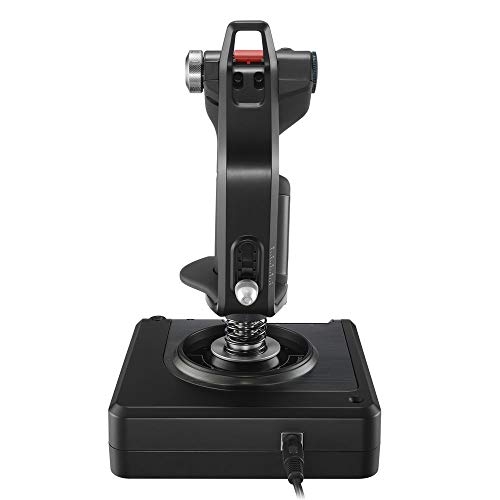
The tactile click of the five-position grip system immediately signals that this isn't a toy, but a serious piece of flight gear. Navigating complex space sims like Star Citizen or Elite Dangerous becomes second nature when you have 282 programmable commands spread across three distinct modes. I was particularly impressed by the multifunction LCD display, which acts as a real-time command cheat sheet and a flight plan clock so you never lose your orientation. The magnetic, non-contact sensors ensure that every micro-adjustment in your X and Y axes is pinpoint accurate and built to last. Plus, the 3D twist rudder includes a clever lock feature, which is a lifesaver if you prefer using dedicated rudder pedals and want to avoid accidental inputs.
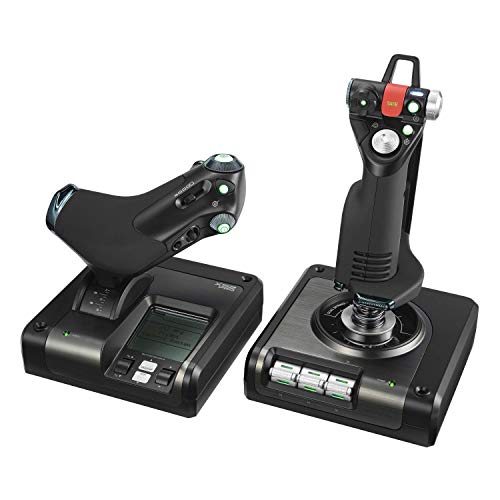
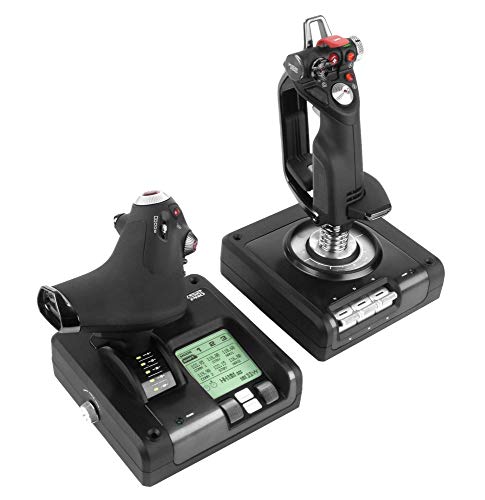


Logitech X52 Pro USB Flight Control System
| SELLER | SELLER SCORE | AMAZON FULFILLED | PRIME | FREE SHIPPING |
|---|---|---|---|---|
| Amazon.com | 9.68 | Yes | Yes | Yes |
After weeks of use in the cockpit of high-stakes space sims, the Logitech G X52 Pro has become an indispensable part of my flight setup. The magnetic non-contact sensors are a game changer, providing a level of precision and long-term durability that traditional potentiometers just can't match. I found the dual spring centering mechanism creates a remarkably smooth, progressive movement that makes fine-tuning my approach during landing feel natural. The multifunction LCD is a standout, allowing me to manage radio panels directly without breaking immersion. With 282 programmable commands spread across three modes, I can navigate complex systems in Elite Dangerous or Star Citizen without ever reaching for my keyboard. Even the 3D twist rudder includes a lock feature, which is perfect if you already own dedicated rudder pedals.


| SELLER | SELLER SCORE | AMAZON FULFILLED | PRIME | FREE SHIPPING |
|---|---|---|---|---|
| Amazon.com | 9.68 | Yes | Yes | Yes |

The heart of any flight setup is the control stick (or HOTAS—Hands On Throttle-And-Stick). When evaluating a joystick, the most critical factor is the sensor technology used to track movement. Traditional potentiometers are common in budget models, but they are prone to 'jitter' and wear over time as physical contacts degrade. For a serious enthusiast, look for Hall Effect sensors. These use magnets to detect movement, meaning there is no physical contact within the sensor itself, resulting in near-infinite lifespan and much higher precision. Additionally, consider the 'axis count.' A standard stick offers pitch and roll, but higher-end models include a twist axis for yaw or dedicated hat switches that allow you to manage trim, cameras, and weapon systems without ever letting go of the grip.
If you are simulating heavy aircraft like the Airbus A320 or Boeing 747, a simple slider won't suffice. You need a throttle quadrant that offers high granularity. This means the physical movement of the lever translates into very fine increments of engine power. Look for throttles that feature modularity. Some high-end systems allow you to swap out levers or add specialized modules for landing gear, flaps, and speed brakes. For combat flight sims, prioritize a throttle with integrated buttons and switches, allowing you to manage fuel mixtures or afterburners instantly. The tactile feedback—whether it is a smooth slide or a notched movement—should match the type of aircraft you intend to fly most frequently.
Many beginners overlook rudder pedals, assuming they can rely on the twist axis of a joystick. However, as you progress, you will find that using your feet for yaw control provides a level of precision that a hand-operated stick cannot match. Rudder pedals are essential for maintaining a straight takeoff roll, managing crosswind landings, and performing coordinated turns. When shopping, look for pedals with adjustable tension. This allows you to customize how much force is required to move the rudder, which is vital for muscle memory. High-quality pedals will also feature a 'toe brake' mechanism, allowing you to control individual wheel braking just as you would in a real cockpit.
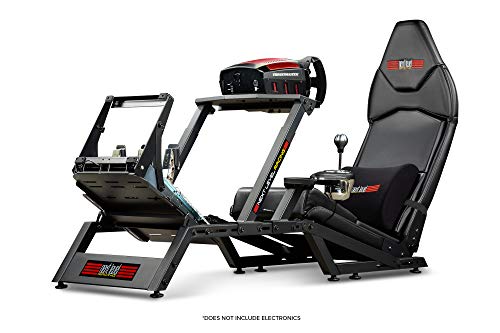
Flight simulation sessions can last for hours. If your controller is made of lightweight, hollow plastic, it may slide around your desk during intense maneuvers. Look for devices with a heavy, weighted base to ensure stability. Furthermore, examine the ergonomics of the grip. A joystick should fit the natural contour of your hand, with buttons placed where your fingers naturally rest. If you plan on building a dedicated cockpit rig, check for mounting compatibility. Some controllers are designed to be bolted directly to a flight stand rather than sitting on a desk.
Quick answers about Gaming Flight Controls before you buy.
Share of top-ranked products by brand, from our editorial analysis.
We've carried out a comprehensive analysis of 8,367 reviews on Gaming Flight Controls, using our selection criteria to identify the best options in the categories. Our findings reveal that most customers typically select Gaming Flight Controls priced around $123.40.
Our team of expert editors reviewed these high-quality items and handpicked the top 13 Gaming Flight Controls for your consideration..
We are dedicated to assisting our users in finding the right features Products based on their needs, saving them considerable time when choosing which Gaming Flight Controls to buy. We take pride in the number of satisfied users we've helped through our thorough and insightful reviews.
Compare the top 13 picks at a glance — select a column to sort.


