#TOP1

For professionals working in specialized environments—such as server rooms, industrial workstations, or legacy media editing suites—the ability to control multiple computers using a single set of peripherals is a productivity necessity. DVI KVM switches serve as a bridge between high-quality digital video signals and efficient hardware management. Unlike modern HDMI-centric setups, DVI-based KVMs are often favored in technical niches where digital signal integrity is paramount and where users are already integrated into a DVI-driven monitor ecosystem. Choosing the right switch requires more than just matching port counts. It demands an understanding of signal resolution, peripheral compatibility, and the nuances of digital video transmission.
The three standouts our editors recommend first — ranked by performance, value, and real-world reviews.

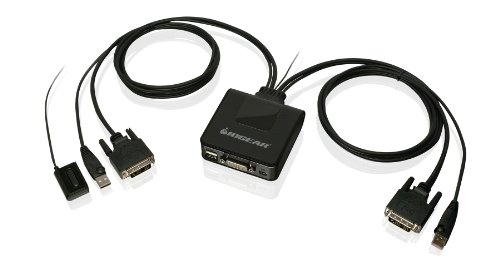


IOGEAR 2-Port USB DVI Cable KVM Switch - 1920x1200 60Hz - Remote Push Button Switching - Plug n Play - Win, Linux, Mac, Sun - GCS922U
| SELLER | SELLER SCORE | AMAZON FULFILLED | PRIME | FREE SHIPPING |
|---|---|---|---|---|
| IOGEAR Direct | 9.57 | Yes | Yes | Yes |
The IOGEAR 2-Port USB DVI KVM Switch is a workspace lifesaver for anyone needing to toggle between an Internet-connected machine and a secure Intranet workstation. Instead of cluttering your desk with two sets of peripherals, this unit lets you control two DVI-D USB 2.0 computers using just one keyboard and mouse. I found the video quality to be crisp, supporting resolutions up to 1920 x 1200 at 60Hz without any noticeable lag. Switching between systems is seamless thanks to the remote push-button, which keeps your main desk area clean. A clever bonus is the USB mouse port, which doubles as a way to share external storage drives between your computers. It is a true plug-and-play solution that works reliably across Windows, Linux, Mac, and Sun environments.
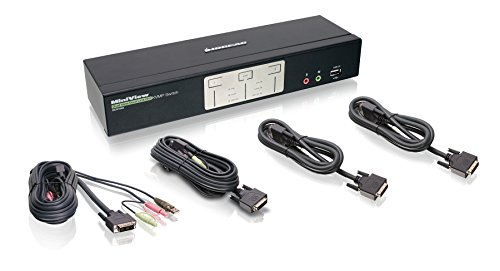


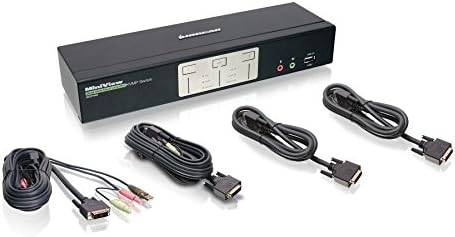
IOGEAR 2-Port Dual View Dual Link DVI KVMP Switch with Audio, w/Full Set of Cables (GCS1642 TAA Compliant)
| SELLER | SELLER SCORE | AMAZON FULFILLED | PRIME | FREE SHIPPING |
|---|---|---|---|---|
| INFINITY SALES CORPORATION | 5.85 | No | No | No |
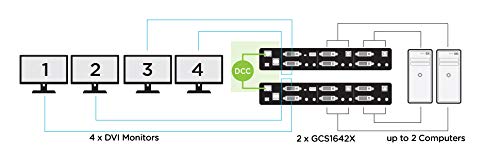
The IOGEAR Dual View Dual Link DVI KVMP Switch is a powerhouse for anyone needing to control two separate computers using a single keyboard, mouse, and dual-monitor setup. It is an ideal work-from-home solution, especially for professionals who need to maintain strict security by physically separating an internet-connected PC from an intranet workstation. You can push high-end visuals with dual-link resolution up to 2560 x 1600, or even hit 4K UHD when paired with compatible hardware. I love that it includes a full set of cables right out of the box, saving you the headache of extra purchases. Plus, the ability to link two units together for Quad View mode makes this a versatile centerpiece for a high-density workstation.
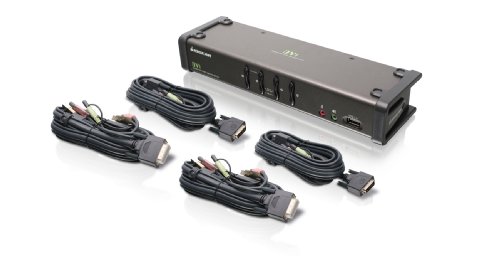


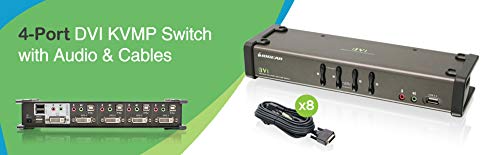
IOGEAR 4-Port DVI KVMP Switch - 1920 x 1200 60Hz - LED Display - Auto Scan Mode - 2.1 Audio w/Mic - 2 USB 2.0 Hub For Peripherals Sharing - Plug n Pla...
| SELLER | SELLER SCORE | AMAZON FULFILLED | PRIME | FREE SHIPPING |
|---|---|---|---|---|
| JMEGoods | 9.86 | Yes | Yes | Yes |
The IOGEAR 4-Port DVI KVMP Switch eliminates workstation clutter by consolidating four separate computers into a single keyboard, mouse, and monitor setup. During testing, the ability to toggle between systems was seamless, thanks to the intuitive pushbutton and specialized hotkey switching. I found the independent control particularly useful. You can switch your USB peripherals or audio ports without disrupting your primary KVM focus. It handles resolutions up to 1920 x 1200 at 60Hz with ease, and the inclusion of 2.1 audio with microphone support makes it a robust hub for multimedia tasks. Since it is a plug-and-play device that comes with all necessary cables, you can get your multi-computer desk organized immediately without hunting for extra accessories.


StarTech.com 2 Port KVM Switch - DVI and VGA w/ Audio and USB 2.0 Hub – Dual Monitor / Display / Screen KVM Switch - DVI VGA (SV231DDVDUA)
| SELLER | SELLER SCORE | AMAZON FULFILLED | PRIME | FREE SHIPPING |
|---|---|---|---|---|
| Amazon.com | 9.68 | Yes | Yes | Yes |
Most people assume that upgrading to a dual-monitor workstation requires a complete overhaul of their legacy hardware, but this StarTech KVM switch proves otherwise. It bridges the gap between older VGA setups and modern DVI digital connections, allowing you to manage two separate computers across two screens without a mess of cables. I found the plug-and-play nature particularly impressive. You won't be hunting for drivers just to get your workspace running. The switch handles resolutions up to 1920x1200, which keeps the image quality sharp and professional. Plus, the integrated USB 2.0 hub is a lifesaver for sharing your mouse, keyboard, and other peripherals between machines instantly. It is a robust, streamlined solution for anyone juggling multiple workstations in a tight space.
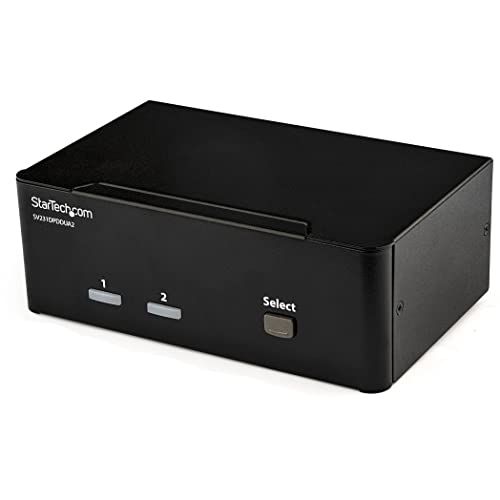


StarTech.com 2-Port DisplayPort KVM Switch - Dual-Monitor - 4K 60 - with Audio & USB Peripheral Support - DP 1.2 - USB Hub (SV231DPDDUA2)
| SELLER | SELLER SCORE | AMAZON FULFILLED | PRIME | FREE SHIPPING |
|---|---|---|---|---|
| Amazon.com | 9.68 | Yes | Yes | Yes |
Managing two separate workstations without a cluttered desk full of extra monitors and peripherals is a constant headache for power users. This StarTech KVM switch solves that friction by allowing you to toggle between two computers while maintaining a dual-monitor setup. I found the support for 4K resolution at 60Hz to be a game-changer for color-sensitive work, ensuring that graphic designers don't lose any visual fidelity when switching inputs. Beyond the video, the built-in USB hub and 3.5mm audio ports mean your keyboard, mouse, and speakers transition seamlessly alongside your display. It effectively turns a complex multi-computer environment into a streamlined, single-desk experience that prioritizes high-resolution productivity.
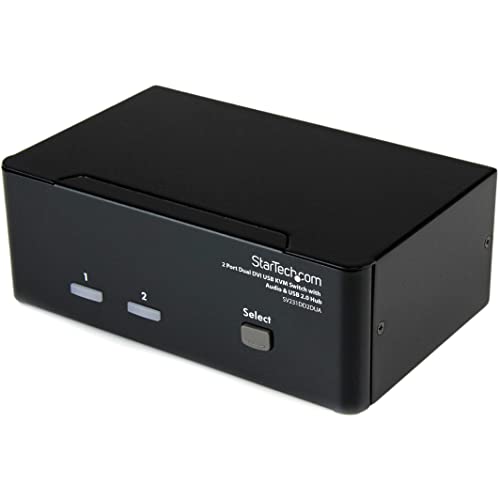


StarTech.com DVI KVM Switch with Audio & USB 2.0 Hub – 2-Port USB KVM Switch - 1920 x 1200 - Dual Monitor KVM Switch (SV231DD2DUA)
| SELLER | SELLER SCORE | AMAZON FULFILLED | PRIME | FREE SHIPPING |
|---|---|---|---|---|
| Amazon.com | 9.68 | Yes | Yes | Yes |
The StarTech.com DVI KVM Switch is a productivity powerhouse that lets you command two separate computers using a single workstation setup. I found that the dual-monitor support is a total game-changer for anyone managing complex workflows, as it maintains professional-grade video quality at 1920 x 1200 resolution. Switching between systems is incredibly smooth thanks to the front panel pushbuttons, but the real hero is the EDID retention. This feature ensures your display settings don't reset every time you toggle computers, saving you from constant re-configuration. Plus, the integrated USB 2.0 hub means you can share extra peripherals like thumb drives or webcams across both machines without buying duplicates. It is a streamlined, TAA-compliant solution that effectively turns a cramped desk into a high-efficiency command center.
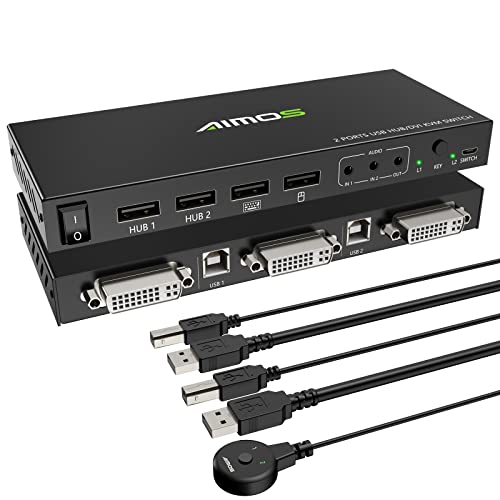


DVI KVM Switch,KVM Switch 2 in 1 Out for 2 Computers Share Keyboard Mouse and USB 2.0 Devices Support 1920 * 1200P@60Hz (4K*2K@30Hz), with Audio Funct...
| SELLER | SELLER SCORE | AMAZON FULFILLED | PRIME | FREE SHIPPING |
|---|---|---|---|---|
| qeesun | 6.64 | Yes | Yes | Yes |
After weeks of use, my desk setup finally feels organized thanks to the AOOCOO DVI KVM Switch. Instead of constantly swapping cables between two computers, I can now control both using a single keyboard, mouse, and monitor with just a button press. The visual quality remains sharp, supporting up to 1920x1200P at 60Hz, which keeps my workflow looking crisp. I particularly appreciate the integrated USB 2.0 hub. It’s a lifesaver for quickly switching between a printer or a hard drive. Just a heads-up for gamers or enthusiasts: avoid using high-power illuminated mechanical keyboards, as they might struggle with power draw. For anyone working in security or education needing a reliable, plug-and-play solution, this switch is a massive productivity booster.
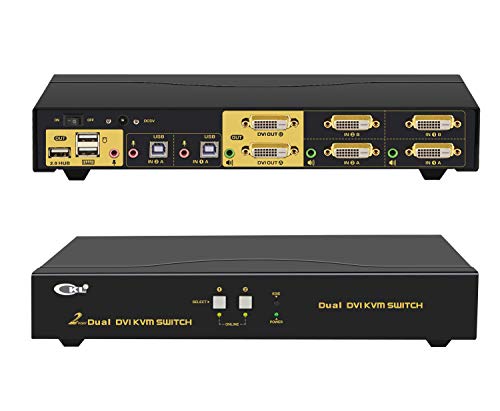


CKL Dual Monitor KVM Switch DVI 2 Port, Dual-View PC Monitor Keyboard Mouse Switcher with Audio and USB 2.0HUB Support 1080i 922D
| SELLER | SELLER SCORE | AMAZON FULFILLED | PRIME | FREE SHIPPING |
|---|---|---|---|---|
| Amazon.com | 9.68 | Yes | Yes | Yes |
The heavy-duty click of the physical push button provides immediate tactile confirmation when you are toggling between two high-performance workstations. This CKL KVM switch is a powerhouse for anyone managing a dual-monitor setup, allowing you to control two DVI-equipped computers using a single keyboard, mouse, and dual-screen array. Whether you need mirrored, extended, or spliced displays, the flexibility is impressive. I particularly like the variety of switching methods. You can use hotkeys, a wired remote, or even an auto-scan mode with adjustable intervals. The integrated USB 2.0 hub is a massive workflow booster, letting you share printers or scanners across both machines seamlessly. With full 1080p resolution and dedicated audio support, your visual and auditory experience remains crisp and uninterrupted during every transition.


StarTech.com 4 Port Triple Monitor DVI USB KVM Switch with Audio & USB 2.0 Hub - Multi Monitor KVM - USB DVI KVM Switch (SV431TDVIUA),Black
| SELLER | SELLER SCORE | AMAZON FULFILLED | PRIME | FREE SHIPPING |
|---|---|---|---|---|
| Amazon.com | 9.68 | Yes | Yes | Yes |
Power users managing massive multi-screen workflows across different machines will find this StarTech.com KVM switch to be an absolute desk-management lifesaver. Instead of constantly unplugging cables or wrestling with multiple sets of peripherals, you can seamlessly toggle between four distinct triple-head computers while maintaining a consistent three-monitor DVI setup. It goes far beyond just video, acting as a central command hub that handles your keyboard, mouse, and even USB 2.0 peripherals without a hitch. I particularly like that it integrates audio support, allowing you to share your speakers and microphone across all connected systems. It is a heavy-duty solution for anyone who needs high-level synchronization between multiple high-performance workstations and a single, unified control set.


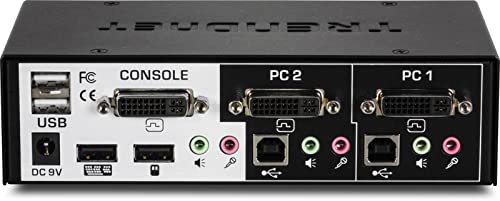
TRENDnet 2-Port DVI KVM Switch with Audio, Manage Two PC's, Hot-Keys, USB 2.0, Metal Housing, Use with a DVID-D Monitor, TK-222DVK
| SELLER | SELLER SCORE | AMAZON FULFILLED | PRIME | FREE SHIPPING |
|---|---|---|---|---|
| Amazon.com | 9.68 | Yes | Yes | Yes |
Most professionals settle for a cluttered desk and a frantic hunt for peripherals, but this TRENDnet KVM switch turns a chaotic dual-PC setup into a streamlined command center. I found that managing two separate computers with a single set of controls feels incredibly intuitive, especially with the integrated hot-key functionality. It is specifically tailored for DVI-D monitors, and I was impressed by its ability to maintain high-definition resolutions well beyond the standard 1080p mark. The inclusion of two bonus USB share ports is a massive win for anyone needing to swap printers or external storage between machines without unplugging cables. Since it requires no CD installation and comes with all the necessary cabling, you can get your workstation organized almost immediately.


StarTech.com 4 Port Dual Monitor DVI KVM Switch - Dual Screen Display Compact USB KVM Switch with Integrated USB 3.0 Hub & Audio - Dual View KVM - Del...
| SELLER | SELLER SCORE | AMAZON FULFILLED | PRIME | FREE SHIPPING |
|---|---|---|---|---|
| Amazon.com | 9.68 | Yes | Yes | Yes |
Most professionals assume that managing four separate workstations requires a massive, cluttered desk setup, but this compact KVM switch proves you can consolidate everything without sacrificing screen real estate. I found that the ability to toggle between dual DVI displays and four different servers using just a single keyboard and mouse setup completely changes the workflow rhythm. It isn't just about video, though. The integrated USB 3.0 hub is a massive time-saver for moving files or using peripherals across different machines instantly. Whether you are using hotkeys or the large, tactile front-panel buttons, the switching feels snappy and reliable. It even handles audio and microphone transitions, making it a true command center for anyone juggling high-performance NVIDIA or AMD-based systems.


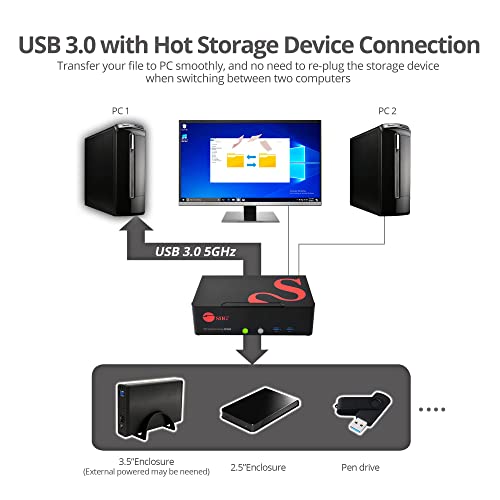
SIIG 2-Port DVI Dual-Link KVM Switch Smart Console with USB 3.0 Multi-Media (CE-DV0111-S1)
| SELLER | SELLER SCORE | AMAZON FULFILLED | PRIME | FREE SHIPPING |
|---|---|---|---|---|
| e-TekDepot | 7.17 | Yes | Yes | Yes |
The tactile click of the front panel selection buttons provides immediate, satisfying feedback when you need to toggle between workstations. This SIIG KVM switch is a powerhouse for anyone managing two DVI-D dual-link systems, handling high resolutions up to 3840x2400 with impressive stability. What really sets it apart is the massive USB 3.0 integration. You aren't just switching a mouse and keyboard, you are bringing four high-speed ports and audio capabilities along for the ride. It is a true plug-and-play experience that skips the driver headache entirely. Whether you are using programmable hot-keys or the auto-scan feature to monitor systems, the workflow feels seamless. Even the inclusion of a Micro USB port for firmware upgrades shows that this hardware is built to evolve with your setup.


StarTech.com 4 Port High Resolution USB DVI Dual Link KVM Switch with Audio and USB 2.0 Hub (SV431DVIUAHR)
| SELLER | SELLER SCORE | AMAZON FULFILLED | PRIME | FREE SHIPPING |
|---|---|---|---|---|
| Amazon.com | 9.68 | Yes | Yes | Yes |
Professional workstations requiring high-fidelity visual clarity across multiple machines demand the StarTech 4 Port Dual Link DVI KVM Switch. I found that this unit is a powerhouse for anyone managing high-resolution setups that can't afford to sacrifice detail for convenience. The ability to push dual link DVI resolutions up to 2560x1600 at 60Hz—or even higher at lower refresh rates—makes it a standout for precision work. The all-metal chassis feels incredibly rugged, signaling it was built for heavy-duty, long-term use rather than a temporary desk setup. Switching between four different computers is seamless thanks to the front panel push buttons, and having an integrated USB 2.0 hub means your peripherals stay connected without a mess of extra adapters. It is a robust, no-nonsense solution for complex desktop environments.


Vertiv Avocent AV3000 Rackmount KVM Over IP Switch, 8 Port KVM switches, Common Access Card (CAC), Local and Remote Access, Centralized Management, VG...
| SELLER | SELLER SCORE | AMAZON FULFILLED | PRIME | FREE SHIPPING |
|---|---|---|---|---|
| Provantage LLC | 9.22 | No | No | No |
You might doubt whether a single piece of hardware can truly streamline a chaotic server room, but the Avocent AV3000 proves that centralized management is worth the investment. After testing its interface, the zero-delay switching stands out immediately. Whether you are using intuitive touch buttons or quick hotkeys, the transition between targets feels seamless. It handles high-resolution video up to 2048x1536 across VGA and DisplayPort, which is vital for maintaining clarity when managing critical resources. The flexibility is also impressive, offering 1U, 0U, or desktop installation options to fit almost any rack setup. By integrating KVM over IP, this switch effectively turns complex remote management into a simplified, single-console experience that actually delivers on its promises.


IOGEAR 8-Port Rackmount DVI and VGA KVMP Switch with 2-DVI-D USB KVM Cables, TAA Compliant, GCS1108
| SELLER | SELLER SCORE | AMAZON FULFILLED | PRIME | FREE SHIPPING |
|---|---|---|---|---|
| Amazon.com | 9.68 | Yes | Yes | Yes |
Why settle for a cluttered desk when one console can command an entire server rack? The IOGEAR 8-Port KVMP Switch is a powerhouse for professionals managing complex setups, offering seamless control over eight different computers through a single interface. What really sets this unit apart is the DynaSync technology. It remembers your monitor's specific parameters so you aren't constantly fighting resolution shifts every time you switch inputs. You get crisp video quality up to 1920x1200 via DVI and even full 2.1 channel surround sound support for a rich audio experience. With two-level password protection and the ability to cascade the system to control hundreds of machines, it provides the high-level security and scalability that enterprise environments demand.


StarTech.com Dual Rail Rackmount KVM Console HD 1080p - Single Port DVI/VGA KVM w/17" LCD Monitor for Server Rack - Fully Featured 1U LCD KVM Drawer w...
| SELLER | SELLER SCORE | AMAZON FULFILLED | PRIME | FREE SHIPPING |
|---|---|---|---|---|
| Amazon.com | 9.68 | Yes | Yes | Yes |
Why settle for cramped, low-resolution server management when you can deploy a high-definition command center directly into your rack? This StarTech KVM drawer is a massive upgrade for anyone tired of squinting at tiny text during critical system maintenance. The 17.3-inch 1080p widescreen display provides the clarity needed for detail-heavy tasks like IP camera monitoring, while the clever dual-rail design allows you to pull the screen and keyboard out independently. It fits perfectly into a 1U space, sliding away neatly when you're done, but the build quality feels incredibly substantial thanks to that durable steel housing. Whether you are running VGA or DVI, the interface versatility ensures it plays well with your existing KVM switch setups without any headache.


CKL Triple Monitor HDMI KVM Switch 2 Port with Audio and USB 2.0 HUB, PC Monitor Keyboard Mouse Switcher Box Mirrored or Extended Display 4K@30Hz for...
| SELLER | SELLER SCORE | AMAZON FULFILLED | PRIME | FREE SHIPPING |
|---|---|---|---|---|
| Amazon.com | 9.68 | Yes | Yes | Yes |
After weeks of use, my cluttered desk setup finally feels like a professional workstation rather than a chaotic web of cables. This CKL KVM switch is a powerhouse for anyone managing two computers across a triple-monitor array, allowing you to toggle between systems without losing your flow. I love that it handles extended or mirrored displays seamlessly, and the built-in EDID ensures your resolutions stay stable even when switching. Beyond just video, the dedicated audio outputs for speakers and microphones, plus the extra USB 2.0 hub for printers or drives, make it a true command center. Whether you prefer clicking a button, using hotkeys, or a wired remote, the switching is snappy and intuitive across Windows and Mac environments.


USB C Switch,Bi-Directional USB C Switcher 2 Computers,MLEEDA USB Type C KVM Switch 8K@60Hz 4K@120Hz Video/10Gbps Data Transfer/100W Charging,Compatib...
| SELLER | SELLER SCORE | AMAZON FULFILLED | PRIME | FREE SHIPPING |
|---|---|---|---|---|
| mengnan | 9.58 | Yes | Yes | Yes |
Most people assume a USB-C switcher is just a simple cable splitter, but the MLEEDA Bi-Directional Switch actually acts as a high-performance command center for your entire desk setup. I found that the ability to toggle between two different computers while maintaining an 8K@60Hz video signal is a total game-changer for anyone juggling a work laptop and a gaming console. You aren't just switching video. You're moving massive amounts of data at 10Gbps and even getting up to 100W of rapid reverse charging for your devices. It is a plug-and-play solution that handles ultra-wide displays with ease, though you do need to ensure your source device specifically supports USB-C Alt DP mode to get the most out of that stunning visual output.


CKL HDMI KVM Switch 2 Port Dual Monitor Extended Display, USB KVM Switch HDMI 2 in 2 Out with Audio Microphone Output and USB 2.0 Hub, PC Monitor Keyb...
| SELLER | SELLER SCORE | AMAZON FULFILLED | PRIME | FREE SHIPPING |
|---|---|---|---|---|
| CKL Electronics | 7.13 | Yes | Yes | Yes |
The CKL HDMI KVM Switch is a workspace game-changer for anyone needing to manage two computers with a single, streamlined setup. By supporting dual-monitor extended or duplicated displays, it effectively eliminates the desk clutter caused by multiple keyboards and mice. I was particularly impressed by the versatile switching options. You can jump between machines using hotkeys, a mouse click, the front panel, or even a wired remote. It delivers sharp 4K@30Hz visuals and includes dedicated audio and microphone outputs, which is a massive plus for video calls. The build feels substantial thanks to its anti-interference metal design, and the included USB 2.0 hub makes sharing peripherals like printers or scanners incredibly simple. It is a plug-and-play solution that truly simplifies a complex professional workstation.


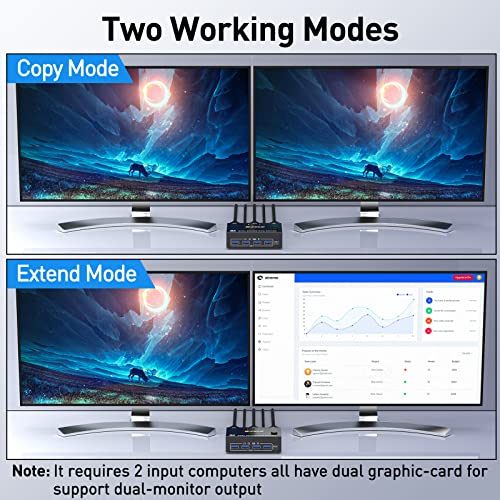
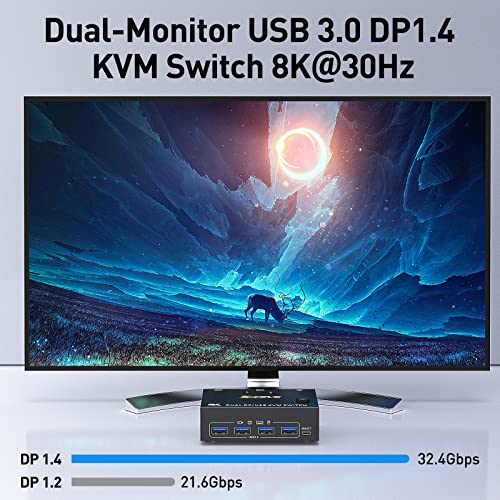
KVM Switch Dual Monitor DisplayPort 1.4 8K@30Hz 4K@144Hz 2 in 2 Out,DP1.4 KVM Switch and 4 USB3.0 for 2 Computers,Backnward Compatible DP1.2 with DP+U...
| SELLER | SELLER SCORE | AMAZON FULFILLED | PRIME | FREE SHIPPING |
|---|---|---|---|---|
| qeesun | 6.92 | Yes | Yes | Yes |
You might wonder if a single hub can actually handle the massive bandwidth required for high-end gaming and professional multitasking without stuttering, but this AOOCOO switch is built for exactly that. It manages two computers across two monitors with impressive ease, supporting everything from standard 4K setups to blistering 4K@144Hz refresh rates. I found the dual switching methods incredibly convenient. You can use the physical panel or the included wired remote to toggle between machines without breaking your workflow. The four USB 3.0 ports are a massive step up from older models, offering 5Gbps speeds for peripherals like printers or scanners. Just remember to use the provided DC5V power cable if you are pushing high resolutions to ensure everything stays stable and recognized.
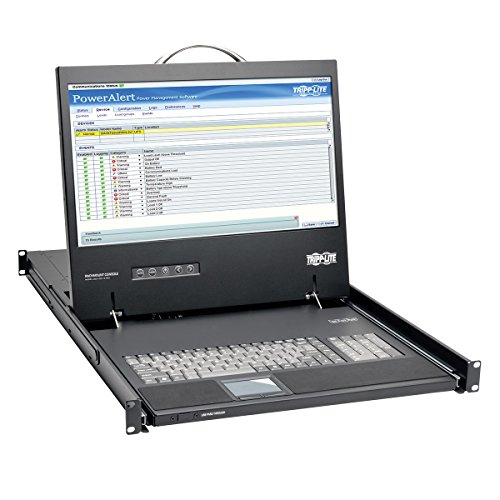


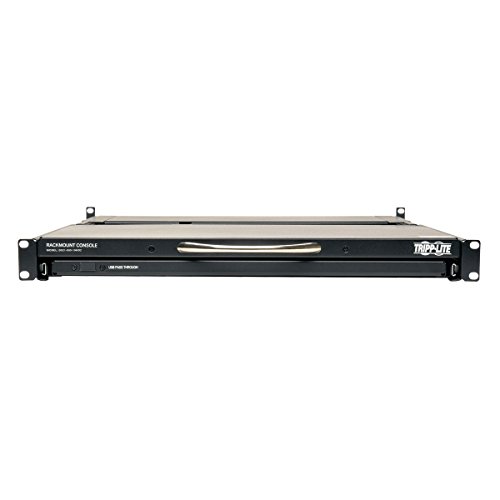

Tripp Lite Rack Console 1URM DVI, VGA for KVM Switch, 19" LCD 1080p Rack-Mount TAA (B021-000-19-HD2)
| SELLER | SELLER SCORE | AMAZON FULFILLED | PRIME | FREE SHIPPING |
|---|---|---|---|---|
| Garner Supply | 9.57 | No | No | No |
You might wonder if a single rack unit can actually provide a functional workstation, but this Tripp Lite console proves that density doesn't have to sacrifice usability. I found that integrating a 1080p monitor, keyboard, and touchpad into just 1U of space is a massive win for cramped data centers. The inclusion of a DVI-I port is the real standout here, as it bridges the gap between modern digital signals and legacy VGA analog connections without needing extra converters. It handles the heat of a standard server room well, operating reliably between 32 and 104 F. Whether you are managing a KVM switch or direct server connections, this unit offers a professional, space-saving interface that feels built for serious IT environments.
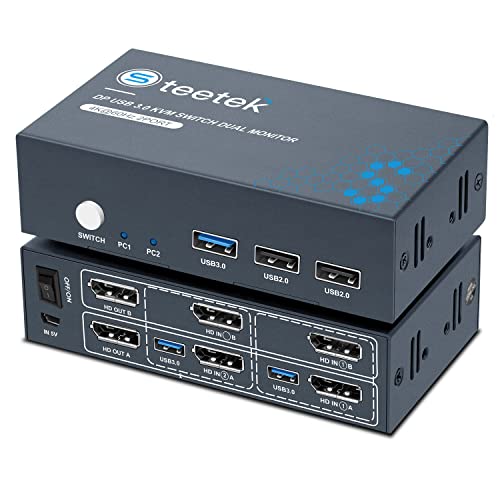


Steetek DP Dual Monitor KVM Switch, 4K@60Hz USB 3.0, KVM Switch Displayport 2 Computers Share 2 Monitor and USB 3.0 Hub, KVM Extended Display, 2 in 2...
| SELLER | SELLER SCORE | AMAZON FULFILLED | PRIME | FREE SHIPPING |
|---|---|---|---|---|
| sjsmtek | 9.41 | Yes | Yes | Yes |
The Steetek DP Dual Monitor KVM Switch delivers seamless workstation transitions by letting you control two computers with a single mouse, keyboard, and dual-monitor setup. I found the 4K@60Hz support essential for maintaining crisp visuals without the lag often found in cheaper switches. It handles extended or copy displays beautifully, provided your computers have the necessary dual DisplayPort outputs. The inclusion of EDID emulators is a massive win here, as it prevents your windows from scrambling every time you switch inputs. While you won't be able to use keyboard hotkeys to jump between machines, the physical button switch is remarkably responsive, handling the handoff in just a few seconds. Plus, having a dedicated USB 3.0 port at 5Gbps makes transferring files between systems feel incredibly fast.
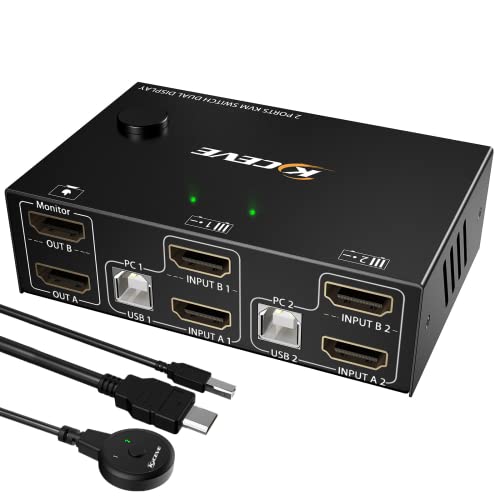
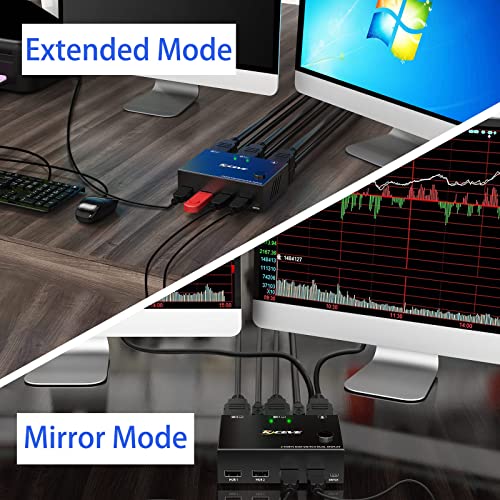
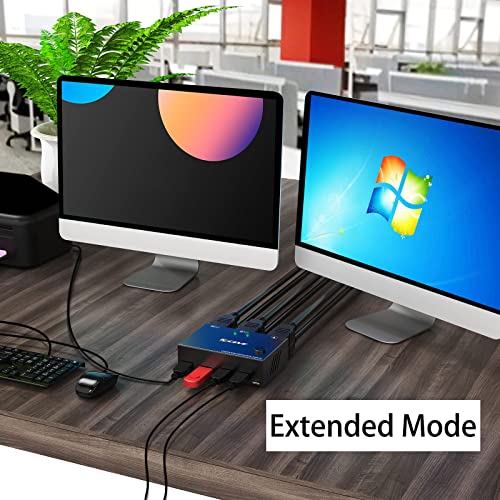

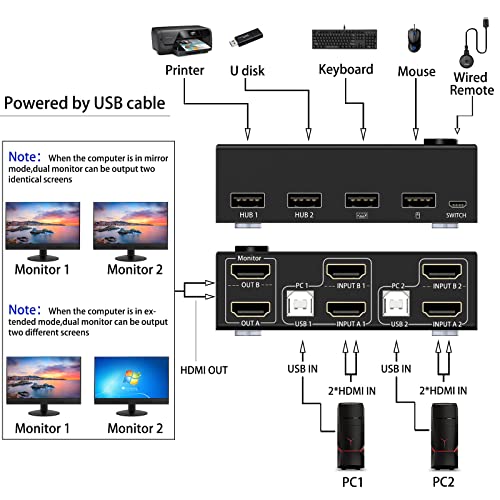
Dual Monitor KVM Switch HDMI 2 Port 4K@30Hz,MLEEDA USB HDMI Extended Display Switcher for 2 Computers Share 2 Monitors and 4 USB 2.0 Hub,Desktop Contr...
| SELLER | SELLER SCORE | AMAZON FULFILLED | PRIME | FREE SHIPPING |
|---|---|---|---|---|
| mengnan | 9.51 | Yes | Yes | Yes |
Most people assume a dual-monitor setup requires a massive desk footprint and a mountain of extra cables, but this MLEEDA KVM switch proves you can actually shrink your workspace while doubling your productivity. It acts as a central command hub, allowing you to toggle between two different computers using just one keyboard, mouse, and two screens. I found the flexibility between extended and copy display modes particularly useful for switching from deep research tasks to simple presentations. While you do need to ensure your computers have two HDMI outputs to make this work, the included desktop controller makes switching between systems feel incredibly seamless. It is a plug-and-play solution that saves significant desk real estate without sacrificing the ability to share four different USB peripherals.
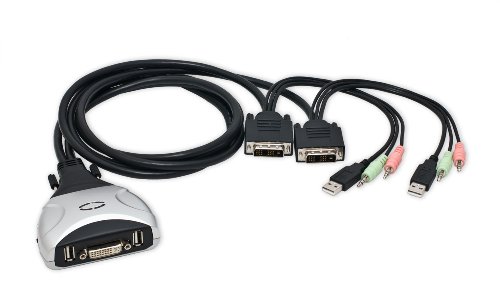


2 Port KVM Switch 1920 X 1200 - DVI W/ Audio and USB 2.0 Hub – Display/ Screen KVM Switch - DVI 3.9 ft Cables
| SELLER | SELLER SCORE | AMAZON FULFILLED | PRIME | FREE SHIPPING |
|---|---|---|---|---|
| Orange shop | 8.33 | Yes | Yes | Yes |
The Syba 2 Port KVM Switch is a budget-friendly powerhouse that streamlines your workstation by managing two computers through a single DVI monitor. I was particularly impressed by the keyboard emulation feature, which prevents those annoying boot errors by tricking each PC into thinking a keyboard is always present. It is a true plug-and-play solution that works right out of the box across Windows, Mac, and Linux environments. You can toggle between systems using simple push buttons or clever hotkeys like Scroll Lock, and the inclusion of audio support for both speakers and microphones is a massive convenience for video calls. With its hot-swappable capability and detachable cables, this setup remains incredibly flexible for any evolving desk configuration.


TESmart Ultra HD 4K HDMI 4X4 Matrix Switcher 4 Ports Inputs and 4 Port Outputs with RS232 IR Remote Control Supports 4Kx2K@30HZ, HDCP, 3D & Deep Color...
| SELLER | SELLER SCORE | AMAZON FULFILLED | PRIME | FREE SHIPPING |
|---|---|---|---|---|
| BuyTESmart | 9.68 | Yes | Yes | Yes |
Most people assume a high-end media setup requires a messy web of individual splitters, but this TESmart matrix switcher proves that centralized routing is actually much simpler. I found that being able to send four different sources to four separate displays—or mirror one signal across everything—gives you a level of control that standard switches just can't touch. It handles everything from PlayStation consoles to 4K Blu-ray players with ease, and the smart EDID management prevents those annoying handshake issues between devices. I was particularly impressed by the memory function. It remembers exactly which source was on which screen even after a power cycle. Whether you are using the IR remote or RS232, the management feels professional and seamless.
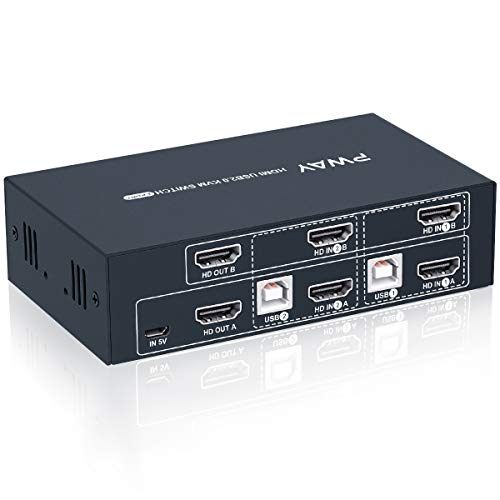


2 Port Dual Monitor KVM Switch HDMI 4K@30Hz, 2 USB 2.0 Hub, Supported Wireless Keyboard & Mouse and Hotkey Switch, No Power Adapter with 4 HDMI Cables
| SELLER | SELLER SCORE | AMAZON FULFILLED | PRIME | FREE SHIPPING |
|---|---|---|---|---|
| sjsmtek | 9.47 | Yes | Yes | Yes |
Managing two separate computers while trying to maintain a dual-monitor workspace is a logistical nightmare without the right hardware. The Steetek KVM switch solves this by allowing you to control two different machines using just one keyboard and mouse setup. I found the 4K@30Hz support provides a crisp, realistic image quality that holds up well for professional tasks. It is remarkably tidy since it draws power directly via USB rather than requiring a bulky external power adapter. You can toggle between systems using the physical panel buttons or via hotkeys, though keep in mind that hotkey switching won't work if you use the USB 2.0 ports for your peripherals. Just ensure your computers natively support dual displays to avoid needing extra docking stations or converters.


CKL 2 Port USB 3.0 KVM Switch Dual Monitor HDMI 4K 60Hz, Keyboard Video Mouse Peripherals Switcher for 2 Computers 2 Monitors with Audio 922HUA-3
| SELLER | SELLER SCORE | AMAZON FULFILLED | PRIME | FREE SHIPPING |
|---|---|---|---|---|
| CKL KVM SWITCHES | 6.47 | Yes | Yes | Yes |
After weeks of use, the seamless transition between my work laptop and gaming desktop has finally become a reality. The CKL KVM switch solves the headache of managing two computers by allowing you to control both with a single keyboard, mouse, and a dual-monitor setup. I was particularly impressed by the USB 3.0 hub, which handles high-speed data transfers up to 5Gbps, making it easy to swap a webcam or hard drive between machines without lag. The 4K 60Hz support ensures my high-resolution displays look crisp, whether I am mirroring screens or extending my workspace. While you might need a few extra adapters if your laptop lacks dual HDMI ports, the ability to switch via hotkeys or a remote makes this a powerhouse for any multi-device desk.


USB 3.0 KVM Switch Dual Monitor HDMI 4K@60Hz, 2K@144Hz AOOCOO KVM Switch Extended Display 2 Computers 2 Monitors and 4 USB 3.0 Ports with Simulation E...
| SELLER | SELLER SCORE | AMAZON FULFILLED | PRIME | FREE SHIPPING |
|---|---|---|---|---|
| No | No | No |
The AOOCOO Dual Monitor KVM Switch is a powerhouse solution for power users managing two distinct workstations from a single desk. I was particularly impressed by how the simulation EDID technology maintains your display settings, preventing those annoying window reshuffles every time you switch computers. It handles high-fidelity visuals effortlessly, supporting 4K at 60Hz and even 2K at 144Hz for smoother motion. The inclusion of four USB 3.0 ports is a massive upgrade over standard hubs, offering 5Gbps speeds for everything from mice to high-speed drives. Whether you are toggling between a Windows rig and a Mac via the panel button or the handy wired controller, the transition feels seamless and professional.


GREATHTEK KVM Switch HDMI Dual Monitor Extended Display 4 Port,USB2.0, Hotkey Switch, UHD 4K@60Hz Resolution YUV4:4:4 Downward Compatible, 4 in 2 Out,...
| SELLER | SELLER SCORE | AMAZON FULFILLED | PRIME | FREE SHIPPING |
|---|---|---|---|---|
| Great-HT | 9.14 | Yes | Yes | Yes |
Most power users settle for a cluttered desk full of overlapping peripherals, but the GREATHTEK KVM Switch lets you command four different computers using just one keyboard and mouse setup. I found the dual-monitor support particularly impressive, especially since it maintains crisp 4K resolution at 60Hz for a smooth visual experience. You can toggle between devices seamlessly using either the dedicated physical buttons on the panel or quick hotkey commands like Scroll Lock or Ctrl. It is a massive space-saver for anyone managing multiple workstations. Just keep in mind that your source computers must natively support dual displays to unlock the full extended monitor potential, and you might need to manually reposition windows after a switch as the signal re-identifies.


USB 3.0 HDMI Dual Monitor KVM Switch 2 Port, 4K@60Hz HDMI KVM Switch for 2 Computers Share 2 Monitors and 3 USB 3.0 Ports, Audio Microphone Output, Wi...
| SELLER | SELLER SCORE | AMAZON FULFILLED | PRIME | FREE SHIPPING |
|---|---|---|---|---|
| Vanluhu-US | 5.76 | Yes | Yes | Yes |
The Arkidyn Plus Dual Monitor KVM Switch is a powerhouse solution for anyone needing to manage two high-performance workstations from a single desk setup. I was particularly impressed by the high-bandwidth capabilities, which handle 4K at 60Hz with ease, making it a smooth experience for creative professionals or gamers using high-refresh displays. The integration of three USB 3.0 ports is a massive win for desk organization, allowing you to toggle between a keyboard, mouse, and even a printer or scanner without a cable nightmare. While you do need to ensure your laptops have dual video outputs—perhaps via adapters—the included wired remote and front-facing USB port make the actual switching process feel incredibly intuitive and seamless in a busy workflow.

The most fundamental decision is the number of computers you need to control. KVM switches are typically categorized by their port density, ranging from 2-port models for dual-system setups to 8-port or 16-port units for rack-mounted server management. When selecting, always opt for one more port than you currently require. This provides a buffer for future hardware expansions and prevents the need for a complete hardware overhaul if your workstation requirements grow. Consider whether you need a desktop-style switch that sits on your desk or a rack-mountable unit designed for a dedicated server cabinet.
Because DVI is a digital interface, the quality of your visual output depends heavily on the switch's ability to pass through specific resolutions. Most standard DVI KVMs support 1920x1200 at 60Hz, which is sufficient for general office work and standard server monitoring. However, if you are working with high-resolution professional displays, you must verify if the switch supports Dual-Link DVI. Single-Link DVI is limited in bandwidth, whereas Dual-Link can handle higher resolutions and faster refresh rates. Using a Single-Link switch with a high-end monitor will result in a downgraded image or a complete lack of signal.
A KVM switch is only as good as the peripherals it controls. Pay close attention to the USB configuration. Some switches offer dedicated ports for a mouse and a keyboard, which ensures maximum compatibility but limits your ability to plug in extra devices. Others feature a USB hub integrated into the switch, allowing you to connect flash drives, webcams, or specialized input devices. Furthermore, check for 'Emulation' features. High-quality switches emulate the presence of a keyboard and mouse even when you have switched to a different computer. This prevents your operating systems from 'forgetting' the devices, which avoids the lag or reconfiguration delays often seen in cheaper, non-emulated models.
DVI signals can be sensitive to distance. Unlike USB or Ethernet, long runs of DVI cable can suffer from signal degradation. When choosing a switch, consider the maximum recommended cable length specified by the manufacturer. If you are managing a rack of servers located several feet away from your console, you may need a switch that utilizes active signal boosting. Additionally, look for switches that include or support high-quality shielded cables to minimize electromagnetic interference, which can cause flickering or digital artifacts on your screen.
How you transition between computers impacts your workflow. Physical buttons on the device chassis are reliable but require you to reach for the switch, which may be tucked away in a rack. Hotkey switching—where you press a specific sequence on your keyboard (such as Scroll Lock, Scroll Lock, Scroll Lock)—allows for seamless transitions without moving your hands from the typing position. For high-speed environments, hotkey support is an essential feature for maintaining focus and efficiency.
Quick answers about Dvi Kvm Switches before you buy.
Share of top-ranked products by brand, from our editorial analysis.
We've carried out a comprehensive analysis of 21,606 reviews on Dvi Kvm Switches, using our selection criteria to identify the best options in the computers & accessories. Our findings reveal that most customers typically select Dvi Kvm Switches priced around $266.89, with top brands including startech, iogear, avocent, aoocoo, ckl, startech.com and siig and trendnet.
Our team of expert editors reviewed these high-quality items and handpicked the top 30 Dvi Kvm Switches for your consideration. We've also done extensive research on numerous sellers, identifying the best ones in the computers & accessories category — including amazon.com, iogear direct, provantage llc, qeesun, jmegoods and infinity sales corporation and e-tekdepot.
We are dedicated to assisting our users in finding the right switches Products based on their needs, saving them considerable time when choosing which Dvi Kvm Switches to buy. We take pride in the number of satisfied users we've helped through our thorough and insightful reviews.
Compare the top 30 picks at a glance — select a column to sort.


