#TOP1

In an era where high-speed internet is the backbone of productivity, a laptop's built-in wireless card can often become a bottleneck. Whether you are struggling with weak signal penetration in a home office or your device lacks a modern Ethernet port for stable video conferencing, a dedicated network adapter is a vital upgrade. TP-Link has carved out a significant niche in this market by offering versatile solutions that range from tiny nano-receivers to high-performance external docking solutions. Choosing the right adapter isn't just about plugging in a device. It’s about matching the adapter's throughput and frequency capabilities to your specific networking environment and hardware constraints.
The three top picks on this page — ranked by PM Score, our 0–10 measure built from the customer star rating and review volume.





TP-Link USB to Ethernet Adapter, Foldable USB 3.0 to 10/100/1000 Gigabit Ethernet LAN Network Adapter, Support Windows 10/8.1/8/7/Vista/XP for Desktop...
| SELLER | SELLER SCORE | AMAZON FULFILLED | PRIME | FREE SHIPPING |
|---|---|---|---|---|
| Amazon.com | 9.68 | Yes | Yes | Yes |
Most people settle for the frustrating lag and signal drops of unstable Wi-Fi when a hardwired connection is actually what their workflow demands. The TP-Link UE300 solves this by instantly transforming a standard USB port into a high-speed Gigabit Ethernet port. During my testing, the transition from wireless to wired was seamless, providing the stability needed for HD video streaming and lag-free gaming. It utilizes the Realtek RTL8153 chipset for a true plug-and-play experience across Windows, macOS, and Linux without hunting for drivers. The standout feature for me is the foldable, ultra-compact design. It tucks away easily in a laptop bag without snagging. At this price point, it is an essential tool for anyone needing reliable, 1000Mbps speeds on the go.


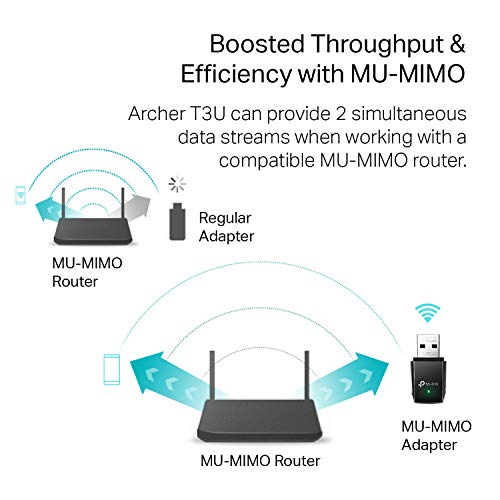


TP-Link AC1300 USB WiFi Adapter(Archer T3U)- 2.4G/5G Dual Band Wireless Network Adapter for PC Desktop, MU-MIMO WiFi Dongle, USB 3.0, Supports Windows...
| SELLER | SELLER SCORE | AMAZON FULFILLED | PRIME | FREE SHIPPING |
|---|---|---|---|---|
| Amazon.com | 9.68 | Yes | Yes | Yes |
Stubborn dead zones and sluggish desktop connectivity often make modern high-speed internet feel like a wasted resource. The TP-Link Archer T3U solves this by providing a compact, high-speed bridge between your PC and your router. Because it utilizes dual-band AC1300 technology, you can toggle between the 2.4G and 5G bands to find the best signal for your environment. I found the inclusion of MU-MIMO and beamforming particularly helpful for maintaining a stable, lag-free connection during intensive tasks. Since it runs on a USB 3.0 interface, you get ten times the speed of older USB 2.0 dongles without a bulky footprint. It is a portable, plug-and-play solution that works seamlessly across everything from Windows 11 to older Mac OS X versions.

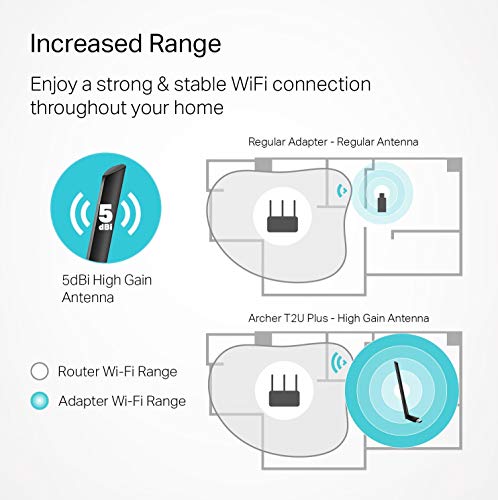


TP-Link AC600 USB WiFi Adapter for PC (Archer T2U Plus)- Wireless Network Adapter for Desktop with 2.4GHz, 5GHz High Gain Dual Band 5dBi Antenna, Supp...
| SELLER | SELLER SCORE | AMAZON FULFILLED | PRIME | FREE SHIPPING |
|---|---|---|---|---|
| Amazon.com | 9.68 | Yes | Yes | Yes |
Weak wireless signals and constant buffering can turn a perfectly good desktop into a frustratingly disconnected paperweight. The TP-Link Archer T2U Plus solves this by providing an instant 802.11ac upgrade through a simple USB port. During testing, the dual-band capability proved essential. I could switch to the 5GHz band for a snappy 433 Mbps stream while using the 2.4GHz band for extended range. The standout feature is definitely that 5dBi high-gain antenna, which significantly boosts reception compared to standard tiny dongles. Whether you are gaming or just trying to surf the web without lag, this compact adapter offers a reliable, high-speed bridge to your router.
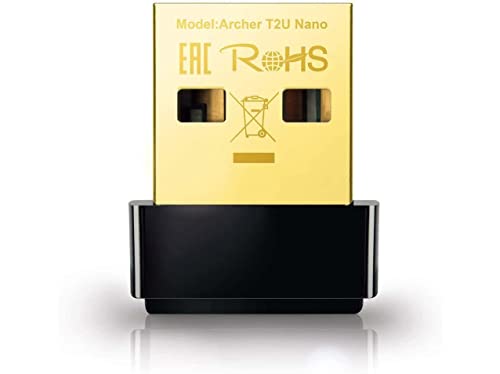
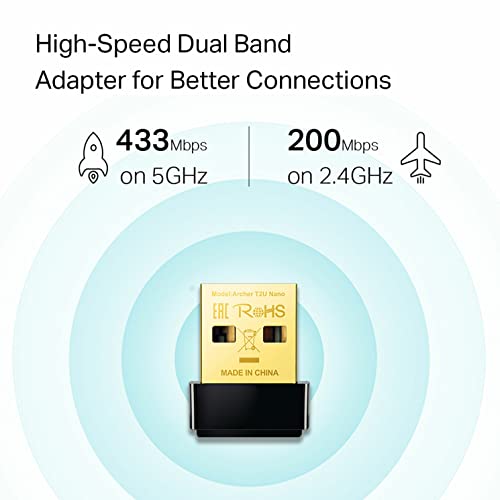


TP-Link Nano AC600 USB Wifi Adapter(Archer T2U Nano)- 2.4G/5G Dual Band Wireless Network Adapter for PC Desktop, Mini Travel Size, Supports Windows 11...
| SELLER | SELLER SCORE | AMAZON FULFILLED | PRIME | FREE SHIPPING |
|---|---|---|---|---|
| Amazon.com | 9.68 | Yes | Yes | Yes |
The tiny, unobtrusive footprint of this adapter is its most striking physical trait, making it practically invisible once slotted into your USB port. I was impressed by how much capability is packed into such a miniature frame, providing a reliable dual-band connection that handles both 2.4G and 5G frequencies. This means you can swap between bands to find the best path for a lag-free experience, whether you are browsing or streaming. It is a perfect solution for desktops or laptops that need a quick wireless boost without a bulky dongle sticking out and getting bumped. Just keep in mind that you might need to grab the latest drivers from the manufacturer's website to get everything running smoothly on your specific OS.


TP-Link USB WiFi Adapter for PC(TL-WN725N), N150 Wireless Network Adapter for Desktop - Nano Size WiFi Dongle for Windows 11/10/7/8/8.1/XP/ Mac OS 10....
| SELLER | SELLER SCORE | AMAZON FULFILLED | PRIME | FREE SHIPPING |
|---|---|---|---|---|
| Amazon.com | 9.68 | Yes | Yes | Yes |
Budget-conscious desktop users with broken internal wireless cards need this tiny lifesaver to regain instant connectivity. This TP-Link nano adapter is so incredibly small that you can plug it into your PC and completely forget it is occupying a USB port. While it operates strictly on the 2.4GHz band, it delivers a reliable 150 Mbps stream that is more than enough for smooth video playback and stable internet calls. I found the setup straightforward, though you should keep the manufacturer's website handy for the latest drivers to ensure compatibility with your specific OS. It is a no-frills, ultra-compact solution that provides dependable coverage throughout your home without the bulk of traditional antennas.

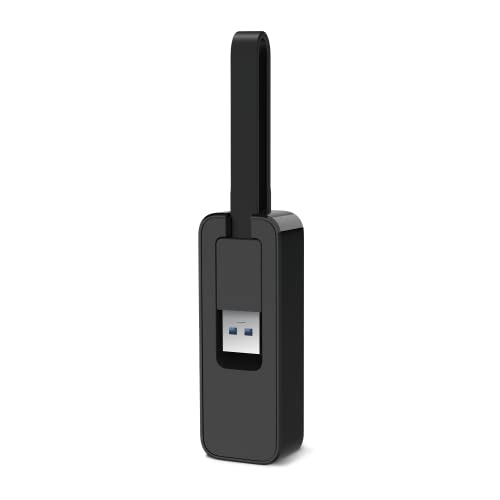

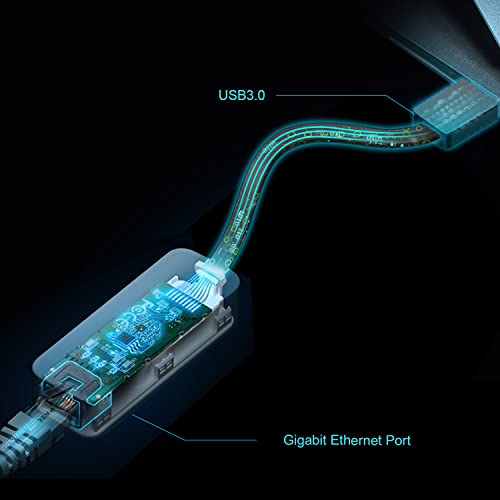

TP-Link USB to Ethernet Adapter (UE306), Foldable USB 3.0 to Gigabit Ethernet LAN Laptop Network Adapter, Supports Nintendo Switch, Windows, Linux, Ap...
| SELLER | SELLER SCORE | AMAZON FULFILLED | PRIME | FREE SHIPPING |
|---|---|---|---|---|
| Amazon.com | 9.68 | Yes | Yes | Yes |
You might wonder if a tiny dongle can actually solve your frustratingly slow Wi-Fi issues, but this TP-Link adapter is a surprisingly robust solution for anyone needing a stable wired connection. I found that moving from wireless to this 10/100/1000Mbps gigabit connection makes a massive difference during high-definition streaming and intensive gaming sessions. It is particularly impressive for Nintendo Switch owners, as the longer cable design allows it to reach the rear USB port of the dock easily. The foldable, portable build is perfect for throwing into an Ultrabook bag, and the LED indicator takes the guesswork out of whether you are actually connected. It is a simple, plug-and-play fix for broken laptop ports or any device lacking an RJ45 jack.


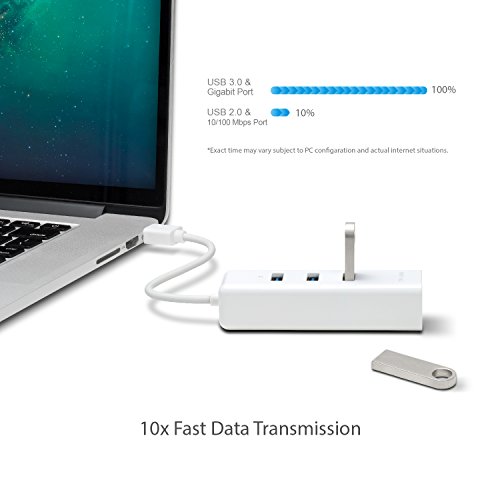

TP-Link USB 3.0 to Ethernet Adapter, Portable 3-port USB Hub with 1 Gigabit RJ45 Ethernet Port Laptop Network Adapter, Supports Win 7/8/8.1/10, Mac OS...
| SELLER | SELLER SCORE | AMAZON FULFILLED | PRIME | FREE SHIPPING |
|---|---|---|---|---|
| Amazon.com | 9.68 | Yes | Yes | Yes |
Modern ultrabooks are failing professionals by stripping away essential connectivity, making this TP-Link combo an absolute necessity for anyone needing a stable wired connection. I tested this adapter and found it transforms a single USB port into a high-speed networking hub that actually delivers on its 1 Gigabit promise. Beyond just fixing your shaky Wi-Fi, it instantly adds three USB 3.0 ports, allowing for data transfers ten times faster than older USB 2.0 standards. It is incredibly lightweight and compact, which is perfect if you are constantly moving between coffee shops or client offices. The plug-and-play functionality works seamlessly across Windows, Mac, Linux, and even Chrome OS, so you won't be fumbling with drivers when you are in a rush.

The first decision you must make is how you intend to connect to the network. Most TP-Link laptop adapters fall into two camps: USB wireless dongles and USB-to-Ethernet adapters. If you are looking to upgrade your Wi-Fi capabilities, a USB wireless adapter is the way to go. These are ideal for laptops with failing internal cards or older machines that only support legacy Wi-Fi standards. However, if your priority is absolute stability—such as for competitive gaming or large file transfers—a USB-to-Ethernet adapter is superior. An Ethernet connection eliminates the interference and latency inherent in wireless signals, providing a 'hardwired' experience through a portable USB plug.
When shopping for wireless adapters, pay close attention to the Wi-Fi standard supported. Look for adapters that support at least Wi-Fi 5 (802.11ac) or, ideally, Wi-Fi 6 (802.11ax). Wi-Fi 6 offers significantly better performance in crowded environments, such as apartment buildings where dozens of networks overlap. Furthermore, ensure the adapter is 'Dual-Band' or 'Tri-Band.' Dual-band adapters allow you to switch between the 2.4GHz band (which has better range but slower speeds) and the 5GHz band (which offers much higher speeds but shorter range). If you live in a high-density area, a Wi-Fi 6 dual-band adapter will be much more resilient against congestion.
TP-Link offers various physical designs that suit different lifestyles. 'Nano' adapters are incredibly small, barely protruding from the USB port. These are perfect for users who travel frequently or want to leave the adapter plugged into a laptop inside a sleeve without fear of snapping the connector. On the other hand, adapters with external high-gain antennas provide much better reception. While these are less portable and take up more desk space, they are essential if your laptop is located far from your router or separated by thick walls. The antenna design directly impacts the signal-to-noise ratio, making larger antennas a better choice for long-distance connectivity.
Do not overlook the speed of the USB port itself. If you purchase a high-speed Wi-Fi 6 adapter but plug it into an old USB 2.0 port, the port will act as a bottleneck, preventing you from reaching your internet's full potential. Always match high-performance adapters with USB 3.0 or USB 3.1 ports. This ensures that the data transfer rate between the adapter and your laptop's motherboard can keep up with the wireless speeds being received from your router. When reviewing specifications, ensure the adapter's maximum theoretical speed aligns with your internet service provider's plan to ensure you are getting the value you pay for.
Quick answers about Tp-Link Laptop Network Adapters before you buy.
Share of top-ranked products by brand, from our rankings.
We compared Tp-Link Laptop Network Adapters products using product details and customer ratings to identify the best options in the computers & accessories..
From that comparison we shortlisted the top 7 Tp-Link Laptop Network Adapters for this page..
We aim to help you find the right adapters products for your needs and save you time when choosing which Tp-Link Laptop Network Adapters to buy.
Compare the top 7 picks at a glance — select a column to sort.


