#TOP1

In the modern office environment, the traditional button-heavy interface is rapidly being replaced by intuitive, smartphone-like experiences. Touch screen laser printers represent a significant leap in workflow efficiency, allowing users to navigate complex scanning, copying, and networking tasks with a simple swipe rather than digging through nested text menus. Whether you are managing a high-volume corporate mailroom or a sophisticated home office, selecting a printer with a robust capacitive or resistive touch interface can drastically reduce the learning curve for new users and streamline repetitive administrative tasks.
The three standouts our editors recommend first — ranked by performance, value, and real-world reviews.


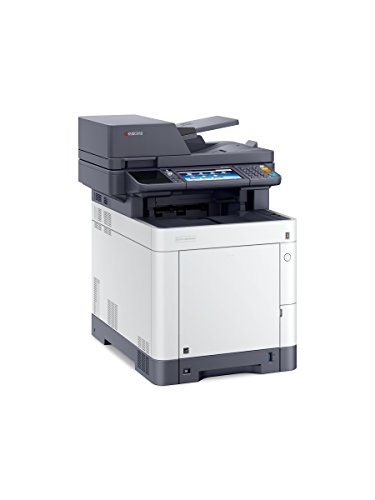
Kyocera 1102TZ2US1 ECOSYS M6630cidn Multifunctional Printer, Up to 32 PPM, 1200 DPI, Up to 100000 Pages a Month, Mobile Printing Support
| SELLER | SELLER SCORE | AMAZON FULFILLED | PRIME | FREE SHIPPING |
|---|---|---|---|---|
| Bargain Smart | 7.91 | No | No | No |
Most office managers settle for sluggish, low-resolution machines that struggle under pressure, but the Kyocera ECOSYS M6630cidn is built for heavy-duty reliability. During testing, the true 1200 x 1200 dpi output stood out, delivering crisp, professional-grade documents that look far better than standard office prints. It handles a massive workload of up to 100,000 pages a month, making it a powerhouse for busy environments. Navigating tasks is incredibly intuitive thanks to the customizable 7-inch color touch screen, which feels much more responsive than typical multifunction interfaces. While the standard 600-sheet capacity is a solid starting point, the ability to upgrade to 1,850 sheets means this machine can grow alongside your business needs without requiring a total hardware overhaul.

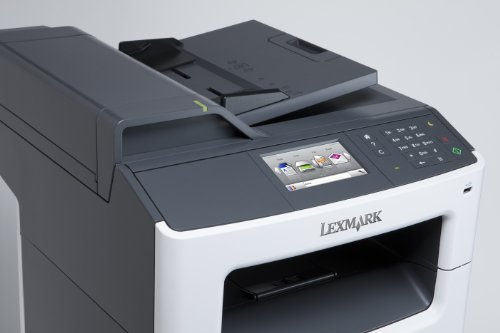
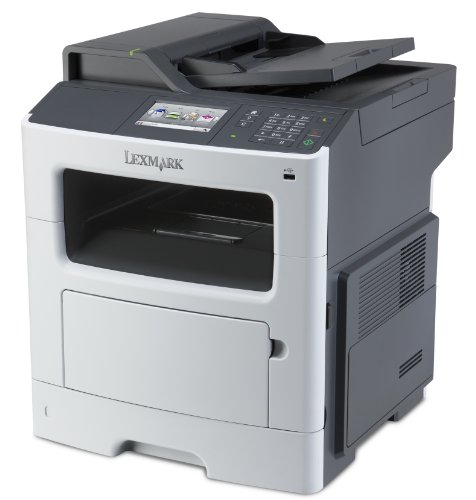
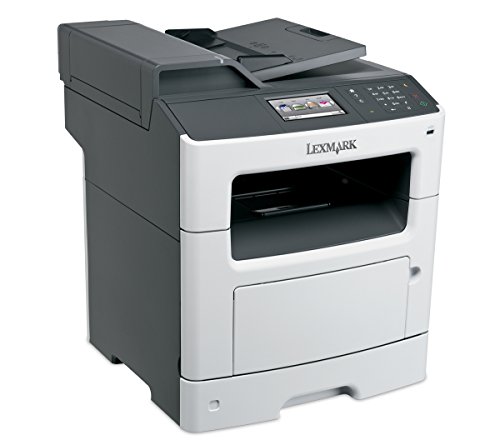
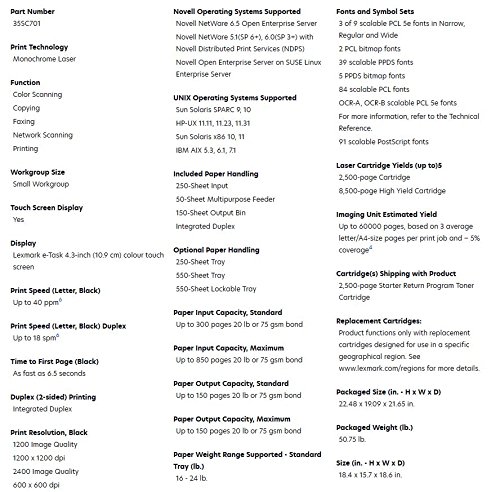
Lexmark MX417de Monochrome All-in One Laser Printer, Scan, Copy, Network Ready, Duplex Printing and Professional Features
| SELLER | SELLER SCORE | AMAZON FULFILLED | PRIME | FREE SHIPPING |
|---|---|---|---|---|
| GreatPrinterDeals | 9.81 | No | No | No |
The vibrant 4.3-inch color touchscreen is the first thing you'll touch, making navigation feel much more intuitive than your standard office monochrome machine. This Lexmark powerhouse is built for heavy lifting, handling up to 10,000 pages a month with a blistering 40 pages per minute speed. I was particularly impressed by how quickly it wakes up, spitting out the first page in just 6.5 seconds. Whether you are scanning, copying, or faxing, the built-in duplexing and networking capabilities make it a true command center for a busy workspace. Plus, the Unison toner system means you can stop shaking cartridges to get consistent quality, and the high-yield options significantly drive down your long-term costs. It is a professional-grade workhorse designed to stay out of your way and keep the workflow moving.


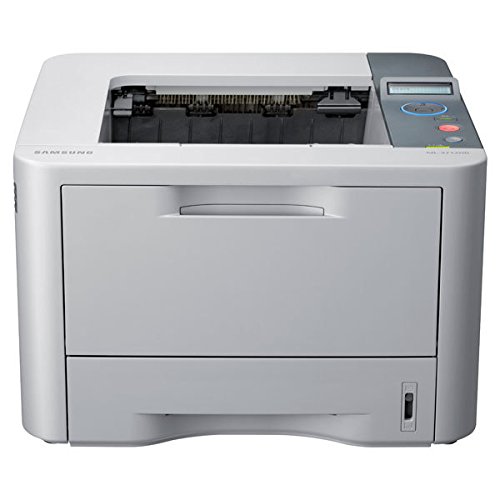


Samsung Monochrome Laser Printer (ML-3712ND)
| SELLER | SELLER SCORE | AMAZON FULFILLED | PRIME | FREE SHIPPING |
|---|---|---|---|---|
| Advanced-Printers | 8.09 | No | No | No |
High-volume office environments demand a workhorse that won't buckle under a massive print queue, and this Samsung monochrome laser printer delivers exactly that. I found the expanded paper handling capacity to be a massive productivity booster, moving well beyond the standard 250-page limit to tackle bulk jobs without constant refills. Navigating the machine is a breeze thanks to the intuitive two-line LCD screen and status LEDs that keep you informed at a glance. The one-touch wireless connectivity is a genuine time-saver for modern workspaces, and the ability to print to any networked Samsung device without individual driver installations simplifies your entire IT setup. It even includes a smart web-printing tool to help you target specific information, which saves a surprising amount of paper and energy over time.
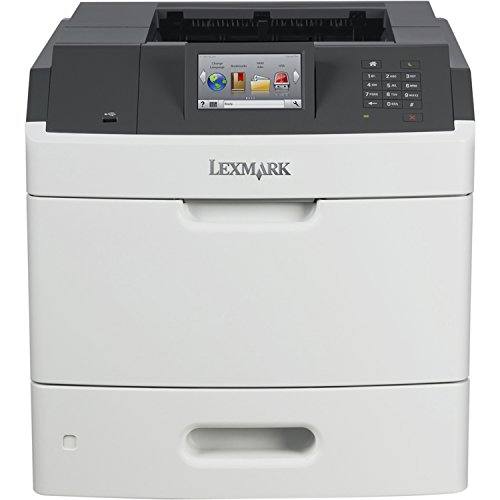


Lexmark MS810DE MonoChrome Laser Printer - 40G0150
| SELLER | SELLER SCORE | AMAZON FULFILLED | PRIME | FREE SHIPPING |
|---|---|---|---|---|
| AIM Distribution2 | 5.75 | No | No | No |
Most people assume high-speed office printing requires a massive, room-consuming footprint, but the Lexmark MS810de proves that raw power can be surprisingly streamlined. I was immediately struck by the massive color touchscreen, which makes navigating complex network settings feel more like using a smartphone than a traditional piece of enterprise hardware. This machine is a workhorse, churning out 55 pages per minute with a crisp 1200 x 1200 dpi resolution that keeps text looking sharp. With an 800 MHz processor and 512 MB of memory, it handles heavy workloads without stuttering, backed by a substantial 250,000-page maximum duty cycle. Whether you are utilizing the Ethernet connection for office-wide access or the duplex feature to save paper, this monochrome laser printer is built for serious, high-volume productivity.

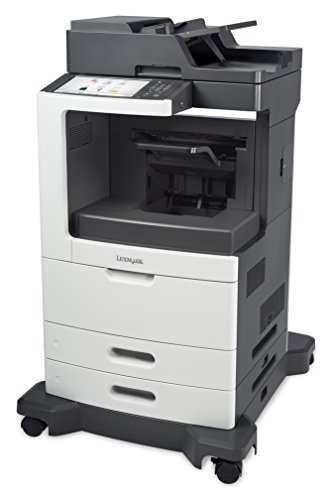


Lexmark MX811DE Monochrome Printer with Scanner, Copier and Fax - 24T7419
| SELLER | SELLER SCORE | AMAZON FULFILLED | PRIME | FREE SHIPPING |
|---|---|---|---|---|
| GreatPrinterDeals | 9.81 | No | No | No |
The vibrant, responsive glow of the customizable e-task touch screen is the first thing that grabs your attention when you approach this workstation. It doesn't just feel like a printer. It feels like a command center for a high-volume office. I was particularly impressed by how the 800 MHz processor and 1024MB of memory keep everything moving without that frustrating lag during heavy tasks. You can actually keep up with a demanding workflow because it churns out a staggering 63 printouts and copies per minute. Whether you are scanning, copying, or faxing, the integrated Ethernet connectivity ensures your network stays efficient. It is a powerhouse designed specifically to eliminate the bottlenecks that usually slow down a busy professional environment.



Lexmark X748de - Color Multifunction (fax/copier/printer/scanner)
| SELLER | SELLER SCORE | AMAZON FULFILLED | PRIME | FREE SHIPPING |
|---|---|---|---|---|
| Amazon.com | 9.68 | Yes | Yes | Yes |
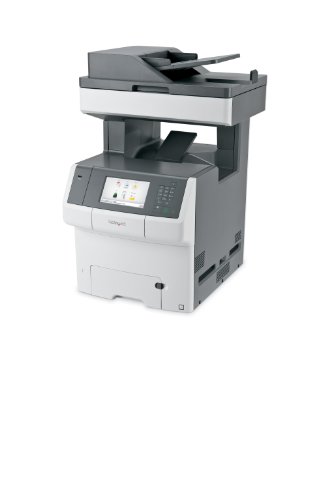
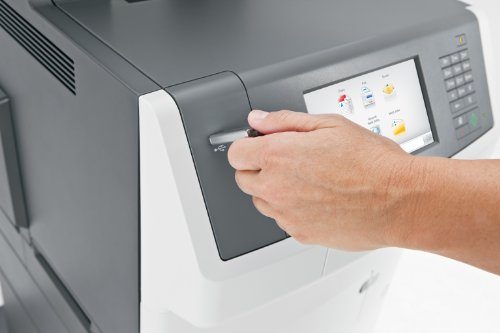
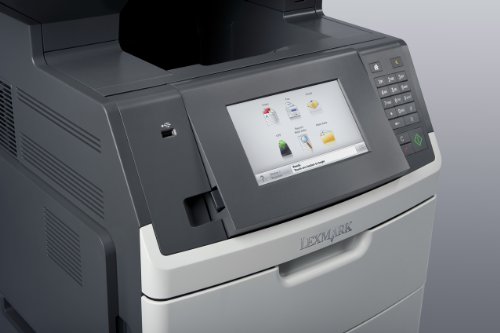
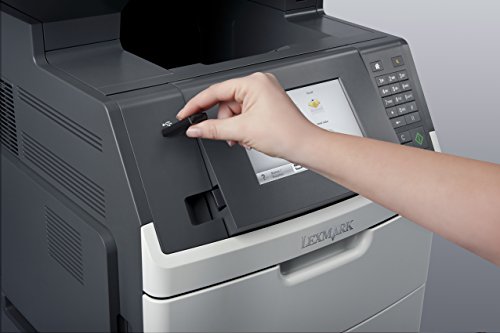
Your marketing team just dropped a massive high-resolution campaign, and you need physical proofs on your desk before the morning meeting starts. The Lexmark X748de handles that pressure with ease, spitting out color pages at a brisk 35 pages per minute and delivering that crucial first page in just nine seconds. Navigating complex scan-to-email tasks or adjusting duplex settings feels intuitive thanks to the expansive 7-inch color touchscreen. This isn't a home office gadget. It is a high-performance workhorse built for professional environments, backed by a 1.2 GHz dual-core processor and 1024 MB of memory to prevent lag during heavy workloads. With integrated Gigabit Ethernet, it slots seamlessly into a professional network to keep your office workflow moving without interruption.

Lexmark MX710DE Monochrome Printer with Scanner, Copier and Fax - 24T7401,Gray/white
| SELLER | SELLER SCORE | AMAZON FULFILLED | PRIME | FREE SHIPPING |
|---|---|---|---|---|
| GreatPrinterDeals | 9.81 | No | No | No |
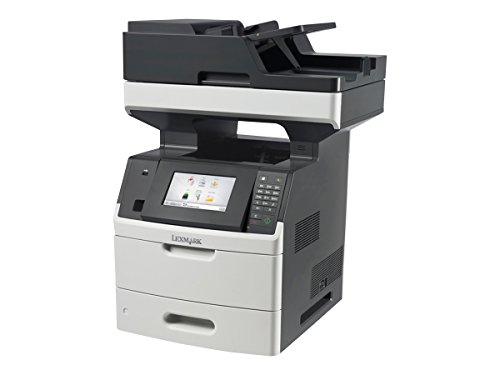
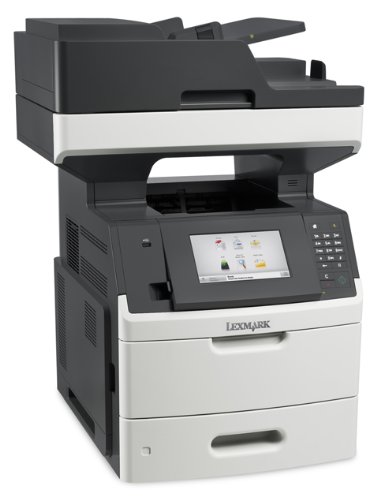
High-volume office environments often grind to a halt when slow print speeds and frequent downtime become the norm. The Lexmark MX710DE solves this bottleneck by delivering rapid-fire performance, spitting out its first page in just 4.4 seconds. While it is a monochrome specialist, the sheer speed and the 7-inch color touchscreen make navigating complex scanning and faxing tasks feel intuitive rather than a chore. This machine is built for heavy lifting, featuring a 1.2 GHz dual-core processor and Gigabit Ethernet to ensure your network stays fluid even during massive print jobs. It is important to note that this is a professional-grade Class A device designed specifically for commercial settings rather than home use, ensuring it meets strict electromagnetic standards for busy workspaces.


Kyocera ECOSYS MA6000ifx All-in-One Monochrome Laser Printer (Print/Copy/Scan/Fax), 62 ppm, Up to Fine 1200 dpi, Gigabit Ethernet HyPAS Capable, 7 inc...
| SELLER | SELLER SCORE | AMAZON FULFILLED | PRIME | FREE SHIPPING |
|---|---|---|---|---|
| KYOCERA Document Solutions | 6.28 | Yes | Yes | Yes |
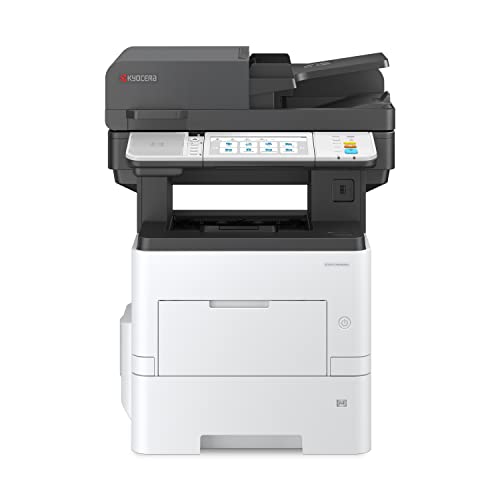
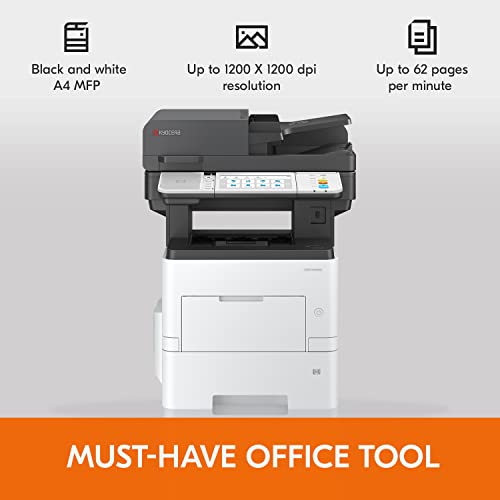
The massive 7-inch color touchscreen is the first thing you’ll notice, making this powerhouse feel more like a modern tablet than a traditional office machine. In a high-volume workspace, speed is everything, and this Kyocera unit delivers a blistering 62 pages per minute that keeps workflows moving without a hitch. Whether you are printing, copying, scanning, or faxing, the monochrome output remains incredibly crisp thanks to the 1200 x 1200 dpi resolution. It is a heavy-duty workhorse designed for serious productivity, especially with the optional K-Level security features that help keep your sensitive network data locked down. If your office demands rapid-fire black and white documents without sacrificing fine detail, this machine hits the mark perfectly.

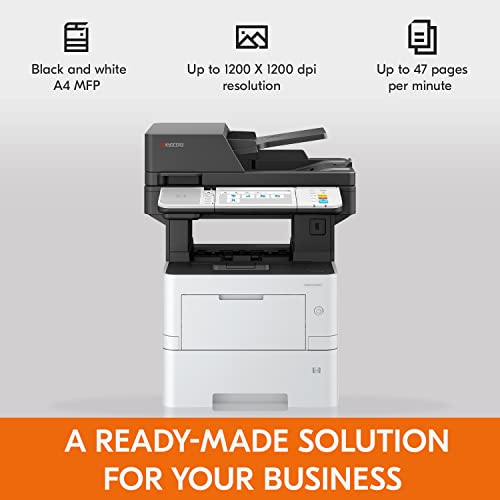


Kyocera ECOSYS MA4500ix All-in-One Monochrome Laser Printer (Print/Copy/Scan), 47 ppm, Up to Fine 1200 dpi, Gigabit Ethernet 7 inch Touchscreen Panel,...
| SELLER | SELLER SCORE | AMAZON FULFILLED | PRIME | FREE SHIPPING |
|---|---|---|---|---|
| KYOCERA Document Solutions | 6.28 | Yes | Yes | Yes |
After weeks of use in a high-volume office environment, the sheer speed of the Kyocera ECOSYS MA4500ix is what truly stands out. This monochrome powerhouse handles heavy workloads without breaking a sweat, churning out up to 47 pages per minute while maintaining incredibly sharp 1200 x 1200 dpi resolution. Navigating complex tasks feels intuitive thanks to the responsive 7-inch color touchscreen, which makes managing print, copy, and scan functions a breeze. Beyond just raw performance, the optional K-Level security features offer a necessary layer of protection for sensitive company data and network integrity. It is a robust, versatile workhorse designed for professionals who cannot afford downtime or low-quality output.

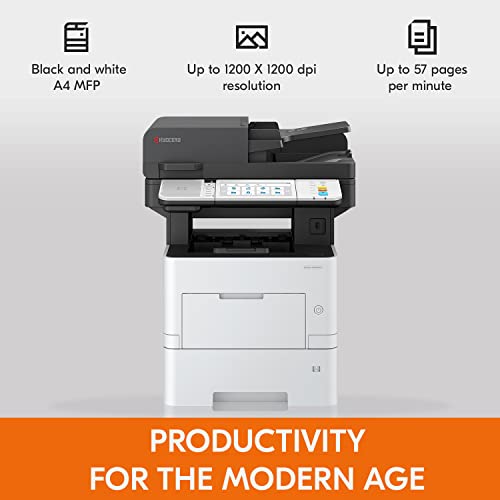


Kyocera ECOSYS MA5500ifx All-in-One Monochrome Laser Printer (Print/Copy/Scan/Fax), 57 ppm, Up to Fine 1200 dpi, Gigabit Ethernet HyPAS Capable, 7 inc...
| SELLER | SELLER SCORE | AMAZON FULFILLED | PRIME | FREE SHIPPING |
|---|---|---|---|---|
| KYOCERA Document Solutions | 6.28 | Yes | Yes | Yes |
The first thing you notice in a high-volume office environment is the sheer speed at which this machine clears a queue, churning out black and white documents at a blistering 57 pages per minute. This Kyocera ECOSYS unit isn't just a printer. It is a full-scale productivity hub that handles copying, scanning, and faxing with professional ease. Navigating through complex workflows feels intuitive thanks to the responsive 7-inch color touchscreen, which makes managing tasks much simpler than older, clunky interfaces. You get incredibly crisp text and graphics at 1200 dpi, ensuring your professional documents look sharp. Plus, with optional K-Level security features, you can feel confident that your sensitive network data stays protected while you work.


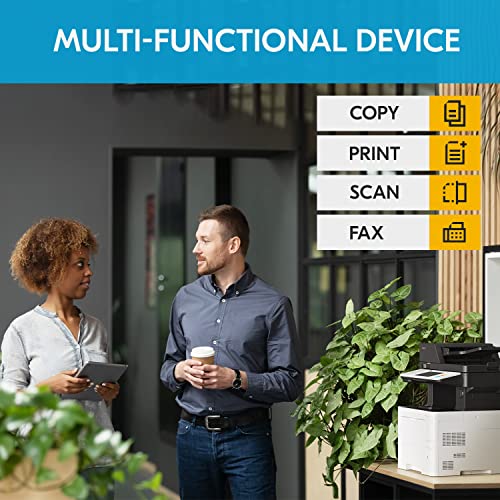

Kyocera ECOSYS MA4500ifx All-in-One Monochrome Laser Printer (Print/Copy/Scan/Fax), 47 ppm, Up to Fine 1200 dpi, Gigabit Ethernet HyPAS Capable, 7 inc...
| SELLER | SELLER SCORE | AMAZON FULFILLED | PRIME | FREE SHIPPING |
|---|---|---|---|---|
| Tangerine Office Machines | 3.10 | No | No | No |
Most offices struggle with sluggish hardware that creates bottlenecks, but the Kyocera ECOSYS MA4500ifx turns document management into a streamlined workflow. I was particularly impressed by how this monochrome powerhouse handles high-volume tasks without breaking a sweat, pumping out up to 47 pages per minute. Whether you are scanning, copying, or faxing, the 7-inch color touchscreen makes navigating complex tasks feel intuitive rather than a chore. The print quality is remarkably sharp at 1200 dpi, ensuring that even fine text remains crisp. Beyond raw speed, the optional K-Level security features provide a necessary layer of defense for sensitive data. It is a robust, professional-grade solution for anyone tired of waiting on their hardware to catch up with their productivity.


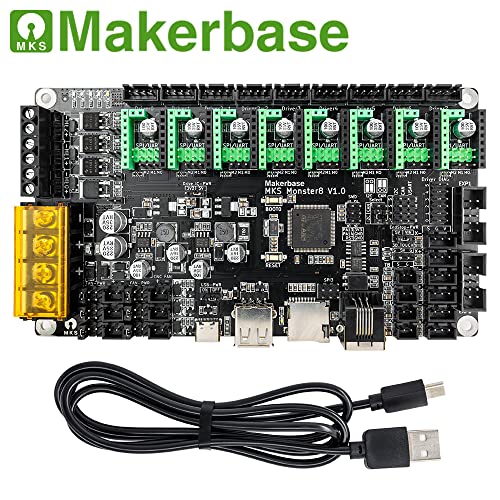
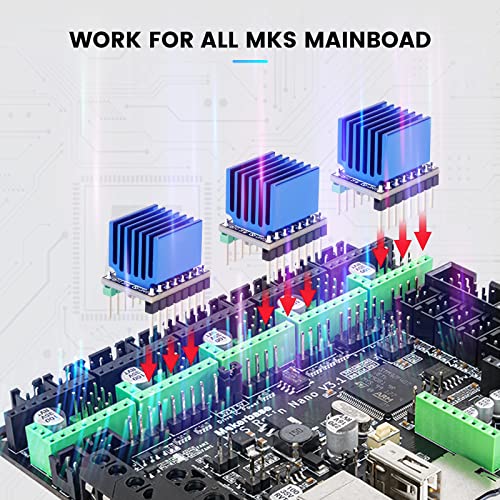
Makerbase MKS Mainboad Monster8 V2 32Bit Control Board 8 Axes for V2.4 Voron VS Spider Octopus 3D Printer with 5 Packs MKS TMC2209 V2.0 Stepper Motor...
| SELLER | SELLER SCORE | AMAZON FULFILLED | PRIME | FREE SHIPPING |
|---|---|---|---|---|
| Makerbase | 5.46 | Yes | Yes | No |
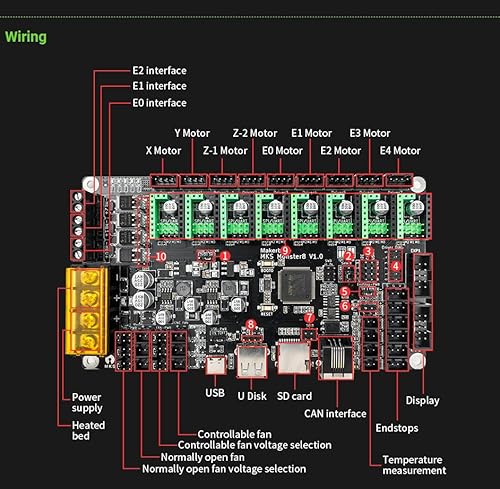
Serious Voron builders and high-axis DIY enthusiasts need the Makerbase MKS Monster8 V2 to finally escape the limitations of standard hobbyist boards. This 32-bit powerhouse is a dream for custom builds because it offers eight stepper driver slots and nine motor interfaces, giving you massive flexibility for complex multi-axis setups. I was particularly impressed by the inclusion of five TMC2209 V2.0 drivers. They run incredibly cool, staying around 37C even during a ten-hour print marathon. Whether you are running Marlin or Klipper with a Raspberry Pi, the compatibility is seamless. It even plays nice with a huge range of LCDs and touchscreens, making it a truly versatile brain for your next large-scale 3D printer or CNC project.

Not all touch screens are created equal. When shopping for a laser printer, you will encounter two primary types of touch technology. Capacitive screens, similar to what you find on a modern smartphone, respond to the electrical properties of your finger. These offer much higher responsiveness, better clarity, and a smoother 'swiping' experience. They are ideal for high-end multifunction devices where speed and ease of use are paramount. Resistive screens, conversely, respond to physical pressure. While they may feel slightly more 'laggy' and lack the multi-touch capabilities of capacitive screens, they are often more durable in industrial settings where users might be wearing gloves or using a stylus. For a standard office setting, prioritize capacitive displays for a premium user experience.
The utility of a touch screen is directly tied to its real estate. A small, 2-inch monochrome screen might allow you to select a destination for a scan, but it will be frustrating for managing complex print queues or adjusting granular color settings. Look for devices that offer at least a 4.3-inch color display for basic tasks, or a 7-inch to 10-inch tablet-style interface for heavy-duty multifunction printers (MFPs). A higher resolution screen ensures that text is crisp and icons are easy to tap, reducing the likelihood of 'mis-taps' that can lead to wasted paper and toner when a user accidentally selects the wrong tray or paper size.
A touch screen is only as useful as the software driving it. The best laser printers feature an interface designed around 'Task-Oriented' menus. Instead of searching for a 'Scan' button hidden in a sub-menu, a well-designed interface will present large, colorful tiles for common actions like 'Scan to Email,' 'Copy ID,' or 'Print from Cloud.' When evaluating a printer, consider how many taps it takes to complete a standard job. If you have to navigate through four different screens just to change the duplex setting, the touch interface is poorly optimized. Look for printers that allow for 'Quick Sets' or customizable shortcuts, enabling you to program your most frequent settings directly onto the home screen.
Modern touch screen laser printers serve as the central hub for your digital workspace. The interface should provide seamless integration with cloud services like Google Drive, Dropbox, or Microsoft OneDrive. A high-quality touch screen makes it easy to browse your cloud folders directly on the printer's display, allowing you to pull a document for printing or scan a document directly into a specific cloud directory without ever touching a computer. Ensure the printer supports robust wireless protocols so that the touch interface can interact with your mobile devices and tablets effortlessly.
Because the touch screen is a primary point of contact, it is subject to constant wear. Look for displays that feature anti-fingerprint coatings to prevent smudges from obscuring the screen during critical tasks. Additionally, consider the build quality of the bezel around the screen. In high-traffic environments, a screen that is flush with the printer's chassis is easier to clean and less prone to damage from accidental bumps or spills.
Quick answers about Touch Screen Laser Printers before you buy.
Share of top-ranked products by brand, from our editorial analysis.
We've carried out a comprehensive analysis of 60 reviews on Touch Screen Laser Printers, using our selection criteria to identify the best options in the electronics. Our findings reveal that most customers typically select Touch Screen Laser Printers priced around $1,315.11.
Our team of expert editors reviewed these high-quality items and handpicked the top 12 Touch Screen Laser Printers for your consideration..
We are dedicated to assisting our users in finding the right accessories Products based on their needs, saving them considerable time when choosing which Touch Screen Laser Printers to buy. We take pride in the number of satisfied users we've helped through our thorough and insightful reviews.
Compare the top 12 picks at a glance — select a column to sort.


