#TOP1
For a software developer, a monitor is not just a peripheral. It is the primary interface between their mental logic and the physical world. Unlike gaming monitors that prioritize refresh rates for fluid motion, or creative displays that focus on color accuracy for photo editing, software development monitors must prioritize text clarity, screen real estate, and ergonomic flexibility. A poorly chosen display can lead to eye strain, neck fatigue, and a fragmented workflow where switching between an IDE, a terminal, and documentation becomes a constant cognitive tax.
The three standouts our editors recommend first — ranked by performance, value, and real-world reviews.



Sceptre 24" Professional Thin 75Hz 1080p LED Monitor 2x HDMI VGA Build-in Speakers, Machine Black (E248W-19203R Series)
| SELLER | SELLER SCORE | AMAZON FULFILLED | PRIME | FREE SHIPPING |
|---|---|---|---|---|
| Genesis Official Store | 9.66 | No | No | No |
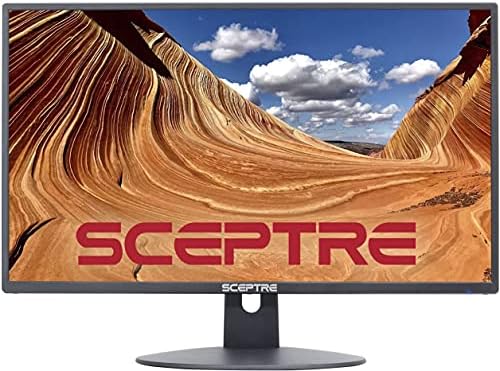
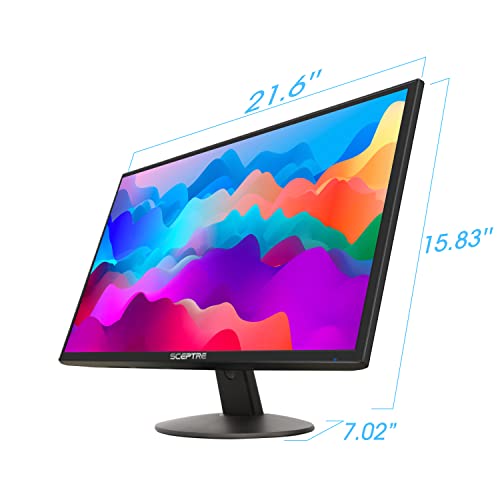
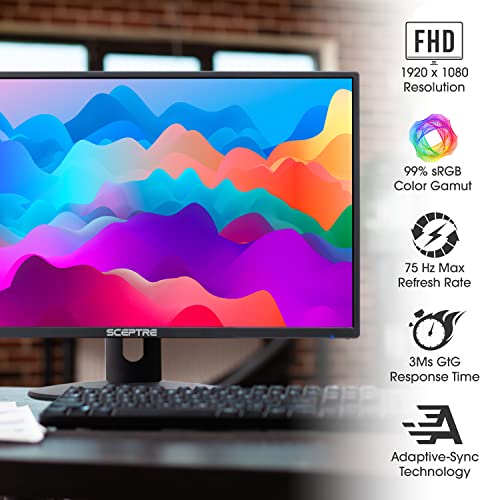
Clearing off a cramped home office desk becomes much easier when you switch to a display with this ultra-slim profile. The Sceptre professional monitor fits perfectly into tight workspaces thanks to its contemporary metallic design and thin chassis. During my testing, the slim bezels provided a clean, modern look that doesn't distract from your workflow. While the built-in speakers handle basic audio needs, the dual HDMI ports make it incredibly easy to toggle between a laptop and a desktop. With a 75Hz refresh rate and fast response time, the visual transitions feel smooth enough for daily productivity tasks. It is a versatile, space-saving solution that stays out of the way while delivering reliable 1080p clarity.
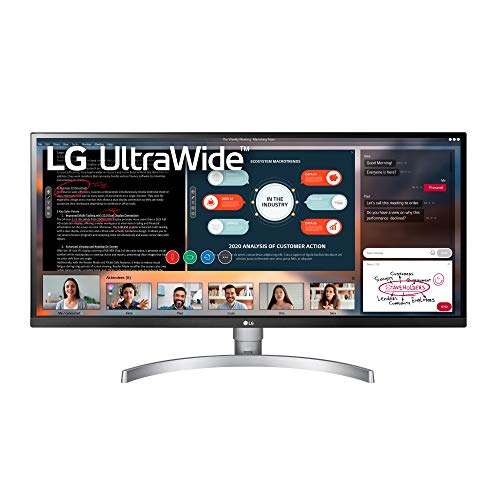


LG UltraWide FHD 34-Inch Computer Monitor 34WK650-W, IPS with HDR 10 Compatibility and AMD FreeSync, White
| SELLER | SELLER SCORE | AMAZON FULFILLED | PRIME | FREE SHIPPING |
|---|---|---|---|---|
| Amazon.com | 9.68 | Yes | Yes | Yes |
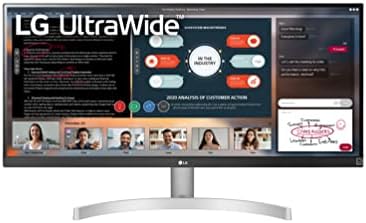
Most people assume more screen real estate means more clutter, but the 21:9 aspect ratio on this LG UltraWide actually simplifies your workflow by letting you tile multiple windows without the constant alt-tabbing. The IPS panel is surprisingly punchy for this price point, hitting 99% sRGB coverage which makes it a legitimate contender for entry-level photo editing or graphic design. When you switch from productivity to play, the AMD FreeSync and Dynamic Action Sync keep motion fluid and responsive, cutting down on that annoying screen tearing. I particularly liked the Black Stabilizer feature because it pulls detail out of shadows that usually look like nothing but ink. It is a versatile hybrid that bridges the gap between a professional workspace and a dedicated gaming station.


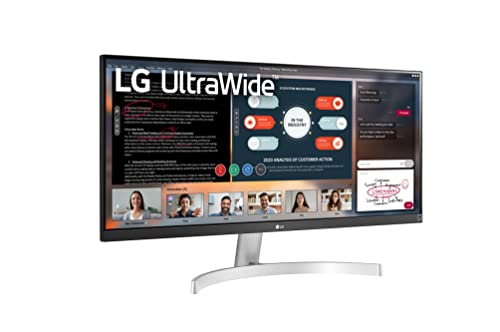

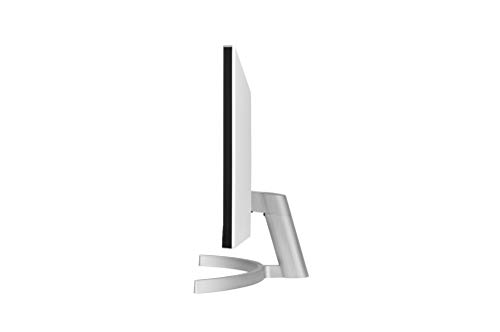
LG UltraWide WFHD 29-Inch FHD 1080p Computer Monitor 29WN600-W, IPS with HDR 10 Compatibility, Silver
| SELLER | SELLER SCORE | AMAZON FULFILLED | PRIME | FREE SHIPPING |
|---|---|---|---|---|
| Amazon.com | 9.68 | Yes | Yes | Yes |
Constantly alt-tabbing between multiple windows is a massive productivity killer that this LG UltraWide monitor effectively eliminates. By expanding your workspace to a 21:9 aspect ratio, you gain 33% more screen real estate compared to standard Full HD displays, allowing you to manage side-by-side content with ease. The IPS panel is a standout for creative work, offering 99% sRGB coverage and HDR10 support for color accuracy that photographers and designers will find reliable. It isn't just for work, though. The inclusion of AMD FreeSync and specialized FPS and RTS game modes ensures that your gaming sessions remain smooth and immersive without the frustration of screen tearing. It is a versatile, high-efficiency hub for anyone tired of cramped digital workspaces.
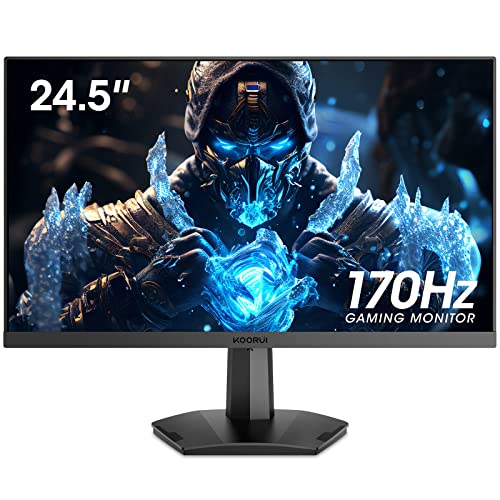

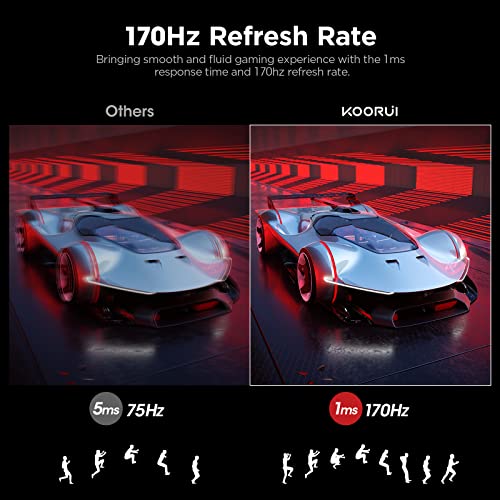


KOORUI 24.5 Inch FHD Gaming Monitor, Computer Monitors Full HD (1920 x 1080), VA, 1ms, FreeSync & G-Sync Compatible, 2X HDMI(144Hz) & DisplayPort(170H...
| SELLER | SELLER SCORE | AMAZON FULFILLED | PRIME | FREE SHIPPING |
|---|---|---|---|---|
| Amazon.com | 9.68 | Yes | Yes | Yes |
After weeks of intense late-night gaming sessions, the KOORUI 24.5 inch monitor has proven itself to be a surprisingly capable budget powerhouse. The jump from standard refresh rates to a blistering 170Hz via DisplayPort makes a noticeable difference in fast-paced FPS titles, while the 1ms response time keeps everything feeling snappy. I was particularly impressed by the color saturation. With 99% sRGB coverage, the visuals look much more vibrant than I expected for this price point. The three-sided ultra-thin bezel makes the screen feel immersive, and the tilt adjustment helps find that perfect viewing angle to reduce eye strain. It is a solid, reliable choice for anyone needing a smooth transition between work tasks and competitive gaming.


LG 27MP400-B 27” Full HD (1920 x 1080) IPS Display with 3-Side Virtually Borderless Design, AMD FreeSync and OnScreen Control – Black
| SELLER | SELLER SCORE | AMAZON FULFILLED | PRIME | FREE SHIPPING |
|---|---|---|---|---|
| Caresour Official Store | 6.44 | Yes | Yes | Yes |
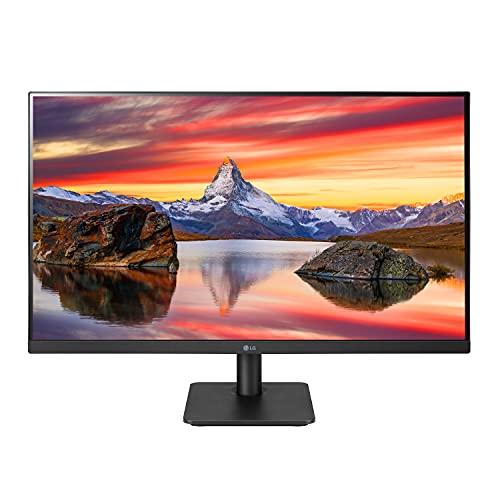
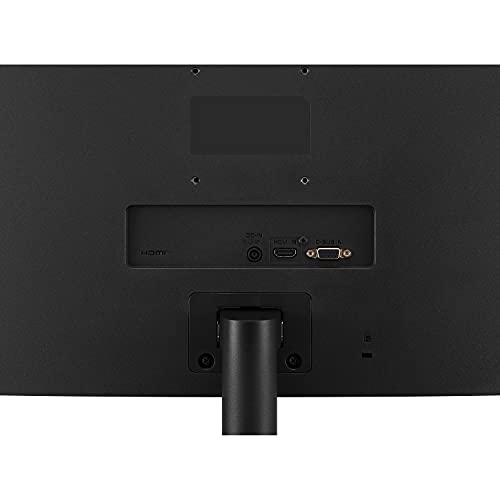
The LG 27MP400-B delivers a strikingly immersive experience thanks to its three-side virtually borderless design. During my testing, the IPS panel provided consistent color accuracy and wide viewing angles, which is essential for a screen of this size. While it hits the Full HD sweet spot, the inclusion of AMD FreeSync is a massive win for anyone who dabbles in casual gaming, as it keeps motion feeling fluid without annoying screen tearing. I also found the OnScreen Control software incredibly convenient for tweaking settings without fumbling with physical buttons, and the Reader Mode makes long work sessions much easier on the eyes. It is a sleek, functional centerpiece for any home office setup.
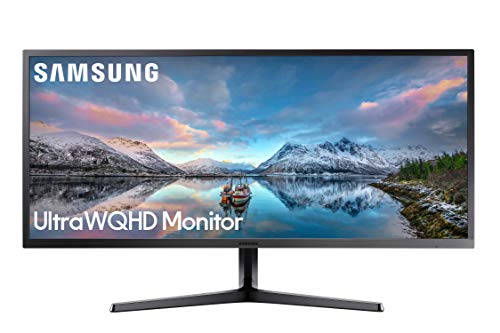


SAMSUNG 34-Inch SJ55W Ultrawide Gaming Monitor (LS34J550WQNXZA) – 75Hz Refresh, WQHD Computer Monitor, 3440 x 1440p Resolution, 4ms Response, FreeSync...
| SELLER | SELLER SCORE | AMAZON FULFILLED | PRIME | FREE SHIPPING |
|---|---|---|---|---|
| Better Buy Deal (S/N Recorded) | 4.75 | No | No | No |
You might wonder if a budget-friendly ultrawide can actually deliver a premium desktop experience without sacrificing visual depth. The SAMSUNG SJ55W proves that you don't need to spend a fortune to get that expansive 21:9 aspect ratio that transforms your workflow. The VA panel is the real star here, providing a massive 3000:1 contrast ratio that makes blacks look significantly deeper than standard screens. Whether you are gaming with AMD FreeSync to prevent screen tearing or using the PBP/PIP split-screen features to manage multiple windows, the 3440 x 1440p resolution keeps everything crisp. It looks incredibly sharp on a desk thanks to the metallic bezel and slim design, making it a legitimate powerhouse for both productivity and immersive play.
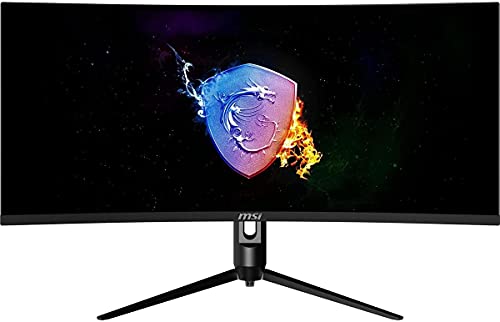


MSI Optix MAG342CQR 1500R Curvature 21:9 Aspect Ratio Narrow Bezel 1ms 3440 x 1440 (UWQHD) 144Hz Refresh Rate Tilt/Swivel/Height/Pivot Adjustment 34"...
| SELLER | SELLER SCORE | AMAZON FULFILLED | PRIME | FREE SHIPPING |
|---|---|---|---|---|
| Good Luck Bargains | 6.86 | Yes | Yes | Yes |
Most gamers content themselves with cramped, standard aspect ratios, but the MSI Optix MAG342CQR breaks that mold by offering a massive 21:9 ultrawide field of view. Testing this 34-inch curved display felt like stepping into a much larger world, thanks to the 1500R curvature that wraps the action around your peripheral vision. The UWQHD resolution provides a level of detail that makes standard widescreen setups look dull by comparison. With a 144Hz refresh rate and a lightning-fast 1ms response time, motion stays fluid and free from annoying screen tearing. It even features Mystic Light to add that essential gaming aesthetic to your desk. If you want true immersion and smooth performance without breaking the bank, this monitor delivers a serious competitive edge.


Asus ROG Strix XG49VQ 49” Curved Gaming FreeSync Monitor 144Hz Dual Full HD HDR Eye Care with DP HDMI Black
| SELLER | SELLER SCORE | AMAZON FULFILLED | PRIME | FREE SHIPPING |
|---|---|---|---|---|
| Amazon.com | 9.68 | Yes | Yes | Yes |
Most gamers assume a bigger screen just means more distraction, but the ASUS ROG Strix XG49VQ uses its massive 1800R curve to actually pull you deeper into the action. This 32:9 super ultra-wide beast delivers a dual Full HD experience that feels more like a cinematic wrap-around than a standard desktop setup. With a 144Hz refresh rate and support for both FreeSync and NVIDIA Adaptive-Sync, the motion stays buttery smooth even during intense firefights. The color performance is surprisingly professional for a gaming panel, thanks to 90% DCI-P3 coverage and HDR support. Whether you are tweaking the height or tilting the screen to find that perfect ergonomic sweet spot, this monitor is built for marathon sessions without the typical eye strain.


HAMTYSAN Upgraded Raspberry Pi Screen Monitor, 7 Inch Portable Monitor External Display 800x480 IPS Screen Small HDMI Monitor for Raspberry Pi 400/4/3...
| SELLER | SELLER SCORE | AMAZON FULFILLED | PRIME | FREE SHIPPING |
|---|---|---|---|---|
| HAMTYSAN STORE | 6.18 | Yes | Yes | Yes |
After weeks of use in my home lab, this HAMTYSAN portable monitor has become an indispensable companion for my Raspberry Pi setups. The IPS screen is a massive step up from standard displays, offering consistent colors and a wide 178-degree viewing angle that makes monitoring code or system stats a breeze. I particularly appreciate the full lamination and tempered glass, which keeps the image crisp while preventing dust buildup. Because it lacks a bulky frame, it is incredibly easy to tuck into a project case or mount on a wall using the integrated mounting holes. Whether you are running a retro gaming console or a Linux workstation, the plug-and-play HDMI connection makes deployment effortless without hunting for drivers.
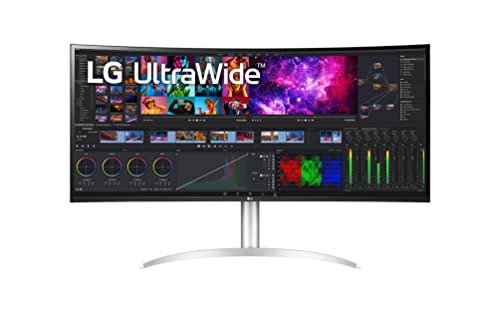


LG 40WP95C-W 40” UltraWide Curved WUHD (5120 x 2160) 5K2K Nano IPS Display, DCI-P3 98% (Typ.) with HDR10, Thunderbolt 4 with 96W PD, 3-Side Virtually...
| SELLER | SELLER SCORE | AMAZON FULFILLED | PRIME | FREE SHIPPING |
|---|---|---|---|---|
| Amazon.com | 9.68 | Yes | Yes | Yes |
Most professionals struggle through a cluttered desk of dual monitors when this single, massive curved canvas offers a much more seamless workflow. The 5K2K WUHD resolution on this 40-inch Nano IPS panel provides an incredible amount of real estate, making it easy to juggle complex timelines or massive spreadsheets without losing clarity. I was particularly impressed by the color accuracy, with 98% DCI-P3 coverage that makes HDR10 content pop. The Thunderbolt 4 integration is a massive productivity win, delivering 96W of power to your laptop through a single cable. Even the built-in 10W speakers offer a surprisingly rich bass that saves you from reaching for external desktop speakers immediately. It is a premium, borderless centerpiece for any high-end workstation.
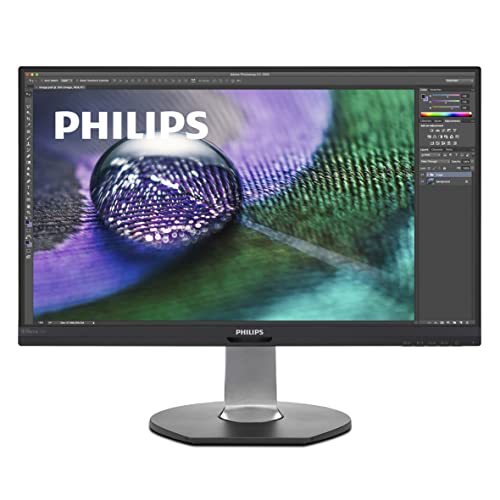
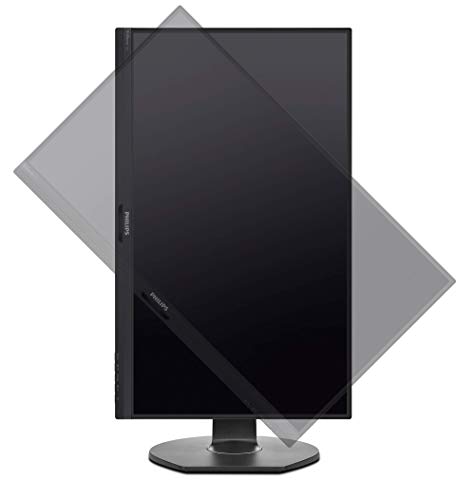


Philips Brilliance 272P7VUBNB 27" Monitor, 4K UHD IPS, 122% sRGB, USB-C Connectivity and Hub, Powersensor, Height Adjustable, 4Yr Advance Replacement
| SELLER | SELLER SCORE | AMAZON FULFILLED | PRIME | FREE SHIPPING |
|---|---|---|---|---|
| Hot Deals 4 Less® | 9.69 | No | No | No |
Most professionals assume a high-end productivity setup requires a tangled mess of cables, but this Philips Brilliance monitor proves that a single cord can actually run your entire desk. By integrating a USB-C docking station with 65W Power Delivery, it handles 4K video, data, and laptop charging simultaneously. The 4K UHD IPS panel is a standout, offering incredibly vivid colors with 122% sRGB coverage that makes detailed design work pop. I was particularly impressed by the built-in PowerSensor, which intelligently dims the screen when you step away to slash energy costs. Between the fully adjustable SmartErgoBase and the flicker-free technology, it is clearly engineered for long-term comfort and efficiency rather than just raw specs.


OSOYOO 5 Inch DSI Touch Sceen Capacitive LCD Display 800x480 for Raspberry Pi 4 B 3 Model B+ 2 Plug and Play Monitor Compatible with Raspbain Ubuntu K...
| SELLER | SELLER SCORE | AMAZON FULFILLED | PRIME | FREE SHIPPING |
|---|---|---|---|---|
| Osoyoo | 6.45 | Yes | Yes | Yes |
The OSOYOO 5 Inch DSI Touch Screen is a game-changer for Raspberry Pi enthusiasts who need a streamlined, space-saving display. What sets this apart is the built-in adapter board that allows you to mount your Pi directly to the back of the screen, creating a neat, all-in-one portable unit. Because it utilizes the DSI port for both signal and data, you don't have to sacrifice your GPIO pins for your next IoT project. The 800x480 resolution provides sharp visuals, and the capacitive touch response feels snappy and intuitive. It is a true plug-and-play experience. Once you connect the included ribbon cable, you can dive straight into Raspbian, Ubuntu, or RetroPie without hunting for elusive drivers. It is an incredibly efficient way to turn a single-board computer into a functional handheld device.

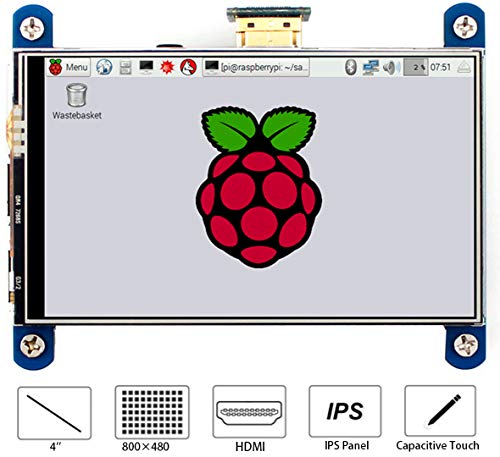
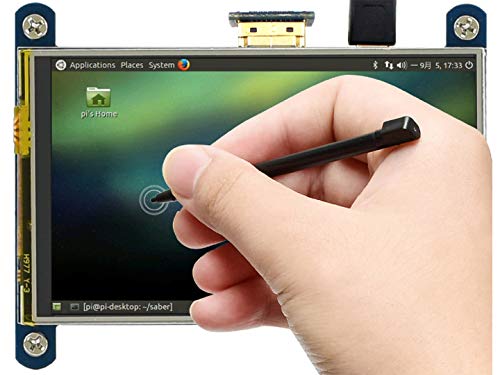


waveshare 4 inch HDMI LCD IPS Display 800x480 Resolution Resistive Touch Screen Interface for Raspberry Pi 4 B/3 B/3 B+/2 B/B+/B Zero W
| SELLER | SELLER SCORE | AMAZON FULFILLED | PRIME | FREE SHIPPING |
|---|---|---|---|---|
| NewaPi Electronics | 6.22 | Yes | Yes | Yes |
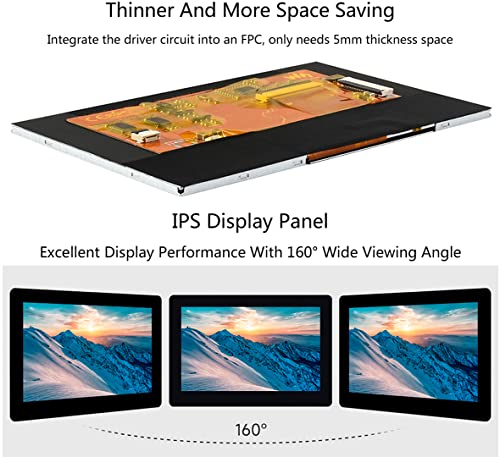
Maker enthusiasts building custom handheld consoles or compact IoT dashboards will find this Waveshare display to be an essential component for their next build. The IPS panel is the real star here, providing a crisp 800x480 resolution that maintains color accuracy even when you are viewing it from an extreme angle. It connects directly to almost any Raspberry Pi revision via HDMI, making the setup process remarkably straightforward. While it functions as a standalone computer monitor through an HDMI cable, the resistive touch interface really shines when paired with Raspbian or Retropie. I also found the ability to toggle the backlight is a clever touch for power-sensitive projects where every milliamp counts.
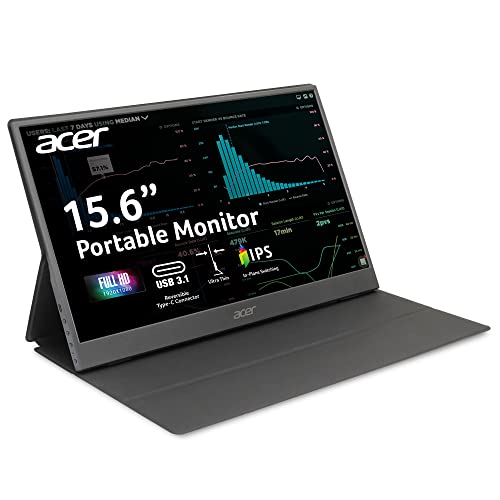


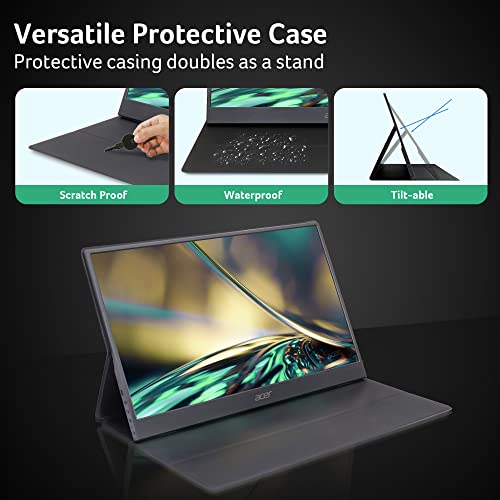

Portable Monitor | Acer PM161Q Abmiuuzx 15.6" Full HD 1920 x 1080 IPS | Ultra Slim Design | Premium Cover I External Monitor for Laptop PC Mac I 2 x U...
| SELLER | SELLER SCORE | AMAZON FULFILLED | PRIME | FREE SHIPPING |
|---|---|---|---|---|
| Amazon.com | 9.68 | Yes | Yes | Yes |
Most remote workers struggle with cramped laptop screens, but the Acer PM161Q transforms any coffee shop or classroom into a dual-screen workstation. I was immediately struck by how thin this display is, making it easy to slide into a bag without adding significant bulk. The 15.6-inch Full HD IPS panel delivers crisp visuals, and the 5ms response time keeps everything feeling snappy during daily tasks. Connectivity is where this unit really shines. With two USB 3.1 Type-C ports supporting power and DisplayPort, plus a Mini HDMI option, you aren't hunting for dongles just to get a picture. It is a streamlined, professional solution for anyone tired of squinting at a single small display while on the move.



WOWNOVA 5" Computer Temp Monitor (Dynamic Theme Supported), Pc Temperature Display, PC Sensor Panel for PC ARGB Computer Case, IPS Type-C USB Mini Sec...
| SELLER | SELLER SCORE | AMAZON FULFILLED | PRIME | FREE SHIPPING |
|---|---|---|---|---|
| WOWNOVA | 7.51 | Yes | Yes | Yes |
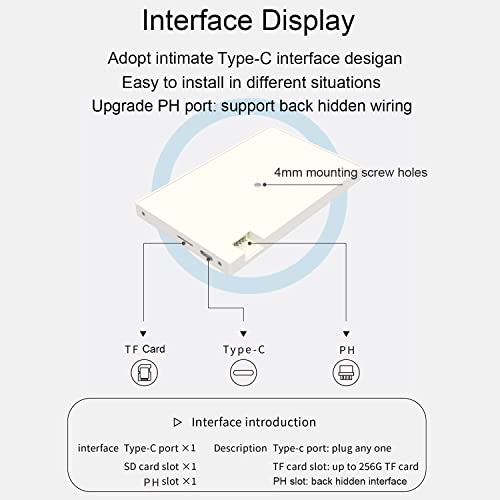
The WOWNOVA 5-Inch Computer Temp Monitor turns your PC case into a high-tech command center with its stunning dynamic video themes. I was immediately impressed by how much utility this small aluminum panel packs without cluttering your build. Because it runs on a single USB-C cable, you can mount it internally off a USB header, completely bypassing the need for bulky HDMI or GPU connections. The IPS screen offers excellent viewing angles for monitoring CPU, GPU, and RAM usage in real-time. Using the self-developed software, you can drag and drop elements to create a custom layout or even upload your own videos via the included 16G flash card. It is a professional, resource-efficient way to keep an eye on your hardware while adding a massive aesthetic upgrade.


Orange Pi 14 Inch Portable Monitor, 1080P HD Resolution Dual Speakers Multi-Functional Interface IPS LED Backlight Display Panel Compatible with PS3/P...
| SELLER | SELLER SCORE | AMAZON FULFILLED | PRIME | FREE SHIPPING |
|---|---|---|---|---|
| Orange Pi Shenzhen Xunlong | 8.65 | Yes | Yes | Yes |
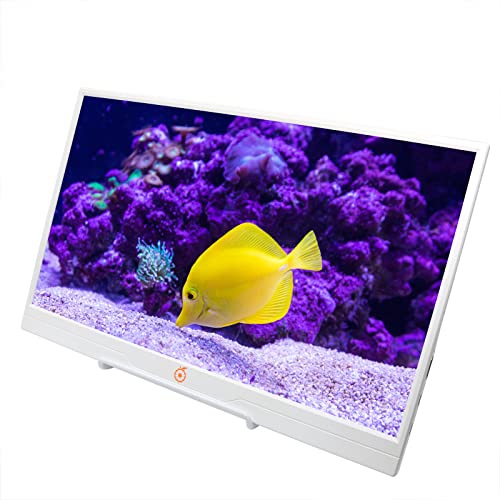
Most people assume a portable screen is just a luxury for travelers, but this Orange Pi display actually serves as a vital bridge for developers and gamers alike. I found that the 1080P IPS panel delivers surprisingly crisp visuals, especially when you are trying to scale up a handheld Switch experience by four times. It is incredibly slim and versatile, featuring dual Type-C ports and a standard HDMI port that makes it compatible with everything from a PS5 to an Orange Pi 800 development board. The inclusion of low blue light technology is a thoughtful touch for those long coding sessions or gaming marathons. Since it is an open-source friendly companion, it turns a single-board computer into a fully functional, mobile workstation or media center almost instantly.



KOORUI 24 Inch Computer Monitor, FHD 1920 x 1080p Office PC Monitor IPS Display 75Hz, HDMI, VGA, 75 x 75 mm VESA Mountable, Frameless, Eye Protection...
| SELLER | SELLER SCORE | AMAZON FULFILLED | PRIME | FREE SHIPPING |
|---|---|---|---|---|
| MINGYANG - US | 9.78 | Yes | Yes | Yes |
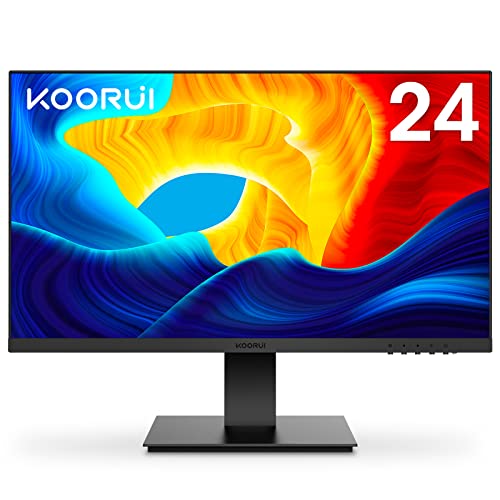
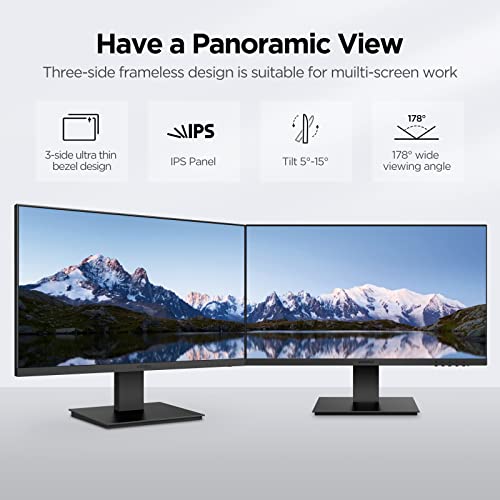
Most budget setups force you to endure washed-out colors and distracting bezels, but the KOORUI 24-inch monitor shifts the standard by offering a surprisingly vibrant IPS display. I was impressed by how the 99% sRGB coverage brings much more realistic saturation to the screen compared to typical entry-level panels. The three-side frameless design makes it an excellent candidate for a multi-screen office layout, and the 75Hz refresh rate provides a smoother experience than standard 60Hz displays for everyday tasks and casual gaming. Whether you are plugging in a laptop via HDMI or an older PC via VGA, the connectivity is straightforward. It also prioritizes eye comfort with flicker-free technology and a blue light filter, which is a lifesaver during long work sessions.


KOORUI 27 Inch FHD Monitor, Computer Monitors Full HD(1920 x 1080p) IPS Display 75Hz, HDMI, VGA, 5ms Response Time, 75 x 75 mm VESA Mountable, Framele...
| SELLER | SELLER SCORE | AMAZON FULFILLED | PRIME | FREE SHIPPING |
|---|---|---|---|---|
| Amazon.com | 9.68 | Yes | Yes | Yes |
Budget-conscious students and home office workers need this KOORUI display to upgrade their workspace without breaking the bank. The 27-inch IPS panel delivers surprisingly vibrant colors thanks to its 99% sRGB coverage, making it much more engaging than a standard office screen. I found the three-sided frameless design creates a sleek, modern look that doesn't feel cheap, and the 178° viewing angles ensure your colors don't wash out if you aren't sitting perfectly centered. While the 75Hz refresh rate isn't for hardcore competitive gamers, it provides a smooth enough experience for daily multitasking and casual media consumption. With built-in flicker-free technology and a blue light filter, it's a reliable workhorse for long study sessions or streaming your favorite shows.


| SELLER | SELLER SCORE | AMAZON FULFILLED | PRIME | FREE SHIPPING |
|---|---|---|---|---|
| NewaPi Electronics | 6.22 | Yes | Yes | Yes |



ViewSonic CDE7520 75 Inch 4K Ultra HD Wireless Presentation Display
| SELLER | SELLER SCORE | AMAZON FULFILLED | PRIME | FREE SHIPPING |
|---|---|---|---|---|
| AVNation | 9.81 | No | No | No |
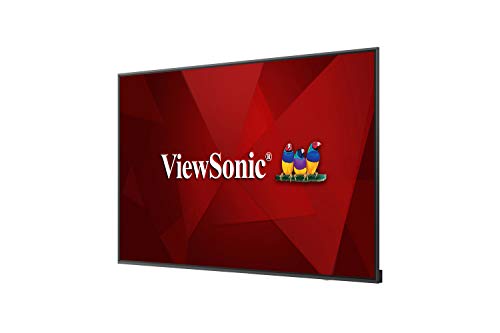
Why settle for clunky cables and external hardware when your boardroom display can act as a fully integrated command center? The ViewSonic CDE7520 transforms standard presentations into immersive experiences through its stunning 4K Ultra HD resolution, making every detail pop with lifelike clarity. What really sets this apart is the VESP embedded signage platform. It’s a Linux-based powerhouse that eliminates the need for extra devices to manage your media. I found the ViewBoard Cast software particularly impressive for collaborative work, allowing multiple users to annotate cloud files and stream content wirelessly in real time. Between the professional-grade AV control certification for Crestron and Extron systems and the included Revel Digital content management, this display is a seamless, all-in-one solution for any modern professional environment.

When writing code, you spend hours staring at small characters, syntax highlighting, and subtle indentation. This makes pixel density—often measured in Pixels Per Inch (PPI)—one of the most critical metrics. A standard 1080p monitor on a large screen will result in 'fuzzy' text that causes significant eye fatigue over an eight-hour shift. For professional development, aim for at least 1440p (QHD) on a 27-inch panel, or 4K (UHD) on a 27-to-32-inch panel. Higher resolution allows you to keep text crisp and sharp, making it easier to spot syntax errors and read dense documentation without squinting.
Developers often face a trade-off: do you want more width for side-by-side windows, or more height to see more lines of code? There are three primary setups to consider:
While IPS (In-Plane Switching) panels are the industry standard due to their superior color reproduction and wide viewing angles, the most important feature for a developer is often eye care technology. Look for monitors that feature 'Flicker-Free' technology and built-in 'Low Blue Light' modes. Blue light exposure during late-night debugging sessions can disrupt circadian rhythms. Having a hardware-level blue light filter that doesn't drastically distort color is a major advantage. Additionally, ensure the monitor has a matte (anti-glare) finish to prevent reflections from overhead office lights from distracting you from your logic.
Modern development workflows often involve docking a laptop. Look for monitors with USB-C Power Delivery (PD). This allows a single cable to transmit video signals to the monitor while simultaneously charging your laptop, reducing desk clutter. Ergonomics are equally vital. Ensure the stand allows for height, tilt, and swivel adjustments. If you plan to use a vertical orientation, a stand that supports pivot functionality is non-negotiable. If the included stand is lacking, ensure the monitor is VESA mount compatible so you can transition to a high-quality monitor arm.
Quick answers about Software Development Monitors before you buy.
Share of top-ranked products by brand, from our editorial analysis.
We've carried out a comprehensive analysis of 39,577 reviews on Software Development Monitors, using our selection criteria to identify the best options in the computers & accessories. Our findings reveal that most customers typically select Software Development Monitors priced around $364.56, with top brands including koorui, lg, samsung, sceptre, msi, waveshare, wownova, orange pi and philips computer monitors and osoyoo.
Our team of expert editors reviewed these high-quality items and handpicked the top 20 Software Development Monitors for your consideration. We've also done extensive research on numerous sellers, identifying the best ones in the computers & accessories category — including mingyang - us, amazon.com, better buy deal (s/n recorded), genesis official store, good luck bargains, newapi electronics, wownova, orange pi shenzhen xunlong and hot deals 4 less® and osoyoo.
We are dedicated to assisting our users in finding the right monitors Products based on their needs, saving them considerable time when choosing which Software Development Monitors to buy. We take pride in the number of satisfied users we've helped through our thorough and insightful reviews.
Compare the top 20 picks at a glance — select a column to sort.