#TOP1
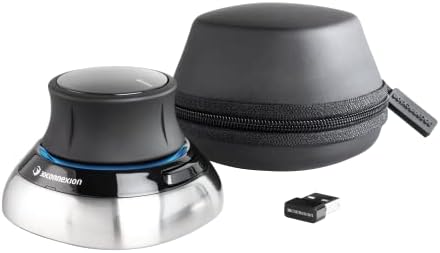
For professionals working in CAD, 3D modeling, digital sculpting, or complex architectural visualization, a standard two-button mouse is often a bottleneck to productivity. 3Dconnexion has carved out a niche by creating peripherals specifically designed to bridge the gap between human intent and spatial software. Unlike traditional mice that focus on 2D cursor movement, these devices are engineered to handle high-precision navigation and complex command execution within three-dimensional environments. Choosing the right device in this category requires moving beyond simple DPI settings and looking into ergonomic integration, button customization, and how the hardware interacts with your specific software ecosystem.
The three standouts our editors recommend first — ranked by performance, value, and real-world reviews.


3Dconnexion 3DX-700066 Spacemouse Wireless (With Carry Case And Universal Receiver)
| SELLER | SELLER SCORE | AMAZON FULFILLED | PRIME | FREE SHIPPING |
|---|---|---|---|---|
| Provantage LLC | 9.22 | No | No | No |
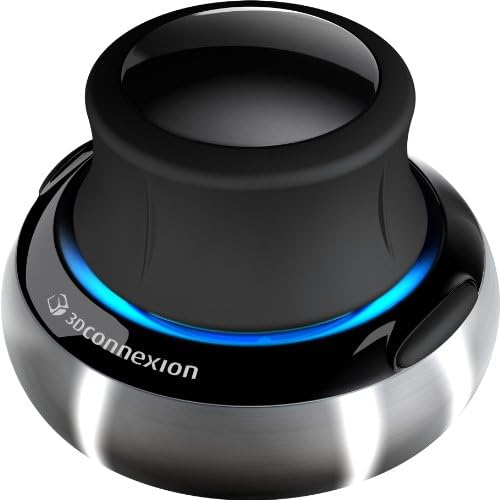
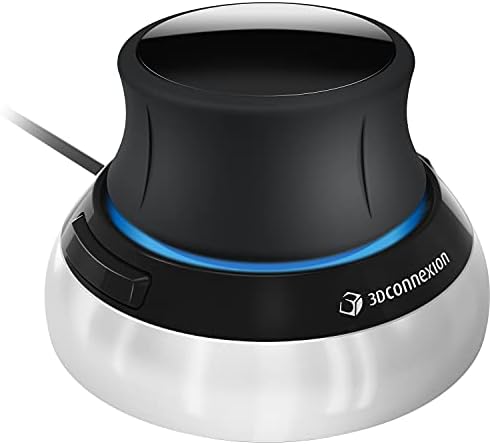
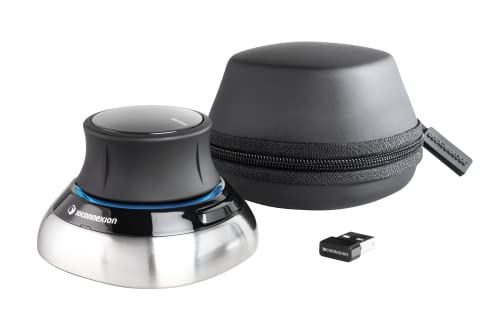
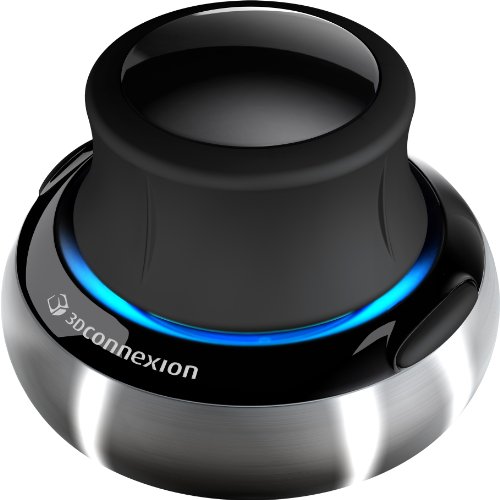
Digital modelers working in complex CAD environments cannot afford to waste time fighting traditional mice for spatial navigation. The 3Dconnexion Spacemouse Wireless transforms your workflow by utilizing a six-degrees-of-freedom sensor that lets you manipulate 3D views with intuitive, fluid precision. I was particularly impressed by the sleek, brushed steel base which keeps the footprint small on my desk without sacrificing stability. The 2.4GHz wireless technology provides a seamless, real-time connection, and you won't find yourself tethered to a charging cable constantly since the battery lasts up to a full month. It is a professional-grade tool that pairs high-end aesthetics with the programmable functionality required for serious design work.



3Dconnexion 3DX-700028 SpaceNavigator 3D Mouse
| SELLER | SELLER SCORE | AMAZON FULFILLED | PRIME | FREE SHIPPING |
|---|---|---|---|---|
| PRIME ASAURUS REX | 5.62 | Yes | Yes | Yes |
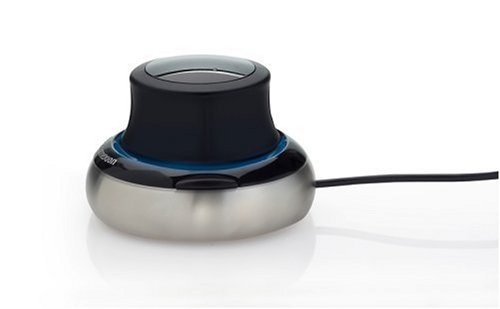
CAD engineers and architects cannot afford to waste time fighting a standard two-button mouse when navigating complex digital environments. The 3Dconnexion SpaceNavigator changes the game by utilizing an advanced 6 degrees-of-freedom optical sensor that lets you manipulate models with intuitive precision. Instead of clicking and dragging through menus, you can simultaneously pan, zoom, and rotate 3D models in one fluid motion. I found the two programmable function keys particularly useful for mapping frequently used commands, streamlining the entire design workflow. Since this SE model includes a commercial use license and full technical support, it feels like a professional-grade investment rather than a mere peripheral. It is a specialized tool that turns clunky navigation into a seamless, tactile experience.
3DConnexion 3DX-700059 Spacemouse Compact 3D Mouse
| SELLER | SELLER SCORE | AMAZON FULFILLED | PRIME | FREE SHIPPING |
|---|---|---|---|---|
| Provantage LLC | 9.22 | No | No | No |
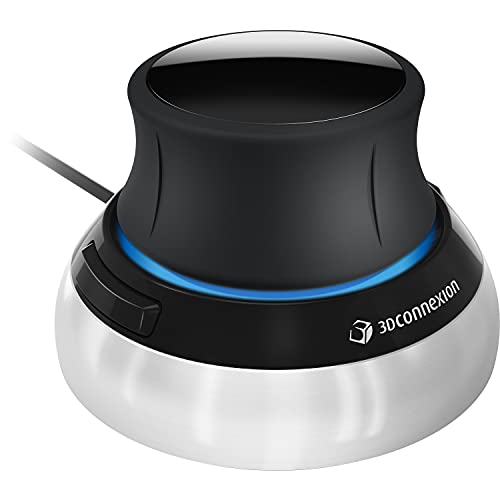
The 3Dconnexion Spacemouse Compact redefines CAD workflows by providing a level of intuitive control that a standard mouse simply cannot replicate. After testing its six-degrees-of-freedom sensor, it is clear that navigating complex digital models feels effortless rather than clunky. The device features a sleek, iconic design with a brushed steel base that keeps it anchored during intense sessions, preventing any unwanted sliding. I particularly enjoyed the dual radial menus triggered by the two integrated buttons, which allow you to map up to eight essential commands for instant access. Whether you are running Windows, macOS, or various Linux distributions, this compact powerhouse fits easily onto any workstation without sacrificing the precision required for professional 3D modeling.


3Dconnexion Space Mouse Enterprise (3DX-700056)
| SELLER | SELLER SCORE | AMAZON FULFILLED | PRIME | FREE SHIPPING |
|---|---|---|---|---|
| Motion Media, LLC | 6.46 | Yes | Yes | Yes |
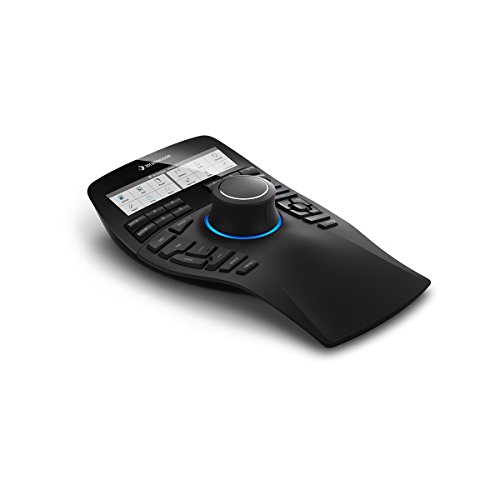
Navigating a complex CAD assembly becomes a seamless dance rather than a chore once you place the Space Mouse Enterprise on your desk. Instead of fighting with a standard mouse to rotate and pan through intricate digital models, the six-degrees-of-freedom sensor allows you to manipulate 3D space with intuitive, fluid precision. I found the layout particularly effective for high-stakes design work, especially with the twelve intelligent function keys and dedicated QuickView buttons for instant top, bottom, or side views. Whether you are working on Windows or macOS, the wired USB connectivity ensures there is zero latency during critical design phases. It transforms the way you interact with three-dimensional environments by making spatial navigation feel like a natural extension of your hand.
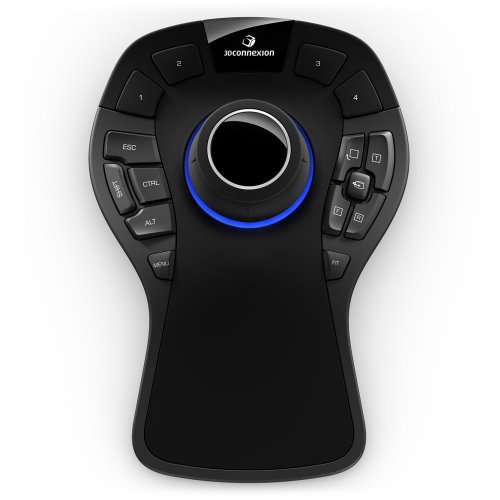


3Dconnexion 3DX-700040 SpaceMouse Pro 3D Mouse
| SELLER | SELLER SCORE | AMAZON FULFILLED | PRIME | FREE SHIPPING |
|---|---|---|---|---|
| Amazon.com | 9.68 | Yes | Yes | Yes |
Most people assume a mouse is just for clicking, but the SpaceMouse Pro turns your non-dominant hand into a precision navigation engine. Instead of struggling with two-dimensional movements, you use the six-degrees-of-freedom sensor to pan, zoom, and rotate through complex 3D environments with fluid ease. The full-sized, soft-coated hand rest makes long design sessions much more comfortable, while the 15 programmable keys and intelligent function keys allow you to map your most frequent commands directly to the device. I found the inclusion of an on-screen display and virtual numpad incredibly helpful for maintaining workflow without reaching for a keyboard. It’s a specialized tool that feels less like a peripheral and more like an essential extension of a professional designer's workspace.


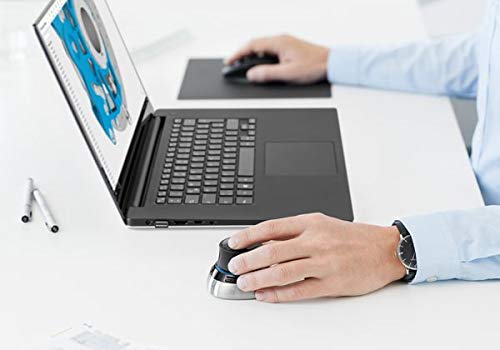


3DConnexion SpaceMouse Wireless Kit 2 3DX-700084
| SELLER | SELLER SCORE | AMAZON FULFILLED | PRIME | FREE SHIPPING |
|---|---|---|---|---|
| The Factory Depot | 9.81 | No | No | No |
The 3DConnexion SpaceMouse Wireless Kit 2 redefines the professional CAD workstation by pairing high-precision navigation with a clutter-free, two-handed workflow. I found that the 6-degrees-of-freedom sensor on the SpaceMouse provides incredible control, while the advanced 2.4 GHz wireless technology ensures you get the same responsiveness as a wired setup without the desk mess. The inclusion of the CadMouse Compact makes this a complete package for engineers with smaller hands or specific grip preferences. It is rare to find a kit that thoughtfully includes everything from a universal receiver and a dedicated mouse pad to protective carry cases, making it a highly mobile solution for design professionals who move between studios.

3Dconnexion Carry Case - SpaceMouse Compact (3DX-700046)
| SELLER | SELLER SCORE | AMAZON FULFILLED | PRIME | FREE SHIPPING |
|---|---|---|---|---|
| No | No | No |
Most professionals treat their specialized peripherals like an afterthought, tossing them into backpacks where they risk getting crushed or scratched. The 3Dconnexion Carry Case changes that dynamic by providing a dedicated, secure home for your most essential navigation tool. I found that this sleek black case is specifically tailored for the SpaceMouse Compact and SpaceMouse Wireless, ensuring a snug fit that prevents unnecessary movement during transit. It is a simple but vital piece of kit for any designer or engineer who moves between studios or works on the go. Instead of worrying about sensitive sensors or delicate controls, you can just zip it up and focus on your next project, knowing your hardware is shielded from the chaos of travel.


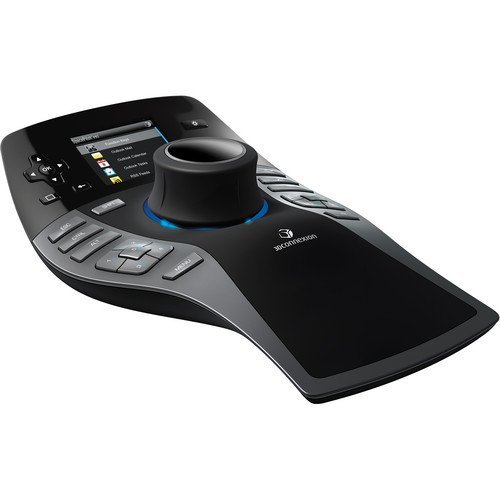

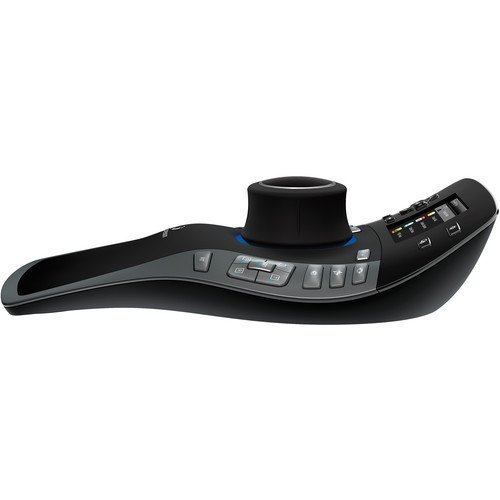
3Dconnexion SpacePilot Pro 3D Mouse 3DX-700036
| SELLER | SELLER SCORE | AMAZON FULFILLED | PRIME | FREE SHIPPING |
|---|---|---|---|---|
| Happyending* | 5.25 | No | No | No |
The 3Dconnexion SpacePilot Pro 3D Mouse redefines precision through its sophisticated six degrees-of-freedom sensor. After putting this through its paces, the most striking element is how the integrated color LCD workflow assistant keeps your essential commands right under your fingertips. It is a specialized tool built specifically for engineers who live in MCAD environments. Between the 31 programmable keys and the dual-function navigation controls, you can manipulate complex models with a level of fluid dexterity that a standard mouse simply cannot match. The advanced wrist design also ensures that long sessions of intense design work don't result in immediate fatigue. It feels less like a peripheral and more like a seamless extension of your creative intent.
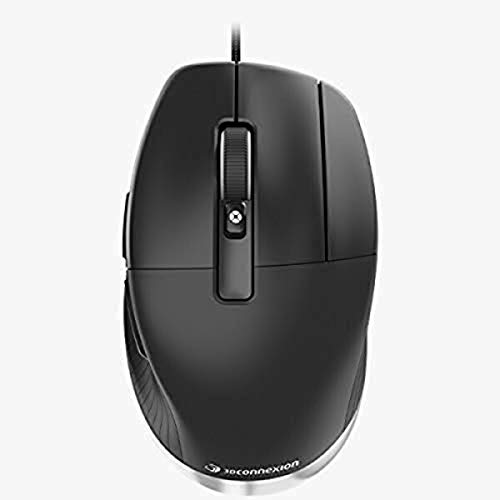
3DConnexion CadMouse Pro Mouse - Optical - Cable - 7 Button(s) - Black
| SELLER | SELLER SCORE | AMAZON FULFILLED | PRIME | FREE SHIPPING |
|---|---|---|---|---|
| Amazon.com | 9.68 | Yes | Yes | Yes |
CAD professionals will find that traditional mice are fundamentally broken for high-precision engineering workflows. The CadMouse Pro solves this by replacing the finicky, high-resistance scroll wheel click with a dedicated middle mouse button that requires significantly less force to actuate. This subtle change is a game-changer when you are constantly toggling application functions throughout a long design session. Beyond the specialized buttons, the ergonomic design is genuinely thoughtful. The slanted, angled shape and the deep, incurvated thumb rest work together to keep your hand in a natural posture. By reducing the muscle and tendon strain common with flat mice, this wired tool feels less like a peripheral and more like a necessary extension of your hand for professional modeling.
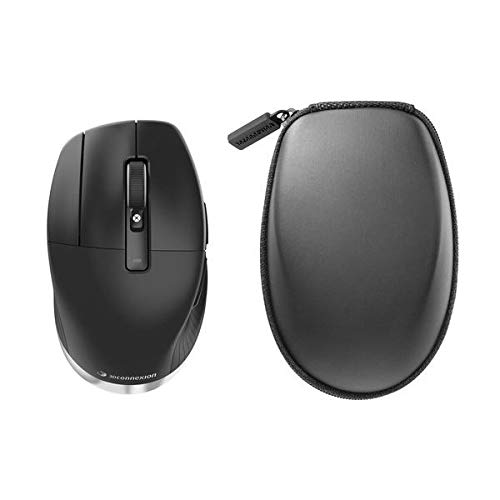

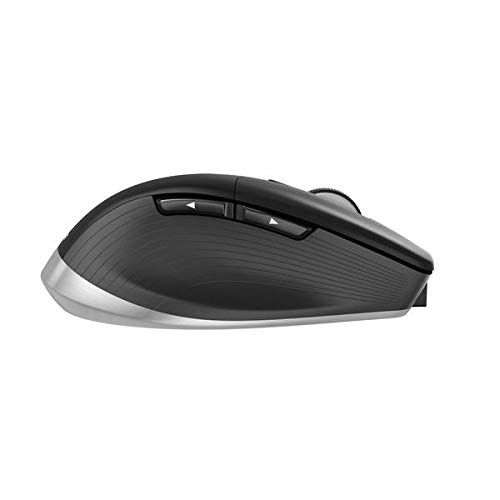

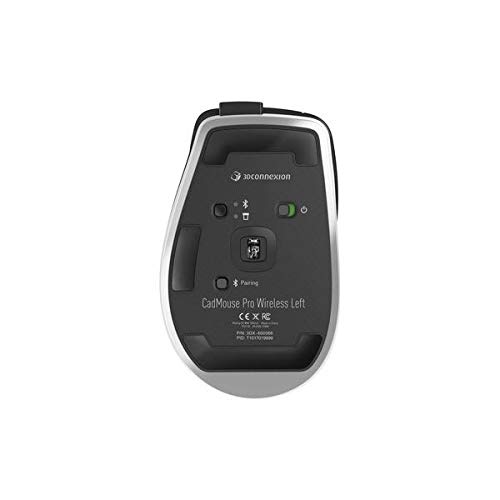
3Dconnexion CadMouse Pro Wireless - Mouse - ergonomic - left-handed - 7 buttons - wireless - Bluetooth, 2.4 GHz - USB wireless receiver
| SELLER | SELLER SCORE | AMAZON FULFILLED | PRIME | FREE SHIPPING |
|---|---|---|---|---|
| Amazon.com | 9.68 | Yes | Yes | Yes |
After weeks of use in high-precision environments, the 3Dconnexion CadMouse Pro Wireless has proven to be a specialized tool rather than just another peripheral. Designed specifically for CAD professionals, this mouse feels like a natural extension of your hand thanks to its concave button shape and an ideal thumb rest that minimizes strain during long sessions. The triple connectivity options—Bluetooth, 2.4 GHz, and a USB receiver—ensure you stay connected without friction. I found the Smart mouse Wheel 2 and the dedicated middle button to be absolute game-changers for professional scroll and zoom navigation. It is a durable, ergonomic powerhouse that prioritizes comfort and workflow efficiency for those who live in design software.


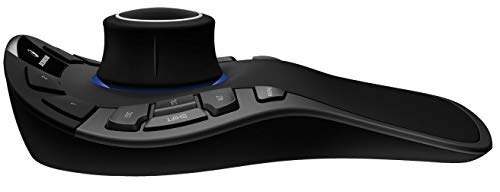

3Dconnexion SpaceMouse Pro 3D Mouse (3DX-700040)
| SELLER | SELLER SCORE | AMAZON FULFILLED | PRIME | FREE SHIPPING |
|---|---|---|---|---|
| SabrePC (SN Rec-5 Yr HDD Wty) | 9.69 | No | No | No |
Navigating a complex CAD assembly becomes a fluid, intuitive experience once you stop relying solely on a standard mouse and keyboard. The 3Dconnexion SpaceMouse Pro transforms your workflow by introducing six degrees of freedom, allowing you to pan, zoom, and rotate models simultaneously with a single hand. It feels like a natural extension of your creative process rather than just another peripheral. With 15 programmable buttons at your fingertips, you can map your most frequent office commands directly to the device, cutting down on repetitive keystrokes. The precision it brings to PC-based design tasks is unmistakable for anyone serious about professional 3D modeling.
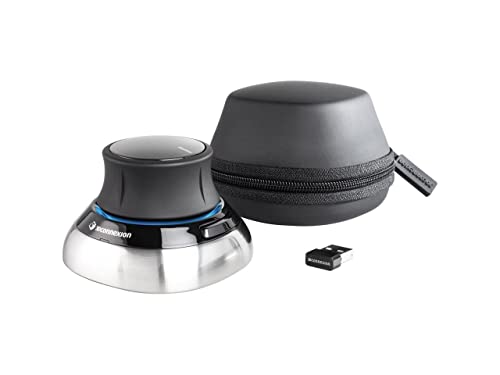

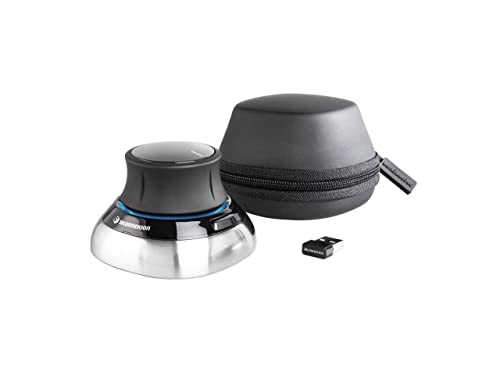
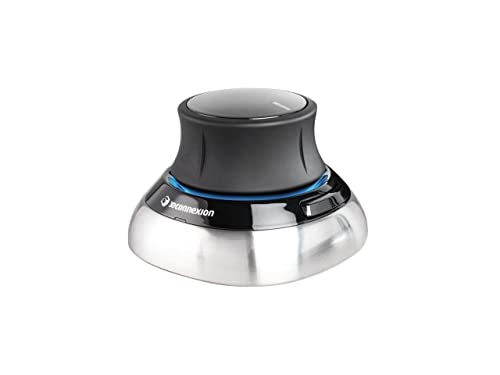
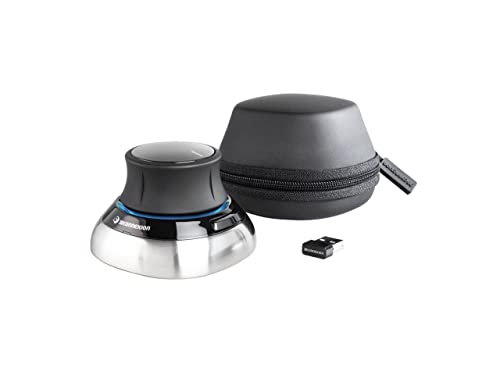
3DConnexion Spacemouse 3Dx-700066 3D Mouse, Black/Silver
| SELLER | SELLER SCORE | AMAZON FULFILLED | PRIME | FREE SHIPPING |
|---|---|---|---|---|
| The Minerva Project | 9.60 | No | No | No |
Navigating a complex CAD assembly used to feel like a wrestling match between your mouse and your screen, but this device changes the entire workflow. The patented Six-Degrees-of-Freedom sensor allows you to manipulate digital models with a level of intuitive precision that a standard mouse simply cannot replicate. I was particularly impressed by the 2.4GHz wireless technology, which provides a seamless, real-time connection without the clutter of a tethered cable. You can dive deep into intricate designs without worrying about constant recharging, as the battery life stretches up to a full month. It is a professional-grade tool that turns tedious rotation and zooming tasks into a fluid, natural extension of your hand.

3Dconnexion - Case for 3D Mouse - Neoprene
| SELLER | SELLER SCORE | AMAZON FULFILLED | PRIME | FREE SHIPPING |
|---|---|---|---|---|
| Amazon Global Store UK | 0.00 | No | No | No |
How much is your professional workflow worth when your primary navigation tool gets tossed loosely into a backpack? This heavy-duty neoprene carry case from 3Dconnexion is the specific solution designed to protect the SpaceMouse Enterprise from the bumps and scratches of a mobile workstation lifestyle. Instead of risking damage to your high-end hardware, you get a snug, dedicated fit that feels purpose-built for the device. The material provides a reliable buffer against daily wear, making it an essential companion for designers and engineers who frequently transition between studio and client sites. It is a straightforward, no-nonsense piece of gear that prioritizes the longevity of your most important peripheral.

3Dconnexion CadMouse Compact Mouse - USB - Optical - 7 Button(s) - Black
| SELLER | SELLER SCORE | AMAZON FULFILLED | PRIME | FREE SHIPPING |
|---|---|---|---|---|
| Amazon.com | 9.68 | Yes | Yes | Yes |
The 3Dconnexion CadMouse Compact redefines precision for professional workflows with its dedicated middle mouse button. While most mice force you to click the scroll wheel, this device separates that function entirely, reducing finger fatigue during long design sessions. The compact ergonomic shape fits naturally in the hand, making it a portable powerhouse for mobile workstations. With seven buttons available—including five that you can program to your specific shortcuts—the customization is incredibly deep. The high resolution sensor ensures every micro-movement is captured accurately, and the Smart Mouse Wheel 2 adds a layer of tactile control that feels premium. It is a specialized tool that prioritizes productivity over generic gaming aesthetics.

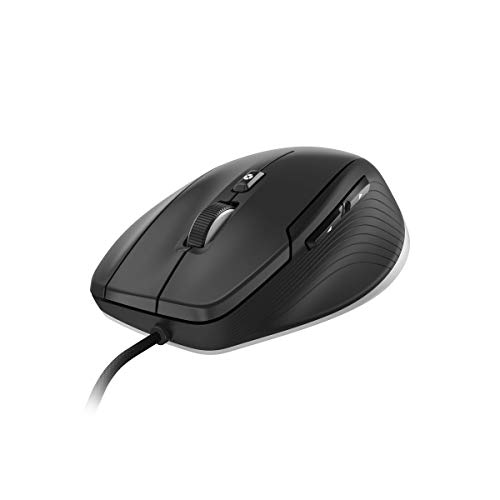


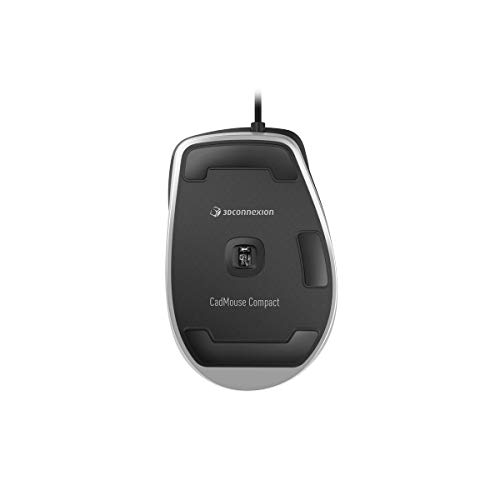
3Dconnexion CadMouse Compact 3DX-700081
| SELLER | SELLER SCORE | AMAZON FULFILLED | PRIME | FREE SHIPPING |
|---|---|---|---|---|
| BeachAudio | 9.73 | No | No | No |
The 3Dconnexion CadMouse Compact is the gold standard for precision-driven designers and CAD professionals who need to reclaim desk space without sacrificing control. I found the compact ergonomic shape surprisingly comfortable for long sessions, fitting naturally into the hand while maintaining a professional footprint. The standout feature is the dedicated middle mouse button, which, combined with five programmable buttons, streamlines complex workflows significantly. Navigating intricate 3D models feels intuitive thanks to the high resolution sensor and the Smart Mouse Wheel 2. I particularly enjoyed the QuickZoom functionality, as it adds a layer of fluid responsiveness that standard mice simply cannot match. It is a specialized tool that turns tedious navigation into a seamless experience.

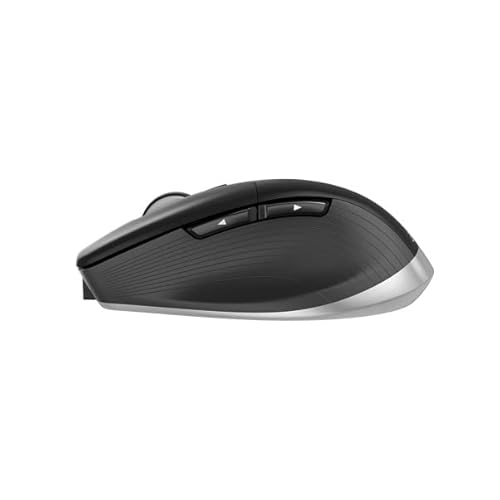
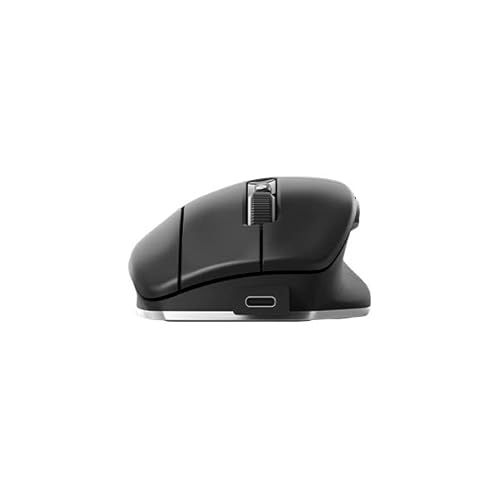


3dconnexion 3DX-700116 Cadmouse Pro Wireless USB-C
| SELLER | SELLER SCORE | AMAZON FULFILLED | PRIME | FREE SHIPPING |
|---|---|---|---|---|
| PORTABLE GUY | 9.82 | No | No | No |
Most people assume that a wireless mouse is a compromise for professional CAD designers, but the Cadmouse Pro Wireless completely flips that script. After spending time with it, the ergonomic shape feels less like a peripheral and more like a natural extension of your hand during grueling design sessions. The Smart Mouse Wheel 2 and the QuickZoom feature take the friction out of navigating complex 3D models, while the seven dedicated buttons allow for a level of tactile control that standard mice simply can't match. Even the glide is intentional. The specially developed PTFE feet ensure that movement is fluid and precise. It is a specialized tool that manages to feel incredibly intuitive from the moment you start customizing your radial menu.

The first step in selecting a 3Dconnexion device is understanding that the brand often sells two distinct types of hardware that work best in tandem. While you may be looking for a high-performance mouse, many professionals find that the true power of the brand lies in the synergy between a specialized mouse and a 3D mouse (a puck-like controller). If your workflow involves constant rotation, zooming, and panning while simultaneously selecting components, you aren't just looking for a better mouse. You are looking for a way to offload navigation tasks to your non-dominant hand. If you are only buying a mouse, ensure it features high-precision sensors that won't jitter during fine-detail work.
In 3D modeling, speed is determined by how few times you have to reach for your keyboard. When evaluating a 3Dconnexion mouse, look closely at the button layout. You want a device that offers a high density of programmable buttons, ideally including thumb buttons and potentially tilt-wheel functionality. The value of these mice lies in the software driver that allows you to map specific CAD commands—such as 'Extrude,' 'Revolve,' or 'Constraint'—directly to the hardware. A mouse with only five or six buttons will quickly become limiting for power users. Look for models that offer a surplus of inputs to minimize hand travel.
Because 3D modeling tasks often involve long, intensive sessions, ergonomics cannot be an afterthought. Standard mice are often too flat for professional use, leading to wrist strain. Look for mice with a contoured, high-arch design that supports the natural resting position of your palm. The weight of the mouse is also a critical factor. A mouse that is too light may feel flighty and imprecise during delicate operations, while one that is too heavy can cause fatigue during rapid movements. Ideally, you want a device that feels substantial and grounded, providing tactile feedback that tells you exactly where your cursor is in 3D space.
A 3Dconnexion mouse is only as good as its driver integration. Before purchasing, verify that the device is fully supported by the specific software you use daily, whether that is SolidWorks, AutoCAD, Blender, or Maya. The best devices come with pre-configured profiles for these applications, meaning the buttons are automatically mapped to the correct tools the moment you switch software windows. This 'plug-and-play' intelligence is what separates a professional spatial tool from a standard gaming mouse that happens to have extra buttons.
To make your final decision, categorize your workflow. If you are a student or a hobbyist, a streamlined mouse with essential programmable buttons is sufficient. If you are a professional engineer or industrial designer, prioritize a model with maximum button density and superior ergonomic support. Finally, if you find yourself constantly fighting with your mouse to rotate a view while trying to click a vertex, your best investment isn't just a new mouse, but a complete setup that includes a dedicated 3D navigator to handle the spatial movement.
Quick answers about 3Dconnexion Mouse before you buy.
Share of top-ranked products by brand, from our editorial analysis.
We've carried out a comprehensive analysis of 4,582 reviews on 3Dconnexion Mouse, using our selection criteria to identify the best options in the categories. Our findings reveal that most customers typically select 3Dconnexion Mouse priced around $191.10.
Our team of expert editors reviewed these high-quality items and handpicked the top 16 3Dconnexion Mouse for your consideration..
We are dedicated to assisting our users in finding the right mice Products based on their needs, saving them considerable time when choosing which 3Dconnexion Mouse to buy. We take pride in the number of satisfied users we've helped through our thorough and insightful reviews.
Compare the top 16 picks at a glance — select a column to sort.


