#TOP1

When it comes to precision engineering and ergonomic comfort, the goldtouch mouse category stands out as a premium choice for professionals, creative designers, and power users. Unlike standard office peripherals that prioritize low cost over long-term wrist health, these mice are designed with a focus on tactile feedback, high-fidelity tracking, and sophisticated form factors. Whether you are navigating complex spreadsheets, editing high-resolution video, or managing multi-monitor setups, selecting the right mouse from this specialized lineup requires an understanding of how sensor technology, button configuration, and grip styles intersect with your unique workflow.
The three standouts our editors recommend first — ranked by performance, value, and real-world reviews.
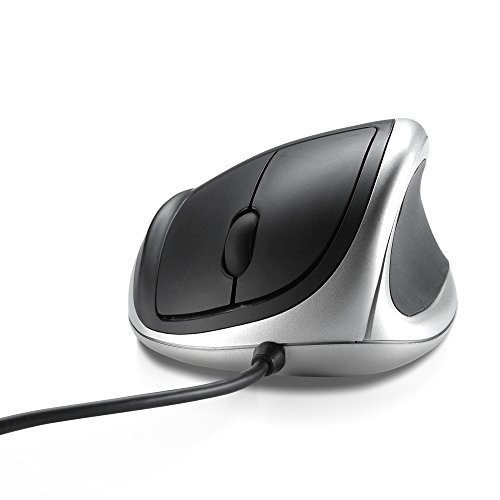
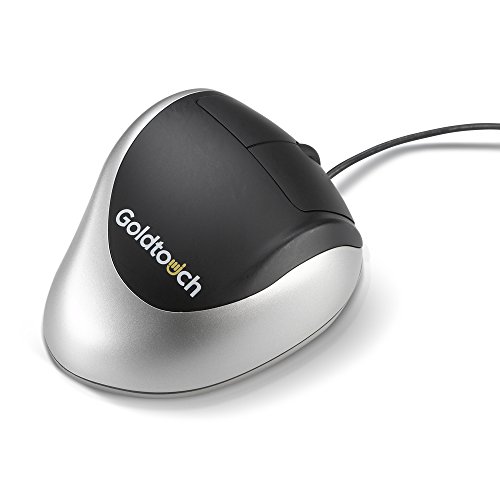
Goldtouch Comfort Mouse (Right-Handed) USB
| SELLER | SELLER SCORE | AMAZON FULFILLED | PRIME | FREE SHIPPING |
|---|---|---|---|---|
| ErgoWarehouse | 9.69 | Yes | Yes | Yes |
Your wrist begins to ache halfway through a long afternoon of spreadsheet management, signaling that your standard office peripheral isn't cutting it anymore. The Goldtouch Comfort Mouse addresses this exact fatigue by prioritizing a natural hand position for right-handed users. During my testing, the ergonomic shape felt intentional, providing a much-needed reprieve from the strain of traditional, flat mice. Because it utilizes a reliable USB corded connection, you never have to worry about battery depletion or wireless interference interrupting your workflow. It is a straightforward, specialized tool designed for those who spend hours tethered to a desk and need a device that supports their physical comfort throughout the workday.

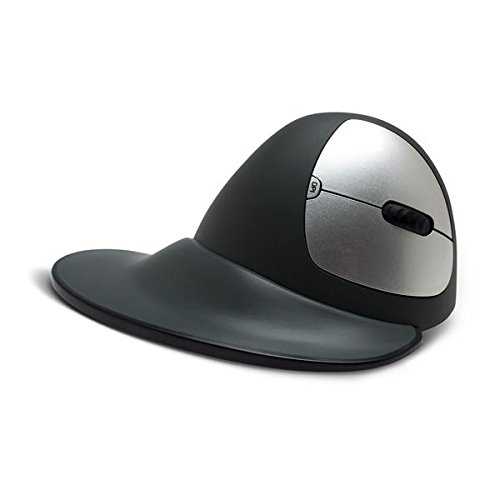
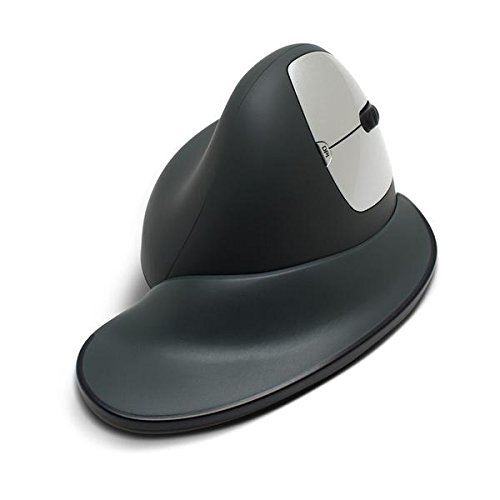
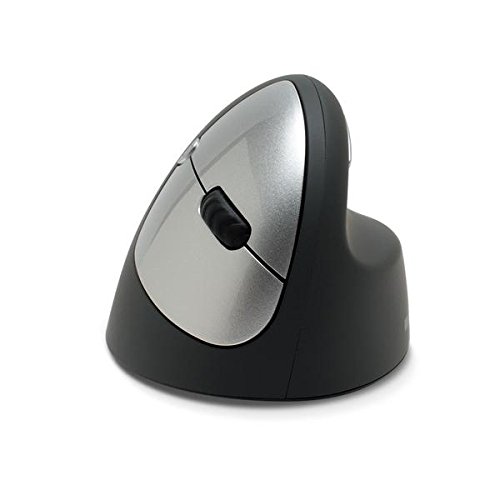
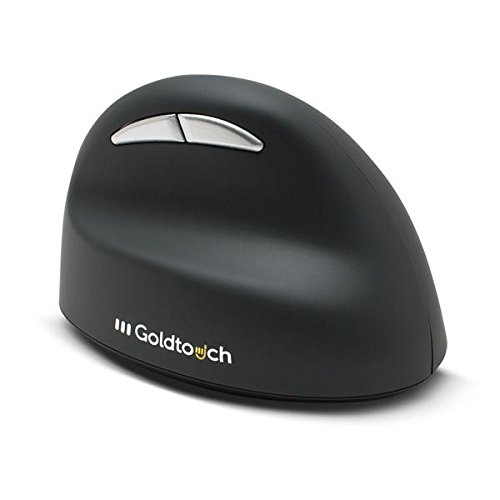
Goldtouch KOV-GSV-RMW Semi-Vertical Mouse Wireless (Right-Handed) Medium with Dongle
| SELLER | SELLER SCORE | AMAZON FULFILLED | PRIME | FREE SHIPPING |
|---|---|---|---|---|
| ErgoWarehouse | 9.59 | Yes | Yes | Yes |
The Goldtouch Semi-Vertical Mouse stands as a premier solution for professionals battling wrist fatigue during long workdays. Its 66-degree slope is the standout feature here, forcing your hand into a natural handshake position that significantly reduces strain. I found the anti-slip texture and rubberized coating incredibly tactile, making it easy to maintain control even during intense multitasking. The inclusion of a detachable flange accessory is a clever touch, effectively keeping your palm elevated off the desk surface to prevent dragging. With programmable DPI settings ranging from 800 to 1600 and dedicated thumb keys for navigating pages, this wireless peripheral balances ergonomic health with genuine productivity. It is a thoughtful, highly functional upgrade for any right-handed workstation.


Goldtouch KOV-GTM-R Comfort Mouse (Right-Handed) USB
| SELLER | SELLER SCORE | AMAZON FULFILLED | PRIME | FREE SHIPPING |
|---|---|---|---|---|
| ErgoWarehouse | 9.40 | No | No | No |
Chronic wrist pain shouldn't be the price you pay for a productive workday. The Goldtouch KOV-GTM-R Comfort Mouse is a specialized tool designed specifically for anyone struggling with wrist pronation or arthritic discomfort. Instead of forcing your hand to lie flat against a desk, this mouse tilts your wrist into an ergonomic 24-degree angle that feels much more natural. I noticed that the oversized buttons are a game changer, as they let you click without that awkward, straining bend in your finger joints. The integrated thumb cushion adds a layer of support that makes long sessions feel significantly less taxing. Best of all, it is a true plug-and-play device, meaning you can skip the driver headache and start feeling relief immediately.
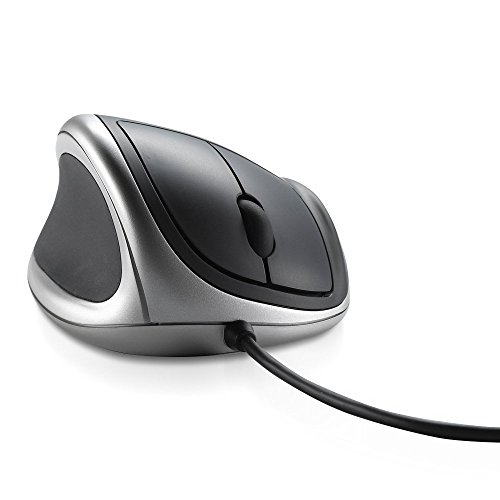
Goldtouch KOV-GTM-L Comfort Mouse (Left-Handed) USB, Black Silver
| SELLER | SELLER SCORE | AMAZON FULFILLED | PRIME | FREE SHIPPING |
|---|---|---|---|---|
| ErgoWarehouse | 9.40 | Yes | Yes | Yes |
Most ergonomic peripherals assume your hand is a flat tool, but the Goldtouch KOV-GTM-L treats it like a living part of your anatomy. By tilting your wrist to a natural 24° angle, this mouse actively fights the discomfort of wrist pronation that plagues standard office setups. I found the oversized buttons particularly helpful because they minimize the need to strain your interphalangeal joints, which is a massive win for anyone dealing with arthritic tension. The integrated thumb cushion adds a layer of stability to your grip, making long sessions feel much less taxing. Setting it up was a breeze since it is pure plug-and-play, working seamlessly across both Windows and Mac OS without any annoying driver installations.

Goldtouch KOV-GSV-RM Semi-Vertical Mouse Wired (Right-Handed) Medium
| SELLER | SELLER SCORE | AMAZON FULFILLED | PRIME | FREE SHIPPING |
|---|---|---|---|---|
| ErgoWarehouse | 9.25 | Yes | Yes | Yes |
The Goldtouch KOV-GSV-RM stands out in the personal computer peripheral market as a specialized ergonomic solution designed to alleviate wrist strain through its aggressive 66-degree slope. During my testing, the anti-slip texture and rubberized coating felt incredibly secure, making long sessions much more manageable. I particularly enjoyed the level of customization available. You can swap out four 5g block weights to find your perfect balance and toggle through four programmable DPI settings ranging from 1000 to 2500. The inclusion of a detachable ergo-grip flange is a clever touch that keeps your palm elevated off the desk surface, while the thumb keys provide seamless navigation. It is a highly tactile, adjustable tool for anyone serious about workstation posture.


Goldtouch KOV-GTM-B Bluetooth Comfort Mouse, Right-Handed
| SELLER | SELLER SCORE | AMAZON FULFILLED | PRIME | FREE SHIPPING |
|---|---|---|---|---|
| Hot Deals 4 Less® | 9.69 | No | No | No |
Wrist pronation is a silent productivity killer that often leads to long-term discomfort during intense work sessions. The Goldtouch Bluetooth Comfort Mouse addresses this by tilting your hand into a natural 24° angle, which feels significantly more intuitive than a standard flat mouse. During my testing, the oversized buttons were a standout feature. They allow for effortless clicking without forcing your interphalangeal joints into awkward, strained positions. The integrated thumb cushion provides a secure, soft grip that makes long hours at the desk much more manageable. Setting it up is a breeze since it is pure plug-and-play, meaning you won't be hunting for drivers just to get your cursor moving. It is a thoughtful, specialized tool for anyone prioritizing ergonomic health.

Goldtouch USB Comfort Mouse | Left-Handed KOV-GTM-L
| SELLER | SELLER SCORE | AMAZON FULFILLED | PRIME | FREE SHIPPING |
|---|---|---|---|---|
| Triplenet Pricing INC | 9.81 | No | No | No |
Your wrist finally escapes that flat, strained position the moment you rest it against this ergonomic design. Instead of forcing your forearm into an unnatural twist, the Goldtouch USB Comfort Mouse tilts your hand into a natural 24-degree angle to stop pronation discomfort before it starts. I found the integrated thumb cushion makes a massive difference in grip stability, and the button placement is thoughtful enough that you aren't straining your finger joints just to click. Since it is a wired model, you don't have to worry about battery swaps or lag. It is a plug-and-play solution that works seamlessly across Windows and Mac OS, making it a reliable relief for left-handed users who spend long hours at a desk.
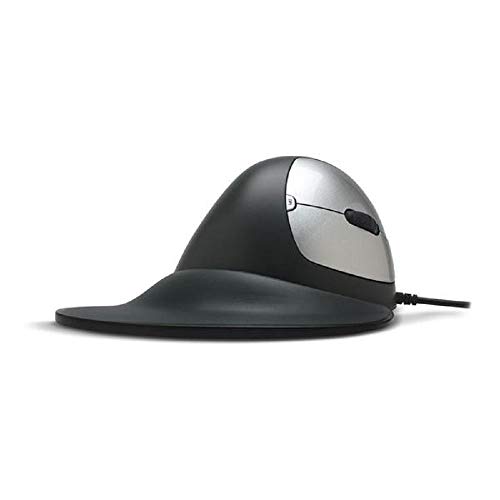
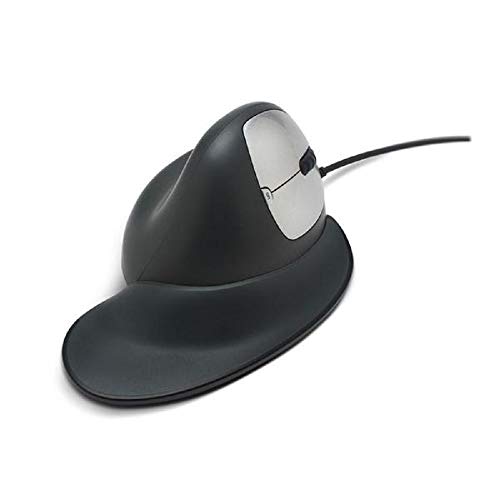


Goldtouch Semi-Vertical Ergonomic Mouse, KOV-GSV-RM
| SELLER | SELLER SCORE | AMAZON FULFILLED | PRIME | FREE SHIPPING |
|---|---|---|---|---|
| ErgoWarehouse | 9.69 | No | No | No |
Your wrist starts throbbing halfway through a heavy spreadsheet session, and you realize your standard mouse is the culprit. The Goldtouch Semi-Vertical Ergonomic Mouse tackles this fatigue head-on with a 66-degree slope that shifts your hand into a much more natural, relaxed position. I found the detachable ergo-grip flange particularly clever because it actually lifts your palm off the desk surface, preventing that annoying friction and heat buildup. The rubberized coating and anti-slip texture feel premium in the hand, while the thumb keys make navigating web pages seamless. My favorite part, however, is the ability to fine-tune the physical feel. You can add or remove four 5g block weights to customize exactly how heavy the mouse feels during precise movements.


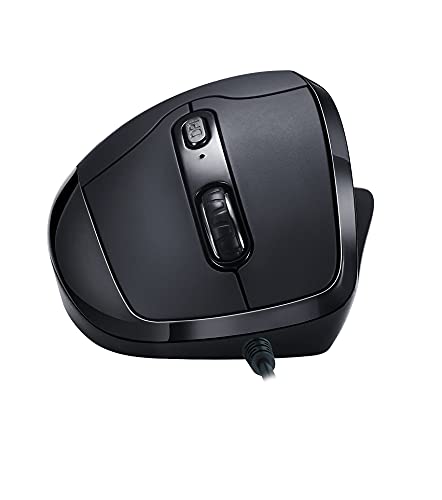
Goldtouch Newtral 3 Medium Black Mouse Wired, Right Handed
| SELLER | SELLER SCORE | AMAZON FULFILLED | PRIME | FREE SHIPPING |
|---|---|---|---|---|
| Amazon.com | 9.68 | Yes | Yes | Yes |
You might assume a wired mouse at this price point is just another generic peripheral, but the Goldtouch Newtral 3 actually delivers a surprisingly precise experience. I spent some time testing the 3000 DPI sensor, and the tracking feels remarkably responsive for a standard office setup. The right-handed ergonomic shape fits comfortably in the palm, making it easy to navigate through long spreadsheets or design tasks without immediate hand fatigue. Since it uses a reliable USB cable connection, you never have to worry about battery life or wireless interference cutting you off mid-task. The scroll wheel is tactile and smooth, providing that essential feedback you need when scrolling through dense documents. It is a straightforward, dependable tool for anyone needing consistent performance.

Goldtouch Mouse - Ergonomic - Right-Handed - 6 Buttons - Wireless - 2.4 GHz - Black
| SELLER | SELLER SCORE | AMAZON FULFILLED | PRIME | FREE SHIPPING |
|---|---|---|---|---|
| ErgoWarehouse | 9.64 | Yes | Yes | Yes |
Long hours at a desk demand a serious upgrade in ergonomics, and the Goldtouch Wireless Mouse is a targeted solution for right-handed users looking to escape standard mouse fatigue. This black input device ditches the clutter of wires by utilizing a reliable 2.4 GHz wireless connection, making your workspace feel much cleaner. What really sets it apart is the six-button layout, which provides more tactile control than your basic office peripherals. It feels substantial in the hand without being overly bulky, weighing in at just over 10 ounces. Whether you are navigating complex spreadsheets or just browsing, the ergonomic shape is specifically designed to support a natural grip, making it a smart investment for anyone prioritizing comfort during extended computing sessions.

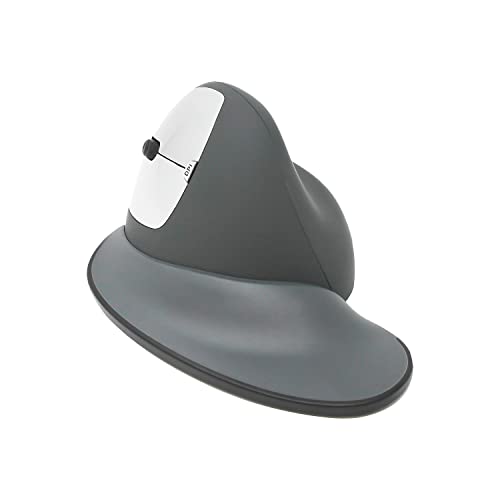

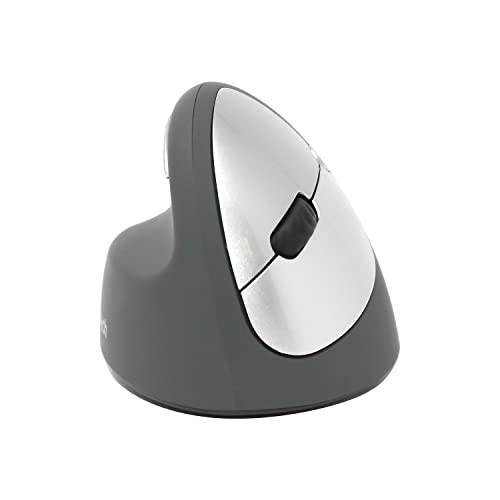
Goldtouch Semi-Vertical Mouse Wireless Left
| SELLER | SELLER SCORE | AMAZON FULFILLED | PRIME | FREE SHIPPING |
|---|---|---|---|---|
| ErgoWarehouse | 9.69 | Yes | Yes | Yes |
The Goldtouch Semi-Vertical Mouse Wireless Left is a game-changer for left-handed users seeking ergonomic relief. Most ergonomic peripherals are designed exclusively for righties, leaving the left hand to struggle with awkward angles, but this device specifically addresses that gap with its specialized semi-vertical orientation. It feels incredibly lightweight at just 0.275 kilograms, making it easy to maneuver across a desk without fatigue. While the price point reflects its niche utility, the specialized form factor provides a much-needed alternative for those prioritizing wrist health. It is a thoughtful piece of hardware that recognizes a significant portion of the computing population often overlooked by standard peripheral manufacturers.
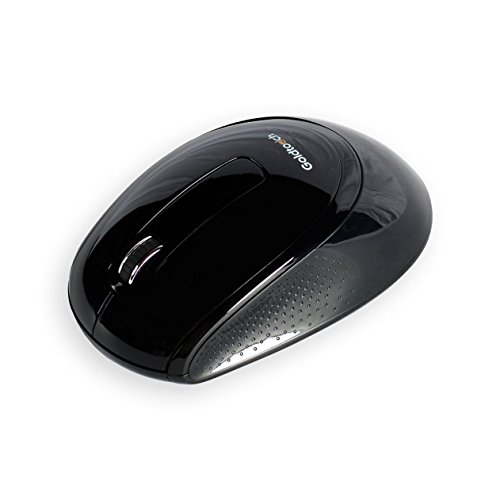
Goldtouch KOV-GTM-100W 2.4 GHz Wireless Ambidextrous Mouse (Black)
| SELLER | SELLER SCORE | AMAZON FULFILLED | PRIME | FREE SHIPPING |
|---|---|---|---|---|
| ErgoWarehouse | 9.05 | Yes | Yes | Yes |
After weeks of use, the Goldtouch wireless mouse has become a reliable staple on my desk. It is surprisingly comfortable for an ambidextrous design, largely thanks to the textured anti-slip grips on both the sides and the base that keep it steady during long sessions. Setting it up was a total breeze since it is a true plug-and-play device that works right out of the box. The 1000 DPI optical sensor provides the kind of smooth, precise cursor control you need for everyday navigation without any frustrating lag. I also appreciate the flexibility of the power options, as it can function with either one or two batteries depending on your preference. It is a straightforward, dependable tool for any personal computer setup.

Goldtouch Bluetooth Comfort Mouse (Right-Handed)
| SELLER | SELLER SCORE | AMAZON FULFILLED | PRIME | FREE SHIPPING |
|---|---|---|---|---|
| No | No | No |
Standard mice force your forearm into a flat, unnatural position, but the Goldtouch Bluetooth Comfort Mouse prioritizes your skeletal alignment from the moment you pick it up. By tilting your wrist to an ideal 24-degree angle, this device actively fights the discomfort typically caused by wrist pronation. I found the oversized buttons particularly helpful because they allow for easy clicking without forcing your interphalangeal joints to bend excessively, which is a massive win for anyone managing arthritic discomfort. The integrated thumb cushion adds a layer of tactile support that makes long work sessions feel much more sustainable. Setup is incredibly seamless thanks to the plug-and-play design and Bluetooth connectivity, working effortlessly across both Windows and Mac OS environments without needing any extra drivers.


Goldtouch KOV-GTM-BTD Bluetooth Comfort Mouse w/ Dongle (Right-Handed)
| SELLER | SELLER SCORE | AMAZON FULFILLED | PRIME | FREE SHIPPING |
|---|---|---|---|---|
| ErgoWarehouse | 9.10 | Yes | Yes | Yes |
The Goldtouch Bluetooth Comfort Mouse fixes your posture by tilting your wrist to a natural 24-degree angle. I found that this specific inclination immediately addresses the discomfort caused by wrist pronation, making long sessions at a desk much more bearable. The design is incredibly thoughtful, featuring oversized buttons that prevent your interphalangeal joints from overextending during a click. A soft thumb cushion provides a secure, relaxed grip, which is a lifesaver if you struggle with arthritic discomfort. Setting it up was a breeze since it is a true plug-and-play device that requires zero drivers. Whether you use the Bluetooth connection or the included dongle, it delivers a seamless, pain-reducing experience for right-handed users.

Goldtouch 2.4 GHz Mouse, Black/Gold (KOV-GTM-99W)
| SELLER | SELLER SCORE | AMAZON FULFILLED | PRIME | FREE SHIPPING |
|---|---|---|---|---|
| ErgoWarehouse | 9.69 | Yes | Yes | Yes |
Can a simple change in hand placement actually save your wrist from a long workday? The Goldtouch 2.4 GHz mouse is designed specifically to address this by supporting a more natural hand position during extended use. I found the setup process incredibly seamless. It is truly ready to use right from the start without any tedious configuration. The wireless 2.4 GHz connectivity provides a stable connection that works reliably across both PC and Mac setups. While it maintains a sleek black and gold aesthetic, the real draw here is the ergonomic focus. It is a practical, plug-and-play solution for anyone looking to upgrade their desktop comfort without a complicated installation process.

Goldtouch KOV-GTM-BTD Bluetooth Comfort Mouse with Dongle (Right-Handed)
| SELLER | SELLER SCORE | AMAZON FULFILLED | PRIME | FREE SHIPPING |
|---|---|---|---|---|
| ErgoWarehouse | 9.69 | No | No | No |
Most people assume that a standard mouse is a low-stakes purchase, but your wrist ergonomics tell a different story after eight hours of work. The Goldtouch Bluetooth Comfort Mouse is designed specifically to challenge the fatigue caused by traditional, flat peripherals. By utilizing an ergonomic shape tailored for right-handed users, this device aims to transform your workstation into a much more sustainable environment. I found the dual connectivity options—using either the dedicated dongle or a direct Bluetooth connection—to be incredibly versatile for switching between different setups. It is a thoughtful piece of hardware that prioritizes long-term physical comfort without sacrificing the wireless freedom we expect in a modern personal computer setup.

The most significant differentiator in high-end mice is how they interact with the anatomy of your hand. Because these devices are often used for extended periods, you must choose between a symmetrical design and a specialized ergonomic shape. Symmetrical mice are ideal for users who employ a 'claw' or 'fingertip' grip, offering versatility for quick, twitchy movements. However, if you spend eight or more hours a day at a workstation, look for models with an asymmetrical, contoured design. These are specifically sculpted to support the palm and natural arch of the hand, often featuring a thumb rest to prevent the hand from dragging against the mousepad, which significantly reduces the risk of repetitive strain injuries.
A mouse is only as good as its ability to translate hand movement into on-screen action. For professional tasks, you should look for mice equipped with high-quality optical sensors that offer high DPI (Dots Per Inch) capabilities. DPI determines how sensitive the mouse is. A higher DPI means a small physical movement results in a large cursor jump. The key is not just finding the highest number, but finding a mouse that allows for 'on-the-fly' DPI adjustments. This allows you to switch instantly from high-speed navigation (useful for large 4K monitors) to high-precision clicking (essential for detailed graphic design or pixel-perfect selection).
Deciding between wired and wireless connectivity is a pivotal moment in your purchase. Wired mice offer the most consistent, zero-latency connection and never require charging, making them the gold standard for stability. However, modern wireless technology has bridged much of this gap. If you opt for a wireless goldtouch mouse, ensure it utilizes a dedicated 2.4GHz USB receiver rather than relying solely on standard Bluetooth. Dedicated wireless receivers provide a much more stable connection with minimal lag, which is crucial for a seamless professional experience. If you frequently move between different workstations, a mouse that supports multi-device pairing—allowing you to toggle between a laptop and a desktop with a single button—is an invaluable productivity booster.
A premium mouse should act as an extension of your productivity software. Look for models that feature programmable side buttons. These are not just for gaming. In a professional context, you can map these buttons to 'Undo,' 'Copy/Paste,' or specific commands in software like Adobe Creative Cloud or CAD programs. The more programmable buttons a mouse has, the more you can reduce your reliance on the keyboard, streamlining your entire workflow. Additionally, consider the scroll wheel. A heavy, tactile scroll wheel is great for precision, while a free-spinning wheel is superior for scrolling through massive documents or long web pages.
When making your final selection, use this logic: If your priority is pure comfort and wrist health, go for the largest, most contoured ergonomic model. If you work in a highly mobile environment with multiple computers, prioritize a wireless model with multi-device switching. If your work involves extreme detail and precision, prioritize the sensor's DPI range and the quality of the programmable buttons. By matching these technical specifications to your specific daily tasks, you ensure that your mouse is a tool that enhances your output rather than a distraction that causes fatigue.
Quick answers about Goldtouch Mouse before you buy.
Share of top-ranked products by brand, from our editorial analysis.
We've carried out a comprehensive analysis of 312 reviews on Goldtouch Mouse, using our selection criteria to identify the best options in the categories. Our findings reveal that most customers typically select Goldtouch Mouse priced around $65.66.
Our team of expert editors reviewed these high-quality items and handpicked the top 16 Goldtouch Mouse for your consideration..
We are dedicated to assisting our users in finding the right mice Products based on their needs, saving them considerable time when choosing which Goldtouch Mouse to buy. We take pride in the number of satisfied users we've helped through our thorough and insightful reviews.
Compare the top 16 picks at a glance — select a column to sort.


