#TOP1

In an era where wireless connectivity is the standard, the stability and raw speed of a wired connection remain the gold standard for professionals, gamers, and power users. However, many modern laptops and ultra-thin workstations have sacrificed Ethernet ports in favor of sleek aesthetics, leaving users stranded without a way to tap into high-speed local area networks. This is where high-quality network adapters become essential. Cable Matters has carved out a niche by providing reliable bridge technology that connects your device to the physical web. Choosing the right adapter isn't just about finding a plug that fits. It is about matching the bandwidth of your network to the throughput capabilities of your hardware to ensure you aren't creating a digital bottleneck.
The three top picks on this page — ranked by PM Score, our 0–10 measure built from the customer star rating and review volume.


Cable Matters Plug & Play USB C to Ethernet Adapter with PXE, MAC Address Clone (Thunderbolt to Ethernet Adapter, Gigabit Ethernet to USB C) in Black...
| SELLER | SELLER SCORE | AMAZON FULFILLED | PRIME | FREE SHIPPING |
|---|---|---|---|---|
| Cable Matters | 9.95 | Yes | Yes | Yes |
The Cable Matters USB-C to Ethernet Adapter is a lightweight powerhouse that instantly rescues your laptop from frustrating Wi-Fi dead zones. I found that plugging this tiny device into a Thunderbolt 3 or USB-C port provides a massive stability boost, making it perfect for streaming high-bitrate video or handling massive software updates without the lag of a wireless connection. It supports lightning-fast 1000 Mbps speeds and even includes advanced networking features like PXE and MAC address cloning via the EZ-Dock utility. Since it is driver-free, I just plugged it into my MacBook and it worked immediately. At under one ounce, it is the kind of essential tool you toss in a laptop bag and forget is there until you desperately need a secure, wired connection.
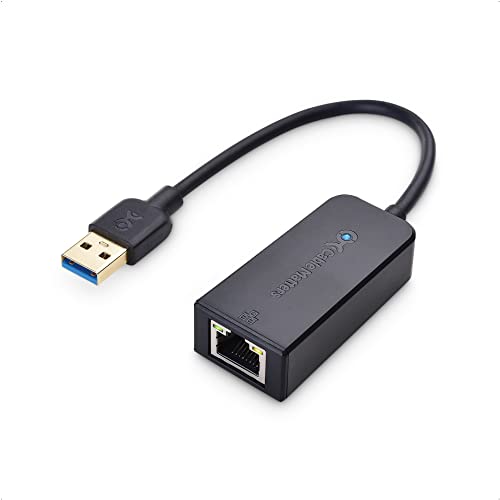
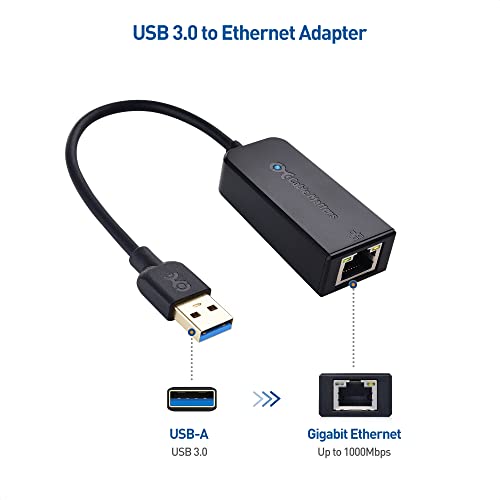


Cable Matters Plug & Play USB to Ethernet Adapter with PXE, MAC Address Clone Support (USB 3.0 to Gigabit Ethernet, Ethernet to USB, Ethernet Adapter...
| SELLER | SELLER SCORE | AMAZON FULFILLED | PRIME | FREE SHIPPING |
|---|---|---|---|---|
| Cable Matters | 9.95 | Yes | Yes | Yes |
The Cable Matters USB to Ethernet Adapter delivers rock-solid gigabit connectivity through a single, ultra-lightweight plug. If your laptop’s Wi-Fi is struggling in dead zones or you need the security of a wired LAN for heavy streaming and gaming, this little device is a lifesaver. It taps into USB 3.0 speeds up to 5 Gbps, ensuring you aren't bottlenecked when paired with a Cat 6 cable. I found the driver-free setup incredibly seamless across Windows and Mac, making it a true plug-and-play solution for upgrading older hardware. It even supports advanced networking needs like Wake-on-Lan and MAC address cloning via their utility software. Weighing less than an ounce, it is the perfect companion for any professional on the move who cannot afford a dropped connection.


Cable Matters Plug & Play USB to Ethernet Adapter with PXE, MAC Address Clone Support (Ethernet to USB 2.0 Adapter, Ethernet Adapter for Laptop) Suppo...
| SELLER | SELLER SCORE | AMAZON FULFILLED | PRIME | FREE SHIPPING |
|---|---|---|---|---|
| Cable Matters | 9.95 | Yes | Yes | Yes |
Modern ultra-thin laptops desperately need this compact lifeline when their built-in Ethernet ports inevitably disappear. This Cable Matters adapter is a specialized tool for anyone prioritizing a stable, secure wired connection over the unpredictability of Wi-Fi. It is incredibly lightweight, weighing less than an ounce, making it the perfect companion for a mobile workstation or a Raspberry Pi setup. While it is capped at 100 Mbps, it handles essential networking tasks like PXE, Wake-on-Lan, and MAC address cloning with ease. The plug-and-play installation means you won't be hunting for drivers, and the integrated diagnostic LEDs take the guesswork out of troubleshooting your connection status. It is a reliable, no-frills solution for maintaining a solid Fast Ethernet link on the go.


Cable Matters Plug & Play USB C to Ethernet Adapter with PXE, MAC Address Clone (Thunderbolt to Ethernet Adapter, Gigabit Ethernet to USB C) in White...
| SELLER | SELLER SCORE | AMAZON FULFILLED | PRIME | FREE SHIPPING |
|---|---|---|---|---|
| Cable Matters | 9.95 | Yes | Yes | Yes |
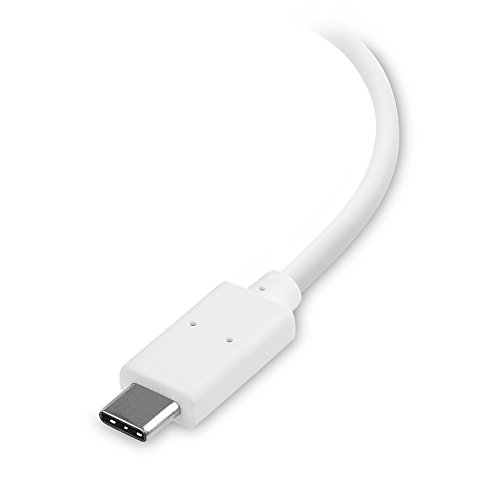
Your Wi-Fi signal drops right in the middle of a critical software update or a high-stakes video stream, leaving you scrambling for a stable connection. This Cable Matters adapter solves that headache by turning a standard USB-C or Thunderbolt 3 port into a high-speed wired gateway. I found it incredibly easy to deploy across various hardware, from MacBook Pros to Dell XPS laptops, providing a reliable 1000 Mbps connection that beats out most wireless setups for both speed and security. It is impressively lightweight, weighing less than an ounce, making it a perfect companion for mobile professionals working in Wi-Fi dead zones. Whether you are managing large file transfers or need the stability of a hardwired office network, this plug-and-play tool delivers consistent gigabit performance without the bulk.



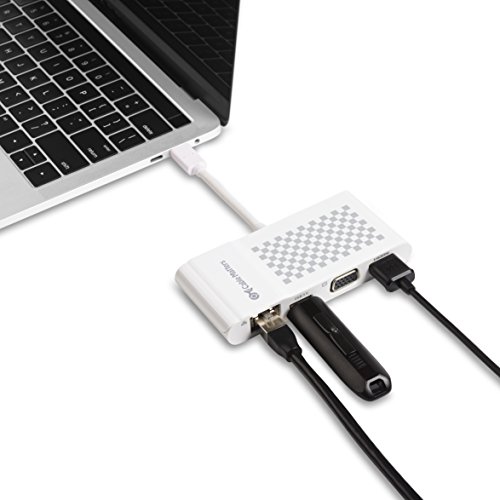
Cable Matters USB C Multiport Adapter (USB C Dock with USB C to HDMI or USB C to VGA), USB 3.0 and Ethernet White - Thunderbolt 4 / USB4 / Thunderbolt...
| SELLER | SELLER SCORE | AMAZON FULFILLED | PRIME | FREE SHIPPING |
|---|---|---|---|---|
| Cable Matters | 9.95 | Yes | Yes | Yes |
After weeks of use in a frantic hybrid office environment, this Cable Matters multiport adapter has become my indispensable desktop companion. It solves the modern problem of limited connectivity by condensing HDMI, VGA, USB 3.0, and Gigabit Ethernet into a single, lightweight dongle that weighs less than an ounce. I found it incredibly easy to jump between high-resolution 4K displays and older classroom projectors without fumbling for extra cables. Whether I am syncing files via the USB 3.0 port or relying on the stable Ethernet connection for video calls instead of spotty Wi-Fi, the performance remains consistent. It handles everything from my MacBook Pro to my Dell XPS with ease, making it a versatile powerhouse for anyone needing to bridge the gap between cutting-edge Thunderbolt 4 ports and legacy hardware.


Cable Matters USB C Hub with HDMI 4K, 80W Charging, Gigabit Ethernet, and 3X USB in White - USB-C and Thunderbolt 4 / USB4 / Thunderbolt 3 Port Compat...
| SELLER | SELLER SCORE | AMAZON FULFILLED | PRIME | FREE SHIPPING |
|---|---|---|---|---|
| Logan IT Integration | 6.07 | No | No | No |
Can a single tiny dongle truly transform your mobile workstation into a full-scale desktop setup? This Cable Matters hub proves it can by condensing essential connectivity into a lightweight, white chassis that weighs less than three ounces. I was particularly impressed by the 80W Power Delivery, which keeps your MacBook or Dell XPS charged even while you're pushing data through the Gigabit Ethernet or the three USB 3.0 ports. Whether you are expanding to a 4K UHD display for presentations or connecting a wireless mouse for a flight, the driver-free setup makes it incredibly reliable. It bridges the gap between a stripped-down laptop and a professional environment without the bulk of a traditional docking station.
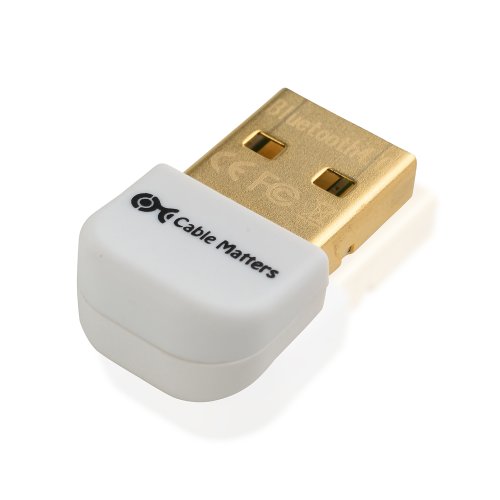


Cable Matters Gold Plated Bluetooth 4.0 Low Energy USB Adapter for Windows 8.1, 8, 7, Vista, XP in White
| SELLER | SELLER SCORE | AMAZON FULFILLED | PRIME | FREE SHIPPING |
|---|---|---|---|---|
| Cable Matters | 9.95 | Yes | Yes | Yes |
Most people assume upgrading an old desktop requires an expensive motherboard swap, but this tiny white dongle proves otherwise. I found that adding this Cable Matters adapter is a surprisingly painless way to breathe new life into older Windows machines. It utilizes Bluetooth 4.0 Low Energy technology to bridge the gap between your PC and modern essentials like wireless headsets, mobile phones, or printers. Because it is a Class 2 device, it maintains solid connectivity while remaining backward compatible with older Bluetooth versions ranging from 1.0 to 2.1. It is an incredibly budget-friendly solution for anyone running Windows XP through Windows 8.1 who needs to ditch the cables without a massive technical headache.

The first decision you must make is identifying the connection type available on your host device. Most modern adapters utilize USB-C, which offers high-speed data transfer and is the standard for most contemporary laptops and tablets. However, if you are working with older hardware or specialized desktop setups, you may require a USB-A adapter. When selecting an interface, consider not just the physical shape, but the version of the port. A USB-C adapter plugged into a low-speed port will still be limited by that port's maximum throughput, regardless of how fast the adapter itself claims to be. Always verify that your host device supports the data transfer speeds required for your intended use case.
The most critical technical specification is the maximum data transfer rate. Most standard network adapters operate at Gigabit speeds (10/100/1000 Mbps). This is more than sufficient for standard home internet connections and typical office tasks. However, if you are a video editor working with NAS (Network Attached Storage) systems, or a professional gamer looking for the lowest possible latency, you should look toward Multi-Gigabit adapters (2.5Gbps or even 5Gbps). Buying a Gigabit adapter when you have a 2.5Gbps fiber connection is a mistake that will effectively cut your potential speed by more than half. Match your adapter's speed to both your router's capabilities and your ISP's provided bandwidth.
Network adapters generally fall into two categories: standalone dongles and multi-port hubs. If your primary goal is simply to add an Ethernet port to a laptop, a compact, single-purpose adapter is often the most reliable and cost-effective choice. These tend to run cooler and are easier to carry. On the other hand, if you are setting up a workstation, you might prefer a docking station or a multi-port hub that combines an Ethernet port with HDMI, USB-A, and SD card slots. While these offer more versatility, they require more power and can sometimes lead to thermal throttling if the device is under heavy load. Decide whether you need a dedicated tool or a multi-functional expansion hub.
A network adapter is only as good as its ability to communicate with your operating system. Look for adapters that offer true 'Plug-and-Play' functionality for your specific OS, whether that is Windows, macOS, or Linux. High-quality adapters use chipsets that are natively recognized by modern operating systems, eliminating the need for manual driver installations which can be a headache in professional environments. For users in enterprise settings, compatibility with virtualization or specific security protocols is also a vital consideration to ensure the adapter works seamlessly within a managed network environment.
Because network adapters process constant streams of data, they can generate significant heat. Cheaply made plastic adapters may struggle with heat dissipation, leading to dropped connections or reduced speeds during long download sessions. When shopping, consider the materials used. Aluminum housings are often preferred because they act as a passive heat sink, helping to dissipate warmth away from the internal chipset. A sturdier build also ensures that the connector won't flex or break under the constant tension of a plugged-in Ethernet cable.
Quick answers about Cable Matters Network Adapters before you buy.
Share of top-ranked products by brand, from our rankings.
We compared Cable Matters Network Adapters products using product details and customer ratings to identify the best options in the categories..
From that comparison we shortlisted the top 7 Cable Matters Network Adapters for this page..
We aim to help you find the right adapters products for your needs and save you time when choosing which Cable Matters Network Adapters to buy.
Compare the top 7 picks at a glance — select a column to sort.


