#TOP1

While the digital era has shifted much of our communication to email and instant messaging, the fax machine remains a cornerstone of legal, medical, and governmental workflows. In these sectors, a faxed document carries a level of verified authenticity and regulatory compliance that a standard scan often lacks. However, buying a printer with integrated faxing capabilities is no longer as simple as picking the cheapest model on the shelf. Modern faxing printers are multi-functional powerhouses that must balance traditional telephony requirements with high-speed digital scanning and robust print quality. Whether you are setting up a small home office or managing a high-volume professional suite, understanding the nuances of connectivity and document handling is essential to ensuring your communication remains uninterrupted.
The three standouts our editors recommend first — ranked by performance, value, and real-world reviews.





HP OfficeJet Pro 8025e Wireless Color All-in-One Printer with bonus 6 free months Instant Ink with HP+ (1K7K3A)
| SELLER | SELLER SCORE | AMAZON FULFILLED | PRIME | FREE SHIPPING |
|---|---|---|---|---|
| Amazon.com | 9.68 | Yes | Yes | Yes |
The HP OfficeJet Pro 8025e stands as a top-tier contender for anyone managing a high-volume home office or a growing small business. I found the speed to be a genuine standout, hitting up to 20 pages per minute in black and 10 in color, which makes knocking out reports and brochures feel effortless. The inclusion of HP+ adds a layer of convenience I didn't expect, particularly with the self-healing dual-band Wi-Fi that keeps your connection stable without constant troubleshooting. Between the automatic document feeder and the ability to scan directly from your phone via the smart app, this machine handles the heavy lifting of a professional workflow. Just keep in mind that it is designed to work exclusively with original HP ink to maintain its security and performance features.


Brother Monochrome Laser Printer, Multifunction Printer, All-in-One Printer, MFC-L5800DW, Wireless Networking, Mobile Printing & Scanning, Duplex Prin...
| SELLER | SELLER SCORE | AMAZON FULFILLED | PRIME | FREE SHIPPING |
|---|---|---|---|---|
| Triplenet Pricing INC | 9.81 | No | No | No |
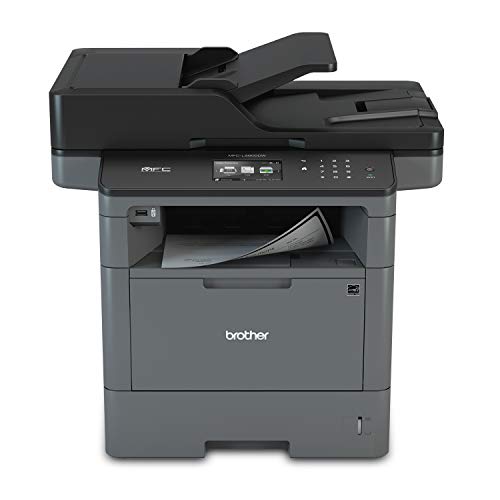
The rhythmic, rapid-fire sound of 42 pages per minute flying through the duplex tray is the first thing you'll notice when this workhorse is in high gear. This Brother monochrome laser printer is built for high-volume environments where waiting for a document is not an option, boasting a lightning-fast first page out time of just 7.2 seconds. I found the 70-page auto document feeder incredibly reliable for unattended scanning and faxing, while the ability to send files directly to SharePoint or cloud services simplifies a busy workflow. Security is a major win here, as it includes advanced features to protect your network from unauthorized access. Whether you are printing from a mobile device via AirPrint or managing large batches, this machine handles the heavy lifting with professional-grade efficiency.

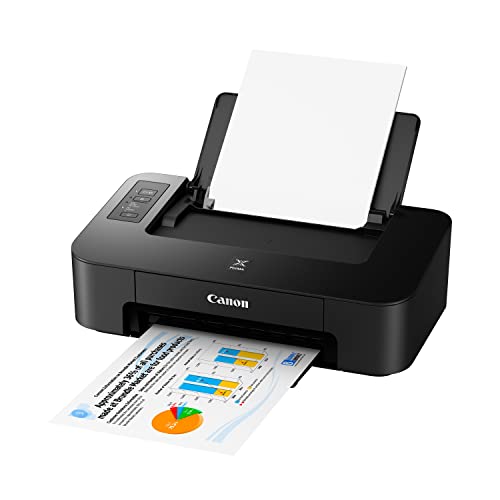
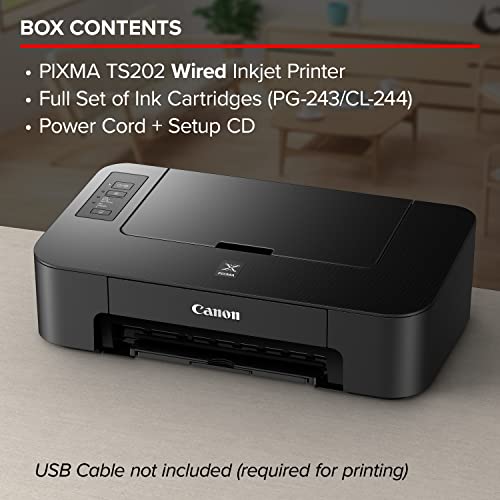
Canon TS202 Inkjet Photo Printer, Black
| SELLER | SELLER SCORE | AMAZON FULFILLED | PRIME | FREE SHIPPING |
|---|---|---|---|---|
| Amazon.com | 9.68 | Yes | Yes | Yes |
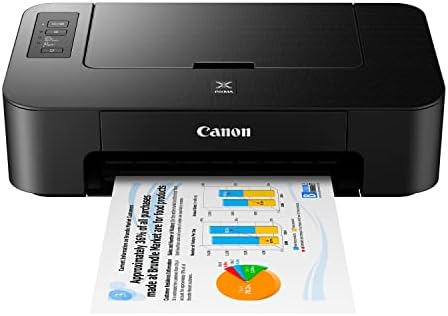
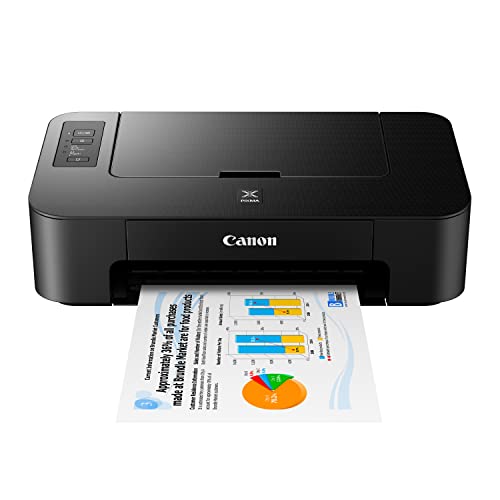
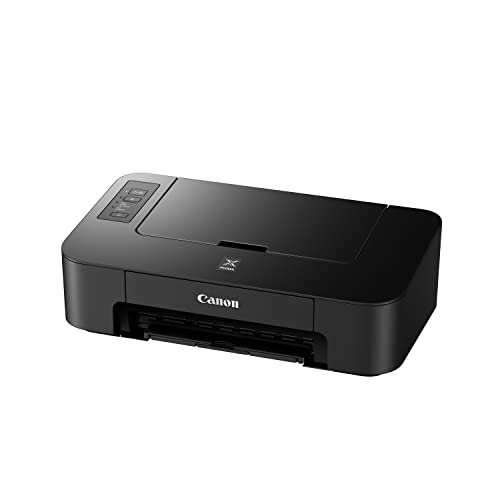
The Canon PIXMA TS202 is the definitive solution for students or home office users trapped in tight spaces who refuse to sacrifice print quality for footprint. I found that its compact design allows it to tuck away on even the smallest bookshelves, yet it doesn't feel like a toy. The fine hybrid ink system delivers a surprising level of detail, making it just as capable of printing sharp documents as it is vibrant photos. Loading paper is a breeze thanks to the dedicated rear tray, which holds up to 60 sheets of plain paper or specialized photo sizes. While the ink volumes are modest, the inclusion of a full set of cartridges right out of the box makes this an incredibly easy, plug-and-play setup for anyone needing reliable printing on a budget.
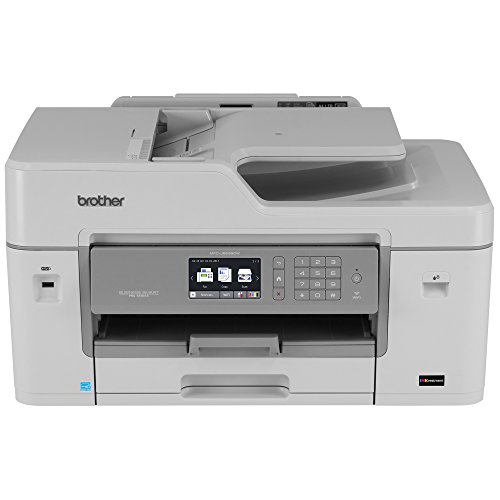


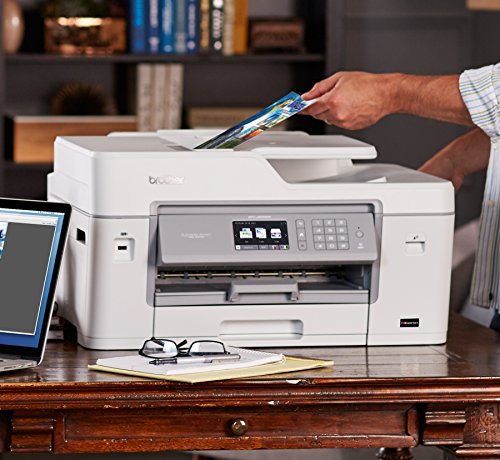
Brother MFC-J6535DW All-in-One Color Inkjet Printer, Wireless Connectivity, Automatic Duplex Printing, Amazon Dash Replenishment Ready
| SELLER | SELLER SCORE | AMAZON FULFILLED | PRIME | FREE SHIPPING |
|---|---|---|---|---|
| Photo Supplies Online(Serial Number Recorded) | 7.28 | No | No | No |
High-volume home offices and small businesses demand the Brother MFC-J6535DW if they want to stop babysitting their hardware and start producing professional-grade documents. This machine is a powerhouse that handles printing, copying, scanning, and faxing with ease, making it a true central hub for any workspace. What really sets it apart is the revolutionary Investment tank Ink System, which utilizes an internal storage tank to hold more ink for much longer stretches between refills. You won't have to worry about running dry mid-project either, thanks to the seamless replenishment technology that monitors levels and orders more automatically. Between the 250-sheet tray and the 50-sheet auto document feeder, the paper handling is incredibly versatile for heavy workloads.
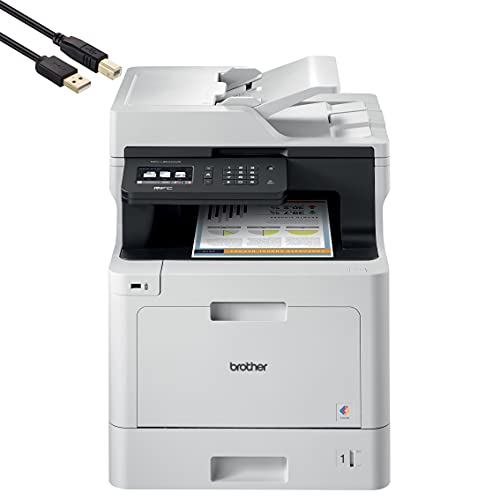

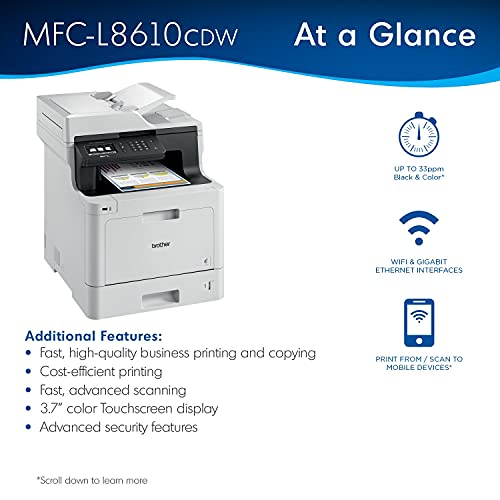


Brother MFC-L8610CD All-in-One Color Wireless Laser Printer for Home Office - Print Copy Scan Fax - 33 ppm, 600 x 2400 dpi, 8.5 x 14, Automatic Duplex...
| SELLER | SELLER SCORE | AMAZON FULFILLED | PRIME | FREE SHIPPING |
|---|---|---|---|---|
| Hott Tech Geek | 9.18 | No | No | No |
Small workgroups often struggle with the bottleneck of slow, unreliable printing that stalls daily productivity. The Brother MFC-L8610CD eliminates that friction by delivering brisk 33ppm print speeds and efficient 29ipm scanning. I found the 3.7-inch touchscreen incredibly intuitive for navigating menus and sending documents directly to cloud services like Google Drive or Dropbox without touching a computer. Whether you are utilizing the 50-page automatic document feeder for multi-page faxes or leveraging the wireless connectivity for mobile printing via AirPrint, this machine feels built for a professional environment. It scales well too, as you can expand the paper capacity up to 1,050 sheets if your volume grows, making it a reliable centerpiece for a busy home office.

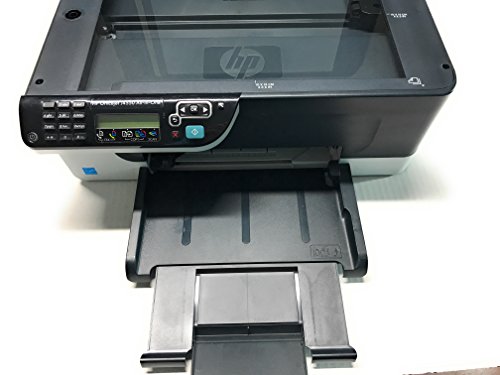

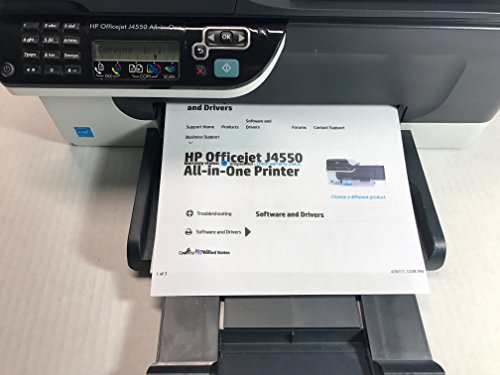
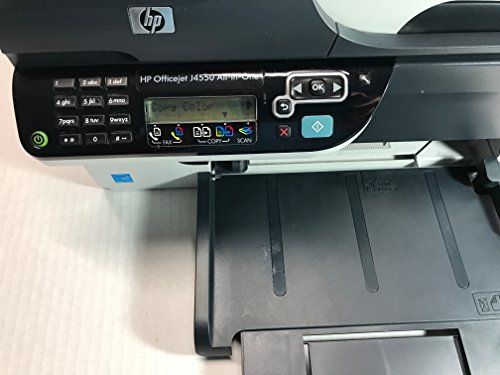
HP Officejet J4550 All in One Printer
| SELLER | SELLER SCORE | AMAZON FULFILLED | PRIME | FREE SHIPPING |
|---|---|---|---|---|
| bestqualityusedprinters | 5.11 | No | No | No |
Your home office desk is cluttered with loose documents and unorganized photos until the HP Officejet J4550 steps in to streamline your entire workflow. I found that this machine handles everything from high-speed black text printing at 28 ppm to vibrant color photo production in just 26 seconds. It is a true workhorse for anyone needing to scan, copy, or fax without switching devices. The thermal inkjet technology delivers impressive clarity, especially when you leverage the 4800 x 1200 dpi optimization on photo paper. I was particularly impressed by the Real Life Technologies, like adaptive lighting and auto red-eye removal, which make digitalizing old family snapshots feel effortless. It turns a standard printer into a complete, high-resolution media hub for your workspace.


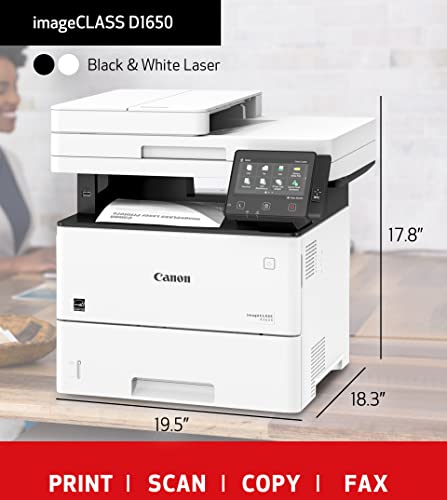

Canon imageCLASS D1650 All-in-One Wireless Monochrome Laser Printer - Print Scan Copy Send Fax - 45 ppm, 600 x 600 dpi, 5" Touch Panel, 1GB Memory, Au...
| SELLER | SELLER SCORE | AMAZON FULFILLED | PRIME | FREE SHIPPING |
|---|---|---|---|---|
| Hott Tech Geek | 9.18 | No | No | No |
Most small offices settle for sluggish inkjet printers that struggle with high volumes, but the Canon imageCLASS D1650 changes the game by delivering professional-grade speed and reliability. I found the 45 ppm print speed to be a massive time-saver during heavy workloads, and the 5-inch color touchscreen makes navigating tasks feel incredibly intuitive rather than a chore. You get a robust feature set here, including a 50-sheet ADF, legal-sized scanning, and seamless wireless connectivity that works perfectly with mobile devices and cloud services. Whether you are using the 550-sheet cassette for bulk documents or the stack bypass tray for specialized media, this monochrome workhorse handles diverse paper sizes up to 8.5 x 14" without breaking a sweat. It is a high-performance hub for any growing workgroup.


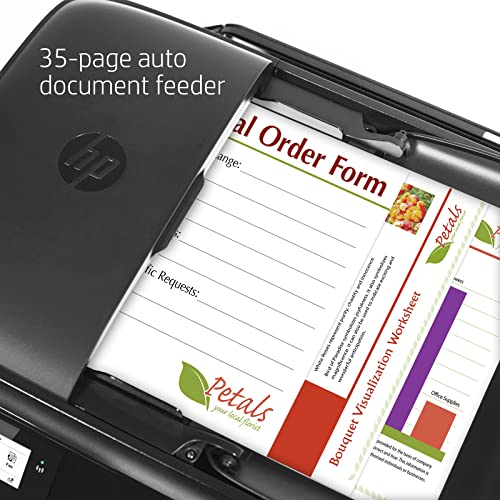
HP OfficeJet 3830 All-in-One Wireless Color Inkjet Printer - Print Scan Copy Fax - 2.2" Touchscreen, 20 ppm, 4800 x 1200 dpi, 35-Sheet ADF, Manual Dup...
| SELLER | SELLER SCORE | AMAZON FULFILLED | PRIME | FREE SHIPPING |
|---|---|---|---|---|
| Tech Plus Pro | 9.25 | No | No | No |
Small home offices often struggle with the clutter of having separate devices for printing, scanning, and faxing. The HP OfficeJet 3830 solves this by packing all those essential functions into one compact, wireless unit. During my testing, I found the 2.2-inch touchscreen incredibly helpful for navigating settings without needing to jump back to my computer. While the standard ISO speeds are steady at 8.5 ppm for black, the 20 ppm draft mode is a real lifesaver when you are in a rush to finish a document. The inclusion of a 35-sheet automatic document feeder and the ability to print borderless 4x6 photos makes it much more versatile than a standard budget printer. It even handles larger 8.5 x 14" media, which is a huge plus for specialized projects.

The first major decision point is how you intend to transmit your documents. Traditional faxing requires a dedicated analog phone line (POTS) and a physical RJ-11 connection. If your office relies on legacy telephone systems, you must ensure the printer has a built-in modem that is compatible with your line quality. However, many modern offices have transitioned to Voice over IP (VoIP) systems. Standard analog faxing can struggle with the packet-based nature of VoIP, leading to dropped connections or distorted documents. In these cases, look for printers that offer 'Fax-to-Email' or 'PC Fax' capabilities. These features allow you to send faxes through your internet connection via a software interface, bypassing the need for a physical phone line and significantly increasing reliability in digital-first environments.
Your choice of print technology will dictate the long-term cost of ownership and the professional appearance of your outgoing documents. For high-volume environments—such as law firms or medical clinics—laser printers are the gold standard. Laser technology uses toner rather than liquid ink, meaning your documents won't smudge if they get damp, and the text remains crisp and legible, which is vital for legal compliance. Laser printers also offer a lower cost-per-page when printing large batches of text-heavy documents. Inkjet printers, conversely, are often more affordable upfront and excel at color printing. If your faxing needs are infrequent and you also require high-quality color graphics for presentations, an inkjet multi-function printer may be the more versatile choice, though you must be wary of ink drying out during periods of inactivity.
Efficiency is often the deciding factor in professional settings. When evaluating a printer, pay close attention to the Automatic Document Feeder (ADF). A high-quality ADF allows you to place a stack of multi-page documents into the machine and have them scanned and faxed automatically without manual intervention. Look for 'Single-Pass Duplex Scanning,' which allows the machine to scan both sides of a page in one motion. This drastically reduces the time spent processing complex paperwork. Additionally, consider the 'Pages Per Minute' (PPM) rating for both printing and scanning. A slow scanner can become a bottleneck in a busy office, turning a simple task into a time-consuming chore.
Because faxed documents often contain sensitive, personally identifiable information (PII), security is non-negotiable. Look for printers that offer encrypted storage and secure print functions. High-end models include internal hard drives that can be wiped or encrypted to ensure that sensitive documents waiting in the print queue are protected from unauthorized access. Furthermore, ensure the device has sufficient internal memory (RAM). A printer with low memory may struggle to process large, high-resolution PDF files, leading to errors or system crashes during the transmission process. A robust memory buffer ensures that even complex, multi-page documents are handled smoothly and securely.
Quick answers about Faxing Printers before you buy.
Share of top-ranked products by brand, from our editorial analysis.
We've carried out a comprehensive analysis of 14,609 reviews on Faxing Printers, using our selection criteria to identify the best options in the office electronics products. Our findings reveal that most customers typically select Faxing Printers priced around $553.92.
Our team of expert editors reviewed these high-quality items and handpicked the top 8 Faxing Printers for your consideration..
We are dedicated to assisting our users in finding the right accessories Products based on their needs, saving them considerable time when choosing which Faxing Printers to buy. We take pride in the number of satisfied users we've helped through our thorough and insightful reviews.
Compare the top 8 picks at a glance — select a column to sort.


