PickSmartly Review

Best Workgroup Printers in 2026

9.2 PM Score
Products Evaluated
9
Reviews Analyzed
357
Brands Ranked
4
We independently evaluate all recommended products and services. If you click on links we provide, we may receive compensation.

In a professional environment, a printer is rarely a solitary device. It is a central hub of a collaborative workflow. Workgroup printers are designed to handle high-volume demands, multiple simultaneous users, and the rigorous duty cycles that consumer-grade hardware simply cannot sustain. Whether you are outfitting a small creative studio or a large corporate department, selecting the right printer requires looking beyond simple page speeds. You must consider network stability, security protocols, and the total cost of ownership over the machine's lifespan. This guide will help you navigate the technical complexities of workgroup printing to ensure your office remains productive and your overhead remains predictable.

Editor's Choice

Our Top Picks for Workgroup Printers

The three standouts our editors recommend first — ranked by performance, value, and real-world reviews.

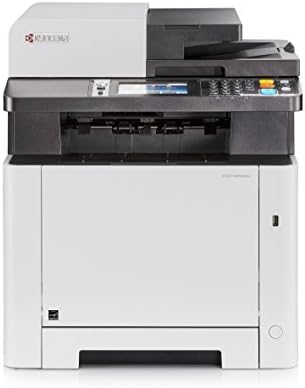
Kyocera ECOSYS M5526cdw All-in-One Color Laser Printer (Print/Copy/Scan/Fax), 27 ppm, Up to Fine 1200 dpi, Gigabit Ethernet, Wireless & Wi-Fi Direct,...

Kyocera ECOSYS M5526cdw All-in-One Color Laser Printer

KYOCERA DOCUMENT SOLUTIONS 4105802 16.89 X 16.42 X 19.49 Inches 57.32 Pounds
  • Up to 27 B&W PPM and 27 Color PPM
  • Print, Scan, Copy and Fax
  • Resolution 1200 x 1200 Dpi
  • Standard: 300 Sheets, Maximum: 550 Sheets
SELLER SELLER SCORE AMAZON FULFILLED PRIME FREE SHIPPING
KYOCERA Document Solutions 6.59 Yes Yes Yes

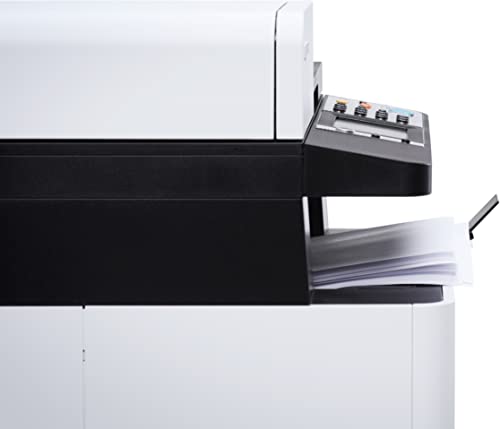
The Kyocera ECOSYS M5526cdw delivers professional-grade color laser performance through its impressive 1200 x 1200 dpi resolution. This all-in-one powerhouse handles printing, scanning, copying, and faxing with a consistent speed of 27 pages per minute for both black and white and color documents. Navigating your workflow feels intuitive thanks to the large 4.3-inch touchscreen panel, which makes managing tasks much smoother than older desktop models. With standard duplex printing and a versatile paper capacity that can expand up to 550 sheets, it is built to keep up with busy office demands. Whether you are connecting via Gigabit Ethernet or utilizing Wi-Fi Direct, the connectivity options ensure this machine fits seamlessly into any modern digital environment.
What We Like
27 ppm speed
1200 dpi resolution
4.3-inch touchscreen
Standard duplex printing
Wireless connectivity

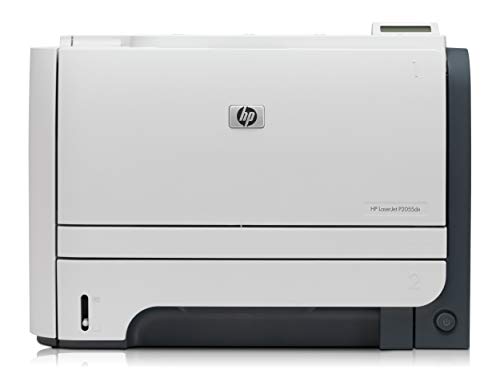
Hp Laserjet P2055Dn Workgroup Laser Printer Network - Ce459A (Renewed)

HEWLETT PACKARD CE459AR#ABA 18.00 X 18.00 X 14.00 Inches 28.85 Pounds

Reviews for HEWLETT PACKARD (PM Score)

9.2 PM Score
Buy on Amazon
  • This Certified Refurbish product is tested and certified to look and work like new. The refurbishing process includes functionality testing, basic cleaning, inspection, and repackaging. The product ships with all relevant accessories, a minimum 90-day warranty, and may arrive in a generic box. Only select sellers who maintain a high performance bar may offer Certified Refurbish products on Amazon.com
  • Refurbish HP LaserJet P2055DN Laser Printer/Toner Value Bundle Pack (CE459A-RC) (Certified Refurbished)
  • We replace all parts and consumables to ensure that you have no issues with quality or paper jams. We test each machine thoroughly and replace the consumables that are in need of replacement such as pickup rollers, separation roller, mp pickup roller, separation pads, transfer roller, fuser film, pressure roller and then field test all the mechanics and electronics. We then clean the unit internally and externally and then professionally pack the unit and ship it to you.
  • Professionally Refurbished and Fully cleaned inside and out Replacing any Parts showing signs of wear. Product may have cosmetic discoloration.. 90 Day Depot Warranty. Exclusively Sold and Refurbished Only by AIM.
  • Comes with New Generic Consumables. Drivers and/or User Guides Are Available from Manufacturer Website But Not Included. Ships with Power and Network cables (Where Applicable).
SELLER SELLER SCORE AMAZON FULFILLED PRIME FREE SHIPPING
WS Printers 7.41 Yes Yes Yes
#3

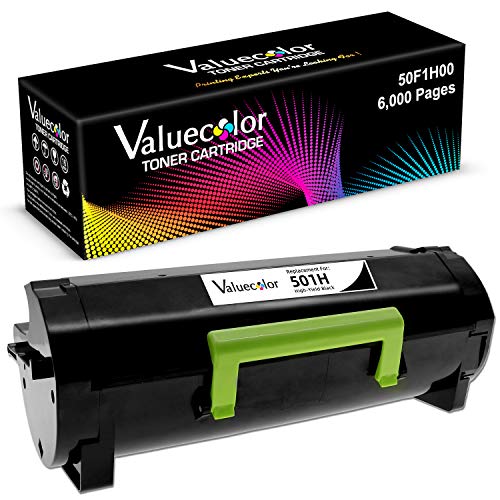
ValueColor Remanufactured Toner Cartridge Replacement for Lexmark 501H for Lexmark MS310 MS312 MS315 MS410 MS415 MS510 MS610 MX310 MX410 MX510 MX610 M...

ValueColor Remanufactured Black Toner for Lexmark MS and MX Series

VALUECOLOR 501H-1B

Reviews for VALUECOLOR (PM Score)

5.9 PM Score
Buy on Amazon
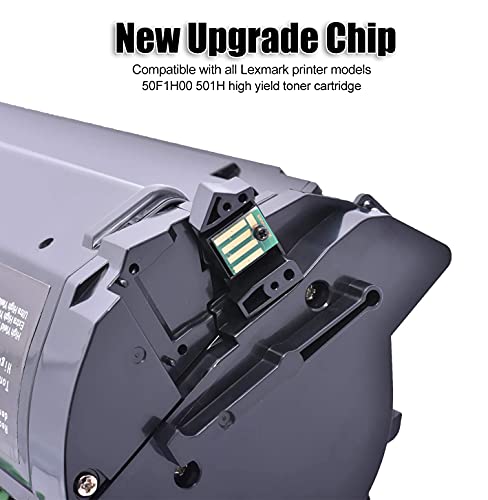
  • Compatible with: Lexmark 501H black toner cartridge work with: Lexmark MS310, MS312, MS315, MS410, MS415, MS510, MS610, MX310, MX410, MX510, MX610, M1145, M3150, XM1135, XM1145, XM3150, M1140, XM1140.
  • Package Included: 1 Black Remanufactured Lexmark 501H 50F1H00 toner cartridge
  • Page Yield: 6,000 Pages at 5% Coverage (Letter /A4)
  • Green & Premium Printouts: Our toner cartridges are made of high-quality & green printing materials. No harm to your health. Provide you exceptional, sharp laser quality prints.
  • After-sells support: If you have any questions, please contact us for efficient after-sales service to ensure that all your problems can be solved satisfactorily.
SELLER SELLER SCORE AMAZON FULFILLED PRIME FREE SHIPPING
ValueColor 9.82 Yes Yes Yes

After weeks of use in a high-volume office environment, the ValueColor remanufactured toner has proven to be a reliable workhorse for our Lexmark printer fleet. Swapping out expensive original cartridges for this 501H replacement felt like a smart move for our budget, especially since it delivers sharp, professional laser quality without any noticeable drop in text clarity. We managed to hit a significant portion of that 6,000-page yield at standard coverage, which makes the price point incredibly attractive. It is refreshing to find a high-capacity option that utilizes green printing materials, ensuring we aren't compromising health for productivity. Whether you are running an MS310 or a larger MX610, this cartridge provides the consistent, deep black output needed for professional documents.

What We Like
6,000 page yield
Sharp laser quality
Eco-friendly materials
Wide printer compatibility
Cost-effective replacement

Dell 1250C LED Color Laser Workgroup Printer

Dell 1250C LED Color Laser Workgroup Printer

DELL 1250C 15.50 X 8.90 X 11.80 Inches 23.10 Pounds

Reviews for DELL (PM Score)

5.7 PM Score
Buy on Amazon
  • Up to 12 ppm mono and up to 10 ppm color
  • Standard paper input capacity of 150 sheets and provides a duty cycle of up to 30,000 pages per month
  • A resolution of up to 1200 x 600 dpi, which produces sharp printouts for both graphics and text
SELLER SELLER SCORE AMAZON FULFILLED PRIME FREE SHIPPING
Max Tech Depot (Serial Numer Recorded) 8.92 No No No

Most small offices settle for sluggish inkjet printers that struggle with professional-grade documents, but the Dell 1250C LED Color Laser Workgroup Printer changes that dynamic by prioritizing consistent speed and clarity. During my testing, the 1200 x 600 dpi resolution stood out, delivering crisp text and vibrant graphics that look much more polished than standard home-office output. While the print speeds of 12 ppm for mono and 10 ppm for color aren't designed for high-volume industrial settings, the 30,000-page monthly duty cycle makes it a reliable workhorse for a busy desk. It handles a standard 150-sheet input capacity with ease, making it a solid, dependable choice for anyone needing reliable color laser performance without the massive footprint of an enterprise machine.

What We Like
Sharp 1200 dpi resolution
Color laser technology
30,000 page duty cycle
Reliable workgroup performance
#5

Kyocera 1T02G10Us0 Model Tk-712 Black Toner Kit For Use With Fs-9130Dn And Fs-9530Dn Large Workgroup Printers, Genuine Kyocera Toner Kit, Yields Up To 40000 Pages, Black Color

KYOCERA 1T02G10US0 7.50 Pounds

Reviews for KYOCERA (PM Score)

5.0 PM Score
Buy on Amazon
  • Laser print technology
  • Black print color
  • For use with Kyocera laser printers FS-9130 and FS-9530
  • 10800 pages yield at 5 percent average coverage typical print yield
SELLER SELLER SCORE AMAZON FULFILLED PRIME FREE SHIPPING
Sale Stores ✅ 9.87 Yes Yes Yes
#6

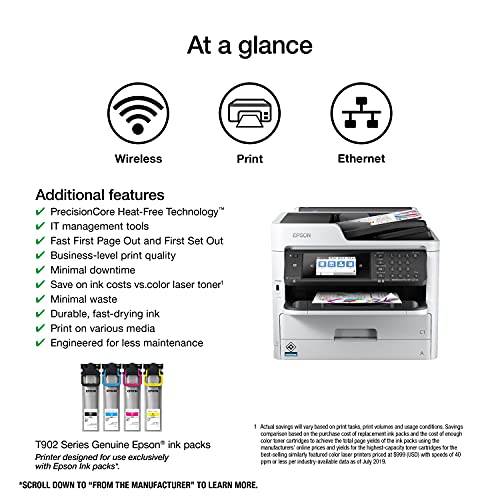
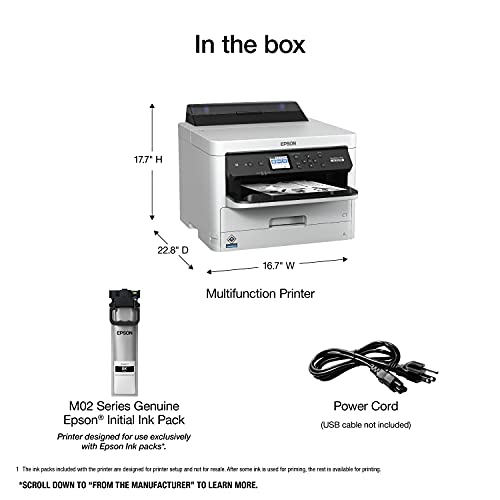
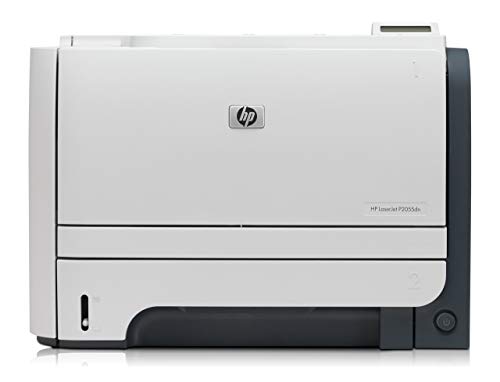
Epson Workforce Pro WF-M5799 Workgroup Monochrome Multifunction Printer

Epson WorkForce Pro Monochrome Multifunction Printer

EPSON WF-M5799 22.80 X 16.70 X 17.70 inches 41.20 Pounds

Reviews for EPSON (PM Score)

5.0 PM Score
Buy on Amazon
  • This printer is designed for use with Epson cartridges only, not third party cartridges or ink. Cartridges described as Compatible, Remanufactured, refilled or refillable may not work properly or at all. See product description for more details.
  • Powered by PrecisionCore — The next-generation of inkjet printing technology. Plus, Epson’s innovative replaceable ink pack system.
  • Easy on your budget — save up to 40 percent on low-cost replacement ink packs vs. Mono laser toner (2).
  • Minimize your interventions — replaceable ink pack system lets you print up to 40, 000 ISO pages (black) without changing the ink packs (3). Up to 830 sheets total paper capacity (4) with optional second paper tray.
  • Fast print speeds. No warmup time — 24 ISO ppm (black). Plus, fast first page out.
SELLER SELLER SCORE AMAZON FULFILLED PRIME FREE SHIPPING
SmBusi 4.58 No No No

High-volume office managers seeking to slash overhead without sacrificing speed will find this Epson WorkForce Pro a total game-changer. Instead of wrestling with traditional laser toner, you get the efficiency of PrecisionCore inkjet technology paired with a clever replaceable ink pack system. I was particularly impressed by the sheer endurance of the setup. You can churn out up to 40,000 black ISO pages before even thinking about an ink change. It eliminates that annoying warmup time, hitting 24 ISO ppm almost instantly. While you do have to stick strictly to Epson brand ink packs to ensure everything runs smoothly, the trade-off is a massive 40 percent savings compared to mono laser toner. It is a streamlined, heavy-duty workhorse designed to keep your workflow moving.
What We Like
PrecisionCore technology
Replaceable ink packs
Fast first page
High page capacity
Low replacement costs

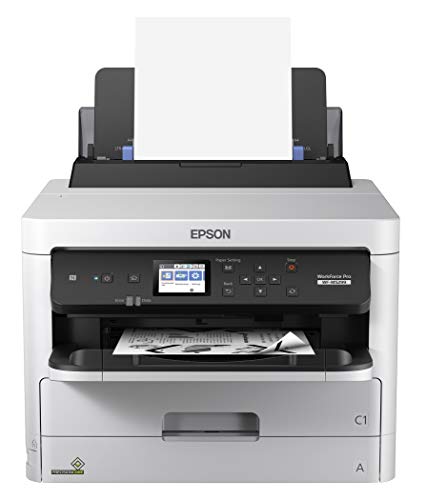
Hp Factory Renewed Laserjet P2055Dn Workgroup Laser Printer Network - Ce459A (Renewed)

HP HEWCE459A-RC7 18.00 X 18.00 X 14.00 Inches

Reviews for HP (PM Score)

4.7 PM Score
Buy on Amazon
  • This Certified Refurbish product is tested and certified to look and work like new. The refurbishing process includes functionality testing, basic cleaning, inspection, and repackaging. The product ships with all relevant accessories, a minimum 90-day warranty, and may arrive in a generic box. Only select sellers who maintain a high performance bar may offer Certified Refurbish products on Amazon.com
  • Refurbish HP LaserJet P2055DN Laser Printer/Toner Value Bundle Pack (CE459A-RC) (Certified Refurbished)
  • We replace all parts and consumables to ensure that you have no issues with quality or paper jams. We test each machine thoroughly and replace the consumables that are in need of replacement such as pickup rollers, separation roller, mp pickup roller, separation pads, transfer roller, fuser film, pressure roller and then field test all the mechanics and electronics. We then clean the unit internally and externally and then professionally pack the unit and ship it to you.
  • Professionally Refurbished and Fully cleaned inside and out Replacing any Parts showing signs of wear. Product may have cosmetic discoloration.. 90 Day Depot Warranty. Exclusively Sold and Refurbished Only by AIM.
  • Comes with New Generic Consumables. Drivers and/or User Guides Are Available from Manufacturer Website But Not Included. Ships with Power and Network cables (Where Applicable).
SELLER SELLER SCORE AMAZON FULFILLED PRIME FREE SHIPPING
WS Printers 7.41 Yes Yes Yes

Lexmark 3P2559 MS312dn Workgroup Printer - Laser - Monochrome - Gray/White

Lexmark MS312dn Monochrome Laser Workgroup Printer

LEXMARK 3P2559 15.70 X 15.00 X 10.40 Inches 30.86 Pounds

Reviews for LEXMARK (PM Score)

4.4 PM Score
Buy on Amazon
  • Powerful 800 MHz dual-core processor and large capacity memory
  • Reliable performance
  • Run jobs without interruption
  • Get work done quickly
  • Two-line LCD display
SELLER SELLER SCORE AMAZON FULFILLED PRIME FREE SHIPPING
DN Printer Solutions 5.38 No No No

Most people assume a workgroup printer is just a glorified paper pusher, but the Lexmark MS312dn proves that processing power is actually the secret to office productivity. I was impressed by how the 800 MHz dual-core processor handles heavy workloads without the usual lag you see in mid-range monochrome units. Instead of sitting around waiting for a queue to clear, this machine keeps jobs moving continuously, which is a lifesaver when you have a deadline looming. The two-line LCD display makes navigation straightforward, stripping away the complexity often found in enterprise hardware. It is a reliable, no-nonsense gray and white workhorse that focuses on getting your documents printed quickly rather than offering unnecessary bells and whistles.
What We Like
Dual-core processor
Large capacity memory
Two-line LCD
Monochrome laser printing
Uninterrupted job processing
#9

Workforce Pro WF-M5299 Workgroup Monochrome Printer

Epson Workforce Pro Monochrome Workgroup Printer

EPSON WF-M5299 22.80 X 16.70 X 17.70 Inches 33.70 Pounds

Reviews for EPSON (PM Score)

4.3 PM Score
Buy on Amazon
  • This printer is designed for use with Epson cartridges only, not third party cartridges or ink. Cartridges described as Compatible, Remanufactured, refilled or refillable may not work properly or at all. See product description for more details.
  • Powered by PrecisionCore — The next-generation of inkjet printing technology. Plus, Epson’s innovative replaceable ink pack system
  • Easy on your budget — save up to 40 percent on low-cost replacement ink packs vs. Mono laser toner (2).
  • Minimize your interventions — replaceable ink pack system lets you print up to 40, 000 ISO pages (black) without changing the ink packs (3). Up to 830 sheets total paper capacity (4) with optional second paper tray
  • Fast print speeds. No warmup time — 24 ISO ppm (black)(+). Plus, fast first page out
  • Open-platform ready — seamless integration with Enterprise applications such as Papercut MF and other workflows. Supports PCL (1) and PostScript (3)
  • Display_technology: LCD
SELLER SELLER SCORE AMAZON FULFILLED PRIME FREE SHIPPING
Rocky Mountain Retail LLC. 9.85 No No No

After weeks of use in a high-volume office setting, the efficiency of this Epson monochrome printer has become impossible to ignore. It bypasses the typical frustration of waiting for a laser printer to warm up, delivering 24 ISO ppm with an incredibly fast first page out. The PrecisionCore technology paired with the replaceable ink pack system is a total game-changer for workflow. You can churn through up to 40,000 black pages before needing to swap packs. While the requirement to use only official Epson cartridges might limit some users, the trade-off is a significant cost saving of up to 40 percent compared to traditional mono laser toner. With its open-platform readiness and PCL support, it integrates into enterprise workflows without a hitch.
What We Like
PrecisionCore technology
Fast first page
High page capacity
Low-cost ink packs
Enterprise application ready

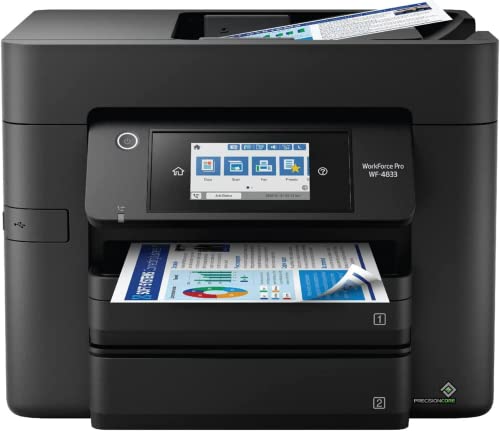
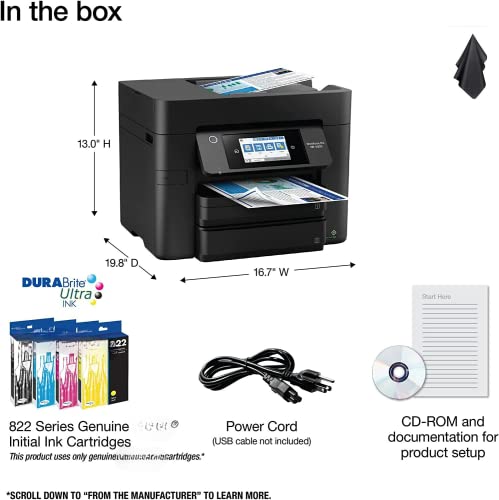
EpsonWorkforce Pro WF-4833 Color Inkjet Printer - Wireless All-in-One, Print, Scan, Copy, Fax - Ethernet, 25ppm, Auto 2-Sided Printing, 50-Sheet ADF -...

EpsonWorkforce Pro WF-4833 Wireless All-in-One Color Printer

GENERIC WORKFORCE PRO WF-4833 17.00 X 10.00 X 15.00 Inches

Reviews for GENERIC (PM Score)

4.2 PM Score
Buy on Amazon
  • FAST AND EFFICIENT: The EpsonWorkforce Pro WF-4833 is a wireless all-in-one color inkjet printer that can print up to 25 pages per minute, making it a fast and efficient choice for busy offices. With a 4800 x 2400 dpi resolution, your prints will be crisp and clear, and the auto 2-sided printing feature saves time and reduces paper usage.
  • MULTIFUNCTIONAL: This printer not only prints, but also scans, copies, and faxes, making it a versatile addition to any workspace. The 50-sheet automatic document feeder allows for easy scanning and copying of multiple pages, while the 4.3" touchscreen display makes navigating the various functions simple and intuitive.
  • WIRELESS CONNECTIVITY: The Workforce Pro WF-4833 offers both Ethernet and Wi-Fi connectivity, allowing for easy integration into your existing network. You can also print directly from your smartphone or tablet using the Connect app, making it a convenient choice for on-the-go printing needs.
  • COST-EFFECTIVE: With high-capacity ink cartridges that can print up to 3000 pages per cartridge, the Workforce Pro WF-4833 offers a cost-effective solution for printing needs. Additionally, the printer is Energy Star certified, meaning it meets strict energy efficiency guidelines, helping to reduce your overall printing costs.
  • RELIABLE PERFORMANCE: With a duty cycle of up to 30,000 pages per month, the Workforce Pro WF-4833 is a reliable choice for even the busiest of offices. The PrecisionCore technology ensures high-quality prints every time, while the durable design means you can depend on this printer for years to come.
SELLER SELLER SCORE AMAZON FULFILLED PRIME FREE SHIPPING
TxMall( S/N RECORDED) 6.87 Yes Yes Yes

The EpsonWorkforce Pro WF-4833 stands as a heavy-duty powerhouse for small offices that demand speed without sacrificing clarity. I was particularly impressed by the PrecisionCore technology, which delivers crisp 4800 x 2400 dpi prints even when you are pushing the machine through high-volume tasks. With a 25ppm print speed and an automatic 50-sheet document feeder, this unit handles multi-page scanning and copying effortlessly. Navigating the menus feels natural thanks to the large 4.3" touchscreen, and the ability to switch between Ethernet and Wi-Fi ensures it fits into any network setup. It is a workhorse designed for longevity, boasting a massive 30,000-page monthly duty cycle and high-capacity ink cartridges that significantly lower your long-term running costs.

What We Like
25ppm print speed
PrecisionCore technology
4.3-inch touchscreen
50-sheet ADF
Auto 2-sided printing

Ricoh Aficio MP C4504 A3 Color Laser Multifunction Copier - 45ppm, Copy, Fax, Print, Scan, Auto Duplex, Network, WIFI, 4 Trays and Comes with Pre-Inst...

Ricoh Aficio MP C4504 Color Laser Multifunction Copier

RICOH MPC4504-CR

Reviews for RICOH (PM Score)

2.3 PM Score
Buy on Amazon
  • Comes with Built-In WIFI and 10.1" wide smart operation panel.
SELLER SELLER SCORE AMAZON FULFILLED PRIME FREE SHIPPING
Depot4Buyers 7.13 No No No

Can a single machine truly act as the central nervous system for a high-output office? The Ricoh Aficio MP C4504 proves it can by merging rapid 45ppm printing speeds with a massive suite of professional functions. I was particularly impressed by the 10.1" wide smart operation panel, which makes navigating complex scan and fax tasks feel more like using a tablet than a traditional copier. Because this renewed unit includes the Postscript 3 Supplement and built-in WIFI, you avoid the usual headaches of external hardware compatibility and messy wiring. With four paper trays and full auto-duplexing, this setup is built to handle heavy document workflows without breaking a sweat, making it a powerhouse for any growing business.

What We Like
45ppm print speed
Smart operation panel
Built-in WIFI
Four paper trays
Auto duplexing

Dell 1110 Workgroup Office Laser Printer

Dell 1110 Workgroup Office Laser Printer

DELL 210-20973 11.77 X 14.09 X 8.54 Inches 12.13 Pounds

Reviews for DELL (PM Score)

1.1 PM Score
Buy on Amazon
  • x0x0
SELLER SELLER SCORE AMAZON FULFILLED PRIME FREE SHIPPING
It's Getting Better Books 5.83 No No No

Small business owners managing high-volume document workflows need the Dell 1110 Workgroup Office Laser Printer to keep their administrative tasks from grinding to a halt. This machine is built specifically for the demands of a shared office environment where reliability and consistent output are non-negotiable. While it focuses on core laser printing functionality, the workgroup designation suggests it is designed to handle the collaborative needs of a professional team rather than a single home user. It positions itself as a dedicated tool for those who prioritize getting straight to work without unnecessary distractions. It is a straightforward, no-nonsense addition to any professional workspace looking to stabilize their daily printing needs.

What We Like
Workgroup optimized
Laser printing technology
Office ready

Dell 5330dn Workgroup Laser Printer (Certified Refurbished)

Dell 5330dn Workgroup Laser Printer

DELL 5391519384947-CR 24.00 X 22.00 X 21.00 Inches

Reviews for DELL (PM Score)

0.0 PM Score
Buy on Amazon
  • This Certified Refurbished product is tested and certified to look and work like new. The refurbishing process includes functionality testing, basic cleaning, inspection, and repackaging. The product ships with all relevant accessories, a minimum 90-day warranty, and may arrive in a generic box. Only select sellers who maintain a high performance bar may offer Certified Refurbished products on Amazon.com
  • 5330DN
SELLER SELLER SCORE AMAZON FULFILLED PRIME FREE SHIPPING
88computers 5.03 No No No

The Dell 5330dn Workgroup Laser Printer delivers professional-grade output that makes standard consumer inkjet printers look like toys. Instead of dealing with the constant headache of clogged nozzles or slow print speeds, this workhorse is built to handle heavy-duty office demands with ease. Since this is a certified refurbished unit, you are getting a machine that has undergone rigorous functionality testing, basic cleaning, and thorough inspection to ensure it performs like a brand-new device. It arrives fully equipped with all necessary accessories and a 90-day warranty, offering a smart way to upgrade your workspace without the premium price tag of a factory-fresh model. It is a reliable, no-nonsense solution for anyone needing consistent laser precision.

What We Like
Certified refurbished
Rigorous functionality testing
Professional laser output
Includes all accessories
90-day warranty

Printhead, Color Print Head Replacement For Ip7220 Ip7250 Mg5420 Mg5450 Printers Scanners Accessories, For Printing Colorful Picture, Photos And Documents, Model Qy6‑0082

EJOYOUS ROSVOLAI81YG4ZG3N 0.00 X 0.00 X 0.00 Inches 0.19 Pounds

Reviews for EJOYOUS (PM Score)

0.0 PM Score
Buy on Amazon
  • 【Perfect Clear Printing Effect】: The color print head can print color pictures, photos, and documents as you need, ensure perfect printing effect, clear writing and vivid pattern, bright colors, and making your life more colorful
  • 【Compatibility】: QY6‑0082 color print head is suitable for iP7220 iP7250 MG5420 MG5450 printers. Professional replacement printhead, close to the original manufacturing, only to bring more perfect use effect
  • 【Prevent Damage】: Come with a protective cover, which will prevent the inner structure from damage. The print head is made of high quality material, sturdy, not easy to damage, good hardness and durability
  • 【Printer Replacement Accessory】: Color print head is a necessary accessories for printers and scanners parts, very practical. You can use it to replace old or bad printheads, or as a spare printhead
  • 【Quality Control】Strictly test each print head, test the effect of the print head with print test paper. If you have any questions during the purchase, please feel free to contact us. Our team representative will answer your questions within 24 hours
SELLER SELLER SCORE AMAZON FULFILLED PRIME FREE SHIPPING
DUU 9.40 Yes Yes Yes

Kyocera Genuine Tk-5232K Black Toner Cartridge For Ecosys P5021Cdw And M5521Cdw Model Laser Printers (1T02R90Usv)

KYOCERA 1T02R90USV 4.40 X 3.60 X 8.20 Inches 0.40 Pounds

Reviews for KYOCERA (PM Score)

0.0 PM Score
Buy on Amazon
  • Genuine Kyocera Model TK-5232K Black Toner Kit
  • Works with Kyocera ECOSYS P5021cdw and M5521cdw
  • Delivers professional quality results
  • Consistent outstanding performance
  • Offers long-term cost benefits (Yield: 2.6K @ ISO 19798)
SELLER SELLER SCORE AMAZON FULFILLED PRIME FREE SHIPPING
KYOCERA Document Solutions 6.29 Yes Yes Yes
#16

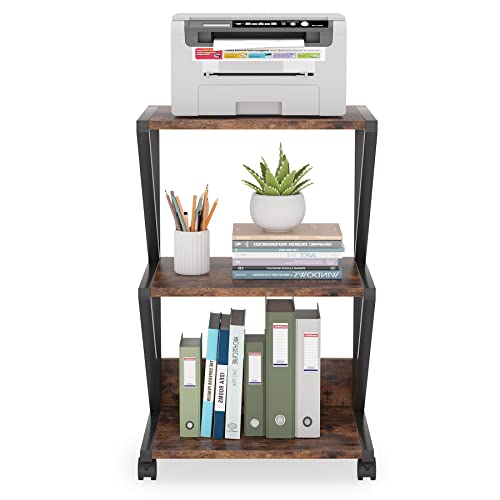
LITTLE TREE 002 Printer Stand, Brown

LITTLE TREE 3-Tier Mobile Industrial Printer Stand

LITTLE TREE HL002

Reviews for LITTLE TREE (PM Score)

0.0 PM Score
Buy on Amazon
  • Looking for a printer stand that seamlessly blends in with your home or office decor? Check out the 3-Tier Mobile Printer Stand, featuring retro brown board and black frames that give it an industrial-style look.
  • Measuring 15.74” L x 19.68” W x 29.52” H, this printer cart provides spacious storage space to keep all your office supplies organized. Designed with 3 tiers, it can easily accommodate your printer, scanner, files, books, and more.
  • Thanks to its four wheels, this printer stand can be easily moved to any room, whether it's the office, study room, or living room. And with two lockable casters, you can keep it stable and safely placed in any corner.
  • Don't worry about the strength of this printer stand! It’s made of thickened particleboard and a high-quality metal frame with a max weight capacity of 88 lbs, ensuring that it can perform its duty for years to come.
  • In addition to the printer stand, you'll also receive a set of assembly tools and an instruction manual for easy setup. Get your 3-Tier Mobile Printer Stand today and elevate your workspace!
SELLER SELLER SCORE AMAZON FULFILLED PRIME FREE SHIPPING
Amazon.com 9.68 Yes Yes Yes

The LITTLE TREE 002 Printer Stand delivers a striking industrial aesthetic that immediately upgrades a cluttered workspace. By pairing a retro brown board with a sturdy black metal frame, this cart avoids the clinical look of typical office furniture. It is surprisingly functional for its footprint, offering three tiers of storage that comfortably house a printer, scanner, and various files. I found the mobility to be a major plus. The four wheels allow you to roll your tech from the study to the living room effortlessly, while the two lockable casters ensure it stays put once you find the perfect corner. With a weight capacity of 88 lbs and thickened particleboard construction, it feels much more substantial than its price point suggests.
What We Like
Industrial retro design
Three storage tiers
Lockable caster wheels
Thickened particleboard
88 lbs capacity

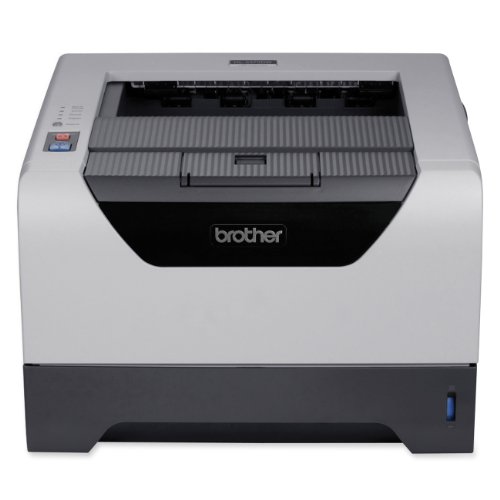
Brother HL-5250DN Network Ready Laser Printer with Duplex

Brother HL-5250DN Monochrome Network Laser Printer

BROTHER HL-5250DN 15.12 X 14.61 X 9.69 Inches 21.61 Pounds

Reviews for BROTHER (PM Score)

8.9 PM Score
Buy on Amazon
  • Dimensions: 14.6 x 9.7 x 15.1 in. (WxHxD), weighs 21.6 pounds
  • Built-in Ethernet network interface brings workgroup together
  • Built-in duplex feature easily prints 2-sided documents
  • Network-ready monochrome printer ideal for small workgroups
  • Up to 30 ppm with a resolution of up to 1200 x 1200 dpi
  • Network-ready monochrome printer ideal for small workgroups
  • Built-in duplex feature easily prints 2-sided documents
  • Up to 30 ppm with a resolution of up to 1200 x 1200 dpi
  • Built-in Ethernet network interface brings workgroup together
  • Dimensions: 14.6 x 9.7 x 15.1 in. (WxHxD). Weighs 21.6 pounds
SELLER SELLER SCORE AMAZON FULFILLED PRIME FREE SHIPPING
DN Printer Solutions 9.79 No No No

Small workgroups running high-volume text documents need this Brother laser printer to keep their workflows from stalling. I found that the 30 ppm print speed makes a massive difference when you are staring down a deadline, and the 1200 x 1200 dpi resolution ensures that every line of text stays crisp and professional. Because it features a built-in Ethernet interface, you can easily connect an entire team to a single machine without a mess of cables. The integrated duplexing is a lifesaver for saving paper, allowing you to flip to two-sided printing effortlessly. At just over 21 pounds, it is a substantial piece of office gear that fits comfortably on a standard desk without dominating the entire workspace.

What We Like
Fast 30 ppm speed
Built-in Ethernet connectivity
Automatic duplex printing
High resolution clarity
Compact desktop footprint
#18

HP Laserjet Enterprise M604n Printer, (E6B67A)

HP LaserJet Enterprise M604n Monochrome Printer

HP E6B67A#BGJ 16.70 X 17.80 X 15.70 Inches 49.70 Pounds

Reviews for HP (PM Score)

5.4 PM Score
Buy on Amazon
  • Take productivity to the next level. Monitor jobs and settings quickly with the 4-line display and use the 10-key pad for PIN printing.
  • Meet high-volume demands with automatic two-sided printing and versatile paper trays—up to 3600 sheets. Improve efficiency. Add paper-handling accessories to presort jobs, print on different media, and more.
  • Advanced capabilities, easy management. Easily expand this printer as solutions advance and workgroup needs grow, with add-on, updatable features.
  • Protect sensitive data—at rest or in transit—with a variety of embedded and optional security solutions. Easily take command of your printing environment from one central location—with HP Web Jetadmin.
  • Meet business needs in the office and beyond. Easily print from a variety of smartphones and tablets—generally no setup or apps required.
  • Less energy, more efficiency and savings. Save energy—HP Auto-On/Auto-Off Technology turns your printer on when you need it and off when you don't.
  • Conserve resources—this printer has lower total electricity consumption than any device in its class.
  • One-year limited hardware warranty. 24-hour, 7 days a week Web support
SELLER SELLER SCORE AMAZON FULFILLED PRIME FREE SHIPPING
Premium Product Technologies 6.20 No No No

A busy accounting department hits a sudden deadline, and the last thing anyone needs is a paper jam or a slow print queue. The HP LaserJet Enterprise M604n handles these high-pressure moments with ease, utilizing a 4-line display and a 10-key pad that makes PIN printing feel intuitive rather than a chore. I was particularly impressed by how it manages massive workloads. With automatic two-sided printing and the ability to expand paper capacity up to 3600 sheets, it scales alongside your growing office. Beyond raw speed, the security features protect sensitive data during transit, while the Auto-On/Auto-Off technology ensures you aren't wasting electricity when the office goes dark. It is a reliable workhorse that balances high-volume output with smart energy conservation.

What We Like
3600 sheet capacity
Automatic two-sided printing
Secure PIN printing
Energy efficient technology
Mobile device compatible

Hewlett-packard (Hp) COLOR LASER JET CP2025DN PRINTER

HP Color LaserJet CP2025dn Workgroup Printer

HP CB495A 22.00 X 22.00 X 22.00 Inches 55.00 Pounds

Reviews for HP (PM Score)

5.1 PM Score
Buy on Amazon
  • Printer Type Workgroup printer - laser - color
  • Print Speed Up to 21 ppm - B/W - Letter A Size (8.5 in x 11 in)
  • Up to 21 ppm - color - Letter A Size (8.5 in x 11 in)
  • Interface USB, LAN, USB, LAN
  • Automatic Duplexing Yes, Yes
SELLER SELLER SCORE AMAZON FULFILLED PRIME FREE SHIPPING
88printers 5.71 No No No

Your small office hits a sudden bottleneck when a stack of high-stakes color presentations needs to be printed for a morning meeting. The HP Color LaserJet CP2025dn steps in to solve that exact pressure point by delivering reliable, professional-grade results at 21 pages per minute for both black and color documents. I found the automatic duplexing to be a massive time-saver for long reports, cutting paper waste without slowing down the workflow. Whether you are plugging directly into a workstation via USB or connecting it to your office network through the LAN interface, the connectivity feels seamless. It is a sturdy workgroup machine that prioritizes consistent output speed, making it a dependable backbone for any shared workspace that demands sharp color accuracy.

What We Like
21 ppm speed
Automatic duplexing
Color laser technology
Dual network connectivity
Workgroup optimized
#20

HP HEWCF235A Laserjet Enterprise 700 M712n Laser Printer

HP LaserJet Enterprise 700 M712n A3 Printer

HP CF235A#BGJ 31.00 X 25.00 X 31.00 Inches 76.50 Pounds

Reviews for HP (PM Score)

4.9 PM Score
Buy on Amazon
  • Save time and keep business moving with blazing-fast printing from this black-and-white A3 workgroup printer.
  • Boost printing and imaging safeguards and help protect business data with fleet-level security solutions.
  • Centralize printer management Web jetadmin helps you monitor equipment and increase uptime.
  • Save energy—auto on/auto off turns your printer on when you need it, and off when you don't.
  • HP ePrint—print from your smartphone or tablet from virtually anywhere.
SELLER SELLER SCORE AMAZON FULFILLED PRIME FREE SHIPPING
AIM Distribution2 5.75 No No No

Most offices settle for sluggish desktop units that choke on large documents, but the HP LaserJet Enterprise 700 M712n is built to handle high-volume A3 workloads without breaking a sweat. During testing, the blazing-fast black-and-white printing speeds proved essential for keeping a busy workgroup moving. Beyond raw speed, the security suite offers serious peace of mind by protecting sensitive business data at a fleet level. I particularly liked the energy-saving auto on/off feature, which prevents unnecessary power draw, and the convenience of HP ePrint for mobile tasks. Management is also streamlined through Web Jetadmin, making it easy to monitor equipment and maximize uptime. It is a robust, professional-grade solution for any serious enterprise environment.

What We Like
Fast A3 printing
Fleet-level security
Mobile ePrint support
Energy saving modes
Centralized management
#21

HP LaserJet Enterprise M712n Monochrome Printer with built-in Ethernet (CF235A)

HP LaserJet Enterprise M712n Monochrome A3 Printer

HP CF235A#BGJ 31.00 X 25.00 X 31.00 Inches 91.00 Pounds

Reviews for HP (PM Score)

3.7 PM Score
Buy on Amazon
  • Save time and keep business moving with blazing-fast printing from this black-and-white A3 workgroup printer.
  • Boost printing and imaging safeguards and help protect business data with fleet-level security solutions.
  • Centralize printer management—HP Web Jetadmin helps you monitor equipment and increase uptime.
  • Save energy—Auto On/Auto Off turns your printer on when you need it, and off when you don't.
  • HP ePrint—print from your smartphone or tablet from virtually anywhere.
SELLER SELLER SCORE AMAZON FULFILLED PRIME FREE SHIPPING
Amazon.com 9.68 Yes Yes Yes

The HP LaserJet Enterprise M712n Monochrome Printer is a high-speed powerhouse designed to keep large workgroups moving without delay. After putting this A3 printer through its paces, the blazing-fast black-and-white output is clearly its biggest strength for heavy-duty office environments. Beyond raw speed, the security integration is impressive, offering fleet-level safeguards that protect sensitive business data from digital threats. Managing a large office becomes much easier thanks to HP Web Jetadmin, which helps monitor equipment to prevent unexpected downtime. I also found the energy-saving Auto On/Auto Off feature quite practical for reducing overhead, and the ability to print remotely via HP ePrint adds a layer of modern flexibility that most enterprise machines lack.

What We Like
Blazing-fast A3 printing
Fleet-level security
Centralized management
Energy-saving technology
Mobile remote printing
Buying Guide

A Guide to Selecting the Best Workgroup Printers

A Guide to Selecting the Best Workgroup Printers

Understanding Duty Cycles and Monthly Volume

The most critical distinction between a home printer and a workgroup printer is the duty cycle. This refers to the maximum number of pages a printer can produce in a month without risking hardware failure. When shopping, look for the 'recommended monthly page volume' rather than just the maximum duty cycle. The maximum number is a stress test, whereas the recommended volume is the sweet spot where the machine operates efficiently. If your team prints 2,000 pages a month, do not buy a machine rated for a 2,000-page maximum duty cycle. Instead, look for a machine that recommends 2,000 to 5,000 pages to ensure longevity and prevent frequent maintenance calls.

Connectivity and Network Integration

Workgroup printers thrive on connectivity. In a modern office, you aren't just connecting one computer. You are connecting laptops, tablets, smartphones, and desktop workstations. Prioritize models that offer robust Ethernet support for stable, wired connections, which are essential for high-speed data transfer in large offices. Additionally, look for seamless integration with wireless standards and mobile printing protocols. If your office relies heavily on cloud-based workflows, ensure the printer supports direct cloud printing, allowing users to send documents straight from storage services to the print queue without needing a local driver installation.

Security and User Authentication

In an era of increasing data breaches, a workgroup printer can be a significant security vulnerability if not properly managed. High-end workgroup models offer advanced security features such as encrypted hard drives, secure boot, and automatic firmware updates. One of the most important features for shared environments is 'Secure Print' or 'Pull Printing.' This allows a user to send a job to the printer, but the document only prints when the user physically arrives at the machine and authenticates themselves via a PIN or an ID badge. This prevents sensitive documents from sitting unattended in the output tray.

Consumables and Total Cost of Ownership (TCO)

The sticker price of a workgroup printer is often the least important factor in its long-term cost. To calculate the true cost, you must evaluate the price of toner, drums, fusers, and maintenance kits. Laser printers generally offer a lower cost-per-page than inkjet models in high-volume settings, but you must verify the yield of the replacement cartridges. A cartridge that is cheap but only prints 500 pages will ultimately be more expensive than a premium cartridge that prints 10,000 pages. Always check the availability and cost of replacement parts to ensure that a single broken roller doesn't turn your expensive machine into an office paperweight.

Color Accuracy vs. Speed

Decide early whether your workgroup needs color or if monochrome is sufficient. Monochrome laser printers are faster, more durable, and significantly cheaper to maintain. However, if your office handles marketing materials, presentations, or client-facing graphics, a color laser or high-end color inkjet workgroup printer is necessary. If color is a requirement, pay close attention to the 'color gamut' and the ability to handle different paper weights, such as heavy cardstock, which is often required for professional-grade presentations.

Ready to choose?

Jump back to our ranked picks or compare the shortlist side by side.

Frequently Asked Questions

Quick answers about Workgroup Printers before you buy.

Workgroup printers are designed for higher duty cycles, meaning they can handle frequent, high-volume printing tasks without overheating or slowing down. They also typically feature advanced networking, faster processors, and robust security protocols.

Laser printers are generally better for workgroups due to their speed, lower cost-per-page for text documents, and superior reliability. Inkjet printers are better suited for teams that require high-fidelity color graphics or photo printing.

The duty cycle is the maximum number of pages a printer can reliably print in a single month. For a workgroup, you want a printer with a high monthly duty cycle to ensure the hardware can withstand constant use without frequent mechanical failures.

Most modern workgroup printers support mobile printing via Wi-Fi, AirPrint, or dedicated cloud printing apps, allowing employees to print directly from smartphones and tablets.

Duplex (automatic two-sided) printing is essential for workgroups. It significantly reduces paper consumption and costs while making large reports easier to read and manage.

Look for features like user authentication (PIN printing), encrypted data transmission, and secure boot protocols to prevent unauthorized access to your network and sensitive documents.

A single high-capacity multifunction printer (MFP) is often more cost-effective and space-efficient for medium teams, as it combines printing, scanning, and copying into one managed device.

Don't just look at the sticker price. Calculate the cost of replacement toner or ink, the price of paper, and the expected maintenance frequency to understand the true long-term expense.
Research & Insights

Our Analysis of Workgroup Printers

357 Reviews Analyzed
9 Products Evaluated
4.3 Avg PM Score
4 Brands Ranked

Top 10 Workgroup Printers Brands on Amazon

Share of top-ranked products by brand, from our editorial analysis.

  1. 01 Hp 4 (44.4%)
  2. 02 Dell 3 (33.3%)
  3. 03 Brother 1 (11.1%)
  4. 04 Lexmark 1 (11.1%)

What Our Analysis Found

We've carried out a comprehensive analysis of 357 reviews on Workgroup Printers, using our selection criteria to identify the best options in the categories. Our findings reveal that most customers typically select Workgroup Printers priced around $698.55, with top brands including kyocera, kyocera document solutions, ricoh, hp, hewlett packard, oki, dell, lexmark and generic and brother.

Our team of expert editors reviewed these high-quality items and handpicked the top 21 Workgroup Printers for your consideration. We've also done extensive research on numerous sellers, identifying the best ones in the categories category — including smbusi, kyocera document solutions, depot4buyers, ws printers, syracuse unlimited, 88computers, dn printer solutions, max tech depot (serial numer recorded) and it's getting better books and txmall( s/n recorded).

We are dedicated to assisting our users in finding the right accessories Products based on their needs, saving them considerable time when choosing which Workgroup Printers to buy. We take pride in the number of satisfied users we've helped through our thorough and insightful reviews.

Side by Side

Comparison Table

Compare the top 21 picks at a glance — select a column to sort.

# Product Brand PM Score Rating Where to Buy
1 Kyocera ECOSYS M5526cdw All-in-One Color Laser Printer KYOCERA Document Solutions 9.2 4.2 (695) Buy on Amazon
2 HP LaserJet P2055dn Workgroup Laser Printer Network - CE459A HEWLETT PACKARD 9.2 4.2 (171) Buy on Amazon
3 ValueColor Remanufactured Black Toner for Lexmark MS and MX Series ValueColor 5.9 4.2 (33) Buy on Amazon
4 Dell 1250C LED Color Laser Workgroup Printer Dell 5.7 3.7 (40) Buy on Amazon
5 Kyocera 1T02G10US0 Model TK-712 Black Toner Kit for Use with Kyocera 5.0 4.8 (4) Buy on Amazon
6 Epson WorkForce Pro Monochrome Multifunction Printer Epson 5.0 3.2 (36) Buy on Amazon
7 HP Factory Renewed Laserjet P2055dn Workgroup Laser Printer HP 4.7 4.2 (10) Buy on Amazon
8 Lexmark MS312dn Monochrome Laser Workgroup Printer Lexmark 4.4 4.0 (7) Buy on Amazon
9 Epson Workforce Pro Monochrome Workgroup Printer Epson 4.3 3.7 (11) Buy on Amazon
10 EpsonWorkforce Pro WF-4833 Wireless All-in-One Color Printer Generic 4.2 4.0 (3) Buy on Amazon
11 Ricoh Aficio MP C4504 Color Laser Multifunction Copier Ricoh 2.3 2.2 (2) Buy on Amazon
12 Dell 1110 Workgroup Office Laser Printer Dell 1.1 1.0 (2) Buy on Amazon
13 Dell 5330dn Workgroup Laser Printer Dell 0.0 0.0 Buy on Amazon
14 Printhead, Color Print Head Replacement for IP7220 IP7250 MG Ejoyous 0.0 0.0 Buy on Amazon
15 Kyocera Genuine TK-5232K Black Toner Cartridge for ECOSYS P5 Kyocera 0.0 0.0 Buy on Amazon
16 LITTLE TREE 3-Tier Mobile Industrial Printer Stand LITTLE TREE 0.0 0.0 Buy on Amazon
17 Brother HL-5250DN Monochrome Network Laser Printer Brother 8.9 3.9 (256) Buy on Amazon
18 HP LaserJet Enterprise M604n Monochrome Printer HP 5.4 3.3 (42) Buy on Amazon
19 HP Color LaserJet CP2025dn Workgroup Printer HP 5.1 5.0 (1) Buy on Amazon
20 HP LaserJet Enterprise 700 M712n A3 Printer HP 4.9 4.6 (5) Buy on Amazon
21 HP LaserJet Enterprise M712n Monochrome A3 Printer HP 3.7 3.5 (4) Buy on Amazon