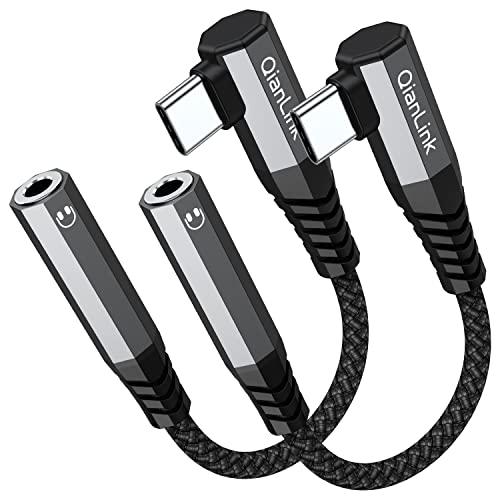
Understand Your Interface Standards
The most common mistake when purchasing a USB adapter is overlooking the specific generation of the USB standard required for your task. USB is not a monolithic technology. It spans several generations including USB 2.0, USB 3.0 (now often referred to as USB 3.2 Gen 1), and USB 3.2 Gen 2. If you are using an adapter to connect a high-speed SSD, a USB 2.0 adapter will act as a massive bottleneck, throttling your transfer speeds to a fraction of what the drive is capable of. Always match the adapter's bandwidth capability to your slowest critical component. If you are simply connecting a keyboard, mouse, or basic printer, a standard USB 2.0 adapter is cost-effective and perfectly sufficient.
Determine the Gender and Directionality
USB adapters are categorized by 'gender'—whether they are male-to-female, female-to-female, or male-to-male. A male-to-female adapter (often called a gender changer or extension) is used to lengthen an existing cable or provide a port where one is missing. Conversely, a female-to-female adapter is often used to join two existing male cables together. It is vital to understand the direction of the signal flow. Most consumer-grade adapters are designed for peripheral expansion, not for connecting two host computers directly. Attempting to use a standard USB-A to USB-A male-to-male cable to connect two PCs can lead to electrical shorts and hardware damage. Always ensure you are using an adapter specifically designed for your intended data path.
Power Delivery and Current Requirements
Not all USB ports are created equal. Some adapters are passive, meaning they simply reroute the signal, while others are designed to handle power delivery. If you are using an adapter to connect power-hungry devices like external hard drives or RGB-lit mechanical keyboards, you must consider the amperage. Low-quality adapters can cause voltage drops, leading to intermittent connections or device failure. For high-performance setups, look for adapters that feature robust shielding and are rated for stable power throughput to ensure that your peripherals receive the consistent current they need to function without disconnecting mid-task.
Build Quality and Signal Integrity
Because USB signals operate at high frequencies, the physical construction of the adapter plays a massive role in performance. Cheaply made adapters often lack proper electromagnetic interference (EMI) shielding, which can lead to data corruption or 'noise' that disrupts wireless signals (like those from a 2.4GHz mouse dongle). Look for adapters with high-quality housing—aluminum shells are generally superior to plastic as they provide better heat dissipation and physical durability. Furthermore, ensure the connectors are gold-plated or feature high-quality plating to prevent oxidation over time, which can degrade the connection and lead to frustrating connectivity issues.
Summary of Recommendation Logic
When deciding which adapter to add to your toolkit, follow this hierarchy: First, identify the speed requirement (USB 3.0+ for data, 2.0 for peripherals). Second, confirm the connector gender (Male vs. Female). Third, evaluate the environment (use aluminum-housed adapters for heavy-duty or high-speed use). By following these steps, you avoid the frustration of incompatible hardware and ensure a seamless digital workflow.