Understanding Signal Directionality and Protocol Compatibility
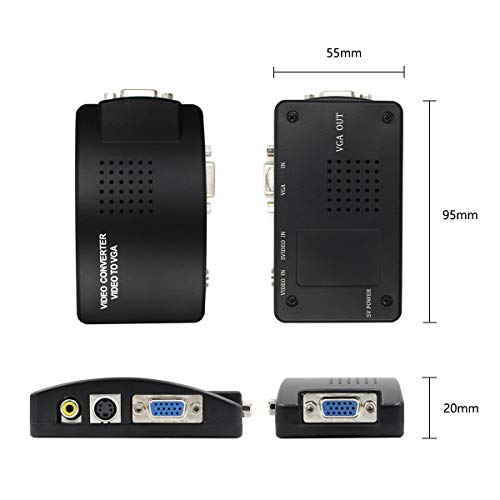
The most common mistake when purchasing a video converter is overlooking the direction of the signal flow. Video conversion is rarely bi-directional. You must identify whether you need an 'input-to-output' solution. For instance, if you are connecting an old analog camera to a modern digital television, you require an Analog-to-Digital converter. Conversely, if you are trying to run a modern computer signal through an older professional monitor, you need a Digital-to-Analog converter. Always verify the source (the device sending the signal) and the sink (the device receiving the signal) before committing to a purchase. Additionally, ensure the converter supports the specific protocol you are using, such as HDMI, DisplayPort, RCA, or Component video, to avoid signal mismatch errors.
Resolution, Aspect Ratio, and Scaling Capabilities
A converter is more than just a physical adapter. It is a processor. When choosing a unit, look closely at its scaling capabilities. High-quality converters do more than just change the plug. They upscale the resolution to match your modern display. If you are converting a 480p signal to a 1080p screen, a cheap converter may simply stretch the image, resulting in a blurry, pixelated mess. A superior converter will utilize intelligent scaling algorithms to maintain sharpness. Furthermore, pay attention to aspect ratio management. Legacy video is often produced in 4:3, while modern screens are 16:9. A good converter should offer options to either 'letterbox' the image (adding black bars to preserve the original shape) or 'stretch' it, allowing you to choose the aesthetic that suits your needs.
Frame Rate Stability and Latency
For professionals in the video production space or gamers using retro hardware, latency is the ultimate dealbreaker. Every time a signal is processed through a conversion chip, a small amount of delay is introduced. For playback of movies, a few milliseconds of latency are unnoticeable. However, for real-time monitoring or interactive gaming, even a slight lag can make the device unusable. Look for converters that advertise 'low latency' or 'real-time processing.' Additionally, ensure the converter supports the specific frame rates of your source material. If your source outputs at 60Hz but your converter is locked at 30Hz, you will experience stuttering and motion artifacts that degrade the viewing experience.
Build Quality and Power Requirements
Video conversion is a power-intensive task. Many compact, bus-powered converters draw electricity directly from the HDMI or USB port. While convenient, these can sometimes struggle with signal stability if the source device doesn't provide enough amperage. For more demanding, high-resolution conversions, look for units that include an external power adapter. This ensures the internal scaling chips have a consistent voltage, preventing signal drops or overheating during long sessions. Finally, consider the physical build. High-quality housings (such as aluminum) help dissipate the heat generated during the conversion process, extending the lifespan of the internal circuitry.