Adub
- PM Seller Rank
- #124,583
- Rating
- 4.9 / 5
- Feedback (12 mo)
- 22
- Products Listed
- 8
Adub Profile & Rating
Adub primarily sells Tools & Home Improvement products from adub.
The seller, Adub, currently offers 8 products for sale, all shipping from the United States. The average price of the products is a budget-friendly $139.85.
As an established seller on Amazon, Adub has received more than 22 customer feedbacks in the past 12 months. This signifies that they are a prominent business seller on Amazon.
Our assessment of numerous customer feedbacks indicates that Adub is a professionally managed Amazon business. Their considerable sales volume positions them as a top seller. We highly recommend them for your purchases.
Adub has earned an average star rating of 4.8, which signifies a satisfactory customer perception of the products sold by this store. This cost-effective choice is endorsed by PickSmartly.
Adub ranks as one of the after-1000 sellers on the US Amazon Marketplace, securing the 124583th position on our PM Sellers ranking list. Our PM ranking is primarily derived from our analysis of sellers' feedback, reviews, and ratings over the past year.
Top 10 Adub Products
Last Updated: Sep 11, 2023
![LED Parking Lot Light, 320W LED Street Lights 44800LM [1000W HPS Equiv.] 5000K LED Shoebox Light, 10](https://m.media-amazon.com/images/I/41d0fP98OPL._SL160_.jpg)
LED Parking Lot Light, 320W LED Street Lights 44800LM [1000W HPS Equiv.] 5000K LED Shoebox Light, 10
✅Top Rated & Energy Efficiency LED Parking Lot Lights with Dusk to Dawn Photocell Sensor - Parking Lot/Pole/Street/Shoebox Light Fixture✅.【HIGH...
Check Price on Amazon
2 Pack Dusk to Dawn Sensor for Outdoor Lighting, Auto On/Off Photocell Sensor Switch w/Swivel Mount,
【Automatic on/ off Photocell Sensor】Input voltage AC 120-277V, 50/60Hz, Rated Loading: 500W Tungsten; 850VA Ballast, this dusk to dawn sensor...
Check Price on Amazon
ADUB 300W LED High Bay Light, 5000K UFO High Bay Shop Lights 0-10V Dimmable High Bay LED Ceiling Lig
【SUPER BRIGHT & Energy Saving】300W 140LM/W UFO LED High Bay Light offers 42,000 Lumen output (1500W HID/HPS equivalent), designed with...
Check Price on Amazon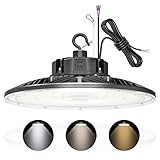
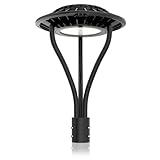
LED Post Top Light 80W 14000LM, 3 CCT 3000K 4000K 5000K LED Post Light Fixture, Lamp Post Light Dusk
✅【Super Bright Outdoor Lighting】This 80W LED post top light brings 11200LM with high-efficiency SMD3030 LED chips, up to 140lm/watt, 120°beam...
Check Price on Amazon
100W LED Post Top Light, 14000LM LED Circular Post Lights Outdoor, 5000K IP65 Waterproof Commercial
🎄【SUPER BRIGHT & ENERGY SAVING】AC 120-277V 100w LED post top light is equipped 140lm/w SMD3030 LED chips, 120°beam angle, 14,000LM...
Check Price on Amazon

LED Parking Lot Light 240W 33600LM, LED Shoebox Pole Light Adjustable Slip Fit Mount, 5000K Commerci
【33600LM SUPER BRIGHT】The LED parking lot light uses high-efficiency LED chips SMD3030 which can reach 140Lm/w, 240 Watt LED puts...
Check Price on AmazonProduct Analysis
Top 10 best sellers, ranked by PM Score
- 1 LED Parking Lot Light, 320W LED Street Lights 44800LM [1000W HPS Equiv.] 50
- 2 320W LED Parking Lot Lighting, 44800LM Parking Lot Lights Dusk to Dawn Sens
- 3 2 Pack Dusk to Dawn Sensor for Outdoor Lighting, Auto On/Off Photocell Sens
- 4 ADUB 300W LED High Bay Light, 5000K UFO High Bay Shop Lights 0-10V Dimmable
- 5 LED High Bay Light 150W 100W 80W Adjustable, UFO High Bay LED Shop Light 30
- 6 LED High Bay Light 240W 200W 150W Adjustable, UFO High Bay LED Lights 3000K
- 7 LED Post Top Light 80W 14000LM, 3 CCT 3000K 4000K 5000K LED Post Light Fixt
- 8 100W LED Post Top Light, 14000LM LED Circular Post Lights Outdoor, 5000K IP
- 9 LED Post Top Light 80W 11200LM LED Post Lights Outdoor Lamp Post Light 5000
- 10 LED Parking Lot Light 240W 33600LM, LED Shoebox Pole Light Adjustable Slip
Rating distribution
Price comparison — click a bar to view on Amazon
Disclaimer
Please note that the prices displayed are not current. They are estimates from the past two or three months, derived from our analysis and algorithms for Adub products. This information provides a general understanding of the price range. For the most accurate, up-to-date sale prices, please click on the chart bars.
Our Unbiased Adub Review
Is Adub a Trustworthy Seller on Amazon?
Absolutely. Adub is a prominent seller on Amazon's North American marketplaces, trading under the brands of Adub.
Amazon is a reputable platform that enforces a rigorous KYC (Know Your Customer) procedure for all its sellers. This process allows Amazon to gather vital information about each seller that can be used for identification and communication purposes.
Furthermore, Amazon offers robust buyer protection. If you ever feel that a purchase has not lived up to your expectations, you have the right to return the product and claim a refund, ensuring your transactions are safe and secure.
Is Adub Known for Quality Products?
Based on our analysis of Adub's customer feedback and product reviews, it is clear that they have a solid reputation. With an average star rating of 4.78, and having sold over 221 items in the Tools & Home Improvement category on Amazon, their track record speaks for itself.
From this data, we can confidently assert that Adub offers valuable, high-quality products. Customers predominantly give them positive ratings, indicating a successful balance between price and quality. This suggests that Adub is committed to providing products that not only meet expectations but also offer value and convenience to their consumers.
Featured Product Reviews Related to Adub



Adub FAQs
Common questions buyers ask about this seller — how to find their products, payment and shipping, returns, and how PickSmartly ranks what they sell.
To search for Adub products on PickSmartly, you can do the following:
- Go to the PickSmartly homepage.
- Look for the search bar, which is usually at the top of the page.
- Enter "Adub" into the search bar and hit Enter.
- You will then see a list of Adub products that are currently available.
Please note that product availability can change, so if you don't see what you're looking for, be sure to check back later.
Adub offers a wide variety of products. Their offerings cover commercial bay lighting, commercial street area lighting and photocell sensors in Tools & Home Improvement categories. To get a complete picture of all the products Adub offers, please visit the Adub section on the PickSmartly website.
To confirm that you're buying a high-quality Adub product, you should look at the product reviews and ratings on the PickSmartly . We select and showcase products based on various factors such as customer satisfaction, product performance, and dependability.
PickSmartly employs a thorough selection procedure to highlight the best Adub products. We take into account aspects like product quality, customer feedback, product attributes, cost, and Adub's standing in the marketplace.
The quantity of suggested products for each brand on PickSmartly may differ. However, we generally strive to present a broad range of about 10-15 leading products for each brand, providing our users with a thorough overview and multiple options. Adub has 8 products for sale, and we analyzed 8 of them in detail to recommend to shoppers.
To purchase Adub products through PickSmartly, follow these steps:
- Go to the PickSmartly website and find the Adub brand page.
- Look through the Adub products listed there.
- Click on the product you like to see more details, reviews, and its price.
- To buy, click 'Check on Amazon'. This will take you to the product's Amazon page.
- Finish your purchase on the Amazon page.
Our Seller Guide offers detailed insights about Adub, a featured seller on PickSmartly. It includes a quick overview of Adub's history, an outline of the products they sell, their reputation in the market, and a picked list of their best products according to our selection standards. This guide is designed to help users understand more about Adub and its product range.
Adub accepts various payment methods including credit cards and debit cards. They might also accept bank transfers and checks. As you'll be completing your purchase on Amazon, you can refer to Amazon's 'Manage Payment Methods' page for comprehensive information on payment options. Here is the link: Amazon Payment Methods
As a buyer, you can check a Adub's shipping methods on Amazon by following these steps:
- Visit the Product Page: Navigate to the product page of the item you're interested in.
- Check Adub Information: On the product page, you'll see a section that says "Sold by [Seller's Name]". Click on the Seller's name.
- Visit Seller's Page: This will take you to the Adub's page where you can find more information about their policies.
- Look for Shipping Information: On the Seller's page, look for a section that says "Shipping Policies" or "Delivery Policies". This section will provide information about the seller's shipping methods, costs, and estimated delivery times.
Please note that not all sellers provide detailed shipping information. If you can't find the information you're looking for, you can contact the seller directly to ask about their shipping methods. To do this, click on the "Ask a question" button on the seller's page.
If you have ordered from Adub through Amazon, you can follow these steps to track your order:
- Sign in to Your Amazon Account: Go to Amazon's homepage and sign in using your credentials.
- Go to Your Orders: From the top right of the screen, click on 'Returns & Orders'. This will take you to a page listing all your recent orders.
- Find Your Order: Look for the order you placed with Adub.
- Track Package: Once you've found the order, there should be an option on the right side that says 'Track Package'. Click on this to see the current status and location of your package.
If you have not received a tracking number or if the tracking information is not available, you may need to contact Adub directly for more information. You can do this by going back to the product page, clicking on Adub's name to go to their seller page, and then clicking on 'Ask a question'.
To check the return policy of a specific seller like Adub on Amazon, follow these steps:
- Go to the Amazon homepage.
- Type "Adub" into the search bar and click on the search icon.
- Click on any product that is sold by Adub.
- On the product page, you will see the seller's name. Click on the name "Adub".
- This will take you to the seller's detailed page. Look for the section "Returns & Refunds".
- Click on it, and you will be able to see the specific return policy for Adub.
Remember, policies can vary by seller, so it's always a good idea to check this before you make a purchase.
To contact the seller Adub on Amazon, you can follow these steps:
- Go to the Amazon homepage.
- Log into your account if you're not already logged in.
- Go to "Your Orders".
- Find the order that you want to discuss or ask about, then click on "Contact Seller".
- In the pop-up window, select the subject of your issue from the drop-down menu, write your message, and then press "Send".
Remember to keep all communication with the seller within Amazon's platform for your own protection and to comply with Amazon's policies. If you haven't placed an order and just have a query, you can still go to the seller's profile and look for a "Contact" button or link there.
To find out if Adub offers a warranty on their products, you will need to check the product details on the individual product pages on Amazon. Here's how you can do this:
- Go to the Amazon homepage.
- Type "Adub" into the search bar and click on the search icon.
- Click on any product that is sold by Adub.
- Scroll down to the product details or product description section. If a warranty is offered, it will usually be mentioned here.
If you are unable to find the warranty information or if it's unclear, you can contact Adub directly through Amazon to ask about the warranty for a specific product. Remember, warranties can vary from product to product and from seller to seller, so it's always a good idea to check this information before making a purchase.
Typical procedures for handling damaged or defective items on Amazon are as follows:
- Contact the Seller: If the item was sold by a third-party seller like Adub, you should contact them directly. You can do this by going to "Your Orders", locating your order, and clicking on "Problem with order". From there, you can choose "Contact Seller" and describe the issue in detail.
- Return the Item: Amazon usually allows you to return items sold and fulfilled by third-party sellers within 30 days of receipt. The seller's return policy can be found on the product page or seller profile. If the item is damaged or defective, the seller is generally responsible for return shipping costs.
- Request a Refund or Replacement: Depending on the issue and the seller's policy, you may be able to request a refund or replacement. If the seller doesn't respond or refuses to help, you can file an A-to-z Guarantee claim with Amazon.
Remember, these are general steps and the specific policy may vary for Adub. It's always best to check the seller's specific return and refund policy on their profile page or contact them directly for the most accurate information.
According to Amazon's general policies:
- Cancel an Order: After placing an order, you can cancel it within a certain timeframe if the seller hasn't shipped it yet. You can do this by going to "Your Orders" and clicking "Cancel Items". If the seller has already shipped the product, you may need to wait until you receive it and then initiate a return.
- Change an Order: Changing an order after it's been placed can be more challenging. Amazon generally doesn't allow changes to orders once they've been placed. If you need to change something, you usually have to cancel the original order (if the seller hasn't shipped it yet) and place a new one.
Remember, these are general policies and Adub's may vary. For the most accurate information, check the seller's specific policy on their profile page or contact them directly. If the seller is unresponsive or their policy is unclear, you can contact Amazon customer service for assistance.