Hi Pc
- PM Seller Rank
- #13,340
- Rating
- 4.8 / 5
- Feedback (12 mo)
- 480
- Products Listed
- 19
Hi Pc Profile & Rating
Hi Pc primarily sells Electronics, Video Games and Tools & Home Improvement products from uphere.
The seller, Hi Pc, currently offers 19 products for sale, all shipping from the United States. The average price of the products is a budget-friendly $22.92.
As an established seller on Amazon, Hi Pc has received more than 480 customer feedbacks in the past 12 months. This signifies that they are a prominent business seller on Amazon.
Our assessment of numerous customer feedbacks indicates that Hi Pc is a professionally managed Amazon business. Their considerable sales volume positions them as a top seller. We highly recommend them for your purchases.
Hi Pc has earned an average star rating of 4.4, which signifies a satisfactory customer perception of the products sold by this store. This cost-effective choice is endorsed by PickSmartly.
Hi Pc ranks as one of the after-1000 sellers on the US Amazon Marketplace, securing the 13340th position on our PM Sellers ranking list. Our PM ranking is primarily derived from our analysis of sellers' feedback, reviews, and ratings over the past year.
Top 20 Hi Pc Products
Last Updated: Sep 11, 2023

upHere Graphics Card GPU Brace Support Video Card Sag Holder/Holster Bracket, Anodized Aerospace Alu
1.Fully Made of Alumium Alloy. providing strong and long lasting support. By using all-aluminum metal material rather than plastic material,upHere...
Check Price on Amazon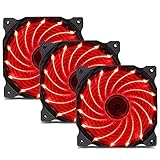
uphere 3-Pack Long Life Computer Case Fan 120mm Cooling Case Fan for Computer Cases Cooling 15LED Re
Higher air flow to enhance cooling performance.Economic solution for perfect performance.RoHS compliance for protecting the environment.3 IN 1 Value Pack.Ultra...
Check Price on Amazon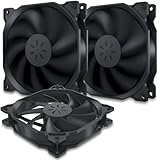
uphere 3-Pack Long Life Computer Case Fan 120mm Cooling Case Fan for Computer Cases Cooling,12BK3-3
Higher air flow to enhance cooling performance.Economic solution for perfect performance.RoHS compliance for protecting the environment.3 IN 1 Value Pack.Ultra...
Check Price on Amazon
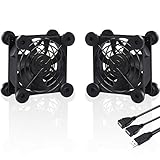
upHere U803 USB PC Fan Dual-Ball Bearings Silent 80mm Fan for Computer Cases Computer Cabinet Playst
1.【Strong wind power】upHere U80 USB PC fan with 7 blades,rotation speed: 1800rpm ± 10%, ensures maximum ventilation..2.【Dual Ball Bearing】High quality...
Check Price on Amazon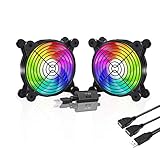
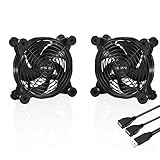
upHere U1203 Silent Dual 120mm USB Fan for Computer Cases Computer Cabinet Playstation Xbox Cooling
1.【Strong wind power】upHere U120 USB PC fan with 7 blades,rotation speed: 1600rpm ± 10%, ensures maximum ventilation..2.【Widely used】 upHere U120...
Check Price on Amazon
upHere GS05CF Rainbow LED Effec Graphics Card GPU Brace Support Video Card Sag Holder/Holster Bracke
Simple and Convenient adjustment method,has a slide type support structure..Raibow 2.0:Preset Multiple Dynamic Rainbow Effect radiate spellbinding colors and effects...
Check Price on Amazon
upHere Graphics Card GPU Brace Support Video Card Sag Holder/Holster Bracket, Anodized Aerospace Alu
【Function Overview】Can support the weight of the GPU, eliminate the drooping pressure of the graphics card, and protect your components..【Tool-free...
Check Price on Amazon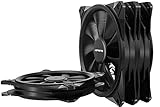
uphere 140mm Case Fan 3-Pack Computer Case Fan with Advanced Hydraulic Bearing for Silent Operation
1.Super Quiet: Equipped with rubber pads and hydraulic bearing, which greatly reduce operating noise and improves efficiency..2.Wide Compatibility:The most commonly...
Check Price on Amazon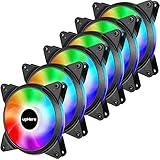
upHere 6-Pack 120mm Silent Intelligent Control RGB Fan Adjustable Colorful Fans with Controller and
Customizable RGB LED Lighting:With 8 ultra-bright RGB LED lights, provides full lighting for your build, achieving magical lighting effects with...
Check Price on Amazon
upHere Halo Ring Led 140mm case Fan 5 Pack Hydraulic Bearing Quiet Cooling case Fan for Computer Mir
1 Four LED Colors Available: As a excellent LED cooling system, It has four LED color for customer choose: Red/White/Blue/Ice...
Check Price on Amazon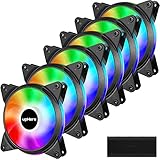
upHere 5V 6-Pack 120mm Silent PWM Intelligent Control 5V Addressable RGB Fan Motherboard Sync, Adjus
5V ARGB SYNC:Built with the advanced ARGB lighting system,support 5V 3PIN ARGB motherboard synchronization, multiple rgb modes can be switched,makes...
Check Price on Amazon
upHere 5V 3-Pack 120mm Silent PWM Intelligent Control 5V Addressable RGB Fan Motherboard Sync, Adjus
5V ARGB SYNC:Built with the advanced ARGB lighting system,support 5V 3PIN ARGB motherboard synchronization, multiple rgb modes can be switched,makes...
Check Price on Amazon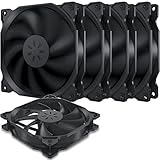
upHere 120mm Long Life Computer Case Fan Cooling Case Fan for Computer Cases Cooling,5-Pack,12BK3-5
Ultra silent operation at 19 dBA..Economic solution for perfect performance..Higher air flow to enhance cooling performance..RoHS compliance for protecting the...
Check Price on Amazon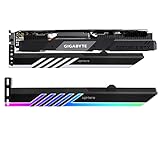
upHere 5V 3-pin Addressable RGB Graphics Card GPU Brace Support Holder,Support Video Card Sag Holder
Graphics Video Card GPU brace bracket kit. Support your cards from sagging and weighing on the motherboard..Designed for a wide...
Check Price on Amazon
upHere 120mm Case Fan Long Life Hydraulic Bearing PWM with 5V ARGB Motherboard Sync 16.8 Million Col
1.Balanced air flow and air pressure design maximizes heat reduction to keep your system cool and running smoothly..2.Enhanced Fan Frame:...
Check Price on Amazon

upHere PF360CF 360mm Quiet Edition High Airflow Colorful LED Computer Case Fan,Hydraulic Bearing,Cab
Integrated Design:Combines three 120 mm fans into one product for easy installation and simple cable management..Cable Management: Easy cable management...
Check Price on Amazon
Product Analysis
Top 10 best sellers, ranked by PM Score
- 1 upHere Graphics Card GPU Brace Support Video Card Sag Holder/Holster Bracke
- 2 uphere 3-Pack Long Life Computer Case Fan 120mm Cooling Case Fan for Comput
- 3 uphere 3-Pack Long Life Computer Case Fan 120mm Cooling Case Fan for Comput
- 4 upHere U1204 120mm USB Fan with 3 Adjustable Wind speeds Compatible for Com
- 5 upHere U803 USB PC Fan Dual-Ball Bearings Silent 80mm Fan for Computer Case
- 6 upHere U1207 USB Fan Dual-Ball Bearings,Rainbow LED,Multi-Speed Control,Sil
- 7 upHere U1203 Silent Dual 120mm USB Fan for Computer Cases Computer Cabinet
- 8 upHere GS05CF Rainbow LED Effec Graphics Card GPU Brace Support Video Card
- 9 upHere Graphics Card GPU Brace Support Video Card Sag Holder/Holster Bracke
- 10 uphere 140mm Case Fan 3-Pack Computer Case Fan with Advanced Hydraulic Bear
Rating distribution
Price comparison — click a bar to view on Amazon
Disclaimer
Please note that the prices displayed are not current. They are estimates from the past two or three months, derived from our analysis and algorithms for Hi Pc products. This information provides a general understanding of the price range. For the most accurate, up-to-date sale prices, please click on the chart bars.
Our Unbiased Hi Pc Review
Is Hi Pc a Trustworthy Seller on Amazon?
Absolutely. Hi Pc is a prominent seller on Amazon's North American marketplaces, trading under the brands of Uphere.
Amazon is a reputable platform that enforces a rigorous KYC (Know Your Customer) procedure for all its sellers. This process allows Amazon to gather vital information about each seller that can be used for identification and communication purposes.
Furthermore, Amazon offers robust buyer protection. If you ever feel that a purchase has not lived up to your expectations, you have the right to return the product and claim a refund, ensuring your transactions are safe and secure.
Is Hi Pc Known for Quality Products?
Based on our analysis of Hi Pc's customer feedback and product reviews, it is clear that they have a solid reputation. With an average star rating of 4.44, and having sold over 18,716 items in the Electronics , Video Games , Tools & Home Improvement category on Amazon, their track record speaks for itself.
From this data, we can confidently assert that Hi Pc offers valuable, high-quality products. Customers predominantly give them positive ratings, indicating a successful balance between price and quality. This suggests that Hi Pc is committed to providing products that not only meet expectations but also offer value and convenience to their consumers.
Featured Product Reviews Related to Hi Pc


Hi Pc FAQs
Common questions buyers ask about this seller — how to find their products, payment and shipping, returns, and how PickSmartly ranks what they sell.
To search for Hi Pc products on PickSmartly, you can do the following:
- Go to the PickSmartly homepage.
- Look for the search bar, which is usually at the top of the page.
- Enter "Hi Pc" into the search bar and hit Enter.
- You will then see a list of Hi Pc products that are currently available.
Please note that product availability can change, so if you don't see what you're looking for, be sure to check back later.
Hi Pc offers a wide variety of products. Their offerings cover case fans, wall sconces dimmable and graphics cards led lighting in Electronics, Video Games and Tools & Home Improvement categories. To get a complete picture of all the products Hi Pc offers, please visit the Hi Pc section on the PickSmartly website.
To confirm that you're buying a high-quality Hi Pc product, you should look at the product reviews and ratings on the PickSmartly . We select and showcase products based on various factors such as customer satisfaction, product performance, and dependability.
PickSmartly employs a thorough selection procedure to highlight the best Hi Pc products. We take into account aspects like product quality, customer feedback, product attributes, cost, and Hi Pc's standing in the marketplace.
The quantity of suggested products for each brand on PickSmartly may differ. However, we generally strive to present a broad range of about 10-15 leading products for each brand, providing our users with a thorough overview and multiple options. Hi Pc has 19 products for sale, and we analyzed 19 of them in detail to recommend to shoppers.
To purchase Hi Pc products through PickSmartly, follow these steps:
- Go to the PickSmartly website and find the Hi Pc brand page.
- Look through the Hi Pc products listed there.
- Click on the product you like to see more details, reviews, and its price.
- To buy, click 'Check on Amazon'. This will take you to the product's Amazon page.
- Finish your purchase on the Amazon page.
Our Seller Guide offers detailed insights about Hi Pc, a featured seller on PickSmartly. It includes a quick overview of Hi Pc's history, an outline of the products they sell, their reputation in the market, and a picked list of their best products according to our selection standards. This guide is designed to help users understand more about Hi Pc and its product range.
Hi Pc accepts various payment methods including credit cards and debit cards. They might also accept bank transfers and checks. As you'll be completing your purchase on Amazon, you can refer to Amazon's 'Manage Payment Methods' page for comprehensive information on payment options. Here is the link: Amazon Payment Methods
As a buyer, you can check a Hi Pc's shipping methods on Amazon by following these steps:
- Visit the Product Page: Navigate to the product page of the item you're interested in.
- Check Hi Pc Information: On the product page, you'll see a section that says "Sold by [Seller's Name]". Click on the Seller's name.
- Visit Seller's Page: This will take you to the Hi Pc's page where you can find more information about their policies.
- Look for Shipping Information: On the Seller's page, look for a section that says "Shipping Policies" or "Delivery Policies". This section will provide information about the seller's shipping methods, costs, and estimated delivery times.
Please note that not all sellers provide detailed shipping information. If you can't find the information you're looking for, you can contact the seller directly to ask about their shipping methods. To do this, click on the "Ask a question" button on the seller's page.
If you have ordered from Hi Pc through Amazon, you can follow these steps to track your order:
- Sign in to Your Amazon Account: Go to Amazon's homepage and sign in using your credentials.
- Go to Your Orders: From the top right of the screen, click on 'Returns & Orders'. This will take you to a page listing all your recent orders.
- Find Your Order: Look for the order you placed with Hi Pc.
- Track Package: Once you've found the order, there should be an option on the right side that says 'Track Package'. Click on this to see the current status and location of your package.
If you have not received a tracking number or if the tracking information is not available, you may need to contact Hi Pc directly for more information. You can do this by going back to the product page, clicking on Hi Pc's name to go to their seller page, and then clicking on 'Ask a question'.
To check the return policy of a specific seller like Hi Pc on Amazon, follow these steps:
- Go to the Amazon homepage.
- Type "Hi Pc" into the search bar and click on the search icon.
- Click on any product that is sold by Hi Pc.
- On the product page, you will see the seller's name. Click on the name "Hi Pc".
- This will take you to the seller's detailed page. Look for the section "Returns & Refunds".
- Click on it, and you will be able to see the specific return policy for Hi Pc.
Remember, policies can vary by seller, so it's always a good idea to check this before you make a purchase.
To contact the seller Hi Pc on Amazon, you can follow these steps:
- Go to the Amazon homepage.
- Log into your account if you're not already logged in.
- Go to "Your Orders".
- Find the order that you want to discuss or ask about, then click on "Contact Seller".
- In the pop-up window, select the subject of your issue from the drop-down menu, write your message, and then press "Send".
Remember to keep all communication with the seller within Amazon's platform for your own protection and to comply with Amazon's policies. If you haven't placed an order and just have a query, you can still go to the seller's profile and look for a "Contact" button or link there.
To find out if Hi Pc offers a warranty on their products, you will need to check the product details on the individual product pages on Amazon. Here's how you can do this:
- Go to the Amazon homepage.
- Type "Hi Pc" into the search bar and click on the search icon.
- Click on any product that is sold by Hi Pc.
- Scroll down to the product details or product description section. If a warranty is offered, it will usually be mentioned here.
If you are unable to find the warranty information or if it's unclear, you can contact Hi Pc directly through Amazon to ask about the warranty for a specific product. Remember, warranties can vary from product to product and from seller to seller, so it's always a good idea to check this information before making a purchase.
Typical procedures for handling damaged or defective items on Amazon are as follows:
- Contact the Seller: If the item was sold by a third-party seller like Hi Pc, you should contact them directly. You can do this by going to "Your Orders", locating your order, and clicking on "Problem with order". From there, you can choose "Contact Seller" and describe the issue in detail.
- Return the Item: Amazon usually allows you to return items sold and fulfilled by third-party sellers within 30 days of receipt. The seller's return policy can be found on the product page or seller profile. If the item is damaged or defective, the seller is generally responsible for return shipping costs.
- Request a Refund or Replacement: Depending on the issue and the seller's policy, you may be able to request a refund or replacement. If the seller doesn't respond or refuses to help, you can file an A-to-z Guarantee claim with Amazon.
Remember, these are general steps and the specific policy may vary for Hi Pc. It's always best to check the seller's specific return and refund policy on their profile page or contact them directly for the most accurate information.
According to Amazon's general policies:
- Cancel an Order: After placing an order, you can cancel it within a certain timeframe if the seller hasn't shipped it yet. You can do this by going to "Your Orders" and clicking "Cancel Items". If the seller has already shipped the product, you may need to wait until you receive it and then initiate a return.
- Change an Order: Changing an order after it's been placed can be more challenging. Amazon generally doesn't allow changes to orders once they've been placed. If you need to change something, you usually have to cancel the original order (if the seller hasn't shipped it yet) and place a new one.
Remember, these are general policies and Hi Pc's may vary. For the most accurate information, check the seller's specific policy on their profile page or contact them directly. If the seller is unresponsive or their policy is unclear, you can contact Amazon customer service for assistance.