#TOP1

For many power users, designers, and individuals managing repetitive strain injuries, the standard optical mouse is a relic of a less ergonomic era. Enter the trackball: a precision instrument that prioritizes stationary stability and finger-driven dexterity over broad arm movements. Unlike a traditional mouse that requires a flat surface and constant repositioning, a trackball stays put, allowing you to navigate complex interfaces with nothing more than a flick of the thumb or a roll of the index finger. Choosing the right trackball is not merely about picking a peripheral. It is about selecting a tool that integrates seamlessly with your specific hand anatomy and workflow intensity.
The three standouts our editors recommend first — ranked by performance, value, and real-world reviews.




Logitech Ergo M575 Wireless Trackball (Black)
| SELLER | SELLER SCORE | AMAZON FULFILLED | PRIME | FREE SHIPPING |
|---|---|---|---|---|
| P-Depot | 7.14 | No | No | No |
The Logitech Ergo M575 stands as the gold standard for desktop users seeking to eliminate wrist strain without sacrificing precision. Instead of sliding a traditional mouse across your desk, you simply thumb the ball to navigate, which keeps your arm perfectly still and comfortable during long work sessions. I found the 2000 dpi optical sensor provides incredibly smooth movement, making it easy to jump between fine detail work and quick desktop navigation. The wireless connectivity is seamless, utilizing a reliable 2.40 GHz frequency that keeps your workspace clutter-free. It is a specialized tool that fundamentally changes how you interact with your computer, proving that ergonomic design can actually feel intuitive rather than clunky.
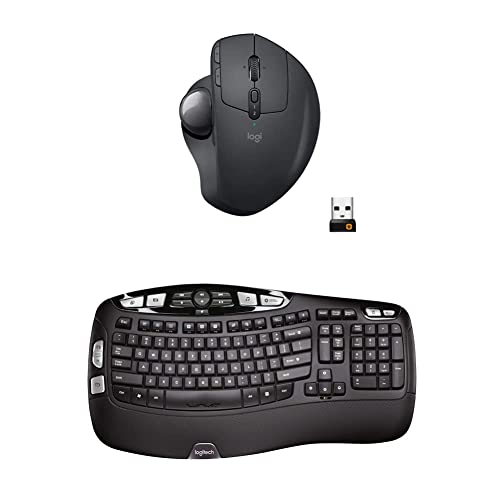
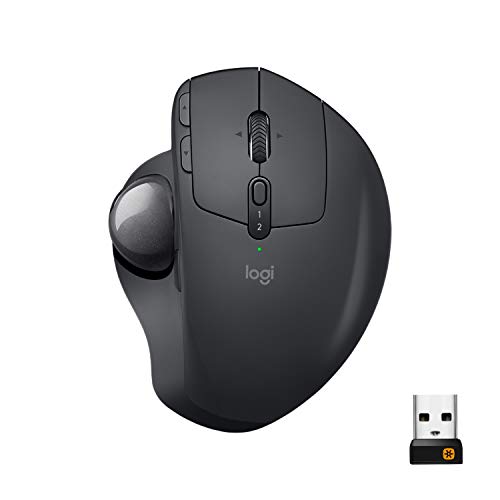


Logitech MX Ergo Wireless Trackball Mouse – Adjustable Ergonomic Design (Bluetooth or USB), Graphite & K350 2.4Ghz Wireless Keyboard
| SELLER | SELLER SCORE | AMAZON FULFILLED | PRIME | FREE SHIPPING |
|---|---|---|---|---|
| Amazon.com | 9.68 | Yes | Yes | No |
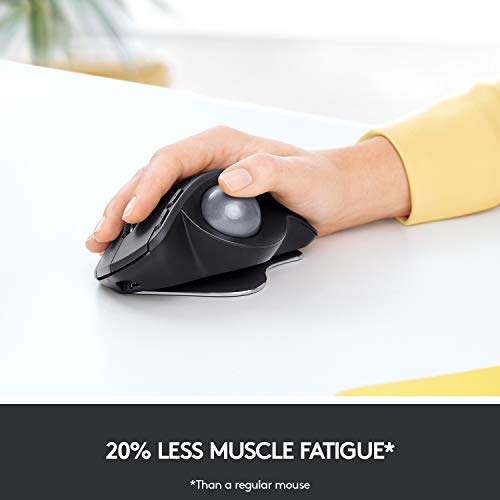
Your wrist begins to ache halfway through a heavy spreadsheet session, but switching to this setup changes the entire physical dynamic of your desk. The MX Ergo trackball is a standout because of its adjustable hinge, letting you tilt the device between 0 and 20 degrees to find a natural angle that kills muscle strain. Pairing it with the K350 keyboard makes for a powerhouse workstation. The wave design and cushioned palm rest keep your hands comfortable for hours. I found the cross-computer control via Logitech Flow incredibly useful for moving files between two different machines seamlessly. With dual connectivity through Bluetooth or the Unifying receiver, you can jump between three devices without missing a beat.

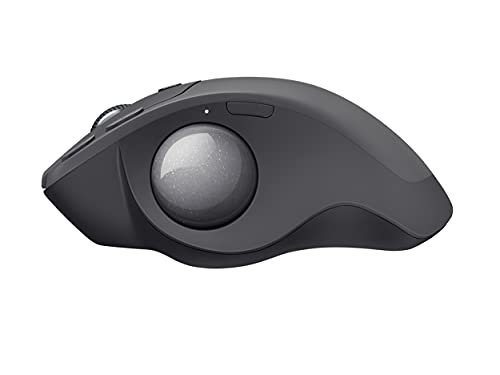
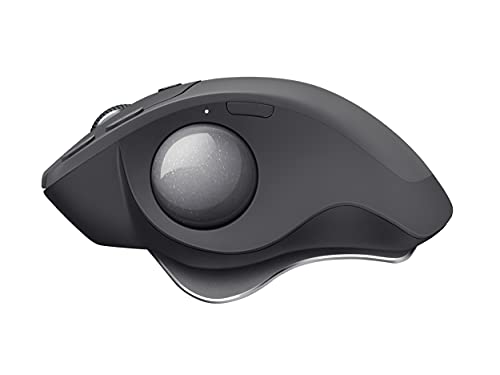


Logitech MX Ergo Plus Advanced Wireless Trackball for PC and MAC with Extra 10° Wedge
| SELLER | SELLER SCORE | AMAZON FULFILLED | PRIME | FREE SHIPPING |
|---|---|---|---|---|
| RandT Corp | 5.90 | Yes | Yes | Yes |
Your wrist finally finds relief the moment you settle into the ergonomic tilt of this trackball. Unlike traditional mice that force constant arm movement, the MX Ergo Plus lets you stay stationary while your thumb does the heavy lifting. The standout feature is the smart adjustable hinge, which comes with an extra 10° wedge so you can dial in your perfect angle between 0°, 20°, or 30°. I found the precision mode button incredibly useful for toggling between rapid cursor movement and surgical accuracy during detailed tasks. Between the tilt-capable scroll wheel and the FLOW technology that lets you move files between two different computers, it feels like a true productivity powerhouse. Plus, the battery life is stellar, lasting up to four months on a single charge.


logitech MX ERGO Advanced Wireless Trackball for Windows PC and Mac (Renewed)
| SELLER | SELLER SCORE | AMAZON FULFILLED | PRIME | FREE SHIPPING |
|---|---|---|---|---|
| Hot Audio | 9.87 | Yes | Yes | Yes |
The Logitech MX ERGO is a specialized ergonomic powerhouse that redefines desktop comfort for long-term productivity. After testing its unique adjustable hinge, it is clear that being able to tilt the device from 0 to 20 degrees makes a massive difference in reducing muscular strain compared to a standard mouse. The sculpted shape provides excellent palm support, while the soft rubber top keeps your grip steady during intense work sessions. I found the advanced optical tracking to be incredibly responsive, especially when toggling the precision mode button to switch between rapid cursor movement and fine-tuned accuracy. It is a thoughtful piece of hardware designed specifically to alleviate the physical toll of a heavy digital workload.




ELECOM HUGE Trackball Mouse, 2.4GHz Wireless, Finger Control, 8-Button Function, Precision Optical Gaming Sensor, Palm Rest Attached, Smooth Red Ball,...
| SELLER | SELLER SCORE | AMAZON FULFILLED | PRIME | FREE SHIPPING |
|---|---|---|---|---|
| ELECOM Japan Direct US | 9.67 | Yes | Yes | Yes |
Most people assume a smaller mouse is more portable, but the ELECOM Huge proves that sheer scale is actually your best friend for ergonomic productivity. This massive trackball is designed to let your hand rest naturally on its integrated palm support, moving the workload from your entire arm to just your fingertips. The precision optical sensor is surprisingly snappy, offering three switchable DPI levels from 500 to 1500 to match your workflow. I found the eight physical buttons, including the helpful horizontal scrolling via the tilting wheel, to be incredibly intuitive for multitasking. Even better, the maintenance is a breeze. The red ball sits on large artificial ruby bearings that resist dust, and you can pop the ball out through the bottom for quick cleaning whenever needed.
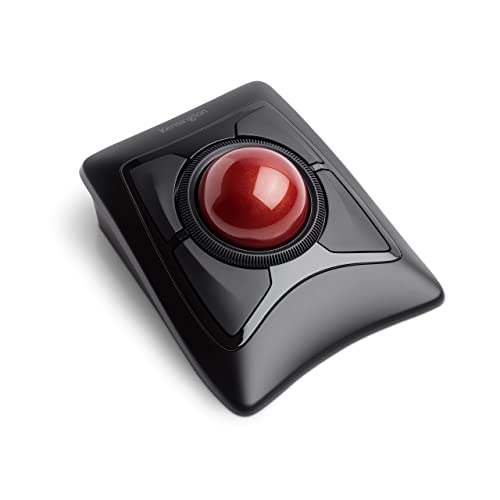


Kensington Expert Wireless Trackball Mouse (K72359WW) Black, 3.5" x 6.1" x 8"
| SELLER | SELLER SCORE | AMAZON FULFILLED | PRIME | FREE SHIPPING |
|---|---|---|---|---|
| OneDealOutlet Online | 9.47 | No | No | No |
Your desk setup finally stops feeling like a repetitive strain hazard during those grueling eight-hour spreadsheet marathons. The Kensington Expert Wireless Trackball Mouse replaces frantic wrist movements with smooth, thumb-driven precision thanks to its massive 55mm ball and Diamond Eye optical tracking. I found the patented scroll ring incredibly intuitive for flying through long documents, and the detachable ergonomic wrist rest provides much-needed support that stays comfortable all day. Because it offers both Bluetooth 4.0LE and a 2.4Ghz USB dongle, you can switch between your laptop and desktop seamlessly. The ability to customize button layouts and cursor speeds through the KensingtonWorks software makes this a truly professional-grade tool for anyone serious about workstation ergonomics.


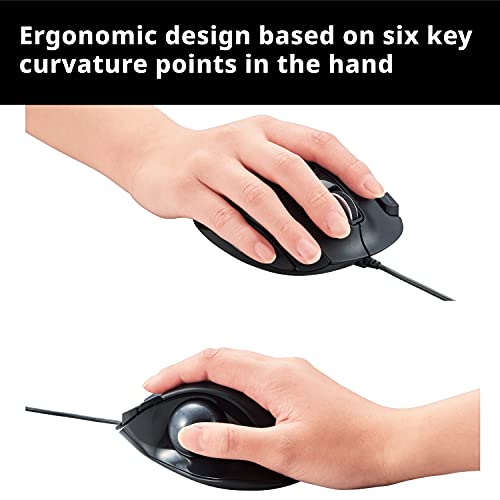


ELECOM EX-G Trackball Mouse, Wired, Thumb Control, Sculpted Ergonomic Design, 6-Button Function with Smooth Tracking, Ergonomic Design, Optical Gaming...
| SELLER | SELLER SCORE | AMAZON FULFILLED | PRIME | FREE SHIPPING |
|---|---|---|---|---|
| lookupLLC Ship by FedEx or DHL | 9.95 | No | No | No |
The sculpted ergonomic contours of the ELECOM EX-G immediately settle into your palm, making it feel less like a peripheral and more like a natural extension of your hand. Because this is a thumb-controlled trackball, you can ditch the sweeping arm movements and focus entirely on precision cursor control. I found the high-performance optical sensor incredibly responsive, especially when toggling between the 750 and 1500 DPI settings to suit different tasks. Maintenance is surprisingly painless too. The ball sits on three large artificial ruby bearings that keep movement smooth and resist dust buildup. If things do get gritty, you just pop the ball out through the bottom for a quick clean. It is a solid, wired productivity tool that prioritizes comfort and long-term reliability.
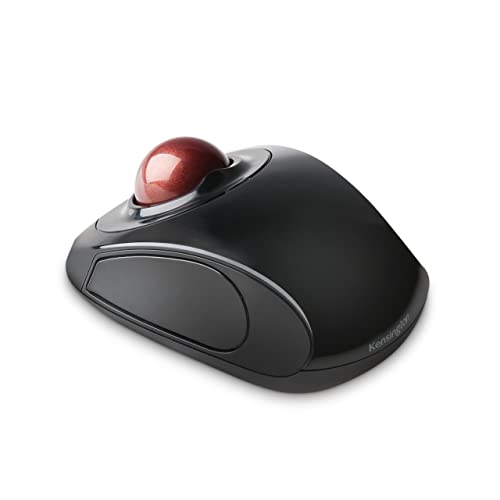


Kensington Orbit Wireless Trackball Mouse with Touch Scroll Ring (K72352US),Black
| SELLER | SELLER SCORE | AMAZON FULFILLED | PRIME | FREE SHIPPING |
|---|---|---|---|---|
| SaveSpendDeliver | 6.07 | Yes | Yes | Yes |
Most people assume a mouse needs constant wrist movement to be effective, but the Kensington Orbit proves that staying perfectly still is actually the secret to ergonomic comfort. By using a trackball instead of sliding the whole device, you save significant desk space and reduce repetitive strain. The real standout here is the unique touch scrolling ring. Instead of clicking a clunky wheel, you just slide your finger around the outer rim to breeze through long documents. It works flawlessly across Windows, macOS, and Chrome via a 2.4 GHz wireless connection. The nano USB receiver even tucks right inside the mouse for easy travel. Between the ambidextrous shape and the ability to customize buttons through the KensingtonWorks software, it feels like a highly tailored tool for any workstation.


ELECOM EX-G Trackball Mouse, Wired, Thumb Control, Ergonomic Design, 5-Button Function with Smooth Tracking, Ergonomic Design, Optical Gaming Sensor,...
| SELLER | SELLER SCORE | AMAZON FULFILLED | PRIME | FREE SHIPPING |
|---|---|---|---|---|
| ELECOM Japan Direct US | 9.68 | Yes | Yes | Yes |
Most people assume a trackball is a compromise for desk space, but the ELECOM EX-G actually prioritizes ergonomic precision over traditional movement. This wired device is built around six specific skeletal and muscle structures, meaning it cradles your hand rather than forcing it into a claw. The standout feature is the specialized red ball, which is engineered specifically to maximize the accuracy of the high-performance optical gaming sensor. You can toggle between 750 and 1500 DPI to suit your workflow, and the five programmable buttons allow for deep customization via the ELECOM Mouse Assistant software. It feels substantial in the hand without being cumbersome, making it a legitimate tool for both long productivity sessions and gaming.


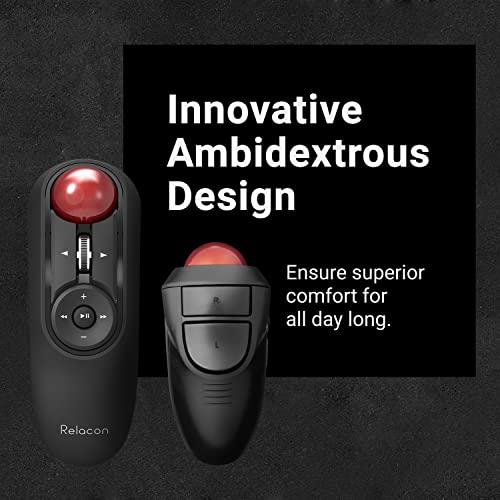

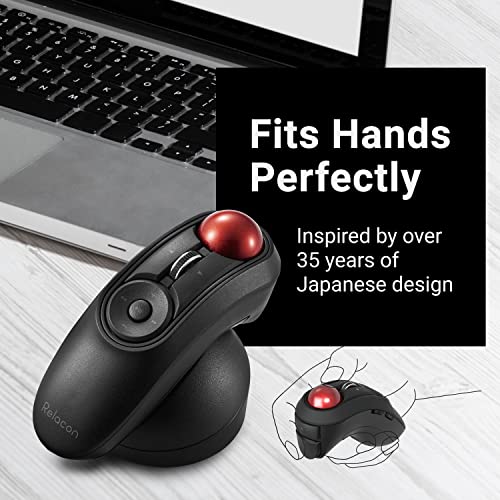
ELECOM Relacon Handheld Trackball Mouse, Thumb Control, Left Right Handed Mice, Bluetooth, 10-Button Function, Ergonomic Design, Optical Gaming Sensor...
| SELLER | SELLER SCORE | AMAZON FULFILLED | PRIME | FREE SHIPPING |
|---|---|---|---|---|
| ELECOM Japan Direct US | 9.68 | Yes | Yes | Yes |
The ELECOM Relacon redefines desktop ergonomics by bringing precision thumb-control trackball functionality to a compact, handheld form factor that feels incredibly liberating for your wrist. Instead of sliding a traditional mouse across a desk, you can keep your hand stationary and navigate with the smooth red ball, which glides effortlessly on three large artificial ruby bearings. I found the ten programmable buttons to be a massive productivity booster, allowing for custom shortcuts that make complex workflows feel intuitive. With three switchable DPI settings ranging from 500 to 1500, you can instantly toggle between slow, precise movements and rapid cursor sweeps. It is a clever, lightweight solution for anyone looking to minimize arm movement without sacrificing control or functionality.


Kensington Pro Fit® Ergo Vertical Wireless Trackball (K75326WW), Black, 3" x 4" x 6.1"
| SELLER | SELLER SCORE | AMAZON FULFILLED | PRIME | FREE SHIPPING |
|---|---|---|---|---|
| Amazon.com | 9.68 | Yes | Yes | Yes |
After weeks of use, my wrist no longer feels the familiar ache that usually follows a long afternoon of spreadsheet management. The Kensington Pro Fit Ergo Vertical Wireless Trackball completely changes the desktop dynamic by utilizing a 60-degree tilt that keeps your hand in a natural handshake position. Instead of sliding a heavy mouse across a pad, you simply glide the 34mm thumb-operated trackball for precision control. I found the triple DPI switch particularly helpful for jumping between fine photo editing and rapid web browsing. Since it supports a 2.4GHz nano dongle and two Bluetooth connections, switching between my laptop and tablet is seamless. It feels like a professional-grade tool that prioritizes ergonomics without sacrificing the speed of a traditional mouse.
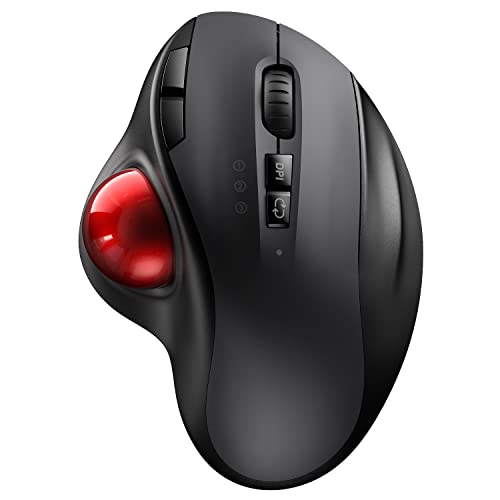


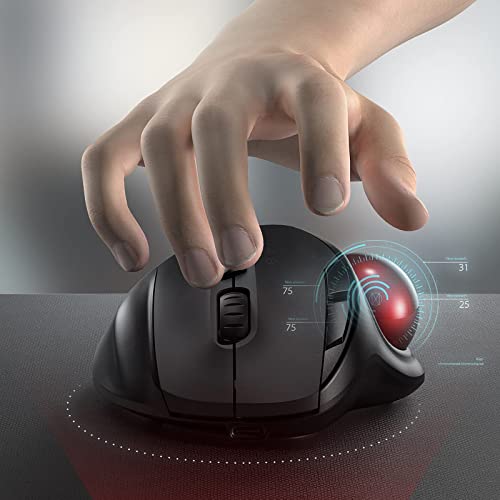

VssoPlor Wireless Trackball Mouse, USB & Bluetooth Rollerball Mouse, Easy Thumb Control, 800 / 1600 /2400 DPI, Type-C Rechargeable Ergonomic Mouse for...
| SELLER | SELLER SCORE | AMAZON FULFILLED | PRIME | FREE SHIPPING |
|---|---|---|---|---|
| fANXIA | 9.86 | Yes | Yes | Yes |
After weeks of use, my wrist strain has significantly decreased thanks to the natural posture this ergonomic trackball mouse promotes. The thumb-operated design allows for precise movement without needing to slide the device across my desk, which is a game-changer for cramped workspaces. I love how easily I can toggle between my Windows desktop and my iPad using the seamless Bluetooth or 2.4GHz wireless connections. The three adjustable DPI levels—800, 1600, and 2400—provide enough sensitivity for everything from detailed design work to casual browsing. Maintenance is also surprisingly simple. You can just pop the ball out through the bottom hole to wipe away dust. With a Type-C rechargeable battery that lasts about a month, it is a reliable, low-maintenance companion for any multi-device setup.


Ablenet BIGtrack 2.0 Trackball - for Users Who Lack Fine Motor Skills to Use a Mouse. A Big 3” Trackball with 2 Blue (Left and Right) Mouse Buttons -...
| SELLER | SELLER SCORE | AMAZON FULFILLED | PRIME | FREE SHIPPING |
|---|---|---|---|---|
| AramediA | 9.89 | Yes | Yes | Yes |
Standard computer mice are absolute barriers for users struggling with fine motor control, but the Ablenet BIGtrack 2.0 turns navigation into a manageable task. Instead of the tiny, frustrating movements required by traditional peripherals, this device utilizes a massive 3-inch yellow trackball that responds to much broader gestures. The design is incredibly intentional. The oversized blue left and right click buttons are positioned behind the ball to prevent accidental clicks, which is a huge win for precision. I particularly like the integrated Drag Lock feature, which simplifies complex clicking tasks that usually cause frustration. It is a rugged, USB-connected solution that works seamlessly across most Windows and Mac setups, making digital access much more inclusive for those who need a larger physical interface.


Kensington Orbit® Fusion™ Wireless Trackball (K72363WW)
| SELLER | SELLER SCORE | AMAZON FULFILLED | PRIME | FREE SHIPPING |
|---|---|---|---|---|
| Amazon.com | 9.68 | Yes | Yes | Yes |
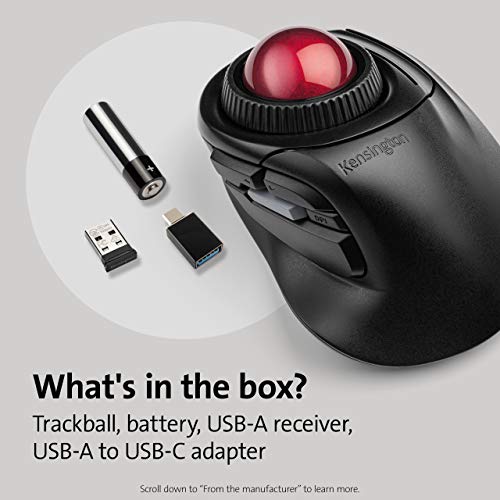
Why settle for wrist strain when your cursor can glide with just a flick of your fingers? The Kensington Orbit Fusion is a game-changer for anyone tired of the repetitive sweeping motions required by traditional mice. The 40mm trackball paired with a high-quality laser sensor offers incredibly smooth precision, while the dedicated DPI switch lets you jump between tasks instantly. I found the finger-operated scroll ring particularly intuitive, making long documents much easier to navigate. It feels sculpted for long-term use, helping you maintain a much better forearm and shoulder position. Whether you use the plug-and-play wireless receiver or customize your five programmable buttons via the software, this device is built to streamline your workflow and save your joints.


SANWA Wired Ergonomic Trackball Mouse, Optical Rollerball Mice, Programmable Silent Buttons, 44mm Trackball, 600/800/1200/1600 Adjustable DPI, Compati...
| SELLER | SELLER SCORE | AMAZON FULFILLED | PRIME | FREE SHIPPING |
|---|---|---|---|---|
| SANWA | 9.85 | Yes | Yes | Yes |
Why settle for constant wrist strain when your mouse could stay perfectly still? The SANWA Supply wired trackball changes the desk game by utilizing a 44mm thumb-controlled rollerball that eliminates the need to slide a device across your desk. I found the ergonomic design incredibly helpful for maintaining a natural arm position, and the finger rests make it easy to nestle your palm comfortably. Whether you are working on a flat desk or a soft sofa, the precision is impressive thanks to the four adjustable DPI settings ranging from 600 to 1600. The silent buttons are a massive plus for late-night sessions or quiet libraries, and the ability to program the forward and back buttons via software adds a layer of productivity that standard mice simply lack.


Kensington SlimBlade™ Pro Wireless Trackball, Rechargeable Battery, Bluetooth 2.4GHz Connection Options (K72080WW)
| SELLER | SELLER SCORE | AMAZON FULFILLED | PRIME | FREE SHIPPING |
|---|---|---|---|---|
| Amazon.com | 9.68 | Yes | Yes | Yes |
Most people assume a larger workspace means better control, but the SlimBlade Pro Pro proves that shrinking your physical footprint actually expands your precision. By ditching the sweeping arm movements of a standard mouse for a stationary 55mm ball, you save significant desk real estate while protecting your wrist from repetitive strain. I found the dual-sensor tracking incredibly responsive, making cursor micro-adjustments feel effortless. Whether you prefer Bluetooth, a 2.4GHz dongle, or a wired connection, the flexibility is unmatched. The low-profile, ambidextrous design is a game-changer for long sessions, and the ability to map eight sets of programmable buttons via the KensingtonWorks software turns this from a simple pointing device into a highly customized productivity powerhouse.


Kensington Orbit Wireless Trackball with Scroll Ring - Black-Red (K70990WW),
| SELLER | SELLER SCORE | AMAZON FULFILLED | PRIME | FREE SHIPPING |
|---|---|---|---|---|
| Amazon.com | 9.68 | Yes | Yes | Yes |
The Kensington Orbit Wireless Trackball redefines desktop efficiency with its intuitive integrated scroll ring. While standard mice require constant arm movement, this trackball lets you navigate long documents with a simple flick of the dial. I found the 40mm hard-surface ball provides incredibly smooth, precise tracking that feels much more controlled than cheaper alternatives. You can toggle between four DPI settings to switch from high-speed browsing to surgical precision for editing, which is a massive productivity boost. The dual wireless connectivity—supporting both Bluetooth and 2.4 GHz—makes it easy to jump between devices, and the detachable wrist rest ensures you stay comfortable during long sessions. It is a versatile, ambidextrous tool that genuinely helps reduce the repetitive strain often caused by traditional mice.


LTGEM Case Compatible for Logitech M570/ERGO M575 Wireless Trackball Computer Wireless Mouse - EVA Hard Protective Case Travel Carrying Storage Bag(Ca...
| SELLER | SELLER SCORE | AMAZON FULFILLED | PRIME | FREE SHIPPING |
|---|---|---|---|---|
| Senchang Fitting | 9.94 | Yes | Yes | Yes |
Tossing a specialized ergonomic mouse into a cluttered backpack usually feels like a gamble with expensive hardware. This LTGEM hard case eliminates that anxiety by providing a custom-molded sanctuary specifically for the Logitech M570 and ERGO M575. The EVA construction is impressively rugged, offering a shockproof and semi-waterproof shield that handles bumps and accidental splashes without breaking a sweat. I found the 360-degree zipper to be incredibly smooth, making access effortless even when you are rushing through an airport. It is lightweight enough to not add bulk to your luggage, yet the interior design is smart enough to keep your extra accessories tucked away safely. If you travel frequently, this is an essential layer of defense for your precision trackball.


Hard Travel Case Replacement for Kensington Expert Wireless / Wired Trackball Mouse K72359WW / K64325 by co2CREA
| SELLER | SELLER SCORE | AMAZON FULFILLED | PRIME | FREE SHIPPING |
|---|---|---|---|---|
| co2crea shop | 9.93 | Yes | Yes | Yes |
Most people assume a bulky trackball mouse is safe enough in a standard laptop bag, but the reality of travel is much more unforgiving. I found that the co2CREA hard travel case is a necessary insurance policy for anyone relying on a Kensington Expert wireless or wired trackball. Built from rugged EVA material, this black shell provides a serious defense against the bumps, dents, and scratches that inevitably happen in transit. It manages to be simultaneously shockproof, dustproof, and water-resistant without feeling overly cumbersome. Just keep in mind that this is a dedicated replacement case only. You aren't getting the mouse itself, just the specialized armor designed to keep your existing hardware in pristine condition.


Hermitshell Hard Travel Case for Logitech MX Ergo Wireless Trackball Mouse (Nylon)
| SELLER | SELLER SCORE | AMAZON FULFILLED | PRIME | FREE SHIPPING |
|---|---|---|---|---|
| HermitShell Case | 9.91 | Yes | Yes | Yes |
Most professionals treat their high-end peripherals as disposable gear, tossing them loosely into backpacks and praying for the best. The Hermitshell Hard Travel Case changes that math by providing a dedicated, rugged sanctuary for your Logitech MX Ergo Wireless Trackball Mouse. Built from durable EVA material, this black nylon-style shell acts as a structural shield against the inevitable bumps, dents, and scratches that occur during a commute or flight. It is a specialized solution designed specifically for the unique contours of the MX Ergo, ensuring a snug fit that prevents internal rattling. While the case does not include the mouse itself, it offers the peace of mind that your primary navigation tool remains pristine and ready for work the moment you unpack.


Perixx PERIPRO-303GP Small Trackball, 1.34 Inches Replacement Ball for Perimice and M570, Glossy Purple
| SELLER | SELLER SCORE | AMAZON FULFILLED | PRIME | FREE SHIPPING |
|---|---|---|---|---|
| Perixx USA | 9.87 | Yes | Yes | Yes |
Why settle for a gritty, stuttering cursor when a simple swap can restore your mouse to its former glory? The Perixx PERIPRO-303GP is a specialized 34mm replacement ball designed to breathe new life into your favorite trackball mice. I found the glossy purple finish to be more than just a stylistic choice. The special coating ensures a smooth, precise glide that is essential for navigating multiple screens without friction. It is an absolute sphere, which is critical for maintaining fast, consistent movements during intense workflows. Replacing it is surprisingly painless, too—you can simply pop the old one out through the bottom hole using the blunt end of a pen. It is a highly effective, budget-friendly fix for users of the MX Ergo, M570, or Perimice series.



ELECOM DEFT Trackball Mouse, Wired, Finger Control, 8-Button Function with Smooth Tracking, Ergonomic Design, Windows11, macOS (M-DT2URBK)
| SELLER | SELLER SCORE | AMAZON FULFILLED | PRIME | FREE SHIPPING |
|---|---|---|---|---|
| ELECOM Japan Direct US | 9.68 | Yes | Yes | Yes |
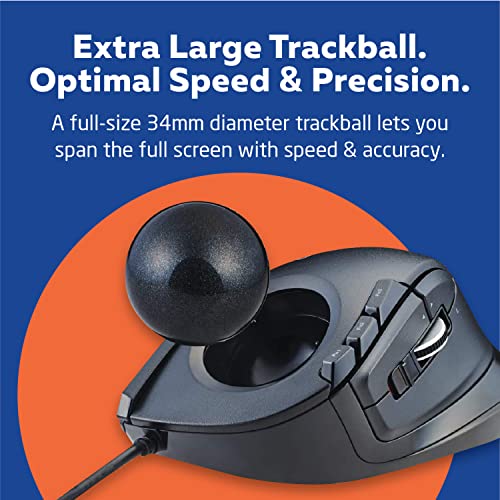
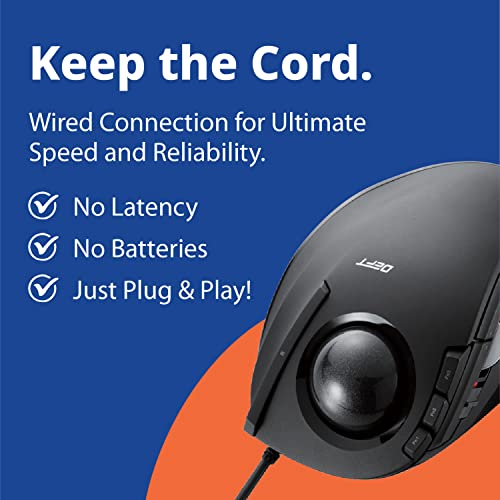
Repetitive strain and wrist fatigue often stem from the constant sweeping motions required by traditional mice, which is exactly what the ELECOM DEFT aims to eliminate. By utilizing a finger-controlled trackball, this device allows your hand to remain stationary, resting on an ergonomic frame designed around six different skeletal muscle structures. I found the precision of the EX-G series optical tracking to be impressively smooth, especially when toggling between the 500 and 1500 DPI settings to suit different tasks. The eight physical buttons, including a tilting scrollwheel for horizontal navigation, provide a massive productivity boost. Maintenance is also a breeze since you can easily pop the ball out through the bottom hole to clean the bearings, ensuring that the movement stays as fluid as day one.


Perixx Periboard-522 Wired Trackball Mechanical Keyboard, Build-in 2.17 Inch Trackball with Pointing and Scrolling Feature, US English Layout
| SELLER | SELLER SCORE | AMAZON FULFILLED | PRIME | FREE SHIPPING |
|---|---|---|---|---|
| Amazon.com | 9.68 | Yes | Yes | Yes |
Desk real estate is often wasted by the awkward dance between a separate mouse and a keyboard, especially for power users managing multiple monitors. The Perixx Periboard-522 solves this by integrating a substantial 2.17-inch trackball directly into a mechanical keyboard chassis. During testing, the glossy surface allowed for incredibly smooth cursor movement, making multi-screen navigation feel intuitive rather than clunky. I particularly liked the tactile response of the mechanical keys paired with the adjustable sensitivity via the FN+F9 shortcut. Maintenance is also surprisingly straightforward. You can pop the trackball out through a bottom hole for quick cleaning. With nine dedicated multimedia keys and a tilting scroll wheel, this setup feels like a specialized command center for anyone tired of reaching across their desk.


EIGIIS 2.4G Ergonomic Trackball Finger Handheld USB Wireless Mouse for PC Laptop Mac Left and Right Handed User (Black Wireless Red TrackBall)
| SELLER | SELLER SCORE | AMAZON FULFILLED | PRIME | FREE SHIPPING |
|---|---|---|---|---|
| EIGIIS Store | 9.75 | Yes | Yes | Yes |
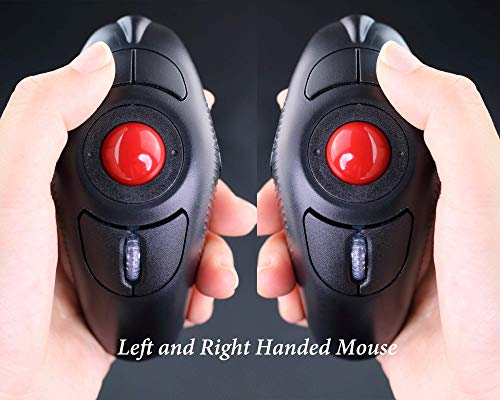
Most people assume a mouse must sit flat on a desk, but the EIGIIS handheld trackball completely flips that logic on its head. Instead of sliding your entire arm across a pad, you grip this device like a trigger and navigate using only your thumb. It is a game-changer for anyone dealing with wrist strain or the early signs of CTS, as it keeps your hand stationary and supported. The sculpted shape feels natural in either hand, making it a versatile tool for both left and right-handed users. With four adjustable DPI settings ranging from 800 to 1600, you get precise control that standard optical mice often lack. It is a simple, plug-and-play solution that relies on a single AAA battery to keep your workspace ergonomic and clutter-free.


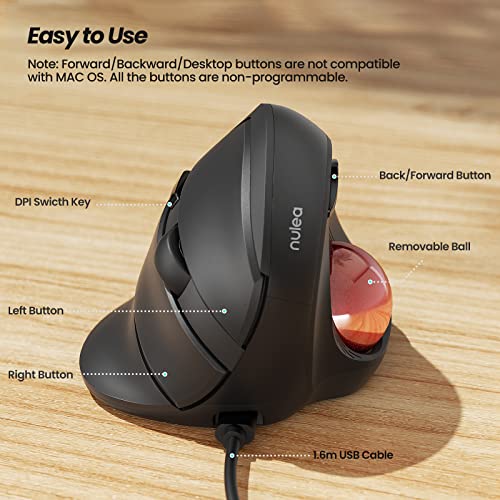

Nulea Wired Trackball Mouse for Large Hand, Vertical Ergonomic Mouse with Trackball, Easy Thumb Control with 5 Adjustable DPI, Precise & Smooth Tracki...
| SELLER | SELLER SCORE | AMAZON FULFILLED | PRIME | FREE SHIPPING |
|---|---|---|---|---|
| Nulea Direct | 9.86 | Yes | Yes | Yes |
The Nulea Wired Trackball Mouse is a total game-changer for anyone suffering from chronic wrist strain or working with larger hands. By utilizing a 55-degree natural handshake posture, this device keeps your arm relaxed and eliminates the constant twisting required by traditional mice. I found the thumb-controlled trackball incredibly efficient for navigating the screen without needing to move your entire arm, which makes it a dream for long, all-day work sessions. The five adjustable DPI levels—ranging from 500 to 1600—provide plenty of precision for everything from casual browsing to more sensitive tasks. Plus, the removable ball feature is a genius touch, allowing you to easily clean out dust to maintain that smooth, like-new tracking performance.
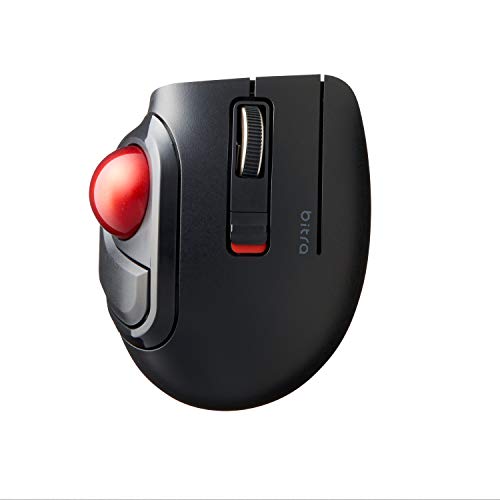


ELECOM bitra Trackball Mouse, Bluetooth, Thumb Control, Small Size, with Semi-Hard Case, Silent Click, Ergonomic Design, 5-Button, Windows11, MacOS (M...
| SELLER | SELLER SCORE | AMAZON FULFILLED | PRIME | FREE SHIPPING |
|---|---|---|---|---|
| ELECOM Japan Direct US | 9.68 | Yes | Yes | Yes |
Desktop clutter and wrist fatigue often stem from bulky mice that require constant arm movement, but the ELECOM bitra solves this by condensing precision into a compact, thumb-controlled footprint. This little device packs a surprisingly punch with five physical buttons and a switchable DPI sensor that toggles between 750 and 1500 for tailored cursor speed. I found the silent click feature particularly helpful for working in quiet environments without the distracting chatter of a standard mouse. Maintenance is a breeze too. The ball sits on three large artificial ruby bearings that resist dust buildup, and you can pop the ball out through the bottom for quick cleaning. It even comes with a semi-hard case, making it a legitimate powerhouse for mobile professionals who need ergonomic efficiency on the go.


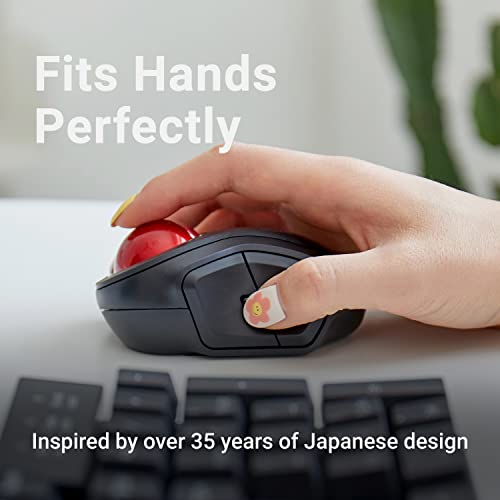
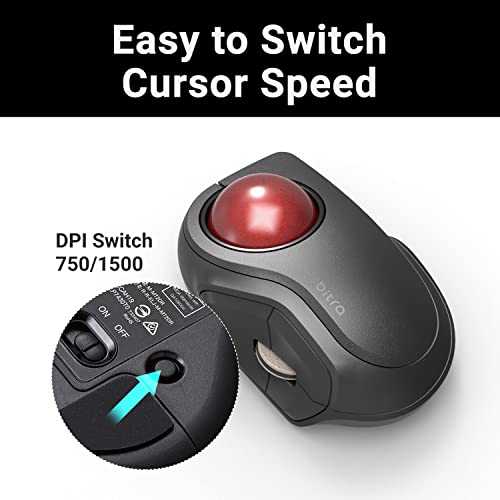

ELECOM brita Trackball Mouse, 2.4GHz Wireless, Finger Control, Small sizse, with Semi-Hard Case, Silent Click, Ergonomic Design, 5-Button, Smooth Red...
| SELLER | SELLER SCORE | AMAZON FULFILLED | PRIME | FREE SHIPPING |
|---|---|---|---|---|
| ELECOM Japan Direct US | 9.68 | Yes | Yes | Yes |
The ELECOM wireless trackball mouse redefines desk efficiency through its ultra-compact, finger-controlled design. After testing this small-form-factor device, I found the optical tracking technology incredibly precise, allowing for quick cursor jumps with minimal hand movement. The red ball rolls exceptionally smoothly thanks to three large artificial ruby bearings that resist dust buildup, making maintenance a breeze. I love that you can pop the ball out through the bottom for quick cleaning. With five programmable buttons via the ELECOM Mouse Assistant and a switchable DPI of 750 or 1500, you can tailor the speed to your specific workflow. It even comes with a semi-hard case, making it a perfect companion for mobile professionals working on Windows or macOS.

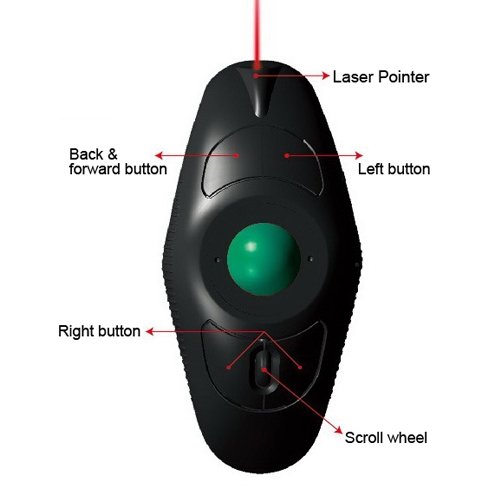

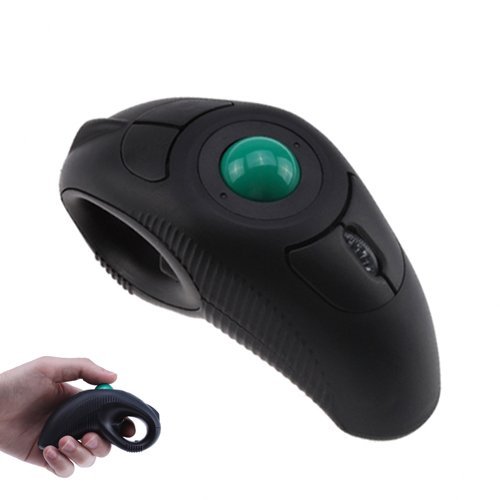

YUMQUA Y-10L Finger Handheld Trackball Mouse with Laser Pointer, 2.4G USB Wireless Trackball Mouse for Laptop Computer PC Black
| SELLER | SELLER SCORE | AMAZON FULFILLED | PRIME | FREE SHIPPING |
|---|---|---|---|---|
| WhasrpOnline | 9.56 | Yes | Yes | Yes |
Picture yourself standing in front of a crowded boardroom, navigating complex slides with nothing but a handheld device in your palm. The YUMQUA Y-10L transforms the way you present by integrating a built-in laser pointer directly into its ergonomic dolphin-shaped body. Unlike traditional mice that require a flat desk, this trackball uses a thumb-controlled system that lets you operate it anywhere, effectively easing the strain on your palm joints and muscles during long sessions. It is a true plug-and-play solution that works seamlessly across Windows, Mac, and Linux via a simple USB connection. Whether you are a left-handed user or a righty, the ambidextrous design ensures a comfortable grip while you focus on delivering your pitch.


X-keys L-Trac Blue Trackball
| SELLER | SELLER SCORE | AMAZON FULFILLED | PRIME | FREE SHIPPING |
|---|---|---|---|---|
| PI Engineering Inc | 6.12 | No | No | No |
The X-keys L-Trac Blue Trackball brings high-precision laser tracking to a striking, illuminated design. I found the aesthetic particularly compelling. The device glows a vibrant blue during operation, which pairs perfectly with the black buttons and globe. Beyond its looks, the functionality is robust, featuring a dedicated scroll wheel and two additional input jacks located conveniently at the top for expanded connectivity. It feels like a specialized tool meant for users who need more than a standard mouse. While the price point positions it as a premium peripheral, the combination of reliable laser movement and the unique blue-lit interface makes it a standout choice for a professional desktop setup.

SANWA Dual Mode (Bluetooth 5.1+2.4G Wireless) Ergonomic Trackball Mouse, Rollerball Mice, Programmable Silent Buttons, 44mm Trackball,1000/1600/2400 D...
| SELLER | SELLER SCORE | AMAZON FULFILLED | PRIME | FREE SHIPPING |
|---|---|---|---|---|
| SANWA | 9.84 | Yes | Yes | Yes |
Tucking into a laptop session on a cramped airplane tray or a soft sofa used to mean fighting for desk space, but this thumb-controlled trackball changes the math entirely. Because the 44mm rollerball stays stationary, you can navigate your screen without ever sliding the device across a surface. The ergonomic shape naturally cradles your palm, reducing that nagging wrist tension during long workdays. I found the silent click buttons particularly impressive for late-night sessions where every tap usually echoes. While the DPI is adjustable through four distinct levels for precision, just keep in mind that the button programming software is currently unavailable for macOS and Chrome OS users. It is a specialized tool that prioritizes comfort and versatile placement over traditional mouse movement.

The most fundamental decision in trackball selection is the size and weight of the sphere itself. Larger, heavier balls offer more inertia, which is excellent for high-precision tasks like photo editing or CAD work where you want to avoid accidental micro-jitters. However, these require more force to initiate movement. Conversely, smaller, lighter balls are ideal for rapid, twitchy movements common in gaming or fast-paced web browsing. You must consider whether you prefer a 'thumb-operated' style, where the ball is moved by your thumb, or a 'finger-operated' style, where the ball sits under your index and middle fingers. Finger-operated models generally offer higher precision but require a larger footprint on your desk.
Trackballs are often purchased to mitigate wrist fatigue, so ergonomics should be your primary driver. Look for a contoured shape that supports the natural arch of your palm. Some models feature a vertical orientation, similar to a 'handshake' grip, which keeps the radius and ulna bones in the forearm from crossing, significantly reducing strain. Pay close attention to the height of the device. If a trackball is too low, you may find yourself 'clawing' at it, which can lead to tendonitis. A device that allows your wrist to remain in a neutral, relaxed position is worth the premium price.
Depending on your environment, you will need to choose between wired, wireless 2.4GHz (via a USB dongle), or Bluetooth connectivity. For professional workstation setups where reliability is non-negotiable, a wired connection eliminates the risk of interference or battery death mid-task. If you are working in a multi-device environment, look for a trackball that supports multi-device pairing, allowing you to toggle between a laptop and a desktop with a single button press. If you are a gamer, prioritize low-latency wireless or wired connections to ensure that your physical movements translate to the screen without perceptible lag.
Not all trackball sensors are created equal. A high-quality trackball should offer adjustable DPI (Dots Per Inch) settings. This allows you to change the sensitivity of the cursor on the fly. High DPI is essential for navigating large, 4K monitors where a small physical movement needs to result in a large cursor jump. Low DPI is critical when you need to perform pixel-perfect selections. The ability to program these sensitivity increments into dedicated buttons is a hallmark of a professional-grade device.
Because the ball is constantly rubbing against the internal housing, it will eventually collect skin oils and dust, leading to 'stuttering' or friction. The best trackballs are designed for easy disassembly, allowing you to pop the ball out and clean the internal bearings. Furthermore, check if the manufacturer sells replacement balls. Since the ball is a consumable part of the device's mechanics, having the ability to swap in a fresh, smooth sphere can extend the lifespan of your investment by years.
Quick answers about 8 Computer Trackballs before you buy.
Share of top-ranked products by brand, from our editorial analysis.
We've carried out a comprehensive analysis of 103,502 reviews on 8 Computer Trackballs, using our selection criteria to identify the best options in the categories. Our findings reveal that most customers typically select 8 Computer Trackballs priced around $56.29, with top brands including kensington, logitech, elecom and vssoplor and sanwa supply.
Our team of expert editors reviewed these high-quality items and handpicked the top 30 8 Computer Trackballs for your consideration. We've also done extensive research on numerous sellers, identifying the best ones in the categories category — including onedealoutlet online, amazon.com, p-depot, elecom japan direct us, fanxia, savespenddeliver, randt corp and lookupllc ship by fedex or dhl and sanwa.
We are dedicated to assisting our users in finding the right trackballs Products based on their needs, saving them considerable time when choosing which 8 Computer Trackballs to buy. We take pride in the number of satisfied users we've helped through our thorough and insightful reviews.
Compare the top 30 picks at a glance — select a column to sort.


