#TOP1

For professionals who spend hours navigating complex CAD interfaces, video editing timelines, or massive spreadsheets, the standard mouse can become a source of repetitive strain and wrist fatigue. Optical trackballs offer a radical ergonomic departure: instead of moving the entire device across a desk, you move only your thumb or fingers to manipulate the cursor. This shift places the workload on smaller, more agile muscles and keeps the wrist in a neutral, stationary position. Choosing the right trackball isn't just about finding a cursor controller. It's about selecting a precision instrument that matches your hand anatomy and workflow speed.
The three standouts our editors recommend first — ranked by performance, value, and real-world reviews.


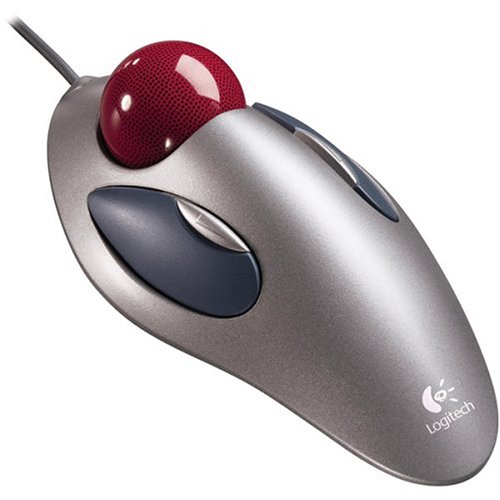
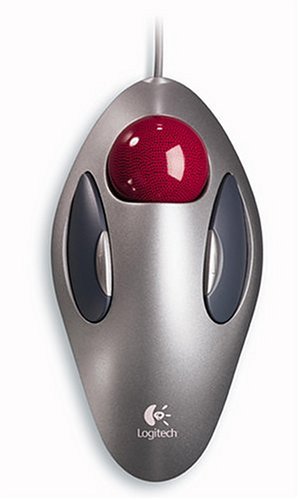
Logitech Optical Trackball Marble Mouse
| SELLER | SELLER SCORE | AMAZON FULFILLED | PRIME | FREE SHIPPING |
|---|---|---|---|---|
| Same-Day Pro: New & In Stock (FREE Prime Delivery) | 5.10 | No | No | No |
The Logitech Marble Mouse redefines desktop precision through its dedicated optical trackball movement. Unlike standard mice that require constant wrist movement, this device lets you navigate your screen with simple thumb gestures, making it a lifesaver for ergonomic comfort. It features a reliable four-button layout and a two-way scrolling function that feels incredibly intuitive during long sessions. Connectivity is straightforward thanks to the included external adapter, allowing you to use it via USB or the older PS/2 standard. While the hardware feels robust and built to last, the reliance on a wired connection means you'll want to keep your workspace tidy to avoid cable clutter. It is a specialized tool that prioritizes stability and classic input methods over modern wireless trends.




ELECOM HUGE Trackball Mouse, 2.4GHz Wireless, Finger Control, 8-Button Function, Precision Optical Gaming Sensor, Palm Rest Attached, Smooth Red Ball,...
| SELLER | SELLER SCORE | AMAZON FULFILLED | PRIME | FREE SHIPPING |
|---|---|---|---|---|
| ELECOM Japan Direct US | 9.67 | Yes | Yes | Yes |
Most people assume a smaller mouse is more portable, but the ELECOM Huge proves that sheer scale is actually your best friend for ergonomic productivity. This massive trackball is designed to let your hand rest naturally on its integrated palm support, moving the workload from your entire arm to just your fingertips. The precision optical sensor is surprisingly snappy, offering three switchable DPI levels from 500 to 1500 to match your workflow. I found the eight physical buttons, including the helpful horizontal scrolling via the tilting wheel, to be incredibly intuitive for multitasking. Even better, the maintenance is a breeze. The red ball sits on large artificial ruby bearings that resist dust, and you can pop the ball out through the bottom for quick cleaning whenever needed.

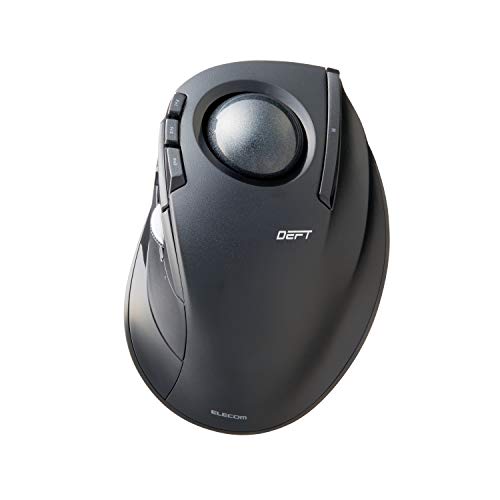
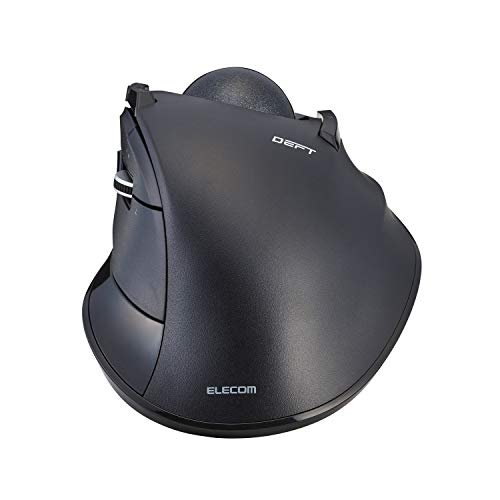
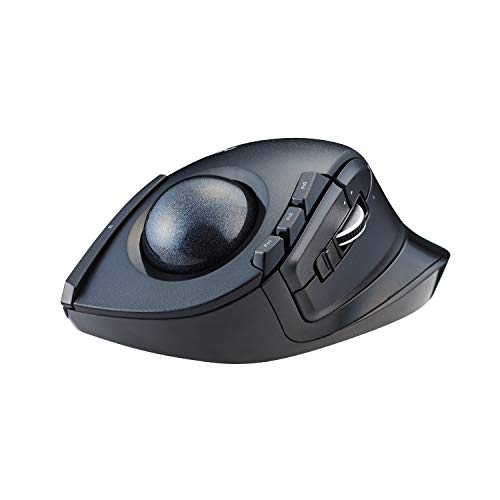
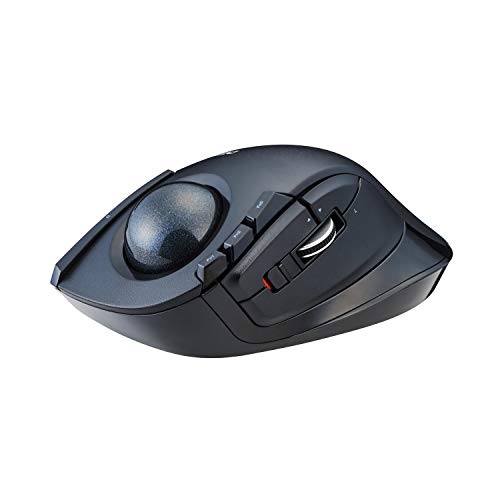
ELECOM DEFT Trackball Mouse, 2.4GHz Wireless, Finger Control, 8-Button Function with Smooth Tracking, Ergonomic Design, Optical Gaming Sensor, Windows...
| SELLER | SELLER SCORE | AMAZON FULFILLED | PRIME | FREE SHIPPING |
|---|---|---|---|---|
| ELECOM Japan Direct US | 9.67 | Yes | Yes | Yes |
Why settle for wrist strain when you can master your desktop with a single finger? The ELECOM DEFT trackball is a masterclass in ergonomic engineering, specifically designed around six different skeletal and muscle structures to minimize hand fatigue during long sessions. Unlike traditional mice, this wireless device uses a high-performance optical gaming sensor that provides incredibly precise cursor movement. You can toggle between 750 and 1500 DPI to match your workflow speed, and the eight programmable buttons allow for deep customization via the dedicated software. I particularly like how the ball is held by bearings but remains easy to pop out through the bottom for quick cleaning. It is a productivity powerhouse that feels incredibly natural in the hand.


ELECOM EX-G Trackball Mouse, 2.4GHz Wireless, Thumb Control, Sculpted Ergonomic Design, 6-Button Function with Smooth Tracking, Ergonomic Design, Opti...
| SELLER | SELLER SCORE | AMAZON FULFILLED | PRIME | FREE SHIPPING |
|---|---|---|---|---|
| ELECOM Japan Direct US | 9.67 | Yes | Yes | Yes |
Digital professionals battling repetitive strain injury need the ELECOM EX-G trackball to reclaim their desktop comfort. This sculpted, ergonomic device shifts the workload from your entire arm to a precise thumb movement, which is a total game-changer for long productivity sessions. I was particularly impressed by the optical gaming sensor that allows you to toggle between 750 and 1500 DPI with a single button, making cursor control feel incredibly snappy. The six physical buttons, plus the tilting scrollwheel for horizontal navigation, provide a level of utility that standard mice just can't match. Maintenance is also surprisingly painless. You can simply pop the ball out through the bottom to clean it, and the large artificial ruby ball bearings keep everything gliding smoothly without constant dust buildup.
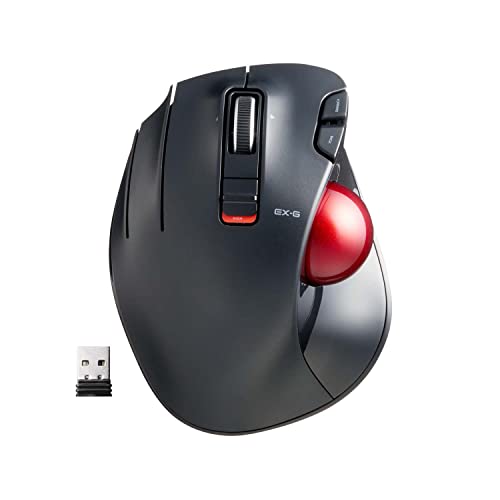


ELECOM EX-G Left-Handed Trackball Mouse, 2.4GHz Wireless, Thumb Control, 6-Button Function, Ergonomic Design, Optical Gaming Sensor, Smooth Red Ball,...
| SELLER | SELLER SCORE | AMAZON FULFILLED | PRIME | FREE SHIPPING |
|---|---|---|---|---|
| ELECOM Japan Direct US | 9.68 | Yes | Yes | Yes |
Left-handed power users have finally found their ergonomic savior in the ELECOM EX-G trackball. Most peripherals ignore southpaws, but this wireless unit is purpose-built for left-handed thumb control, making it a rare gem for ergonomic comfort. The standout feature is the specialized red ball, which is engineered specifically to maximize the accuracy of the high-performance optical gaming sensor. I found the dual DPI settings—switching between 750 and 1500—extremely helpful for toggling between precise design work and rapid cursor movement. With six customizable buttons via the dedicated software, you can truly tailor your workflow. It is a lightweight, efficient tool that prioritizes precision without requiring massive hand movements across your desk.
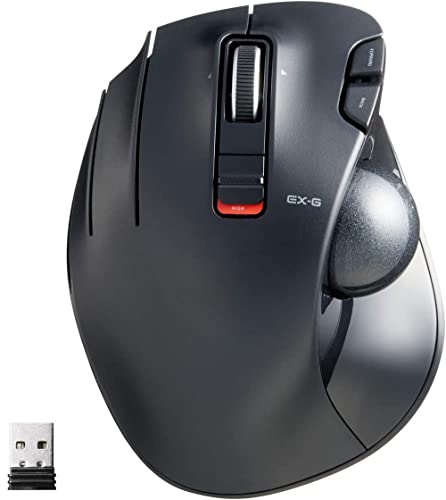


ELECOM EX-G Left-Handed Trackball Mouse, 2.4GHz Wireless, Thumb Control, 6-Button Function with Smooth Tracking, Ergonomic Design, 32mm ball Windows11...
| SELLER | SELLER SCORE | AMAZON FULFILLED | PRIME | FREE SHIPPING |
|---|---|---|---|---|
| ELECOM Japan Direct US | 9.68 | Yes | Yes | Yes |
The ELECOM EX-G Left-Handed Trackball Mouse is a rare find that finally brings ergonomic thumb control to the left-handed community. Instead of dragging a traditional mouse across your desk, you simply manipulate the 32mm ball for precise, high-performance optical tracking that significantly boosts productivity. I found the six physical buttons, including the tiltable scroll wheel for horizontal movement, incredibly intuitive for navigating complex spreadsheets or creative software. The ability to toggle between 750 and 1500 DPI allows you to switch from slow, surgical precision to rapid cursor movement instantly. Maintenance is a breeze too. The ball sits on three large artificial ruby bearings that prevent dust buildup, and you can easily pop the ball out through the bottom for quick cleaning.


ELECOM DEFT PRO Trackball Mouse, Wired, Wireless, Bluetooth 3 Types Connection, Ergonomic Design, 8-Button Function, Red Ball, Windows11, MacOS (M-DPT...
| SELLER | SELLER SCORE | AMAZON FULFILLED | PRIME | FREE SHIPPING |
|---|---|---|---|---|
| ELECOM Japan Direct US | 9.67 | Yes | Yes | Yes |
Most people settle for standard mice that force their wrists into awkward, repetitive strain, but the ELECOM DEFT PRO shifts the entire workload to your thumb. This ergonomic powerhouse utilizes high-performance optical tracking to ensure every micro-movement is translated with precision onto your screen. I was particularly impressed by the triple-mode connectivity, allowing you to swap between wired, wireless, and Bluetooth setups seamlessly. The eight customizable buttons, paired with switchable DPI settings of 500, 1000, and 1500, turn this into a genuine productivity tool rather than just a peripheral. Even maintenance is a breeze. The red ball sits on large artificial ruby bearings that resist dust, and you can pop the ball out through the bottom for quick cleaning without any struggle.
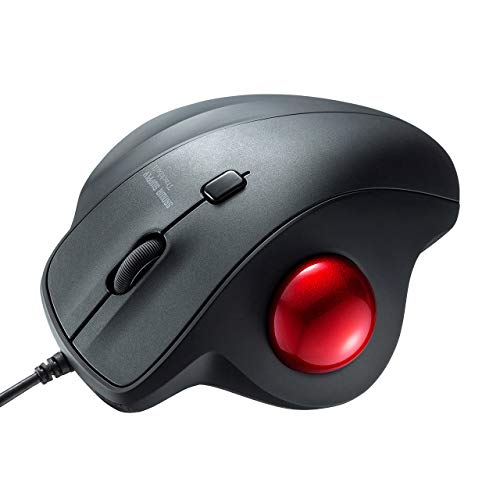
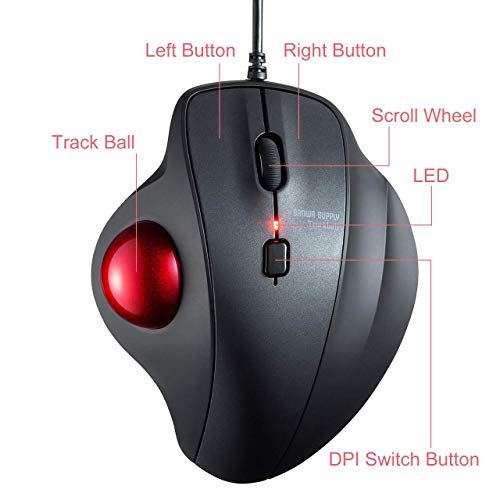


SANWA Wired Ergonomic Trackball Mouse, Optical Vertical Rollerball Mice, Silent Buttons, 34mm Trackball, 600/800/1200/1600 Adjustable DPI, Compatible...
| SELLER | SELLER SCORE | AMAZON FULFILLED | PRIME | FREE SHIPPING |
|---|---|---|---|---|
| SANWA | 9.84 | Yes | Yes | Yes |
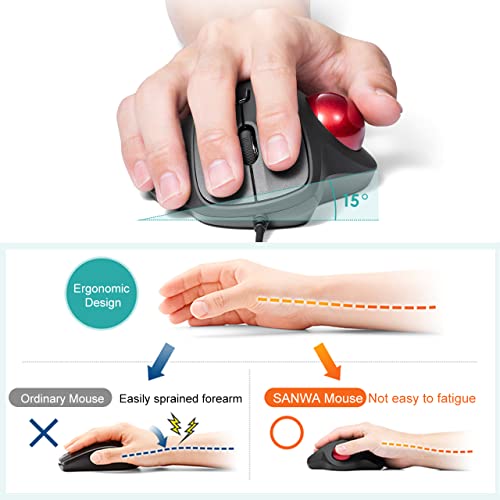
Most people assume a mouse needs to move across a desk to be effective, but the SANWA SUPPLY vertical trackball proves that staying perfectly still is actually the secret to comfort. By using a 34mm thumb-controlled ball, you can navigate your screen from your lap or a sofa without ever sliding the device around. The ergonomic shape forces your wrist into a much more natural position, which significantly cuts down on that familiar muscle tension during long work sessions. I found the four adjustable DPI levels—ranging from 600 to 1600—extremely helpful for switching between precise photo editing and fast browsing. Plus, the silent buttons are a lifesaver for late-night sessions or working in quiet libraries where every click usually feels too loud.




ELECOM EX-G Pro Trackball Mouse, Wired, Wireless, Bluetooth, 3 Types Connection, Thumb Control, 8-Button Function, Ergonomic Design, 34㎜ Smooth Red B...
| SELLER | SELLER SCORE | AMAZON FULFILLED | PRIME | FREE SHIPPING |
|---|---|---|---|---|
| ELECOM Japan Direct US | 9.68 | Yes | Yes | Yes |
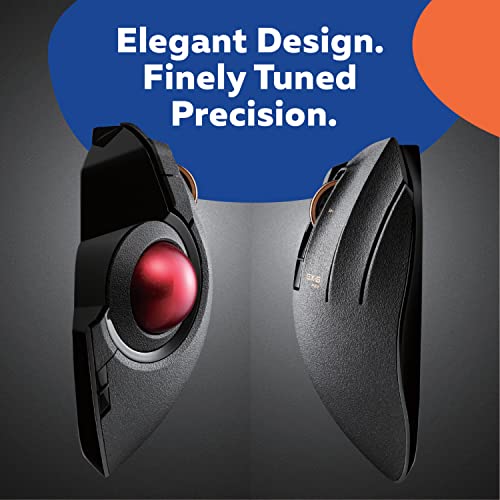
The first thing you’ll notice is the satisfyingly smooth glide of the 34mm red ball, which feels remarkably effortless under your thumb. This ELECOM EX-G Pro isn't just another peripheral. It’s a versatile powerhouse that lets you toggle between wired, wireless, and Bluetooth connections depending on your setup. I found the optical tracking incredibly precise, especially when switching DPI levels between 500, 1000, and 1500 to match the task at hand. The eight programmable buttons are a massive productivity boost once you map them using the dedicated software. Maintenance is also a breeze because the large artificial ruby bearings resist dust buildup, and if things do get gritty, you can simply pop the ball out through the bottom for a quick clean.
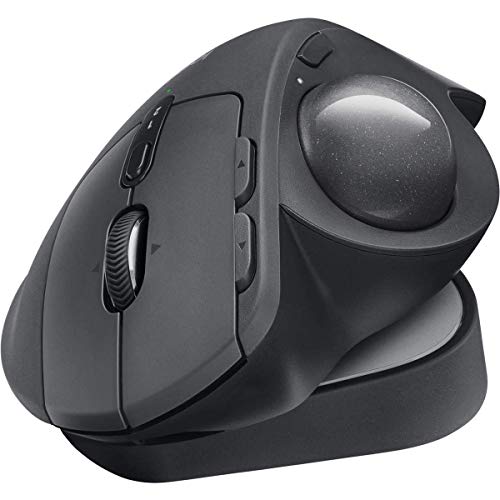


| SELLER | SELLER SCORE | AMAZON FULFILLED | PRIME | FREE SHIPPING |
|---|---|---|---|---|
| The Deal Source CR | 9.59 | Yes | Yes | Yes |

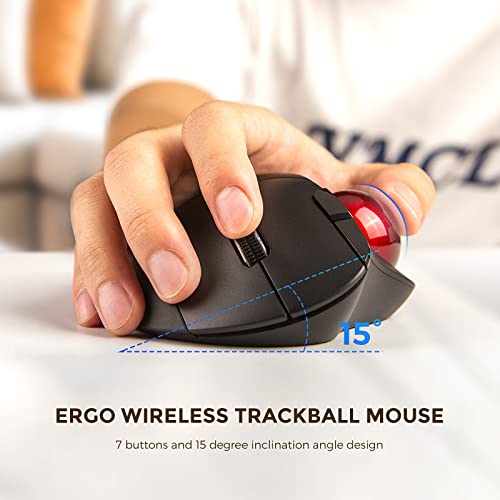


Bluetooth Trackball Mouse Wireless, Ergonomic Track Ball Mouse Supports 3 Device Connection (2.4G + Bluetooth), Easy Thumb Control, Precision and Smoo...
| SELLER | SELLER SCORE | AMAZON FULFILLED | PRIME | FREE SHIPPING |
|---|---|---|---|---|
| ZEEBOO DIRECT | 5.33 | Yes | Yes | Yes |
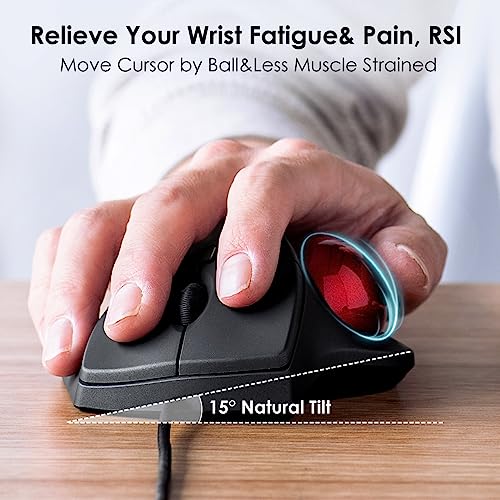
Why settle for repetitive wrist strain when you can master your cursor with just a thumb? The ECHTPower trackball mouse is a game-changer for anyone fighting desk fatigue, featuring a smart 15-degree ergonomic tilt that keeps your wrist in a natural, relaxed position. I found the triple-mode connectivity—switching between 2.4G and Bluetooth—to be incredibly efficient for jumping between my laptop, tablet, and desktop without any lag. The silent click buttons are a massive plus for office environments, providing a quiet, tactile feel that doesn't disturb anyone. Plus, because you aren't sliding the mouse around, you can work comfortably on a sofa or a tiny bedside table. It is a versatile, space-saving tool that prioritizes both precision and long-term comfort.


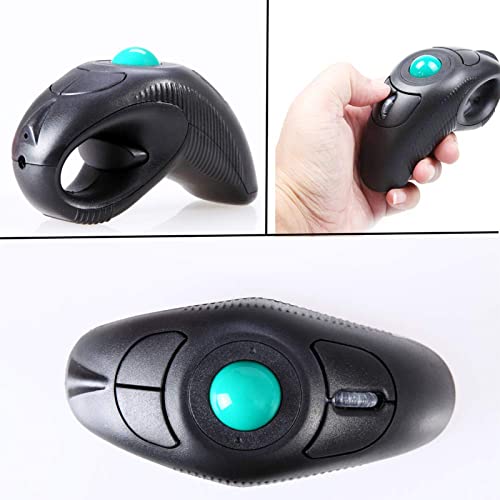
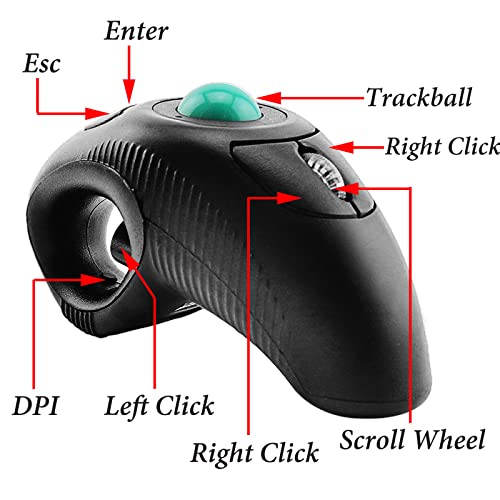
EIGIIS 2.4G Ergonomic Trackball Handheld Finger USB Mouse Wireless Optical Travel DPI Mice for PC Laptop Mac Left and Right Handed
| SELLER | SELLER SCORE | AMAZON FULFILLED | PRIME | FREE SHIPPING |
|---|---|---|---|---|
| EIGIIS Store | 9.75 | Yes | Yes | Yes |
The EIGIIS handheld trackball mouse is a specialized ergonomic solution that fundamentally changes how you interact with your computer by replacing wrist movement with thumb control. Designed to be held like a trigger, this device is a lifesaver for anyone dealing with the discomfort of arthritis or Carpal Tunnel Syndrome because it keeps your arm stationary while you navigate. I found the adjustable DPI settings, ranging from 800 to 1600, provide plenty of precision for various tasks, and the 2.4GHz wireless connection stays stable within a ten-meter range. It is a true plug-and-play tool for Windows or Mac users, though you should keep in mind it requires a quick click to wake it up after periods of inactivity. It is a clever, space-saving alternative to traditional mice that prioritizes long-term joint health.


Kensington Expert Mouse Trackball
| SELLER | SELLER SCORE | AMAZON FULFILLED | PRIME | FREE SHIPPING |
|---|---|---|---|---|
| OneDealOutlet Online | 9.47 | Yes | Yes | Yes |
The Kensington Expert Mouse Trackball stands as the gold standard for power users who demand absolute control over their digital workspace. After spending time with this device, the first thing you notice is the sheer precision offered by the large tracking ball, which makes micro-adjustments feel incredibly fluid. It is built specifically to maximize productivity through ergonomic intentionality. The detachable wrist rest is a standout, cradling your hand to prevent fatigue during long sessions, while the award-winning Scroll Ring allows for incredibly smooth, fingertip-driven navigation. Instead of moving your entire arm, you are simply fine-tuning your workflow with minimal effort. It is a sophisticated tool that transforms how you interact with a computer.
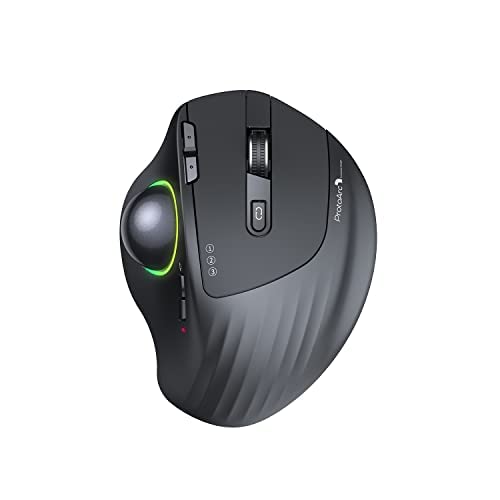
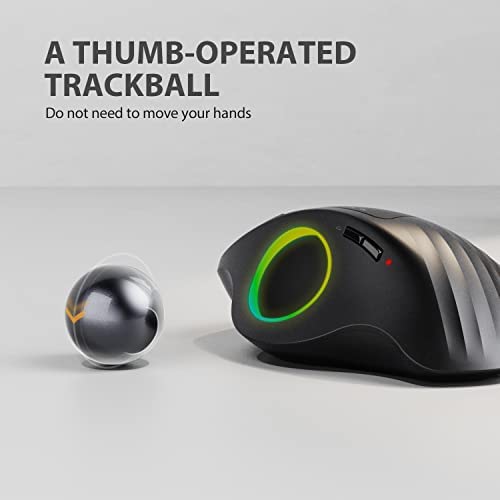

ProtoArc Wireless Bluetooth Trackball Mouse, EM01 2.4G RGB Ergonomic Rechargeable Rollerball Mice with 3 Adjustable DPI, 3 Device Connection&Thumb Con...
| SELLER | SELLER SCORE | AMAZON FULFILLED | PRIME | FREE SHIPPING |
|---|---|---|---|---|
| FengleGo | 9.89 | Yes | Yes | Yes |
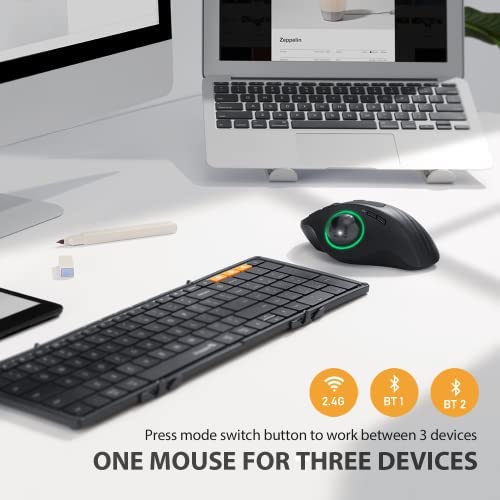
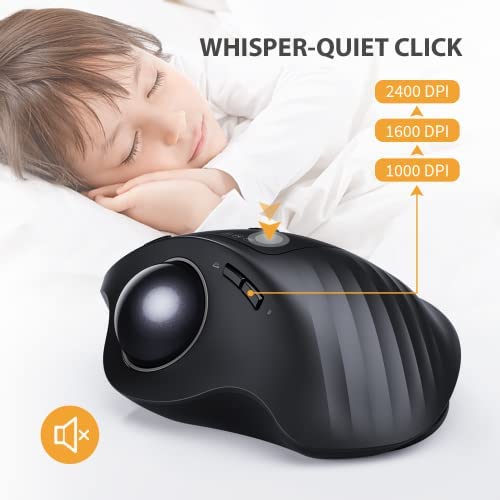
Most people assume that more movement equals better control, but the ProtoArc EM01 proves that staying perfectly still is actually the secret to wrist longevity. By shifting the cursor workload to your thumb, this trackball eliminates the repetitive arm sweeping that causes so much fatigue. I found the adjustable hinge particularly clever. Being able to tilt the device between 0 and 20 degrees lets you dial in a much more natural hand position. The triple-connection capability makes it a powerhouse for anyone jumping between a Mac, a Windows desktop, and a tablet. While the backward and forward buttons aren't fully compatible with Mac, the smooth 2400 DPI transitions and customizable RGB lighting make it a high-performance tool that feels more like a precision instrument than a standard peripheral.


ELECOM DEFT PRO Trackball Mouse, Wired, Wireless, Bluetooth, Finger Control, Ergonomic Design, 8-Button Function, Optical Gaming Sensor, Smooth Red Ba...
| SELLER | SELLER SCORE | AMAZON FULFILLED | PRIME | FREE SHIPPING |
|---|---|---|---|---|
| Pazu-Sheeta Shop | 6.30 | Yes | Yes | Yes |
The ELECOM DEFT PRO redefines precision desktop control by blending high-performance gaming tech with an ergonomic finger-control layout that makes traditional mice feel obsolete. After testing its triple-mode connectivity, I found the ability to switch between wired, wireless, and Bluetooth modes incredibly versatile for any workstation setup. The optical sensor is remarkably snappy, offering three distinct DPI settings—500, 1000, and 1500—to tailor your cursor speed to the task at hand. Gaming enthusiasts will appreciate the eight functional buttons, including the tilting scroll wheel, which provides a massive advantage in complex MMORPGs or shooters. Maintenance is also a breeze thanks to the large artificial ruby ball bearings that keep the red ball rolling smoothly while resisting dust buildup, and the easy-access bottom port makes cleaning a non-event.


Carpal Tunnel Solution Mouse QuadraClicks RBT Rabbit Safest Click Easy Control Protect Hand from RSI Arthritis Prevent Wrist Pain CTS FSA Approved Tit...
| SELLER | SELLER SCORE | AMAZON FULFILLED | PRIME | FREE SHIPPING |
|---|---|---|---|---|
| QuadraClicks | 5.33 | No | No | No |
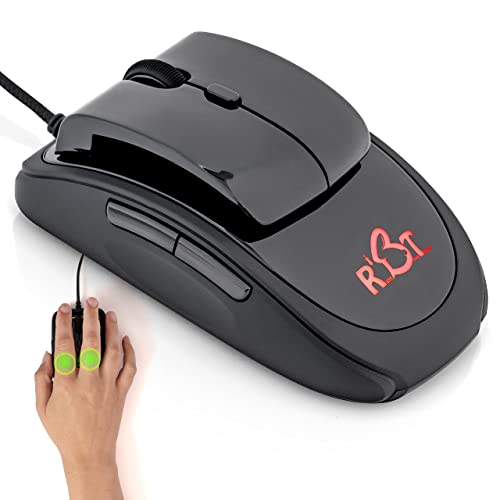
Repetitive strain injuries and carpal tunnel pressure can derail even the most dedicated professional or gamer. The QuadraClicks RBT tackles this head-on with an innovative click mechanism designed to bypass pressure buildup in the carpal tunnel, potentially aiding recovery over several months of use. Unlike standard ergonomic mice that still require finger hovering, this design reduces hydrostatic pressure in the wrist and minimizes thumb squeeze through a specialized control surface. It is a powerhouse for high-stakes environments, from esports arenas to CAD-heavy engineering offices. The rubberized, textured thumb rest provides excellent stability, while the quick USB setup makes it an immediate upgrade for architects or designers needing precision and long-term comfort during intense sessions.

Microsoft D67-00001 Trackball Optical Mouse
| SELLER | SELLER SCORE | AMAZON FULFILLED | PRIME | FREE SHIPPING |
|---|---|---|---|---|
| MODealSwap | 9.03 | No | No | No |
Desktop ergonomics enthusiasts will find immediate relief from wrist strain with this specialized thumb-controlled trackball. Instead of sliding a traditional mouse across your desk, you use your thumb to navigate via the IntelliEye optical technology, which keeps your arm perfectly stationary. The five-button layout is particularly useful for power users, especially since those two programmable buttons allow you to tailor the device to your specific workflow. I found the scrolling wheel to be highly responsive for both rapid page navigation and fine-tuned zooming. While this is strictly a right-handed tool, the precision it offers for long sessions at a computer makes it a standout choice for anyone looking to optimize their workspace setup without breaking the bank.

Optical Orbit Trackball Mouse, Two-Button, Black/Silver
| SELLER | SELLER SCORE | AMAZON FULFILLED | PRIME | FREE SHIPPING |
|---|---|---|---|---|
| OneDealOutlet Online | 9.47 | No | No | No |
Your desk space might actually be too large for your productivity needs. While most people struggle with sweeping arm movements and cluttered workspaces, the Kensington Optical Orbit Trackball Mouse turns cursor control into a stationary, fingertip-driven affair. I found that by utilizing the Diamond Eye optical technology, the precision remains sharp even though you aren't moving the device itself. The black and silver design looks professional, and the build feels substantial. Because the unit is resistant to dust, you won't find yourself constantly cleaning out debris from the sensor. It’s a straightforward USB plug-and-play solution that prioritizes ergonomics by minimizing physical exertion during long sessions.


SANWA Wired Ergonomic Trackball Mouse, Optical Rollerball Mice, Programmable Silent Buttons, 44mm Trackball, 600/800/1200/1600 Adjustable DPI, Compati...
| SELLER | SELLER SCORE | AMAZON FULFILLED | PRIME | FREE SHIPPING |
|---|---|---|---|---|
| SANWA | 9.85 | Yes | Yes | Yes |
Why settle for constant wrist strain when your mouse could stay perfectly still? The SANWA Supply wired trackball changes the desk game by utilizing a 44mm thumb-controlled rollerball that eliminates the need to slide a device across your desk. I found the ergonomic design incredibly helpful for maintaining a natural arm position, and the finger rests make it easy to nestle your palm comfortably. Whether you are working on a flat desk or a soft sofa, the precision is impressive thanks to the four adjustable DPI settings ranging from 600 to 1600. The silent buttons are a massive plus for late-night sessions or quiet libraries, and the ability to program the forward and back buttons via software adds a layer of productivity that standard mice simply lack.


XHSESA Trackball Mouse Replacement for Logitech Cordless Optical Trackman T-RB22 Mouse Repair Part
| SELLER | SELLER SCORE | AMAZON FULFILLED | PRIME | FREE SHIPPING |
|---|---|---|---|---|
| XHS Direct | 7.49 | Yes | Yes | Yes |
The smooth, frictionless glide of a fresh trackball is a sensation every enthusiast misses when their hardware starts to fail. This XHSESA replacement is specifically engineered to breathe new life into the Logitech Cordless Optical Trackman T-RB22, acting as a direct remedy for those frustratingly scratched or non-working spheres. Instead of tossing a perfectly functional mouse just because the ball has lost its precision, you can swap in this durable component to restore seamless navigation. The build quality feels robust, utilizing strong materials designed to withstand daily repetitive motion. It is a practical, cost-effective fix that targets the exact mechanical issues causing jittery movement or total loss of control.



| SELLER | SELLER SCORE | AMAZON FULFILLED | PRIME | FREE SHIPPING |
|---|---|---|---|---|
| No | No | No |


KMW64327 - Kensington Orbit Optical Trackball
| SELLER | SELLER SCORE | AMAZON FULFILLED | PRIME | FREE SHIPPING |
|---|---|---|---|---|
| Shoplet | 9.71 | No | No | No |
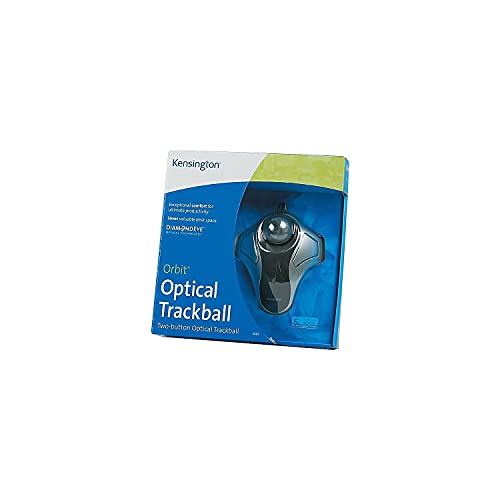
Most people settle for the constant, repetitive wrist sweeping of a standard mouse, but the Kensington Orbit changes the entire ergonomics of your workspace. I found that switching to this trackball significantly reclaimed my desk real estate because you aren't constantly sliding a device around. The Diamond Eye optical technology provides incredibly precise tracking, which is essential if you are doing detailed navigation. One of the most underrated aspects is the dust resistance. It actually stays cleaner for longer, meaning you aren't constantly picking at debris under the sensor. It’s a straightforward USB plug-and-play solution that prioritizes efficiency and minimal arm movement, making it a smart choice for cramped setups or long work sessions.




Logitech Ergo M575 Wireless Trackball (Black)
| SELLER | SELLER SCORE | AMAZON FULFILLED | PRIME | FREE SHIPPING |
|---|---|---|---|---|
| P-Depot | 7.14 | No | No | No |
The Logitech Ergo M575 stands as the gold standard for desktop users seeking to eliminate wrist strain without sacrificing precision. Instead of sliding a traditional mouse across your desk, you simply thumb the ball to navigate, which keeps your arm perfectly still and comfortable during long work sessions. I found the 2000 dpi optical sensor provides incredibly smooth movement, making it easy to jump between fine detail work and quick desktop navigation. The wireless connectivity is seamless, utilizing a reliable 2.40 GHz frequency that keeps your workspace clutter-free. It is a specialized tool that fundamentally changes how you interact with your computer, proving that ergonomic design can actually feel intuitive rather than clunky.


logitech MX ERGO Advanced Wireless Trackball for Windows PC and Mac (Renewed)
| SELLER | SELLER SCORE | AMAZON FULFILLED | PRIME | FREE SHIPPING |
|---|---|---|---|---|
| Hot Audio | 9.87 | Yes | Yes | Yes |
The Logitech MX ERGO is a specialized ergonomic powerhouse that redefines desktop comfort for long-term productivity. After testing its unique adjustable hinge, it is clear that being able to tilt the device from 0 to 20 degrees makes a massive difference in reducing muscular strain compared to a standard mouse. The sculpted shape provides excellent palm support, while the soft rubber top keeps your grip steady during intense work sessions. I found the advanced optical tracking to be incredibly responsive, especially when toggling the precision mode button to switch between rapid cursor movement and fine-tuned accuracy. It is a thoughtful piece of hardware designed specifically to alleviate the physical toll of a heavy digital workload.



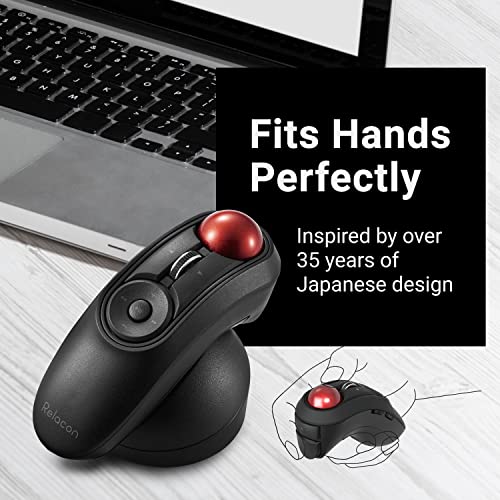
ELECOM Relacon Handheld Trackball Mouse, Thumb Control, Left Right Handed Mice, Bluetooth, 10-Button Function, Ergonomic Design, Optical Gaming Sensor...
| SELLER | SELLER SCORE | AMAZON FULFILLED | PRIME | FREE SHIPPING |
|---|---|---|---|---|
| ELECOM Japan Direct US | 9.68 | Yes | Yes | Yes |
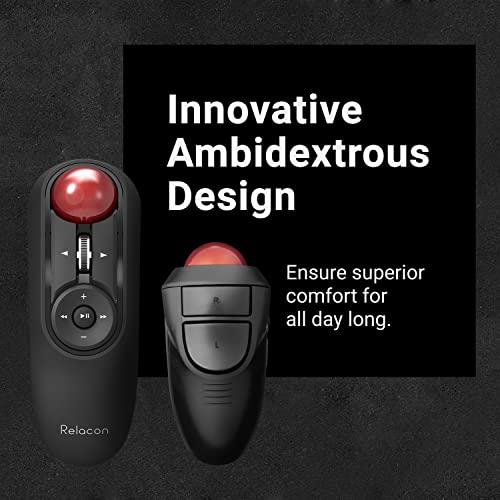
The ELECOM Relacon redefines desktop ergonomics by bringing precision thumb-control trackball functionality to a compact, handheld form factor that feels incredibly liberating for your wrist. Instead of sliding a traditional mouse across a desk, you can keep your hand stationary and navigate with the smooth red ball, which glides effortlessly on three large artificial ruby bearings. I found the ten programmable buttons to be a massive productivity booster, allowing for custom shortcuts that make complex workflows feel intuitive. With three switchable DPI settings ranging from 500 to 1500, you can instantly toggle between slow, precise movements and rapid cursor sweeps. It is a clever, lightweight solution for anyone looking to minimize arm movement without sacrificing control or functionality.


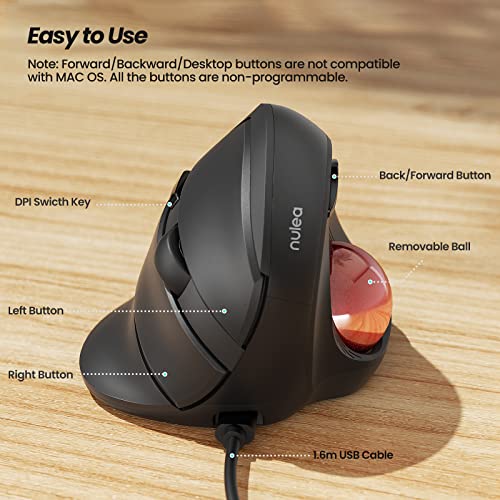

Nulea Wired Trackball Mouse for Large Hand, Vertical Ergonomic Mouse with Trackball, Easy Thumb Control with 5 Adjustable DPI, Precise & Smooth Tracki...
| SELLER | SELLER SCORE | AMAZON FULFILLED | PRIME | FREE SHIPPING |
|---|---|---|---|---|
| Nulea Direct | 9.86 | Yes | Yes | Yes |
The Nulea Wired Trackball Mouse is a total game-changer for anyone suffering from chronic wrist strain or working with larger hands. By utilizing a 55-degree natural handshake posture, this device keeps your arm relaxed and eliminates the constant twisting required by traditional mice. I found the thumb-controlled trackball incredibly efficient for navigating the screen without needing to move your entire arm, which makes it a dream for long, all-day work sessions. The five adjustable DPI levels—ranging from 500 to 1600—provide plenty of precision for everything from casual browsing to more sensitive tasks. Plus, the removable ball feature is a genius touch, allowing you to easily clean out dust to maintain that smooth, like-new tracking performance.
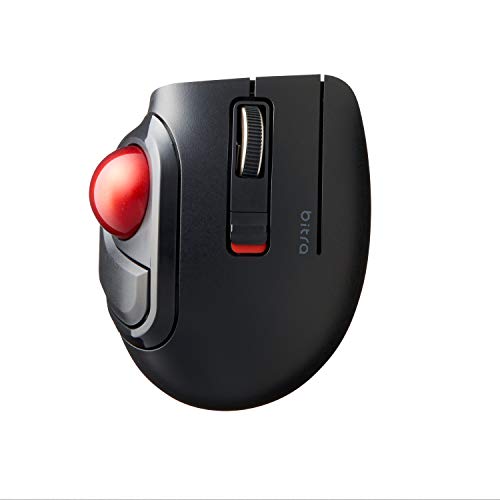


ELECOM bitra Trackball Mouse, Bluetooth, Thumb Control, Small Size, with Semi-Hard Case, Silent Click, Ergonomic Design, 5-Button, Windows11, MacOS (M...
| SELLER | SELLER SCORE | AMAZON FULFILLED | PRIME | FREE SHIPPING |
|---|---|---|---|---|
| ELECOM Japan Direct US | 9.68 | Yes | Yes | Yes |
Desktop clutter and wrist fatigue often stem from bulky mice that require constant arm movement, but the ELECOM bitra solves this by condensing precision into a compact, thumb-controlled footprint. This little device packs a surprisingly punch with five physical buttons and a switchable DPI sensor that toggles between 750 and 1500 for tailored cursor speed. I found the silent click feature particularly helpful for working in quiet environments without the distracting chatter of a standard mouse. Maintenance is a breeze too. The ball sits on three large artificial ruby bearings that resist dust buildup, and you can pop the ball out through the bottom for quick cleaning. It even comes with a semi-hard case, making it a legitimate powerhouse for mobile professionals who need ergonomic efficiency on the go.


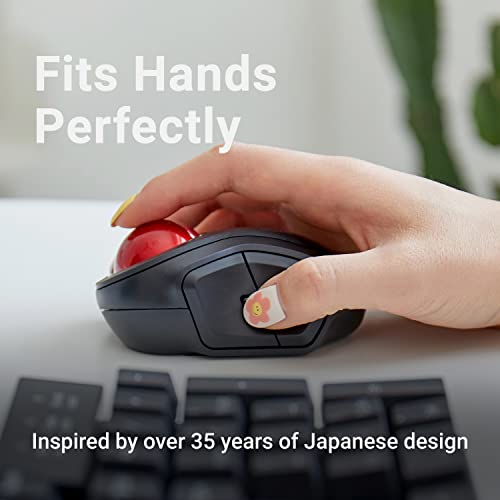

ELECOM brita Trackball Mouse, 2.4GHz Wireless, Finger Control, Small sizse, with Semi-Hard Case, Silent Click, Ergonomic Design, 5-Button, Smooth Red...
| SELLER | SELLER SCORE | AMAZON FULFILLED | PRIME | FREE SHIPPING |
|---|---|---|---|---|
| ELECOM Japan Direct US | 9.68 | Yes | Yes | Yes |
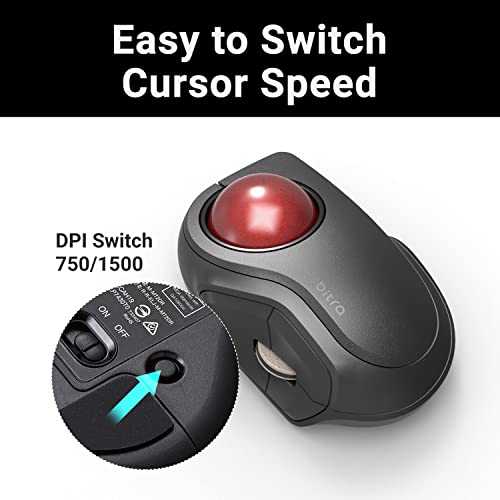
The ELECOM wireless trackball mouse redefines desk efficiency through its ultra-compact, finger-controlled design. After testing this small-form-factor device, I found the optical tracking technology incredibly precise, allowing for quick cursor jumps with minimal hand movement. The red ball rolls exceptionally smoothly thanks to three large artificial ruby bearings that resist dust buildup, making maintenance a breeze. I love that you can pop the ball out through the bottom for quick cleaning. With five programmable buttons via the ELECOM Mouse Assistant and a switchable DPI of 750 or 1500, you can tailor the speed to your specific workflow. It even comes with a semi-hard case, making it a perfect companion for mobile professionals working on Windows or macOS.

The most fundamental decision you will make is where the ball sits. Thumb-operated trackballs feature a large sphere positioned to the side of the device, controlled entirely by your thumb. These are generally preferred by users transitioning from traditional mice, as the hand positioning feels familiar. However, if you have limited thumb mobility, you should look toward finger-operated (or fingertip) models. These place the ball directly in front of your index and middle fingers. While they require a slightly different learning curve, many power users find them more precise for fine-tuned tasks because the fingers offer more granular control than the thumb.
The physical characteristics of the ball itself dictate the 'feel' of your navigation. Larger, heavier balls provide more inertia, which is excellent for long, sweeping movements across multiple monitors without the cursor jittering. Smaller, lighter balls allow for rapid, twitchy movements, which might suit high-speed web browsing or certain gaming applications. When shopping, consider the material. High-quality synthetic rubies or polished ceramic-coated spheres tend to offer a smoother glide and less resistance than cheaper plastic alternatives.
Since optical trackballs rely on internal sensors to track the rotation of the ball, the Dots Per Inch (DPI) rating is critical. A high DPI allows you to traverse a 4K monitor with a tiny flick of the finger, whereas a lower DPI requires more physical rotation for the same distance. Look for models that offer adjustable DPI settings via hardware buttons or software. This allows you to switch from 'precision mode' for photo retouching to 'speed mode' for general navigation instantly.
For office environments, a wireless connection is almost always preferred to keep the desk clutter-free. However, not all wireless connections are equal. If you are using the trackball for creative work that requires high precision, look for devices that support 2.4GHz wireless dongles rather than standard Bluetooth, as the former typically offers lower latency and a more stable connection. If you are a professional who moves between a desktop and a laptop, models with multi-device pairing capabilities—allowing you to toggle between three different computers at the press of a button—are worth the premium.
A trackball is a stationary object, meaning your hand will rest on it for extended periods. Pay close attention to the 'palm swell'—the curvature of the device. A device that supports the entire palm can prevent the hand from cramping, while a flatter design might suit those who prefer a more mobile, 'claw-like' grip. Additionally, check if the ball is easily removable. A high-quality trackball should allow you to pop the sphere out with a single finger to clean the internal bearings, as dust buildup is the primary cause of 'stuttering' over time.
Quick answers about Optical Trackballs before you buy.
Share of top-ranked products by brand, from our editorial analysis.
We've carried out a comprehensive analysis of 89,493 reviews on Optical Trackballs, using our selection criteria to identify the best options in the computers & accessories. Our findings reveal that most customers typically select Optical Trackballs priced around $47.35, with top brands including elecom, microsoft, kensington, logitech, sanwa supply, echtpower, eigiis, nulea and xhsesa and right 'bove touch.
Our team of expert editors reviewed these high-quality items and handpicked the top 28 Optical Trackballs for your consideration. We've also done extensive research on numerous sellers, identifying the best ones in the computers & accessories category — including elecom japan direct us, modealswap, onedealoutlet online, same-day pro: new & in stock (free prime delivery), sanwa, the deal source cr, shoplet, zeeboo direct and eigiis store and nulea direct.
We are dedicated to assisting our users in finding the right trackballs Products based on their needs, saving them considerable time when choosing which Optical Trackballs to buy. We take pride in the number of satisfied users we've helped through our thorough and insightful reviews.
Compare the top 28 picks at a glance — select a column to sort.


