PickSmartly Review

Best Mac Trackballs in 2026

9.6 PM Score
Products Evaluated
14
Reviews Analyzed
12,610
Brands Ranked
7
We independently evaluate all recommended products and services. If you click on links we provide, we may receive compensation.

For macOS users, the standard mouse is often a limitation rather than a tool. Whether you are a creative professional navigating complex timelines in Final Cut Pro, a coder managing multiple virtual desktops, or someone managing repetitive strain injury (RSI) concerns, a trackball offers a level of precision and ergonomic freedom that traditional mice cannot match. Unlike a standard mouse that requires you to move your entire arm or wrist across a desk, a trackball remains stationary, allowing you to control the cursor with nothing more than your thumb or fingers. This guide is designed to help Mac enthusiasts navigate the specific nuances of trackball technology to find a peripheral that integrates seamlessly with their workflow and hardware ecosystem.

Editor's Choice

Our Top Picks for Mac Trackballs

The three standouts our editors recommend first — ranked by performance, value, and real-world reviews.

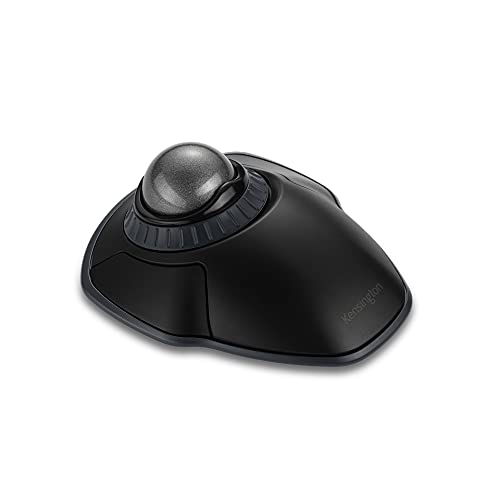
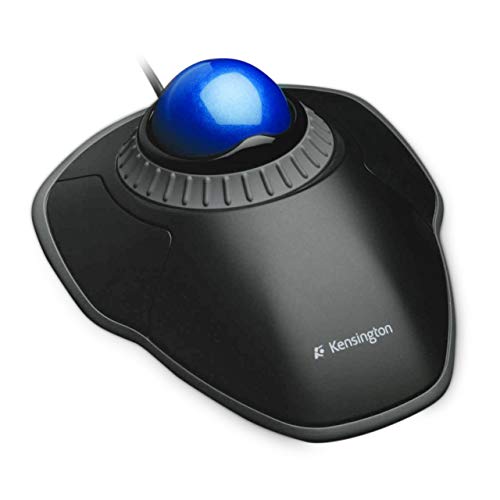
Kensington Orbit Wireless Trackball with Scroll Ring - Space Gray (K72675WW)

Kensington Orbit Wireless Trackball with Scroll Ring

4.4 (6,942 ratings)
KENSINGTON K72675WW 5.46 X 4.51 X 1.85 Inches 0.35 Pounds

Reviews for KENSINGTON (PM Score)

9.6 PM Score
Buy on Amazon
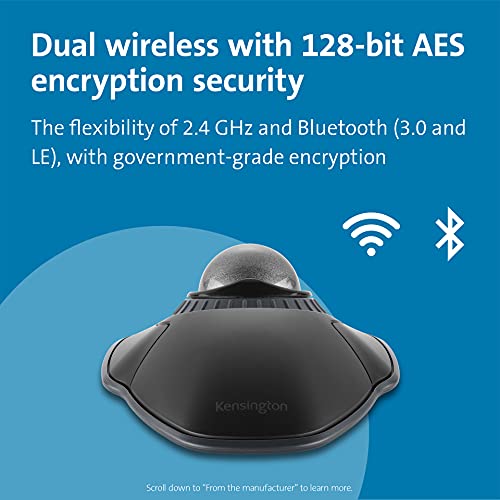
  • Dual wireless connectivity offers the flexibility of 2.4 GHz and Bluetooth (3.0 and LE), with 128-bit AES government-grade encryption security
  • The scroll ring lets you spin the dial to move up and down web pages or documents with complete ease. And the 40mm ball’s hard surface is specially designed as a perfect sphere for precise tracking and control
  • Four DPI settings let you easily adjust the cursor speed to fit your needs by selecting the appropriate level (400, 800, 1,200, or 1,600) — lower DPI for precision editing, and higher DPI for word processing or casual browsing
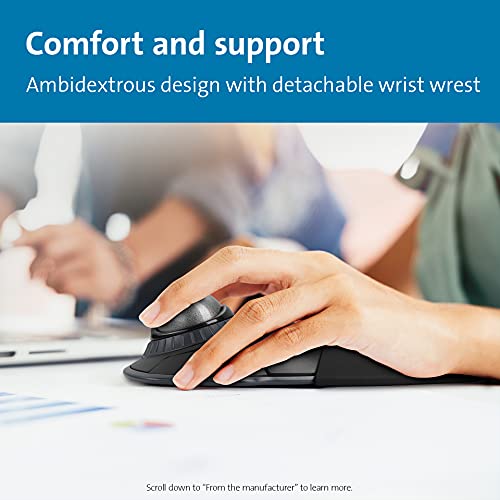
  • Ambidextrous design works equally well for right-handed and left-handed users. Trackball reduces wrist and hand movement to ease repetitive-stress injuries
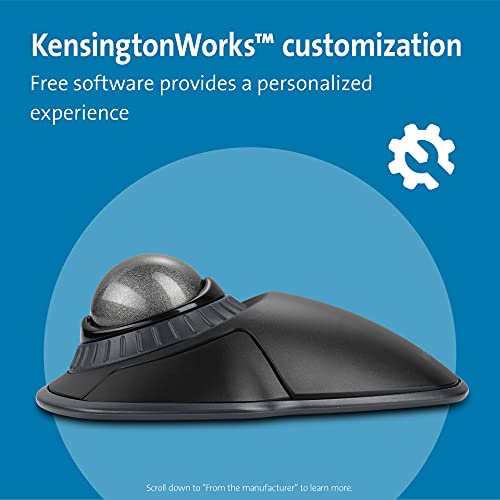
  • Free KensingtonWorks downloadable software provides a personalized experience, giving you the ability to assign a variety of functions (including shortcuts) to the buttons, and adjust cursor and scrolling speed
  • Optical tracking technology delivers precise cursor movement for superior accuracy, so you can get where you want on the screen quickly with less hand movement, improving productivity and efficiency
  • A detachable wrist rest delivers soft cushioning to support the hand and wrist in ergonomic comfort for pain-free productivity during extended periods of activity on the computer
  • Mac and PC compatible
SELLER SELLER SCORE AMAZON FULFILLED PRIME FREE SHIPPING
Amazon.com 9.68 Yes Yes Yes

Digital creators and office professionals fighting repetitive-stress injuries need the Kensington Orbit Wireless Trackball in their workflow immediately. This space gray powerhouse swaps traditional mouse movement for a precision 40mm ball, allowing you to navigate your screen with minimal wrist strain. I found the dedicated scroll ring to be a total game-changer for flying through long documents or web pages without constant clicking. You can toggle between four DPI settings to switch from surgical precision during editing to rapid movement for browsing, and the dual wireless connectivity via Bluetooth or 2.4 GHz makes switching between a Mac and a PC seamless. With the included detachable wrist rest and customizable KensingtonWorks software, it feels like a highly personalized workstation tool rather than just another peripheral.
What We Like
Dual wireless connectivity
Dedicated scroll ring
Four DPI settings
Ambidextrous ergonomic design
Detachable wrist rest

Kensington Orbit Mouse - Wired Ergonomic TrackBall Mouse for PC, Mac and Windows with Scroll Ring, Ambidextrous Design and Optical Tracking - Blue (K7...

Kensington Orbit Wired Ergonomic Trackball Mouse

4.4 (1,708 ratings)
KENSINGTON 6014035 2.00 X 6.00 X 8.00 Inches 0.15 Pounds

Reviews for KENSINGTON (PM Score)

9.6 PM Score
Buy on Amazon
  • Scroll Ring and Medium Ball - Spin the dial to move up and down web pages or documents with complete ease. The blue 40 mm ball has been specially designed with an absolute spherical, hard surface for precise tracking and control
  • KensingtonWorks Customization - Free downloadable software provides an even more personalized experience, giving you the ability to assign a wide variety of program functions to each of the 2 buttons, as well as adjusting cursor and scrolling speeds
  • Optical Tracking Technology - Provides precise cursor movement for superior accuracy so you can get where you want on the screen quickly with less hand movement, improving productivity and efficiency
  • Detachable Wrist Rest - Soft cushioning cradles the hand and wrist in ergonomic comfort for pain-free productivity during extended periods of activity on the computer
  • Ambidextrous Design - Works equally well for both right-handed and left-handed users to get the most out of their trackball.Plug and Play Installation - Quickly get clicking and scrolling with fast, simple installation through the reliable wired USB connection, plus it doesn’t need batteries.PC and Mac compatible - Compatible with Windows Vista and Mac OS X
SELLER SELLER SCORE AMAZON FULFILLED PRIME FREE SHIPPING
Triplenet Pricing INC 9.81 No No No

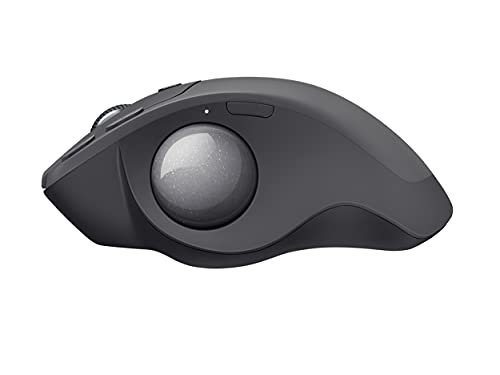
Your wrist begins to ache halfway through a heavy spreadsheet session, but the Kensington Orbit Mouse changes the physical dynamic of your desk setup. Instead of sliding a traditional mouse across a pad, you simply use your thumb to spin the blue 40 mm spherical ball for incredibly precise optical tracking. The dedicated scroll ring makes navigating long documents feel fluid rather than a chore, and the detachable wrist rest provides much-needed cushioning for those marathon workdays. Since it uses a reliable wired USB connection, you never have to hunt for replacement batteries or worry about wireless interference. It is a highly customizable tool that works just as well for lefties as it does for righties, making it a versatile staple for any professional workstation.

What We Like
Precision optical tracking
Dedicated scroll ring
Detachable wrist rest
Ambidextrous design
Customizable button functions

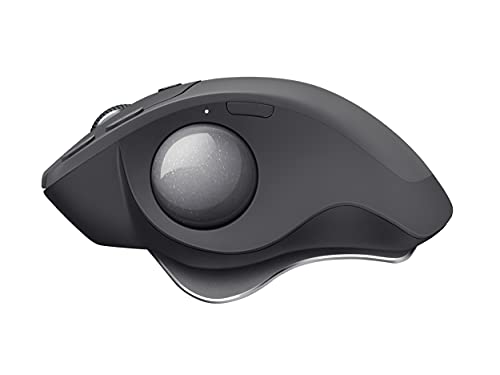
Logitech MX Ergo Plus Advanced Wireless Trackball for PC and MAC with Extra 10° Wedge

Logitech MX Ergo Plus Advanced Wireless Trackball

4.6 (460 ratings)
LOGITECH 910-005178 6.50 X 4.90 X 3.60 Inches 1.10 Pounds

Reviews for LOGITECH (PM Score)

9.6 PM Score
Buy on Amazon
  • Smart adjustable hinge plus extra 10? wedge for customized hand position and greater comfort.
  • Choose the best angle for you 0?, 20? or 30?.
  • Advanced tracking. Precision mode button lets you instantly switch between speed and high precision tracking.
  • Precision scroll-wheel with tilt and middle click allows for precise scrolling and convenient controls.
  • Easy-Switch? and FLOW-enabled for effortless multi-computer workflow. Pair up to 2 computers and easily switch between them, copy and paste text, images and files.
  • Fast rechargeable battery. Holds power for up to 4 months on a full charge. Quick charge: 1 minute of charge gives up to a day of use.
SELLER SELLER SCORE AMAZON FULFILLED PRIME FREE SHIPPING
RandT Corp 5.90 Yes Yes Yes

Your wrist finally finds relief the moment you settle into the ergonomic tilt of this trackball. Unlike traditional mice that force constant arm movement, the MX Ergo Plus lets you stay stationary while your thumb does the heavy lifting. The standout feature is the smart adjustable hinge, which comes with an extra 10° wedge so you can dial in your perfect angle between 0°, 20°, or 30°. I found the precision mode button incredibly useful for toggling between rapid cursor movement and surgical accuracy during detailed tasks. Between the tilt-capable scroll wheel and the FLOW technology that lets you move files between two different computers, it feels like a true productivity powerhouse. Plus, the battery life is stellar, lasting up to four months on a single charge.

What We Like
Adjustable ergonomic hinge
Precision mode button
Multi-computer FLOW support
Tilt scroll wheel
Four-month battery life

logitech MX ERGO Advanced Wireless Trackball for Windows PC and Mac (Renewed)

Logitech MX ERGO Advanced Wireless Trackball

4.6 (817 ratings)
LOGITECH 910-005177-CR 5.20 X 3.90 X 2.00 Inches

Reviews for LOGITECH (PM Score)

9.6 PM Score
Buy on Amazon
  • Logitech's most advanced wireless trackball for Windows PC and Mac requires 20% less muscular strain than a regular computer mouse
  • Unique adjustable hinge allows you to customize the trackball angle from 0 to 20 degrees for a more natural, comfortable hand position
  • Carefully sculpted shape gives your hand full palm and finger support, while the soft rubber on the top ensures a comfortable grip for long hours of work
  • Advanced optical tracking for accurate cursor control plus a precision mode button that lets you instantly switch between speed and high precision tracking
SELLER SELLER SCORE AMAZON FULFILLED PRIME FREE SHIPPING
Hot Audio 9.87 Yes Yes Yes

The Logitech MX ERGO is a specialized ergonomic powerhouse that redefines desktop comfort for long-term productivity. After testing its unique adjustable hinge, it is clear that being able to tilt the device from 0 to 20 degrees makes a massive difference in reducing muscular strain compared to a standard mouse. The sculpted shape provides excellent palm support, while the soft rubber top keeps your grip steady during intense work sessions. I found the advanced optical tracking to be incredibly responsive, especially when toggling the precision mode button to switch between rapid cursor movement and fine-tuned accuracy. It is a thoughtful piece of hardware designed specifically to alleviate the physical toll of a heavy digital workload.

What We Like
Adjustable tilt hinge
Reduced muscular strain
Precision tracking mode
Soft rubber grip
Ergonomic sculpted shape

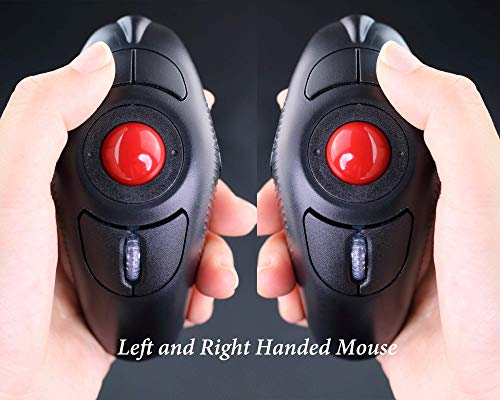
EIGIIS 2.4G Ergonomic Trackball Finger Handheld USB Wireless Mouse for PC Laptop Mac Left and Right Handed User (Black Wireless Red TrackBall)

EIGIIS Ergonomic Handheld Wireless Trackball Mouse

EIGIIS DCAHMVF2WR

Reviews for EIGIIS (PM Score)

9.3 PM Score
Buy on Amazon
  • ★ ERGONOMIC DESIGN - EIGIIS Handheld Trackball Mouse can greatly ease the harm of palm joint or muscle on your wrist and muscle for long time using mouse. Good to reduce the chances for Arthritis and CTS suffers.
  • ★ TRACKBALL COMFORT - Hold EIGIIS Trackball Handheld Mouse in your hand like a trigger and use your thumb to move around. Sculpted shape supports your hand staying in one place, move the cursor without moving your arm.Suitable for both left and right hand - New style, no space limitation, left/right clickers, fit left and right handed users.
  • ★ ADJUSTABLE DPI - EIGIIS Finger Ergonomic Mouse have 800/1200/1400/1600 DPI resolution optical tracking technology that provides higher sensitivity than standard optical mice.EIGIIS wireless trackball mouse have a Sensitive rolling ball and frequency stable 2.4GHz receiver. Powered by One AAA battery (not included)
  • ★ WIDE APPLICATION - EIGIIS Ergonomic Trackball Mouse including USB 2.0 interface, plug and play, no software required. Suitable for laptops and desktops, but NOT for tablet. Compatible with: Windows 98/ 2000 / XP / VISTA / Win7/ Win10/ Linux / Unix / Mac / OS.
  • ★ WHY CHOOSE TO BUY EIGIIS TRACKBALL MOUSE - EIGIIS purpose is timely, professional and integrity. Whatever reason, If you are not satisfied with our product, you could free to contact us, we will try our best to sovle the problem. Click the "Add to Cart Button" at the Right of this Page to Order Your Set Now! Enjoy the EXCELLENT SHOPPING EXPERIENCE.
SELLER SELLER SCORE AMAZON FULFILLED PRIME FREE SHIPPING
EIGIIS Store 9.75 Yes Yes Yes

Most people assume a mouse must sit flat on a desk, but the EIGIIS handheld trackball completely flips that logic on its head. Instead of sliding your entire arm across a pad, you grip this device like a trigger and navigate using only your thumb. It is a game-changer for anyone dealing with wrist strain or the early signs of CTS, as it keeps your hand stationary and supported. The sculpted shape feels natural in either hand, making it a versatile tool for both left and right-handed users. With four adjustable DPI settings ranging from 800 to 1600, you get precise control that standard optical mice often lack. It is a simple, plug-and-play solution that relies on a single AAA battery to keep your workspace ergonomic and clutter-free.

What We Like
Ergonomic trigger grip
Ambidextrous design
Adjustable DPI sensitivity
Thumb-operated trackball
Wireless 2.4GHz connectivity
#6

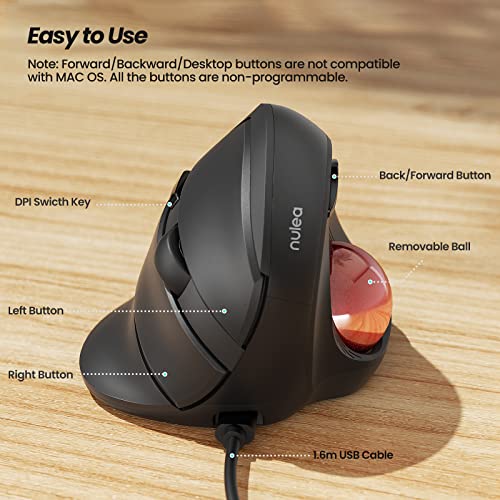
Nulea Wired Trackball Mouse for Large Hand, Vertical Ergonomic Mouse with Trackball, Easy Thumb Control with 5 Adjustable DPI, Precise & Smooth Tracki...

Nulea Wired Vertical Trackball Ergonomic Mouse

NULEA

Reviews for NULEA (PM Score)

9.2 PM Score
Buy on Amazon
  • Ergonomic Thumb Control Design: If you're looking for a more relaxed, natural hand position, smooth thumb control, and lessened muscle strain this is the ideal mouse for you! With this ergonomic mouse, your hand and arm remain relaxed while you move the cursor without moving your arm. Work for a long time? The mice is designed for your all-day comfort! (Note: Great fit large hands)
  • 55º Natural Handshake Posture: With the natural handshake posture, you can keep your hand in a natural grip position to reduce wrist strains and muscle pain. An ergonomic vertical mouse helps you maintain the handshake position while using it, you hardly ever need to twist your wrist.
  • Easy to Use: Features a 5.25ft (1.6m) USB cable, you can simply plug in and use the ergo mouse. 5 Buttons design boosts your efficiency -- Back/Forward buttons and precision clickable scroll-wheel perform more convenient control. Note: Forward/ Backward buttons are not compatible with Mac OS. All the buttons are non-programmable.
  • 5 Adjustable DPI Levels: Nulea vertical trackball mouse has 5 adjustable DPI levels that helps you quickly respond to your demands. With 500 / 800 / 1000 / 1200 / 1600 DPI resolution optical tracking technology, the wired mice tracks on a range of surfaces with greater accuracy and precision. It helps increase mouse performance, makes shooting in games easier, and enhances mouse sensitivity.
  • Easy Cleaning: Worried about the mouse sensitivity decline after using it for a while? Thanks to its removable ball, the mouse for laptop is easy to clean! You can take out the trackball and wipe it clean, the USB mouse will perform as sensitivity as new.
SELLER SELLER SCORE AMAZON FULFILLED PRIME FREE SHIPPING
Nulea Direct 9.86 Yes Yes Yes

The Nulea Wired Trackball Mouse is a total game-changer for anyone suffering from chronic wrist strain or working with larger hands. By utilizing a 55-degree natural handshake posture, this device keeps your arm relaxed and eliminates the constant twisting required by traditional mice. I found the thumb-controlled trackball incredibly efficient for navigating the screen without needing to move your entire arm, which makes it a dream for long, all-day work sessions. The five adjustable DPI levels—ranging from 500 to 1600—provide plenty of precision for everything from casual browsing to more sensitive tasks. Plus, the removable ball feature is a genius touch, allowing you to easily clean out dust to maintain that smooth, like-new tracking performance.

What We Like
Natural handshake posture
Thumb-controlled trackball
Removable cleaning ball
Five adjustable DPI
Large hand design

Ablenet BIGtrack 2.0 Trackball - for Users Who Lack Fine Motor Skills to Use a Mouse. A Big 3” Trackball with 2 Blue (Left and Right) Mouse Buttons -...

Ablenet BIGtrack 2.0 Large Trackball Mouse

ABLENET 12000006 10.00 X 8.50 X 5.40 Inches 1.00 Pounds

Reviews for ABLENET (PM Score)

9.0 PM Score
Buy on Amazon
  • BIGtrack 2.0 is USB mouse that includes a large 3-in / 7.62-cm trackball and over-sized left and right click buttons. The large ball requires less fine motor control than a standard trackball and it is ruggedly built. It has a left and a right mouse and special Drag Lock.
  • Features a 3-inch yellow ball and has two blue buttons (for left and right mouse clicks) located behind the trackball to avoid unwanted clicks and special Drag Lock feature for ease of access.
  • BIGtrack 2.0 is compatible with most laptop, desktop, and tablet computers that can use a standard mouse. One USB Type A receptacle is required.
  • The BIGtrack Trackball is an easy and effective way to move the mouse cursor across the screen.
  • he giant yellow ball makes it easy to get the cursor precisely where you want it. BIGtrack Features Large 3-inch trackball Oversized left and right mouse click buttons Drag-lock feature Available in a switch adapted version USB or PS2 connection to Windows or Mac computers PC and Mac compatible. To Scroll, place cursor on scroll Bar and press button to scroll.
SELLER SELLER SCORE AMAZON FULFILLED PRIME FREE SHIPPING
AramediA 9.89 Yes Yes Yes

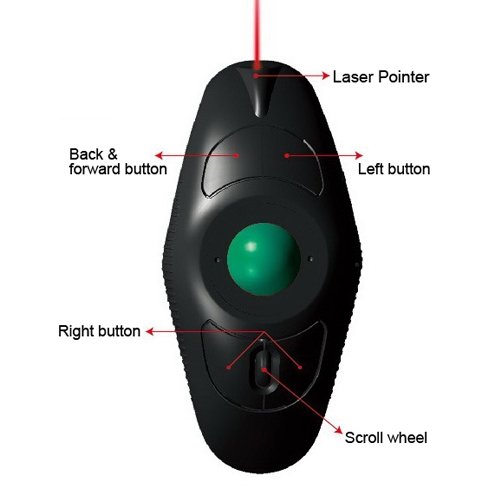
Standard computer mice are absolute barriers for users struggling with fine motor control, but the Ablenet BIGtrack 2.0 turns navigation into a manageable task. Instead of the tiny, frustrating movements required by traditional peripherals, this device utilizes a massive 3-inch yellow trackball that responds to much broader gestures. The design is incredibly intentional. The oversized blue left and right click buttons are positioned behind the ball to prevent accidental clicks, which is a huge win for precision. I particularly like the integrated Drag Lock feature, which simplifies complex clicking tasks that usually cause frustration. It is a rugged, USB-connected solution that works seamlessly across most Windows and Mac setups, making digital access much more inclusive for those who need a larger physical interface.

What We Like
Three-inch trackball
Oversized click buttons
Drag Lock feature
Rugged construction
USB connectivity

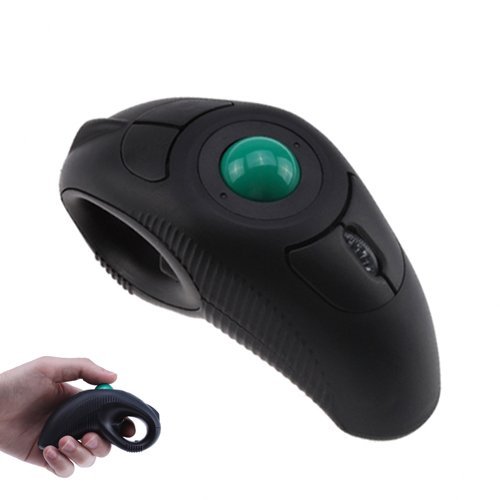
YUMQUA Y-10L Finger Handheld Trackball Mouse with Laser Pointer, 2.4G USB Wireless Trackball Mouse for Laptop Computer PC Black

YUMQUA Y-10L Wireless Handheld Trackball Mouse

YUMQUA Y-10L-US 4.13 X 1.97 X 2.17 Inches 0.22 Pounds

Reviews for YUMQUA (PM Score)

8.9 PM Score
Buy on Amazon
  • YUMQUA Y-10L Wireless Trackball mouse with built-in laser pointer making it an essential nice assistant of demonstrations or presentations.
  • Thumb-controlled trackball, Off-table design for free and comfortable operation. Y-10L handheld finger mouse can greatly ease the harm of palm joint or muscle for long time using mouse.
  • Ambidextrous design mouse for left or right-handed users. Dolphin shape design with left/right clickers, fit left and right handed users.
  • Connects via USB Port,Plug and play, no software required. Compatible system: Windows, Linux,Mac OS.
  • It can greatly ease the harm of palm joint or muscle for long time using mouse
SELLER SELLER SCORE AMAZON FULFILLED PRIME FREE SHIPPING
WhasrpOnline 9.56 Yes Yes Yes

Picture yourself standing in front of a crowded boardroom, navigating complex slides with nothing but a handheld device in your palm. The YUMQUA Y-10L transforms the way you present by integrating a built-in laser pointer directly into its ergonomic dolphin-shaped body. Unlike traditional mice that require a flat desk, this trackball uses a thumb-controlled system that lets you operate it anywhere, effectively easing the strain on your palm joints and muscles during long sessions. It is a true plug-and-play solution that works seamlessly across Windows, Mac, and Linux via a simple USB connection. Whether you are a left-handed user or a righty, the ambidextrous design ensures a comfortable grip while you focus on delivering your pitch.

What We Like
Built-in laser pointer
Thumb-controlled trackball
Ambidextrous dolphin design
Ergonomic handheld grip
Plug and play

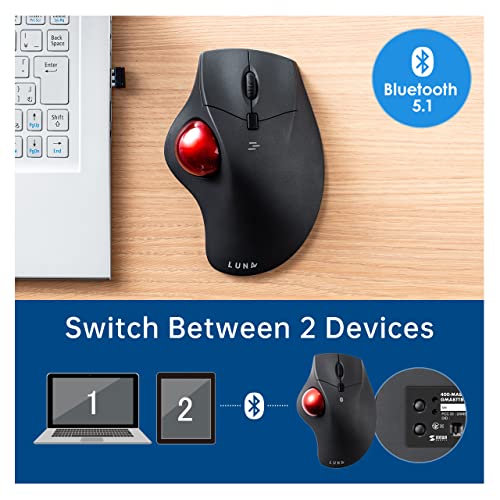
SANWA Dual Mode (Bluetooth 5.1+2.4G Wireless) Ergonomic Trackball Mouse, Rollerball Mice, Programmable Silent Buttons, 44mm Trackball,1000/1600/2400 D...

SANWA Dual Mode Ergonomic Trackball Mouse

SANWA SUPPLY GMAWBTTB138 4.06 X 2.17 X 6.73 Inches

Reviews for SANWA SUPPLY (PM Score)

6.4 PM Score
Buy on Amazon
  • TRACKBALL COMFORT - Equipped with a 44mm trackball, you will not need to mouse around to move the cursor as thumb controlled trackball stays in one place. Not only work on flat surfaces, but also on your leg, sofa and other surfaces as well. A full control of everything is within your fingers.
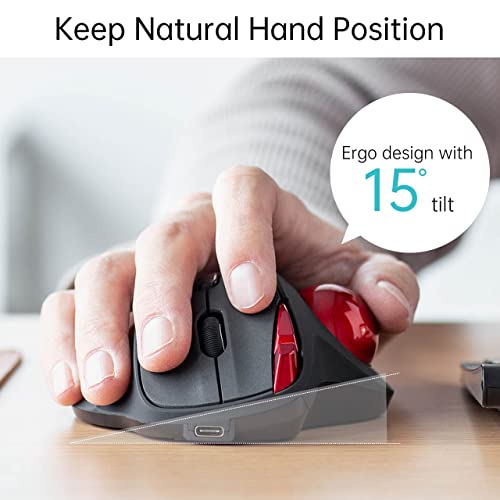
  • ERGONOMIC DESIGN - Places your hand in a natural wrist & arm position for smoother movement and less muscle tension. Comfortable finger rests just fit in the palm of your hand. No driver required. Once you get used to it, you will love it!
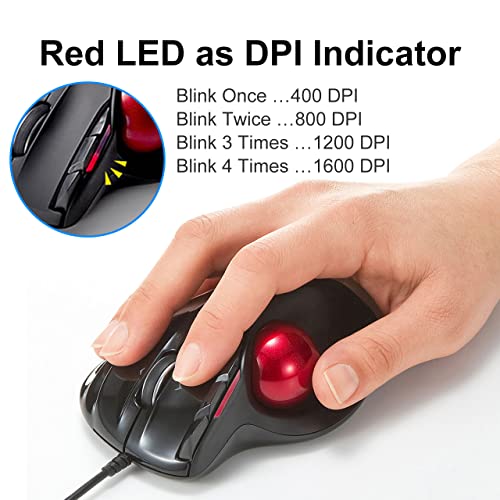
  • 4 ADJUSTABLE DPI LEVELS - The SANWA trackball provides precise cursor movement for superior accuracy so you can get where you want on the screen quickly with less hand movement, improving productivity and efficiency. You can adjust the mouse among 4 resolutions of 600 / 800 / 1200 / 1600 DPI depending on your needs. When the count switch button is pressed, the DPI is notified by the number of flashes.
  • PROGRAMMABLE BUTTONS - Download SANWA Trackball mouse software to program mouse buttons. Programming with a single click has never been easier. Work and play more efficiently and quickly.(The software does not work with mac OS or Chrome OS. The software is being upgraded and maintained, and is temporarily unavailable for download and use. We will restore the service as soon as possible. Please understand for any inconvenience caused.)
  • NOISELESS BUTTON - The noiseless button is mounted on the left and right clicks. Suitable for late-night PC operation, operation in quiet places such as public places, library, hospital or meetings.
SELLER SELLER SCORE AMAZON FULFILLED PRIME FREE SHIPPING
SANWA 9.84 Yes Yes Yes

Tucking into a laptop session on a cramped airplane tray or a soft sofa used to mean fighting for desk space, but this thumb-controlled trackball changes the math entirely. Because the 44mm rollerball stays stationary, you can navigate your screen without ever sliding the device across a surface. The ergonomic shape naturally cradles your palm, reducing that nagging wrist tension during long workdays. I found the silent click buttons particularly impressive for late-night sessions where every tap usually echoes. While the DPI is adjustable through four distinct levels for precision, just keep in mind that the button programming software is currently unavailable for macOS and Chrome OS users. It is a specialized tool that prioritizes comfort and versatile placement over traditional mouse movement.

What We Like
44mm trackball
Silent click buttons
Dual wireless modes
Ergonomic palm rest
Four DPI levels

SANWA Wired Ergonomic Trackball Mouse, Optical Rollerball Mice, Programmable Silent Buttons, 44mm Trackball, 600/800/1200/1600 Adjustable DPI, Compati...

SANWA Supply Wired Ergonomic Trackball Mouse

SANWA SUPPLY GMATB137 6.73 X 4.06 X 2.17 inches

Reviews for SANWA SUPPLY (PM Score)

5.5 PM Score
Buy on Amazon
  • TRACKBALL COMFORT - Equipped with a 44mm trackball, you will not need to mouse around to move the cursor as thumb controlled trackball stays in one place. Not only work on flat surfaces, but also on your leg, sofa and other surfaces as well. A full control of everything is within your fingers.
  • ERGONOMIC DESIGN - Places your hand in a natural wrist & arm position for smoother movement and less muscle tension. Comfortable finger rests just fit in the palm of your hand. No driver required. Once you get used to it, you will love it!
  • 4 ADJUSTABLE DPI LEVELS - The SANWA trackball provides precise cursor movement for superior accuracy so you can get where you want on the screen quickly with less hand movement, improving productivity and efficiency. You can adjust the mouse among 4 resolutions of 600 / 800 / 1200 / 1600 DPI depending on your needs. When the count switch button is pressed, the DPI is notified by the number of flashes.
  • PROGRAMMABLE BUTTONS - This SANWA ergonomic trackball mouse also has a forward/back function. Besides, it is programmable for different functions. Download SANWA Trackball mouse software to customize your mouse buttons and increase work efficiency. Note: 1. The software does not work with Mac OS or Chrome OS. 2. Programmable function works when the software on.
  • NOISELESS BUTTON - The noiseless button is mounted on the left and right clicks. Suitable for late-night PC operation, operation in quiet places such as public places, library, hospital or meetings.
SELLER SELLER SCORE AMAZON FULFILLED PRIME FREE SHIPPING
SANWA 9.85 Yes Yes Yes

Why settle for constant wrist strain when your mouse could stay perfectly still? The SANWA Supply wired trackball changes the desk game by utilizing a 44mm thumb-controlled rollerball that eliminates the need to slide a device across your desk. I found the ergonomic design incredibly helpful for maintaining a natural arm position, and the finger rests make it easy to nestle your palm comfortably. Whether you are working on a flat desk or a soft sofa, the precision is impressive thanks to the four adjustable DPI settings ranging from 600 to 1600. The silent buttons are a massive plus for late-night sessions or quiet libraries, and the ability to program the forward and back buttons via software adds a layer of productivity that standard mice simply lack.

What We Like
44mm trackball
Silent click buttons
Four adjustable DPI
Programmable buttons
Ergonomic palm rests

SANWA Wired Ergonomic Trackball Mouse, Optical Rollerball Mice, Programmable Silent Buttons, 40mm Trackball, 600/800/1200/1600 Adjustable DPI, Compati...

SANWA Wired Ergonomic Thumb-Controlled Trackball Mouse

SANWA SUPPLY GMATB39 6.10 X 4.25 X 1.85 Inches

Reviews for SANWA SUPPLY (PM Score)

4.4 PM Score
Buy on Amazon
  • TRACKBALL COMFORT - Equipped with a 40mm trackball, you will not need to mouse around to move the cursor as thumb controlled trackball stays in one place. Not only work on flat surfaces, but also on your leg, sofa and other surfaces as well. A full control of everything is within your fingers.
  • ERGONOMIC DESIGN - Places your hand in a natural wrist & arm position for smoother movement and less muscle tension. Comfortable finger rests just fit in the palm of your hand. No driver required. Once you get used to it, you will love it!
  • 4 ADJUSTABLE DPI LEVELS - The SANWA trackball provides precise cursor movement for superior accuracy so you can get where you want on the screen quickly with less hand movement, improving productivity and efficiency. You can adjust the mouse among 4 resolutions of 600 / 800 / 1200 / 1600 DPI depending on your needs. When the count switch button is pressed, the DPI is notified by the number of flashes.
  • PROGRAMMABLE BUTTONS - Download SANWA Trackball mouse software to program mouse buttons. Programming with a single click has never been easier. Work and play more efficiently and quickly.(The software does not work with mac OS or Chrome OS. The software is being upgraded and maintained, and is temporarily unavailable for download and use. We will restore the service as soon as possible. Please understand for any inconvenience caused.)
  • NOISELESS BUTTON - The noiseless button is mounted on the left and right clicks. Suitable for late-night PC operation, operation in quiet places such as public places, library, hospital or meetings.
SELLER SELLER SCORE AMAZON FULFILLED PRIME FREE SHIPPING
SANWA 9.84 Yes Yes Yes

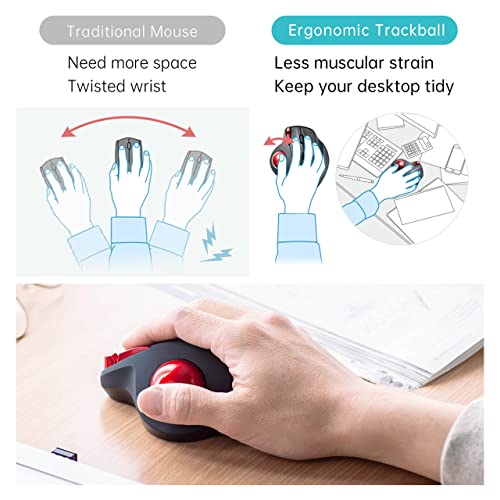
Most people settle for standard mice that force you to constantly clear desk space, but the SANWA Wired Ergonomic Trackball changes the game by staying perfectly stationary. Because the 40mm trackball is controlled by your thumb, you can navigate precisely from your lap, a sofa, or even a cramped cafe table without needing a flat surface. I found the ergonomic shape incredibly helpful for reducing wrist tension, as it cradles your palm naturally. The four adjustable DPI levels—ranging from 600 to 1600—make it easy to switch between slow, precise tasks and fast cursor movement. Plus, the silent left and right clicks are a lifesaver if you are working late at night or in a quiet library where every click usually echoes.

What We Like
Thumb-controlled trackball
Silent click buttons
Four adjustable DPIs
Ergonomic palm rests
Works on any surface

SANWA 2.4G Wireless Ergonomic Trackball Mouse, Optical Rollerball Mice, Programmable Silent Buttons, 34mm Trackball, 600/800/1200/1600 Adjustable DPI,...

SANWA Wireless Ergonomic Trackball Mouse

SANWA SUPPLY GMAWTB168 4.13 X 1.85 X 5.04 Inches 0.28 Pounds

Reviews for SANWA SUPPLY (PM Score)

4.0 PM Score
Buy on Amazon
  • TRACKBALL COMFORT - Equipped with a 34mm trackball, you will not need to mouse around to move the cursor as thumb controlled trackball stays in one place. Not only work on flat surfaces, but also on your leg, sofa and other surfaces as well. A full control of everything is within your fingers.
  • ERGONOMIC DESIGN - Places your hand in a natural wrist & arm position for smoother movement and less muscle tension. Comfortable finger rests just fit in the palm of your hand. No driver required. Once you get used to it, you will love it!
  • 4 ADJUSTABLE DPI LEVELS - The SANWA trackball provides precise cursor movement for superior accuracy so you can get where you want on the screen quickly with less hand movement, improving productivity and efficiency. You can adjust the mouse among 4 resolutions of 600 / 800 / 1200 / 1600 DPI depending on your needs. When the count switch button is pressed, the DPI is notified by the number of flashes.
  • PROGRAMMABLE BUTTONS - Download SANWA Trackball mouse software to program mouse buttons. Programming with a single click has never been easier. Work and play more efficiently and quickly.(The software does not work with mac OS or Chrome OS. The software is being upgraded and maintained, and is temporarily unavailable for download and use. We will restore the service as soon as possible. Please understand for any inconvenience caused.)
  • NOISELESS BUTTON - The noiseless button is mounted on the left and right clicks. Suitable for late-night PC operation, operation in quiet places such as public places, library, hospital or meetings.
  • RECHARGEABLE WIRELESS MOUSE - Built-in high quality rechargeable battery means you can recharge whenever you want. Do not need to buy a separate dry battery, environmental protection and cost saving.When you leave your mouse more than 5 minutes, it will automatically get into sleep mode which saves electricity of the mouse, and click any button for waking up the mouse again.
SELLER SELLER SCORE AMAZON FULFILLED PRIME FREE SHIPPING
SANWA 9.84 Yes Yes Yes

The silent click of the SANWA trackball is almost imperceptible, making it a dream for late-night sessions or quiet library work. Instead of sliding a traditional mouse across your desk, you simply use your thumb to spin the 34mm rollerball, which lets you navigate your screen from almost any surface, including your lap or a sofa. I found the ergonomic shape very intuitive. The finger rests settle comfortably into your palm, significantly reducing the wrist strain I usually feel after a long workday. You can toggle between four DPI levels to fine-tune your precision, and the built-in rechargeable battery means you can ditch the disposable cells for good. It is a specialized tool that prioritizes comfort and quiet efficiency.

What We Like
Silent click buttons
Thumb-controlled trackball
Rechargeable battery
Four DPI levels
Ergonomic finger rests

SANWA Bluetooth 5.0 Ergonomic Trackball Mouse, Computer Rollerball Mice, Laser Sensor, 34mm Trackball, 400/800/1200/1600 Adjustable DPI, 5 Buttons, Co...

SANWA Bluetooth 5.0 Ergonomic Trackball Mouse

SANWA SUPPLY GMABTTB1BK 3.94 X 5.16 X 1.77 Inches

Reviews for SANWA SUPPLY (PM Score)

3.9 PM Score
Buy on Amazon
  • TRACKBALL COMFORT - Quipped with a 34mm trackball and 5 buttons, you will not need to mouse around to move the cursor as thumb controlled trackball stays in one place. Not only work on flat surfaces, but also on your leg, sofa and other surfaces as well. A full control of everything is within your fingers.
  • ERGONOMIC DESIGN - Places your hand in a natural wrist and arm position for smoother movement and less muscle tension. Comfortable finger rests just fit in the palm of your hand. No driver required. As long as your device supports Bluetooth, it can be connected to the trackball mouse through Bluetooth. Bluetooth version 5.0, stable connection and power saving. Once you get used to it, you will love it!
  • EASY TO PROGRAM - Install the SANWA Trackball Utility onto your computer to configure the Trackball Mouse's buttons. It gives you easy access to assign mouse buttons for several types of functions, such as shortcuts, launch browser, volume up & etc.
  • 4 ADJUSTABLE DPI LEVELS - You can adjust the mouse among 4 resolutions of 400 / 800 / 1200 / 1600 DPI depending on your needs. When the count switch button is pressed, the DPI is notified by the number of flashes. Comes with Back and Forward buttons that are convenient for browsing the web.
  • WIDE COMPATIBILITY - Compatible with most system including Windows 11/10/8.1/8/7, macOS 10.12~10.15, Mac OS X 10.3~10.11, Chrome OS. ※Notice: All SANWA Products provide the same high quality after-service as in Japan, including a 1-Year Worry-Free Manufacturer Warranty and free lifetime technical support.※
SELLER SELLER SCORE AMAZON FULFILLED PRIME FREE SHIPPING
SANWA 9.84 Yes Yes Yes

Switching from a traditional optical mouse to a thumb-controlled trackball feels like a massive gamble until you actually experience the freedom it provides. The SANWA Bluetooth 5.0 mouse eliminates the need to constantly clear desk space because the device stays stationary while your thumb does all the work. I found it incredibly useful for working on a sofa or even my lap, where a standard mouse would just slide off. The ergonomic contours and finger rests significantly reduce wrist tension, making long sessions much more comfortable. With four adjustable DPI levels ranging from 400 to 1600, you can fine-tune the precision to match your specific workflow, and the ability to program buttons via the SANWA utility adds a layer of professional customization that most budget peripherals lack.

What We Like
Thumb-controlled trackball
Four adjustable DPIs
Bluetooth 5.0 connectivity
Programmable button utility
Ergonomic finger rests

Kensington Orbit Wireless Trackball with Scroll Ring - Black-Red (K70990WW),

Kensington Orbit Wireless Trackball with Scroll Ring

KENSINGTON K70990WW 7.30 X 5.60 X 3.50 Inches 0.35 Pounds

Reviews for KENSINGTON (PM Score)

0.0 PM Score
Buy on Amazon
  • Dual wireless connectivity offers the flexibility of 2.4 GHz and Bluetooth (3.0 and LE), with 128-bit AES government-grade encryption security
  • The scroll ring lets you spin the dial to move up and down web pages or documents with complete ease. And the 40mm ball’s hard surface is specially designed as a perfect sphere for precise tracking and control
  • Four DPI settings let you easily adjust the cursor speed to fit your needs by selecting the appropriate level (400, 800, 1,200, or 1,600) — lower DPI for precision editing, and higher DPI for word processing or casual browsing
  • Ambidextrous design works equally well for right-handed and left-handed users. Trackball reduces wrist and hand movement to ease repetitive-stress injuries
  • Free KensingtonWorks downloadable software provides a personalized experience, giving you the ability to assign a variety of functions (including shortcuts) to the buttons, and adjust cursor and scrolling speed
  • Optical tracking technology delivers precise cursor movement for superior accuracy, so you can get where you want on the screen quickly with less hand movement, improving productivity and efficiency
  • A detachable wrist rest delivers soft cushioning to support the hand and wrist in ergonomic comfort for pain-free productivity during extended periods of activity on the computer
  • Mac and PC compatible
SELLER SELLER SCORE AMAZON FULFILLED PRIME FREE SHIPPING
Amazon.com 9.68 Yes Yes Yes

The Kensington Orbit Wireless Trackball redefines desktop efficiency with its intuitive integrated scroll ring. While standard mice require constant arm movement, this trackball lets you navigate long documents with a simple flick of the dial. I found the 40mm hard-surface ball provides incredibly smooth, precise tracking that feels much more controlled than cheaper alternatives. You can toggle between four DPI settings to switch from high-speed browsing to surgical precision for editing, which is a massive productivity boost. The dual wireless connectivity—supporting both Bluetooth and 2.4 GHz—makes it easy to jump between devices, and the detachable wrist rest ensures you stay comfortable during long sessions. It is a versatile, ambidextrous tool that genuinely helps reduce the repetitive strain often caused by traditional mice.

What We Like
Integrated scroll ring
Dual wireless connectivity
Four DPI settings
Detachable wrist rest
Ambidextrous design
Buying Guide

A Guide to Selecting the Best mac trackballs

A Guide to Selecting the Best mac trackballs

Connectivity and macOS Ecosystem Compatibility

The first decision point for any Mac user is how the device connects to the computer. While many trackballs use standard 2.4GHz wireless dongles, macOS users should prioritize devices that offer native Bluetooth support. Bluetooth allows you to keep your USB-C ports free for external drives and displays, which is critical for the streamlined setups typical of MacBook Pro and iMac users. Furthermore, look for devices that support multi-device pairing. The ability to switch between a MacBook and a desktop Mac with a single button press is a massive productivity multiplier. Always verify that the manufacturer provides driver support for macOS, as you will likely want to customize button mappings and sensitivity settings to match the fluid feel of the Mac cursor.

Thumb vs. Finger Control

Trackballs are fundamentally divided into two ergonomic camps: thumb-operated and finger-operated. Thumb-operated trackballs feature a large ball positioned to the side, controlled by your thumb, while the rest of your hand rests naturally on the device. These are often preferred by users who want to maintain a traditional grip. Finger-operated trackballs (often called large-format trackballs) place the ball directly in front of your fingers. These require more significant movement from your index and middle fingers but offer much higher precision for fine-tuned tasks like photo editing or vector illustration. Your choice should depend on your hand size and whether you prefer a compact footprint or a more substantial, weighted device.

Button Customization and Macro Support

A trackball is only as good as the shortcuts it can execute. For Mac users, the ability to map specific gestures—such as Mission Control, App Exposé, or switching between Full Screen spaces—directly to the trackball buttons is essential. Seek out hardware that includes dedicated software for macOS. High-end trackballs often feature programmable buttons that allow you to create complex macros. If you are a video editor, being able to map a 'trim' or 'cut' command to a thumb button can significantly reduce the amount of time spent reaching for the keyboard, creating a more cohesive, fluid movement pattern.

Ball Friction and Maintenance

The 'feel' of a trackball is determined by the friction between the ball and the support bearings. High-quality trackballs use ceramic or high-grade steel bearings to ensure a smooth, 'floating' sensation. If the ball feels gritty or catches, it is usually due to dust buildup on the sensors. When shopping, consider the ease of maintenance. Look for designs where the ball can be popped out easily without unscrewing the entire chassis. A trackball that is difficult to clean will eventually become frustrating to use as skin oils and dust create drag.

Ergonomics and Desk Footprint

Finally, consider your workspace. Because trackballs do not move, they occupy a much smaller footprint than a standard mouse, making them ideal for small desks or cluttered workstations. However, the physical shape of the device will dictate your wrist angle. Look for a contoured design that supports the natural arch of your hand to prevent ulnar deviation. If you are prone to wrist fatigue, a device with a slight tilt or a dedicated palm rest will provide the long-term comfort necessary for professional use.

Ready to choose?

Jump back to our ranked picks or compare the shortlist side by side.

Frequently Asked Questions

Quick answers about Mac Trackballs before you buy.

Trackballs are ideal for Mac users with limited desk space or those prone to wrist strain, as they eliminate the need for large arm movements while offering high precision for creative workflows.

Most high-quality trackballs are plug-and-play via Bluetooth or a USB receiver, though some advanced models require specific drivers to customize button mapping and sensitivity on macOS.

Yes, most trackballs are cross-compatible. However, you may need to use third-party software to access advanced macro features if the manufacturer hasn't released a dedicated macOS driver.

Thumb-operated models use your thumb to move the ball, making them feel more like a traditional mouse, while finger-operated models use your index and middle fingers, offering more stability and precision for fine tasks.

Simply lift the ball out of its socket and wipe the sensor lens with a dry microfiber cloth. Clean the ball itself with a slightly damp cloth to remove skin oils and debris.

Bluetooth is preferred for Mac users to save available USB-C ports, but a USB dongle often provides a more stable, lag-free connection for professional design work.

Yes, most modern Bluetooth trackballs are compatible with iPadOS, allowing you to use them as a precision pointing device for tablet-based productivity.
Research & Insights

Our Analysis of Mac Trackballs

12,610 Reviews Analyzed
14 Products Evaluated
7.1 Avg PM Score
7 Brands Ranked

Top 10 Mac Trackballs Brands on Amazon

Share of top-ranked products by brand, from our editorial analysis.

  1. 01 Sanwa Supply 5 (35.7%)
  2. 02 Kensington 3 (21.4%)
  3. 03 Logitech 2 (14.3%)
  4. 04 Ablenet 1 (7.1%)
  5. 05 Eigiis 1 (7.1%)
  6. 06 Nulea 1 (7.1%)
  7. 07 Yumqua 1 (7.1%)

What Our Analysis Found

We've carried out a comprehensive analysis of 12,610 reviews on Mac Trackballs, using our selection criteria to identify the best options in the computers & accessories. Our findings reveal that most customers typically select Mac Trackballs priced around $51.27.

Our team of expert editors reviewed these high-quality items and handpicked the top 14 Mac Trackballs for your consideration..

We are dedicated to assisting our users in finding the right trackballs Products based on their needs, saving them considerable time when choosing which Mac Trackballs to buy. We take pride in the number of satisfied users we've helped through our thorough and insightful reviews.