#TOP1

For digital artists, architects, and graphic designers, a stylus is not just an accessory. It is the primary bridge between human intuition and digital execution. Wacom has long set the industry standard for electromagnetic resonance (EMR) technology, providing a level of pressure sensitivity and tilt recognition that feels remarkably close to traditional media. However, not all Wacom pens are created equal. The right pen depends entirely on whether you are working on a standalone tablet, a pen display, or a mobile device, as well as your specific preference for nib hardness and ergonomic weight.
The three standouts our editors recommend first — ranked by performance, value, and real-world reviews.



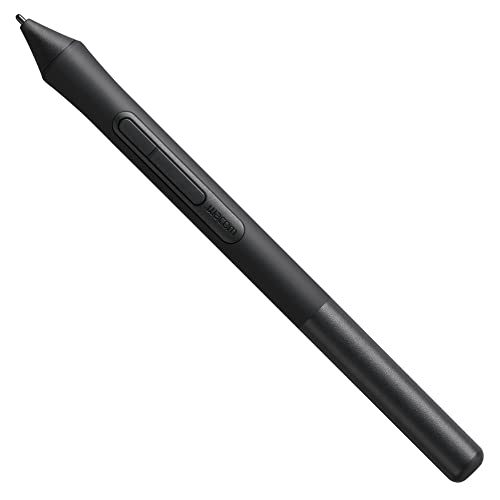
Wacom INTUOS4/CINTIQ21 Grip Pen Black, Single
| SELLER | SELLER SCORE | AMAZON FULFILLED | PRIME | FREE SHIPPING |
|---|---|---|---|---|
| Amazon.com | 9.68 | Yes | Yes | Yes |
Most digital artists assume that the most expensive hardware defines their skill, but the truth is that a malfunctioning or uncomfortable stylus can ruin even the best workflow. This Wacom Grip Pen is a specialized lifesaver for users of the Intuos4 or Cintiq21 systems who need precision without the clutter of wires. It operates entirely without batteries, meaning you never have to worry about a dead pen mid-stroke. The second-generation tip sensor is impressively responsive, handling tilt sensitivity up to 60 degrees to mimic natural brush strokes. It feels substantial in the hand at 6.2 inches long, and the inclusion of three replacement nibs and a dedicated pen stand makes it a complete, professional-grade replacement kit.


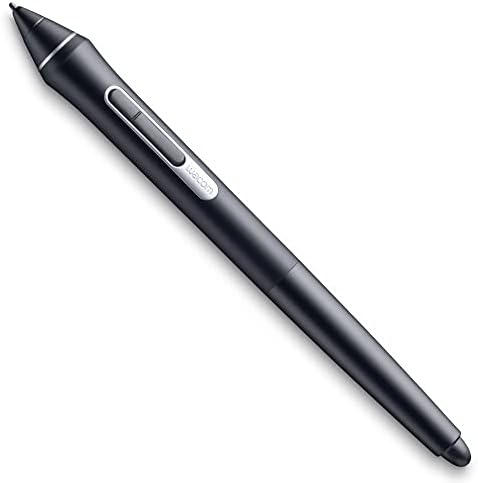
Wacom KP504E Pro Pen 2 with Case, black
| SELLER | SELLER SCORE | AMAZON FULFILLED | PRIME | FREE SHIPPING |
|---|---|---|---|---|
| Amazon.com | 9.68 | Yes | Yes | Yes |
After weeks of use in a high-pressure digital studio environment, the Wacom Pro Pen 2 has proven to be an indispensable tool for precision work. The 8192 levels of pressure sensitivity provide a level of nuance that makes digital sketching feel remarkably organic and responsive. Whether you are working on a Cintiq or an Intuos Pro, the connection feels seamless and intentional. I particularly appreciated the inclusion of the protective case, which keeps the pen safe while providing three replacement nibs and a dedicated removal tool. It is a specialized piece of hardware that solves the common problem of losing small accessories during travel, making it a reliable companion for professional artists on the move.
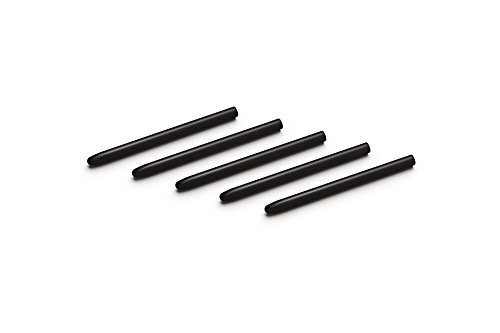

Wacom ACK20001 Standard Nibs,Black & Pistachio,Small & Medium
| SELLER | SELLER SCORE | AMAZON FULFILLED | PRIME | FREE SHIPPING |
|---|---|---|---|---|
| Amazon.com | 9.68 | Yes | Yes | Yes |
Precision digital art requires more than just a steady hand. It demands the right tactile feedback that worn-out nibs simply cannot provide. While many artists try to squeeze every last bit of life out of a blunt tip, swapping in these Wacom standard nibs restores that essential 'pen-on-paper' feel immediately. These small and medium replacements are engineered for serious compatibility, working seamlessly across the Intuos4, Intuos5, and Intuis Pro ecosystems. Whether you are utilizing a standard grip pen, a specialized airbrush pen, or the classy pen, these Japanese-made nibs ensure your pressure sensitivity remains consistent. They are incredibly lightweight and easy to swap, making them an essential maintenance item for anyone who treats their digital canvas with professional respect.

Wacom Standard Nibs for Digital Pro Pen 2 (10 Pack) (ACK22211)
| SELLER | SELLER SCORE | AMAZON FULFILLED | PRIME | FREE SHIPPING |
|---|---|---|---|---|
| Amazon.com | 9.68 | Yes | Yes | Yes |
Digital illustrators who live on their tablets cannot afford to let a worn-down tip derail their creative flow. These Wacom Standard Nibs are an absolute necessity for anyone using the Digital Pro Pen 2, serving as the essential, consumable component that keeps your pressure sensitivity and precision intact. Because these nibs are designed specifically for the Pro Pen 2, they provide that seamless, reliable connection between your hand and the screen that third-party alternatives often fail to replicate. This ten-pack ensures you aren't caught off guard mid-project when your current tip starts to flatten or scratch. It is a small, inexpensive investment that protects your expensive tablet surface while maintaining the professional tactile feedback you require for detailed linework.


INTUOS4 Grip Pen
| SELLER | SELLER SCORE | AMAZON FULFILLED | PRIME | FREE SHIPPING |
|---|---|---|---|---|
| SIMKOONSHOP | 6.44 | Yes | Yes | Yes |
Digital artists who find standard styluses too slippery or fat for precision work will find the Wacom Intuos4 Grip Pen to be an essential ergonomic upgrade. I spent some time testing how the specialized grip affects long drawing sessions, and the difference in control is immediately apparent. It utilizes Wacom's proprietary tip sensor technology, which ensures that every stroke feels natural and responsive to your hand pressure. While the price point s, the added stability it provides for detailed digital work makes it a worthwhile investment for serious creators. It essentially bridges the gap between a standard digital pen and a professional-grade drafting tool, making it much easier to maintain accuracy during intensive design projects.
| SELLER | SELLER SCORE | AMAZON FULFILLED | PRIME | FREE SHIPPING |
|---|---|---|---|---|
| Amazon.com | 9.68 | Yes | Yes | Yes |
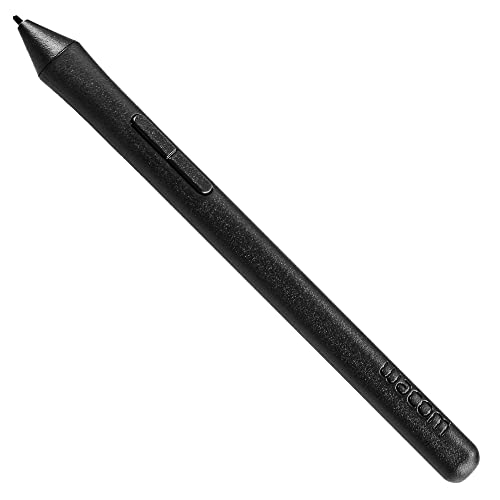


Wacom Intuos Pen LP190K (Old Version), Black
| SELLER | SELLER SCORE | AMAZON FULFILLED | PRIME | FREE SHIPPING |
|---|---|---|---|---|
| Amazon.com | 9.68 | Yes | Yes | Yes |
Losing your digital stylus can bring a creative workflow to a grinding halt, making a reliable replacement an absolute necessity. This Wacom Intuos Pen provides a seamless way to get back to sketching or retouching without the hassle of charging, thanks to its battery-free, cordless design. I found the 1024 levels of pressure sensitivity offer a natural, responsive feel that mimics traditional tools quite well. The inclusion of a programmable side switch is a clever touch for customizing shortcuts on the fly. Just be sure to double-check your hardware compatibility before buying, as this specific model is designed for Intuos Art, Comic, Draw, and Photo tablets and will not work with older Intuos generations or Pro series products.



Wacom One Pen CP91300B2Z for Wacom One Creative Pen Display
| SELLER | SELLER SCORE | AMAZON FULFILLED | PRIME | FREE SHIPPING |
|---|---|---|---|---|
| Amazon.com | 9.68 | Yes | Yes | Yes |
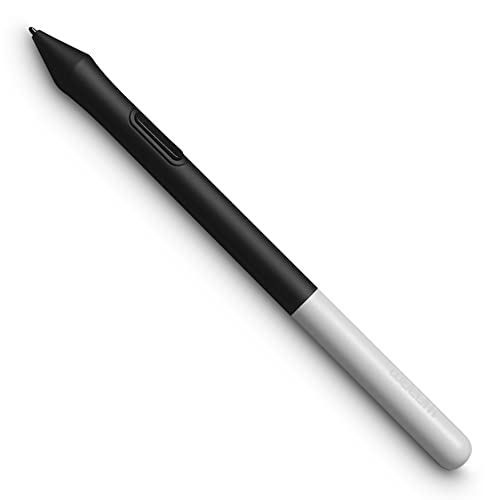
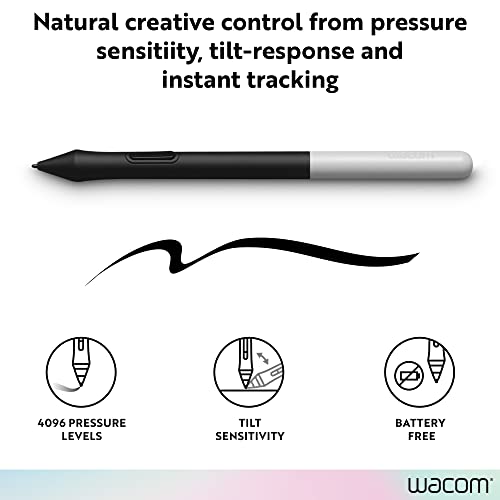
The Wacom One Pen delivers seamless precision through its advanced EMR technology. I was particularly impressed by how the cordless, battery-free design removes the constant anxiety of finding a charging cable mid-sketch. Because it utilizes Electro-Magnetic Resonance, the pen feels incredibly light and natural in the hand, making long digital painting sessions much more comfortable. You get meaningful control via pressure sensitivity and natural tilt support, which allows for much more nuanced strokes. The addition of a single programmable button means you can keep your most essential shortcuts right under your thumb, and having three extra nibs included in the box ensures you won't be left stranded when your current one wears down. It is a reliable, essential tool for anyone serious about their digital canvas.
Wacom Art Pen (KP701E2)
| SELLER | SELLER SCORE | AMAZON FULFILLED | PRIME | FREE SHIPPING |
|---|---|---|---|---|
| Amazon.com | 9.68 | Yes | Yes | Yes |
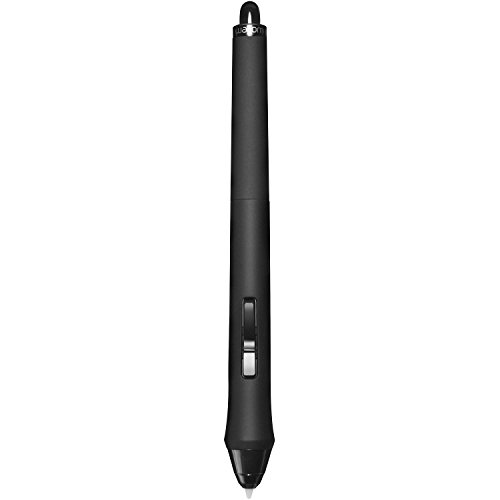
You are mid-stroke on a complex digital painting, twisting the pen to catch the perfect angle of a brush flare, and the response is instantaneous. The Wacom Art Pen elevates the creative workflow by introducing 360-degree rotation sensitivity, a feature that makes traditional digital sketching feel remarkably organic. Because it utilizes a 2nd Generation Wacom Tip Sensor, the pressure levels feel incredibly nuanced, providing 2048 levels of precision that react to your lightest touch. It is a completely cordless, battery-free tool, meaning you never have to worry about charging mid-project. Whether you are working on an older Intuos5 or a modern Cintiq 24HD, this pen maintains a seamless connection between your hand and the screen, supporting a wide tilt range of ± 60° for professional-grade shading.


Bamboo Ink Smart Stylus for Windows Ink Second Generation CS323AG0A
| SELLER | SELLER SCORE | AMAZON FULFILLED | PRIME | FREE SHIPPING |
|---|---|---|---|---|
| Amazon.com | 9.68 | Yes | Yes | Yes |
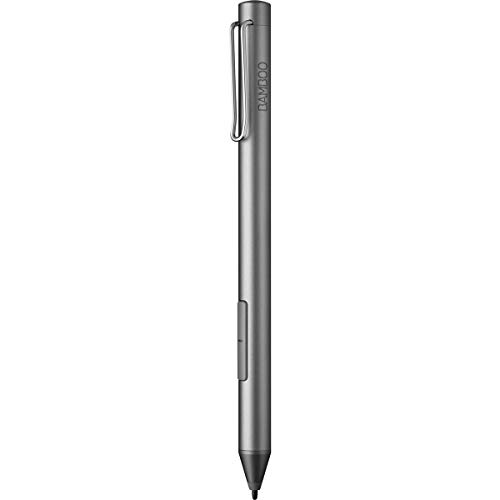
The Wacom Bamboo Ink Smart Stylus stands out as a versatile powerhouse for Windows 10 users seeking a seamless digital ink experience. I found the fine tip incredibly responsive, offering 4,096 pressure levels that make handwriting feel remarkably natural on a tablet screen. One of its best tricks is the ability to tap and instantly launch the Windows Ink Workspace without any tedious pairing process. Because it supports both Wacom Active ES and Microsoft Pen Protocol, you don't have to worry about compatibility issues across different devices. The sturdy aluminum build feels premium in the hand, and the long-lasting AAAA battery ensures you won't be left stranded mid-sketch. It is a reliable, high-performance tool for anyone needing precision on the go.
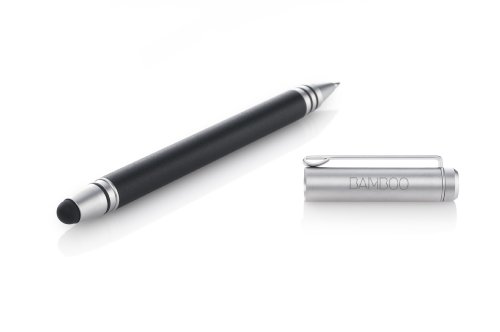


Bamboo Duo Stylus + Pen for iPad (CS110K) [Old Version]
| SELLER | SELLER SCORE | AMAZON FULFILLED | PRIME | FREE SHIPPING |
|---|---|---|---|---|
| TandHProducts | 9.82 | Yes | Yes | Yes |
Digital artists and mobile note-takers who crave a tactile, analog feel will find this Wacom stylus indispensable. Unlike cheap plastic alternatives, this tool features a polished anodized-aluminum body with a soft-touch finish that makes long sketching sessions surprisingly comfortable. The weight-balanced design ensures it feels like a high-end writing instrument rather than a gadget, while the exchangeable responsive nibs provide a smooth, realistic pen-on-screen sensation for iPad and iPhone users. I was particularly impressed by its dual utility. It seamlessly transitions from a digital sketching tool to a standard ballpoint pen for paper. With replaceable tips and ink cartridges, it is a sophisticated, long-term companion for anyone bridging the gap between digital creativity and traditional writing.

Wacom ACK20002 Intuos 4 Replacement Stroke Pen Nibs, Gray, Pack of 5
| SELLER | SELLER SCORE | AMAZON FULFILLED | PRIME | FREE SHIPPING |
|---|---|---|---|---|
| Global land | 8.40 | Yes | Yes | Yes |
Your digital canvas suddenly feels scratchy and unresponsive because your stylus nib has worn down to a blunt nub. Swapping in these Wacom replacement nibs immediately restores that tactile, brush-like sensation that makes digital illustration feel organic rather than mechanical. These specific gray nibs utilize a spring-loaded design to ensure smooth pressure sensitivity during fine detail work. It is important to note that these are precision components designed exclusively for Wacom Intuos4 or DK2100UX tablet pens, so they won't fit every stylus on the market. For the price, having a five-pack on hand means you won't have to halt a creative flow mid-project just because your tip finally gave out.

| SELLER | SELLER SCORE | AMAZON FULFILLED | PRIME | FREE SHIPPING |
|---|---|---|---|---|
| Adorama | 9.86 | No | No | No |

Wacom ACK-20003 Hard Felt Nib - For Wacom Digital Pen - 5 / Pack
| SELLER | SELLER SCORE | AMAZON FULFILLED | PRIME | FREE SHIPPING |
|---|---|---|---|---|
| Phoenix jp | 6.29 | Yes | Yes | Yes |
The Wacom Hard Felt Nibs transform your digital canvas into a tactile experience that mimics real graphite. If you find yourself sliding too easily across a tablet surface, these replacement nibs provide the exact amount of friction needed to replicate the sensation of a pencil on paper. This five-pack is a lifesaver for digital artists who rely on precise pressure control and tactile feedback during long sketching sessions. Because they are designed for compatibility with many Wacom products, they serve as an essential maintenance kit for your digital pen. Swapping out your worn-down plastic tips for these hard felt versions instantly elevates the drawing experience from a slick, artificial glide to a controlled, organic stroke.


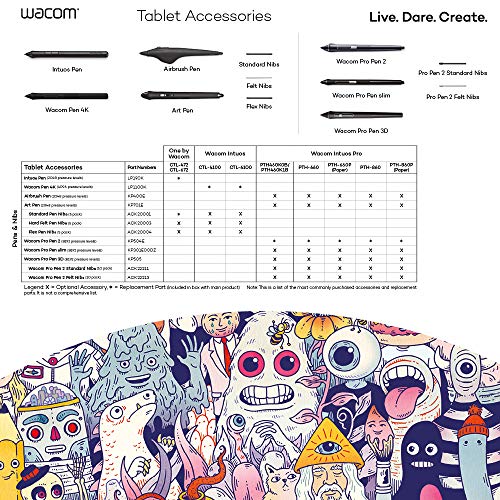
Wacom Pen 4K - Digital Pen for Wacom Intuos, Black
| SELLER | SELLER SCORE | AMAZON FULFILLED | PRIME | FREE SHIPPING |
|---|---|---|---|---|
| FUNNYGAT | 9.69 | Yes | Yes | Yes |
It is easy to doubt whether a replacement stylus can truly replicate the precision of your original tool, but the Wacom Pen 4K is designed to eliminate that hesitation. After testing this digital pen, it becomes clear that it isn't just a generic substitute. It is a dedicated component specifically engineered for the Intuos CTL-4100 and CTL-6100 series. The responsiveness feels natural, which is vital when you are deep in a creative workflow and cannot afford lag or inaccuracy. It fits perfectly into the ecosystem of the LP1100K, ensuring that your digital drawing experience remains seamless. For anyone who has lost their primary stylus, this provides the exact tactile reliability required to get back to work without a steep learning curve.
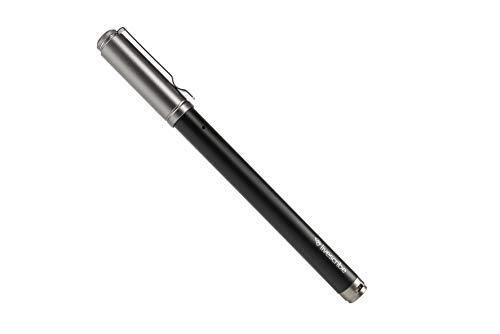


Livescribe Symphony Smartpen Digital Pen – Compatible with iOS, Android, Smartphones, Tablets (Latest Version)
| SELLER | SELLER SCORE | AMAZON FULFILLED | PRIME | FREE SHIPPING |
|---|---|---|---|---|
| Amazon.com | 9.68 | Yes | Yes | Yes |
Imagine sitting in a fast-paced boardroom or a dense university lecture where your hands can't keep up with the speaker's pace. The Livescribe Symphony Smartpen bridges that gap by letting you write naturally on paper while simultaneously capturing high-fidelity audio through the Livescribe+ app. The real magic happens when you tap a specific word in your notebook and the pen plays back exactly what was being said at that precise moment. It turns static scribbles into a dynamic, searchable digital archive. Whether you are converting handwriting into text across 28 different languages or syncing your meeting notes directly to Dropbox and Google Drive, this tool eliminates the friction between analog brainstorming and digital organization.
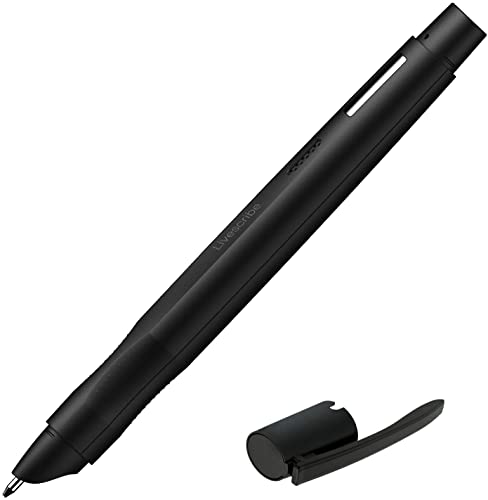


Livescribe Echo 2 Smartpen, Black Digital Pen, Bluetooth, Wireless, iOS, Android, Mac, Windows
| SELLER | SELLER SCORE | AMAZON FULFILLED | PRIME | FREE SHIPPING |
|---|---|---|---|---|
| Amazon.com | 9.68 | Yes | Yes | Yes |
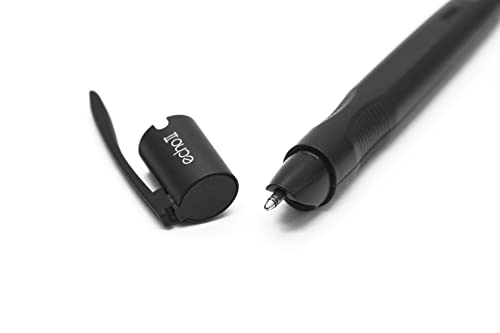
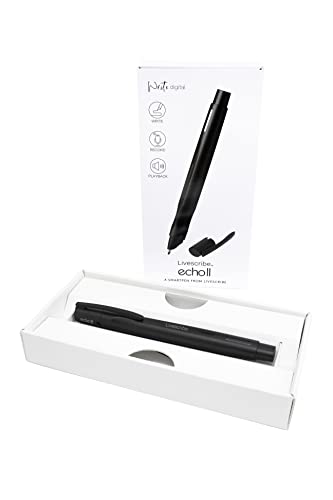
The tactile sensation of ink meeting paper is instantly transformed into a digital archive the moment you press this pen to a page. While you are scribbling lecture notes or jotting down meeting minutes, the Echo 2 is silently capturing every spoken word in the background. The real magic happens when you revisit your notebook. Simply tapping on a specific handwritten note triggers the playback of the exact audio recorded at that precise moment. It bridges the gap between analog writing and digital organization perfectly. Whether you are syncing via Bluetooth to an Android device or managing files on a Windows computer, your interactive notes stay organized and ready to share as PDFs, ensuring you never miss a crucial detail again.


Wacom KP13200D Fine tip Pen
| SELLER | SELLER SCORE | AMAZON FULFILLED | PRIME | FREE SHIPPING |
|---|---|---|---|---|
| Beach Camera Same Day Shipping | 9.88 | No | No | No |
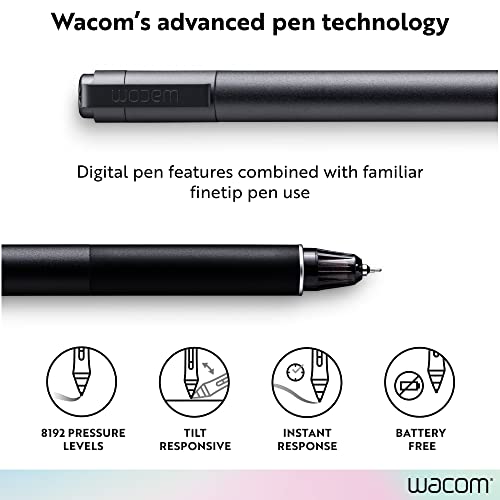
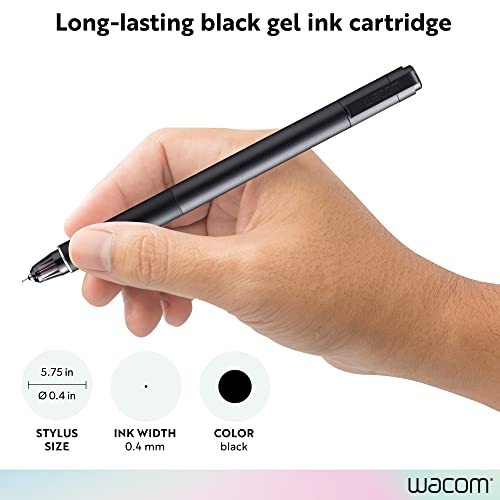
The Wacom Fine Tip Pen is an essential precision tool for digital artists seeking to maintain their workflow without interruption. After testing this replacement, it is clear that the fine tip design is built specifically for those who require high levels of detail in their digital strokes. It feels lightweight and natural in the hand, making it easy to integrate back into your existing tablet setup. One of the most practical aspects of this package is that it includes three replacement nib fills, which is a lifesaver when your primary tip starts to wear down from heavy use. At a very accessible price point, this is a reliable way to ensure your creative tools stay in peak condition.


Livescribe 8.5 x 11 Single Subject Notebook #1-4 (4-pack)
| SELLER | SELLER SCORE | AMAZON FULFILLED | PRIME | FREE SHIPPING |
|---|---|---|---|---|
| Amazon.com | 9.68 | Yes | Yes | Yes |
The Livescribe Single Subject Notebook 4-pack is the essential companion for anyone looking to bridge the gap between analog writing and digital storage. Because Livescribe smartpens require specialized dot paper to function, having a reliable supply of these 100-page notebooks is a necessity for serious note-takers. This set provides four distinct, color-coded notebooks in dark blue, orange, red, and black, making it easy to organize different subjects or projects. The college-ruled, perforated 8.5 x 11 pages are easy to tear out, and the built-in divider with two storage pockets keeps your loose-leaf papers from getting lost. It is a highly practical solution for students and professionals who need their handwritten thoughts synced perfectly with their digital devices.

Wacom Pro Pen 3D - KP505
| SELLER | SELLER SCORE | AMAZON FULFILLED | PRIME | FREE SHIPPING |
|---|---|---|---|---|
| Vadget | 6.16 | Yes | Yes | Yes |
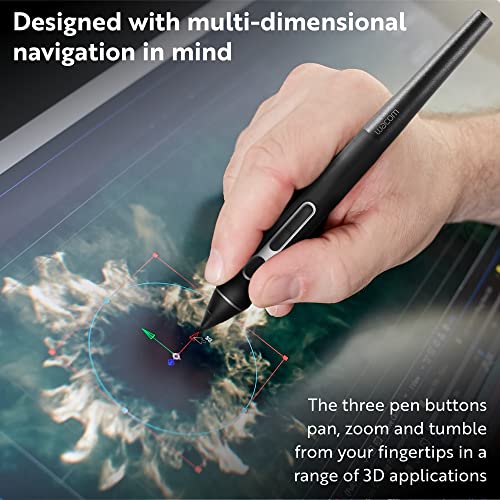
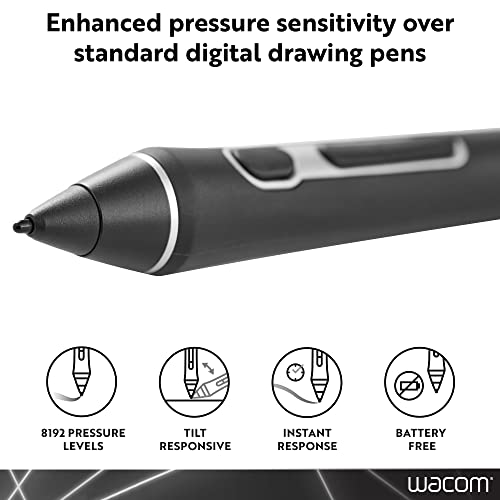
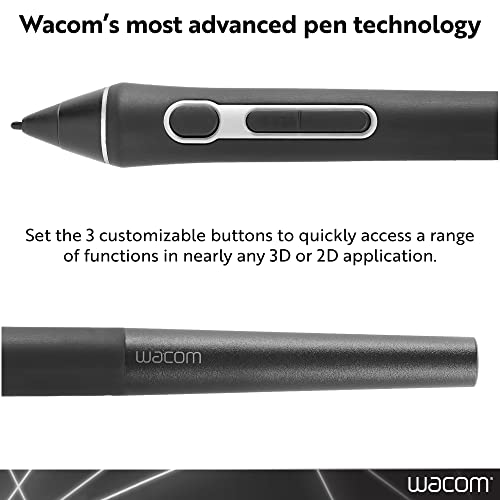
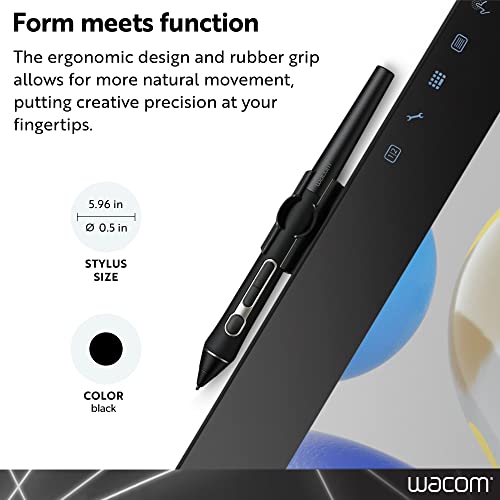
The Wacom Pro Pen 3D stands as the definitive upgrade for digital sculptors and 3D modelers seeking tactile precision. While it retains the legendary Pro Pen 2 performance—offering four times the pressure sensitivity and lag-free tracking you expect—it adds a specialized layer of utility through three fully customizable buttons. These controls allow you to tumble, pan, and zoom through complex 3D environments or modify tools in 2D apps without ever lifting the nib from the surface. It integrates seamlessly with Wacom Mobile Studio Pro, Cintiq Pro, and Intuos Pro hardware across both Windows and Mac ecosystems. For any professional whose workflow involves heavy spatial manipulation, this tool bridges the gap between traditional artistry and high-end digital modeling.

Wacom One Pen CP91300B2Z for Wacom One Creative Pen Display & Standard Nibs for Digital Pro Pen 2 (10 Pack) (ACK22211)
| SELLER | SELLER SCORE | AMAZON FULFILLED | PRIME | FREE SHIPPING |
|---|---|---|---|---|
| Amazon.com | 9.68 | Yes | Yes | No |
Your digital canvas suddenly feels more like real paper when you swap your old stylus for the Wacom One Pen. I spent an afternoon sketching fine architectural lines, and the natural tilt support provided the exact level of precision I usually struggle to find in digital tools. Because it utilizes EMR technology, I never had to worry about the battery dying mid-stroke, which is a massive relief during long creative sessions. The pen feels incredibly light in the hand, and having that single programmable button allows me to toggle shortcuts without breaking my flow. It even comes with three replacement nibs, ensuring you can keep drawing without interruption once your current ones wear down.
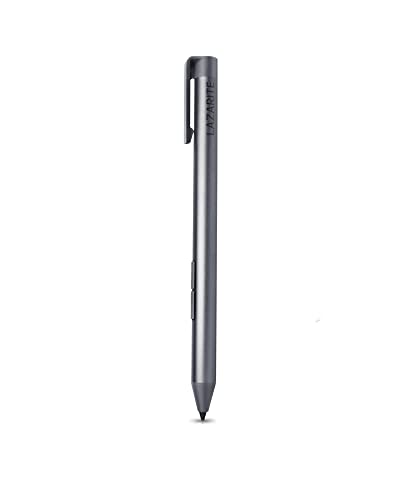

LAZARITE M Pen Grey, Active Stylus for Lenovo Yoga 7i/9i, Flex 5, Hp Envy x360/Pavilion x360/Spectre x360, Digital Pen with 4096 Pressure Sensitivity,...
| SELLER | SELLER SCORE | AMAZON FULFILLED | PRIME | FREE SHIPPING |
|---|---|---|---|---|
| LAZARITE | 6.86 | Yes | Yes | Yes |
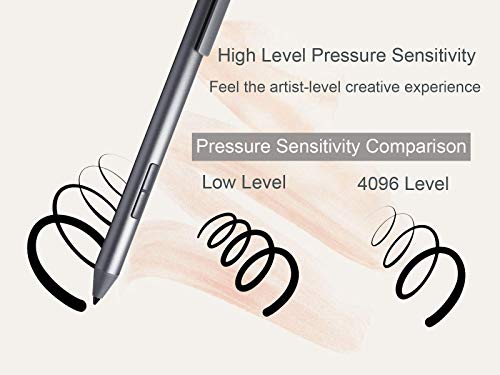
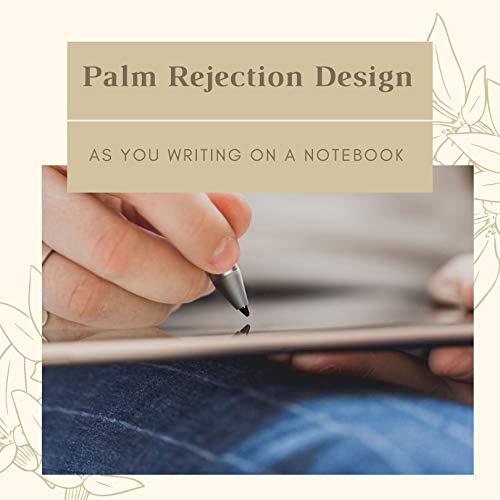
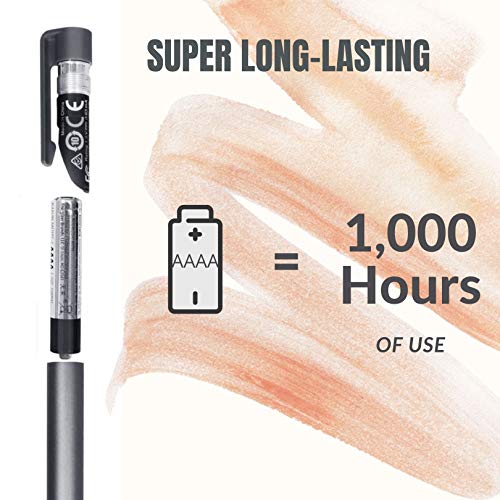
Precision-starved digital artists and note-takers often struggle with the disconnect between a finger swipe and a natural handwriting experience. The LAZARITE M Pen bridges this gap by utilizing upgraded AES2.0 and MPP2.0 protocols to ensure your strokes are incredibly smooth and accurate. I found the 4,096 levels of pressure sensitivity to be a game-changer for sketching, especially when paired with the responsive tilt support for shading. You don't have to deal with the headache of Bluetooth pairing or app setups either. It works instantly the moment it touches the screen. Plus, the palm rejection is seamless, letting you rest your hand naturally just like a real notebook. With a single AAAA battery lasting up to 1,000 hours, it is a reliable tool that stays ready for weeks of heavy use.
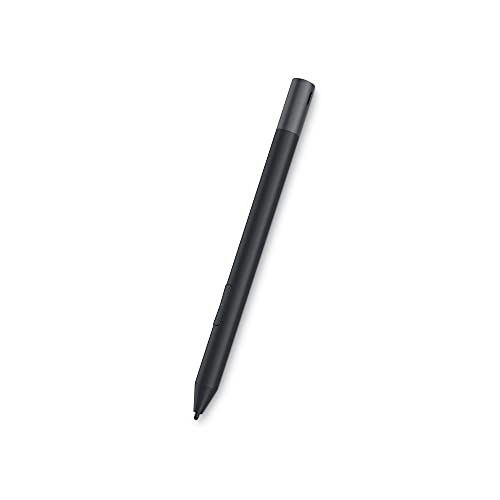


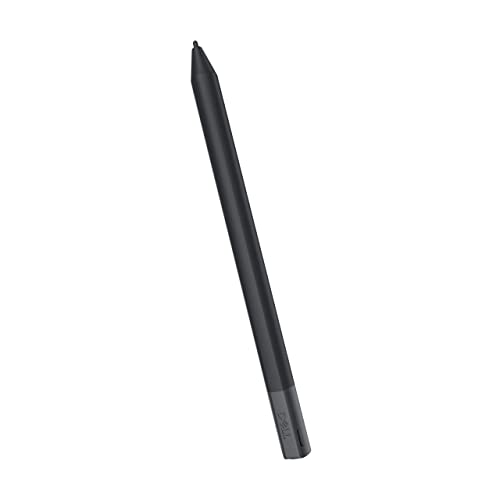
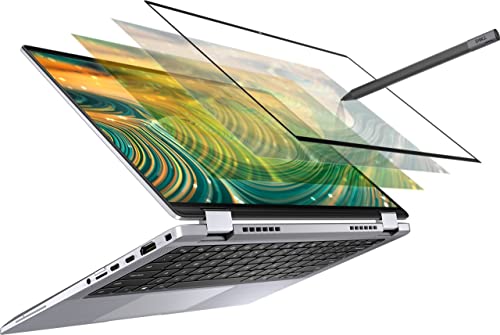
Dell Premium Active Pen - PN579X Stylus Black 19.5g DELL-PN579X
| SELLER | SELLER SCORE | AMAZON FULFILLED | PRIME | FREE SHIPPING |
|---|---|---|---|---|
| PC247-UK | 9.60 | Yes | Yes | Yes |
Finding a single stylus that actually works across different digitizer technologies is a massive headache for anyone owning multiple Windows devices. The Dell Premium Active Pen solves this compatibility nightmare by utilizing a versatile multimode controller that bridges the gap between several major standards. I found that it handles everything from Microsoft Pen Protocol to the latest Wacom AES 2.0 technology with ease. Weighing in at just 19.5g, it feels incredibly nimble in the hand, making it much more natural for long sketching sessions or quick note-taking on your notebook. Because it uses Bluetooth connectivity, you get a seamless experience that makes your 2-in-1 display feel like a true digital canvas rather than just a touchscreen.


Active Capacity Pen for Lenovo Touchscreen Laptop for Yoga C740/C940/720/900S/920, Miix 510/520/700/720, Flex 5/6, ThinkPad X1 Tablets Replacement for...
| SELLER | SELLER SCORE | AMAZON FULFILLED | PRIME | FREE SHIPPING |
|---|---|---|---|---|
| TESHA | 9.85 | Yes | Yes | Yes |
Sketching a detailed architectural layout on your Lenovo Yoga becomes a seamless experience once you swap your finger for this tesha Active Pen. Instead of fighting with clunky touch inputs, the Wacom AES technology provides a natural, intuitive feel that mimics actual ink on paper. I was particularly impressed by the 2048 levels of pressure sensitivity, which allow for subtle shading and precise line weights that feel incredibly responsive. With a rapid 25ms response rate and 0.5mm accuracy, the lag is virtually non-existent. The palm rejection is a lifesaver for long drafting sessions, letting you rest your hand on the screen without accidental marks. It is a straightforward, plug-and-play tool that arrives ready to work with a single AAAA battery included.


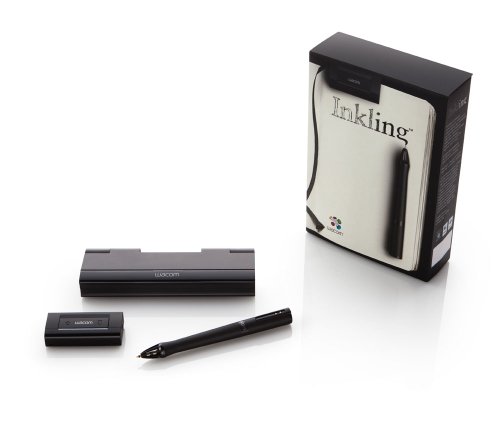


Wacom Inkling Digital Sketch Pen (MDP123)
| SELLER | SELLER SCORE | AMAZON FULFILLED | PRIME | FREE SHIPPING |
|---|---|---|---|---|
| Mr-Magazine | 9.90 | No | No | No |
The tactile friction of a real pen gliding across standard paper is a sensation that digital tablets simply cannot replicate. With the Wacom Inkling, you get to keep that organic sketching experience while simultaneously generating a digital twin of your work. As you draw in your favorite sketchbook, the receiver captures your strokes in either raster or vector formats, making them ready for immediate refinement in Photoshop or Illustrator. I found the dedicated layers button on the receiver particularly clever, as it lets you organize your thoughts on paper before ever touching a computer. Once you're done, you can transfer hundreds of sketches via USB and use the included Sketch Manager to export files as JPG, SVG, or PDF. It is a seamless bridge between analog creativity and digital precision.


GAOMON Art Paint AP20 Wireless Digital Stylus Environmentally-Friendly Rechargeable Pen Only for GAOMON M106K and S56K Tablet
| SELLER | SELLER SCORE | AMAZON FULFILLED | PRIME | FREE SHIPPING |
|---|---|---|---|---|
| HawkforceDirect | 5.64 | Yes | Yes | Yes |
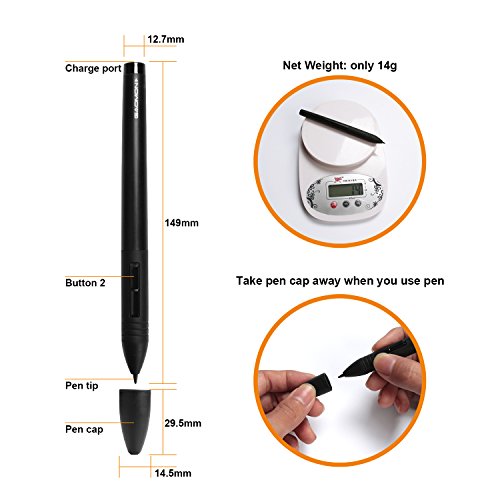
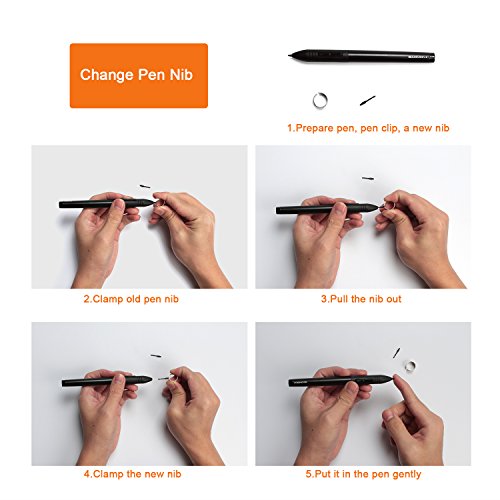
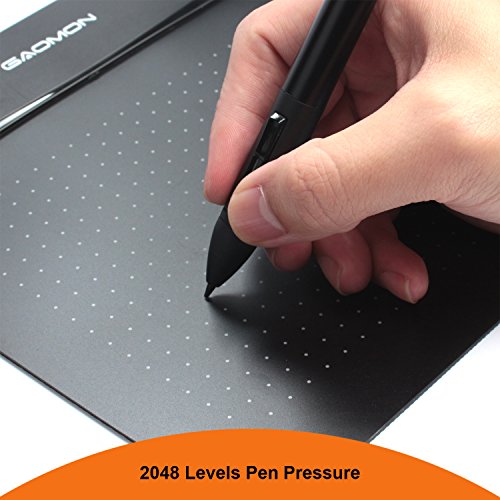
Digital artists tethered to the GAOMON M106K or S56K tablets will find the Art Paint AP20 to be an essential, lightweight upgrade for their workflow. Weighing in at a mere 14g, this stylus eliminates the hand fatigue often associated with marathon sketching sessions. The 2048 levels of pressure sensitivity provide a tactile, paper-like experience that makes fine detail work feel intuitive rather than mechanical. I particularly like the inclusion of two programmable express keys, which allow for quick shortcuts right at your fingertips. Because it is rechargeable, you can ditch disposable batteries and enjoy up to 450 hours of continuous use on a single two-hour charge. It is a specialized tool, so remember it is strictly for compatible GAOMON tablets and won't work with iPads or Wacom displays.


HP Pro x2 612 Wacom Replace Pen
| SELLER | SELLER SCORE | AMAZON FULFILLED | PRIME | FREE SHIPPING |
|---|---|---|---|---|
| EVASALES101 | 8.24 | No | No | No |
How can a single lost stylus derail your entire creative workflow? Losing your precision tool is a massive headache, but the HP Pro x2 612 Wacom Replacement Pen serves as the perfect lifeline to get your tablet back in action. I found that having this specific replacement on hand is essential for anyone relying on the tactile accuracy of the Wacom technology integrated into the Pro x2 series. It restores that seamless connection between your hand and the screen, ensuring you don't lose momentum during important design tasks or note-taking sessions. At this price point, it is a practical necessity for maintaining the functionality of your personal computer setup without the stress of a broken workflow.


HUION P80 Rechargeable Pen Digitizer Pen Digital Pen Style for Huion Graphics Tablet
| SELLER | SELLER SCORE | AMAZON FULFILLED | PRIME | FREE SHIPPING |
|---|---|---|---|---|
| HUION | 9.88 | Yes | Yes | Yes |
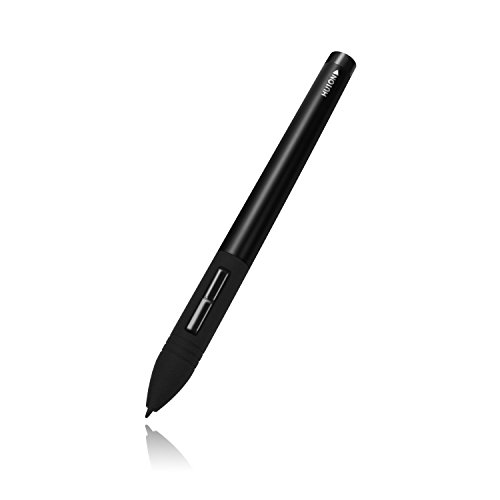
Digital artists who have misplaced their stylus or need a reliable spare should look no further than the HUION P80. This electromagnetic digitizer pen is incredibly lightweight at just 14g, making it feel natural during long sketching sessions. The battery life is the real standout here. A single hour of charging provides roughly 800 hours of continuous use, which is practically endless for most workflows. It features an intelligent auto-sleep mode to preserve power when you aren't actively drawing. Just be sure to verify your hardware first, as this is designed specifically for most Huion graphics tablets and will not work with pen displays, Wacom devices, or mobile tablets. It is a slim, efficient tool that keeps your creative momentum going without the constant worry of a dead battery.

The most critical factor in your selection process is ensuring the pen is compatible with your specific hardware. Wacom operates within several distinct ecosystems. If you are using a professional Cintiq display, you will likely require a Pro Pen that supports high levels of pressure sensitivity and advanced tilt functions. If you are using an Intuos tablet, you may find that a standard Pro Pen offers more precision than the basic pens bundled with entry-level models. You cannot mix and match pens across different generations of hardware. Always verify that the pen's frequency and technology align with your tablet's digitizer before purchasing.
When evaluating a digital pen, look closely at the levels of pressure sensitivity. While many modern pens offer thousands of levels, the actual 'feel' of how that pressure is mapped is what matters. Professional-grade pens allow for a much finer graduation of line weight, which is essential for digital painting and shading. Additionally, consider the physical layout of the pen. Some pens feature integrated side buttons or 'express keys' that allow you to toggle between brush sizes or undo actions without reaching for a keyboard. For those who prefer a streamlined workflow, these tactile buttons can significantly reduce hand fatigue and increase speed.
The interaction between the pen nib and the tablet surface defines the drawing experience. Some users prefer a 'glassy' feel where the pen glides effortlessly, which is ideal for rapid sketching and line work. Others prefer a 'toothy' or high-friction feel that mimics the drag of a pencil on paper. When choosing a pen, consider if you will need to purchase replacement nibs of varying hardness. Felt nibs, for instance, can provide a more organic, textured sensation on smoother tablet surfaces, whereas standard plastic nibs are better suited for high-speed precision.
If you spend eight or more hours a day drawing, ergonomics are non-negotiable. Wacom offers various pen shapes, from slim, pencil-like styluses to thicker, more substantial grips. A heavier pen can provide a sense of stability and control for detailed architectural drafting, while a lighter, more balanced pen is often preferred by illustrators who perform long, sweeping strokes. Pay attention to the grip material. Rubberized textures provide better control during intense sessions, whereas smooth plastic may lead to slipping if your hands become warm or sweaty.
To make your final decision, follow this hierarchy: First, confirm hardware compatibility. Second, define your primary medium—choose a pen with high tilt support for painting, or a high-precision, low-latency pen for technical drafting. Third, assess your physical comfort needs by choosing a grip style that matches your hand size and drawing style. By prioritizing these three pillars, you ensure that your digital tool becomes an extension of your hand rather than a technical hurdle.
Quick answers about Wacom Digital Pens before you buy.
Share of top-ranked products by brand, from our editorial analysis.
We've carried out a comprehensive analysis of 20,367 reviews on Wacom Digital Pens, using our selection criteria to identify the best options in the computers & accessories. Our findings reveal that most customers typically select Wacom Digital Pens priced around $48.57, with top brands including and livescribe and wacom.
Our team of expert editors reviewed these high-quality items and handpicked the top 28 Wacom Digital Pens for your consideration. We've also done extensive research on numerous sellers, identifying the best ones in the computers & accessories category — including amazon.com, adorama, phoenix jp, funnygat, beach camera same day shipping, tandhproducts and simkoonshop and global land.
We are dedicated to assisting our users in finding the right pens Products based on their needs, saving them considerable time when choosing which Wacom Digital Pens to buy. We take pride in the number of satisfied users we've helped through our thorough and insightful reviews.
Compare the top 28 picks at a glance — select a column to sort.