#TOP1
Finding the perfect scanning inkjet printer requires balancing two distinct technologies: the fluid, color-rich output of inkjet printing and the precision required for high-resolution digital imaging. Unlike laser printers, which excel at crisp text, inkjet printers are the preferred choice for users who need to bridge the gap between physical photographs and digital archives. Whether you are digitizing old family albums, scanning delicate manuscripts, or simply managing a home office, the quality of your scanner is just as critical as the vibrancy of your prints. This guide will help you navigate the nuances of optical resolution, sensor types, and paper handling to ensure your digital copies look as professional as the originals.
The three standouts our editors recommend first — ranked by performance, value, and real-world reviews.

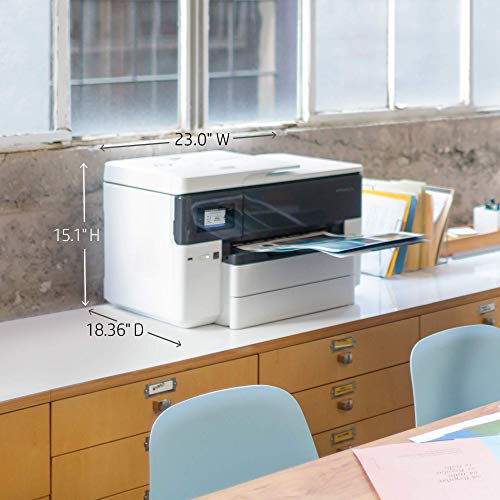
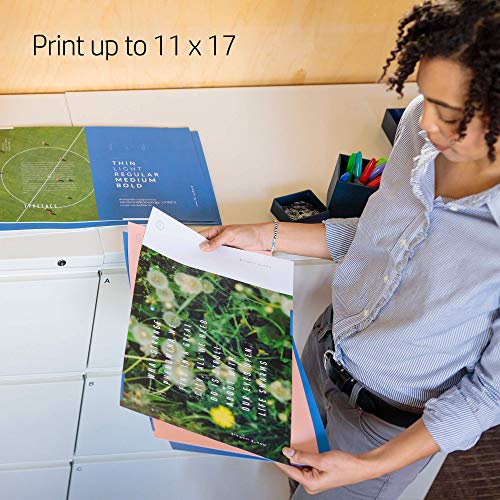

HP OfficeJet Pro 7740 Wide Format All-in-One Color Printer with Wireless Printing, Works with Alexa (G5J38A)
| SELLER | SELLER SCORE | AMAZON FULFILLED | PRIME | FREE SHIPPING |
|---|---|---|---|---|
| Amazon.com | 9.68 | Yes | Yes | Yes |
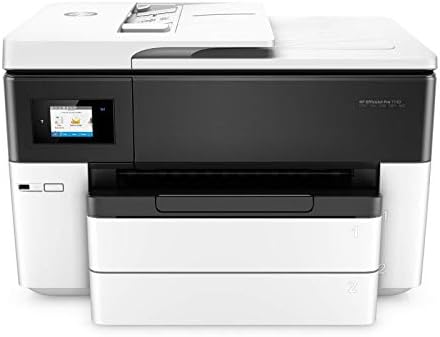
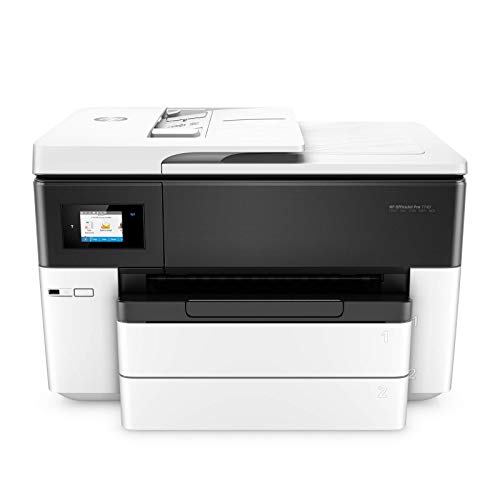
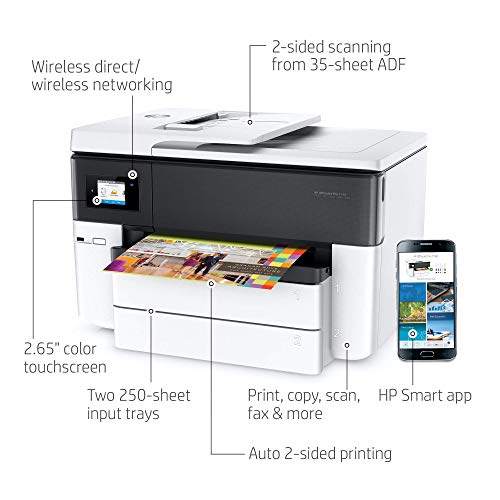
The HP OfficeJet Pro 7740 turns your small office into a high-end production studio with its impressive 11x17 inch wide-format printing capabilities. I found that the ability to switch from standard letter size to large-scale marketing materials is a game changer for professionals who need borderless, double-sided documents without a massive footprint. It handles high volumes effortlessly thanks to the 500-sheet capacity across two trays, and the 22 pages per minute black print speed keeps workflows moving. Managing everything via the HP Smart app makes scanning from the cloud or ordering ink feel incredibly seamless. While the printer uses proprietary chips to ensure you stick with original HP ink, the trade-off is a level of color consistency and page yield that is hard to beat in this price bracket.




HP OfficeJet Pro 8025e Wireless Color All-in-One Printer with bonus 6 free months Instant Ink with HP+ (1K7K3A)
| SELLER | SELLER SCORE | AMAZON FULFILLED | PRIME | FREE SHIPPING |
|---|---|---|---|---|
| Amazon.com | 9.68 | Yes | Yes | Yes |
The HP OfficeJet Pro 8025e stands as a top-tier contender for anyone managing a high-volume home office or a growing small business. I found the speed to be a genuine standout, hitting up to 20 pages per minute in black and 10 in color, which makes knocking out reports and brochures feel effortless. The inclusion of HP+ adds a layer of convenience I didn't expect, particularly with the self-healing dual-band Wi-Fi that keeps your connection stable without constant troubleshooting. Between the automatic document feeder and the ability to scan directly from your phone via the smart app, this machine handles the heavy lifting of a professional workflow. Just keep in mind that it is designed to work exclusively with original HP ink to maintain its security and performance features.
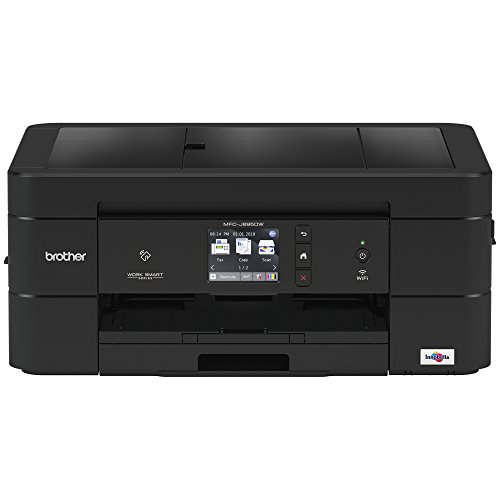
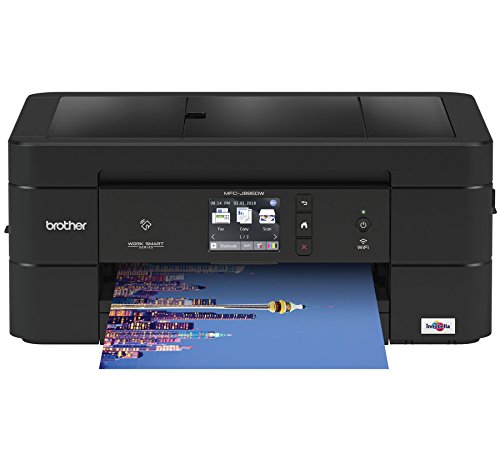
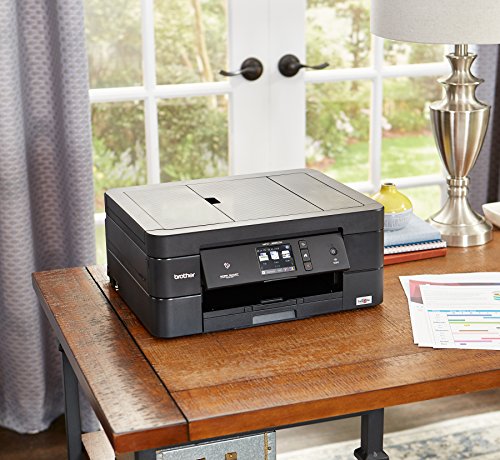


Brother Wireless All-In-One Inkjet Printer, MFC-J895DW, Multi-Function Color , Duplex Printing, NFC One Touch to Connect Mobile Printing, Amazon Dash...
| SELLER | SELLER SCORE | AMAZON FULFILLED | PRIME | FREE SHIPPING |
|---|---|---|---|---|
| Znock Tech (S/N Recorded) | 6.98 | No | No | No |
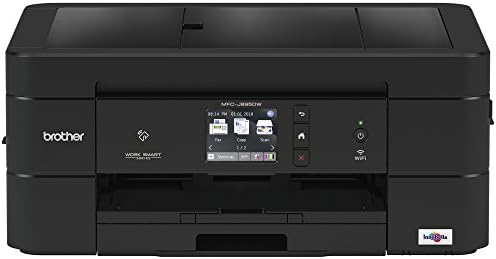
The seamless tap of a smartphone against the machine’s NFC sensor makes setting up mobile printing feel like magic. This Brother all-in-one is a powerhouse for anyone managing a busy home office or a small professional workspace. I found the connectivity options incredibly flexible, whether you are plugging in via USB, using Ethernet, or relying on the built-in wireless. It handles cloud workflows beautifully, allowing you to scan directly to Google Drive or Dropbox without jumping through hoops. The duplex printing saves plenty of paper, and the automated ink replenishment feature takes the guesswork out of maintenance. It is a robust, versatile tool that prioritizes getting your documents from the screen to the page with minimal friction.
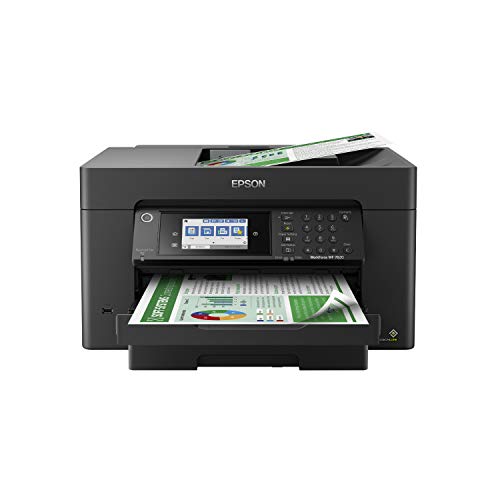


Epson Workforce Pro WF-7820 Wireless All-in-One Wide-Format Printer with Auto 2-Sided Print 13" x 19", Copy, Scan & Fax, 50-Page ADF, 250-sheet Paper...
| SELLER | SELLER SCORE | AMAZON FULFILLED | PRIME | FREE SHIPPING |
|---|---|---|---|---|
| Amazon.com | 9.68 | Yes | Yes | Yes |
Small studios and home offices often struggle to find a machine that handles large-scale layouts without sacrificing daily productivity. The Epson WorkForce Pro WF-7820 solves this by offering impressive 13" x 19" wide-format printing alongside standard office tasks like scanning and faxing. I found the PrecisionCore Heat-Free Technology particularly useful because it delivers high-speed results—hitting 25 black ppm—without the long warm-up times of traditional printers. The DURABrite Ultra pigment inks ensure that your professional prints dry instantly and look sharp. Navigating the device is a breeze thanks to the responsive 4.3" color touchscreen, and the Epson Smart Panel App makes mobile workflows feel incredibly seamless. It is a robust, high-volume workhorse designed to keep your workflow moving.

Canon G7020 All-in-One Printer Home Office | Wireless Supertank (Megatank) Printer | Copier | Scan, | Fax and ADF with Mobile Printing, Black
| SELLER | SELLER SCORE | AMAZON FULFILLED | PRIME | FREE SHIPPING |
|---|---|---|---|---|
| Amazon.com | 9.68 | Yes | Yes | Yes |
Your home office desk is cluttered with empty ink cartridges until the Canon G7020 changes the workflow entirely. Instead of constant trips to the store, the integrated ink tanks allow you to see exactly when you need a refill, making the transition to the high-yield bottles seamless. I found the capacity particularly impressive for a home setup. The 350-sheet paper tray and the ability to print up to 6,000 black or 7,700 color pages per set mean you aren't constantly reloading. Whether you are sending a quick document via AirPrint from your iPhone or scanning multi-page documents with the ADF, this machine handles heavy lifting with ease. It even manages borderless photos, ranging from small squares to full letter size, which is a huge plus for creative projects.
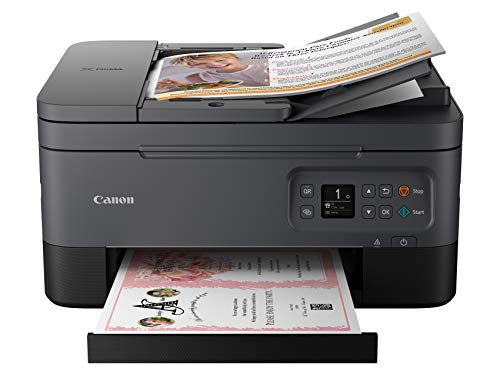


Canon PIXMA TR7020a All-in-One Wireless Color Inkjet Printer, with Duplex Printing, Mobile Printing, and Auto Document Feeder, Black
| SELLER | SELLER SCORE | AMAZON FULFILLED | PRIME | FREE SHIPPING |
|---|---|---|---|---|
| Amazon.com | 9.68 | Yes | Yes | Yes |
Your home office desk is finally reclaimed from that bulky, outdated machine thanks to the compact and stylish design of the Canon PIXMA TR7020a. I spent a morning setting this up for a sudden project, and the transition from smartphone to paper was incredibly seamless. The 1.44” OLED display and integrated LED status bar take the guesswork out of troubleshooting, making navigation feel intuitive rather than frustrating. Whether you are churning out high-quality documents via the auto document feeder or printing vibrant photos using the two-cartridge FINE hybrid ink system, the performance remains consistent. It is a reliable, space-saving workhorse that handles duplex printing without a hitch, making it perfect for anyone needing professional results in a smaller footprint.


Brother MFC-J1170DW Wireless Color Inkjet All-in-One Printer with Mobile Device Printing, NFC, Cloud Printing & Scanning, Refresh Subscription and Ama...
| SELLER | SELLER SCORE | AMAZON FULFILLED | PRIME | FREE SHIPPING |
|---|---|---|---|---|
| Amazon.com | 9.68 | Yes | Yes | Yes |
Most people assume a compact home printer means sacrificing essential features, but the Brother MFC-J1170DW manages to pack a full professional suite into a surprisingly small footprint. I found the 2.7-inch color touchscreen to be a game-changer for navigating menus without fumbling with a computer. It handles scanning, copying, and cloud printing with impressive speed, making it ideal for busy home offices. The Brother Mobile Connect app is incredibly intuitive, allowing you to manage everything from your phone. I especially liked the Page Gauge feature in the app, which takes the anxiety out of running out of ink mid-project. Between the high-yield cartridge options and the subscription service, keeping this machine running feels much more manageable than your average inkjet.
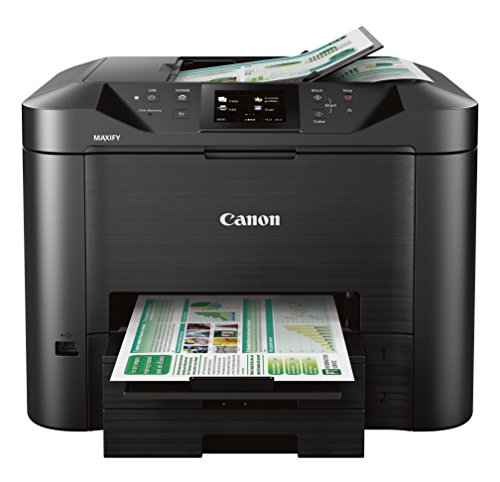

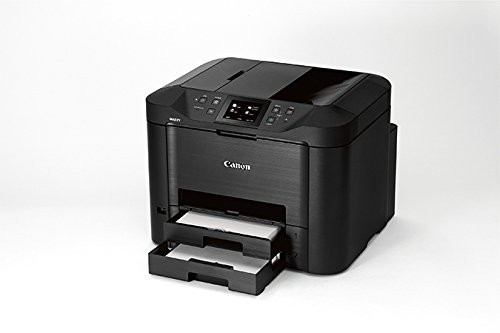
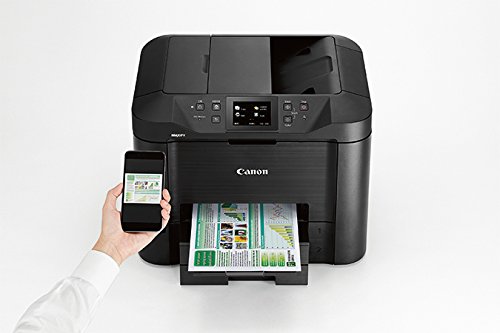
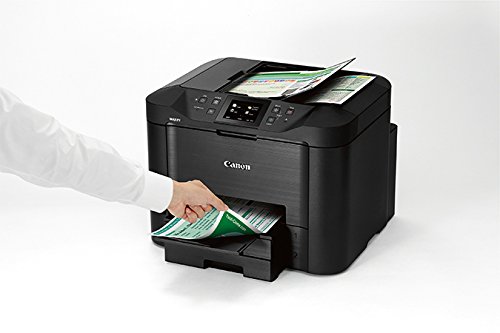
Canon Office and Business MB5420 Wireless All-in-One Printer,Scanner, Copier and Fax, with Mobile and Duplex Printing, Black, Desktop
| SELLER | SELLER SCORE | AMAZON FULFILLED | PRIME | FREE SHIPPING |
|---|---|---|---|---|
| Amazon.com | 9.68 | Yes | Yes | Yes |
The Canon MAXIFY MB5420 is a high-volume workhorse defined by its lightning-fast single-pass duplex scanning. I was particularly impressed by how quickly this machine gets to work. The Quick First Print feature means you aren't sitting around waiting for the device to warm up, often hitting the ground running in just six seconds. It is clearly engineered for heavy-duty office environments, boasting a massive 500-sheet paper capacity across two dedicated trays and a robust 30,000-page monthly duty cycle. For businesses looking to slash overhead, the XL ink tanks provide a high page yield that significantly lowers your cost per print. It handles everything from faxing to mobile printing with ease, making it a reliable centerpiece for any professional desktop setup.


Epson Expression Premium Photo XP-800 Small-in-One Wireless Color Inkjet Printer, Copier, Fax, and Scanner with auto 2 sided scanning, copying, and pr...
| SELLER | SELLER SCORE | AMAZON FULFILLED | PRIME | FREE SHIPPING |
|---|---|---|---|---|
| gamestore4U | 6.67 | No | No | No |
The Epson Expression Premium Photo XP-800 is the ultimate desktop powerhouse for home photographers who refuse to compromise on print fidelity. I found that the five individual ink tanks deliver a level of color depth and text sharpness that puts standard office printers to shame. It isn't just a photo machine, though. The 30-page auto document feeder makes handling multi-page documents effortless with two-sided scanning and copying. Navigating the device feels incredibly natural thanks to the 3.5-inch touchscreen that supports gesture controls, much like a smartphone. Whether you are printing high-resolution shots from a dedicated photo tray or burning media with the specialized CD/DVD tray, this machine handles diverse media types with professional ease. It is a versatile, high-end solution for anyone needing a reliable hub for both digital memories and daily office tasks.

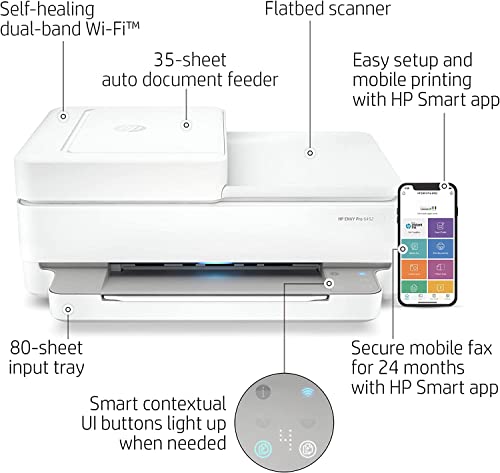


NEEGO HP Wireless Inkjet Color Printer Mobile Print, Scan & Copy, Auto Document Feeder Features 2-Sided Printing, Multi-Page scanning, Smart contextua...
| SELLER | SELLER SCORE | AMAZON FULFILLED | PRIME | FREE SHIPPING |
|---|---|---|---|---|
| PHOTOTECH | 9.90 | Yes | Yes | Yes |
Can a home office setup truly feel seamless without constant connectivity headaches? The NEEGO HP Wireless Inkjet Color Printer aims to solve that exact frustration by combining high-speed utility with smart, intuitive design. I found the 35-page auto document feeder to be a massive time-saver for multi-page scanning and copying jobs, while the auto duplex feature keeps paper waste to a minimum. What really sets this unit apart is the smart contextual control panel. The buttons actually light up only when you need them, making the interface feel incredibly modern. Between the self-healing Wi-Fi that fixes its own connection issues and the ease of the HP Smart app for mobile printing, this machine is built for people who want to print borderless photos or documents from their phone without a struggle.


HP OfficeJet 9012e All-in-One Wireless Color Inkjet Printer, 2-Sided Printing Coping and Scaning, 35 Sheets ADF, WiFi USB Bluetooth Connectivity, 4800...
| SELLER | SELLER SCORE | AMAZON FULFILLED | PRIME | FREE SHIPPING |
|---|---|---|---|---|
| Valinor Tech | 9.53 | No | No | No |
Most home office setups suffer from constant connectivity drops and sluggish scanning, but the HP OfficeJet 9012e aims to eliminate those small business headaches entirely. I found that the dual-band Wi-Fi is a genuine game-changer, using self-healing technology to keep your workflow uninterrupted. Whether you are printing high-stakes sales collateral with borderless color or running through a stack of documents via the 35-page auto document feeder, the speed feels professional. It handles two-sided printing and scanning effortlessly, which saves a massive amount of time compared to standard single-sided machines. Between the large 250-sheet tray and the intuitive color touchscreen, this printer feels less like a peripheral and more like a reliable workstation for anyone running a serious remote operation.

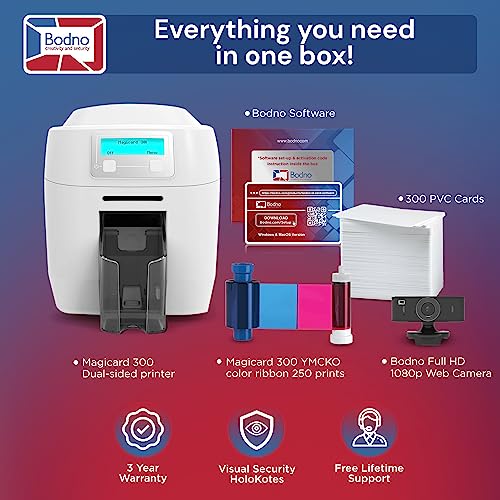


Bodno Magicard 300 Dual Sided ID Card Printer & Complete Supplies Package ID Software - Bronze Edition
| SELLER | SELLER SCORE | AMAZON FULFILLED | PRIME | FREE SHIPPING |
|---|---|---|---|---|
| Bodno | 9.08 | Yes | Yes | Yes |
Managing high-volume identity verification without a massive IT budget usually feels impossible, but this Bodno Bronze Edition kit changes that math entirely. I was impressed by how quickly you can transition from unboxing to a finished, professional-grade ID card. The real winner here is the included Bodno software. It is free for life with no annoying subscription fees, allowing you to drag and drop text and images onto templates with zero design experience. Since the package arrives with everything—the printer, 300 PVC cards, a color ribbon, and even an ID camera—you aren't left hunting for secondary supplies just to get started. It is a remarkably cohesive setup that feels built for immediate, reliable office deployment.
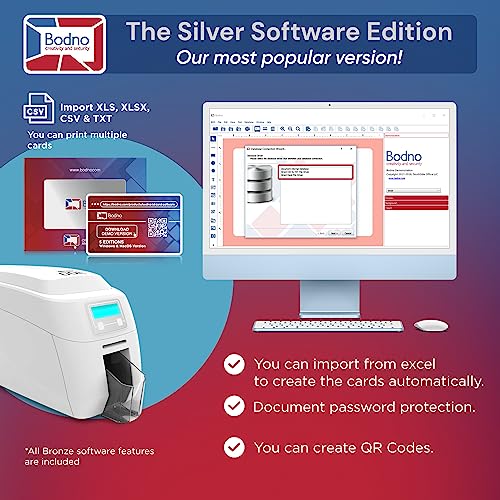
Bodno Magicard 300 Dual Sided ID Card Printer & Complete Supplies Package ID Software - Silver Edition
| SELLER | SELLER SCORE | AMAZON FULFILLED | PRIME | FREE SHIPPING |
|---|---|---|---|---|
| Bodno | 9.08 | Yes | Yes | Yes |
Most people assume that setting up a professional ID card station requires a degree in graphic design or a massive IT budget, but the Bodno Magicard 300 Silver Edition completely flips that script. I was struck by how quickly this setup moves from unboxing to actual printing. Because this package is a true all-in-one solution, you aren't hunting for extra ribbons or cameras. It arrives with the printer, software, 300 PVC cards, a color ribbon, and even an ID camera. The Silver Edition software is a massive time-saver for anyone managing large groups, as it lets you auto-create cards by simply importing data from Excel or CSV files. Plus, knowing the software is free for life without hidden monthly fees makes the initial investment feel much more sustainable.

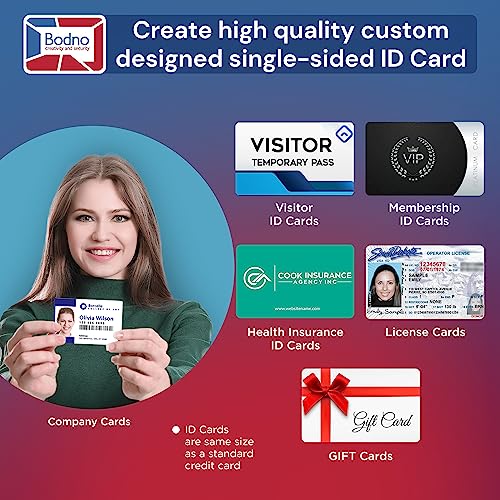


Bodno Magicard 300 Single Sided ID Card Printer & Complete Supplies Package ID Software - Bronze Edition
| SELLER | SELLER SCORE | AMAZON FULFILLED | PRIME | FREE SHIPPING |
|---|---|---|---|---|
| Bodno | 9.08 | Yes | Yes | Yes |
Can a single desktop setup truly eliminate the headache of outsourcing your professional identification needs? The Bodno Magicard 300 Bronze Edition package answers with a resounding yes by providing a comprehensive, out-of-the-box solution for immediate card production. This isn't just a printer. It is a complete ecosystem that includes everything from the ID camera and 300 PVC cards to the essential color ribbon. I was particularly impressed by the included Bodno software, which avoids the trap of predatory monthly subscription fees. The drag-and-drop interface makes designing polished, professional cards feel intuitive even if you have zero graphic design background. With a three-year warranty and lifetime support included, this kit offers a level of long-term reliability that is rare in office hardware.

When browsing specifications, you will often see two different numbers for resolution: optical and interpolated. To ensure your scans are truly high-quality, always look at the optical resolution. This represents the actual physical capability of the scanner sensor to capture detail. Interpolated resolution is simply a software trick that uses algorithms to 'guess' extra pixels, often resulting in a blurry or pixelated image. For high-end photo scanning, aim for a device that offers at least 1200 x 2400 dpi (dots per inch) or higher. For standard document scanning, 600 dpi is generally more than sufficient.
Your workflow should dictate which scanning mechanism you prioritize. A flatbed scanner (the glass pane) is essential if you plan to scan fragile items, thick books, or high-gloss photographs. The flatbed provides a stable, contact-based environment that prevents damage. Conversely, if your primary goal is digitizing stacks of multi-page reports or handwritten notes, an Automatic Document Feeder (ADF) is a non-negotiable feature. An ADF allows you to drop a stack of papers into a tray and let the machine pull them through automatically, saving significant time and manual labor.
If your primary use case is digitizing photography, pay close attention to the bit depth. Bit depth determines how many shades of color the scanner can recognize. A standard 24-bit scanner is fine for everyday documents, but if you are trying to preserve the subtle gradients in a sunset photograph or an old heirloom print, look for a scanner that supports 48-bit color depth. Higher bit depth ensures that when you edit your scans in software, you won't see 'banding' or harsh lines in color transitions.
Since you are looking at inkjet models, remember that the cost of the scanner is often dwarfed by the ongoing cost of ink. If you plan to scan a document and immediately print a hard copy, consider the cartridge system. Traditional cartridge-based printers are cheaper upfront but expensive to run. If you are a heavy user, look for models utilizing high-capacity ink tanks. These systems allow you to refill ink from bottles, providing a significantly lower cost per page and reducing the frequency of maintenance cycles.
Modern scanning workflows often involve moving files directly to a cloud service or a smartphone. Ensure the printer offers robust connectivity options, such as dual-band Wi-Fi for stable wireless scanning. Additionally, check the available software. A good scanning inkjet printer should come with software that allows for easy OCR (Optical Character Recognition), which converts your scanned images into searchable, editable text files. This feature is vital for anyone looking to digitize physical archives into a functional digital library.
Quick answers about Scanning Inkjet Printers before you buy.
Share of top-ranked products by brand, from our editorial analysis.
We've carried out a comprehensive analysis of 21,953 reviews on Scanning Inkjet Printers, using our selection criteria to identify the best options in the categories. Our findings reveal that most customers typically select Scanning Inkjet Printers priced around $626.04, with top brands including brother, hp and canon and epson.
Our team of expert editors reviewed these high-quality items and handpicked the top 14 Scanning Inkjet Printers for your consideration. We've also done extensive research on numerous sellers, identifying the best ones in the categories category — including amazon.com and znock tech (s/n recorded) and phototech.
We are dedicated to assisting our users in finding the right paper Products based on their needs, saving them considerable time when choosing which Scanning Inkjet Printers to buy. We take pride in the number of satisfied users we've helped through our thorough and insightful reviews.
Compare the top 14 picks at a glance — select a column to sort.


