Understanding Battery Chemistry and Capacity
The foundation of any laptop battery is its chemistry. Almost all modern portable computers utilize Lithium-ion (Li-ion) or Lithium-polymer (Li-Po) technology. Li-ion batteries are known for their high energy density and are common in thicker laptops, while Li-Po batteries are slimmer and more flexible, making them the standard for ultrabooks and high-end thin-and-light models. When shopping, pay close attention to the capacity, typically measured in milliampere-hours (mAh) or Watt-hours (Wh). A higher Wh rating generally translates to longer runtimes, but ensure the physical dimensions of the battery match your laptop's internal compartment. If you are looking for a 'fancy' or premium upgrade, seek out batteries that offer a slightly higher capacity than your original factory part, provided the voltage remains identical.
The Critical Importance of Voltage Matching
While capacity dictates how long you can work, voltage dictates whether the battery will actually work at all. You must match the voltage of your replacement battery to the voltage of your original battery exactly. If your original battery is rated at 11.1V, do not attempt to use a 14.8V battery, even if the capacity is superior. Incorrect voltage can cause the charging circuitry to fail or, in worst-case scenarios, cause a thermal event. Always verify the voltage rating on your existing battery or your laptop's technical manual before finalizing a purchase.
Cell Quality and Certification Standards
The difference between a budget replacement and a premium battery lies in the quality of the internal cells. Low-tier manufacturers often use recycled or substandard cells that suffer from rapid degradation, meaning you might get full power for three months, only to see it plummet shortly after. High-end batteries utilize branded, high-grade cells that maintain their charge cycles over a longer period. Look for products that mention compliance with international safety standards, such as UL (Underwriters Laboratories) or CE certification. These certifications ensure the battery has undergone rigorous testing for stability, preventing issues like swelling or uncontrolled discharging.
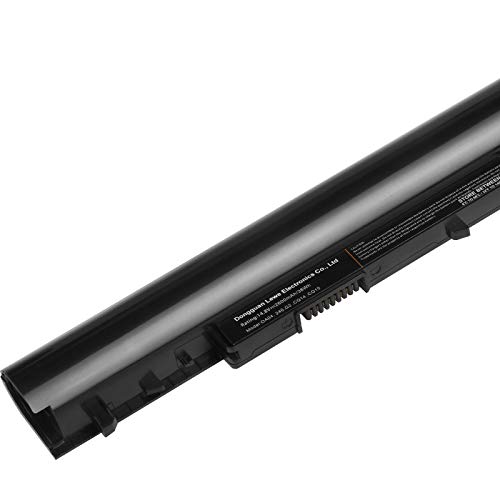
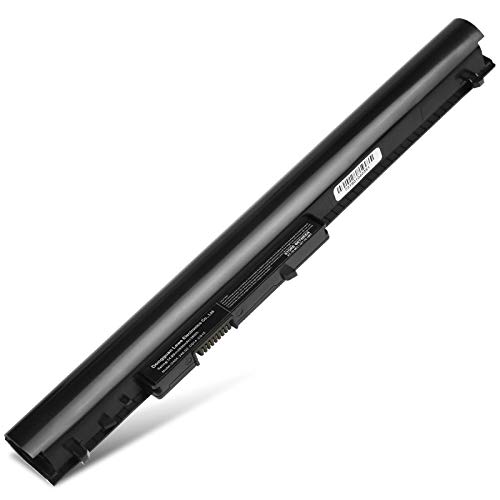
Before purchasing, determine if your laptop uses an internal or external battery. Older or more rugged laptops often feature external batteries that can be swapped in seconds with a latch. Modern, sleek laptops almost exclusively use internal batteries that require you to remove the bottom chassis of the computer. If you are not comfortable working with small precision screws and delicate ribbon cables, you may want to look for a battery that comes with a pre-installed housing or consider professional installation. Additionally, ensure the connector type (the small plug that attaches the battery to the motherboard) is an exact match to avoid compatibility headaches.
Warranty and Longevity Expectations
A premium battery should come with a robust warranty. Because all lithium-based products have a finite number of charge cycles, a manufacturer that stands behind their product will typically offer at least a 12-month replacement warranty. Avoid sellers that offer 'no-return' policies or extremely short windows. A high-quality battery is an investment in your hardware's longevity. Choosing a product with a proven track record of cycle stability will save you the cost of buying a second replacement a year down the line.