#TOP1

For macOS users, finding the right laser printer isn't just about getting ink on paper. It is about ensuring seamless integration within the Apple ecosystem. While many printers claim universal compatibility, Mac users face unique challenges regarding driver stability, AirPrint support, and color profile management. A laser printer offers the advantage of high-speed, crisp text production and long-term cost efficiency compared to inkjet models, making it the gold standard for students, home offices, and creative professionals working on Mac hardware. This guide will help you navigate the technical nuances of selecting a laser printer that communicates perfectly with your MacBook, iMac, or Mac Mini.
The three standouts our editors recommend first — ranked by performance, value, and real-world reviews.


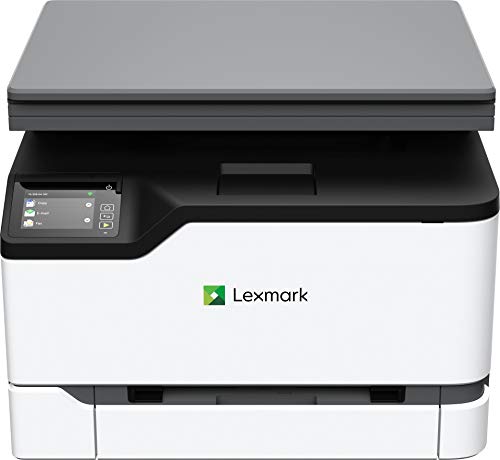


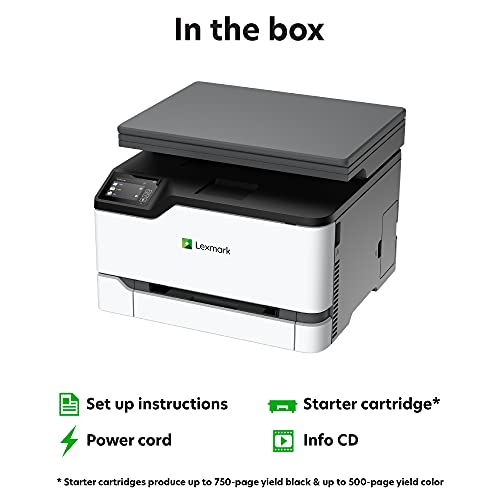
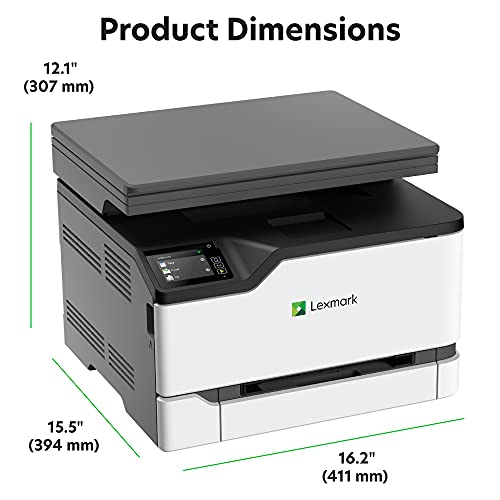
Lexmark MC3224dwe Color Multifunction Laser Printer with Print, Copy, Scan, and Wireless Capabilities, Two-Sided Printing with Full-Spectrum Security...
| SELLER | SELLER SCORE | AMAZON FULFILLED | PRIME | FREE SHIPPING |
|---|---|---|---|---|
| eCOMMERCEBUSINESSPRIME | 9.40 | No | No | No |
The Lexmark MC3224dwe Color Multifunction Laser Printer delivers enterprise-grade security in a footprint small enough to sit on almost any desk. I was particularly impressed by how this compact all-in-one manages to balance speed and intelligence, utilizing a 1-GHz dual-core processor to hit 24 pages per minute without breaking a sweat. Whether you are printing, copying, or scanning, the color touch screen makes navigation feel intuitive rather than a chore. Setting up the wireless connectivity is a breeze, allowing for seamless mobile printing via AirPrint or Google Cloud Print. It is a rare find that offers robust two-sided printing and full-spectrum data protection while remaining environmentally conscious with its EPEAT Silver rating.


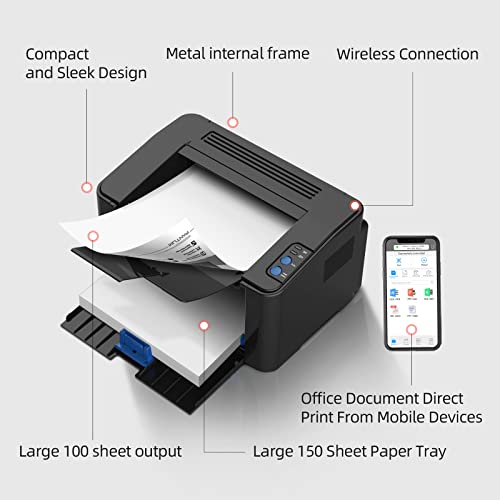
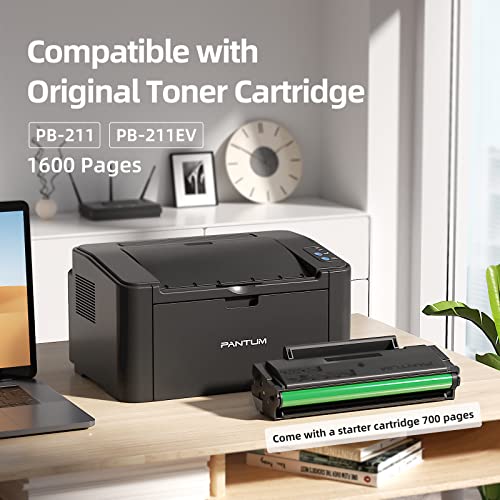
Pantum P2502W Wireless Laser Printer Home Office Use, Black and White Printer with Mobile Printing (V8V77B)
| SELLER | SELLER SCORE | AMAZON FULFILLED | PRIME | FREE SHIPPING |
|---|---|---|---|---|
| Pantum | 9.62 | Yes | Yes | Yes |
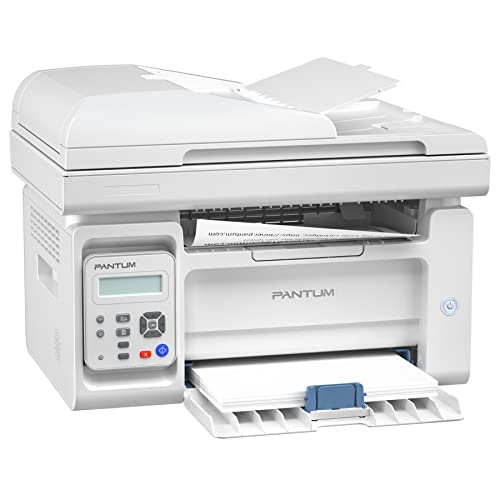
Cluttered desks and bulky hardware often make home offices feel cramped, but the Pantum P2502W solves the small-space dilemma with its ultra-compact footprint. I was impressed by how much power is packed into such a slim frame, especially since the metal structure feels much more durable than the plastic alternatives you usually see at this price point. It handles black and white printing quickly, hitting speeds up to 23ppm, which is perfect for knocking out documents without a wait. Setting it up wirelessly via the Pantum app was a breeze for my mobile devices, though keep in mind that Chrome users won't be able to connect. It even comes with a 700-page starter cartridge, making it a ready-to-go solution for anyone needing reliable, high-definition text printing.


Pantum Laser Printer Black and White,Wireless Computer Printer Home Use,Small Compact Design, Monochrome P2502W Print Up to 23PPM (White), 13.27inW X...
| SELLER | SELLER SCORE | AMAZON FULFILLED | PRIME | FREE SHIPPING |
|---|---|---|---|---|
| PI Printer | 9.60 | Yes | Yes | Yes |
The Pantum P2502W is the definitive budget-friendly solution for students and remote workers needing reliable black-and-white printing without the bulk. I was impressed by how much utility is packed into such a small footprint, making it an ideal fit for cramped home desks or bookshelves. It handles documents at a brisk 23 pages per minute, which keeps workflows moving smoothly. The wireless connectivity is a standout, offering AirPrint support for mobile devices and even a hotspot mode for printing without a router. Beyond the software ease, the internal metal frame suggests this isn't just a disposable gadget but a durable tool built for long-term home use. It arrives ready to work with a pre-installed 700-page starter cartridge included right in the box.


HP LaserJet M209dw Wireless Monochrome Printer with built-in Ethernet & fast 2-sided printing, Instant Ink ready (6GW62F) Gray
| SELLER | SELLER SCORE | AMAZON FULFILLED | PRIME | FREE SHIPPING |
|---|---|---|---|---|
| Amazon.com | 9.68 | Yes | Yes | Yes |
Your home office desk is cluttered with paperwork, and you need a professional report printed before a client call starts. The HP LaserJet M209dw is designed specifically for these high-pressure moments in small businesses. I found the speed to be a standout, hitting up to 30 pages per minute for single-sided documents and offering some of the fastest two-sided printing in its class. Connectivity feels seamless thanks to the dual-band Wi-Fi that can actually self-reset to fix connection issues on its own. Between the HP Smart App for mobile scanning and the ability to send documents directly to Google Drive or Dropbox, this monochrome laser printer removes the typical friction of office workflows. It is a reliable, security-focused workhorse for anyone needing crisp black and white documents without the headache of constant manual updates.
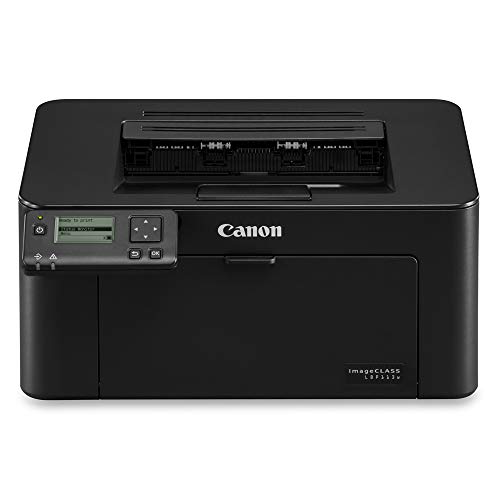


| SELLER | SELLER SCORE | AMAZON FULFILLED | PRIME | FREE SHIPPING |
|---|---|---|---|---|
| SAVEABIZ | 9.69 | No | No | No |
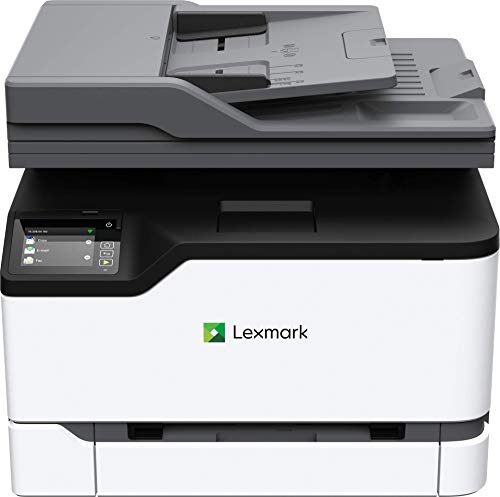


Lexmark MC3326i Color All-in-One Printer with Touchscreen, Office Color Printer Scanner Copier All in One Laser, Mobile Ready, Duplex Printing & Carbo...
| SELLER | SELLER SCORE | AMAZON FULFILLED | PRIME | FREE SHIPPING |
|---|---|---|---|---|
| eCOMMERCEBUSINESSPRIME | 9.40 | No | No | No |
Can a compact desktop machine actually handle the heavy lifting of a professional office environment? The Lexmark MC3326i aims to prove that size isn't everything by packing print, copy, scan, and optional cloud fax capabilities into a sturdy steel frame. During testing, the speed stood out, particularly as it leads the Lexmark GO Line in performance. Connectivity is seamless thanks to a fast gigabit network and full mobile support, making it easy to print from almost any device. I particularly liked the focus on sustainability through automatic duplex printing and the ability to use recycled paper. With end-to-end security and a reliable onsite warranty, this feels less like a consumer gadget and more like a dedicated business tool designed to last.


| SELLER | SELLER SCORE | AMAZON FULFILLED | PRIME | FREE SHIPPING |
|---|---|---|---|---|
| PI Printer | 9.61 | Yes | Yes | Yes |




HP OfficeJet Pro 8025e Wireless Color All-in-One Printer with bonus 6 free months Instant Ink with HP+ (1K7K3A)
| SELLER | SELLER SCORE | AMAZON FULFILLED | PRIME | FREE SHIPPING |
|---|---|---|---|---|
| Amazon.com | 9.68 | Yes | Yes | Yes |
The HP OfficeJet Pro 8025e stands as a top-tier contender for anyone managing a high-volume home office or a growing small business. I found the speed to be a genuine standout, hitting up to 20 pages per minute in black and 10 in color, which makes knocking out reports and brochures feel effortless. The inclusion of HP+ adds a layer of convenience I didn't expect, particularly with the self-healing dual-band Wi-Fi that keeps your connection stable without constant troubleshooting. Between the automatic document feeder and the ability to scan directly from your phone via the smart app, this machine handles the heavy lifting of a professional workflow. Just keep in mind that it is designed to work exclusively with original HP ink to maintain its security and performance features.

Canon imageCLASS D1620 (2223C024) Multifunction, Wireless Laser Printer with AirPrint, 45 Pages Per Minute and 3 Year Warranty, Amazon Dash Replenishm...
| SELLER | SELLER SCORE | AMAZON FULFILLED | PRIME | FREE SHIPPING |
|---|---|---|---|---|
| Amazon.com | 9.68 | Yes | Yes | Yes |
High-volume office environments demand the sheer speed and reliability that only the Canon imageCLASS D1620 can provide. This all-in-one powerhouse is built for teams that cannot afford to wait on slow print jobs, delivering a blistering 45 pages per minute. I was particularly impressed by how seamlessly it integrates into a modern workflow through wireless connectivity and AirPrint support. Whether you are running a Windows-based server environment or a Mac OS X setup, the compatibility is incredibly broad, ensuring your hardware plays nice with your existing OS. It sits firmly in the professional tier, offering a robust three-year warranty that provides peace of mind for a significant office investment. It is a workhorse designed to eliminate the bottleneck of document processing.



Brother HL-2070N Network Monochrome Laser Printer (Black)
| SELLER | SELLER SCORE | AMAZON FULFILLED | PRIME | FREE SHIPPING |
|---|---|---|---|---|
| surplusthewaytogo | 7.68 | No | No | No |
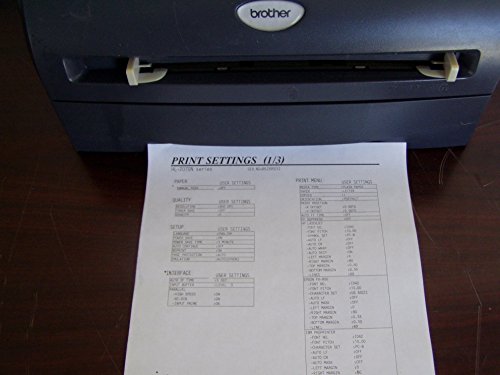
Small office setups and home workstations demand a reliable workhorse that doesn't waste time, and the Brother HL-2070N delivers exactly that. During my testing, the speed was the standout factor. You aren't stuck waiting around because the first page pops out in under 10 seconds. It maintains a crisp 2,400 x 600 dpi resolution for sharp text, which is essential for professional documents. Connectivity is surprisingly flexible for this price point, offering Ethernet, USB 2.0, and even parallel interfaces to suit older or modern hardware. With a 250-sheet input tray that handles envelopes and various paper sizes, it manages daily printing tasks without constant refilling. It is a straightforward, no-nonsense machine that integrates seamlessly into PC, Mac, or Linux environments.


Samsung ML-2510 Monochrome Laser Printer
| SELLER | SELLER SCORE | AMAZON FULFILLED | PRIME | FREE SHIPPING |
|---|---|---|---|---|
| L&Y Business (NO ANY REBATE | SERIAL NUM RECORDED) | 7.81 | No | No | No |
Small office setups and high-volume home workspaces demand the Samsung ML-2510 if you want to stop babysitting your hardware and start actually working. This monochrome laser printer is a powerhouse for its footprint, churning out up to 25 pages per minute without breaking a sweat. I was particularly impressed by the 1200x600 dpi resolution, which keeps text crisp and professional for every document. The built-in jam-free roller system is a genuine lifesaver during long print jobs, effectively eliminating the most common headache of desktop printing. It plays nicely with almost any setup, offering seamless compatibility across Windows, Mac OS X, and Linux. It is a robust, no-nonsense tool that prioritizes speed and reliability over unnecessary color bells and whistles.


HP Color LaserJet Pro 4201dn Printer, Print, Fast speeds, Easy setup, Mobile printing, Advanced security, Best for small teams
| SELLER | SELLER SCORE | AMAZON FULFILLED | PRIME | FREE SHIPPING |
|---|---|---|---|---|
| Amazon.com | 9.68 | Yes | Yes | Yes |
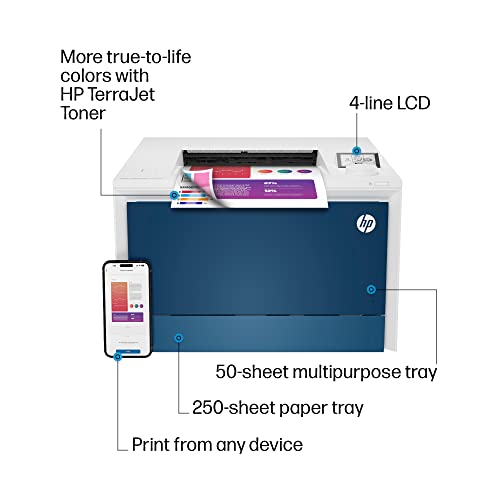
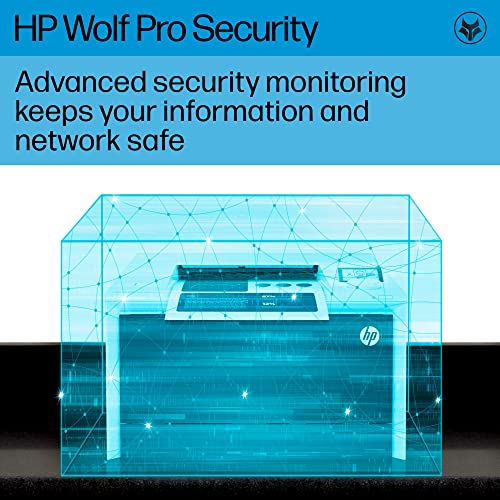
Most small offices assume they need a massive, room-consuming machine to handle professional color workloads, but the HP Color LaserJet Pro 4201dn proves that speed and security can live in a much more manageable footprint. I found that the 35-page-per-minute color output is a total game-changer for teams of up to ten people who can't afford to wait for a slow queue. It handles two-sided printing effortlessly, making those thick reports look polished without much fuss. Connectivity is a breeze too, whether you are tapping from an Android phone or a Mac, thanks to the built-in Ethernet and broad mobile support. Just keep in mind that HP uses firmware updates to ensure you stick with original cartridges, so don't expect to use third-party chips here.


Visioneer Rabbit PC30dwn Laser Printer/Copy Machine, Monochrome USB Office Printer and Copier for PC and Mac, 30 PPM, 250 Page Automatic Document Feed...
| SELLER | SELLER SCORE | AMAZON FULFILLED | PRIME | FREE SHIPPING |
|---|---|---|---|---|
| Visioneer Inc. | 5.55 | Yes | Yes | Yes |
Your home office desk is already crowded with monitors and notebooks, so finding a multifunction machine that doesn't swallow your entire workspace is a massive win. I put the Visioneer Rabbit PC30dwn to the test, and its compact footprint is genuinely impressive for a device that handles both printing and copying. It churns through monochrome jobs at a brisk 30 ppm, and the inclusion of a 250-page automatic document feeder makes scanning multi-page documents feel seamless rather than a chore. Whether you are printing standard documents via WiFi or using the manual tray for thicker card stock, the LED printer head technology keeps everything sharp at 600 dpi. It is a reliable, no-nonsense workhorse that bridges the gap between personal use and professional output.


Lexmark X2690 Printer
| SELLER | SELLER SCORE | AMAZON FULFILLED | PRIME | FREE SHIPPING |
|---|---|---|---|---|
| Shutterbug Camera Shop | 7.03 | No | No | No |
The Lexmark X2690 is a specialized tool for home offices and creative setups that demand versatile color reproduction without the bulk of a heavy-duty machine. Using thermal inkjet technology, this unit handles standard 20 lb bond paper with ease, but the real magic lies in its color flexibility. While it functions perfectly as a standard 4-color printer using cyan, magenta, yellow, and black, you can opt for 6-color photo printing to elevate your image quality significantly. It connects via a reliable USB 2.0 interface, making it a straightforward plug-and-play solution for a wide range of operating systems, including various Windows and Mac OS X versions. If you need a compact workhorse that balances everyday document printing with occasional high-quality photo needs, this Lexmark model hits the mark.

The most critical decision factor for a Mac user is how the printer communicates with the operating system. Apple's AirPrint technology is the gold standard for convenience. When a printer is AirPrint-compatible, you can print directly from your Mac without downloading cumbersome third-party software or managing complex driver updates. This leads to a 'plug-and-play' experience that is essential for maintaining a clean macOS environment. However, if you are a professional designer requiring granular control over color calibration, CMYK profiles, or specific paper weights, you may need a printer that offers a dedicated driver package. Always check if the manufacturer provides native macOS drivers that support advanced features beyond basic AirPrint functionality.
In a modern Mac setup, wireless connectivity is often preferred to keep desk spaces clutter-free. Look for printers that support dual-band Wi-Fi to ensure a stable connection in crowded home networks. For users with a Mac Mini or a desktop setup where a physical connection is more reliable, USB-C or USB-B connectivity is a must. Since many modern Macs only feature USB-C ports, you should factor in the need for a high-quality adapter or ensure the printer includes the necessary cabling to bridge the gap between the machine and the peripheral.
Laser printers are categorized into monochrome (black and white) and color models. If your workflow involves printing spreadsheets, legal documents, or academic papers, a monochrome laser printer is the most cost-effective route. However, if you are printing marketing materials or visual presentations, a color laser printer is necessary. When evaluating color models, look for high DPI (dots per inch) ratings to ensure text remains sharp and gradients appear smooth. Additionally, investigate the cost of replacement toner cartridges. A printer with a low initial purchase price can become expensive quickly if the proprietary toner cartridges are priced aggressively.
To maximize efficiency and reduce paper waste, prioritize printers with automatic duplexing, which allows the machine to print on both sides of the page without manual intervention. For Mac users handling high volumes of documents, consider the input tray capacity. A printer that can hold 250 sheets or more will save you from frequent refills, while an adjustable tray is essential if you frequently switch between standard letter paper and thicker cardstock for presentations.
Quick answers about Mac Laser Printers before you buy.
Share of top-ranked products by brand, from our editorial analysis.
We've carried out a comprehensive analysis of 9,673 reviews on Mac Laser Printers, using our selection criteria to identify the best options in the categories. Our findings reveal that most customers typically select Mac Laser Printers priced around $358.11, with top brands including lexmark, brother, hp and canon and pantum.
Our team of expert editors reviewed these high-quality items and handpicked the top 14 Mac Laser Printers for your consideration. We've also done extensive research on numerous sellers, identifying the best ones in the categories category — including provantage llc, ecommercebusinessprime, super tech usa (s/n recorded), amazon.com, pi printer, pantum and saveabiz and triplenet pricing inc.
We are dedicated to assisting our users in finding the right accessories Products based on their needs, saving them considerable time when choosing which Mac Laser Printers to buy. We take pride in the number of satisfied users we've helped through our thorough and insightful reviews.
Compare the top 14 picks at a glance — select a column to sort.


