#TOP1

Duplex printing, or automatic two-sided printing, is no longer a luxury reserved for high-end office environments. It is a fundamental requirement for anyone looking to reduce paper waste and improve document professionality. Whether you are a student printing research papers or a small business owner managing invoices, a duplex-capable printer offers significant long-term savings and a cleaner aesthetic for your printed materials. However, choosing the right machine involves more than just checking a box for 'two-sided printing.' You must consider the mechanics of how the paper is flipped, the speed of the duplexing engine, and how it integrates with your specific workflow.
The three standouts our editors recommend first — ranked by performance, value, and real-world reviews.
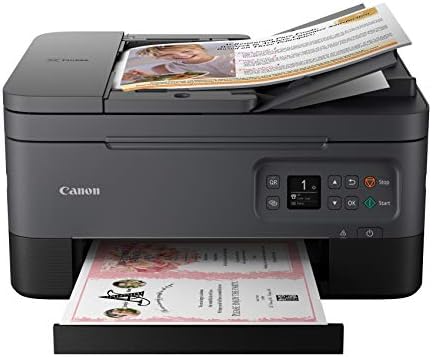


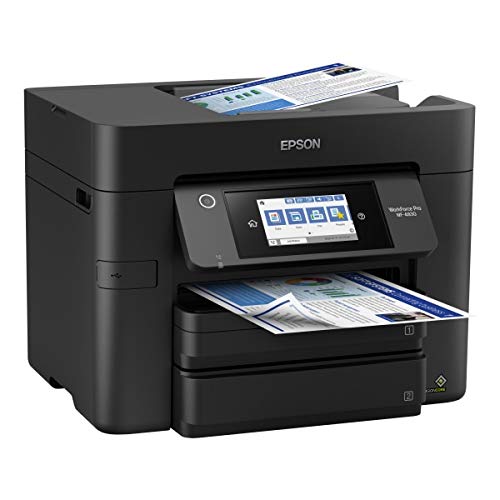

Epson Workforce Pro WF-4830 Wireless All-in-One Printer with Auto 2-Sided Print, Copy, Scan and Fax, 50-Page ADF, 500-sheet Paper Capacity, and 4.3" C...
| SELLER | SELLER SCORE | AMAZON FULFILLED | PRIME | FREE SHIPPING |
|---|---|---|---|---|
| Office Depot LLC | 9.72 | No | No | No |
Small business owners running high-volume workloads need the Epson WorkForce Pro WF-4830 to prevent the constant bottleneck of slow document processing. I was particularly impressed by the PrecisionCore Heat-Free Technology, which manages to deliver fast first-page-out speeds without the typical downtime associated with heat-based systems. The dual 250-sheet trays provide a massive 500-sheet total capacity, meaning you aren't constantly refilling paper mid-job. Navigating the tasks is incredibly intuitive thanks to the 4.3" color touchscreen, and the Epson Smart Panel App makes mobile printing feel seamless. Whether you are utilizing the 50-sheet ADF for multi-page scans or leveraging the auto 2-sided functionality, this machine is built to handle heavy professional demands with high-precision pigment inks.
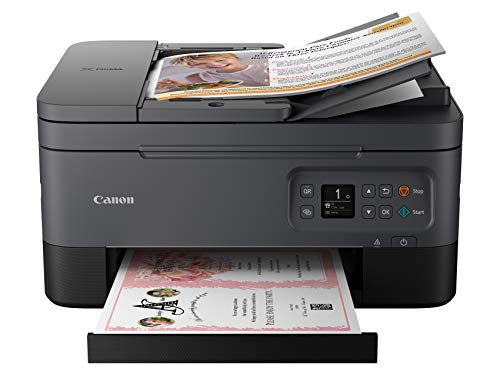


Canon PIXMA TR7020a All-in-One Wireless Color Inkjet Printer, with Duplex Printing, Mobile Printing, and Auto Document Feeder, Black
| SELLER | SELLER SCORE | AMAZON FULFILLED | PRIME | FREE SHIPPING |
|---|---|---|---|---|
| Amazon.com | 9.68 | Yes | Yes | Yes |
Your home office desk is finally reclaimed from that bulky, outdated machine thanks to the compact and stylish design of the Canon PIXMA TR7020a. I spent a morning setting this up for a sudden project, and the transition from smartphone to paper was incredibly seamless. The 1.44” OLED display and integrated LED status bar take the guesswork out of troubleshooting, making navigation feel intuitive rather than frustrating. Whether you are churning out high-quality documents via the auto document feeder or printing vibrant photos using the two-cartridge FINE hybrid ink system, the performance remains consistent. It is a reliable, space-saving workhorse that handles duplex printing without a hitch, making it perfect for anyone needing professional results in a smaller footprint.

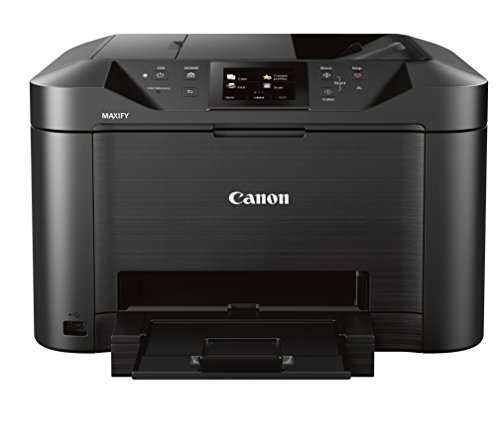

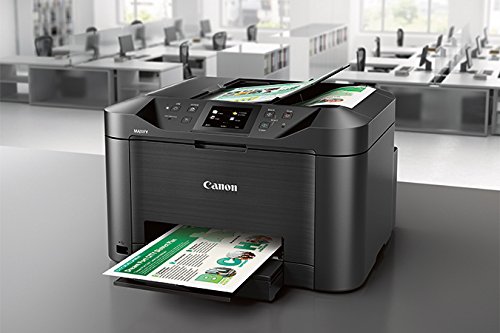
Canon Office and Business MB5120 All-in-One Printer, Scanner, Copier and Fax, with Mobile and Duplex Printing, Model:0960C002
| SELLER | SELLER SCORE | AMAZON FULFILLED | PRIME | FREE SHIPPING |
|---|---|---|---|---|
| Amazon.com | 9.68 | Yes | Yes | Yes |
Small business owners looking to slash administrative downtime need the Canon MB5120 in their workspace immediately. This machine isn't just a basic printer. It is a heavy-duty productivity hub that handles the heavy lifting of a busy office. I was particularly impressed by the single-pass 2-sided scanning and copying, which saves a massive amount of time compared to manual flipping. Whether you are scanning documents directly to a network folder, the cloud, or even Concur, the workflow feels incredibly streamlined. It handles diverse media like business cards and labels with ease, and the 250-sheet capacity means you aren't constantly refilling the tray. With seamless mobile printing via AirPrint and the Canon Print App, it bridges the gap between desktop tasks and on-the-go requirements perfectly.

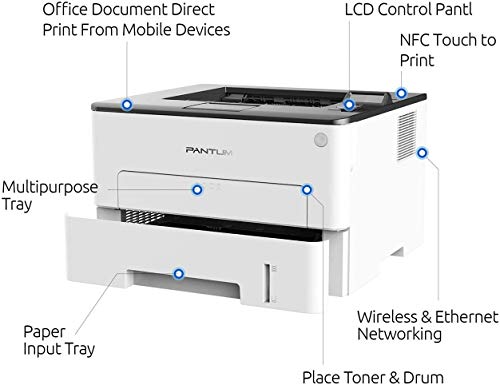


Laser Printer with WiFi Wireless NFC Duplex Two-Sided Black and White Monochrome Printing for Home Office School Student (35PPM, L2350DW-W2U36A)
| SELLER | SELLER SCORE | AMAZON FULFILLED | PRIME | FREE SHIPPING |
|---|---|---|---|---|
| Talent image | 9.63 | Yes | Yes | Yes |
The Pantum monochrome laser printer delivers heavy-duty office performance in a surprisingly compact desktop footprint. I was impressed by how it manages a brisk 35 pages per minute while occupying such a small amount of desk real estate. It is specifically engineered for students and home office users who need reliability without the bulk of traditional enterprise machines. The metal frame structure gives it a sturdy, long-term feel, and the separate drum and toner design makes running costs much more manageable over time. Setting up the wireless connectivity is a breeze, whether you are using AirPrint on an iPhone or the dedicated mobile app. It strikes a rare balance between being a space-saving peripheral and a high-speed productivity workhorse.

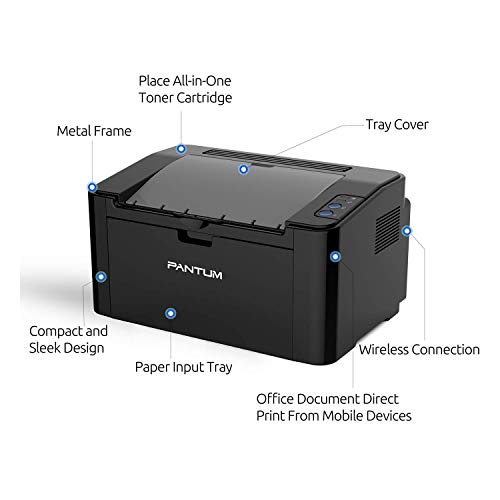
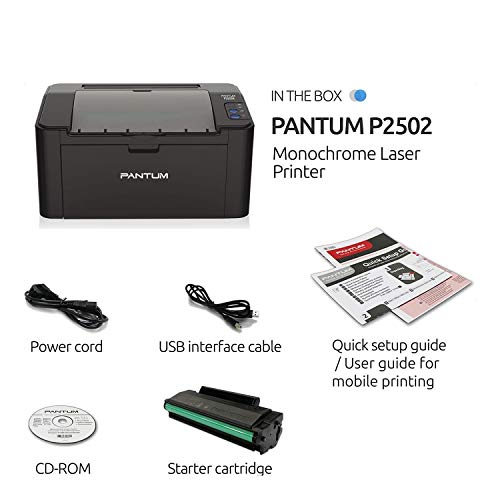
Pantum P2502W Monochrome Laser Printer for Home Office School Student Mobile Wireless Black and White Printing- Small Laserjet
| SELLER | SELLER SCORE | AMAZON FULFILLED | PRIME | FREE SHIPPING |
|---|---|---|---|---|
| TonerWorld | 9.50 | No | No | No |
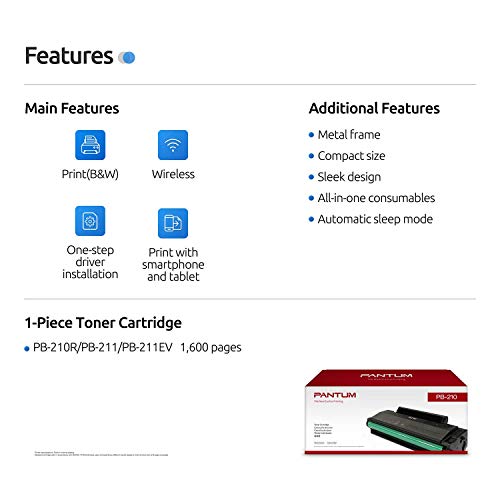
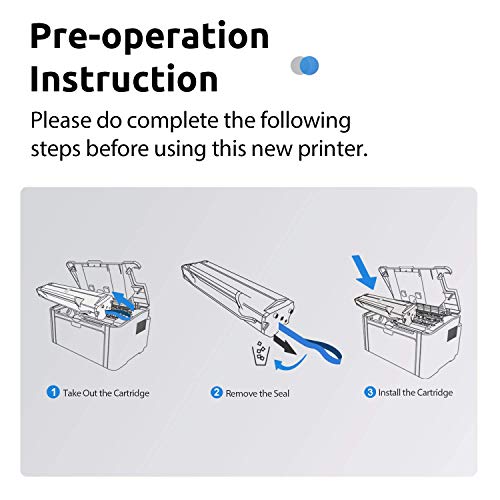
After weeks of use in a cramped home office, the Pantum P2502W has proven that you don't need a massive footprint to get serious productivity. This little monochrome workhorse punches well above its weight, delivering a snappy 22 pages per minute that keeps up with even the most urgent student assignments or business documents. Its metal frame construction feels surprisingly sturdy for such a compact desktop device, and the wireless connectivity via the Pantum app makes mobile printing from Android or iOS incredibly seamless. While it is strictly a black-and-white machine, the inclusion of a 700-page starter cartridge and a USB cable right out of the box makes it an exceptionally efficient setup for anyone needing reliable, high-speed text printing without the bulk.
Brother MFC-J497DW Inkjet Multifunction Printer - Color - Plain Paper Print - Desktop
| SELLER | SELLER SCORE | AMAZON FULFILLED | PRIME | FREE SHIPPING |
|---|---|---|---|---|
| Let'sBuy | 9.59 | No | No | No |
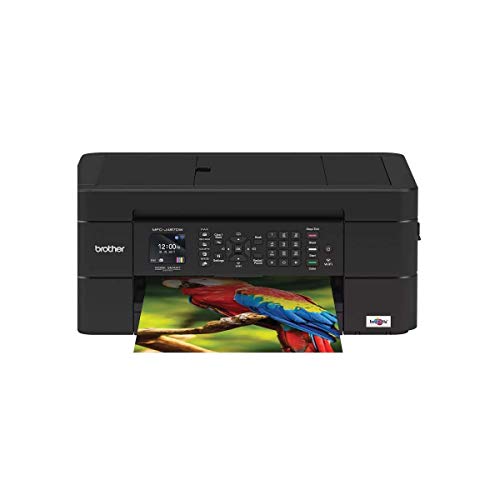
Most home office setups are cluttered with bulky, single-purpose machines, but the Brother MFC-J497DW proves you don't need a massive footprint to handle a full workload. I found its compact design particularly impressive for tight desk spaces, yet it manages to pack in printing, copying, scanning, and faxing without feeling cramped. Setting it up is remarkably straightforward, whether you prefer a traditional USB connection or want to leverage the built-in wireless capabilities to print directly from your smartphone or tablet. The inclusion of an automatic document feeder and a 100-sheet tray that accommodates both letter and legal sizes makes document management feel much more professional. Plus, being able to scan directly to cloud services like Google Drive or Dropbox saves a massive amount of time during a busy workday.




HP OfficeJet Pro 8025e Wireless Color All-in-One Printer with bonus 6 free months Instant Ink with HP+ (1K7K3A)
| SELLER | SELLER SCORE | AMAZON FULFILLED | PRIME | FREE SHIPPING |
|---|---|---|---|---|
| Amazon.com | 9.68 | Yes | Yes | Yes |
The HP OfficeJet Pro 8025e stands as a top-tier contender for anyone managing a high-volume home office or a growing small business. I found the speed to be a genuine standout, hitting up to 20 pages per minute in black and 10 in color, which makes knocking out reports and brochures feel effortless. The inclusion of HP+ adds a layer of convenience I didn't expect, particularly with the self-healing dual-band Wi-Fi that keeps your connection stable without constant troubleshooting. Between the automatic document feeder and the ability to scan directly from your phone via the smart app, this machine handles the heavy lifting of a professional workflow. Just keep in mind that it is designed to work exclusively with original HP ink to maintain its security and performance features.


Brother Monochrome Laser Printer, Multifunction Printer, All-in-One Printer, MFC-L5800DW, Wireless Networking, Mobile Printing & Scanning, Duplex Prin...
| SELLER | SELLER SCORE | AMAZON FULFILLED | PRIME | FREE SHIPPING |
|---|---|---|---|---|
| Triplenet Pricing INC | 9.81 | No | No | No |
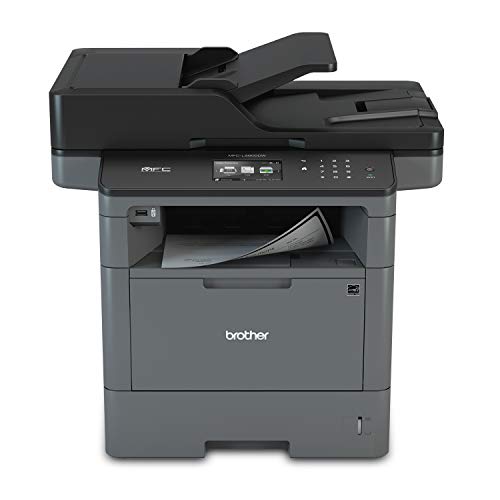
The rhythmic, rapid-fire sound of 42 pages per minute flying through the duplex tray is the first thing you'll notice when this workhorse is in high gear. This Brother monochrome laser printer is built for high-volume environments where waiting for a document is not an option, boasting a lightning-fast first page out time of just 7.2 seconds. I found the 70-page auto document feeder incredibly reliable for unattended scanning and faxing, while the ability to send files directly to SharePoint or cloud services simplifies a busy workflow. Security is a major win here, as it includes advanced features to protect your network from unauthorized access. Whether you are printing from a mobile device via AirPrint or managing large batches, this machine handles the heavy lifting with professional-grade efficiency.

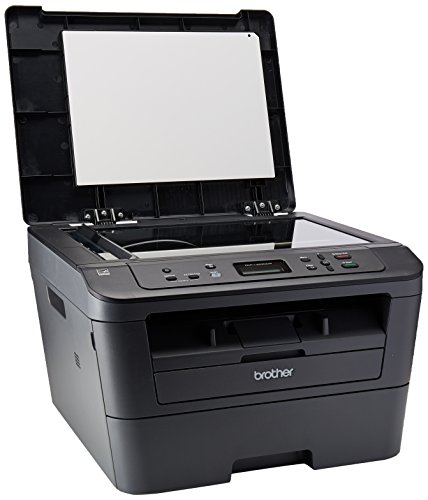


Brother DCPL2520DW Wireless Compact Multifunction Laser Printer and Copier, Amazon Dash Replenishment Ready
| SELLER | SELLER SCORE | AMAZON FULFILLED | PRIME | FREE SHIPPING |
|---|---|---|---|---|
| Express Office Supply (Serial Number Recorded) | 3.48 | No | No | No |
The Brother DCPL2520DW redefines home office efficiency by blending high-speed laser performance with a footprint that won't crowd your desk. I found the 27 pages per minute print speed to be a total game-changer for those days when you're rushing to finish a report. It handles standalone copying effortlessly and the automatic duplex printing saves a significant amount of paper over time. One of the most clever aspects is the automated toner replenishment service. Once activated, the machine monitors its own levels and triggers a new order before you even realize you're running low. It is a reliable, wireless powerhouse that effectively removes the friction from daily document management.


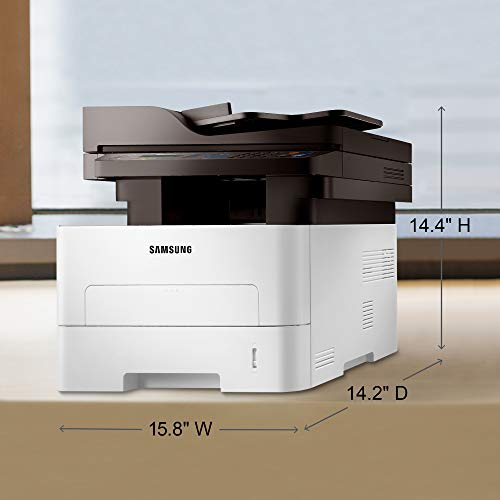
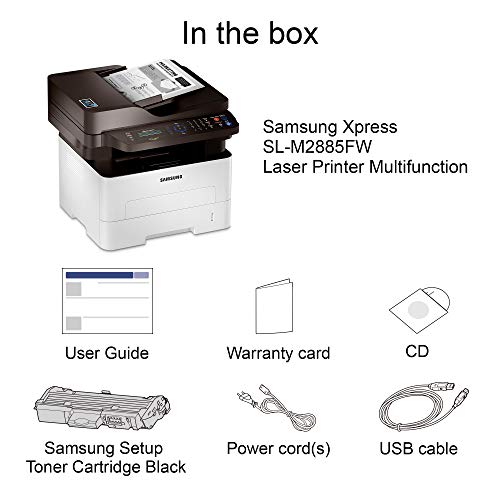

Samsung Xpress M2885FW Wireless Monochrome Laser Printer with Scan/Copy/Fax, Simple NFC + WiFi Connectivity, Duplex Printing and Built-in Ethernet (SS...
| SELLER | SELLER SCORE | AMAZON FULFILLED | PRIME | FREE SHIPPING |
|---|---|---|---|---|
| Max Tech Depot (Serial Numer Recorded) | 8.71 | No | No | No |
The Samsung Xpress M2885FW stands out as a productivity powerhouse thanks to its incredibly intuitive NFC 'print on tap' technology. I found that being able to simply tap an Android device against the machine to trigger a scan or fax job removes almost all the typical wireless friction. It handles a steady workload with ease, churning out up to 29 pages per minute, which makes it a reliable workhorse for anyone printing between 250 and 2,000 pages monthly. The text is remarkably crisp, thanks to Samsung's imaging tech, and the ability to switch between standard paper, cardstock, or glossy labels provides great versatility. While it is a monochrome-only device, the inclusion of duplex printing and built-in Ethernet makes it a complete, professional-grade solution for a busy home office.

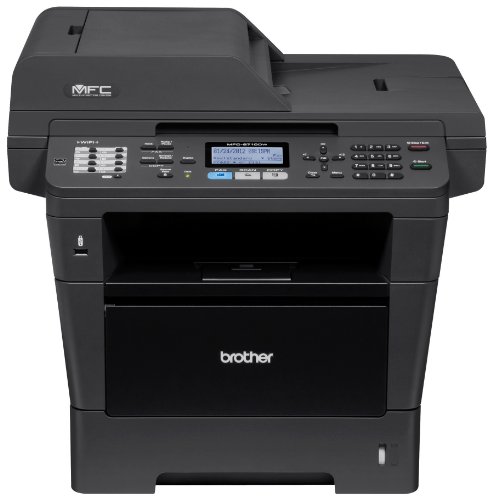

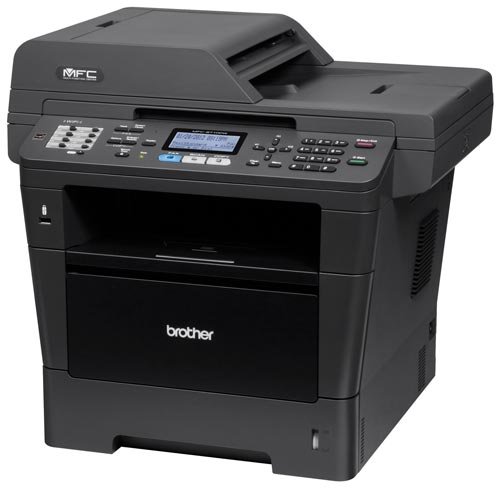

Brother Printer MFC8710DW Wireless Monochrome Printer with Scanner, Copier and Fax, Amazon Dash Replenishment Ready
| SELLER | SELLER SCORE | AMAZON FULFILLED | PRIME | FREE SHIPPING |
|---|---|---|---|---|
| BOINC2013 | 5.91 | No | No | No |
The rhythmic, rapid-fire sound of 40 pages per minute flying through the tray is the first thing you'll notice when this workhorse is in high gear. This Brother monochrome unit is built for high-volume environments where speed and reliability are non-negotiable. I was particularly impressed by the legal-size scanner glass, which handles larger documents much more gracefully than standard A4 scanners. Setting up the wireless or Ethernet connectivity is straightforward, making it a seamless addition to any office network. It also takes the headache out of maintenance thanks to its automated toner replenishment system that monitors levels and orders replacements before you hit zero. With automatic duplex printing and an expandable 300-sheet capacity, it handles heavy workloads without breaking a sweat.
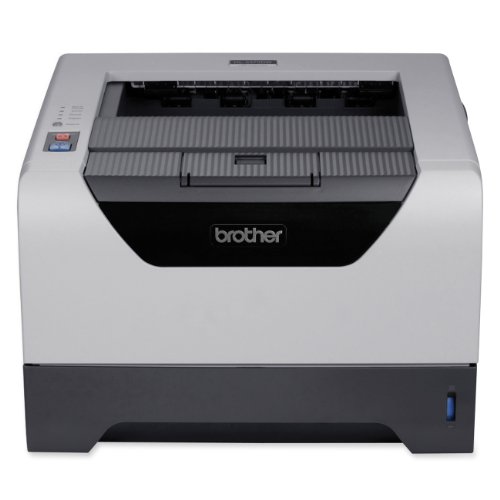
Brother HL-5250DN Network Ready Laser Printer with Duplex
| SELLER | SELLER SCORE | AMAZON FULFILLED | PRIME | FREE SHIPPING |
|---|---|---|---|---|
| DN Printer Solutions | 9.79 | No | No | No |
Small workgroups running high-volume text documents need this Brother laser printer to keep their workflows from stalling. I found that the 30 ppm print speed makes a massive difference when you are staring down a deadline, and the 1200 x 1200 dpi resolution ensures that every line of text stays crisp and professional. Because it features a built-in Ethernet interface, you can easily connect an entire team to a single machine without a mess of cables. The integrated duplexing is a lifesaver for saving paper, allowing you to flip to two-sided printing effortlessly. At just over 21 pounds, it is a substantial piece of office gear that fits comfortably on a standard desk without dominating the entire workspace.


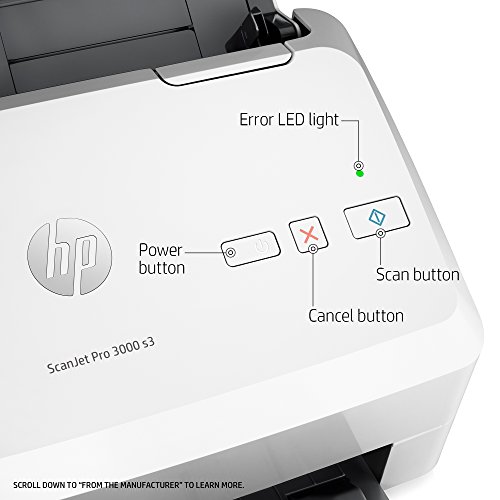

HP ScanJet Pro 3000 s3 Sheet-feed OCR Scanner
| SELLER | SELLER SCORE | AMAZON FULFILLED | PRIME | FREE SHIPPING |
|---|---|---|---|---|
| Premium Product Technologies | 6.10 | No | No | No |
Paperwork backlogs and manual data entry are the primary enemies of a productive office, but the HP ScanJet Pro 3000 s3 is designed to eliminate those bottlenecks. I found that the one-pass duplex scanning is a total game-changer for speed, allowing you to flip through both sides of a document in a single motion. With a 50-page automatic document feeder and a capacity rated for 3,500 pages daily, this slim unit handles heavy lifting without hogging your entire desk. The built-in OCR is particularly impressive, turning static images into editable text and secure PDFs instantly. Whether you are scanning to the cloud or using one-touch custom settings for recurring jobs, this TWAIN-compliant workhorse makes digitizing mixed media feel effortless.
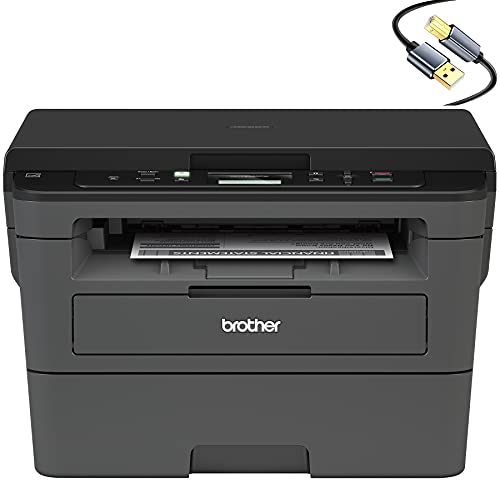
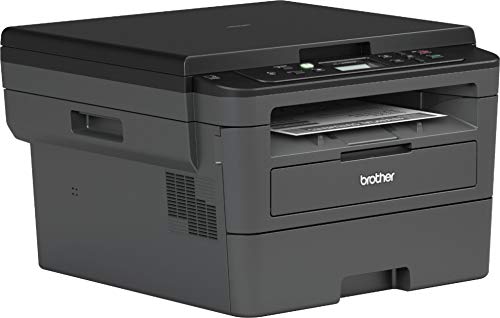

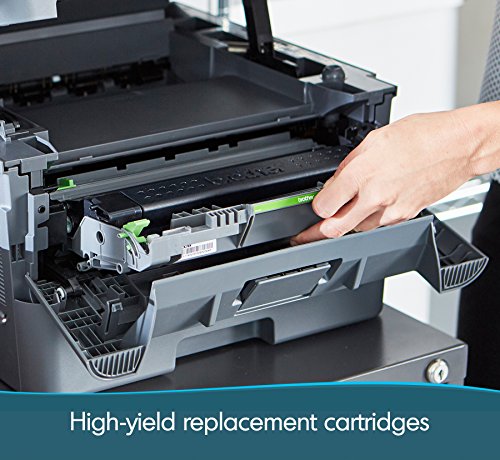

Brother Compact Monochrome Laser Wireless All-in-One Printer HL-L2390D for Business Office - Flatbed Print Copy Scan - 32ppm Print Speed, Duplex Two-S...
| SELLER | SELLER SCORE | AMAZON FULFILLED | PRIME | FREE SHIPPING |
|---|---|---|---|---|
| No | No | No |
Small business owners who demand high-volume output without sacrificing desk space need the Brother HL-L2390D in their workflow immediately. This monochrome workhorse eliminates the typical friction of office tasks by combining printing, scanning, and copying into one compact footprint. I was particularly impressed by the 32 pages per minute print speed, which makes tackling large document batches feel effortless. The inclusion of a flatbed glass for scanning and a 250-sheet capacity tray means you aren't constantly refilling paper or fighting with tiny scanner lids. Between the automatic duplex printing to save on overhead and the wireless mobile connectivity, it strikes a perfect balance between professional efficiency and modern convenience.


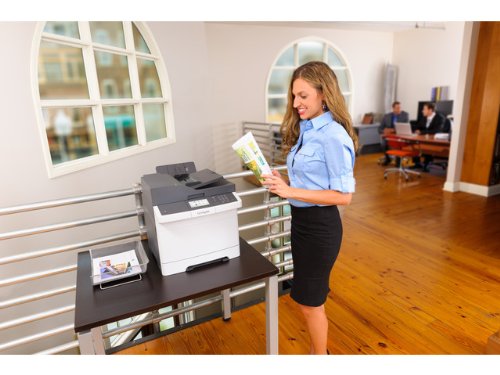

Lexmark CX410de Color All-In One Laser Printer with Scan, Copy, Network Ready, Duplex Printing and Professional Features
| SELLER | SELLER SCORE | AMAZON FULFILLED | PRIME | FREE SHIPPING |
|---|---|---|---|---|
| OneDealOutlet Online | 9.47 | No | No | No |
The vibrant 4.3-inch color touchscreen provides an immediate, tactile sense of control that makes navigating complex office tasks feel surprisingly intuitive. This Lexmark powerhouse isn't just a printer. It's a high-speed hub capable of churning out 32 pages per minute while handling duplex printing with ease. I was particularly impressed by how the PANTONE calibration and Named Color Replacement ensure that brand logos look identical every single time they hit the paper. Under the hood, the dual-core processor and upgradable 512 MB of memory prevent the lag often found in mid-range machines. Whether you are scanning documents or managing network security through enterprise-level protocols, this machine is built to keep a professional workflow moving without interruption.


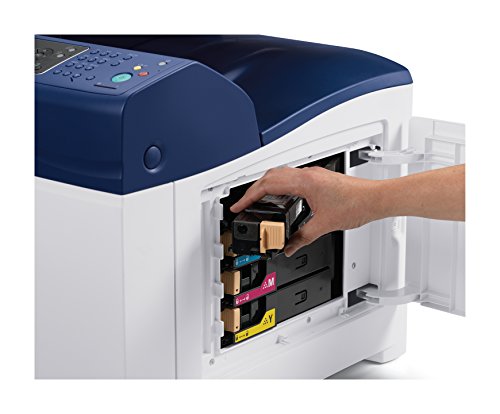
Xerox WorkCentre 6505/DN Color Multifunction Printer- Automatic Duplexing
| SELLER | SELLER SCORE | AMAZON FULFILLED | PRIME | FREE SHIPPING |
|---|---|---|---|---|
| 88printers | 5.27 | No | No | No |
The Xerox WorkCentre 6505DN turns a standard desk into a high-output command center with its impressive color laser versatility. After testing its workflow, the 24 ppm print speed feels snappy enough to handle a busy morning of document prep without the usual bottlenecking. It packs a punch for its size, featuring a 250-sheet input tray and automatic duplexing that keeps paper costs down. With a 40,000-page maximum duty cycle, this machine is built for sustained professional use rather than occasional home printing. Whether you are connecting via Ethernet for a networked office setup or using a direct USB connection, the integration of productivity tools makes managing color documents feel seamless and efficient.


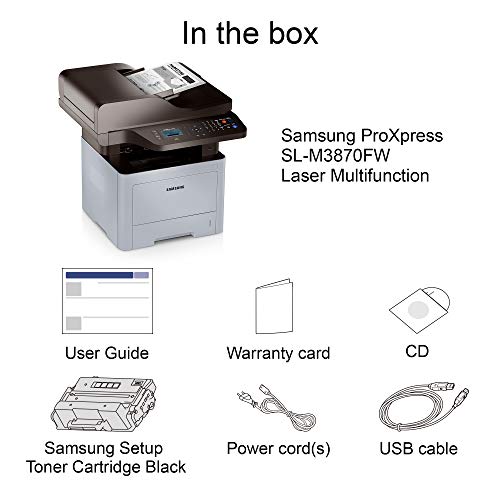
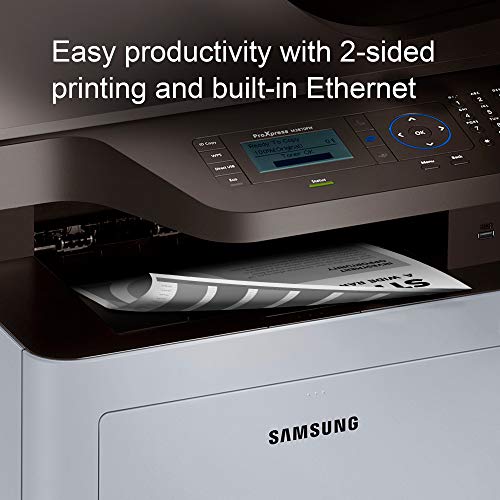
HP Samsung ProXpress M3870FW Wireless Monochrome Laser Printer with Scan/Copy/Fax, Mobile Connectivity, Duplex Printing, Print Security & Management T...
| SELLER | SELLER SCORE | AMAZON FULFILLED | PRIME | FREE SHIPPING |
|---|---|---|---|---|
| SmBusi | 4.58 | No | No | No |
Can a single piece of office hardware actually streamline your entire workflow while keeping your network secure? The HP Samsung ProXpress M3870FW is a heavy-duty workhorse designed specifically for high-volume business environments that cannot afford downtime. I was particularly impressed by the integrated toner system, which handles up to 10,000 pages, significantly lowering your cost per page and maintenance frequency. It handles the essentials like duplex printing and mobile connectivity with ease, but the real winner is the enterprise-level security that protects your sensitive documents. Between the one-touch eco features for reducing waste and the robust 24/7 web support, this machine feels less like a peripheral and more like a reliable office partner.


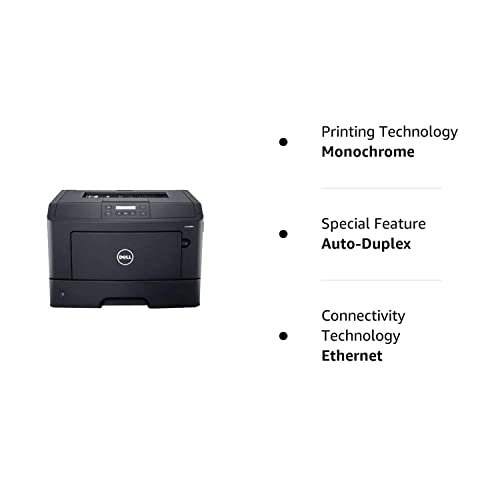
Dell B2360dn Laser Printer . Monochrome . 1200 X 1200 Dpi Print . Plain Paper Print . Desktop . 40 Ppm Mono Print . 300 Sheets Input . Automatic Duple...
| SELLER | SELLER SCORE | AMAZON FULFILLED | PRIME | FREE SHIPPING |
|---|---|---|---|---|
| Reliable Printers | 7.29 | No | No | No |
Buying a refurbished printer often feels like a gamble on how many paper jams you'll endure, but this Dell B2360dn bundle aims to eliminate that anxiety through rigorous mechanical overhaul. Instead of just a surface clean, the refurbishment process involves replacing critical wear items like pickup rollers, fuser films, and separation pads to ensure the internals feel fresh. You get a high-speed monochrome workhorse capable of 40 pages per minute with crisp 1200 x 1200 dpi resolution. It’s a practical desktop solution for high-volume text printing, especially since it includes automatic duplexing and Gigabit Ethernet. While you might see some minor cosmetic discoloration, the focus here is on functional reliability and the inclusion of new generic consumables to get you running immediately.


Visioneer Rabbit PC30dwn Laser Printer/Copy Machine, Monochrome USB Office Printer and Copier for PC and Mac, 30 PPM, 250 Page Automatic Document Feed...
| SELLER | SELLER SCORE | AMAZON FULFILLED | PRIME | FREE SHIPPING |
|---|---|---|---|---|
| Visioneer Inc. | 5.55 | Yes | Yes | Yes |
Your home office desk is already crowded with monitors and notebooks, so finding a multifunction machine that doesn't swallow your entire workspace is a massive win. I put the Visioneer Rabbit PC30dwn to the test, and its compact footprint is genuinely impressive for a device that handles both printing and copying. It churns through monochrome jobs at a brisk 30 ppm, and the inclusion of a 250-page automatic document feeder makes scanning multi-page documents feel seamless rather than a chore. Whether you are printing standard documents via WiFi or using the manual tray for thicker card stock, the LED printer head technology keeps everything sharp at 600 dpi. It is a reliable, no-nonsense workhorse that bridges the gap between personal use and professional output.

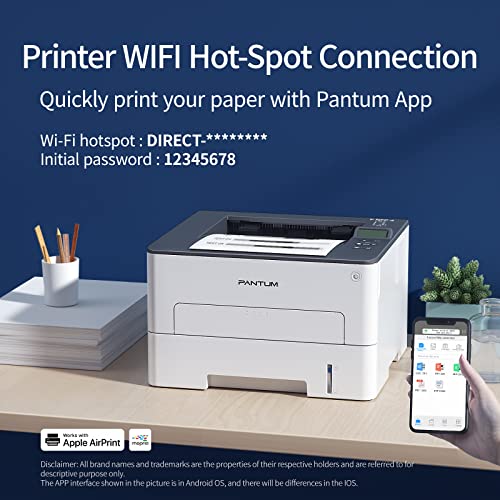


Pantum Monochrome Laser Printer Black and White Printer Wireless Small Computer Printer with Auto Duplex 2-Sided Printer Home Use with Mobile Printing...
| SELLER | SELLER SCORE | AMAZON FULFILLED | PRIME | FREE SHIPPING |
|---|---|---|---|---|
| Pantum-Us | 9.51 | Yes | Yes | No |
After weeks of use in a cramped home office, the Pantum P3012DW has proven to be a surprisingly efficient workhorse for anyone needing reliable black-and-white documents. This compact monochrome printer delivers a snappy 30ppm speed, which is impressive given its small footprint, and the first page pops out in under six seconds. I found the auto-duplex feature particularly useful for cutting down on paper waste during long study sessions or business tasks. Setting it up was remarkably painless thanks to the one-step driver installation, and the ability to switch between a stable USB connection and wireless printing from my phone makes it incredibly versatile. It produces sharp, dark text without any of those annoying streaks or smears that plague cheaper models.

Lexmark Ms823n Laser Printer
| SELLER | SELLER SCORE | AMAZON FULFILLED | PRIME | FREE SHIPPING |
|---|---|---|---|---|
| PCNation | 9.57 | No | No | No |
Bottlenecks in high-volume office workflows often stem from printers that simply cannot keep pace with heavy document queues. The Lexmark MS823n tackles this head-on by delivering blistering speeds of up to 65 pages per minute and a first-page-out time of just 4.2 seconds. During my testing, the internal 1 GHz dual-core processor and expandable memory—up to 4.5 GB—ensured that even complex print jobs didn't stall the system. It is built for sheer endurance, featuring a massive input capacity of 4,400 sheets and long-life components like a fuser designed for minimal maintenance. With toner cartridges capable of reaching 55,000 pages, this machine is less of a desktop peripheral and more of a heavy-duty workhorse meant to keep a busy department running without constant interruption.
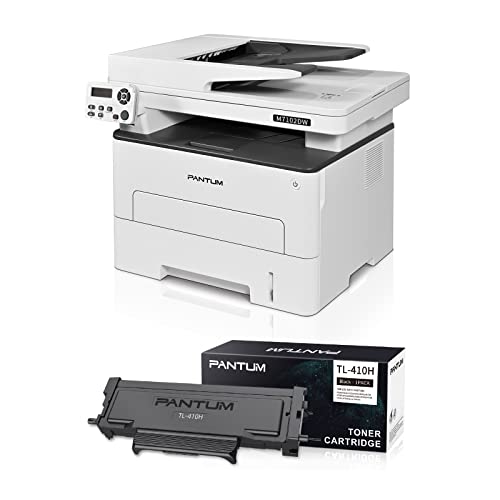


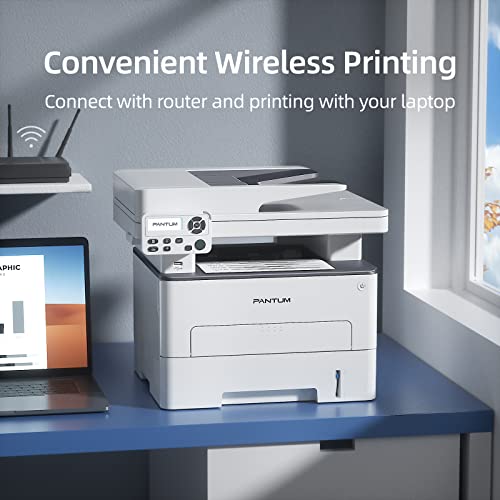

Pantum M7102DW Monochrome Wireless All-in-one ADF Multifunction Laser Printer, Auto Duplex, Copy&Scan(W5G63B) with TL-410H
| SELLER | SELLER SCORE | AMAZON FULFILLED | PRIME | FREE SHIPPING |
|---|---|---|---|---|
| No | No | No |
Small business owners and home offices needing high-volume monochrome output without the headache of constant maintenance will find this Pantum multifunction printer indispensable. It cuts through workloads with a respectable 35 pages per minute speed, making it much more than just a basic desktop tool. I was particularly impressed by how the separate drum and toner design works. The drum unit lasts for a massive 12,000 pages, which significantly lowers long-term ownership costs. Setting it up is surprisingly painless thanks to the one-step driver installation, and the auto duplex printing is a lifesaver for saving paper. Whether you are scanning documents via the ADF or printing wirelessly from your phone using the dedicated app, this machine is built to keep your workflow moving quietly and efficiently.

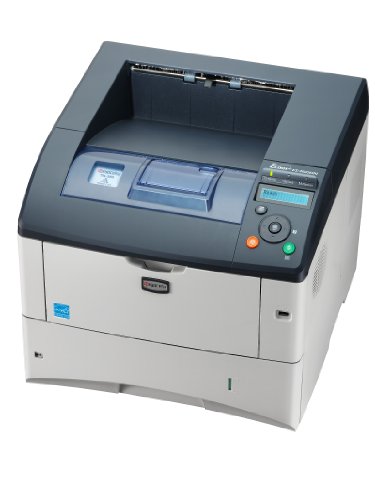


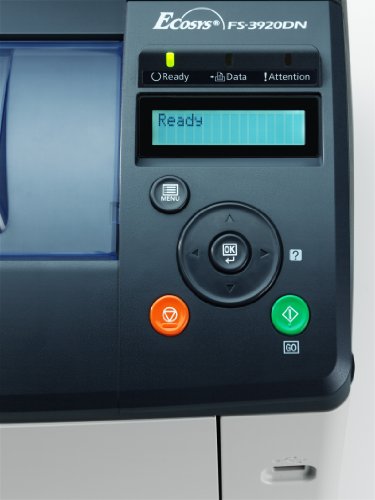
Kyocera FS-3920DN 40PPM 128MB USB 2.0 sheet 500
| SELLER | SELLER SCORE | AMAZON FULFILLED | PRIME | FREE SHIPPING |
|---|---|---|---|---|
| GreatPrinterDeals | 9.81 | No | No | No |
High-volume office environments demand serious speed, and the Kyocera FS-3920DN delivers exactly that by pushing out up to 42 pages per minute in black and white. I found that the sheer throughput makes it a workhorse for teams that can't afford to wait around for document queues to clear. The 1800 x 600 dpi resolution ensures that text remains crisp and professional, while the built-in duplexing capability helps keep paper costs under control. What really sets this unit apart is its scalability. You can add up to four 500-sheet drawers to prevent constant reloading during heavy print runs. It is a robust, no-nonsense solution for anyone prioritizing efficiency and high-capacity output without the headache of frequent maintenance.

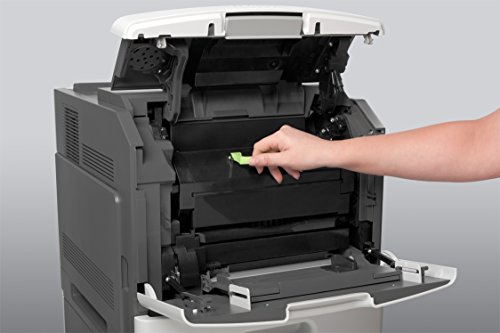

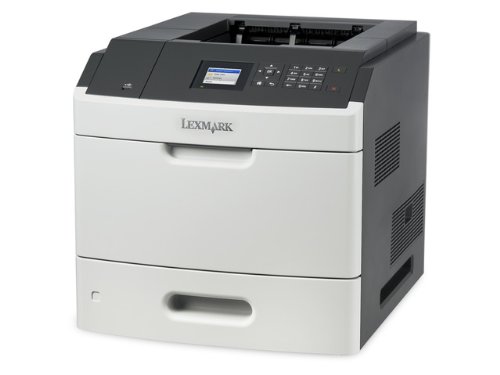

Lexmark MS810dn MonochromeLaser Printer, Network Ready, Duplex Printing and Professional Features
| SELLER | SELLER SCORE | AMAZON FULFILLED | PRIME | FREE SHIPPING |
|---|---|---|---|---|
| AIM Distribution2 | 5.75 | No | No | No |
The rhythmic, rapid-fire sound of high-speed document processing defines the Lexmark MS810dn experience. This isn't a machine for casual home use. It is a workhorse built for high-volume environments that need to churn through black-and-white text without breaking a sweat. Clocking in at 55ppm, the sheer velocity of the output is impressive, especially when paired with the crisp 1200 x 1200 dpi resolution that keeps fine lines sharp. Navigating settings is surprisingly intuitive thanks to the 2.4-inch color LCD interface, which makes managing network tasks or duplex printing feel seamless. With its dedicated multipurpose tray and standard input capacity, it manages heavy workloads with professional-grade reliability and speed.

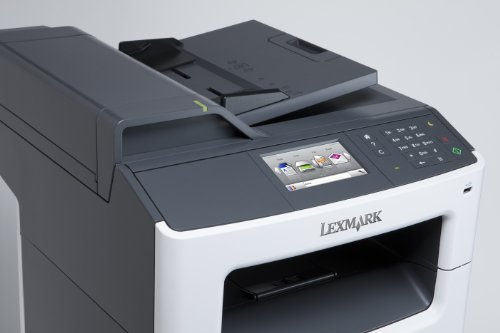
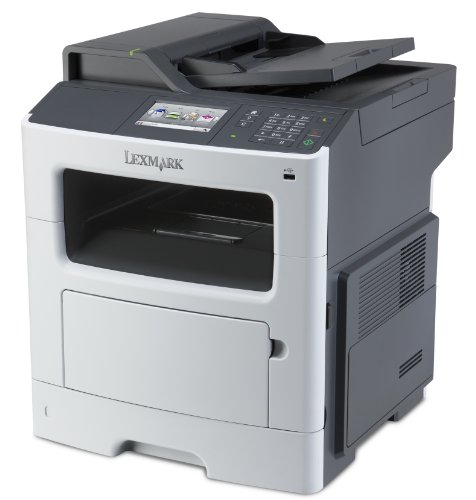
Lexmark MX417de Monochrome All-in One Laser Printer, Scan, Copy, Network Ready, Duplex Printing and Professional Features
| SELLER | SELLER SCORE | AMAZON FULFILLED | PRIME | FREE SHIPPING |
|---|---|---|---|---|
| GreatPrinterDeals | 9.81 | No | No | No |
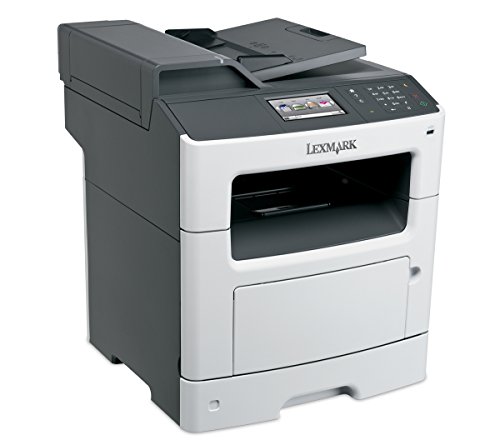
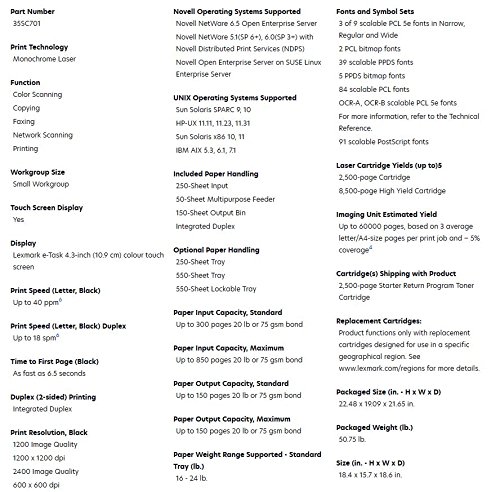
The vibrant 4.3-inch color touchscreen is the first thing you'll touch, making navigation feel much more intuitive than your standard office monochrome machine. This Lexmark powerhouse is built for heavy lifting, handling up to 10,000 pages a month with a blistering 40 pages per minute speed. I was particularly impressed by how quickly it wakes up, spitting out the first page in just 6.5 seconds. Whether you are scanning, copying, or faxing, the built-in duplexing and networking capabilities make it a true command center for a busy workspace. Plus, the Unison toner system means you can stop shaking cartridges to get consistent quality, and the high-yield options significantly drive down your long-term costs. It is a professional-grade workhorse designed to stay out of your way and keep the workflow moving.


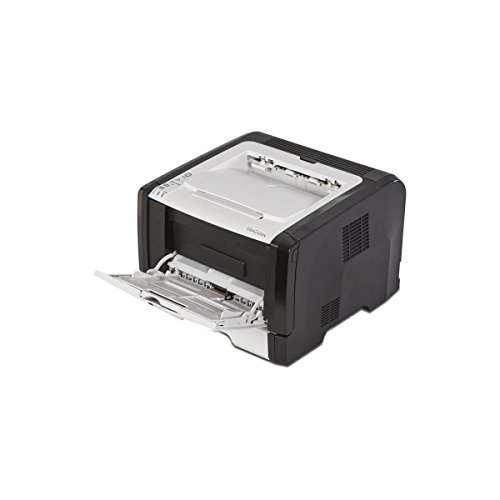
Ricoh 407975 SP 325DNw Wireless Monochrome Printer,Black
| SELLER | SELLER SCORE | AMAZON FULFILLED | PRIME | FREE SHIPPING |
|---|---|---|---|---|
| Printer Ready Corporation (USA) | 5.61 | No | No | No |
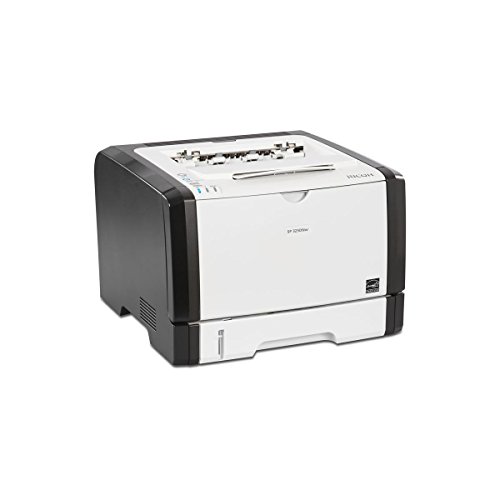
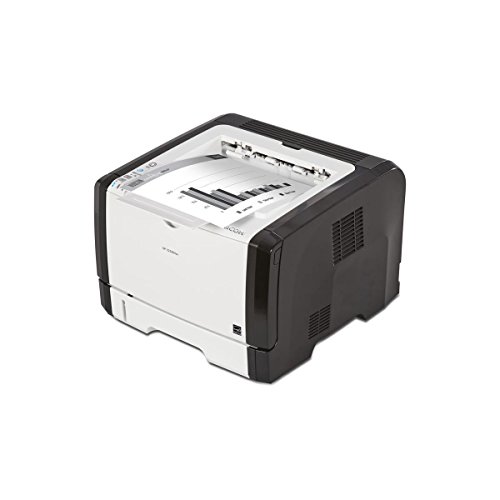
The crisp, rhythmic hum of the internal motor signals a machine built for serious productivity rather than casual home use. This Ricoh monochrome laser printer hits a sweet spot for small offices by delivering a steady 30-PPM A4 output without the usual lag associated with budget models. Setting it up feels modern thanks to integrated Wi-Fi and NFC capabilities, allowing you to bypass the clutter of tangled cables. I particularly appreciated the versatility of the 50-sheet bypass tray for specialized media, which complements the standard 250-sheet main tray perfectly. Whether you are utilizing the high-speed USB 2.0 connection or the robust Ethernet port, the PCL5/6 support ensures your print jobs translate from screen to paper with professional precision.

Dell E515DN Laser Printer - Monochrome - 600 x 600 dpi Print - Plain Paper Print - Desktop
| SELLER | SELLER SCORE | AMAZON FULFILLED | PRIME | FREE SHIPPING |
|---|---|---|---|---|
| Max Tech Depot (Serial Numer Recorded) | 7.06 | No | No | No |
After weeks of use in a high-traffic office environment, the Dell E515DN has proven itself to be a reliable workhorse for anyone needing more than just basic printing. This multifunction unit handles printing, copying, scanning, and faxing with a level of efficiency that keeps workflows moving. While the simplex speeds reach up to 27 ppm for letter-sized documents, the duplex printing is a bit more measured at 15 ppm, which is a fair trade-off for automatic two-sided convenience. The 600 x 600 dpi resolution provides crisp monochrome text on plain paper, and the inclusion of both Ethernet and USB 2.0 connectivity makes it easy to integrate into a standard desktop setup. It is a solid, no-nonsense choice for professional document management.


Dell B5465dnf 70-PPM Multifunction Laser Printer with 3-Year Basic Limited Warranty and 3-Year NBD Onsite Response
| SELLER | SELLER SCORE | AMAZON FULFILLED | PRIME | FREE SHIPPING |
|---|---|---|---|---|
| GreatPrinterDeals | 9.81 | No | No | No |
Can your current office setup handle a massive influx of paperwork without breaking a sweat? The Dell B5465dnf is built specifically for those high-pressure environments where every second counts. I was particularly impressed by the blistering speed, hitting up to 50 pages per minute with a first-print-out time of just 6.5 seconds. Navigating tasks feels seamless thanks to the intuitive 7-inch color touchscreen, which makes managing scans to USB, email, or your network incredibly straightforward. The inclusion of a built-in Duplex Automatic Document Feeder (DADF) is a massive productivity booster for heavy scanning workflows. It is a robust, reliable workhorse that bridges the gap between standard office printing and enterprise-level efficiency.

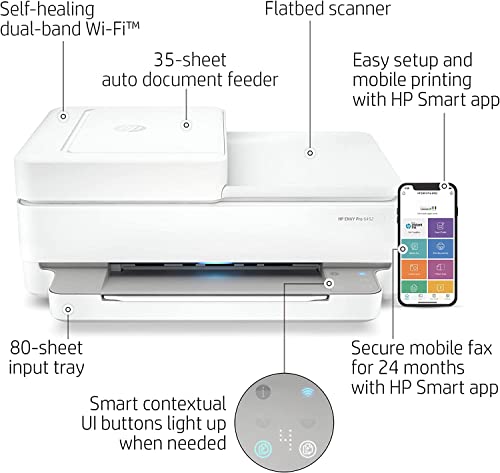


NEEGO HP Wireless Inkjet Color Printer Mobile Print, Scan & Copy, Auto Document Feeder Features 2-Sided Printing, Multi-Page scanning, Smart contextua...
| SELLER | SELLER SCORE | AMAZON FULFILLED | PRIME | FREE SHIPPING |
|---|---|---|---|---|
| PHOTOTECH | 9.90 | Yes | Yes | Yes |
Can a home office setup truly feel seamless without constant connectivity headaches? The NEEGO HP Wireless Inkjet Color Printer aims to solve that exact frustration by combining high-speed utility with smart, intuitive design. I found the 35-page auto document feeder to be a massive time-saver for multi-page scanning and copying jobs, while the auto duplex feature keeps paper waste to a minimum. What really sets this unit apart is the smart contextual control panel. The buttons actually light up only when you need them, making the interface feel incredibly modern. Between the self-healing Wi-Fi that fixes its own connection issues and the ease of the HP Smart app for mobile printing, this machine is built for people who want to print borderless photos or documents from their phone without a struggle.


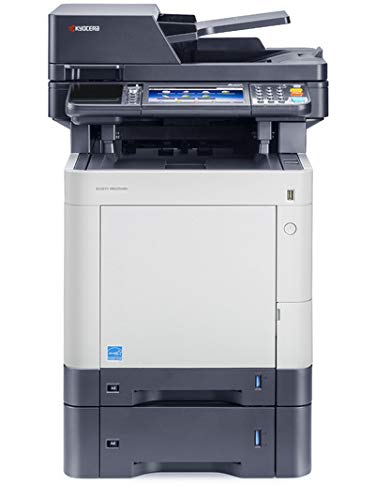

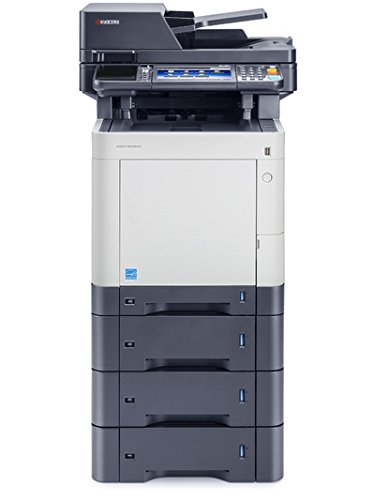
Kyocera ECOSYS M6535cidn Color Multifunctional Printer
| SELLER | SELLER SCORE | AMAZON FULFILLED | PRIME | FREE SHIPPING |
|---|---|---|---|---|
| Sale Stores ✅ | 9.87 | No | No | No |
Your office workflow hits a sudden bottleneck when a high-priority client presentation demands fifty color copies in under two minutes. The Kyocera ECOSYS M6535cidn handles that pressure with ease, churning out 37 pages per minute in both color and black. I found the integration into a modern workspace remarkably seamless, especially with the ability to print directly from an iPhone or Android device via the Kyocera Mobile Print app. It isn't just about speed, though. The standard duplex printing and 300-sheet capacity make it a reliable workhorse for daily tasks. Plus, the inclusion of a USB host interface means you can walk up to the machine and print on the go without even touching your computer. It feels like a professional-grade solution designed for teams that cannot afford downtime.

The most critical distinction to make when shopping is between automatic and manual duplexing. Manual duplexing requires you to print one side, physically pick up the stack, flip it over, and re-insert it into the paper tray. This is prone to human error, such as printing on the wrong side or inserting the paper upside down. For any serious user, automatic duplexing is the gold standard. An automatic duplexer uses an internal mechanism to pull the sheet back in, flip it, and print the second side without human intervention. This is essential for high-volume tasks where manual flipping would become a significant bottleneck.
The type of printing engine you choose—Laser vs. Inkjet—drastically changes the duplexing experience. Laser printers are generally superior for heavy duplexing tasks because they use dry toner that is instantly set by heat. This prevents the 'smearing' that can sometimes occur on the second side of an inkjet print if the ink hasn't fully dried. However, modern pigment-based inkjet printers have closed this gap significantly. When evaluating, consider your primary document type: if you are printing text-heavy reports, a laser printer with a fast duplexing cycle is ideal. If you are printing high-resolution graphics that require two-sided color, ensure the inkjet model has high-quality drying times to avoid ink transfer.
Duplexing inherently slows down the printing process because the machine must pause to flip the page. When reading specifications, look for the 'Duplex Pages Per Minute' (DPPM) rather than just the standard single-sided speed. A printer might claim 30 pages per minute (PPM), but if its duplex speed drops to 10 DPPM, your productivity will suffer. Additionally, check the monthly duty cycle. Duplexing involves more moving parts and more mechanical stress on the paper path. A machine designed for light home use may struggle with the mechanical fatigue of constant two-sided printing compared to a workgroup-class machine.
Duplex printing is most effective when you have a robust paper management system. Look for printers with adjustable trays that can handle different paper weights. Since two-sided printing requires the paper to travel through the machine twice (or be flipped internally), heavier cardstock can sometimes cause jams in cheaper duplexing units. If you plan to print double-sided brochures or thick presentations, ensure the printer's duplexing path is rated for the specific GSM (grams per square meter) of the paper you intend to use. A larger input tray also means fewer interruptions, allowing the automatic duplexing feature to run autonomously for longer periods.
Quick answers about Duplex Printers before you buy.
Share of top-ranked products by brand, from our editorial analysis.
We've carried out a comprehensive analysis of 22,103 reviews on Duplex Printers, using our selection criteria to identify the best options in the categories. Our findings reveal that most customers typically select Duplex Printers priced around $716.91, with top brands including pantum, canon, brother and hp and epson.
Our team of expert editors reviewed these high-quality items and handpicked the top 30 Duplex Printers for your consideration. We've also done extensive research on numerous sellers, identifying the best ones in the categories category — including talent image, amazon.com, super tech usa (s/n recorded), shoplet and triplenet pricing inc and office depot llc.
We are dedicated to assisting our users in finding the right accessories Products based on their needs, saving them considerable time when choosing which Duplex Printers to buy. We take pride in the number of satisfied users we've helped through our thorough and insightful reviews.
Compare the top 30 picks at a glance — select a column to sort.


