Understanding Connector Types and Compatibility
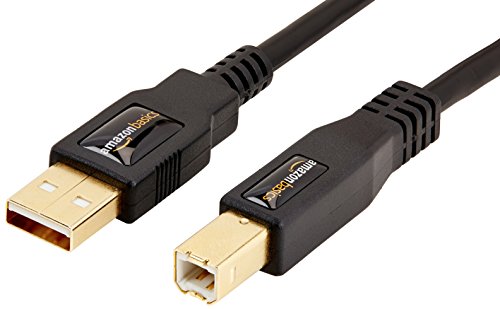
The most common mistake consumers make is purchasing a cable that looks correct but lacks the internal architecture to support their specific device. You must first identify your port requirements. Most modern mobile devices and lightweight electronics have transitioned to USB-C, which is reversible and supports much higher power delivery and data transfer rates. Older hardware or specific peripherals may still rely on Micro-USB, while computers and wall adapters often utilize the larger USB-A standard. When selecting a cable, ensure you are matching the 'plug' to your device and the 'source' to your power adapter. A USB-C to USB-C cable is ideal for modern fast-charging ecosystems, whereas a USB-A to USB-C cable is the standard for connecting older charging bricks to newer phones.
Prioritizing Data Transfer Speeds vs. Charging Only
Not all cables are created equal under the hood. Many inexpensive cables are designed strictly for 'charging only,' meaning they lack the internal data wires required to sync files between a phone and a computer. If you intend to move high-resolution photos, videos, or large documents, you must look for cables explicitly rated for data transfer. Furthermore, pay attention to the generation of the standard being used. For example, a cable supporting USB 3.0 or higher will offer significantly faster transfer speeds than a legacy USB 2.0 cable. If your workflow involves heavy data movement, investing a few extra cents in a high-speed rated cable will save you hours of waiting time.
Power Delivery and Fast Charging Capabilities
If your primary goal is to juice up a tablet or a laptop, the wattage capacity is your most critical metric. Modern devices utilize Power Delivery (PD) protocols to negotiate how much electricity they can safely draw. A thin, low-quality cable might be limited to 5W or 10W of power, which will result in agonizingly slow charging sessions for a modern smartphone. For devices like laptops or high-end tablets, look for cables rated for higher wattage (such as 60W or 100W). This ensures the cable can handle the current without overheating or throttling the charging speed. Always check if the cable is compatible with the fast-charging standard used by your specific device manufacturer.
Durability and Build Quality Factors
Since cables are frequently bent, coiled, and pulled, physical durability is a major factor in long-term value. Look for cables with reinforced strain relief at the junction where the wire meets the connector. This is the most common point of failure. Braided nylon jackets are generally superior to standard PVC or TPE plastic, as they offer better resistance to fraying, tangling, and pet damage. While a plastic cable might be more flexible for tight spaces, a braided cable is much more likely to survive being tossed into a backpack or being tugged repeatedly from a desk setup.
Summary of Recommendation Logic
To make the right choice, follow this hierarchy: First, confirm the physical connector type. Second, determine if you need data sync or just power. Third, if you are charging a large device, verify the wattage rating. Finally, choose a braided exterior if you need the cable to survive daily travel and heavy use. By following these steps, you ensure that your connectivity is seamless, fast, and built to last.