How to Choose a Smartwatch: Health Tracking, Battery, and Compatibility
Here's the short version. Your phone decides which watches are even on the table. Heart rate tracking is good, not medical-grade. And the battery number on the box is basically a best-case scenario. Get those three things straight first. Everything else is just picking a face style.
A note on the numbers in this guide. Battery drain figures and heart rate accuracy ranges below come from published lab testing, manufacturer disclosures, and independent tech outlets. Not one single test on one single unit. Your results will vary by model, by settings, and honestly by how sweaty your wrist gets.
Compatibility First. Check This Before Anything Else
Don't fall in love with a watch before checking if it'll even talk to your phone. This is the step people skip, and it's the one that causes the most returns.
Apple Watch needs an iPhone. No exceptions. It won't pair with Android, full stop, no workaround worth using.
Wear OS watches (Samsung Galaxy Watch, Google Pixel Watch, and others) generally work best with Android. Some do pair with an iPhone, but you'll lose features in the process. Notifications get spotty. App support thins out. It's a downgrade, not a workaround.
Fitness-first brands like Garmin, Fitbit, and Whoop tend to be the most cross-platform friendly of the bunch. They're built to work reasonably well with both iPhone and Android, since their whole business depends on not locking out half the market.
|
Ecosystem |
Works With iPhone |
Works With Android |
|
Apple Watch |
Yes, full features |
No |
|
Wear OS (Samsung, Pixel) |
Limited. Some features are dropped |
Yes, full features |
|
Garmin, Fitbit, Whoop |
Yes |
Yes |
Check this table before you check anything else on the spec sheet. A gorgeous watch that can't talk to your phone properly is just an expensive paperweight with a heart rate sensor.
What actually breaks when you pair a Wear OS watch with an iPhone? Quite a bit, honestly. Replying to texts from your wrist gets clunky or disappears entirely. Some app stores won't sync properly. Voice assistant features often get limited to a stripped-down version. None of it is a dealbreaker if you're desperate for a specific watch design, but go in knowing you're accepting a second-tier experience, not a full one.
And one more wrinkle worth mentioning. Even within Android, not every Wear OS watch plays equally nice with every phone brand. A Galaxy Watch paired with a Samsung phone often unlocks extra features that the same watch paired with a Pixel or OnePlus phone won't get. If brand-matching features matter to you, check the fine print before buying, not after.
How Accurate Is Smartwatch Health Tracking, Really?
Let's be straight about this one. Your smartwatch is not a hospital.
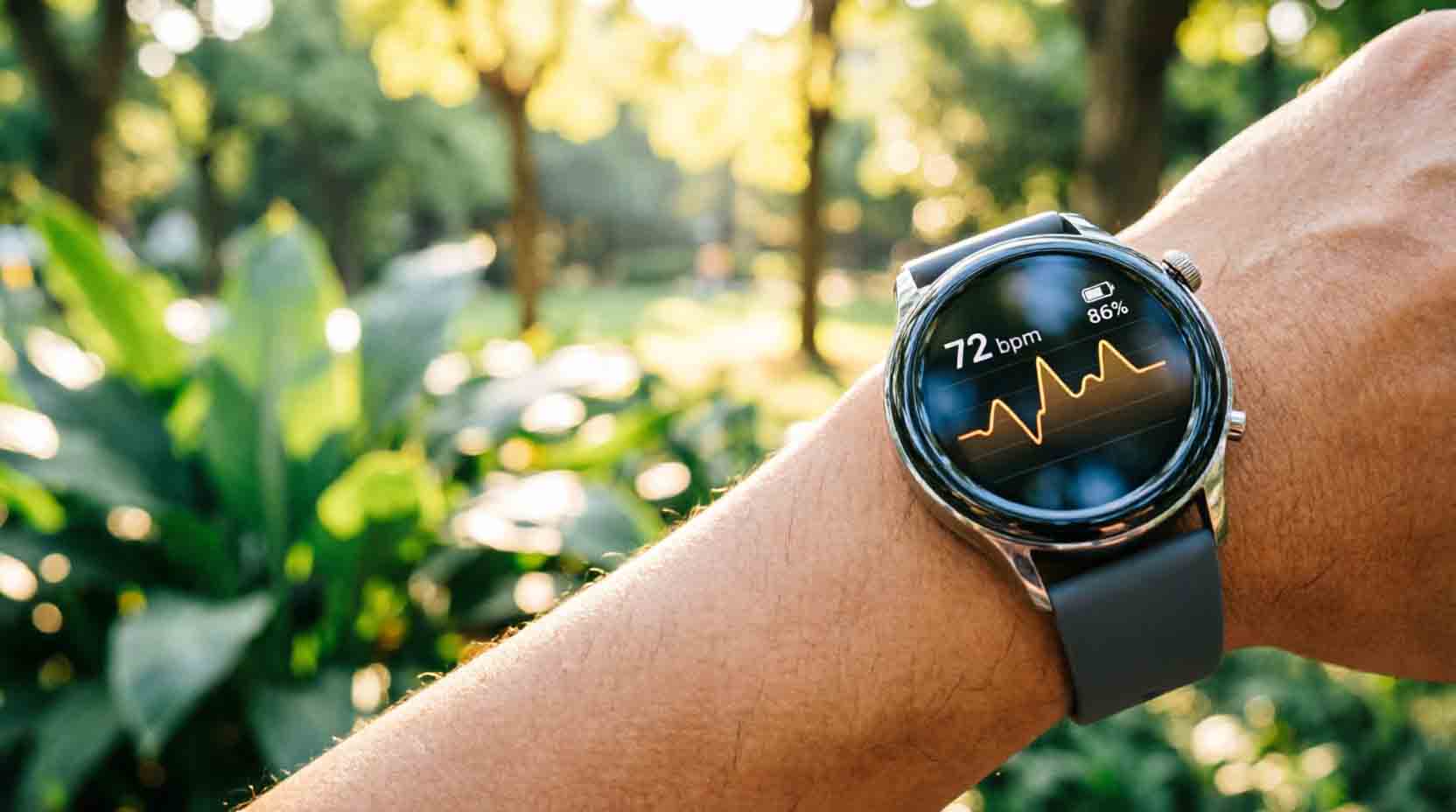
Almost every smartwatch uses an optical sensor called PPG. It shines a green light into your wrist and measures how the light bounces off your blood as it flows. Clever tech. Not perfect tech.
At rest, PPG sensors are commonly within about 4 beats per minute of a chest strap. That's genuinely solid. But push into a hard interval workout, and the gap widens. Motion, sweat, tattoos, even skin tone can throw the reading off. One study found point-to-point error rates ranging from under 1 percent up to around 13.5 percent during vigorous movement. That's a big range.
A handful of premium watches add ECG on top of PPG. This measures actual electrical signals from your heart, the same basic method a chest strap or hospital monitor uses. It's more accurate. It can flag irregular rhythms like atrial fibrillation that a plain optical sensor might miss entirely.
But here's the catch. ECG on a smartwatch is a screening tool. It's not a diagnosis. If your watch flags something weird, that's a reason to call a doctor, not a reason to self-diagnose off a wrist reading.
PPG vs ECG, quickly. PPG uses light and blood flow. It's in nearly every smartwatch. ECG uses electrical signals from your heart. It's in select premium models, and it's the more accurate of the two.
Skip relying on smartwatch health data as a stand-in for medical care. Use it to spot trends over weeks and months. Don't use it to rule out a real problem.
Real Battery Life vs Rated Battery Life
This is where marketing gets the most creative. Manufacturers test battery life under conditions almost nobody actually uses.
Always-on display is the biggest everyday drain. Depending on the model, keeping your watch face visible around the clock can eat somewhere between 5 and 15 percent of your battery over 24 hours. Turn it off, and you'll often add a full extra day, sometimes more.
GPS is worse. A lot worse. A watch rated for 7 to 10 days of normal wear can drop to under 24 hours, sometimes even under 12, once you turn on continuous GPS for a run or a hike. One popular Wear OS watch tested at roughly 10 to 20 percent battery drain per hour with GPS active. Do the math. That's not a full day of tracking. That's a few hours.
Continuous heart rate monitoring adds up too. Checking your pulse every second instead of every ten minutes sounds like a small thing. Testing has shown it can cost a watch two full days of standby life over the course of normal use.
|
Feature |
Typical Battery Impact |
|
Always-on display |
5 to 15 percent drain per 24 hours |
|
Continuous GPS |
Can drop a multi-day watch to under 24 hours |
|
Max screen brightness outdoors |
Up to 30 percent more drain vs medium brightness |
|
Heart rate checked every second vs every 10 minutes |
Can cost roughly 2 days of standby life |
So when a listing says "up to 36 hours," ask yourself what that number assumes. Usually it assumes no always-on display, minimal GPS, and default brightness. Turn on the features you actually want, and expect the real number to land meaningfully lower.
Matching Smartwatch Type to Your Actual Use Case
Not every watch is trying to do the same job. Match the category to what you actually need, not to whichever one has the flashiest ad.
|
Your Situation |
Best Fit Category |
Why |
|
Mostly notifications, texts, calls |
Everyday smartwatch (Apple Watch SE, Pixel Watch) |
Full smart features, battery life takes a back seat |
|
Regular running or cycling training |
Fitness-focused (Garmin Forerunner, Coros) |
Better GPS accuracy, longer battery under active tracking |
|
Multi-day hiking or camping trips |
Rugged, multi-day battery (Garmin Instinct, Fenix) |
Built for days away from a charger, not for glanceable notifications |
|
Swimming or diving |
Water-rated sports watch |
Real waterproof ratings, dedicated swim tracking modes |
|
Health monitoring priority (heart, sleep, SpO2) |
ECG-capable premium tier |
Worth the extra cost if screening matters more to you than fitness stats |
A quick gut check. If you're buying mainly for notifications and texting on your wrist, don't overpay for a rugged multi-day GPS watch you'll never push that hard. And if you're training seriously, don't settle for a fashion-first smartwatch that can't hold a GPS signal through a two-hour run.
Smart Features Beyond Health Tracking
Health data gets most of the marketing attention. But for a lot of buyers, the smart features are the actual reason they want a watch in the first place.
Notifications are the baseline everyone expects, and every category here handles them fine. Texts, calls, calendar alerts- all standard.
Contactless payments are where things split. Apple Watch has Apple Pay built in, and it just works. Most Wear OS watches support Google Pay too. Fitness-first brands are hit or miss here. Garmin Pay exists, but the bank support list is shorter than you'd hope, so check your specific bank before assuming it'll work.
Third-party apps matter more than people expect until they don't have the one they want. Spotify, for example, runs well across nearly every major platform now. But niche apps, the kind of thing a specific hobby community swears by, tend to show up on Apple Watch and Wear OS first, and take much longer, if ever, to reach fitness-first brands.
Cellular connectivity lets you leave your phone at home entirely and still get calls and messages. It's a genuinely nice feature for a run without your phone. It's also usually an extra monthly cost on top of your regular phone plan, and honestly, most people never end up using it enough to justify that recurring fee.
None of these features are dealbreakers on their own. But add them up against your actual daily habits, not your aspirational ones, before paying extra for a tier of watch you might not fully use.
The PickSmartly 3-Fit Check
Before you buy, run through three checks. Skip any one of them, and you're gambling.
- Phone compatibility, verified, not assumed. Check the exact model against your exact phone. Don't trust "works with most smartphones" on a listing page.
- Realistic battery life for your actual settings. If you want always-on display and regular GPS tracking, mentally cut the rated number by a third or more.
- Health tracking accuracy matched to your real intent. Training trends need less precision than actual medical monitoring. Know which one you're buying for.
If a watch fails any one of these three checks for your situation, it's the wrong watch. Doesn't matter how good the reviews are.
Who Should Not Buy Each Type
- Skip Apple Watch entirely if you have an Android phone. This isn't a soft recommendation. It just won't work the way you want it to.
- Skip a rugged multi-day GPS watch if you mostly want texts and calls on your wrist. You're paying for battery capacity and ruggedness you'll never actually use.
- Skip relying on ECG features as medical diagnosis. They're a screening tool. A real diagnosis still requires a real doctor.
- Skip always-on display if all-day battery matters more to you than glanceability. This is a real trade-off, not small print. Pick one priority and let it drive the decision.
- Skip assuming a higher price tag means better sensor accuracy. Sensor quality and software tuning vary by model. A cheaper watch with good software can outperform an expensive one with sloppy algorithms.
Final Word
Compatibility decides which watches are even possible for you. Battery claims almost always assume settings you won't actually use. And health tracking is a trend tool, not a diagnosis tool, no matter how confident the app's chart looks.
Run any watch you're considering through the 3-Fit Check above before you buy. If it fails on phone compatibility, realistic battery life, or matches your actual intent for health data, that's the wrong watch, regardless of how good the reviews are.
Once you've confirmed compatibility, battery needs, and tracking priorities using the framework above, browse PickSmartly's Electronics category to apply this framework to specific in-stock options.
For more on how PickSmartly evaluates and scores individual products, see our scoring methodology page.
Frequently Asked Questions
Can I use an Apple Watch with an Android phone?
No. Apple Watch requires an iPhone for setup and ongoing use. There's no workaround that gives you full functionality on Android.
How accurate is smartwatch heart rate tracking?
Pretty good at rest, commonly within about 4 beats per minute of a chest strap. During intense exercise, the gap widens, sometimes significantly, depending on motion, skin tone, and fit.
Does always-on display really drain battery that much?
Yes. Depending on the model, expect somewhere between 5 and 15 percent extra drain over 24 hours with it enabled. Turning it off often buys you a meaningfully longer charge cycle.
Is smartwatch ECG a medical diagnosis tool?
No. It's a screening feature that can flag irregular heart rhythms worth discussing with a doctor. It is not a substitute for an actual clinical diagnosis.
Do I need GPS built into my smartwatch?
Only if you want accurate distance and pace tracking without carrying your phone. If you always run or ride with your phone anyway, connected GPS through the phone can be enough, and it saves battery.
Is a more expensive smartwatch always more accurate?
Not necessarily. Price often reflects design, materials, and extra features more than raw sensor accuracy. Compare actual accuracy data and reviews, not just the price tag.
Can I use my Wear OS watch with cellular calls if my phone is Android?
Yes, most Wear OS watches with LTE support cellular calling on Android, letting you leave your phone behind. Check that your specific carrier supports watch-based cellular plans first, since not every carrier offers this add-on.
Do I need to buy the same brand watch as my phone for the best experience?
Not strictly, but there are real benefits to matching. A Galaxy Watch on a Samsung phone, or an Apple Watch on an iPhone, typically unlocks extra features and smoother setup compared to mixing brands within the same ecosystem, even when official compatibility is listed either way.