Wavlink Direct
- PM Seller Rank
- #21,563
- Products Listed
- 22
Wavlink Direct Profile
Wavlink Direct primarily sells Electronics products from wavlink.
The seller, Wavlink Direct, currently offers 22 products for sale, all shipping from the United States. Current prices are shown on each product's Amazon listing.
Wavlink Direct is an established seller on the Amazon marketplace.
We include Wavlink Direct because its products appear in the categories we cover. Check the current seller rating and feedback on Amazon itself before buying.
Star ratings and review counts for Wavlink Direct's products are shown on Amazon's own product pages — check the current figures there before buying.
Wavlink Direct ranks as one of the after-1000 sellers on the US Amazon Marketplace, securing the 21563th position on our PM Sellers ranking list. Our PM ranking is primarily derived from our analysis of sellers' feedback, reviews, and ratings over the past year.
Top 20 Wavlink Direct Products
Last Updated: Sep 11, 2023
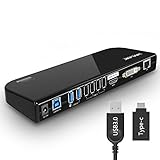

WAVLINK USB 3.0 to SATA Dual Bay External Hard Drive Docking Station with Offline Clone & UASP(6Gbps
Dual-Bay 2.5”/3.5” SATA Hard Drive (HDD) & Solid State Drive (SSD) Docking Station;Screw-less and Easy-to-Plug. Integrated SD&TF read slot, 2x...
Check Price on Amazon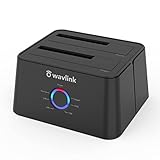
WAVLINK USB 3.0 and USB C to SATA Dual-Bay External Hard Drive Docking Station for 2.5/3.5 Inch HDD/
Support USB 3.0 external, SATA-I/II/III internal; Works great with 2.5 inch and 3.5 inch SATA HDD/SSD..Support transfer speeds up to...
Check Price on Amazon

Wavlink Universial USB 3.0 Dual-Head Mini Docking Multi-Display HDMI/VGA with Gigabit Ethernet, USB
Provides USB 3.0 link from PC to two additional displays, usb3.0 port,and Removable Card Reader. Connect two additional monitors to...
Check Price on Amazon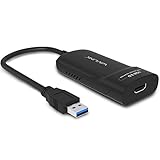
WAVLINK USB 3.0 to HDMI Universal Video Graphics Adapter with Audio Port Displaylink Chip Supports u
DisplayLink DL-3500 chipset: supports resolutions up to 2048x1152 or 2560x1440@50. Includes HDMI to DVI adapters are supplied for added flexibility,...
Check Price on Amazon
WAVLINK USB 3.0 to HDMI/DVI/VGA Universal Video Graphics Adapter with Audio Port Supports up to 6 Mo
DisplayLink DL-3900 chipset, support resolutions up to 2048x1152@60Hz..External 2.1CH Microphone in and Earphone output make you use conveniently..Connect multiple additional...
Check Price on Amazon
USB C Hub, WAVLINK USB C to 4K HDMI Display with Gigabit Ethernet, SD/TF Card Reader,USB Ports, 100W
【7-in-1 USB C Hub】Plug and play, easy to use, no additional driver required. Specially designed for USB C laptop with...
Check Price on Amazon
WAVLINK USB to HDMI/DVI/VGA Universal Video Graphics Display Adapter, Displaylink Chip Supports up t
DisplayLink DL-165 chipset: supports resolutions up to 1920x1080@60Hz (1080p HD).Connect multiple additional monitors to your desktop, laptop, Android 5.X tables...
Check Price on Amazon


WAVLINK DisplayLink Laptop Docking Station - Dual Monitors 5K/4K@60Hz, 100W Charging - Thunderbolt 4
This product is an upgraded version of UG69PD2, the power supply is upgraded from 100W to 130W, and the maximum...
Check Price on Amazon
WAVLINK USB 3.0 to SATA I/II/III Dual-Bay External Hard Drive Docking Station for 2.5/3.5 Inch HDD/S
Included an upstream USB A cable and a USB A to C adapter. For both USB C and USB A...
Check Price on Amazon
WAVLINK USB 3.0 Dual 4K@60Hz Universal Laptop Docking Station Dual Monitor DP and HDMI 4K & 5K Singl
USB C Universal docking stations turn the USB port of a computer into a docking station connector. A dock, connected...
Check Price on Amazon

WAVLINK Triple Display USB C Docking Station with DP1.2 & HDMI1.4 &VGA, 85W PD Charging, USB 3.0 & 2
【USB C Hub】This docking station is only compatible with PC or laptop with a full-featured USB C port. The full-featured...
Check Price on Amazon
WAVLINK AC1200 High Power Outdoor Weatherproof WiFi Range Extender/Access Point/Router/Mesh with Pas
WAVLINK AC1200 High Power Outdoor Weatherproof WiFi Range Extender/Access Point/Router/Mesh with Passive POE, Dual Band 2.4GHz 300Mbps+5.8 GHz 867Mbps, 4x7dBi...
Check Price on Amazon

Product Analysis
Top 10 best sellers, ranked by PM Score
- 1 WAVLINK USB 3.0 and USB C Universal Laptop Docking Station Dual Monitor wit
- 2 WAVLINK USB 3.0 to SATA Dual Bay External Hard Drive Docking Station with O
- 3 WAVLINK USB 3.0 and USB C to SATA Dual-Bay External Hard Drive Docking Stat
- 4 WAVLINK Dual Bay External Hard Drive Docking Station, USB 3.0 to SATA I/II/
- 5 Wavlink Universial USB 3.0 Dual-Head Mini Docking Multi-Display HDMI/VGA wi
- 6 WAVLINK USB 3.0 to HDMI Universal Video Graphics Adapter with Audio Port Di
- 7 WAVLINK USB 3.0 to HDMI/DVI/VGA Universal Video Graphics Adapter with Audio
- 8 USB C Hub, WAVLINK USB C to 4K HDMI Display with Gigabit Ethernet, SD/TF Ca
- 9 WAVLINK USB to HDMI/DVI/VGA Universal Video Graphics Display Adapter, Displ
- 10 WAVLINK USB Laptop Docking Station Dual Monitors, DisplayLink Computer Dock
Our Unbiased Wavlink Direct Review
Is Wavlink Direct a Trustworthy Seller on Amazon?
Absolutely. Wavlink Direct is a prominent seller on Amazon's North American marketplaces, trading under the brands of Wavlink.
Amazon is a reputable platform that enforces a rigorous KYC (Know Your Customer) procedure for all its sellers. This process allows Amazon to gather vital information about each seller that can be used for identification and communication purposes.
Furthermore, Amazon offers robust buyer protection. If you ever feel that a purchase has not lived up to your expectations, you have the right to return the product and claim a refund, ensuring your transactions are safe and secure.
Is Wavlink Direct Known for Quality Products?
We include Wavlink Direct because its products appear in the Electronics category we cover. Product-specific star ratings, review counts and sales figures are shown on Amazon's own listing pages — check the current values there before buying.
We do not run our own testing of sellers or their products; our pages organize product information and customer ratings so you can compare at a glance.
Featured Buying Guides Related to Wavlink Direct


Wavlink Direct FAQs
Common questions buyers ask about this seller — how to find their products, payment and shipping, returns, and how PickSmartly ranks what they sell.
To search for Wavlink Direct products on PickSmartly, you can do the following:
- Go to the PickSmartly homepage.
- Look for the search bar, which is usually at the top of the page.
- Enter "Wavlink Direct" into the search bar and hit Enter.
- You will then see a list of Wavlink Direct products that are currently available.
Please note that product availability can change, so if you don't see what you're looking for, be sure to check back later.
Wavlink Direct offers a wide variety of products. Their offerings cover laptop docking stations, access points dual band and access points repeater in Electronics categories. To get a complete picture of all the products Wavlink Direct offers, please visit the Wavlink Direct section on the PickSmartly website.
Check the product's current star rating, review count and seller feedback on its Amazon listing, and read the listing's product details and feature bullets. Our pages gather that product information so you can compare items side by side.
Our pages rank products with the PM Score, a 0–10 number computed from the customer star rating and the volume of reviews, alongside the product details and features listed on Amazon. Weigh them against your own budget and needs.
The quantity of suggested products for each brand on PickSmartly may differ. We generally list about 10-15 products for each brand, giving you a broad overview and multiple options. Wavlink Direct has 22 products for sale; our pages list up to 20 of them, ranked with the PM Score.
To purchase Wavlink Direct products through PickSmartly, follow these steps:
- Go to the PickSmartly website and find the Wavlink Direct brand page.
- Look through the Wavlink Direct products listed there.
- Click on the product you like to see its details and a link to the customer reviews on Amazon.
- To buy, click 'Check on Amazon'. This will take you to the product's Amazon page.
- Finish your purchase on the Amazon page.
Our Seller Guide covers Wavlink Direct, a seller on PickSmartly. It outlines the products they sell and lists a ranked selection drawn from product details and customer ratings, so you can see the range at a glance. Check current seller feedback and product ratings on Amazon itself before buying.
Wavlink Direct accepts various payment methods including credit cards and debit cards. They might also accept bank transfers and checks. As you'll be completing your purchase on Amazon, you can refer to Amazon's 'Manage Payment Methods' page for comprehensive information on payment options. Here is the link: Amazon Payment Methods
As a buyer, you can check a Wavlink Direct's shipping methods on Amazon by following these steps:
- Visit the Product Page: Navigate to the product page of the item you're interested in.
- Check Wavlink Direct Information: On the product page, you'll see a section that says "Sold by [Seller's Name]". Click on the Seller's name.
- Visit Seller's Page: This will take you to the Wavlink Direct's page where you can find more information about their policies.
- Look for Shipping Information: On the Seller's page, look for a section that says "Shipping Policies" or "Delivery Policies". This section will provide information about the seller's shipping methods, costs, and estimated delivery times.
Please note that not all sellers provide detailed shipping information. If you can't find the information you're looking for, you can contact the seller directly to ask about their shipping methods. To do this, click on the "Ask a question" button on the seller's page.
If you have ordered from Wavlink Direct through Amazon, you can follow these steps to track your order:
- Sign in to Your Amazon Account: Go to Amazon's homepage and sign in using your credentials.
- Go to Your Orders: From the top right of the screen, click on 'Returns & Orders'. This will take you to a page listing all your recent orders.
- Find Your Order: Look for the order you placed with Wavlink Direct.
- Track Package: Once you've found the order, there should be an option on the right side that says 'Track Package'. Click on this to see the current status and location of your package.
If you have not received a tracking number or if the tracking information is not available, you may need to contact Wavlink Direct directly for more information. You can do this by going back to the product page, clicking on Wavlink Direct's name to go to their seller page, and then clicking on 'Ask a question'.
To check the return policy of a specific seller like Wavlink Direct on Amazon, follow these steps:
- Go to the Amazon homepage.
- Type "Wavlink Direct" into the search bar and click on the search icon.
- Click on any product that is sold by Wavlink Direct.
- On the product page, you will see the seller's name. Click on the name "Wavlink Direct".
- This will take you to the seller's detailed page. Look for the section "Returns & Refunds".
- Click on it, and you will be able to see the specific return policy for Wavlink Direct.
Remember, policies can vary by seller, so it's always a good idea to check this before you make a purchase.
To contact the seller Wavlink Direct on Amazon, you can follow these steps:
- Go to the Amazon homepage.
- Log into your account if you're not already logged in.
- Go to "Your Orders".
- Find the order that you want to discuss or ask about, then click on "Contact Seller".
- In the pop-up window, select the subject of your issue from the drop-down menu, write your message, and then press "Send".
Remember to keep all communication with the seller within Amazon's platform for your own protection and to comply with Amazon's policies. If you haven't placed an order and just have a query, you can still go to the seller's profile and look for a "Contact" button or link there.
To find out if Wavlink Direct offers a warranty on their products, you will need to check the product details on the individual product pages on Amazon. Here's how you can do this:
- Go to the Amazon homepage.
- Type "Wavlink Direct" into the search bar and click on the search icon.
- Click on any product that is sold by Wavlink Direct.
- Scroll down to the product details or product description section. If a warranty is offered, it will usually be mentioned here.
If you are unable to find the warranty information or if it's unclear, you can contact Wavlink Direct directly through Amazon to ask about the warranty for a specific product. Remember, warranties can vary from product to product and from seller to seller, so it's always a good idea to check this information before making a purchase.
Typical procedures for handling damaged or defective items on Amazon are as follows:
- Contact the Seller: If the item was sold by a third-party seller like Wavlink Direct, you should contact them directly. You can do this by going to "Your Orders", locating your order, and clicking on "Problem with order". From there, you can choose "Contact Seller" and describe the issue in detail.
- Return the Item: Amazon usually allows you to return items sold and fulfilled by third-party sellers within 30 days of receipt. The seller's return policy can be found on the product page or seller profile. If the item is damaged or defective, the seller is generally responsible for return shipping costs.
- Request a Refund or Replacement: Depending on the issue and the seller's policy, you may be able to request a refund or replacement. If the seller doesn't respond or refuses to help, you can file an A-to-z Guarantee claim with Amazon.
Remember, these are general steps and the specific policy may vary for Wavlink Direct. It's always best to check the seller's specific return and refund policy on their profile page or contact them directly for the most accurate information.
According to Amazon's general policies:
- Cancel an Order: After placing an order, you can cancel it within a certain timeframe if the seller hasn't shipped it yet. You can do this by going to "Your Orders" and clicking "Cancel Items". If the seller has already shipped the product, you may need to wait until you receive it and then initiate a return.
- Change an Order: Changing an order after it's been placed can be more challenging. Amazon generally doesn't allow changes to orders once they've been placed. If you need to change something, you usually have to cancel the original order (if the seller hasn't shipped it yet) and place a new one.
Remember, these are general policies and Wavlink Direct's may vary. For the most accurate information, check the seller's specific policy on their profile page or contact them directly. If the seller is unresponsive or their policy is unclear, you can contact Amazon customer service for assistance.