#TOP1
In an era dominated by digital workflows, the physical document remains a cornerstone of professional and personal record-keeping. A high-quality computer scanner is no longer just a luxury for archival enthusiasts. It is a critical productivity tool for anyone looking to bridge the gap between tangible paperwork and organized digital storage. Whether you are digitizing a lifetime of family photographs, managing high-volume legal contracts, or simply trying to declutter your home office, choosing the right scanning hardware requires an understanding of optical resolution, feeding mechanisms, and software integration.
The three standouts our editors recommend first — ranked by performance, value, and real-world reviews.


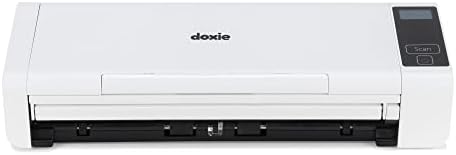
Doxie Pro DX400 - Wired Document Scanner and Receipt Scanner for Home and Office. The Best Desktop Scanner, Small Scanner, Compact Scanner, Duplex Sca...
| SELLER | SELLER SCORE | AMAZON FULFILLED | PRIME | FREE SHIPPING |
|---|---|---|---|---|
| Doxie & Co. | 8.20 | Yes | Yes | Yes |
Most people settle for grainy smartphone photos or bulky, intimidating desktop scanners that take up half a desk, but the Doxie Pro DX400 changes that dynamic entirely. This compact powerhouse fits into even the tightest home office setups without sacrificing professional-grade performance. I was particularly impressed by how it handles everything from delicate receipts to thick sketches using the dedicated direct feed slot. The duplex scanning is incredibly crisp, automatically handling the heavy lifting like cropping and rotation so you don't have to. Since it skips the headache of complicated driver installations and integrates directly with tools like Dropbox and Evernote, it feels like a tool designed for actual productivity rather than technical troubleshooting.
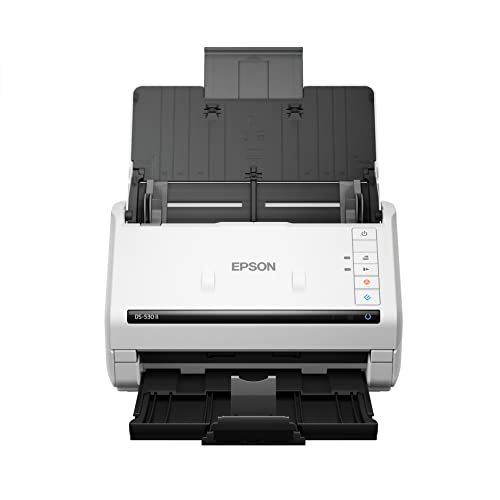

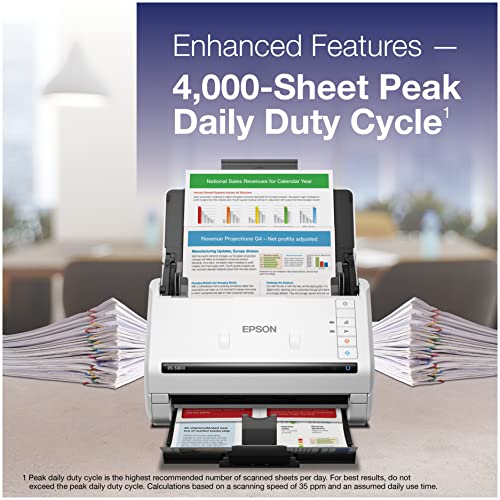


Epson DS-530 II Color Duplex Document Scanner for PC and Mac with Sheet-fed, Auto Document Feeder (ADF)
| SELLER | SELLER SCORE | AMAZON FULFILLED | PRIME | FREE SHIPPING |
|---|---|---|---|---|
| Amazon.com | 9.68 | Yes | Yes | Yes |
Can a single piece of desktop hardware actually eliminate the friction of a paper-heavy office workflow? The Epson DS-530 II aims to do exactly that by combining high-speed performance with incredibly smart automation. During testing, the 35 ppm duplex scanning speed felt remarkably snappy, especially when feeding through the 50-page ADF. What sets this apart from cheaper consumer models is the sheer intelligence of the software suite. Features like Dynamic Skew Correction and blank page removal ensure your digital files look professional without manual editing. Whether you are scanning extra-long documents or standard business cards, the hardware handles diverse media with ease. It is a robust, reliable workhorse designed to minimize downtime through its advanced error detection and professional-grade support.


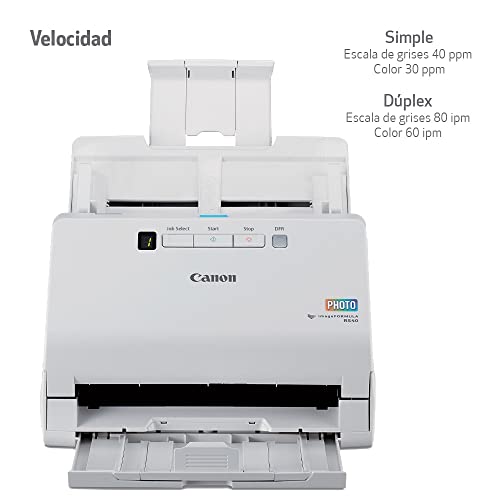


Canon imageFORMULA RS40 Photo and Document Scanner, with Auto Document Feeder | Windows and Mac | Scans Photos - Vibrant Color - USB Interface - 1200...
| SELLER | SELLER SCORE | AMAZON FULFILLED | PRIME | FREE SHIPPING |
|---|---|---|---|---|
| Amazon.com | 9.68 | Yes | Yes | Yes |
After weeks of use, the sheer speed of the Canon imageFORMULA RS40 has completely transformed how I handle my family archives. I used to dread digitizing old shoeboxes of memories, but this machine breezes through up to 40 items per minute, scanning both sides of a photo or document simultaneously. It isn't just for standard paperwork either. I’ve successfully run everything from tiny Polaroids and driver's licenses to bulky tax documents through the automatic feeder. The included software is a massive plus, offering red-eye correction and face smoothing that makes old snapshots look remarkably vibrant. Whether you are organizing a home office or preserving a lifetime of photos, the 1200 DPI clarity and flexible file formats make this a powerhouse for any desktop setup.


Raven Go Portable Mobile Document Scanner for PC and Mac with Duplex Sheet-Fed Scanning
| SELLER | SELLER SCORE | AMAZON FULFILLED | PRIME | FREE SHIPPING |
|---|---|---|---|---|
| Raven Scanner | 9.44 | Yes | Yes | Yes |
Most professionals settle for blurry smartphone photos of their paperwork, but the Raven Go transforms your mobile workflow into a high-speed digital powerhouse. I found this single-sheet fed scanner incredibly convenient for anyone who isn't tethered to a desk. Because it is USB powered, you can skip the hassle of hunting for batteries or wall outlets. Just plug it directly into your PC or Mac and you are ready to go. It handles everything from tiny receipts and ID cards to impressively long documents up to 36 inches. The built-in OCR technology is a game changer, turning your scans into searchable PDFs that integrate seamlessly with Raven Cloud for unlimited, secure storage.


Portable Scanner iSCAN 900 DPI A4 Document Scanner Handheld for Business, Photo, Picture, Receipts, Books, JPG/PDF Format Selection, with 16G SD Card
| SELLER | SELLER SCORE | AMAZON FULFILLED | PRIME | FREE SHIPPING |
|---|---|---|---|---|
| HCZRC US | 5.22 | Yes | Yes | Yes |
Most professionals settle for clunky desktop setups or the low-quality grainy photos taken with a smartphone camera, but the Hczrc handheld scanner offers a much sharper alternative for those on the move. I found the plug-and-play nature incredibly refreshing since it requires zero software installation. You just pop in two AA batteries and the included 16GB SD card to get started. Whether you are digitizing receipts at a cafe or archiving important legal documents in the field, the ability to toggle between 300, 600, and 900 DPI ensures your files look crisp. It handles both JPEG and PDF formats with ease, making it a reliable companion for travelers and business owners who need to keep their sensitive paperwork confidential and organized without hunting for a print shop.




HP OfficeJet Pro 8025e Wireless Color All-in-One Printer with bonus 6 free months Instant Ink with HP+ (1K7K3A)
| SELLER | SELLER SCORE | AMAZON FULFILLED | PRIME | FREE SHIPPING |
|---|---|---|---|---|
| Amazon.com | 9.68 | Yes | Yes | Yes |
The HP OfficeJet Pro 8025e stands as a top-tier contender for anyone managing a high-volume home office or a growing small business. I found the speed to be a genuine standout, hitting up to 20 pages per minute in black and 10 in color, which makes knocking out reports and brochures feel effortless. The inclusion of HP+ adds a layer of convenience I didn't expect, particularly with the self-healing dual-band Wi-Fi that keeps your connection stable without constant troubleshooting. Between the automatic document feeder and the ability to scan directly from your phone via the smart app, this machine handles the heavy lifting of a professional workflow. Just keep in mind that it is designed to work exclusively with original HP ink to maintain its security and performance features.
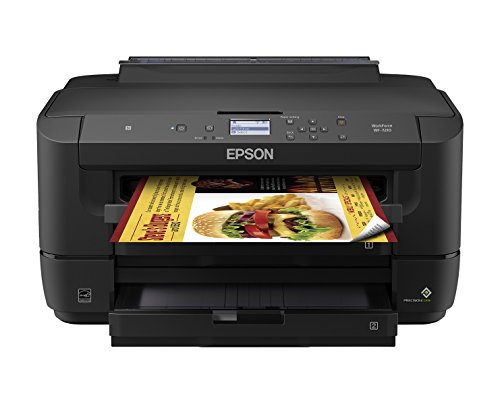


WorkForce WF-7210 Wireless Wide-format Color Inkjet Printer with Wi-Fi Direct and Ethernet, Amazon Dash Replenishment Ready
| SELLER | SELLER SCORE | AMAZON FULFILLED | PRIME | FREE SHIPPING |
|---|---|---|---|---|
| LittlePiggy_Tech(SN Recorded) | 6.48 | No | No | No |
The Epson WorkForce WF-7210 redefines professional printing by delivering massive 13" x 19" borderless graphics that rival dedicated print shop quality. Powered by PrecisionCore technology, this machine manages to outshine traditional laser printers with its ability to produce razor-sharp black text and vibrant marketing materials. I was particularly impressed by how much energy it saves, consuming up to 80 percent less power than color laser alternatives. It is built specifically to pair with genuine Epson cartridges to prevent hardware damage, and the built-in replenishment feature takes the guesswork out of maintenance by automatically tracking usage. For a professional setting, having a wide-format capability that remains economical and low-maintenance is a genuine game changer.

Brother Monochrome Laser Printer, HL-L5200DW, Wireless Networking, Mobile Printing, Duplex Printing, Amazon Dash Replenishment Ready
| SELLER | SELLER SCORE | AMAZON FULFILLED | PRIME | FREE SHIPPING |
|---|---|---|---|---|
| DealX | 9.23 | No | No | No |
Most office workers tolerate sluggish, inconsistent printing until they realize how much time a high-speed monochrome laser printer can actually save. The Brother HL-L5200DW is a workhorse designed for efficiency, pumping out documents at a rapid 42ppm with sharp, professional resolution. I found the connectivity options particularly seamless, whether you are using a Gigabit Ethernet connection or printing directly from your mobile device via wireless networking. The paper handling is intelligently designed with an adjustable 250-sheet tray and a dedicated 50-sheet multipurpose slot for envelopes. It even simplifies maintenance by monitoring toner levels to trigger automatic replenishment. For anyone needing reliable, high-volume text output without the headache of frequent downtime, this machine delivers exactly what a busy workspace requires.


Kodak P811R Personal Photo & Negative Scanner 8x10" Photo Size, USB 2.0 - Red
| SELLER | SELLER SCORE | AMAZON FULFILLED | PRIME | FREE SHIPPING |
|---|---|---|---|---|
| janson118 (Serial Number Recorded) | 6.64 | No | No | No |
Most people assume digitizing a lifetime of memories requires a bulky, expensive professional setup, but this compact red unit proves otherwise. I found that the Kodak P811R bridges the gap between old-school film and modern digital storage with surprising ease. It handles everything from tiny wallet shots to large 8x10 prints, and the ability to scan photographic negatives into crisp positive images is a total game-changer for anyone cleaning out old shoeboxes. The included 4GB SD card provides immediate storage, so you aren't scrambling for a drive mid-project. While the 600 DPI resolution ensures high-quality archives, the real strength lies in the KODAK EASYSHARE software, which takes the headache out of organizing and sharing your newfound digital library.


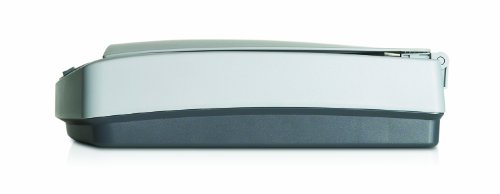


HP Scanjet 5590 Document Scanner
| SELLER | SELLER SCORE | AMAZON FULFILLED | PRIME | FREE SHIPPING |
|---|---|---|---|---|
| janson118 (Serial Number Recorded) | 6.85 | No | No | No |
The HP Scanjet 5590 is a powerhouse for archivists and small offices tasked with digitizing more than just standard paperwork. While most scanners struggle with variety, this unit thrives on diversity, handling everything from envelopes and labels to 35mm slides and even iron-on transfers. I was particularly impressed by the versatility of the transparent materials adapter, which makes digitizing old film negatives surprisingly straightforward. The 50-sheet automatic document feeder handles two-sided scanning with ease, saving a massive amount of manual effort during high-volume projects. With a 2,400 dpi optical resolution and 48-bit color depth, your digital copies will maintain a level of professional fidelity that standard flatbed scanners simply cannot match. It is a specialized tool built for complex media types.
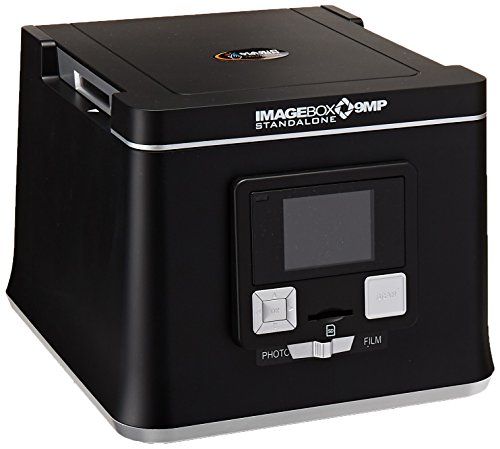


Pacific Image ImageBox 9MP ST for Windows and Mac
| SELLER | SELLER SCORE | AMAZON FULFILLED | PRIME | FREE SHIPPING |
|---|---|---|---|---|
| Thrift Brothers | 4.20 | No | No | No |
Casual hobbyists looking to digitize old family archives without wrestling with complicated software will find the Pacific Image ImageBox to be a total game-changer. This little powerhouse operates as a completely standalone unit, meaning you can scan your precious slides, films, and photos directly to an SD card without ever needing to tether it to a Windows or Mac computer. The built-in 2.7" LCD screen is incredibly helpful for previewing your scans in real-time to ensure everything looks perfect before you save it. Whether you are working with tiny passport-sized shots or standard 4"x6" prints, the 9MP resolution delivers high-quality imagery that brings old memories back to life. It even features a TV-out option for easy viewing on a larger screen.


Lomography Smartphone Film Scanner
| SELLER | SELLER SCORE | AMAZON FULFILLED | PRIME | FREE SHIPPING |
|---|---|---|---|---|
| Lomography US | 5.70 | No | No | No |
The Lomography Smartphone Film Scanner turns your phone into a portable darkroom for instant 35mm film digitization. I found this little device incredibly convenient for anyone tired of waiting weeks for professional scans just to see their shots. It works with all types of 35mm film, making it a versatile tool for hobbyists. The portability is a huge plus, allowing you to digitize rolls on the go without bulky equipment. Lomography also recently launched a completely new and improved app for iOS, which streamlines the entire process of capturing and sharing your images. It serves as an accessible entry point into the world of analog photography, bridging the gap between vintage film and modern social sharing.


Wizcom Infoscan TS Elite
| SELLER | SELLER SCORE | AMAZON FULFILLED | PRIME | FREE SHIPPING |
|---|---|---|---|---|
| After Plan A | 7.49 | No | No | No |
Language learners and heavy researchers will find the Wizcom Infoscan TS Elite to be an indispensable tool for digitizing text on the fly. I was particularly impressed by how the 400 DPI scanning resolution captures fine print with clarity, making it easy to transition from paper to digital storage. The built-in dictionary and integrated speaker are game-changers for vocabulary building, as you can instantly hear the correct pronunciation of a word you just scanned. Navigating the interface feels intuitive thanks to the responsive touch-screen, which eliminates the clunkiness often found in handheld devices. With the ability to store up to 20,000 lines of text, this slim device is a powerhouse for anyone needing to build a massive digital library from physical documents without the hassle of manual typing.


Adesso NUSCAN 500 Photo Scanner
| SELLER | SELLER SCORE | AMAZON FULFILLED | PRIME | FREE SHIPPING |
|---|---|---|---|---|
| TeKswamp | 9.30 | No | No | No |
Presentation-heavy professionals and hobbyists with sprawling physical photo archives need the Adesso NUSCAN 500 to bridge the gap between paper and digital. I found the one-second image capture speed to be a genuine game-changer for anyone tired of waiting for sluggish hardware to process a single shot. Equipped with a 5.0 Megapixel CMOS color sensor, this device delivers a crisp 2592 x 1944 resolution that makes your old memories pop on a modern screen. It is a straightforward, reliable tool designed specifically to streamline your workflow. While it is optimized for Windows environments like Vista and XP, its speed and sensor quality make it a highly efficient choice for digitizing collections without the typical downtime.

The most significant mistake buyers make is choosing a scanner based on price rather than application. Scanners generally fall into three distinct categories: Flatbed, Sheet-fed (Document Scanners), and Photo Scanners. If your primary goal is digitizing fragile heirlooms, thick books, or single-page items that cannot be folded, a Flatbed Scanner is essential. Its glass platen provides a stable surface that prevents damage to delicate media. Conversely, if you are processing stacks of invoices, receipts, or multi-page reports, a Sheet-fed Document Scanner is the superior choice. These devices feature Automatic Document Feeders (ADF) that pull pages through the mechanism rapidly, saving immense amounts of time. For pure photography enthusiasts, dedicated Photo Scanners offer specialized color depth and sensor technology to capture the subtle nuances of film and prints.
When browsing specifications, you will encounter DPI (Dots Per Inch) measurements. It is vital to distinguish between optical resolution and interpolated resolution. Optical resolution is the actual physical capability of the scanner's sensor to capture detail. For standard text documents, 300 DPI is more than sufficient. However, if you intend to enlarge old photographs or scan fine-art prints, you should look for a scanner capable of at least 1200 to 4800 DPI optical resolution. Avoid being swayed by marketing claims of extremely high 'interpolated' resolutions, which are essentially software-generated guesses that can result in blurry, unnatural images.
For professional environments, scanning speed is a non-negotiable metric. Look for the 'Pages Per Minute' (PPM) rating. A high-speed document scanner should ideally handle 30 to 60 pages per minute. Additionally, pay attention to the 'Duty Cycle,' which indicates how many pages the scanner can reliably process in a single session without overheating or requiring a break. If you are a small business owner scanning hundreds of documents daily, a high duty cycle ensures longevity and prevents workflow bottlenecks.
A scanner is only as good as the software that interprets the data. Look for devices that offer robust Optical Character Recognition (OCR) capabilities. OCR allows the scanner to convert images of text into searchable, editable digital files, which is indispensable for document management. Regarding connectivity, while USB remains the standard for stability and speed, wireless scanning via Wi-Fi offers much-needed flexibility for modern, cable-free workspaces. Ensure the software is compatible with your current operating system to avoid the frustration of driver conflicts during setup.
If you are digitizing two-sided documents, ensure the scanner features 'Single-pass Duplexing.' This means the scanner has two separate imaging sensors that capture both sides of a page simultaneously as it passes through. This is significantly faster and more reliable than 'reversing' duplexing, where the machine must pull the page back through to scan the second side, which increases the risk of paper jams and mechanical wear.
Quick answers about Computer Scanners before you buy.
Share of top-ranked products by brand, from our editorial analysis.
We've carried out a comprehensive analysis of 11,156 reviews on Computer Scanners, using our selection criteria to identify the best options in the electronics. Our findings reveal that most customers typically select Computer Scanners priced around $214.06, with top brands including canon, brother, epson, fujitsu, raven and doxie and hczrc.
Our team of expert editors reviewed these high-quality items and handpicked the top 14 Computer Scanners for your consideration. We've also done extensive research on numerous sellers, identifying the best ones in the electronics category — including amazon.com, lake av, raven scanner and doxie & co. and hczrc us.
We are dedicated to assisting our users in finding the right accessories Products based on their needs, saving them considerable time when choosing which Computer Scanners to buy. We take pride in the number of satisfied users we've helped through our thorough and insightful reviews.
Compare the top 14 picks at a glance — select a column to sort.


