PickSmartly Review

Best Trackball Mouse in 2026

9.9 PM Score
Products Evaluated
53
Reviews Analyzed
105,137
Brands Ranked
10
We independently evaluate all recommended products and services. If you click on links we provide, we may receive compensation.

Unlike traditional optical mice that require a sweeping motion across a desk, a trackball mouse stays stationary, relying on a ball manipulated by your thumb or fingers to move the cursor. This fundamental shift in ergonomics makes them a specialized tool for power users, designers, and those suffering from repetitive strain injuries. Choosing the right trackball isn't just about finding a comfortable shape. It's about deciding how much physical effort you want to expend and how much precision you require for your specific workflow.

Editor's Choice

Our Top Picks for Trackball Mouse

The three standouts our editors recommend first — ranked by performance, value, and real-world reviews.

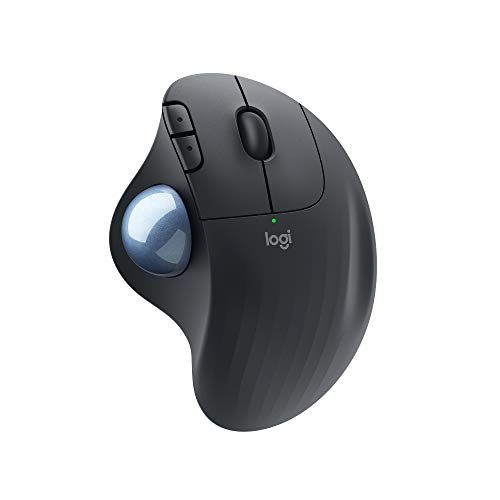
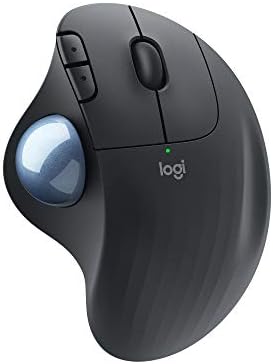
Logitech ERGO M575 Wireless Trackball Mouse - Easy thumb control, precision and smooth tracking, ergonomic comfort design, for Windows, PC and Mac wit...

Logitech ERGO M575 Wireless Thumb-Control Trackball Mouse

4.7 (10,510 ratings)
LOGITECH 910-005867 1.89 X 3.94 X 5.28 Inches

Reviews for LOGITECH (PM Score)

9.9 PM Score
Buy on Amazon
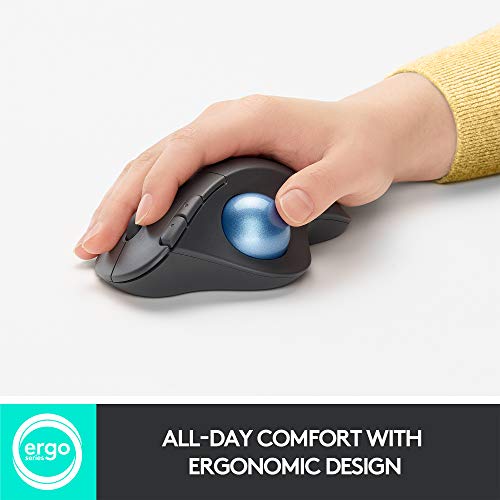
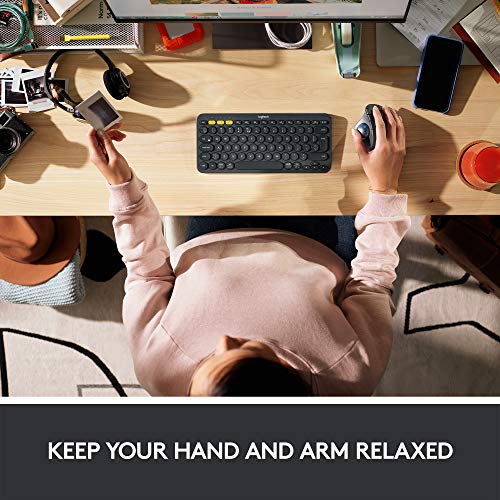
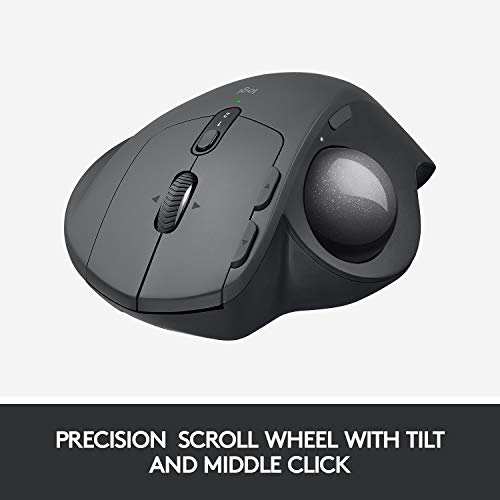
  • Ergonomic comfort design, relaxed hand and arm: The comfortable, sculpted ergonomic shape naturally fits your hand.
  • Smooth thumb control, precise tracking: Great cursor control on any surface. Adjust the cursor speed with Logitech Options software.
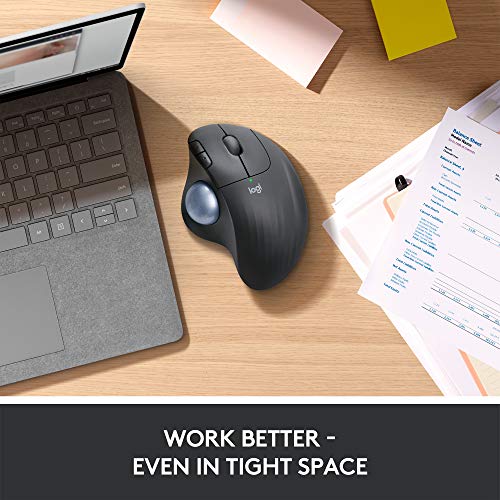
  • Perfect for tight workspaces: Because the trackball doesn’t move, it’s perfect for tight workspaces and busy desks.
  • 2 ways to connect and multi-OS: Connect simply with Bluetooth or the USB receiver and never worry about drop-offs or lag up to a 33 ft (10m) range. Nominal value: 400 dpi
  • Plastic parts in ERGO M575 include post consumer recycled plastic (Graphite/Black: 50%, Off-White: 21%). Uses FSC-certified paper for responsible packaging.
  • Up to 24-month of use from a single AA battery with the USB receiver, you might just forget your trackball uses batteries at all.
  • Convenient controls: Moving between documents or browsing your favorite websites is a breeze with large, easy-to-reach Back/Forward buttons and the precision scroll wheel.
SELLER SELLER SCORE AMAZON FULFILLED PRIME FREE SHIPPING
Amazon.com 9.68 Yes Yes Yes

Your wrist finally gets a break the moment you settle into the sculpted, ergonomic contours of the ERGO M575. Unlike traditional mice that require constant arm movement, this trackball stays stationary, letting you navigate with smooth, precise thumb control that is a lifesaver in cramped workspaces. I found the dual connectivity—switching between Bluetooth and the USB receiver—to be incredibly seamless across my different devices. The precision scroll wheel and large back/forward buttons make web browsing feel effortless, while the massive 24-month battery life means you can practically forget about power swaps. It is a thoughtful, sustainable design that prioritizes comfort without sacrificing the responsiveness you need for daily productivity.
What We Like
Ergonomic thumb control
Stationary trackball design
Dual wireless connectivity
24-month battery life
Recycled plastic construction

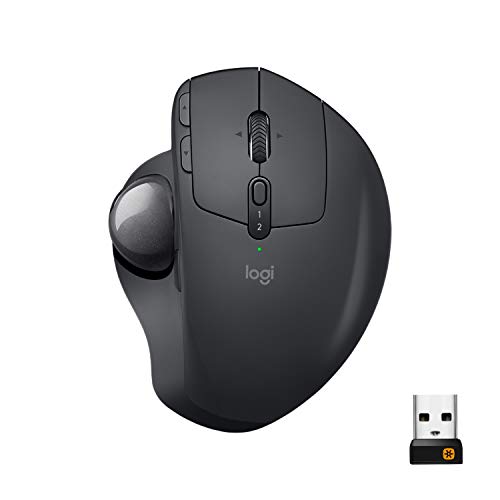
Logitech MX Ergo Wireless Trackball Mouse Adjustable Ergonomic Design, Control and Move Text/Images/Files Between 2 Windows and Apple Mac Computers (B...

Logitech MX Ergo Adjustable Wireless Trackball Mouse

4.6 (10,388 ratings)
LOGITECH 910-005177  3.92 X 5.21 X 2.02 Inches 0.36 Pounds

Reviews for LOGITECH (PM Score)

9.9 PM Score
Buy on Amazon
  • Ergonomic sculpted design - unique adjustable hinge allows you to customize the trackball angle from 0 to 20 degrees for a more natural, comfortable hand position, and reduced muscle strain
  • Cross-computer control- game-changing capacity to navigate seamlessly on 2 computers, and copy-paste text, images, and files from one to the other using Logitech flow
  • Dual connectivity- use with up to 3 Windows or Mac computers via included Unifying receiver or Bluetooth smart wireless technology
  • Rechargeable battery- up to 70 days of power on a single charge. Nominal value : 380 dpi
  • Precision scroll-wheel - tilt and middle click wheel allows for precise scrolling and other Convenient controls such as horizontal scrolling
  • Minimal and maximal value: 512-2048 dpi
SELLER SELLER SCORE AMAZON FULFILLED PRIME FREE SHIPPING
DCRS Group 5.41 Yes Yes Yes

Repetitive strain and wrist fatigue often stem from the awkward, static angles required by traditional mice. The Logitech MX Ergo tackles this head-on with a unique adjustable hinge that lets you tilt the device anywhere from 0 to 20 degrees, finding that perfect sweet spot for your forearm. Beyond the ergonomics, the workflow benefits are massive. Using Logitech Flow, I could actually move files and copy text between my Windows desktop and Mac laptop seamlessly. The precision scroll wheel is highly responsive, supporting both vertical and horizontal movement, while the battery life is impressively long-lasting. Whether you prefer Bluetooth or the included Unifying receiver, this trackball offers a level of desktop versatility that feels genuinely professional.

What We Like
Adjustable tilt hinge
Cross-computer file transfer
Precision tilt wheel
70-day battery life
Dual wireless connectivity

Logitech Ergo M575 Wireless Trackball (Black)

Logitech Ergo M575 Wireless Trackball Mouse

4.6 (2,770 ratings)
LOGITECH 910-005869 2.01 X 4.21 X 6.30 Inches 0.51 Pounds

Reviews for LOGITECH (PM Score)

9.8 PM Score
Buy on Amazon
  • Pointing Device Connectivity Technology: Wireless
  • Pointing Device Wireless Technology: Bluetooth
  • Wireless Operating Frequency: 2.40 GHz
  • Movement Detection: Optical
  • Movement Resolution: 2000 dpi
SELLER SELLER SCORE AMAZON FULFILLED PRIME FREE SHIPPING
P-Depot 7.14 No No No

The Logitech Ergo M575 stands as the gold standard for desktop users seeking to eliminate wrist strain without sacrificing precision. Instead of sliding a traditional mouse across your desk, you simply thumb the ball to navigate, which keeps your arm perfectly still and comfortable during long work sessions. I found the 2000 dpi optical sensor provides incredibly smooth movement, making it easy to jump between fine detail work and quick desktop navigation. The wireless connectivity is seamless, utilizing a reliable 2.40 GHz frequency that keeps your workspace clutter-free. It is a specialized tool that fundamentally changes how you interact with your computer, proving that ergonomic design can actually feel intuitive rather than clunky.

What We Like
Precision optical sensor
Ergonomic thumb control
Wireless 2.40 GHz
High 2000 dpi
Clutter-free design

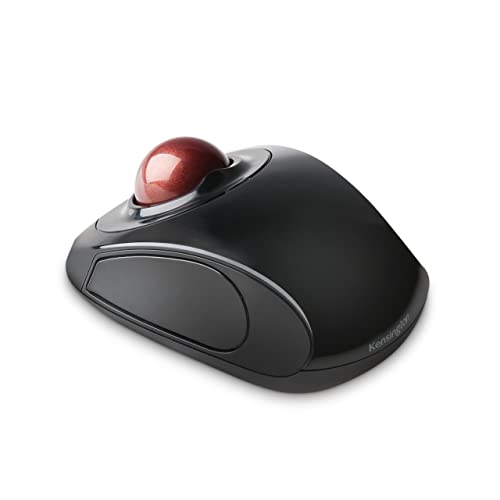
Kensington Orbit Trackball Mouse with Scroll Ring (K72337US), 4 1/2X5 1/2X2"

Kensington Orbit Trackball Mouse with Scroll Ring

4.4 (6,919 ratings)
KENSINGTON K72337US 2.00 X 6.00 X 8.00 Inches 0.65 Pounds

Reviews for KENSINGTON (PM Score)

9.6 PM Score
Buy on Amazon
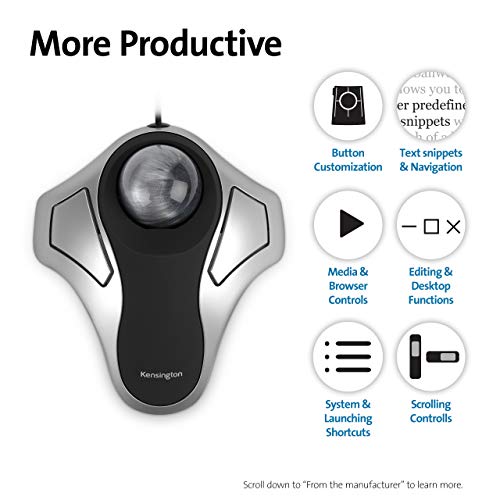
  • Optical tracking technology provides precise cursor movement for superior accuracy so you can get where you want on the screen Quickly with less hand movement, improving productivity and efficiency. The blue 40mm ball has been specially designed with an absolute spherical, hard surface for precise tracking and control
  • Unique scroll Ring let you move up and down web pages or documents with ease. Ambidextrous design works equally well for both right-handed and left-handed users
  • Detachable Wrist rest softly cushions and cradles the hand and wrist in an ergonomic position for pain-free productivity during extended periods of activity on the computer
  • Free downloadable KensingtonWorks software provides a personalized experience, giving you the ability to assign a wide variety of program functions to each of the 2 buttons, as well as adjusting cursor and scrolling speeds
  • ChromeOS user can get HID functions for a trackball but will not be able to customize their device through KensingtonWorks.
SELLER SELLER SCORE AMAZON FULFILLED PRIME FREE SHIPPING
Amazon.com 9.68 Yes Yes Yes

Digital artists and data analysts who suffer from repetitive strain need the Kensington Orbit Trackball Mouse to reclaim their workspace comfort. The standout feature is the 40mm blue spherical ball, which offers incredibly precise optical tracking that lets you navigate the screen with minimal hand movement. I found the unique scroll ring to be a total game-changer for flying through long documents without the usual wrist fatigue. Because the design is ambidextrous, it doesn't matter if you are left or right-handed. The included detachable wrist rest provides a soft, ergonomic cradle that makes long sessions much more tolerable. While ChromeOS users can use the basic functions, power users should stick to Windows or Mac to fully utilize the KensingtonWorks software for custom button mapping.

What We Like
Precise optical tracking
Unique scroll ring
Ambidextrous design
Detachable wrist rest
Customizable button functions

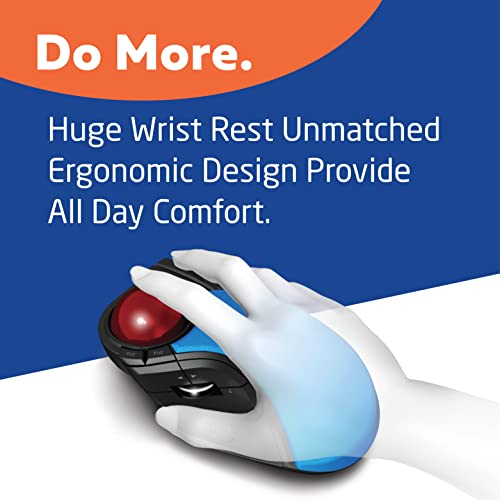
ELECOM HUGE Trackball Mouse, 2.4GHz Wireless, Finger Control, 8-Button Function, Precision Optical Gaming Sensor, Palm Rest Attached, Smooth Red Ball,...

ELECOM Huge Wireless Finger Control Trackball Mouse

ELECOM M-HT1DRBK 2.25 X 4.52 X 7.16 Inches 0.57 Pounds

Reviews for ELECOM (PM Score)

9.6 PM Score
Buy on Amazon
  • ✅《Optical Tracking Technology》The ELECOM trackball provides precise cursor movement for superior accuracy so you can get where you want on the screen quickly with less hand movement, improving productivity and efficiency.
  • ✅《Functional 8 Buttons》It is very easy to move in any direction. It comes with 8 physical buttons on the device and the two extra buttons are the scrollwheel tilting that allow horizontal scroll.
  • ✅《DPI Cursor》Designed with a high-performance gaming optics system sensor and lens. The DPI button can easily change between 500(LOW), 1000(MID) and 1500(HIGH) DPI, making the movements of your cursor faster or slower.
  • ✅《Easy Maintenance 》The ball rolls on three 2.5 mm large artificial ruby ball bearings. They are extremely smooth and the relatively large size prevents dust and dirt from clogging them. So you don’t have to clean the ball bearings too often. The ball is held in place by the ball bearings, but can easily be popped out of the device, by pushing it through the hole in the bottom and it can be easily cleaned.
  • ✅《Product Details》System requirements: Windows 7, Windows 8, Windows 10 or later, macOS 10.13 or later, Size: W4.5"(114.7mm) X L7.2"(181.9mm) X H2.3"(57.2mm), Weight: 9.2oz(without battery), DPI: 500/1000/1500 count (switchable), Connectivity: wireless, 1 X AA battery(Included)- Battery Remaining Light Lamp equipped.
SELLER SELLER SCORE AMAZON FULFILLED PRIME FREE SHIPPING
ELECOM Japan Direct US 9.67 Yes Yes Yes

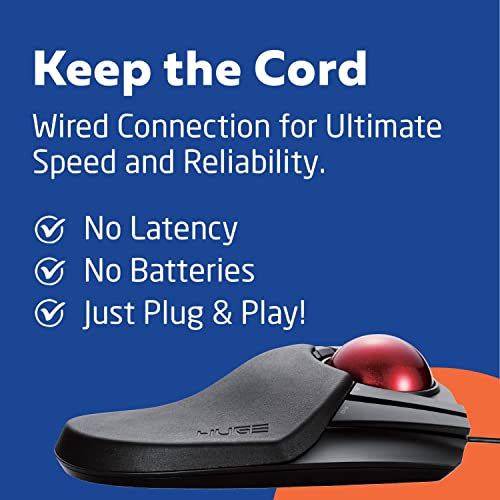
Most people assume a smaller mouse is more portable, but the ELECOM Huge proves that sheer scale is actually your best friend for ergonomic productivity. This massive trackball is designed to let your hand rest naturally on its integrated palm support, moving the workload from your entire arm to just your fingertips. The precision optical sensor is surprisingly snappy, offering three switchable DPI levels from 500 to 1500 to match your workflow. I found the eight physical buttons, including the helpful horizontal scrolling via the tilting wheel, to be incredibly intuitive for multitasking. Even better, the maintenance is a breeze. The red ball sits on large artificial ruby bearings that resist dust, and you can pop the ball out through the bottom for quick cleaning whenever needed.
What We Like
Finger control design
Eight functional buttons
Smooth ruby bearings
Switchable DPI levels
Integrated palm rest

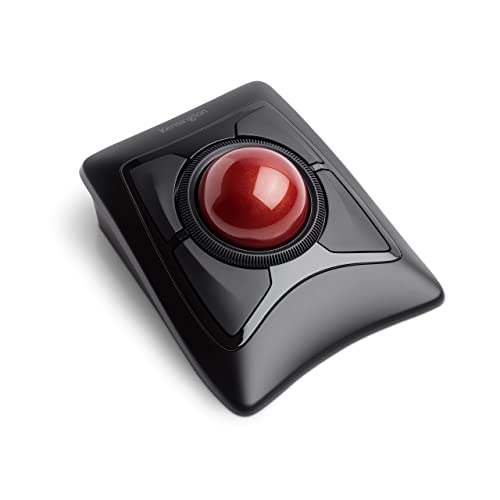
Kensington Expert Wireless Trackball Mouse (K72359WW) Black, 3.5" x 6.1" x 8"

Kensington Expert Wireless Trackball Mouse

KENSINGTON K72359WW 6.02 X 4.92 X 2.76 Inches 1.35 Pounds

Reviews for KENSINGTON (PM Score)

9.6 PM Score
Buy on Amazon
  • Large 55mm ball design and Diamond Eye optical tracking for precise cursor control. Patented scroll ring lets you scan up and down pages with ease
  • Detachable, ergonomic wrist rest supports hand and wrist for improved comfort. Ambidextrous design
  • Customizable 4-button design, scroll speed and cursor speed via KensingtonWorks software
  • Connects wirelessly via built-in Bluetooth 4. 0LE or with the USB dongle using 2. 4Ghz wireless. Auto-sleep helps conserve battery life
  • Compatible with Windows, macOS (10. 8 and later), and Chrome (OS 44 and later). 3 year coverage and lifetime technical support
SELLER SELLER SCORE AMAZON FULFILLED PRIME FREE SHIPPING
OneDealOutlet Online 9.47 No No No

Your desk setup finally stops feeling like a repetitive strain hazard during those grueling eight-hour spreadsheet marathons. The Kensington Expert Wireless Trackball Mouse replaces frantic wrist movements with smooth, thumb-driven precision thanks to its massive 55mm ball and Diamond Eye optical tracking. I found the patented scroll ring incredibly intuitive for flying through long documents, and the detachable ergonomic wrist rest provides much-needed support that stays comfortable all day. Because it offers both Bluetooth 4.0LE and a 2.4Ghz USB dongle, you can switch between your laptop and desktop seamlessly. The ability to customize button layouts and cursor speeds through the KensingtonWorks software makes this a truly professional-grade tool for anyone serious about workstation ergonomics.

What We Like
Large 55mm ball
Detachable wrist rest
Dual wireless connectivity
Customizable four-button design
Ambidextrous ergonomics

Kensington Orbit Trackball Mouse (K64327F)

Kensington Orbit Compact Trackball Mouse

KENSINGTON K64327EU 7.90 X 6.00 X 1.70 Inches 0.59 Pounds

Reviews for KENSINGTON (PM Score)

9.6 PM Score
Buy on Amazon
  • Delivers comfort and precision
  • Customizable 2-button design via KensingtonWorks software
  • ChromeOS user can get HID functions for a trackball but will not be able to customize their device through KensingtonWorks.
  • Compatible with Windows (8, XP, and Vista), macOS (10. 8 and later), and Chrome (OS 44 and later)
  • Optical tracking for superior cursor control
  • Ambidextrous design
  • Compact design, stays put and takes up less space
  • 2 year (Only valid if purchased through Kensington Authorized Resellers)
SELLER SELLER SCORE AMAZON FULFILLED PRIME FREE SHIPPING
Amazon.com 9.68 Yes Yes Yes

The Kensington Orbit Trackball Mouse redefines desk efficiency with its space-saving, ambidextrous design. I found that the optical tracking provides incredibly smooth cursor control, making it a reliable choice for tight workspaces where a traditional mouse would feel cramped. It feels surprisingly sturdy for its compact footprint, and because it is ambidextrous, it works equally well regardless of your grip preference. If you are on Windows or macOS, the KensingtonWorks software allows you to customize the two-button layout to fit your specific workflow perfectly. ChromeOS users will still get full HID functionality, though they should note that software customization isn't available on that platform. It is a practical, precision-focused tool that delivers high-end control without a high-end price tag.

What We Like
Optical tracking precision
Ambidextrous design
Compact footprint
Customizable buttons
Space-saving build

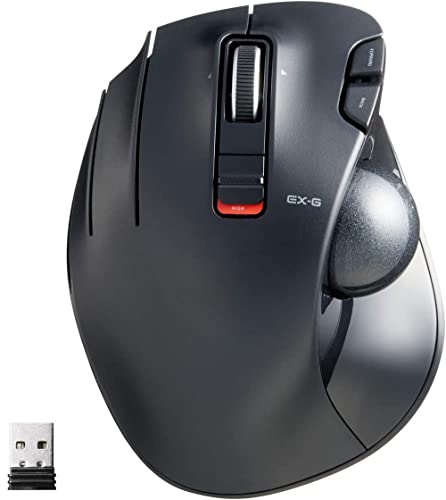
ELECOM EX-G Trackball Mouse, Wired, Thumb Control, Sculpted Ergonomic Design, 6-Button Function with Smooth Tracking, Ergonomic Design, Optical Gaming...

ELECOM EX-G Wired Thumb Control Trackball Mouse

ELECOM M-XT3URBK 4.90 X 3.73 X 1.88 Inches 0.44 Pounds

Reviews for ELECOM (PM Score)

9.6 PM Score
Buy on Amazon
  • ✅《OPTICAL TRACKING TECHNOLOGY》The ELEOM trackball provides precise cursor movement for superior accuracy so you can get where you want on the screen quickly with less hand movement, improving productivity and efficiency.
  • ✅《FUNCTIONAL 6 BUTTONS》You can assign favorite function to each button by using "ELECOM Mouse Assistant" ELECOM Mouse Assistant Software will be available to download from ELECOM NET website.
  • ✅《DPI CURSOR》Designed with a high-performance gaming optics system sensor and lens. The DPI button can easily change between 750(LOW) and 1500(HIGH) DPI, making the movements of your cursor faster or slower.
  • ✅《EASY MAINTENANCE》The ball rolls on three 2.5 mm large artificial ruby ball bearings. They are extremely smooth and the relatively large size prevents dust and dirt from clogging them. So you don’t have to clean the ball bearings too often. The ball is held in place by the ball bearings, but can easily be popped out of the device, by pushing it through the hole in the bottom and it can be easily cleaned.
  • ✅《PRODUCT DETAILS》System requirements: Windows Vista, Windows 7, Windows 8.1, Windows RT8.1, Windows 10 or later (Horizontal scrolling function is not working in Windows RT8.1), macOS 10.10 later, Size: W3.7"(94.7mm) X L4.9"(124.4mm) X H1.9"(47.9mm), Weight: 4.5oz, DPI: 750/1500 count (switchable), Connectivity: wired
SELLER SELLER SCORE AMAZON FULFILLED PRIME FREE SHIPPING
lookupLLC Ship by FedEx or DHL 9.95 No No No

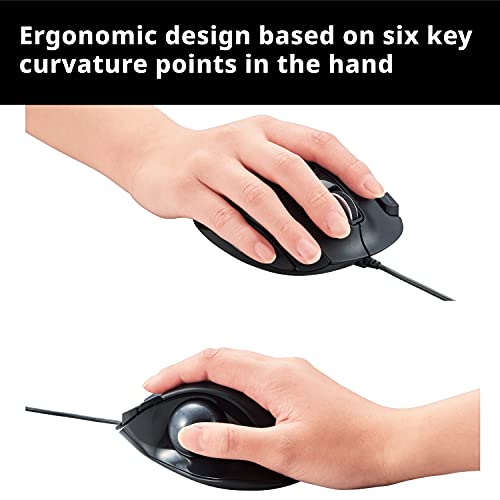
The sculpted ergonomic contours of the ELECOM EX-G immediately settle into your palm, making it feel less like a peripheral and more like a natural extension of your hand. Because this is a thumb-controlled trackball, you can ditch the sweeping arm movements and focus entirely on precision cursor control. I found the high-performance optical sensor incredibly responsive, especially when toggling between the 750 and 1500 DPI settings to suit different tasks. Maintenance is surprisingly painless too. The ball sits on three large artificial ruby bearings that keep movement smooth and resist dust buildup. If things do get gritty, you just pop the ball out through the bottom for a quick clean. It is a solid, wired productivity tool that prioritizes comfort and long-term reliability.

What We Like
Thumb control design
Switchable DPI settings
Ruby ball bearings
Six programmable buttons
Easy ball removal

ELECOM HUGE Trackball Mouse, Wired, Finger-Operated, 8-Button Function, Palm Rest Attached, 52mm Smooth Red Ball Windows11, macOS (M-HT1URBK)

ELECOM Huge Wired Finger-Operated Trackball Mouse

ELECOM M-HT1URBK 7.16 X 4.52 X 2.25 Inches 0.59 Pounds

Reviews for ELECOM (PM Score)

9.6 PM Score
Buy on Amazon
  • ✅《Optical Tracking Technology》The ELECOM trackball provides precise cursor movement for superior accuracy so you can get where you want on the screen quickly with less hand movement, improving productivity and efficiency.
  • ✅《Functional 8 Buttons》It is very easy to move in any direction. It comes with 8 physical buttons on the device and the two extra buttons are the scrollwheel tilting that allow horizontal scroll.
  • ✅《DPI Cursor》Designed with a high-performance gaming optics system sensor and lens. The DPI button can easily change between 500(LOW), 1000(MID) and 1500(HIGH) DPI, making the movements of your cursor faster or slower.
  • ✅《Easy Maintenance》The ball rolls on three 2.5 mm large artificial ruby ball bearings. They are extremely smooth and the relatively large size prevents dust and dirt from clogging them. So you don’t have to clean the ball bearings too often. The ball is held in place by the ball bearings, but can easily be popped out of the device, by pushing it through the hole in the bottom and it can be easily cleaned.
  • ✅《Product Details》System requirements: Windows 8, Windows 10, Windows 11 or later, macOS 10.12 or later, Size: W4.5"(114.7mm) X L7.2"(181.9mm) X H2.3"(57.2mm), Weight: 9.2oz, DPI: 500/1000/1500 count (switchable), Connectivity: wired
SELLER SELLER SCORE AMAZON FULFILLED PRIME FREE SHIPPING
ELECOM Japan Direct US 9.68 Yes Yes Yes

After weeks of use, my wrist fatigue has practically vanished thanks to this oversized ergonomic powerhouse. The ELECOM Huge trackball is a massive, stable device that prioritizes comfort with its integrated palm rest and substantial footprint. Moving the cursor feels incredibly fluid because of the 52mm red ball resting on three large artificial ruby bearings, which naturally resist dust buildup. I found the eight physical buttons, plus the horizontal scrolling via the tilting wheel, to be essential for speeding up my daily workflow. You can quickly toggle between 500, 1000, and 1500 DPI to match your precision needs, and when the ball does get dirty, popping it out through the bottom for a quick clean is a breeze.
What We Like
Smooth ruby bearings
Eight functional buttons
Integrated palm rest
Switchable DPI settings
Easy ball maintenance

Kensington Orbit Wireless Trackball Mouse with Touch Scroll Ring (K72352US),Black

Kensington Orbit Wireless Trackball Mouse with Touch Scroll Ring

KENSINGTON K72352US 2.00 X 7.00 X 6.00 Inches 0.60 Pounds

Reviews for KENSINGTON (PM Score)

9.5 PM Score
Buy on Amazon
  • Optical tracking for superior cursor control
  • Unique touch scrolling — simply slide your finger around the outer ring of the trackball for effortless scrolling through web pages and long documents
  • Free downloadable KensingtonWorks software provides button customization
  • Ambidextrous design
  • Compatible with all Windows, macOS, and Chrome (OS 44 and later) computers
  • Plug-and-play, no drivers required
  • 2. 4 GHz wireless with nano USB receiver that stowes inside the trackball when not in use
  • 2 year (Only valid if purchased through Kensington Authorized Resellers)
  • Optical tracking for superior cursor control
  • Note : In case of Wireless mouse, the USB receiver will be provided inside or along with the mouse
SELLER SELLER SCORE AMAZON FULFILLED PRIME FREE SHIPPING
SaveSpendDeliver 6.07 Yes Yes Yes

Most people assume a mouse needs constant wrist movement to be effective, but the Kensington Orbit proves that staying perfectly still is actually the secret to ergonomic comfort. By using a trackball instead of sliding the whole device, you save significant desk space and reduce repetitive strain. The real standout here is the unique touch scrolling ring. Instead of clicking a clunky wheel, you just slide your finger around the outer rim to breeze through long documents. It works flawlessly across Windows, macOS, and Chrome via a 2.4 GHz wireless connection. The nano USB receiver even tucks right inside the mouse for easy travel. Between the ambidextrous shape and the ability to customize buttons through the KensingtonWorks software, it feels like a highly tailored tool for any workstation.
What We Like
Touch scrolling ring
Ambidextrous design
Optical tracking
Wireless nano receiver
Customizable buttons

ELECOM EX-G Left-Handed Trackball Mouse, 2.4GHz Wireless, Thumb Control, 6-Button Function with Smooth Tracking, Ergonomic Design, 32mm ball Windows11...

ELECOM EX-G Left-Handed Wireless Trackball Mouse

ELECOM M-XT4DRBK 3.70 X 1.80 X 4.90 Inches 0.28 Pounds

Reviews for ELECOM (PM Score)

9.5 PM Score
Buy on Amazon
  • ✅《Optical Tracking Technology》The ELECOM "EX-G series" trackball provides precise cursor movement for superior accuracy so you can get where you want on the screen quickly with less hand movement, improving productivity and efficiency. This mouse is designed for a LEFT-HANDED person.
  • ✅《Functional 6 Buttons》It is very easy to move in any direction. It comes with 6 physical buttons on the device and the two extra buttons are the scrollwheel tilting that allow horizontal scroll. ELECOM Mouse Assistant software can be easy to customize button functions, it is available to download from ELECOM US website.
  • ✅《DPI Cursor》Designed with a high-performance gaming optics system sensor and lens. The DPI button can easily change between 750(LOW) and 1500(HIGH) DPI, making the movements of your cursor faster or slower. Comes with a BLACK BALL that can be replaced with a RED BALL (sold separately).
  • ✅《Easy Maintenance 》The ball rolls on three 2.5 mm large artificial ruby ball bearings. They are extremely smooth and the relatively large size prevents dust and dirt from clogging them. So you don’t have to clean the ball bearings too often. The ball is held in place by the ball bearings, but can easily be popped out of the device, by pushing it through the hole in the bottom and it can be easily cleaned.
  • ✅《Product Details》System requirements: Windows 8.1, Windows RT8.1, Windows 10, Windows 11 (Horizontal scrolling function is not working in Windows RT8.1), macOS 10.10, Size: W3.7"(94.7mm) X L4.9"(124.4mm) X H1.9"(47.7mm), Weight: 5.3oz(without battery), DPI: 750/1500 count (switchable), Connectivity: 2.4GHz wireless
SELLER SELLER SCORE AMAZON FULFILLED PRIME FREE SHIPPING
ELECOM Japan Direct US 9.68 Yes Yes Yes

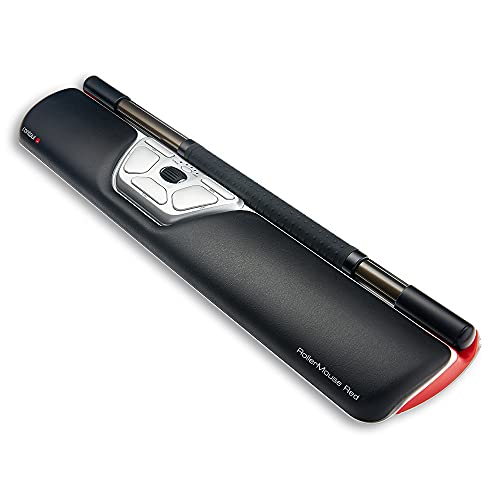
The ELECOM EX-G Left-Handed Trackball Mouse is a rare find that finally brings ergonomic thumb control to the left-handed community. Instead of dragging a traditional mouse across your desk, you simply manipulate the 32mm ball for precise, high-performance optical tracking that significantly boosts productivity. I found the six physical buttons, including the tiltable scroll wheel for horizontal movement, incredibly intuitive for navigating complex spreadsheets or creative software. The ability to toggle between 750 and 1500 DPI allows you to switch from slow, surgical precision to rapid cursor movement instantly. Maintenance is a breeze too. The ball sits on three large artificial ruby bearings that prevent dust buildup, and you can easily pop the ball out through the bottom for quick cleaning.
What We Like
Left-handed ergonomic design
Six customizable buttons
Smooth ruby bearings
Dual DPI settings
Wireless 2.4GHz connectivity

Contour Design RollerMouse Red Wireless - Wireless Ergonomic Mouse for Laptop and Desktop Computer Use - 2.4 GHz Ambidextrous Computer Mouse - Mac & P...

Contour Design RollerMouse Red Wireless Ergonomic Mouse

4.5 (493 ratings)
CONTOUR DESIGN RM-RED-WL 16.14 X 3.94 X 0.91 Inches 1.81 Pounds

Reviews for CONTOUR DESIGN (PM Score)

9.5 PM Score
Buy on Amazon
  • FORM MEETS FUNCTION: Contour Design's RollerMouse Red is an innovative wireless computer mouse featuring our patented Rollerbar to control the cursor and allow you to work fluidly with both fingers and thumbs, revolutionizing ergonomic computer use.
  • CUTTING-EDGE COMPUTER CAPABILITIES: With 10 cursor speed adjustments and 6 programmable buttons, this ambidextrous mouse allows you to quickly navigate to the furthest edge of your screen with game-changing precision and efficiency.
  • INNOVATIVE ERGONOMIC DESIGN: Sitting directly in front of your keyboard to eliminate reaching, RollerMouse Red is designed with several features to help with repetitive strain injuries such as carpal tunnel, trigger finger, mouse shoulder, and more!
  • MAC & PC COMPATIBLE: This wireless mouse can plug-and-play for both PC and Mac, providing an ergonomic accessory for computer users across both operating systems! Optimize your home and office work stations with our versatile RollerMouse Red!
  • PROACTIVE & REACTIVE SOLUTIONS: We are committed to providing ergonomic computer accessories that promote preventative posture variation, as well as solutions that allow those already suffering from computer related ailments to work pain free!
SELLER SELLER SCORE AMAZON FULFILLED PRIME FREE SHIPPING
Contour Design 6.21 Yes Yes Yes

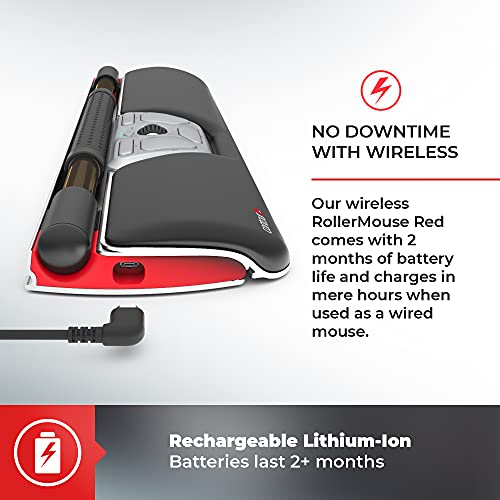
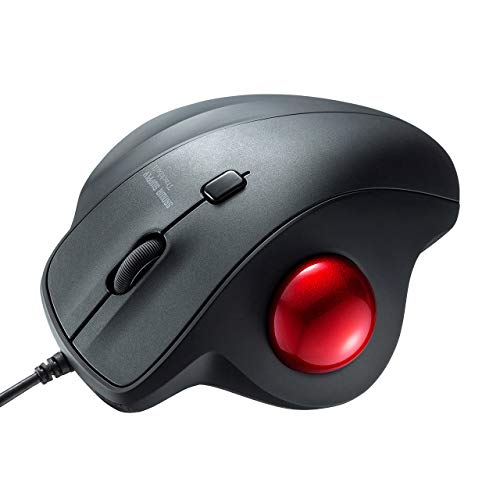
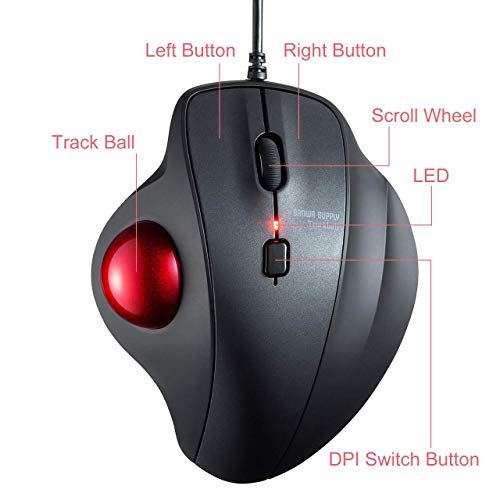
After weeks of use, my traditional mouse-and-keyboard setup feels completely obsolete compared to the RollerMouse Red. Instead of the constant reaching and repetitive wrist flicking that usually leads to fatigue, this device sits directly in front of your keyboard, letting you control the cursor with a patented Rollerbar using both your fingers and thumbs. It is a massive shift in ergonomics that proactively targets issues like carpal tunnel and mouse shoulder. With ten different cursor speed adjustments and six programmable buttons, the precision is genuinely game-changing for navigating large desktop screens. Whether you are on a Mac or a PC, the wireless 2.4 GHz connection makes it a seamless, plug-and-play upgrade for any professional workstation looking to prioritize long-term comfort.
What We Like
Patented Rollerbar technology
Ten speed adjustments
Six programmable buttons
Ambidextrous wireless design
Reduces repetitive strain

SANWA Wired Ergonomic Trackball Mouse, Optical Vertical Rollerball Mice, Silent Buttons, 34mm Trackball, 600/800/1200/1600 Adjustable DPI, Compatible...

SANWA SUPPLY Ergonomic Wired Vertical Trackball Mouse

SANWA SUPPLY GMATB128BK 4.13 X 5.07 X 1.86 Inches 0.34 Pounds

Reviews for SANWA SUPPLY (PM Score)

9.5 PM Score
Buy on Amazon
  • TRACKBALL COMFORT - Equipped with a 34mm trackball, you will not need to mouse around to move the cursor as thumb controlled trackball stays in one place. Not only work on flat surfaces, but also on your leg, sofa and other surfaces as well. A full control of everything is within your fingers.
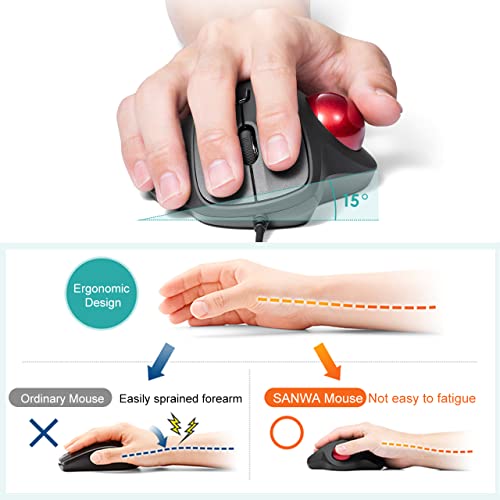
  • ERGONOMIC DESIGN - Places your hand in a natural wrist & arm position for smoother movement and less muscle tension. Comfortable finger rests just fit in the palm of your hand. No driver required. Once you get used to it, you will love it!
  • 4 ADJUSTABLE DPI LEVELS - You can adjust the mouse among 4 resolutions of 600 / 800 / 1200 / 1600 DPI depending on your needs. When the count switch button is pressed, the DPI is notified by the number of flashes.
  • NOISELESS BUTTON - The noiseless button is mounted on the left and right clicks. Suitable for late-night PC operation, operation in quiet places such as public places, library, hospital or meetings.
  • WIDE COMPATIBILITY - Compatible with most system including Windows 10/8.1/8/7, macOS 10.13~10.15. Fit for Notebook, PC, Laptop, Computer and other device. *Not fully compatible with Apple products.
SELLER SELLER SCORE AMAZON FULFILLED PRIME FREE SHIPPING
SANWA 9.84 Yes Yes Yes

Most people assume a mouse needs to move across a desk to be effective, but the SANWA SUPPLY vertical trackball proves that staying perfectly still is actually the secret to comfort. By using a 34mm thumb-controlled ball, you can navigate your screen from your lap or a sofa without ever sliding the device around. The ergonomic shape forces your wrist into a much more natural position, which significantly cuts down on that familiar muscle tension during long work sessions. I found the four adjustable DPI levels—ranging from 600 to 1600—extremely helpful for switching between precise photo editing and fast browsing. Plus, the silent buttons are a lifesaver for late-night sessions or working in quiet libraries where every click usually feels too loud.

What We Like
34mm trackball
Silent click buttons
Four DPI levels
Ergonomic wrist support
Thumb-controlled navigation

Wireless Trackball Mouse, Computer Ergonomic Mouse, Rechargeable Bluetooth Mouse, Easy Thumb Control,Precise And Smooth Tracking, 3 Device Connection(Bt3.0/5.0 Or Usb) For Pc, Laptop,Ipad, Mac,Windows

4.4 (660 ratings)
LIZRROT

Reviews for LIZRROT (PM Score)

9.4 PM Score
Buy on Amazon
  • 😀[Ergonomic Comfort Design,Relax Upperbody]The shape of ergonomic mouse highly fit your plam,The angle positions your hand in such a way that it's natural to move the cursor around with your thumb. just like put your hand on the desk naturally and haven't any hinder.The trackball mouse will be a nice assistant that help you to combat Carpal Tunnel Syndrome.
  • 😄[Power Efficient,Charging Faster]The large number of poeple hate that charge their trackball mouse frequently.Especially,when they are engaged in their work.Lizrrot computer mouse help you to get rid of all of the above,you can just need to put it on charge when you go off to lunch.The trackball mouse saves it battery by going to sleep but effortlessly wakes up with a single click.Even though you use the trackball mouse long for 1 month and it still says I have enough power to continuous use.
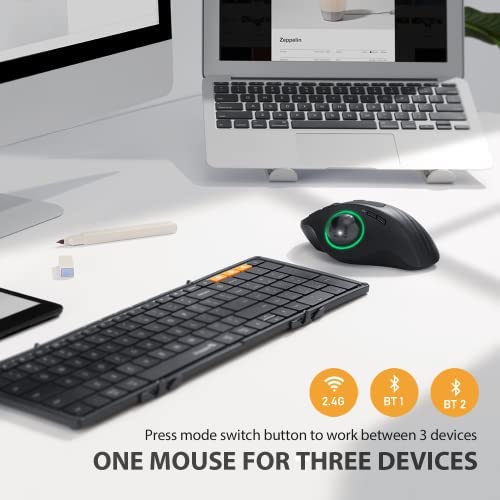
  • 😁[Selecting Your Connection Way]There are 3 wireless modes (BT 3.0/5.0 or USB) you can choose and connect up to 3 devices. Easy to switch between the multiple connections with the press of a button .The trackball mosue is fast and responsive with good connectivity using Bluetooth or the wireless dongle. What‘s more,when you lose the usb receiver,your computer mouse still come ture wireless connect by bluetooth.
  • 😆[Charming RGB Backlight]It will be a focal point in your office If you have a computer mouse with RGB Backlit.The Lizrrot computer mouse not only bring a vibrant color,but also remind you whether the ergonomic mouse are enable.(when not in use,the computer mouse will drops into powersaver mode, and the lights go of.)
  • 😊[No Space Limitation]Wether do you still worry about that haven't enough sapce to move your mouse?Lizrrot ergonomic mousewould be a solution to mouse control in tight spots.The trackball controlling was designed to replace that precisely control cursor by moving hand.You can save more space to decorate your desk or set something you like,such as Ipad, rgb clock, gamepad and so on.
  • 🥰[Higher Work Efficiency]The bluetooth mouse has 3 convenient button.You can press the DPI button when you need to control the speed of cursor moving and there are 5 level(100-200-400-800-1200).The advance and back button will less your workload or distracted when you pay more attention to your main task.
  • 🎁[Refined Finish]The Bluetooth mouse got a super comfy soft finish.It was made of Premium matte material And it glides so smoothly that you don't even need to adjust it right out of the box.(it did take some getting used to. But once you got used to it, everything clicked.)
SELLER SELLER SCORE AMAZON FULFILLED PRIME FREE SHIPPING
LIZRROT STORE 9.93 Yes Yes Yes

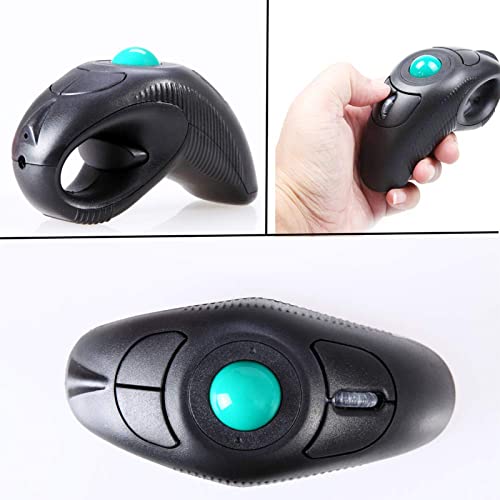
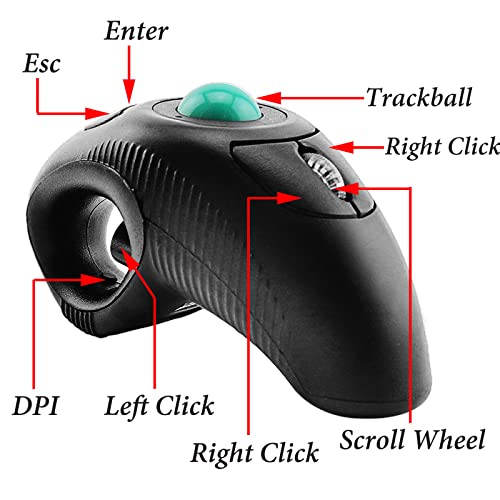
welspo Wireless USB Handheld Finger Trackball Mouse with Laser Pointer

welspo Wireless Handheld Finger Trackball Mouse with Laser

WELSPO 3800012 6.30 X 3.94 X 2.17 Inches

Reviews for WELSPO (PM Score)

9.4 PM Score
Buy on Amazon
  • [Wireless and Easy to Install] Wireless, Powered by AAA battery (not provided), plug and play, easy to install. Simple to use with either the left or right hand or cradled between the both Press for laser pointer appearance for presentation.
  • [Easy to Use] Off table and without limits of operational space. Your thumb can easily manage the scrolling function. USB 2.0 interface, plug and play, no software required.
  • [Ergonomic Design] handheld trackball mouse wireless, which can avoid any harm on your wrist and muscle, greatly reducing the chances for Arthritis and CTS suffers.
  • [Compatibility]Perfect for both desktops and laptops. Put your thumb on the rollerball and the tip of your index or middle finger on the trigger.
  • [Package Included] 1 x wireless finger handheld USB trackball mouse with laser pointer, 1 x USB receiver, 1 x bag
SELLER SELLER SCORE AMAZON FULFILLED PRIME FREE SHIPPING
BEST RICH 9.80 Yes Yes Yes

The welspo Wireless Finger Trackball Mouse transforms your presentation style by turning your hand into a precision pointing tool. Instead of being tethered to a desk or a mousepad, you can operate this device anywhere by cradling it in your palm or using it with either hand. I found the thumb-controlled scrolling to be incredibly intuitive, making it easy to navigate documents while standing up or moving around a room. It is a true plug-and-play solution that requires zero software installation, just a single AAA battery and the included USB receiver. Beyond just mobility, the ergonomic design is a massive win for anyone prone to wrist strain or CTS, as it removes the repetitive friction of traditional desktop mice. It even features a built-in laser pointer for seamless transitions during professional slideshows.

What We Like
Ergonomic handheld design
Built-in laser pointer
Thumb-controlled scrolling
Plug and play
Ambidextrous operation

ELECOM EX-G Pro Trackball Mouse, Wired, Wireless, Bluetooth, 3 Types Connection, Thumb Control, 8-Button Function, Ergonomic Design, 34㎜ Smooth Red B...

ELECOM EX-G Pro Thumb Control Trackball Mouse

ELECOM M-XPT1MRXBK 5.31 X 4.25 X 1.88 Inches 0.03 Pounds

Reviews for ELECOM (PM Score)

9.3 PM Score
Buy on Amazon
  • ✅《Optical Tracking Technology》The ELECOM "EX-G PRO" trackball provides precise cursor movement for superior accuracy so you can get where you want on the screen quickly with less hand movement, improving productivity and efficiency. Wired / wireless / bluetooth connectivities are available
  • ✅《FUNCTIONAL 8 BUTTONS》You can assign favorite function to each button by using "ELECOM Mouse Assistant" ELECOM Mouse Assistant Software will be available to download from ELECOM NET website.
  • ✅《DPI CURSOR》Designed with a high-performance gaming optics system sensor and lens. The DPI button can easily change between 500(LOW), 1000(MID) and 1500(HIGH) DPI, making the movements of your cursor faster or slower.
  • ✅《EASY MAINTENANCE》The ball rolls on three 2.5 mm large artificial ruby ball bearings. They are extremely smooth and the relatively large size prevents dust and dirt from clogging them. So you don’t have to clean the ball bearings too often. The ball is held in place by the ball bearings, but can easily be popped out of the device, by pushing it through the hole in the bottom and it can be easily cleaned.
  • ✅《PRODUCT DETAILS》System requirements: Windows 7, Windows 8.1, Windows RT8.1, Windows 10 or later, macOS 10.13 or later, Size: W4.3"(108mm) X L5.3"(135mm) X H1.9"(47.7mm), Weight: 5.2oz(without battery), DPI: 500/1000/1500 count (switchable), Connectivity: wired / wireless / bluetooth, 1 X AA battery(Included)- Battery Remaining Light Lamp equipped.
SELLER SELLER SCORE AMAZON FULFILLED PRIME FREE SHIPPING
ELECOM Japan Direct US 9.68 Yes Yes Yes

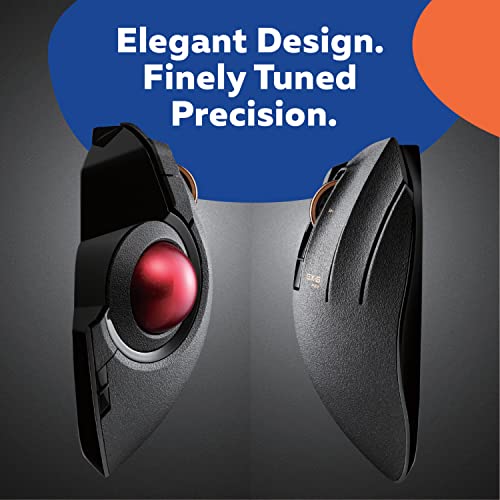
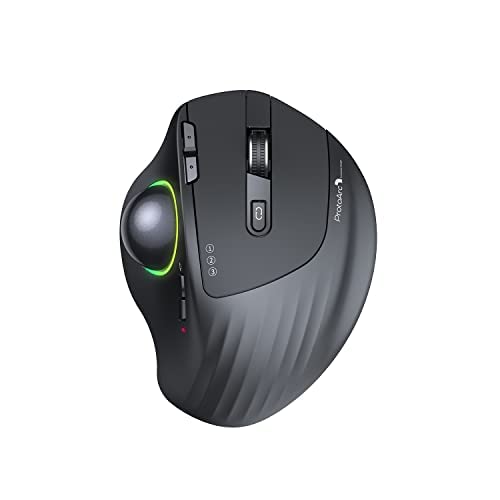
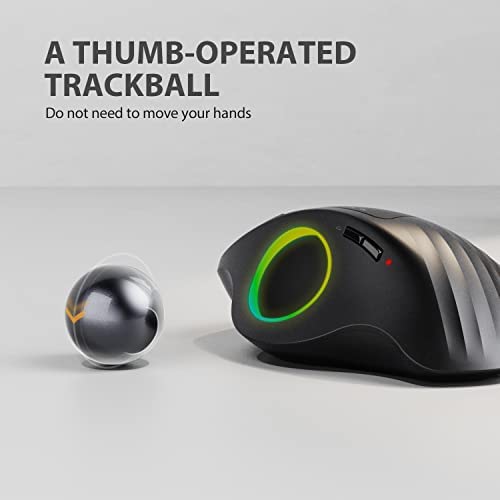
The first thing you’ll notice is the satisfyingly smooth glide of the 34mm red ball, which feels remarkably effortless under your thumb. This ELECOM EX-G Pro isn't just another peripheral. It’s a versatile powerhouse that lets you toggle between wired, wireless, and Bluetooth connections depending on your setup. I found the optical tracking incredibly precise, especially when switching DPI levels between 500, 1000, and 1500 to match the task at hand. The eight programmable buttons are a massive productivity boost once you map them using the dedicated software. Maintenance is also a breeze because the large artificial ruby bearings resist dust buildup, and if things do get gritty, you can simply pop the ball out through the bottom for a quick clean.
What We Like
Triple connectivity modes
Eight programmable buttons
Smooth ruby bearings
Switchable DPI settings
Ergonomic thumb control

ProtoArc Wireless Bluetooth Trackball Mouse, EM01 2.4G RGB Ergonomic Rechargeable Rollerball Mice with 3 Adjustable DPI, 3 Device Connection&Thumb Con...

ProtoArc EM01 Wireless RGB Ergonomic Trackball Mouse

PROTOARC 5.59 X 4.09 X 2.87 Inches 0.57 Pounds

Reviews for PROTOARC (PM Score)

9.2 PM Score
Buy on Amazon
  • ERGONOMIC THUMB MOUSE: With the smooth and precise rollerball mouse, you no longer need to move your arm for the movement of the cursor. Your thumb will control the cursor instead. It will effectively reduce fatigue and strain for your wrist and arm. Note: The backward and forward button is not fully compatible with MAC
  • ADJUSTABLE ANGLE DESIGN: Unique adjustable hinge allows you to customize the trackball angle from 0 to 20 degrees according to your needs for a more natural, comfortable hand position and less muscle strain. Note: it will enter auto sleep mode if you don't use it for a few minutes to save battery and click it, the mouse will enter working mode again
  • 4 RGB LIGHTING MODE: You can adjust 4 RGB color effects by one button. Rainbow Streaming Light(Default), Rainbow Breathing Light, Neon, Color Mixing Breathing Light. NOTE: The RGB backlit also can be turned off by long pressing the light button, which can save battery power for the mouse
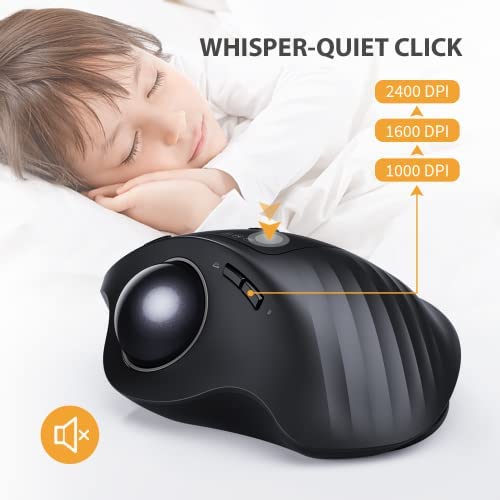
  • RECHARGEABLE & ADJUSTABLE DPI: The Bluetooth RGB Trackball Mouse built-in 900mAh lithium battery. No need to change batteries. It can last 1 month per one full recharge with the lights off. Please remember to turn it off if you do not use it for a long time. 3 DPI levels (1000/1600/2400 DPI) allows you to change the cursor sensitivity easily and track more smoothly over a variety of surfaces
  • BLUETOOTH & 2.4G WIRELESS CONNECTION:PLUG and PLAY. This trackball mouse has triple connection modes. You can control three devices at the same time, switch freely between Android, tablet and Mac with just one button. Compatible with Windows, Android, Mac OS PC Laptop Desktop etc
  • Tips for reducing mouse sensitivity: 1. Find your device's settings 2. Then click on the device option in the settings 3. Click on the mouse option in the device 4. You can adjust the cursor speed in the mouse
  • Note: You can download the Product FAQ documents on the details page (Product guides and documents)
SELLER SELLER SCORE AMAZON FULFILLED PRIME FREE SHIPPING
FengleGo 9.89 Yes Yes Yes

Most people assume that more movement equals better control, but the ProtoArc EM01 proves that staying perfectly still is actually the secret to wrist longevity. By shifting the cursor workload to your thumb, this trackball eliminates the repetitive arm sweeping that causes so much fatigue. I found the adjustable hinge particularly clever. Being able to tilt the device between 0 and 20 degrees lets you dial in a much more natural hand position. The triple-connection capability makes it a powerhouse for anyone jumping between a Mac, a Windows desktop, and a tablet. While the backward and forward buttons aren't fully compatible with Mac, the smooth 2400 DPI transitions and customizable RGB lighting make it a high-performance tool that feels more like a precision instrument than a standard peripheral.

What We Like
Adjustable hinge design
Triple device connection
Rechargeable lithium battery
Three DPI levels
Four RGB modes

Nulea Wired Trackball Mouse for Large Hand, Vertical Ergonomic Mouse with Trackball, Easy Thumb Control with 5 Adjustable DPI, Precise & Smooth Tracki...

Nulea Vertical Ergonomic Wired Trackball Mouse

NULEA

Reviews for NULEA (PM Score)

9.2 PM Score
Buy on Amazon
  • Ergonomic Thumb Control Design: If you're looking for a more relaxed, natural hand position, smooth thumb control, and lessened muscle strain this is the ideal mouse for you! With this ergonomic mouse, your hand and arm remain relaxed while you move the cursor without moving your arm. Work for a long time? The mice is designed for your all-day comfort! (Note: Great fit large hands)
  • 55º Natural Handshake Posture: With the natural handshake posture, you can keep your hand in a natural grip position to reduce wrist strains and muscle pain. An ergonomic vertical mouse helps you maintain the handshake position while using it, you hardly ever need to twist your wrist.
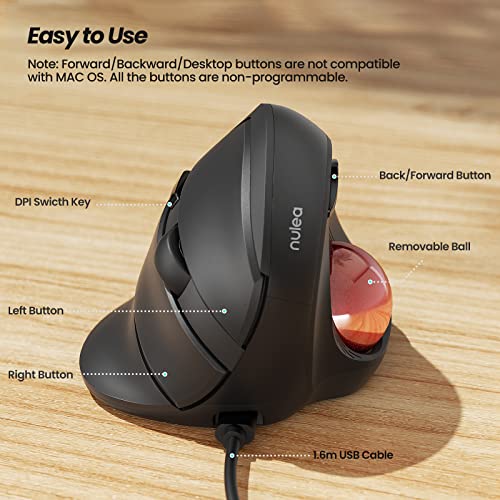
  • Easy to Use: Features a 5.25ft (1.6m) USB cable, you can simply plug in and use the ergo mouse. 5 Buttons design boosts your efficiency -- Back/Forward buttons and precision clickable scroll-wheel perform more convenient control. Note: Forward/ Backward buttons are not compatible with Mac OS. All the buttons are non-programmable.
  • 5 Adjustable DPI Levels: Nulea vertical trackball mouse has 5 adjustable DPI levels that helps you quickly respond to your demands. With 500 / 800 / 1000 / 1200 / 1600 DPI resolution optical tracking technology, the wired mice tracks on a range of surfaces with greater accuracy and precision.
  • Easy Cleaning: Worried about the mouse sensitivity decline after using it for a while? Thanks to its removable ball, the mouse for laptop is easy to clean! You can take out the trackball and wipe it clean, the USB mouse will perform as sensitivity as new.
SELLER SELLER SCORE AMAZON FULFILLED PRIME FREE SHIPPING
Nulea Direct 9.88 Yes Yes Yes

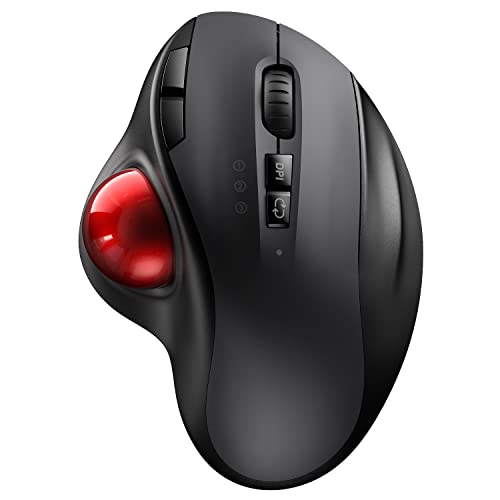
The Nulea Wired Trackball Mouse redefines desktop comfort by prioritizing a natural 55-degree handshake posture that effectively eliminates wrist twisting. Designed specifically with larger hands in mind, this device moves the workload from your arm to your thumb, allowing for precise cursor control without any sweeping wrist movements. The plug-and-play USB setup is incredibly straightforward, and the five adjustable DPI levels ensure you can toggle between slow precision and fast navigation on various surfaces. I particularly like the removable trackball feature. It solves the common problem of dust buildup by making it easy to wipe the sensor clean. While the extra buttons aren't programmable and won't work on Mac OS, the overall ergonomic relief makes it a stellar choice for long workdays.
What We Like
Natural handshake posture
Thumb-controlled trackball
Removable cleaning ball
Five adjustable DPIs
Large hand design

VssoPlor Wireless Trackball Mouse, USB & Bluetooth Rollerball Mouse, Easy Thumb Control, 800 / 1600 /2400 DPI, Type-C Rechargeable Ergonomic Mouse for...

VssoPlor Wireless Ergonomic Thumb Control Trackball Mouse

VSSOPLOR 5.50 X 4.00 X 2.70 Inches

Reviews for VSSOPLOR (PM Score)

9.1 PM Score
Buy on Amazon
  • ERGONOMIC TRACKBALL MOUSE - The comfortable ergonomic mice will naturally fits your hand, lower muscle strain, more natural posture. A cordless trackball mouse with easy thumb control, precision and smooth tracking
  • 2.4G & BLUETOOTH CONNECTION - Use your track ball mouse with up to 3 devices: one via 2 4GHz nano dongle that stows inside the mouse buttom and two via Bluetooth 4.0. Switch freely between your Windows or Mac computers with just one button
  • 3 ADJUSTABLE DPI LEVELS - You can adjust the thumb mouse among 3 resolutions of 1000 / 1600 / 2400 DPI depending on your needs. Just press the DPI button to change the cursor sensitivity fo your ergo mouse
  • RECHARGEABLE BLUETOOTH MOUSE- With built-in 600mAh rechargeable lithium battery, the bluetooth trackball mouse has a long battery life which will stays powered for 1 months on a full charge (Type-C charging cable included)
  • EASY MAINTENANCE - The trackball is very smooth, and its large size can prevent dust and dirt from clogging them. The ball is held in place by the ball bearings, but can be easily popped out of the device, by pushing it through the hole in the bottom. You can clean it after a period of usage with soft cloth
SELLER SELLER SCORE AMAZON FULFILLED PRIME FREE SHIPPING
fANXIA 9.86 Yes Yes Yes

After weeks of use, my wrist strain has significantly decreased thanks to the natural posture this ergonomic trackball mouse promotes. The thumb-operated design allows for precise movement without needing to slide the device across my desk, which is a game-changer for cramped workspaces. I love how easily I can toggle between my Windows desktop and my iPad using the seamless Bluetooth or 2.4GHz wireless connections. The three adjustable DPI levels—800, 1600, and 2400—provide enough sensitivity for everything from detailed design work to casual browsing. Maintenance is also surprisingly simple. You can just pop the ball out through the bottom hole to wipe away dust. With a Type-C rechargeable battery that lasts about a month, it is a reliable, low-maintenance companion for any multi-device setup.

What We Like
Thumb-controlled precision
Triple device connectivity
Three adjustable DPI levels
Type-C rechargeable battery
Easy-clean removable ball

MicroPack Wireless Trackball Mouse, 2023 New Upgrade Ergonomic Mouse with Trackball, Rollerball Vertical Computer Mice with 3 Adjustable DPI, Easy Thu...

MicroPack Wireless Ergonomic Trackball Mouse

MICROPACK 3.07 X 3.43 X 4.78 Inches

Reviews for MICROPACK (PM Score)

8.7 PM Score
Buy on Amazon
  • Ergonomic Comfort Design, Relax Upper body: The shape of ergonomic mouse highly fit your plam, the angle positions your hand in such a way that it's natural to move the cursor around with your thumb. just like put your hand on the desk naturally and haven't any hinder. The trackball mouse will be a nice assistant that help you to combat Carpal Tunnel Syndrome. (Note: Great fit large hands)
  • Precision scroll-wheel & High Precise: Tilt and middle click wheel allows for precise scrolling and other Convenient controls. Trackball mouse provides precise cursor movement for exceptional accuracy and control. With the smooth trackball, you can be more productive on the move on almost any surface, any workplace. Especially on the narrow space, such as the messy desktop, couch, bed, small writing board on a chair, etc.
  • Higher Work Efficiency & Premium Long-Lasting Battery Life: The trackball mouse has 3 convenient button. You can press the DPI button when you need to control the speed of cursor moving and there are 3 level(1000-1600-2400). Only 1** AA battery needed (not included), it can work 6 months thanks to the auto-sleep power saving mode and on/off switch button. Auto sleep mode for power saving after 10 minutes of no operation.
  • Refined Finish & Easy to Clean: It was made of Premium matte material And it glides so smoothly that you don't even need to adjust it right out of the box. (it did take some getting used to. But once you got used to it, everything clicked. Worried about the decrease of mouse sensitivity after a period of use? Because of its movable ball, the trackball mouse of computer is easy to clean! You can take out the trackball and wipe it clean. The sensitivity of the USB mouse will be the same as the new one. It's easy to keep it moving!
  • Plug and Play & Wide Compatible: No need to install any driver, just plug the USB receiver into your laptop will the mouse start to serve. 2.4GHz wireless technology provides powerful and reliable connection, effective up to 10 meters of range. Advanced optical tracking technology with fast click and responsiveness. Compatible with Windows 7/8/10, XP, Linux, Mac OS, etc. A USB Nano Receiver/Dongle Transceiver connects the ergonomic mouse wirelessly to your computer, so you aren’t tethered by a cable.
SELLER SELLER SCORE AMAZON FULFILLED PRIME FREE SHIPPING
MicroPackUS 5.05 Yes Yes Yes

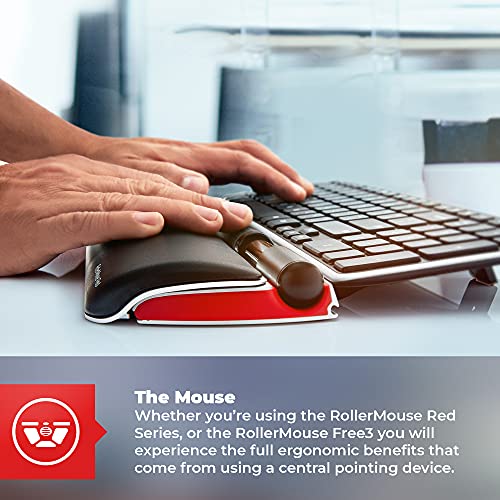
You might assume a trackball mouse is just a niche gimmick for specialized users, but the MicroPack Wireless Trackball is a legitimate game-changer for desk ergonomics. After testing it, the most immediate relief comes from the natural hand positioning that mimics resting your palm on a desk, which is a massive help if you are trying to avoid Carpal Tunnel Syndrome. The thumb-controlled rollerball works beautifully in cramped spaces like a couch or a small writing board where a traditional mouse would struggle. While the learning curve for thumb-based movement is real, once it clicks, the three adjustable DPI levels provide incredible precision. It is a rugged, matte-finished tool that stays clean easily because you can simply pop the ball out to wipe it down.

What We Like
Ergonomic thumb control
Adjustable DPI levels
Six-month battery life
Easy to clean
Space-saving design

Contour Design Ultimate Workstation Red Wired - Includes RollerMouse Red & Balance Keyboard - Wired Ergonomic Keyboard and Mouse Combo - Compatible wi...

Contour Design Ultimate Workstation Ergonomic Combo

CONTOUR DESIGN 9030

Reviews for CONTOUR DESIGN (PM Score)

6.6 PM Score
Buy on Amazon
  • THE PERFECT PAIR: RollerMouse Red and Balance Keyboard work in unison to create a seamless, ambidextrous workstation. This wired keyboard and mouse combo keeps you comfortable and helps maintain ergonomically correct posture.
  • FORM MEETS FUNCTION: RollerMouse Red is an innovative wireless computer mouse featuring our patented Rollerbar to control the cursor for fluid finger and thumb use. It's also designed with a gradual wrist rest perfect for medium or large hands.
  • COMPACT SIZE, BIG IMPACT: The Balance Keyboard is uniquely designed to be a compact wired keyboard with a full 10 digit number pad! This cutting-edge design provides all the benefits of a “full sized” keyboard while reducing your reach.
  • MAC & PC COMPATIBLE: This mouse and keyboard combo can plug-and-play for PC and Mac, providing an ergonomic accessory for computer users across both operating systems! Optimize your home and office space with our Ultimate Workstation!
  • PROACTIVE & REACTIVE SUPPORT: We are committed to providing ergonomic computer accessories that promote preventative posture variation, as well as solutions that allow those already suffering from computer related ailments to work pain free!
SELLER SELLER SCORE AMAZON FULFILLED PRIME FREE SHIPPING
Contour Design 6.11 No No No

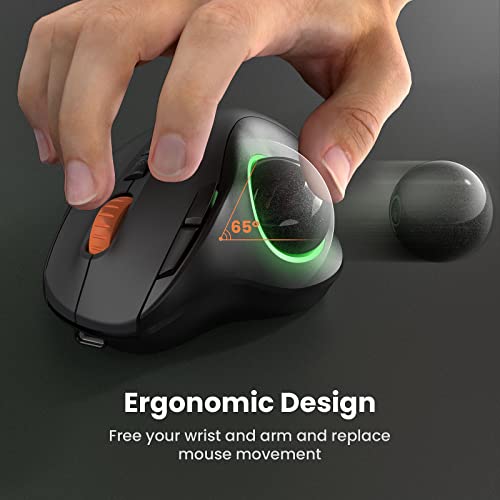
Chronic wrist pain and repetitive strain are the enemies of productivity, and the Contour Design Ultimate Workstation is the heavy-duty defense you need. This setup isn't just a mouse and keyboard. It is a complete ergonomic overhaul. The RollerMouse Red uses a patented Rollerbar that lets you control the cursor with fluid finger or thumb movements, which is a total game-changer for ambidextrous use. I love how the Balance Keyboard manages to squeeze a full ten-digit number pad into a compact footprint, significantly reducing your reach and keeping your posture aligned. Whether you are on a Mac or a PC, this wired combo plugs in and immediately starts working to promote better posture. It is a serious investment for anyone looking to transition from reactive pain management to proactive workstation wellness.

What We Like
Patented Rollerbar control
Compact number pad
Ambidextrous design
Wired connectivity
Mac and PC compatible

ProtoArc RGB Wireless Trackball Mouse with 3 Device Connection, Rechargeable Bluetooth Ergonomic Rollerball RGB Mouse, USB-C Port and Thumb Control fo...

ProtoArc RGB Wireless Thumb-Operated Trackball Mouse

PROTOARC

Reviews for PROTOARC (PM Score)

5.7 PM Score
Buy on Amazon
  • Ergonomic Thumb-operated: The ergonomic wireless rollerball mouse can be operated precisely and smoothly by the trackball, which minimizes mouse movement and maximizes comfort. The fatigue of arm and wrist are greatly relived by controlling the cursor with thumb.
  • Bluetooth & 2.4G Wireless Connection: This wireless Bluetooth trackball mouse equips with triple connection modes, including dual Bluetooth 4.0 and 2.4G wireless connection. This thumb-operated mouse can connect up to 3 different devices at the same time, switching flexibly and smoothly between Android, tablet and Mac just by pressing one button.
  • Rechargeable Trackball Mouse: The wireless RGB mouse can be recharged by USB-C charging port. Once fully recharged, the trackball mouse can be used for one month with built-in 600mAh rechargeable lithium battery. It doesn’t requires changing batteries. If without operation to the ergonomic mouse, it will enter into sleep mode, which saves power and ensures long-time use.
  • 4 RGB Backlighting Modes: It’s easy to adjust 4-color effects by pressing one button. It’s available to choose the different lighting effects for your wireless trackball mouse, including Rainbow Streaming Light(Default), Rainbow Breathing Light, Neon, and Color Mixing Breathing Light.
  • High-Precision Click: The responsive wireless computer mouse is rated at 3-level DPI(500,1000,1600), which allows for precise, quick, smooth cursor movement with pinpoint accuracy. The trackball also contributes to the responsive work, helping you scroll effortlessly. The ergonomic contoured shape is designed to fit comfortably in the palm of your hands.
  • Wide Compatibility: Works for 2.4GHz devices with USB port(USB Nano Receiver stored in the bottom of mouse) . Also works for devices which can be connected by Bluetooth mode. Compatible with Windows, Android, Mac OS PC Laptop Desktop.
SELLER SELLER SCORE AMAZON FULFILLED PRIME FREE SHIPPING
Weiyma 6.69 Yes Yes Yes

Digital nomads and multi-device power users will find their desktop fatigue finally vanishing with the ProtoArc RGB Trackball Mouse. By shifting the workload from your entire arm to just your thumb, this ergonomic rollerball setup drastically reduces wrist strain during long sessions. I was particularly impressed by how seamlessly it jumps between my Mac, tablet, and PC using the triple connection modes. The three DPI levels ensure the cursor responds exactly how I need it, whether I'm doing precise work or quick browsing. Plus, the built-in USB-C rechargeable battery is a lifesaver since you can ditch the constant hunt for AA batteries. The four RGB lighting modes add a nice aesthetic touch that makes your workstation feel much more personalized.

What We Like
Thumb-operated precision
Triple device connection
Rechargeable USB-C battery
Four RGB modes
Three adjustable DPI levels

Contour Design RollerMouse Red Plus Wired - Wired Ergonomic Mouse for Laptop and Desktop Computer Use - Reach-Free Ambidextrous Computer Mouse - Mac &...

Contour Design RollerMouse Red Plus Wired Ergonomic Mouse

CONTOUR DESIGN RM-RED-PLUS 16.14 X 6.10 X 0.91 Inches 2.34 Pounds

Reviews for CONTOUR DESIGN (PM Score)

0.0 PM Score
Buy on Amazon
  • FORM MEETS FUNCTION: RollerMouse Red Plus is an innovative wired computer mouse featuring our patented Rollerbar to control the cursor for fluid finger and thumb use. Its detachable leatherette wrist rest also dispenses the need of a mouse mat!
  • CUTTING-EDGE COMPUTER CAPABILITIES: Featuring 5 cursor speed adjustments and 6 programmable buttons, this ambidextrous mouse allows you to quickly navigate to the furthest edge of your screen with game-changing precision and efficiency.
  • INNOVATIVE ERGONOMIC DESIGN: Sitting directly in front of your keyboard to eliminate reaching, RollerMouse Red Plus is designed with features to help with repetitive strain injuries such as carpal tunnel, trigger finger, mouse shoulder, and more!
  • MAC & PC COMPATIBLE: This wired mouse can plug-and-play for both PC and Mac, providing an ergonomic accessory for computer users across both operating systems! Optimize your home and office work stations with our versatile RollerMouse Red Plus!
  • PROACTIVE & REACTIVE SOLUTIONS: We are committed to providing ergonomic computer accessories that promote preventative posture variation, as well as solutions that allow those already suffering from computer related ailments to work pain free!
SELLER SELLER SCORE AMAZON FULFILLED PRIME FREE SHIPPING
Contour Design 6.06 Yes Yes Yes

Your wrist aches after an eight-hour shift of navigating complex spreadsheets, and the constant reach for a traditional mouse is clearly the culprit. The RollerMouse Red Plus solves this by sitting directly in front of your keyboard, effectively eliminating the repetitive reaching motions that lead to carpal tunnel and mouse shoulder. Instead of a standard clicking device, you use a patented Rollerbar to control the cursor with fluid finger and thumb movements. I found the five cursor speed adjustments and six programmable buttons incredibly helpful for jumping across large monitors with precision. It even comes with a detachable leatherette wrist rest, which is a brilliant touch since it means you can ditch the mouse mat entirely. Whether you are on a Mac or PC, this setup feels like a proactive upgrade for your workstation ergonomics.

What We Like
Patented Rollerbar control
Detachable leatherette wrist rest
Six programmable buttons
Five speed adjustments
Ambidextrous design
#24

co2CREA Hard Case Replacement for Logitech MX Ergo Logitech MX Ergo Plus Wireless Trackball Mouse and Accessories

co2CREA Hard Case for Logitech MX Ergo Trackball

4.8 (3,538 ratings)
CO2CREA CA-170923-3 8.00 X 7.00 X 3.00 Inches 0.55 Pounds

Reviews for CO2CREA (PM Score)

9.9 PM Score
Buy on Amazon
  • co2CREA hard travel case replacement for Logitech MX Ergo ergonomic mouse wireless trackball mouse or Logitech MX Ergo plus wireless trackball mouse. Hard EVA shell case is shockproof dustproof and water resistance, protect your Logitech MX Ergo rollerball mouse wireless mouse for laptop trackball mouse wireless Logitech ergonomic mouse from drops, scratches, bumps, splash, and dust.
  • This Logitech trackball mouse protection case perfect fit your Logitech MX Ergo trackball mouse Logitech MX mouse ergonomic mouse Logitech Ergo mouse , and this Logitech MX Ergo Bluetooth trackball mouse case has more space to accommodate the Logitech ergonomic mac wireless mouse Logitech MX Ergo plus track ball mouse more accessories.
  • co2CREA hard MX Ergo wireless Logitech trackball mouse case is a build-in super quality lining reflects superior taste and ensures a long-lasting performance, the soft anti static lining can protect your Bluetooth ergonomic mouse Logitech MX Ergo computer trackballs best wireless mouse from bumps dents and scratches.
  • This Logitech MX Ergo track balls mouse wireless best mouse for mac Logi mouse case has a comfortable hand strap, so that the MX Ergo roller ball mouse usb wireless Logitech rechargeable mouse with ball can travel with you easily, and the Logitech trackball mouse MX Ergo computer mice case has a special and strong zipper, which can bring you a better using experience.
  • For sale is CASE ONLY! (Logitech trackball mouse and trackball mouse wireless accesories are not included)
SELLER SELLER SCORE AMAZON FULFILLED PRIME FREE SHIPPING
co2crea shop 9.93 Yes Yes Yes

Most people settle for tossing their expensive ergonomic peripherals loosely into a backpack, risking costly damage to the sensitive rollerball mechanism. This co2CREA hard case changes that by providing a dedicated, shockproof sanctuary specifically tailored for the Logitech MX Ergo and MX Ergo Plus. The EVA shell is impressively rugged, offering reliable resistance against water splashes, dust, and accidental drops. Inside, you’ll find a soft, anti-static lining that prevents scratches, while the extra internal space allows you to pack necessary accessories alongside the mouse. I particularly like the integrated hand strap for easy portability and the heavy-duty zipper that feels built to last through frequent travel. It is a specialized, no-nonsense solution for anyone looking to extend the lifespan of their wireless trackball.
What We Like
Shockproof EVA shell
Anti-static lining
Water resistant
Built-in hand strap
Extra accessory space

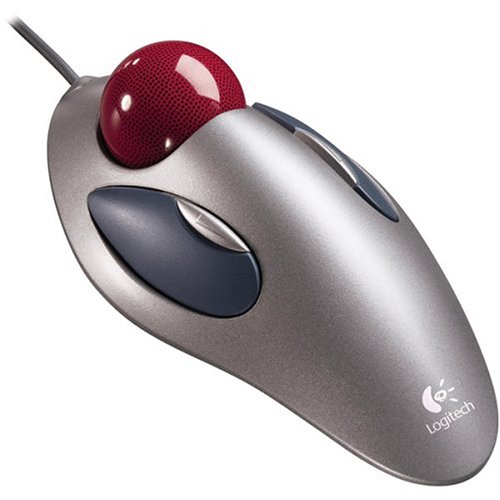
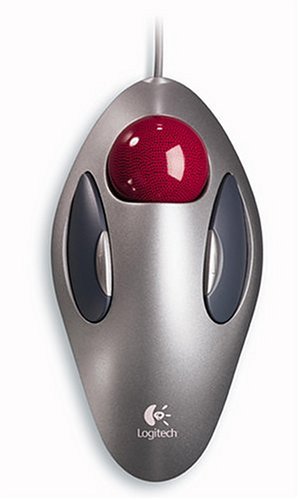
Logitech Optical Trackball Marble Mouse

Logitech Marble Optical Trackball Mouse

4.6 (933 ratings)
LOGITECH 904360-0403 9.50 X 8.00 X 2.00 Inches 0.51 Pounds

Reviews for LOGITECH (PM Score)

9.6 PM Score
Buy on Amazon
  • Main Specifications Product Description Logitech Marble Mouse - trackball Device Type Trackball
  • Connectivity Technology Wired - PS/2, USB Movement Detection Technology Optical Buttons Qty 4
  • Features Scrolling 2-way button Cables Included 1 x mouse adapter - external
  • OS Required Microsoft Windows 95/98, Apple MacOS 8.6 or later, Microsoft Windows 2000 / NT4.0, Micro
  • Manufacturer Warranty 3 years warranty - NOTE: THIS PRODUCT CANNOT BE SHIPPED TO MASSACHUSETTS OR DISTRICT OF COLUMBIA (WASHINGTON, D.C.)
SELLER SELLER SCORE AMAZON FULFILLED PRIME FREE SHIPPING
Same-Day Pro: New & In Stock (FREE Prime Delivery) 5.10 No No No

The Logitech Marble Mouse redefines desktop precision through its dedicated optical trackball movement. Unlike standard mice that require constant wrist movement, this device lets you navigate your screen with simple thumb gestures, making it a lifesaver for ergonomic comfort. It features a reliable four-button layout and a two-way scrolling function that feels incredibly intuitive during long sessions. Connectivity is straightforward thanks to the included external adapter, allowing you to use it via USB or the older PS/2 standard. While the hardware feels robust and built to last, the reliance on a wired connection means you'll want to keep your workspace tidy to avoid cable clutter. It is a specialized tool that prioritizes stability and classic input methods over modern wireless trends.

What We Like
Optical tracking technology
Four programmable buttons
Two-way scrolling
USB and PS/2 support
Three-year warranty

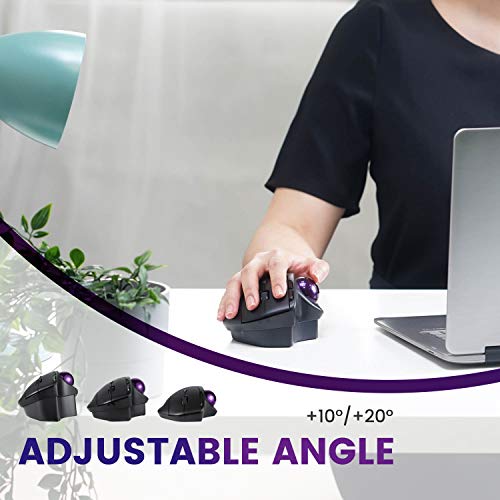
Perixx PERIMICE-720, Wireless Ergonomic Trackball Mouse with Adjustable Angle, Black (11449)

Perixx PERIMICE-720 Wireless Ergonomic Trackball Mouse

PERIXX 11574 5.47 X 4.06 X 1.97 Inches 0.29 Pounds

Reviews for PERIXX (PM Score)

9.6 PM Score
Buy on Amazon
  • ADJUSTABLE ANGLE: Unique detachable risers to customize the angle of the mouse from 0 to 10 or 20 degrees to minimize strains on wrist and arms
  • SCULPTED DESIGN: Supports your hand comfortably and let it rest on the mouse. Dimensions: 5.47 x 4.06 x 1.97 inches
  • WIRELESS DUAL MODE: Switch between two devices via Bluetooth or wireless 2.4 GHz connection
  • TILTED-SCROLL-WHEEL: Middle click function. Scroll horizontally as well as vertically, using a tilting scroll-wheel
  • SYSTEM REQUIREMENTS: Window 7, 8, 10 and above. Package includes: PERIMICE-720, 10-degree stand, 20-degree stand, manual
SELLER SELLER SCORE AMAZON FULFILLED PRIME FREE SHIPPING
Perixx USA 9.87 Yes Yes Yes

Most people assume ergonomic relief comes from a softer cushion, but the real magic of the Perixx PERIMICE-720 lies in its ability to physically change its posture. By using the included detachable risers, you can tilt the device to 10 or 20 degrees, effectively customizing the angle to suit your specific wrist anatomy and minimize strain. The sculpted design feels substantial under the hand, allowing it to rest naturally while you navigate via the trackball. I particularly enjoyed the dual-mode wireless connectivity, which makes switching between a desktop and a laptop via Bluetooth or 2.4 GHz seamless. Even the tilting scroll wheel adds a layer of utility, offering both horizontal and vertical movement alongside a middle-click function. It is a thoughtful, highly adaptable tool for anyone looking to upgrade their workstation comfort.

What We Like
Adjustable tilt angles
Dual-mode wireless connectivity
Tilting scroll wheel
Sculpted ergonomic design
Detachable angle risers

Perixx11568 Perimice-717 Wireless Trackball Mouse, Build-in 1.34 Inch Trackball with Pointing Feature, 5 Programmable Buttons, 2 DPI Level, Black

Perixx Perimice-717 Wireless Ergonomic Trackball Mouse

PERIXX 11568 5.12 X 4.21 X 1.77 Inches 0.30 Pounds

Reviews for PERIXX (PM Score)

9.5 PM Score
Buy on Amazon
  • Wireless ergonomic trackball mouse with 2.4 GHz connection, 5 programmable buttons, and easy to switch the cursor speed with DPI switch buttons
  • Natural ergonomic with right-handed design. Recommended to repetitive strain injuries RSI users and the users work Particularly long periods on the computer
  • Personalize your working environment with the programmable feature. You can download software by visiting Perixx website
  • Auto power-saving feature. Mouse automatically enters power-saving mode After 10 seconds of being sleeping mode, 8-10 minutes of being standby mode
  • System requirements: Windows 7/8/10, a USB port. Package includes Perixx 12-month limited warranty
  • Note : In case of Wireless mouse, the USB receiver will be provided inside or along with the mouse
  • Product Dimension: 5.12 x 4.21 x 1.77 inches
  • Operating range: 10m without any signal block. Operating temperature: 0ºC to 40ºC
  • Compatible with Windows 7,8,10. Basic function with Linux, Android and iOS
SELLER SELLER SCORE AMAZON FULFILLED PRIME FREE SHIPPING
Perixx USA 9.87 Yes Yes Yes

The Perixx Perimice-717 is a budget-friendly savior for anyone battling repetitive strain injuries during long office shifts. Instead of moving your entire arm, you simply manipulate the 1.34-inch trackball, making it a game-changer for desktop ergonomics. I found the right-handed design incredibly comfortable for extended sessions, and the 2.4 GHz wireless connection stays stable up to 10 meters. You can actually tailor your workflow using the five programmable buttons via their downloadable software, which adds a level of customization you don't usually see at this price point. The dual DPI levels allow for quick cursor speed adjustments, while the smart power-saving mode ensures you aren't constantly swapping batteries. It is a practical, thoughtful tool for dedicated computer users.

What We Like
Ergonomic right-handed design
Five programmable buttons
Dual DPI levels
Wireless 2.4 GHz connection
Automatic power saving

Aproca Hard Storage Travel Case for Kensington Expert Wireless/Wired Trackball Mouse K72359WW K64325

Aproca Hard Storage Case for Kensington Expert Trackball

4.5 (151 ratings)
APROCA S446

Reviews for APROCA (PM Score)

9.5 PM Score
Buy on Amazon
  • Eco-friendly Material: Made of High-density EVA and 1680D Material, premium Hard EVA to provide durability and a long-lasting performance.
  • Perfect Fit: Specially designed for Kensington Expert Wireless Trackball Mouse (K72359WW).
  • Convenient Design: Comfortable handle for easy portability,Comes with specially mesh pocket for other accessories,Smooth but strong double zipper are easy for opening and closing, giving you a better using experience.
  • Great Protection: The Case is semi-waterproof,anti-static, shockproof, Stylish and Durable,prevents any damages or scratches caused by accidentally bumping,dropping, secures the device in good condition on travelling or outdoors.
  • For sale is case only(device and accessories are not included).
SELLER SELLER SCORE AMAZON FULFILLED PRIME FREE SHIPPING
Aproca Direct 9.94 Yes Yes Yes

Tossing your specialized trackball mouse into a cluttered backpack is a recipe for broken sensors and scratched surfaces. I tested this Aproca hard case to see if it could actually safeguard the Kensington Expert Wireless Trackball during heavy travel, and the high-density EVA construction delivers exactly that. The semi-waterproof exterior and shockproof build provide a serious layer of defense against accidental drops or bumps while you are on the move. I particularly liked the inclusion of a dedicated mesh pocket, which is perfect for keeping your wireless dongle or charging cables from getting lost at the bottom of the bag. The double zippers feel smooth and sturdy, making it easy to access your gear without snagging, while the integrated handle makes grabbing it from a shelf effortless.

What We Like
High-density EVA material
Shockproof protection
Integrated mesh pocket
Smooth double zippers
Portable handle design

Bluetooth Trackball Mouse Wireless, Ergonomic Track Ball Mouse Supports 3 Device Connection (2.4G + Bluetooth), Easy Thumb Control, Precision and Smoo...

ECHTPower Wireless Ergonomic Thumb Control Trackball Mouse

ECHTPOWER 5.20 X 3.90 X 1.77 Inches

Reviews for ECHTPOWER (PM Score)

9.3 PM Score
Buy on Amazon
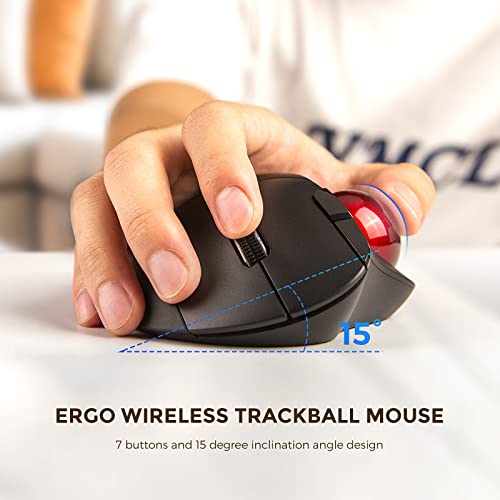
  • 【Ergo Trackball mouse】 7-button buttons design to meet daily use, 15-degree ergonomic inclination design, no need to move your arm, use the thumb to control the cursor, always keep the wrist in the most comfortable state, which can effectively relieve wrist fatigue.
  • 【2.4G and Bluetooth 3 Mode Design】 ECHTpower track ball mouse has atriple connection mode. You can control three devices at the same time, easily switch between them with just one button to improve working efficiency, compatible with Windows, Android, Mac, etc.Plug and play.
  • 【Mute Button Design】 left and right buttons are mute buttons with up to 5 million times button life, to ensure the sensitivity and quality of the wireless silent mouse is stable, mute button design to provide you with a quiet working environment, enables you to focus more on your work.
  • 【Precise Tracking with Adjustable DPI】 ECHTPower Trackball mouse wireless provides precise cursor tracking,the sensitivity of the cursor can be adjusted to suit your needs,just move your thumb to scroll the rollerball to move the cursor, you can use the trackball mouse on almost any surface, in any workplace, even on small desktops, sofas, beds, chairs etc.
  • 【Stable Connection and Long Working Time】 2022 latest vertical mouse provides the most stable connection, allowing you to work at ease without being disturbed by dropped calls and lag up to a 33 ft (10m) range, low power consumption design, a AA battery of 1550mAh can be used for more than one month.
SELLER SELLER SCORE AMAZON FULFILLED PRIME FREE SHIPPING
ZEEBOO DIRECT 5.33 Yes Yes Yes

Why settle for repetitive wrist strain when you can master your cursor with just a thumb? The ECHTPower trackball mouse is a game-changer for anyone fighting desk fatigue, featuring a smart 15-degree ergonomic tilt that keeps your wrist in a natural, relaxed position. I found the triple-mode connectivity—switching between 2.4G and Bluetooth—to be incredibly efficient for jumping between my laptop, tablet, and desktop without any lag. The silent click buttons are a massive plus for office environments, providing a quiet, tactile feel that doesn't disturb anyone. Plus, because you aren't sliding the mouse around, you can work comfortably on a sofa or a tiny bedside table. It is a versatile, space-saving tool that prioritizes both precision and long-term comfort.

What We Like
Triple connection modes
Silent click buttons
15-degree ergonomic tilt
Adjustable DPI sensitivity
Thumb-controlled tracking

EIGIIS 2.4G Ergonomic Trackball Handheld Finger USB Mouse Wireless Optical Travel DPI Mice for PC Laptop Mac Left and Right Handed

EIGIIS Ergonomic Wireless Handheld Trackball Mouse

EIGIIS DCAHMVF2 4.30 X 1.90 X 2.30 Inches 0.31 Pounds

Reviews for EIGIIS (PM Score)

9.3 PM Score
Buy on Amazon
  • ★ ERGONOMIC DESIGN - EIGIIS handheld trackball mouse wireless can greatly avoide the harm of palm and muscle of your wrist for long time using mouse. ATTENTION: NO LASER POINTER. IF YOUR MOUSE IS NOT WORKING WHEN YOU WENT A FEW MINUTES WITHOUT USING IT, PLS KINDLY CLICK TO WAKE IT UP.IF STILL NOT WORKING, PLS CHECK BELOW ISSUES: 1, CHANGE BATTERY AND TRY. OR 2, TURN IT OFF AND ON. OR 3, REMOVE THE USB RECEIVER AND TRY IT. IF STILL NOT WORKING, PLS DON'T HESITATE TO CONTACT US FOR A REPLACEMENT
  • ★ TRACKBALL COMFORT - Ergonomic handheld trackball mouse wireless is a best choose to reduce the chances for Arthritis and CTS suffers. Hold EIGIIS ergonomic handheld trackball mouse wireless in your hand like a trigger and use your thumb to move around. Sculpted shape supports your hand staying in one place, move the cursor without moving your arm.Suitable for both left and right hand - New style, no space limitation, left/right clickers, fit left and right handed users.
  • ★ ADJUSTABLE DPI - EIGIIS ergonomic wireless handheld finger trackball mouse have 800/1200/1400/1600 DPI resolution optical tracking technology that provides higher sensitivity than standard optical mice.EIGIIS handheld trackball mouse wireless have a Sensitive rolling ball and frequency stable 2.4GHz receiver(For wireless mouse, the valid range distance is about 10M, the signal can’t go through wall). Powered by One AAA battery (not included)
  • ★ WIDE APPLICATION - EIGIIS handheld trackball mouse wireless including USB 2.0 interface, plug and play, no software required. Suitable for laptops and desktops, but NOT FOR TABLETS AND CELLPHONES. Compatible with: Windows XP / VISTA / Win7/ Win10/ Linux / Unix / Mac OS.
  • ★ WHY CHOOSE TO BUY EIGIIS TRACKBALL MOUSE - 100% product quality assurance. If you are dissatisfied with the product you received or have quality problems, please feel free to contact us. We will give you a full refund or send a new product to you again. Click the "Add to Cart Button" at the Right of this Page to Order Your Set Now! Enjoy the EXCELLENT SHOPPING EXPERIENCE. ANY PROBLEM, PLS CONTACT US FOR REFUND OR REPLACEMENT.
SELLER SELLER SCORE AMAZON FULFILLED PRIME FREE SHIPPING
EIGIIS Store 9.75 Yes Yes Yes

The EIGIIS handheld trackball mouse is a specialized ergonomic solution that fundamentally changes how you interact with your computer by replacing wrist movement with thumb control. Designed to be held like a trigger, this device is a lifesaver for anyone dealing with the discomfort of arthritis or Carpal Tunnel Syndrome because it keeps your arm stationary while you navigate. I found the adjustable DPI settings, ranging from 800 to 1600, provide plenty of precision for various tasks, and the 2.4GHz wireless connection stays stable within a ten-meter range. It is a true plug-and-play tool for Windows or Mac users, though you should keep in mind it requires a quick click to wake it up after periods of inactivity. It is a clever, space-saving alternative to traditional mice that prioritizes long-term joint health.

What We Like
Ergonomic trigger grip
Adjustable DPI sensitivity
Ambidextrous design
Thumb-operated trackball
Wireless 2.4GHz connectivity
Buying Guide

A Guide to Selecting the Best Trackball Mouse

A Guide to Selecting the Best Trackball Mouse

Thumb vs. Finger Control

The most critical decision you will make is the control mechanism. Trackballs generally fall into two camps: thumb-operated and finger-operated. Thumb-operated models feature a large ball positioned to the side, allowing your palm to rest naturally while your thumb does the heavy lifting. These are excellent for users who want to keep their hand in a neutral, relaxed position. Finger-operated models, often called 'finger-operated trackballs,' place the ball directly in front of your hand. This requires using your index, middle, and ring fingers to roll the sphere. While this can feel more intuitive for those used to traditional mice, it places more concentrated pressure on the fingertips and may require more dexterity.

Ergonomics and Hand Posture

Because trackballs are designed to reduce wrist movement, the shape of the device is paramount. Look for a contoured design that supports the natural arch of your hand. A mouse that is too flat may cause your hand to cramp, while one that is too high might cause tension in your forearm. Pay attention to the 'tilt' of the device. Some models are designed with a vertical or semi-vertical slope to promote a 'handshake' grip, which is significantly more ergonomic for long sessions of CAD work or data entry. If you are switching from a standard mouse, expect a learning curve as your muscles adapt to the new stationary position.

Sensitivity and Precision (DPI)

Precision is where trackballs can either shine or frustrate. For creative professionals working in Photoshop or video editing, look for a device with adjustable DPI (Dots Per Inch) settings. High DPI allows you to traverse a large monitor with a tiny flick of the thumb, while low DPI provides the granular control needed for pixel-perfect selections. Some high-end models offer multiple programmable buttons that can act as DPI toggles, allowing you to switch between 'speed mode' for browsing and 'precision mode' for design work on the fly.

Connectivity and Customization

Consider your workspace environment. If you are a minimalist, a wireless model with a low-latency connection is essential. However, be wary of battery life. Some wireless trackballs use replaceable batteries, while others are rechargeable via USB. For professional users, the ability to customize button functions is a game-changer. Look for software compatibility that allows you to map complex macros, scroll commands, or application-specific shortcuts directly to the device's buttons. This turns your trackball from a mere pointing device into a productivity powerhouse.

Maintenance and Ball Replacement

Unlike an optical sensor that stays clean, a trackball's moving parts are prone to collecting dust and skin oils. This debris can build up around the bearing points, causing the ball to 'stutter' or feel gritty. When shopping, consider how easy it is to pop the ball out for cleaning. Some premium models even offer replacement balls or modular components, ensuring that your investment lasts for years rather than months.

Ready to choose?

Jump back to our ranked picks or compare the shortlist side by side.

Frequently Asked Questions

Quick answers about Trackball Mouse before you buy.

An optical mouse requires you to move the entire device across a surface, whereas a trackball mouse remains stationary while you manipulate a ball with your thumb or fingers to move the cursor.

Yes, they are often superior for users with wrist strain or carpal tunnel because they eliminate the repetitive large-scale arm and wrist movements required to reposition a traditional mouse.

Thumb-operated models are more similar to standard mice and require less hand repositioning, while finger-operated models (stationary) allow your hand to rest more naturally and are often preferred by power users.

While they have a learning curve, many gamers prefer trackballs for precision tasks and titles that don't require rapid 'flick' movements, as the cursor control is highly granular.

Most models allow you to pop the ball out of its socket. You can clean the ball with a microfiber cloth and use a cotton swab to remove dust and skin oils from the internal sensor and support bearings.

Yes, since the device itself does not move, you can use a trackball on almost any surface, including uneven desks, couch armrests, or even your lap.

There is a brief adjustment period, usually lasting a few days, as your muscle memory shifts from moving your arm to using your digits for fine motor control.

Modern wireless trackballs use high-performance Bluetooth or 2.4GHz connections that are just as stable as wired versions, making them excellent for clutter-free workspaces.
Research & Insights

Our Analysis of Trackball Mouse

105,137 Reviews Analyzed
53 Products Evaluated
8.4 Avg PM Score
10 Brands Ranked

Top 10 Trackball Mouse Brands on Amazon

Share of top-ranked products by brand, from our editorial analysis.

  1. 01 Logitech 7 (20.6%)
  2. 02 Sanwa Supply 5 (14.7%)
  3. 03 Nulea 4 (11.8%)
  4. 04 Adesso 3 (8.8%)
  5. 05 Eigiis 3 (8.8%)
  6. 06 Perixx 3 (8.8%)
  7. 07 Protoarc 3 (8.8%)
  8. 08 Co2Crea 2 (5.9%)
  9. 09 Contour Design 2 (5.9%)
  10. 10 Elecom 2 (5.9%)

What Our Analysis Found

We've carried out a comprehensive analysis of 105,137 reviews on Trackball Mouse, using our selection criteria to identify the best options in the categories. Our findings reveal that most customers typically select Trackball Mouse priced around $50.43.

Our team of expert editors reviewed these high-quality items and handpicked the top 30 Trackball Mouse for your consideration..

We are dedicated to assisting our users in finding the right mice Products based on their needs, saving them considerable time when choosing which Trackball Mouse to buy. We take pride in the number of satisfied users we've helped through our thorough and insightful reviews.

Side by Side

Comparison Table

Compare the top 30 picks at a glance — select a column to sort.

# Product Brand PM Score Rating Where to Buy
1 Logitech ERGO M575 Wireless Thumb-Control Trackball Mouse Logitech 9.9 4.7 (10,510) Buy on Amazon
2 Logitech MX Ergo Adjustable Wireless Trackball Mouse Logitech 9.9 4.6 (10,388) Buy on Amazon
3 Logitech Ergo M575 Wireless Trackball Mouse Logitech 9.8 4.6 (2,770) Buy on Amazon
4 Kensington Orbit Trackball Mouse with Scroll Ring Kensington 9.6 4.4 (6,919) Buy on Amazon
5 ELECOM Huge Wireless Finger Control Trackball Mouse ELECOM 9.6 4.3 (3,887) Buy on Amazon
6 Kensington Expert Wireless Trackball Mouse Kensington 9.6 4.3 (7,187) Buy on Amazon
7 Kensington Orbit Compact Trackball Mouse Kensington 9.6 4.3 (4,629) Buy on Amazon
8 ELECOM EX-G Wired Thumb Control Trackball Mouse ELECOM 9.6 4.3 (2,164) Buy on Amazon
9 ELECOM Huge Wired Finger-Operated Trackball Mouse ELECOM 9.6 4.3 (3,866) Buy on Amazon
10 Kensington Orbit Wireless Trackball Mouse with Touch Scroll Ring Kensington 9.5 4.2 (3,528) Buy on Amazon
11 ELECOM EX-G Left-Handed Wireless Trackball Mouse ELECOM 9.5 4.2 (3,140) Buy on Amazon
12 Contour Design RollerMouse Red Wireless Ergonomic Mouse Contour Design 9.5 4.5 (493) Buy on Amazon
13 SANWA SUPPLY Ergonomic Wired Vertical Trackball Mouse SANWA SUPPLY 9.5 4.1 (1,749) Buy on Amazon
14 Wireless Trackball Mouse, Computer Ergonomic Mouse, Recharge LIZRROT 9.4 4.4 (660) Buy on Amazon
15 welspo Wireless Handheld Finger Trackball Mouse with Laser welspo 9.4 4.0 (1,577) Buy on Amazon
16 ELECOM EX-G Pro Thumb Control Trackball Mouse ELECOM 9.3 3.9 (1,369) Buy on Amazon
17 ProtoArc EM01 Wireless RGB Ergonomic Trackball Mouse ProtoArc 9.2 4.2 (997) Buy on Amazon
18 Nulea Vertical Ergonomic Wired Trackball Mouse Nulea 9.2 4.2 (280) Buy on Amazon
19 VssoPlor Wireless Ergonomic Thumb Control Trackball Mouse VssoPlor 9.1 4.1 (194) Buy on Amazon
20 MicroPack Wireless Ergonomic Trackball Mouse MicroPack 8.7 3.7 (117) Buy on Amazon
21 Contour Design Ultimate Workstation Ergonomic Combo Contour Design 6.6 4.4 (44) Buy on Amazon
22 ProtoArc RGB Wireless Thumb-Operated Trackball Mouse ProtoArc 5.7 4.6 (21) Buy on Amazon
23 Contour Design RollerMouse Red Plus Wired Ergonomic Mouse Contour Design 0.0 0.0 Buy on Amazon
24 co2CREA Hard Case for Logitech MX Ergo Trackball co2CREA 9.9 4.8 (3,538) Buy on Amazon
25 Logitech Marble Optical Trackball Mouse Logitech 9.6 4.6 (933) Buy on Amazon
26 Perixx PERIMICE-720 Wireless Ergonomic Trackball Mouse Perixx 9.6 4.3 (1,922) Buy on Amazon
27 Perixx Perimice-717 Wireless Ergonomic Trackball Mouse Perixx 9.5 4.2 (4,171) Buy on Amazon
28 Aproca Hard Storage Case for Kensington Expert Trackball Aproca 9.5 4.5 (151) Buy on Amazon
29 ECHTPower Wireless Ergonomic Thumb Control Trackball Mouse ECHTPower 9.3 4.3 (173) Buy on Amazon
30 EIGIIS Ergonomic Wireless Handheld Trackball Mouse EIGIIS 9.3 3.8 (2,025) Buy on Amazon