#TOP1

In an era of multi-device workflows, the ability to seamlessly toggle between computers, monitors, and peripherals is no longer a luxury—it is a productivity requirement. iogear has carved out a significant niche in the connectivity market by providing robust hardware solutions that bridge the gap between different computing environments. Whether you are a creative professional managing a high-end workstation alongside a laptop, or a home office user trying to consolidate multiple devices into a single desk setup, choosing the right switch is the difference between a streamlined workflow and a tangled mess of cables. This guide focuses on navigating the specific technical landscape of iogear's switching ecosystem to ensure your hardware integration is seamless.
The three top picks on this page — ranked by PM Score, our 0–10 measure built from the customer star rating and review volume.


IOGEAR 4x2 USB 3.0 Peripheral Sharing Switch - Share 4 USB Devices Between 2 Computers - LED Indicators - Cables n Remote Included - PC - MAC - Printe...
| SELLER | SELLER SCORE | AMAZON FULFILLED | PRIME | FREE SHIPPING |
|---|---|---|---|---|
| TELeasy | 9.20 | No | No | No |
Dual-monitor power users and hybrid workstation setups demand the IOGEAR 4x2 USB 3.0 Switch to eliminate the clutter of redundant peripherals. Instead of swapping cables between your PC and Mac, you can instantly toggle your mouse, keyboard, printer, or scanner between two different machines with a single button press. The USB 3.0 compliance is a massive win here, delivering snappy 5Gbps data transfer rates that keep high-speed devices performing optimally. I found the LED indicators incredibly helpful for knowing exactly which computer is currently receiving your input without any guesswork. Plus, the hot-plugging support and over-current protection provide a level of stability and safety that makes adding or removing devices a seamless, worry-free experience.
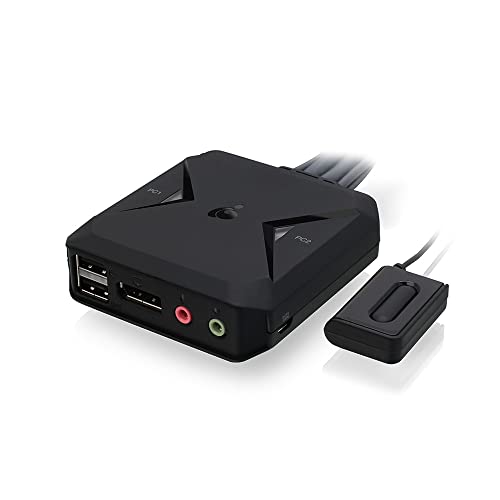

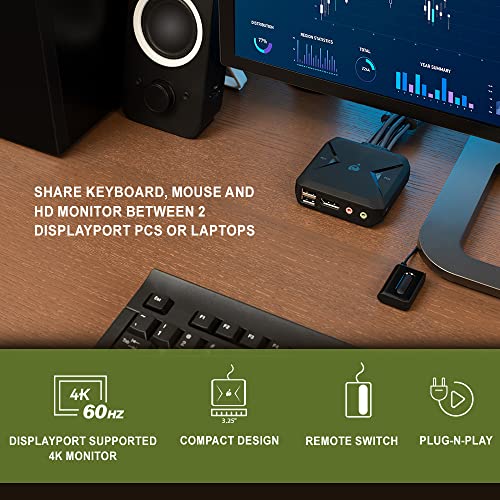


IOGEAR 2-Port USB DisplayPort Cable KVM Switch - 4K 30Hz - Remote Switch Button - Plug n Play - USB Expandable With USB Hub - 7.1 HD Audio - Mac Win -...
| SELLER | SELLER SCORE | AMAZON FULFILLED | PRIME | FREE SHIPPING |
|---|---|---|---|---|
| IOGEAR Direct | 9.58 | Yes | Yes | Yes |
Most people assume that managing two high-end workstations requires a massive, cluttered desk setup, but this IOGEAR KVM switch proves you can consolidate everything into a single DisplayPort monitor. It effectively bridges the gap between two computers, allowing you to toggle your keyboard, mouse, and high-definition display with a simple remote button. I found the plug-and-play setup incredibly seamless, especially since it handles 4K UHD resolution at 30Hz without needing complex driver installations. While it is bus-powered, the inclusion of a Micro USB port for external power ensures stability when you start expanding your setup via the built-in USB hub. It is a clever, space-saving solution for anyone alternating between Mac and Windows environments without sacrificing audio or visual fidelity.
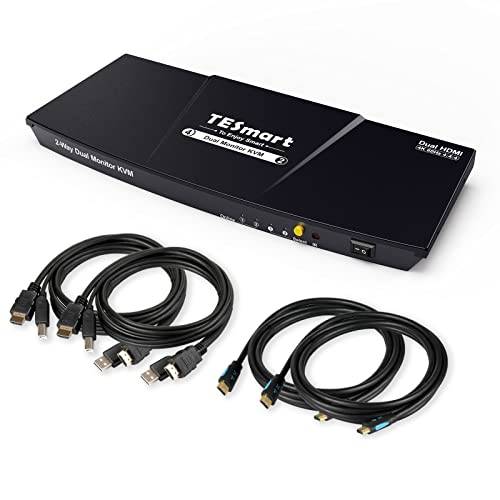


TESmart KVM Switch 2 Monitors 2 Computers, HDMI 2 Port Dual Monitor KVM, UHD 4K@60Hz RGB 4:4:4, USB 2.0 Hub, Stereo Audio, Hotkey, Button Switching, P...
| SELLER | SELLER SCORE | AMAZON FULFILLED | PRIME | FREE SHIPPING |
|---|---|---|---|---|
| TESmart | 8.38 | Yes | Yes | Yes |
After weeks of use, the workflow friction of jumping between my work laptop and home desktop has completely vanished thanks to this TESmart KVM switch. The standout feature is definitely the integrated EDID emulators, which prevent that annoying window rearrangement every time I toggle between systems. I can keep one system visible on a single monitor while working on the other, and the switching happens in just a second or two without any perceptible lag. The 4K@60Hz output is incredibly crisp, making color-accurate work a breeze, and the metal shell feels substantial enough to handle daily heavy-duty use. Whether I am using the front panel button, the IR remote, or quick hotkeys, the transition feels seamless and professional.
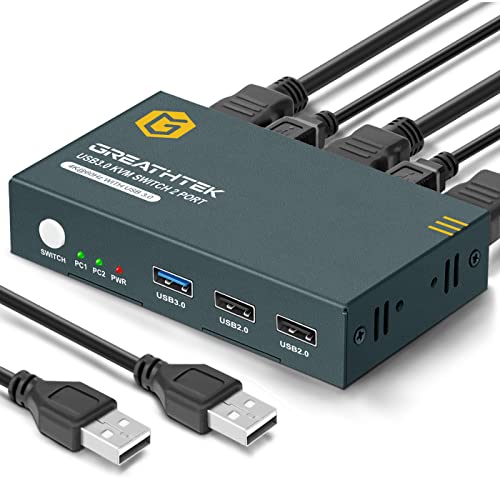


USB 3.0 KVM Switch HDMI 2 Port Ultra HD 4K@60Hz, KVM Switches with USB 3.0 Port High-Speed Transmission Share USB Devices, 2 PCs Share 1 Monitor with...
| SELLER | SELLER SCORE | AMAZON FULFILLED | PRIME | FREE SHIPPING |
|---|---|---|---|---|
| Great-HT | 8.60 | Yes | Yes | Yes |
The GREATHTEK USB 3.0 KVM Switch is a high-performance desktop essential that solves the headache of managing two computers with a single monitor setup. After testing its capabilities, the standout feature is undoubtedly the 4K@60Hz video support, which provides a crisp, lag-free visual experience that remains consistent even during high-bandwidth tasks. Unlike cheaper alternatives that struggle with data speeds, the inclusion of a dedicated USB 3.0 port allows for rapid file transfers from external hard drives or webcams. The metal chassis feels incredibly sturdy, and the integrated heat dissipation keeps the unit cool during extended gaming or work sessions. Just remember that for the button switching to function correctly, you must ensure all HDMI cables are properly connected to the signal channels.
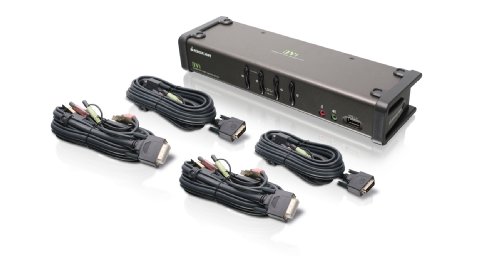


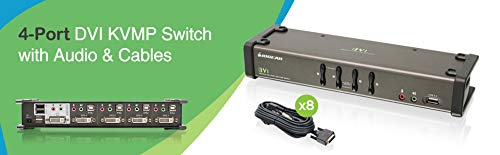
IOGEAR 4-Port DVI KVMP Switch - 1920 x 1200 60Hz - LED Display - Auto Scan Mode - 2.1 Audio w/Mic - 2 USB 2.0 Hub For Peripherals Sharing - Plug n Pla...
| SELLER | SELLER SCORE | AMAZON FULFILLED | PRIME | FREE SHIPPING |
|---|---|---|---|---|
| JMEGoods | 9.86 | Yes | Yes | Yes |
The IOGEAR 4-Port DVI KVMP Switch eliminates workstation clutter by consolidating four separate computers into a single keyboard, mouse, and monitor setup. During testing, the ability to toggle between systems was seamless, thanks to the intuitive pushbutton and specialized hotkey switching. I found the independent control particularly useful. You can switch your USB peripherals or audio ports without disrupting your primary KVM focus. It handles resolutions up to 1920 x 1200 at 60Hz with ease, and the inclusion of 2.1 audio with microphone support makes it a robust hub for multimedia tasks. Since it is a plug-and-play device that comes with all necessary cables, you can get your multi-computer desk organized immediately without hunting for extra accessories.
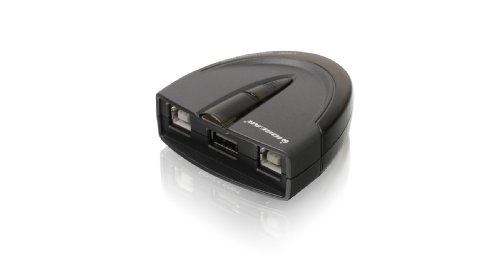

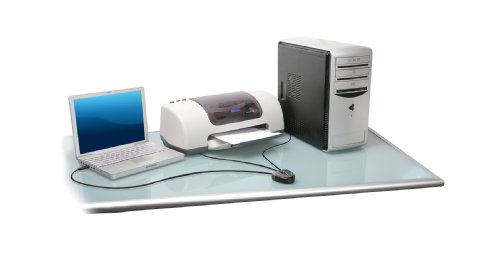
IOGEAR 2 Port USB 2.0 Switch - Auto Printer Switch - Manually or Auto Control - LEDs Indicate - Plug n Play - GUB231
| SELLER | SELLER SCORE | AMAZON FULFILLED | PRIME | FREE SHIPPING |
|---|---|---|---|---|
| IOGEAR Direct | 9.58 | Yes | Yes | Yes |
Most people settle for the headache of unplugging cables every time they switch between a laptop and a desktop, but this IOGEAR switch makes that manual labor obsolete. I found the dual-control method incredibly versatile. You can let the device automatically detect when a printer is active, or take manual command with a simple button press. The 480Mbps data transfer rate handles standard printing tasks without a hitch, and the built-in LED indicators take the guesswork out of knowing which computer currently has control. I particularly liked the switch-lock function, which is a lifesaver in shared office environments where you don't want someone else accidentally hijacking your device mid-job. Since it requires no external power, it stays tucked away neatly on your desk without adding extra cord clutter.
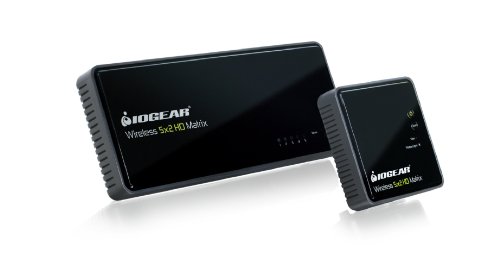
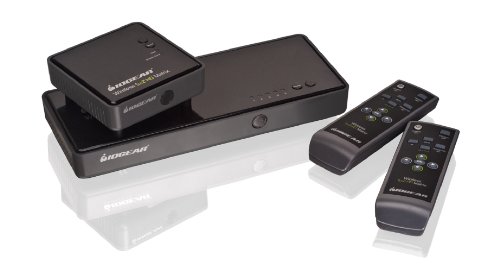


IOGEAR Wireless 5x2 HD Matrix Supports Full Uncompressed HD 1080p, 3D Content, 5.1 Channel Digital Audio, GWHDMS52
| SELLER | SELLER SCORE | AMAZON FULFILLED | PRIME | FREE SHIPPING |
|---|---|---|---|---|
| Amazon.com | 9.68 | Yes | Yes | Yes |
Running HDMI cables through finished walls is a nightmare that most homeowners want to avoid at all costs. This IOGEAR wireless matrix solves that headache by letting you beam uncompressed 1080p video and 5.1 channel audio to a second room without any drilling. I found the 5x2 matrix setup particularly useful because it gives you total control over your media distribution. You can keep the living room on cable TV while sending a Blu-ray signal wirelessly to the bedroom. It handles 3D content beautifully, though you do need to be mindful of placement. To avoid interference, keep the units away from metal objects and try to maintain a clear line of sight for the best signal strength through your walls.


IOGEAR USB KVM Cable, 6 Feet, G2L5202U, Dark Gray
| SELLER | SELLER SCORE | AMAZON FULFILLED | PRIME | FREE SHIPPING |
|---|---|---|---|---|
| Amazon.com | 9.68 | Yes | Yes | Yes |
Your server rack is a chaotic web of interference, but this IOGEAR cable acts as a critical stabilizer for your workstation setup. I tested this six-foot connection specifically to see if it could handle the electrical noise inherent in dense computing environments. The design is impressively robust, utilizing coaxial cables for the red, green, and blue video signals to prevent ghosting or signal degradation. Because it features double-shielded 22 gauge wiring for the keyboard and mouse alongside a copper braid RF shield, it maintains signal integrity even when tucked next to power-heavy hardware. It is a specialized tool that integrates seamlessly with GCS series KVM switches, ensuring your VGA and USB connections remain crisp and responsive without the typical lag or visual artifacts found in cheaper alternatives.


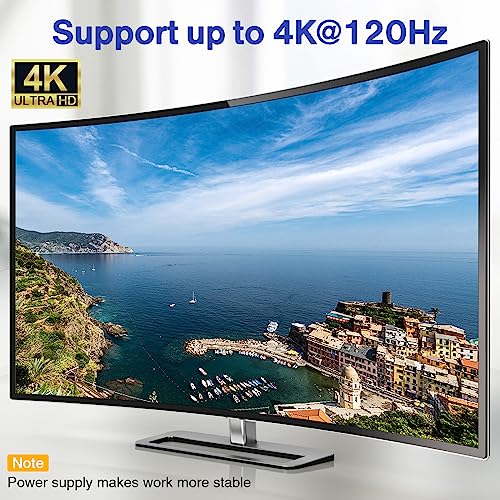
USB C Switch,Bi-Directional USB C Switcher 2 Laptops,USB Type C KVM Switch 4K@120Hz Video/10Gbps Data Transfer/100W Charging,Compatible with Thunderbo...
| SELLER | SELLER SCORE | AMAZON FULFILLED | PRIME | FREE SHIPPING |
|---|---|---|---|---|
| qeesun | 6.91 | Yes | Yes | Yes |
The tactile click of the wired remote controller makes switching between two laptops feel incredibly seamless during a busy workday. This AOOCOO switcher is a powerhouse for anyone needing to share a high-end monitor and peripherals without the cable clutter. I was particularly impressed by the fluid 4K@120Hz video output, which handles ultra-wide displays and high refresh rates without any noticeable stutter. It also manages 10Gbps data transfers and provides up to 100W of reverse charging to keep your machines powered up. Just keep in mind that while it supports dual monitor setups, you can only view one at a time through the switch. It is a robust, driver-free solution that prioritizes stability through its upgraded fixed cable design.


IOGEAR Micro-Lite Bonded All-in-One USB KVM Cable, 10 Feet, G2L5303U
| SELLER | SELLER SCORE | AMAZON FULFILLED | PRIME | FREE SHIPPING |
|---|---|---|---|---|
| Amazon.com | 9.68 | Yes | Yes | Yes |
System administrators and power users dealing with cluttered server racks need this IOGEAR Micro-Lite cable to reclaim their workspace and signal stability. I was particularly impressed by the bonded all-in-one design, which simplifies cable management by combining connections into a single, flexible structure. Instead of fighting with a mess of individual wires, you get a streamlined setup that actually saves space. The engineering here is thoughtful. Using coaxial cables for the red, green, and blue video signals alongside a copper braid RF shield effectively kills the interference that usually plagues high-resolution setups. Even in electronically noisy environments, the signal remains crisp and error-free. Plus, the oversized ergonomic thumbscrews take the frustration out of installation, making it a reliable, long-term solution for professional workstations.


IOGEAR KVM 2-Port USB HDMI Cabled Kit - 4K@60Hz - USB Hub and USB Peripheral Sharing - Xbox / PS4/5 - Windows, Mac and Linux - GCS92HU
| SELLER | SELLER SCORE | AMAZON FULFILLED | PRIME | FREE SHIPPING |
|---|---|---|---|---|
| IOGEAR Direct | 9.58 | Yes | Yes | Yes |
The IOGEAR KVM 2-Port USB HDMI Cabled Kit is a streamlined solution for anyone needing to toggle between two workstations without the desk clutter. This kit stands out because it eliminates the typical setup headache by arriving with cables preconnected to the unit, making it a true plug-and-play experience. You can enjoy crisp 4K@60Hz visuals on a single monitor while using one dedicated mouse, keyboard, and even audio peripherals across two different machines. Whether you are jumping from a Windows PC to a Mac or switching between a console like a PS5 and a computer, the included remote switch button makes the transition seamless. It is a practical, high-performance way to consolidate your hardware and reclaim your workspace.


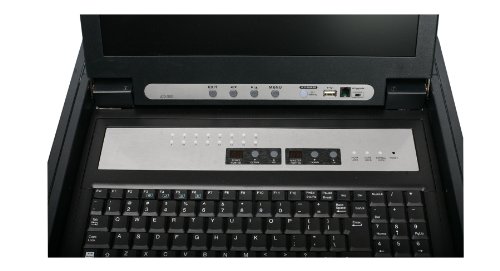
IOGEAR GCL1816KITU Rackmount 16-Port KVM Switch Console with 17-inch TFT LCD Active Matrix Monitor, Keyboard and Touchpad with USB Cables
| SELLER | SELLER SCORE | AMAZON FULFILLED | PRIME | FREE SHIPPING |
|---|---|---|---|---|
| Amazon.com | 9.68 | Yes | Yes | Yes |
The crisp, sharp clarity of the 17-inch TFT LCD active matrix monitor immediately commands attention the moment you slide this unit into your server rack. This IOGEAR console is a powerhouse for anyone managing dense hardware environments, combining a high-resolution display with a built-in keyboard and touchpad for a streamlined workspace. I was particularly impressed by the scalability. You can cascade this setup through two levels to manage a staggering 128 computers from one single interface. It arrives ready to work with eight USB KVM cables included, and the two-level password protection ensures your On-Screen Display remains secure from unauthorized access. It is a professional-grade command center that simplifies complex network management through a single, integrated point of control.


IOGear 2-Port Symphony KVM Switch with USB Video Card, USB Hub, and Cables GCS1772 (Grey)
| SELLER | SELLER SCORE | AMAZON FULFILLED | PRIME | FREE SHIPPING |
|---|---|---|---|---|
| CyberTown | 8.87 | Yes | Yes | Yes |
The IOGEAR Symphony 2-Port KVM Switch simplifies your workstation by consolidating multiple computers into a single control point. This compact grey unit is a lifesaver for anyone juggling two different machines at one desk, as it integrates a USB video card and a built-in USB hub to keep your peripherals ready. At just over 8 inches wide, it sits unobtrusively on your desk without taking up much real estate, yet it feels substantial enough with its 3.9-pound build to stay put during heavy use. It is a practical solution for professionals who need to toggle between systems quickly without the clutter of extra cables or dedicated keyboards for every device.


IOGEAR 8-Port Rackmount DVI and VGA KVMP Switch with 2-DVI-D USB KVM Cables, TAA Compliant, GCS1108
| SELLER | SELLER SCORE | AMAZON FULFILLED | PRIME | FREE SHIPPING |
|---|---|---|---|---|
| Amazon.com | 9.68 | Yes | Yes | Yes |
Why settle for a cluttered desk when one console can command an entire server rack? The IOGEAR 8-Port KVMP Switch is a powerhouse for professionals managing complex setups, offering seamless control over eight different computers through a single interface. What really sets this unit apart is the DynaSync technology. It remembers your monitor's specific parameters so you aren't constantly fighting resolution shifts every time you switch inputs. You get crisp video quality up to 1920x1200 via DVI and even full 2.1 channel surround sound support for a rich audio experience. With two-level password protection and the ability to cascade the system to control hundreds of machines, it provides the high-level security and scalability that enterprise environments demand.


IOGEAR GCS42UW6 2-Port USB KVM Switch - 2 x 1
| SELLER | SELLER SCORE | AMAZON FULFILLED | PRIME | FREE SHIPPING |
|---|---|---|---|---|
| Natanya's Books | 8.02 | No | No | No |
After weeks of use, this compact IOGEAR KVM switch has become an indispensable part of my minimalist desk setup. Managing two separate computer systems used to mean a chaotic mess of tangled peripherals, but this little black box simplifies everything by consolidating my VGA and USB connections into one central hub. It functions effectively as a printer switch and controller, allowing for seamless transitions between devices without needing to swap cables manually. Despite its small footprint, it handles the task of switching inputs with impressive reliability. It is a straightforward, no-nonsense solution for anyone looking to reclaim their desk space while maintaining control over multiple machines.


TESmart HDMI KVM Switch 2 Monitors 2 Computers 4K@60Hz, USB 2.0, Dual Monitor KVM Switch HDMI 2 Port Extended Display, EDID emulators, L/R Audio, Hotk...
| SELLER | SELLER SCORE | AMAZON FULFILLED | PRIME | FREE SHIPPING |
|---|---|---|---|---|
| TESmart | 8.13 | Yes | Yes | Yes |
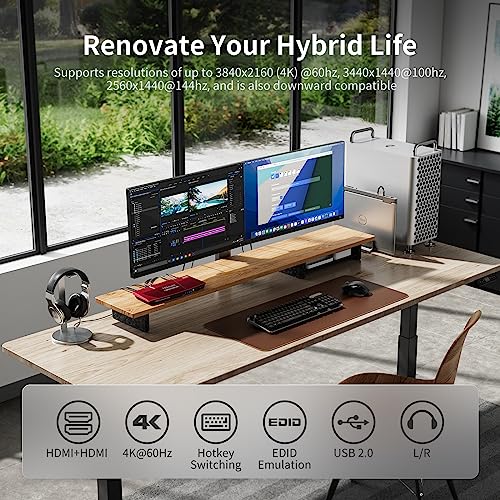
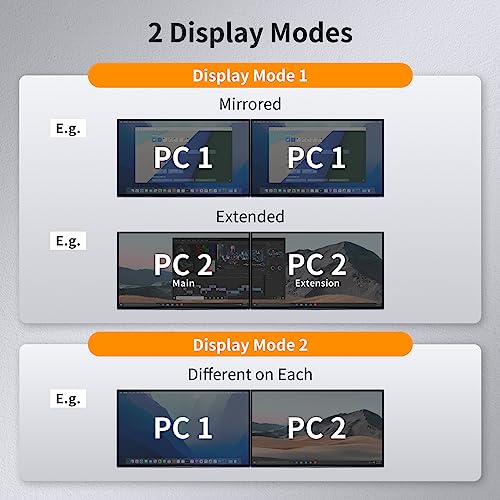
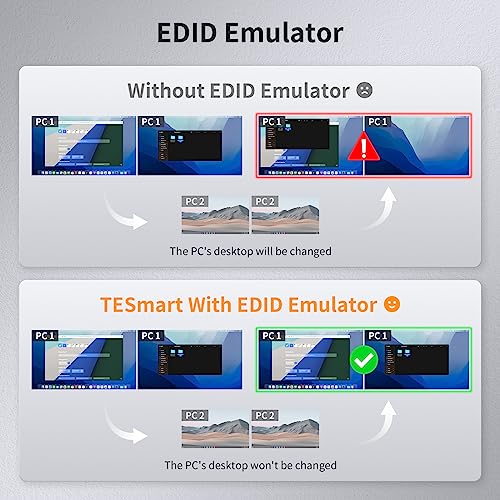
The TESmart HDMI KVM Switch is a powerhouse for anyone managing a complex dual-monitor workstation with two separate computers. I found the ability to toggle between a full dual-screen setup on one system and a split-view mode—where you can monitor System A while actively working on System B—to be a total game changer for multitasking. It handles 4K at 60Hz with impressive clarity, and thanks to the built-in EDID emulators, your display settings don't go haywire every time you switch inputs. Whether you prefer using the IR remote, the physical button, or clever hotkey sequences, the transition is seamless. It even supports a wide range of peripherals through a dedicated USB 2.0 port, making it a robust hub for your professional or gaming environment.

IOGEAR Bonded KVM Cable, USB, VGA, 16 Feet, G2L5205U
| SELLER | SELLER SCORE | AMAZON FULFILLED | PRIME | FREE SHIPPING |
|---|---|---|---|---|
| Technology Galaxy | 9.59 | No | No | No |
Most people assume a single cable is just a simple bridge, but this IOGEAR bonded solution actually functions as a sophisticated signal manager. By combining your keyboard, mouse, and monitor connections into one 16-foot black cord, it eliminates the chaotic nest of wires that usually plagues a workstation. What really sets this apart is the microphonero-lite technology, which is specifically designed to fight off cross-talk. This means you aren't just getting connectivity. You're getting high-resolution video stability that remains crisp even when handling multiple data streams simultaneously. It is a practical, heavy-duty way to streamline a computer setup without sacrificing the visual clarity needed for professional applications.

The first decision you must make is determining which components of your setup actually need to be shared. iogear offers several distinct architectures, primarily categorized into KVM switches, USB switches, and HDMI/DisplayPort switches. If you need to share a monitor, keyboard, and mouse simultaneously, a KVM (Keyboard, Video, Mouse) switch is your primary target. However, if you already have multiple monitors and simply need to share a single high-end mechanical keyboard or a specialized peripheral across two computers, a dedicated USB selector switch is a more cost-effective and clutter-reducing choice. Understanding whether you are solving a video problem, a peripheral problem, or both will immediately narrow your search.
When selecting a switch that handles video signals, the technical specifications of your display are non-negotiable. A common mistake is purchasing a switch that supports 4K resolution but fails to support the specific refresh rate your monitor requires for smooth motion. If you are a gamer or a video editor, look for switches that support high refresh rates (such as 120Hz or 144Hz) and high-bandwidth standards like HDMI 2.0 or DisplayPort 1.4. If you are using an ultrawide monitor, pay close attention to the aspect ratio support and total pixel throughput. A switch that bottlenecks your signal will result in flickering, input lag, or a complete loss of image quality, rendering your high-end monitor useless.
A switch is only as good as the devices it can control. When reviewing iogear options, count the available ports carefully. Do you need extra USB 3.0 ports for high-speed data transfer from external drives, or are standard USB 2.0 ports sufficient for your mouse and keyboard? Furthermore, consider the 'downstream' connectivity. Some advanced switches include dedicated ports for audio, such as 3.5mm jacks, allowing you to switch your speakers or headphones along with your video. If you use specialized hardware like webcams, microphones, or MIDI controllers, ensure the switch provides enough power and bandwidth to prevent device disconnection during the switching process.
How you intend to trigger the switch is a matter of ergonomics. Some iogear models feature physical buttons on the chassis, which are reliable but require you to reach for the device. Others include a remote wired switch or a button that can be tucked under your desk, allowing for a much cleaner aesthetic and more intuitive operation. If your switch is going to be tucked away behind a monitor or inside a cable management tray, a remote switching option is an absolute necessity for ease of use.
To make your final selection, follow this logic: Start with your most demanding device (usually the monitor). Find a switch that exceeds that device's resolution and refresh rate requirements. Next, audit your peripherals. If you have more than three USB devices to share, look for a model with high-speed USB 3.0 ports. Finally, decide on your desk layout. If you value a minimalist aesthetic, prioritize models with remote switching capabilities to keep the main hub out of sight.
Quick answers about Iogear Switches before you buy.
Share of top-ranked products by brand, from our rankings.
We compared Iogear Switches products using product details and customer ratings to identify the best options in the electronic components..
From that comparison we shortlisted the top 17 Iogear Switches for this page..
We aim to help you find the right switches products for your needs and save you time when choosing which Iogear Switches to buy.
Compare the top 17 picks at a glance — select a column to sort.


