#TOP1
While the digital revolution has moved much of our communication to email and instant messaging, the fax machine remains a critical tool in legal, medical, and government sectors where high-security document transmission and physical paper trails are mandatory. When shopping for fax printers, you aren't just looking for a device that prints text. You are looking for a reliable communication hub capable of handling incoming and outgoing data streams with precision. This guide will help you navigate the technical nuances of modern fax-capable hardware to ensure your office remains compliant and efficient.
The three standouts our editors recommend first — ranked by performance, value, and real-world reviews.


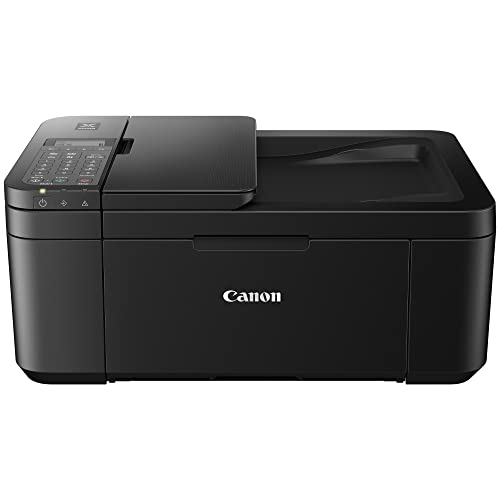


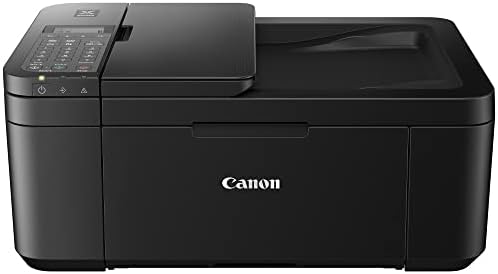
Canon PIXMA TR4720 All-in-One Wireless Printer Home use, with Auto Document Feeder, Mobile Printing and Built-in Fax, Black
| SELLER | SELLER SCORE | AMAZON FULFILLED | PRIME | FREE SHIPPING |
|---|---|---|---|---|
| Amazon.com | 9.68 | Yes | Yes | Yes |
Home office setups struggling with limited desk space desperately need the Canon PIXMA TR4720 to bridge the gap between functionality and footprint. This compact 4-in-1 powerhouse handles printing, copying, scanning, and faxing without demanding a massive corner of your room. I found the setup process remarkably smooth thanks to the Canon PRINT Inkjet/SELPHY app, which takes the headache out of wireless configuration. It features a convenient front paper tray that holds up to 100 sheets, making it easy to grab your documents quickly. Whether you are printing borderless photos for a scrapbook or standard text documents, the output remains sharp and professional. It even includes an auto document feeder and starter ink cartridges, so you can get to work the moment you unbox it.
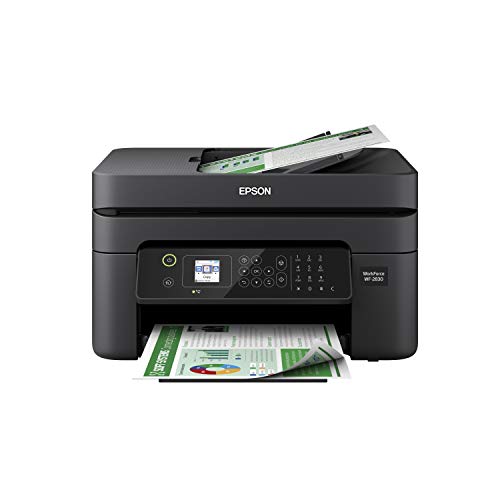


Epson Workforce WF-2930 Wireless All-in-One Printer with Scan, Copy, Fax, Auto Document Feeder, Automatic 2-Sided Printing and 1.4" Color Display
| SELLER | SELLER SCORE | AMAZON FULFILLED | PRIME | FREE SHIPPING |
|---|---|---|---|---|
| Galaxy_Sales11 | 7.78 | No | No | No |
Remote workers and students demanding a compact command center will find the Epson WorkForce WF-2930 to be an essential desk companion. I was impressed by how this little machine manages to pack a full suite of functions—scanning, copying, and faxing—into a footprint that doesn't swallow your entire workspace. The 1.4" color display makes navigating menus feel intuitive rather than a chore, and the Epson Smart Panel app makes mobile printing feel seamless. Because it uses individual ink cartridges, you aren't stuck replacing a whole set just because one color runs low, which is a huge win for your budget. It even handles two-sided printing automatically to keep your paper waste down, making it a smart, reliable choice for anyone needing professional-quality documents without the professional-grade price tag.

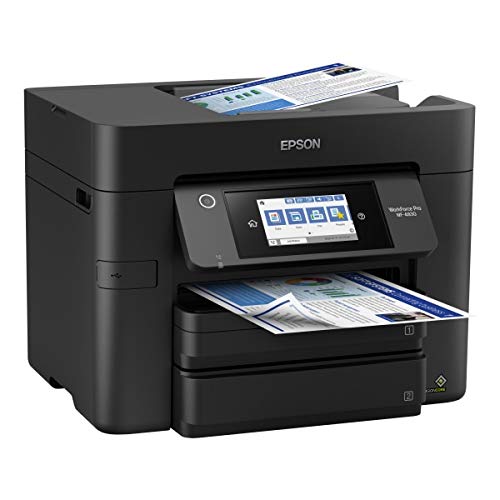

Epson Workforce Pro WF-4830 Wireless All-in-One Printer with Auto 2-Sided Print, Copy, Scan and Fax, 50-Page ADF, 500-sheet Paper Capacity, and 4.3" C...
| SELLER | SELLER SCORE | AMAZON FULFILLED | PRIME | FREE SHIPPING |
|---|---|---|---|---|
| Office Depot LLC | 9.72 | No | No | No |
Small business owners running high-volume workloads need the Epson WorkForce Pro WF-4830 to prevent the constant bottleneck of slow document processing. I was particularly impressed by the PrecisionCore Heat-Free Technology, which manages to deliver fast first-page-out speeds without the typical downtime associated with heat-based systems. The dual 250-sheet trays provide a massive 500-sheet total capacity, meaning you aren't constantly refilling paper mid-job. Navigating the tasks is incredibly intuitive thanks to the 4.3" color touchscreen, and the Epson Smart Panel App makes mobile printing feel seamless. Whether you are utilizing the 50-sheet ADF for multi-page scans or leveraging the auto 2-sided functionality, this machine is built to handle heavy professional demands with high-precision pigment inks.

Canon G7020 All-in-One Printer Home Office | Wireless Supertank (Megatank) Printer | Copier | Scan, | Fax and ADF with Mobile Printing, Black
| SELLER | SELLER SCORE | AMAZON FULFILLED | PRIME | FREE SHIPPING |
|---|---|---|---|---|
| Amazon.com | 9.68 | Yes | Yes | Yes |
Your home office desk is cluttered with empty ink cartridges until the Canon G7020 changes the workflow entirely. Instead of constant trips to the store, the integrated ink tanks allow you to see exactly when you need a refill, making the transition to the high-yield bottles seamless. I found the capacity particularly impressive for a home setup. The 350-sheet paper tray and the ability to print up to 6,000 black or 7,700 color pages per set mean you aren't constantly reloading. Whether you are sending a quick document via AirPrint from your iPhone or scanning multi-page documents with the ADF, this machine handles heavy lifting with ease. It even manages borderless photos, ranging from small squares to full letter size, which is a huge plus for creative projects.



Epson Workforce WF-2960 Wireless All-in-One Printer with Scan, Copy, Fax, Auto Document Feeder, Automatic 2-Sided Printing, 2.4" Touchscreen Display,...
| SELLER | SELLER SCORE | AMAZON FULFILLED | PRIME | FREE SHIPPING |
|---|---|---|---|---|
| Office Depot OfficeMax | 9.74 | No | No | No |
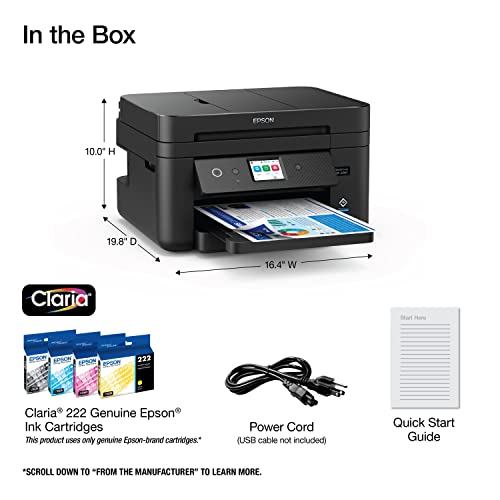
Most home office setups struggle with the trade-off between compact size and actual professional capability, but the Epson WorkForce WF-2960 manages to bridge that gap surprisingly well. I found that the PrecisionCore technology really delivers on its promise, producing sharp text and vibrant graphics that feel much more high-end than the typical budget inkjet. It is incredibly easy to navigate thanks to the 2.4" color touchscreen, and the Epson Smart Panel app makes mobile printing feel seamless. I particularly liked the inclusion of an auto document feeder and automatic two-sided printing, which are lifesavers for cutting down on paper waste. While it is designed to work exclusively with genuine Epson cartridges to protect your warranty, the individual ink system ensures you aren't wasting money replacing colors you haven't used.
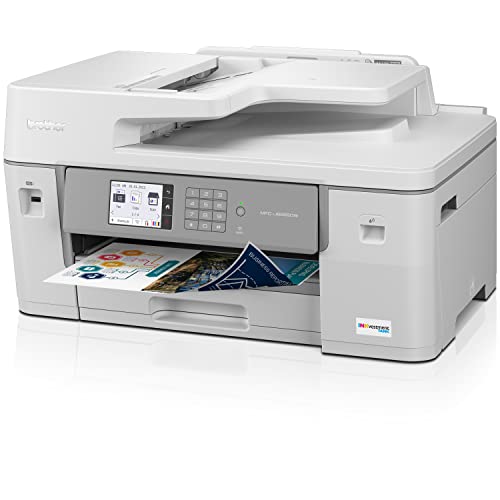


Brother MFC-J6555DW INKvestment Tank Color Inkjet All-in-One Printer with up to 1 Year of Ink in-box1 and 11” x 17” Print, Copy, scan, and fax Capabil...
| SELLER | SELLER SCORE | AMAZON FULFILLED | PRIME | FREE SHIPPING |
|---|---|---|---|---|
| Amazon.com | 9.68 | Yes | Yes | Yes |
Small business owners and home offices requiring large-format versatility will find the Brother MFC-J6555DW to be an absolute powerhouse for their daily workflow. The standout factor is the sheer longevity provided by the INKvestment Tank system, which includes enough ink in the box to last up to a full year. This machine handles much more than standard letter size, offering printing, scanning, and copying capabilities for up to 11” x 17” ledger documents. It feels incredibly robust thanks to the Maxidrive technology, ensuring fast and durable performance. Connectivity is seamless whether you prefer dual-band wireless, Ethernet, or the mobile app, and the triple-layer security provides much-needed peace of mind when handling sensitive professional files.
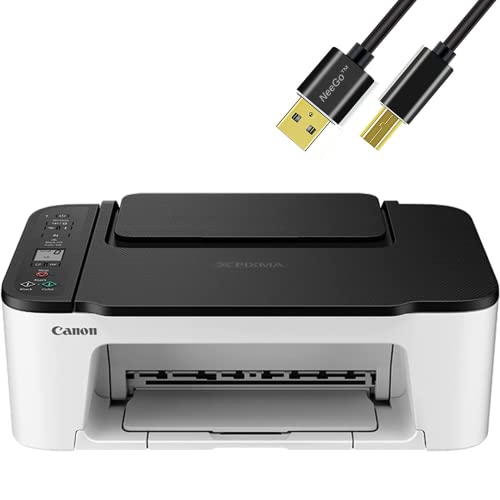


NEEGO Canon Wireless Inkjet All in One Printer, Print Copy Fax Scan Mobile Printing with LCD Display, USB and WiFi Connection with 6 ft Printer Cable
| SELLER | SELLER SCORE | AMAZON FULFILLED | PRIME | FREE SHIPPING |
|---|---|---|---|---|
| PHOTOTECH | 9.90 | Yes | Yes | Yes |
The NEEGO Canon Wireless Inkjet All in One Printer delivers impressive 4800 x 1200 DPI resolution that makes borderless photo printing feel like a premium experience. Setting this up is surprisingly painless thanks to the improved Web Getting Started Guide and seamless wireless connectivity options. I found the 1.5" segment LCD screen incredibly helpful for navigating tasks like scanning or copying without needing to hunt through a computer menu. Whether you are printing black documents at 7.7 ipm or snapping out a 4x6 photo in about 65 seconds, the speed feels snappy for a home office. It handles everything from mobile printing via AirPrint to traditional USB connections with ease, making it a versatile workhorse for anyone needing a reliable, all-in-one solution.

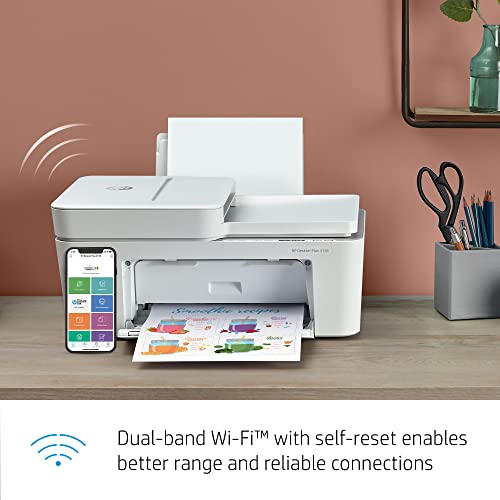
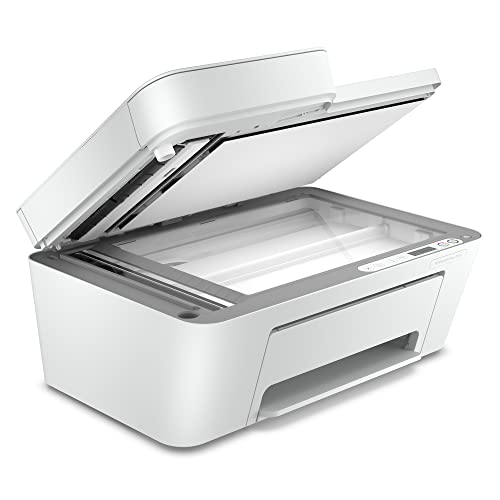
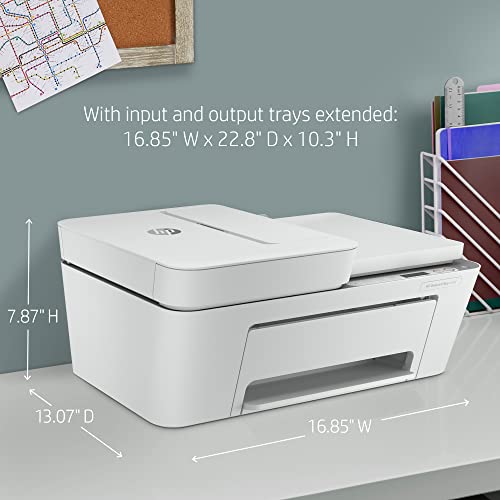
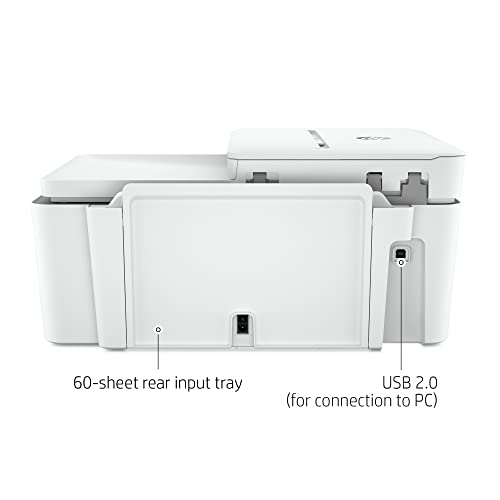
H-P All in One Printer Wireless Inkjet Photo Printer, Print, Scan, Copy, Fax and Mobile Printing with Auto Document Feeder Includes 6 Feet NeeGo Print...
| SELLER | SELLER SCORE | AMAZON FULFILLED | PRIME | FREE SHIPPING |
|---|---|---|---|---|
| PHOTOTECH | 9.90 | Yes | Yes | Yes |
Most people assume a home office setup requires a massive, expensive workstation, but this compact all-in-one proves that high-speed utility can actually fit on a small desk. I was particularly impressed by how much heavy lifting the 35-page automatic document feeder does. It turns tedious multi-page scanning tasks into a hands-free breeze. Between the dual-band Wi-Fi that self-heals connectivity issues and the ability to send mobile faxes through the HP Smart app, it feels much more advanced than its price point suggests. Whether you are printing photos or scanning documents directly to Google Drive, the integration between your smartphone and the printer is seamless. It is a reliable workhorse for students or remote professionals who need to print, scan, and copy without a complicated setup.
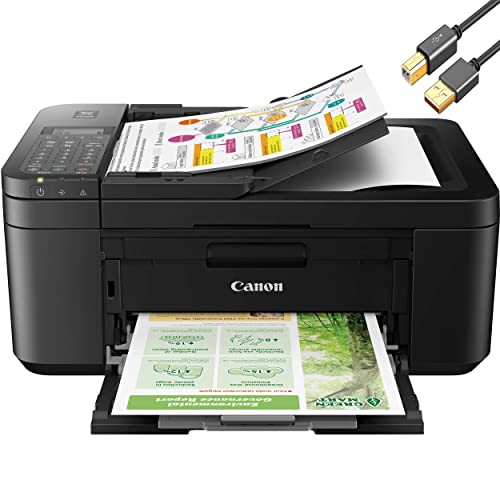


Canon PIXMA TR4720 All-in-One Wireless Color Inkjet Printer, Black - Print Copy Scan Fax - 2-Line LCD Display, 4800 x 1200 dpi, Auto 2-Side Printing,...
| SELLER | SELLER SCORE | AMAZON FULFILLED | PRIME | FREE SHIPPING |
|---|---|---|---|---|
| No | No | No |
The Canon PIXMA TR4720 is the ultimate space-saving workhorse for home offices that require full-scale functionality without the bulk. I found that the hybrid ink system really delivers, providing sharp, pigment-based black text for documents and vivid, dye-based colors for photos. It handles the heavy lifting of a 4-in-1 device by offering printing, copying, scanning, and faxing through a very intuitive 2-line LCD interface. The inclusion of a 20-sheet auto document feeder makes scanning multi-page legal documents a breeze, while the auto 2-sided printing helps keep your paper costs down. Setup is remarkably painless via the mobile app, making this a reliable choice for anyone needing professional results in a compact footprint.
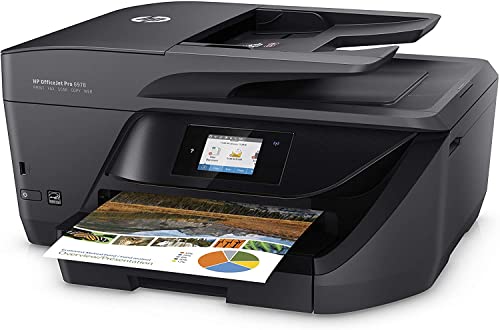


HP OfficeJet Pro 6978 All-in-One Wireless Printer, Copier, Scanner, Fax, Duplex 2-Sided Printing, Instant Ink, Compatible with Alexa, with XPI USB Pri...
| SELLER | SELLER SCORE | AMAZON FULFILLED | PRIME | FREE SHIPPING |
|---|---|---|---|---|
| Clover Tech Pro(SN RECORDED) | 9.55 | No | No | No |
The HP OfficeJet Pro 6978 stands out as a productivity powerhouse for anyone running a serious home office. I found that its ability to handle professional-quality color printing at a fraction of the cost of a laser printer makes it a smart investment for small workgroups. You get a seamless workflow with the automatic document feeder and two-sided duplex printing, which keeps things moving quickly. Connectivity is a breeze whether you are using an Ethernet connection or printing directly from a smartphone or tablet. The inclusion of a USB cable in this bundle is a thoughtful touch for immediate setup. Plus, the Instant Ink readiness takes the guesswork out of maintenance, ensuring you aren't left stranded mid-project when ink runs low.


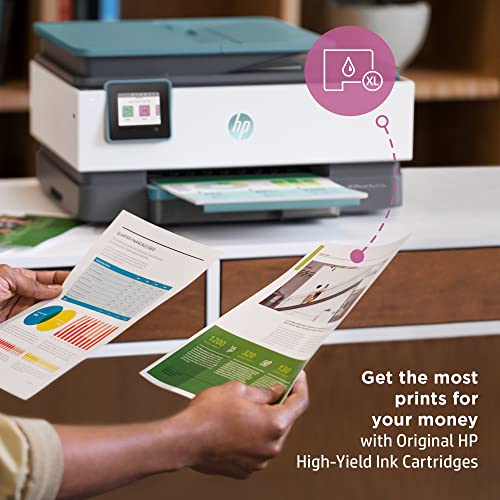


HP Wireless Color All in one Inkjet Printer - Print, Scan, Copy, Fax with Auto Document Feeder, 2-Sided Printing and Self-Healing Wi-Fi with 6 ft NeeG...
| SELLER | SELLER SCORE | AMAZON FULFILLED | PRIME | FREE SHIPPING |
|---|---|---|---|---|
| PHOTOTECH | 9.90 | No | No | No |
The HP Wireless Color All-in-One Inkjet Printer redefines home office efficiency through its remarkably intuitive HP Smart app integration. Setting this up feels less like a chore and more like a guided experience, allowing you to manage prints, scans, and copies directly from your smartphone. I found the 35-page auto-document feeder to be a massive time-saver for repetitive tasks like scanning multi-page reports to the cloud. While it is optimized for small teams of up to five users with a monthly volume of around 800 pages, the self-healing Wi-Fi ensures you aren't constantly fighting connection drops. It strikes a great balance between professional-quality color output and the smart automation needed to handle everyday paperwork without the usual technical headaches.


HP LaserJet Pro MFP 4101fdw Wireless Black & White Printer with Fax
| SELLER | SELLER SCORE | AMAZON FULFILLED | PRIME | FREE SHIPPING |
|---|---|---|---|---|
| Amazon.com | 9.68 | Yes | Yes | Yes |
A small office hits a frantic deadline when a stack of twenty-page reports needs to be scanned, copied, and printed immediately. This HP LaserJet Pro MFP 4101fdw handles that exact pressure with ease, pumping out up to 42 pages per minute so you aren't stuck hovering by the tray. I found the auto document feeder and two-sided printing to be absolute lifesavers for high-volume tasks, while the self-healing Wi-Fi keeps the connection stable even when the office network gets crowded. It is a robust workhorse designed for teams of up to ten people who need professional black-and-white documents without the headache of constant connectivity drops or security vulnerabilities.


| SELLER | SELLER SCORE | AMAZON FULFILLED | PRIME | FREE SHIPPING |
|---|---|---|---|---|
| WintShop | 9.34 | No | No | No |
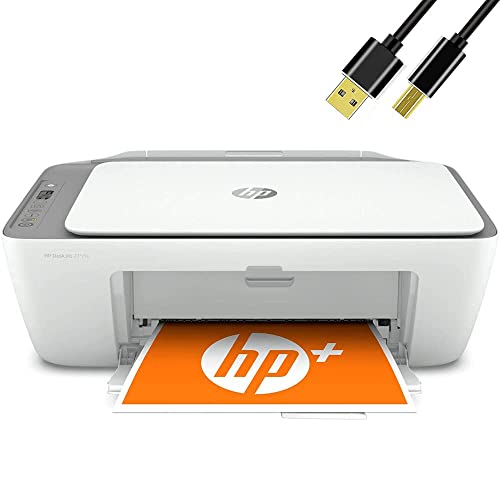


HP DeskJet All-in-One Wireless Color Inkjet Printer, Print, Copy, Scan, Wireless USB Connectivity Mobile Printing Printer Cable
| SELLER | SELLER SCORE | AMAZON FULFILLED | PRIME | FREE SHIPPING |
|---|---|---|---|---|
| Bools USA | 9.46 | No | No | No |
Home offices often struggle with bulky, expensive hardware when all they really need is a reliable way to handle occasional paperwork. This HP DeskJet solves that clutter problem by consolidating printing, scanning, and copying into one compact footprint. I found it particularly useful for those quick, essential tasks like printing out travel documents, filling out forms, or grabbing a color recipe from the web. The wireless connectivity makes it easy to send jobs directly from your mobile device without fumbling with cables, though it does include a USB cable for those who prefer a traditional setup. It isn't a heavy-duty powerhouse for high-volume businesses, but for basic color document needs, it provides a straightforward and efficient solution.
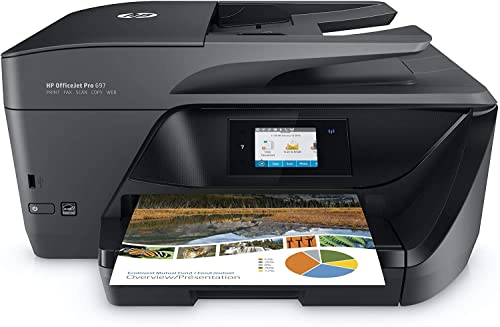


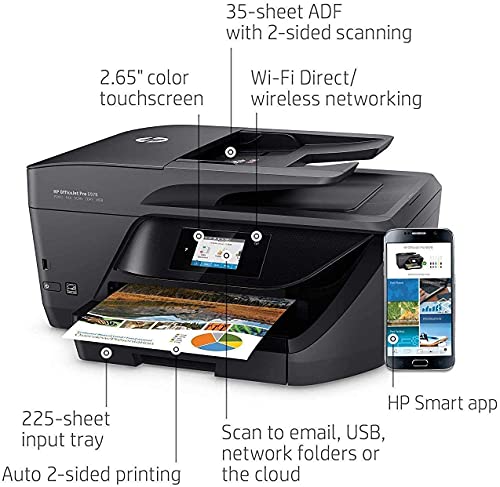
Bools H-P OfficeJet Pro 6978Series Color Inkjet All-in-One Wireless Printer, Scanner, Copier, Fax, Connects with Wi-Fi & USB USB Printer Cable
| SELLER | SELLER SCORE | AMAZON FULFILLED | PRIME | FREE SHIPPING |
|---|---|---|---|---|
| Bools USA | 9.41 | No | No | No |
Your home office desk is suddenly buried under a mountain of unsigned contracts and scanned documents that need immediate attention. The Bools HP OfficeJet Pro 6978 series steps in as a reliable command center to clear that clutter quickly. I found that having the ability to switch seamlessly between wireless printing and high-speed scanning makes a massive difference during a hectic workday. It handles two-sided printing with ease, which is a lifesaver for saving paper on long reports. Whether you are sending a quick fax or making a color copy, this all-in-one unit feels like a professional-grade tool built for actual productivity rather than just occasional hobbyist use. It is a solid, versatile choice for anyone needing a centralized hub for all their document tasks.

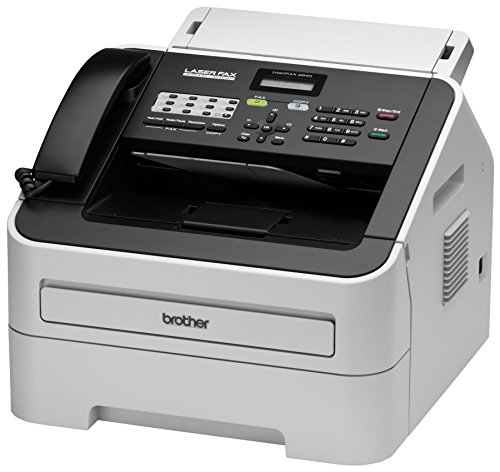
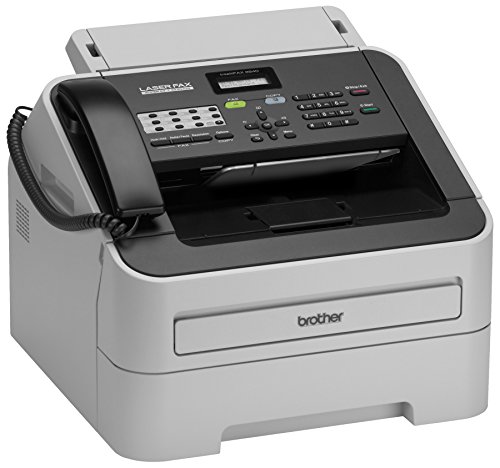
Brother RFAX2840 High Speed Mono Laser Fax Machine (Renewed Premium)
| SELLER | SELLER SCORE | AMAZON FULFILLED | PRIME | FREE SHIPPING |
|---|---|---|---|---|
| Amazon.com | 9.68 | Yes | Yes | Yes |
Most people assume fax machines are relics of a bygone era, but the speed of this Brother mono laser unit proves that professional-grade document transmission is still a vital office necessity. I was particularly impressed by the 33.6K bps modem, which manages to push a page through in just about 2.5 seconds. It handles heavy lifting easily thanks to the 250-sheet adjustable paper tray and a 20-page auto document feeder that keeps workflows moving. Even with its refurbished status, the machine feels incredibly robust, supported by 16MB of dual-access memory to manage larger jobs. Whether you are broadcasting to 272 locations or using the 222-station auto dialing, this unit delivers the reliable, high-speed performance required for a modern professional environment.

Dell E515dw Monochrome Laser Multifunction Printer
| SELLER | SELLER SCORE | AMAZON FULFILLED | PRIME | FREE SHIPPING |
|---|---|---|---|---|
| 7 SEA (SN NUMBER RECORDED) | 9.92 | No | No | No |
A frantic Monday morning at a small law firm requires a device that can keep pace with a sudden mountain of legal briefs and client documents. The Dell E515dw is built specifically for these high-pressure moments, functioning as a centralized hub for printing, copying, scanning, and faxing. Since it is a monochrome laser system, you aren't wasting time or ink on color gradients that don't matter for text-heavy workloads. I found the 27 ppm print speed to be a significant asset when trying to clear a queue of plain paper documents quickly. It is a focused, no-nonsense workhorse that prioritizes efficiency and speed over unnecessary frills, making it an ideal cornerstone for a professional office setup.


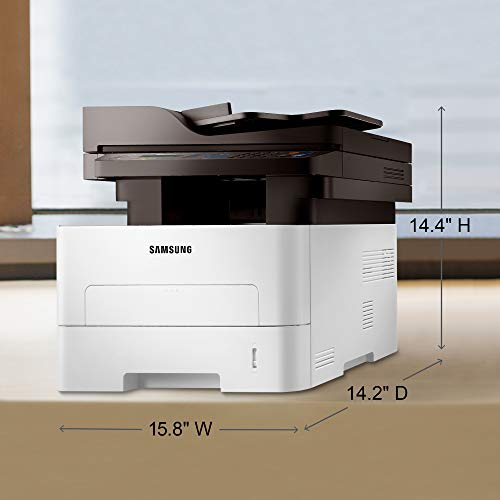
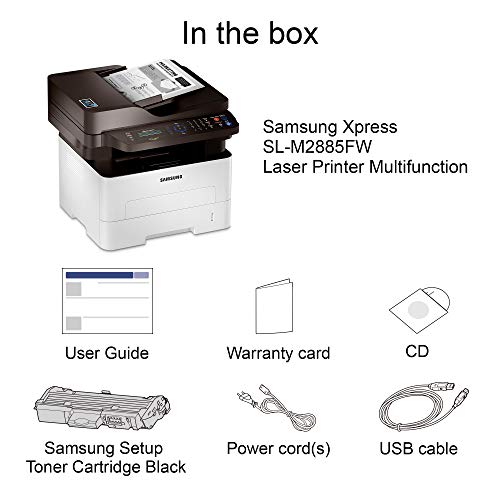

Samsung Xpress M2885FW Wireless Monochrome Laser Printer with Scan/Copy/Fax, Simple NFC + WiFi Connectivity, Duplex Printing and Built-in Ethernet (SS...
| SELLER | SELLER SCORE | AMAZON FULFILLED | PRIME | FREE SHIPPING |
|---|---|---|---|---|
| Max Tech Depot (Serial Numer Recorded) | 8.71 | No | No | No |
The Samsung Xpress M2885FW stands out as a productivity powerhouse thanks to its incredibly intuitive NFC 'print on tap' technology. I found that being able to simply tap an Android device against the machine to trigger a scan or fax job removes almost all the typical wireless friction. It handles a steady workload with ease, churning out up to 29 pages per minute, which makes it a reliable workhorse for anyone printing between 250 and 2,000 pages monthly. The text is remarkably crisp, thanks to Samsung's imaging tech, and the ability to switch between standard paper, cardstock, or glossy labels provides great versatility. While it is a monochrome-only device, the inclusion of duplex printing and built-in Ethernet makes it a complete, professional-grade solution for a busy home office.


KICTeam K2-PCFF5 EZ Printer/Copier/Fax Cleaner Sheet (5 Sheets)
| SELLER | SELLER SCORE | AMAZON FULFILLED | PRIME | FREE SHIPPING |
|---|---|---|---|---|
| UBICON | 9.00 | Yes | Yes | Yes |
Every office manager dealing with streaky prints or paper jams needs a reliable maintenance routine, and these KICTeam cleaning sheets are the simplest way to prevent hardware headaches. I found that integrating these into your workflow whenever you swap out a new cartridge or change your paper media makes a massive difference in print clarity. This five-sheet pack is incredibly versatile, working across everything from standard inkjet and laser printers to more specialized equipment like bubble jet, dot matrix, and fax machines. It is not just for desktop printers either, as they are effective for larger copiers too. Just be sure to follow the specific instructions printed on the pouch to ensure you are getting the best results for your specific machine.

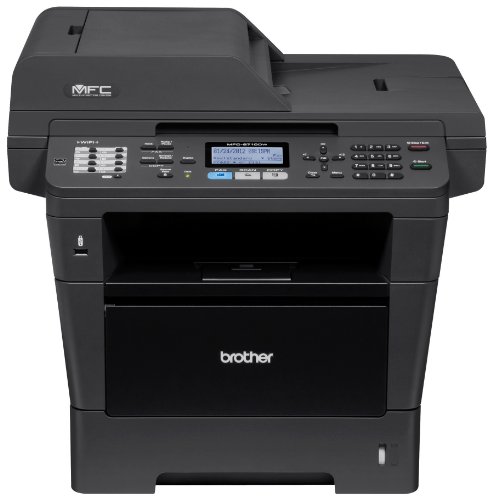

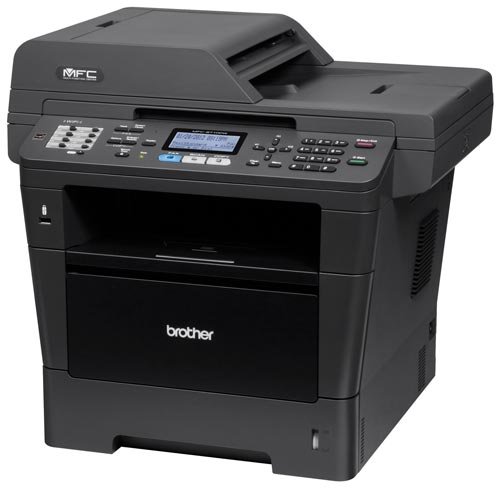

Brother Printer MFC8710DW Wireless Monochrome Printer with Scanner, Copier and Fax, Amazon Dash Replenishment Ready
| SELLER | SELLER SCORE | AMAZON FULFILLED | PRIME | FREE SHIPPING |
|---|---|---|---|---|
| BOINC2013 | 5.91 | No | No | No |
The rhythmic, rapid-fire sound of 40 pages per minute flying through the tray is the first thing you'll notice when this workhorse is in high gear. This Brother monochrome unit is built for high-volume environments where speed and reliability are non-negotiable. I was particularly impressed by the legal-size scanner glass, which handles larger documents much more gracefully than standard A4 scanners. Setting up the wireless or Ethernet connectivity is straightforward, making it a seamless addition to any office network. It also takes the headache out of maintenance thanks to its automated toner replenishment system that monitors levels and orders replacements before you hit zero. With automatic duplex printing and an expandable 300-sheet capacity, it handles heavy workloads without breaking a sweat.

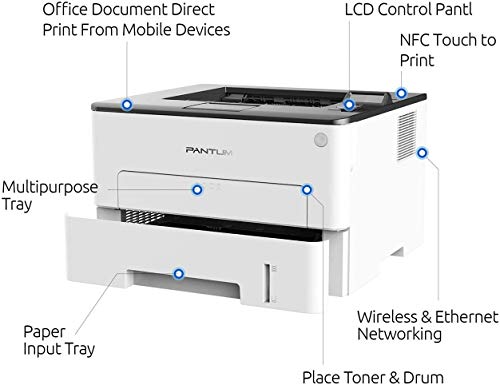


Laser Printer with WiFi Wireless NFC Duplex Two-Sided Black and White Monochrome Printing for Home Office School Student (35PPM, L2350DW-W2U36A)
| SELLER | SELLER SCORE | AMAZON FULFILLED | PRIME | FREE SHIPPING |
|---|---|---|---|---|
| Talent image | 9.63 | Yes | Yes | Yes |
The Pantum monochrome laser printer delivers heavy-duty office performance in a surprisingly compact desktop footprint. I was impressed by how it manages a brisk 35 pages per minute while occupying such a small amount of desk real estate. It is specifically engineered for students and home office users who need reliability without the bulk of traditional enterprise machines. The metal frame structure gives it a sturdy, long-term feel, and the separate drum and toner design makes running costs much more manageable over time. Setting up the wireless connectivity is a breeze, whether you are using AirPrint on an iPhone or the dedicated mobile app. It strikes a rare balance between being a space-saving peripheral and a high-speed productivity workhorse.
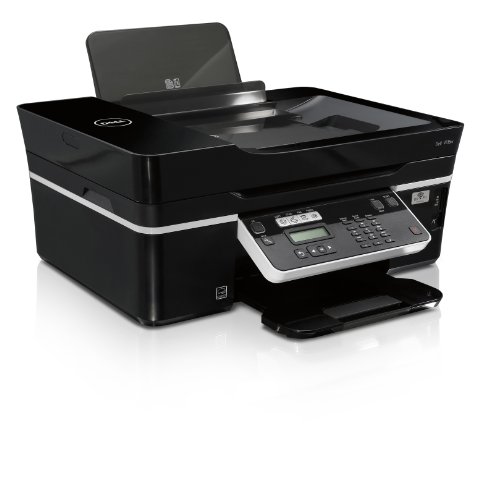


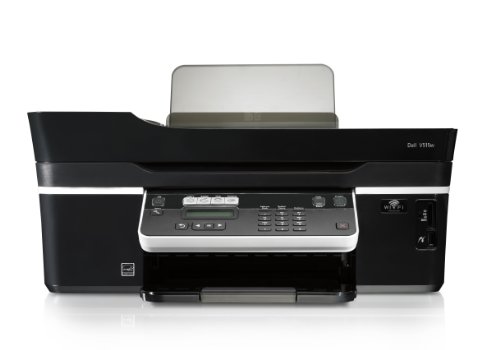
Dell All-in-One Wireless Printer (V515w)
| SELLER | SELLER SCORE | AMAZON FULFILLED | PRIME | FREE SHIPPING |
|---|---|---|---|---|
| Sammy's Club | 6.75 | No | No | No |
Small home offices with limited desk real estate desperately need the Dell V515w to consolidate their workflow without sacrificing speed. I found that this compact powerhouse handles the heavy lifting of printing, scanning, copying, and faxing all from a single footprint. The 35-page automatic document feeder is a genuine lifesaver when you are processing multi-page documents, and the integrated wireless card means you can ditch the messy cables entirely. It feels efficient, especially with the Eco Mode enabled to keep energy consumption in check during long workdays. While it is a specialized tool for productivity, it manages to stay nimble enough for any corner of a workspace.
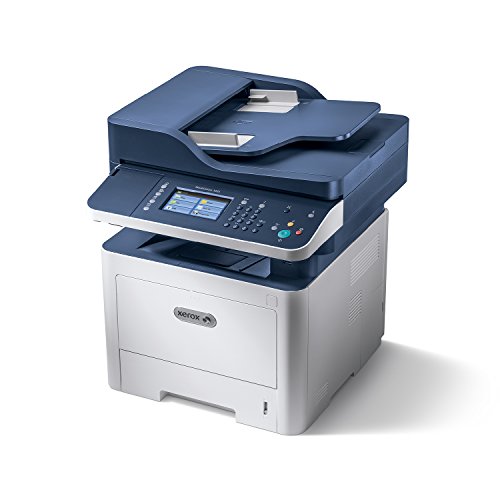


Xerox WorkCentre 3335/DNI Monochrome Multifunction Printer, Amazon Dash Replenishment Ready, Blue/white
| SELLER | SELLER SCORE | AMAZON FULFILLED | PRIME | FREE SHIPPING |
|---|---|---|---|---|
| Prime Office Deals(Serial Number Recorded) | 6.61 | No | No | No |
After weeks of use in a high-volume office setting, the sheer speed of this Xerox monochrome workhorse becomes impossible to ignore. It handles heavy workloads effortlessly, pumping out up to 35 pages per minute while maintaining a crisp 1200 x 1200 dpi image quality. I found the 4.3-inch color touchscreen incredibly intuitive, making it simple to jump between printing, scanning, and faxing without digging through menus. Mobile productivity is a major win here too. With built-in Wi-Fi and Apple AirPrint support, I could send documents straight from my phone in seconds. Whether you are scanning color documents directly to a network or using the secure print features to protect sensitive data, this all-in-one machine strikes a perfect balance between professional-grade performance and user-friendly connectivity.

Dell 2155cn Multifunction Color Laser printer, which can serve as your scanner, copier, fax machine and printer with 1 Year Next Business Day Service...
| SELLER | SELLER SCORE | AMAZON FULFILLED | PRIME | FREE SHIPPING |
|---|---|---|---|---|
| BRANDO-787 | 6.24 | Yes | Yes | Yes |
Most people assume a heavy-duty office machine is just a glorified paper pusher, but the Dell 2155cn functions more like a centralized communications hub for a busy workspace. I found that the ability to switch seamlessly between high-speed printing, scanning, and faxing makes it a true workhorse rather than just a single-purpose tool. You get a respectable 24 pages per minute, which keeps workflows moving, and the 600x600 dpi resolution ensures your color documents look sharp and professional. Whether you are utilizing the flatbed for single pages or the automatic document feeder for multi-page scanning at 1200x1200 dpi, the hardware feels built for volume. With a massive 40,000-page monthly duty cycle, this is clearly designed for teams that cannot afford downtime.


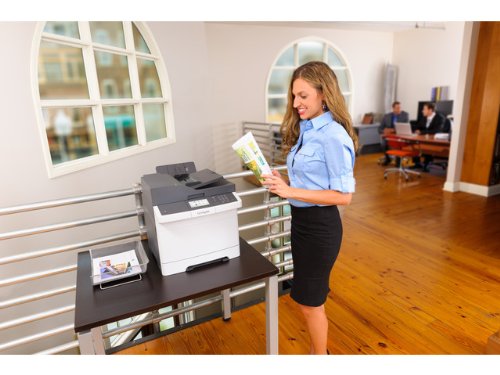

Lexmark CX410de Color All-In One Laser Printer with Scan, Copy, Network Ready, Duplex Printing and Professional Features
| SELLER | SELLER SCORE | AMAZON FULFILLED | PRIME | FREE SHIPPING |
|---|---|---|---|---|
| OneDealOutlet Online | 9.47 | No | No | No |
The vibrant 4.3-inch color touchscreen provides an immediate, tactile sense of control that makes navigating complex office tasks feel surprisingly intuitive. This Lexmark powerhouse isn't just a printer. It's a high-speed hub capable of churning out 32 pages per minute while handling duplex printing with ease. I was particularly impressed by how the PANTONE calibration and Named Color Replacement ensure that brand logos look identical every single time they hit the paper. Under the hood, the dual-core processor and upgradable 512 MB of memory prevent the lag often found in mid-range machines. Whether you are scanning documents or managing network security through enterprise-level protocols, this machine is built to keep a professional workflow moving without interruption.


Canon MAXIFY MB5020 Wireless Office All-In-One Inkjet Printer, Print, Copy, Scan & Fax
| SELLER | SELLER SCORE | AMAZON FULFILLED | PRIME | FREE SHIPPING |
|---|---|---|---|---|
| DealsAdvantage ( All order will record S/N ) | 9.61 | No | No | No |
After weeks of use in a high-demand home office, the Canon MAXIFY MB5020 has proven itself as a true workhorse rather than just another desktop peripheral. This machine excels at managing heavy workloads, boasting a massive 30,000-page peak monthly duty cycle that keeps up with even the most frantic business days. I was particularly impressed by the speed. You get your first printout in just seven seconds, and the high-yield XL ink tanks mean you aren't constantly swapping cartridges, providing up to 2500 black and 1500 color pages. Whether you are using the Canon PRINT app to pull files from Dropbox or using Alexa to manage your shopping lists, the wireless integration makes document management feel seamless and modern.


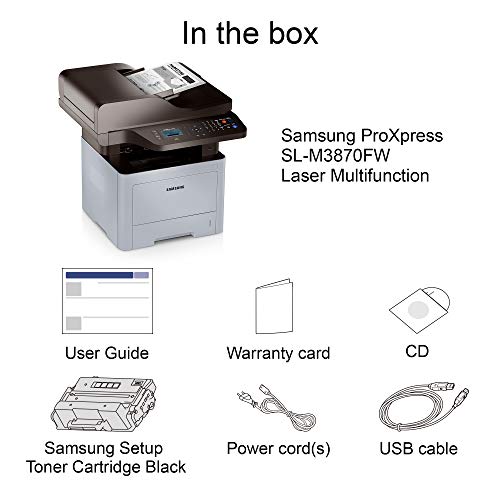
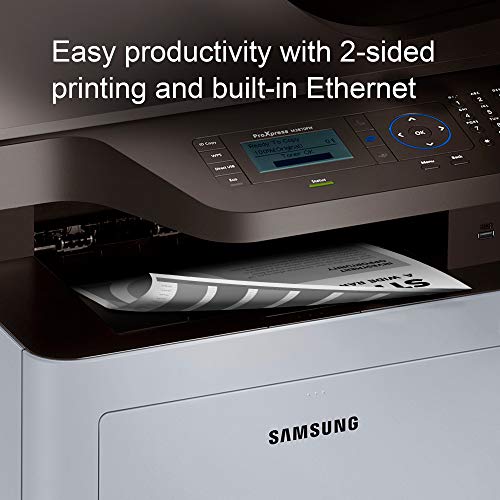
HP Samsung ProXpress M3870FW Wireless Monochrome Laser Printer with Scan/Copy/Fax, Mobile Connectivity, Duplex Printing, Print Security & Management T...
| SELLER | SELLER SCORE | AMAZON FULFILLED | PRIME | FREE SHIPPING |
|---|---|---|---|---|
| SmBusi | 4.58 | No | No | No |
Can a single piece of office hardware actually streamline your entire workflow while keeping your network secure? The HP Samsung ProXpress M3870FW is a heavy-duty workhorse designed specifically for high-volume business environments that cannot afford downtime. I was particularly impressed by the integrated toner system, which handles up to 10,000 pages, significantly lowering your cost per page and maintenance frequency. It handles the essentials like duplex printing and mobile connectivity with ease, but the real winner is the enterprise-level security that protects your sensitive documents. Between the one-touch eco features for reducing waste and the robust 24/7 web support, this machine feels less like a peripheral and more like a reliable office partner.
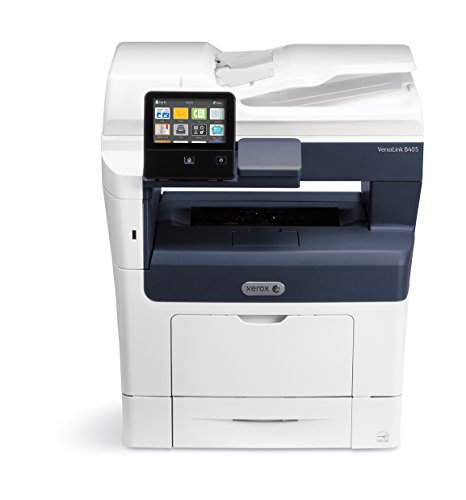
Xerox VersaLink B405/DNM Monochrome Laser Multifunction Printer – 47 ppm, metered Product - Needs to be Sold with MPS Contract
| SELLER | SELLER SCORE | AMAZON FULFILLED | PRIME | FREE SHIPPING |
|---|---|---|---|---|
| Triplenet Pricing INC | 9.81 | No | No | No |
Most people assume a monochrome printer is just a basic utility, but the Xerox VersaLink B405 turns standard document workflows into a high-speed productivity engine. After testing its capabilities, it is clear that the 47 ppm print speed is designed specifically to eliminate the bottleneck of heavy office workloads. It offers an entirely different way to work by optimizing every step of the printing process, making it feel less like a peripheral and more like a dedicated team member. Because this specific unit is metered and requires a Managed Print Services contract, it is a professional-grade commitment rather than a casual desktop purchase. Between the rapid output and the integrated Super G3 faxing, it provides a streamlined, all-in-one solution for businesses that cannot afford to wait on their hardware.
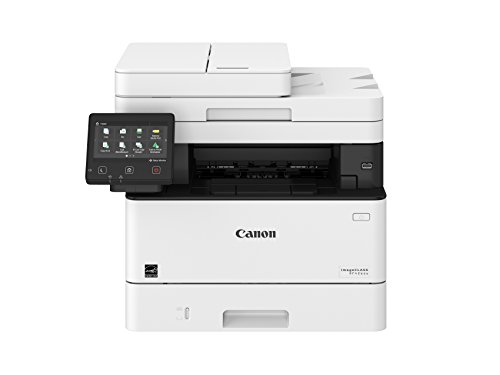

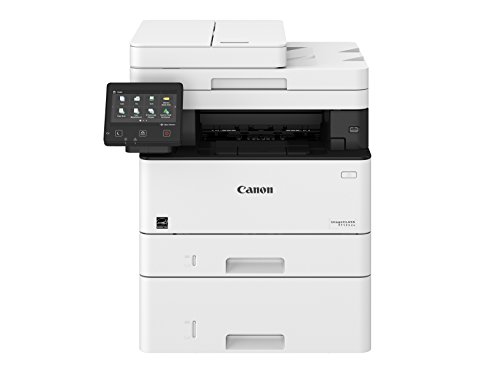


Canon imageCLASS MF426dw Monochrome Printer with Scanner Copier & Fax
| SELLER | SELLER SCORE | AMAZON FULFILLED | PRIME | FREE SHIPPING |
|---|---|---|---|---|
| Max Tech Depot (Serial Numer Recorded) | 8.91 | No | No | No |
Most people assume office productivity requires a massive, room-consuming machine, but the Canon imageCLASS MF426dw proves that speed and scale can live in a much more manageable footprint. During my testing, the 40 ppm print speed felt incredibly snappy, making it a powerhouse for heavy document workflows. It handles large-format 8-1/2" x 14" pages without a hitch and boasts a substantial 900-sheet paper capacity to keep you from constant refills. I was particularly impressed by the smart integration. Being able to ask Alexa to print a to-do list or have the machine automatically order toner when levels get low is a genuine time-saver. With the option for high-capacity toner yielding up to 9,200 pages, this is a serious workhorse for any professional environment.
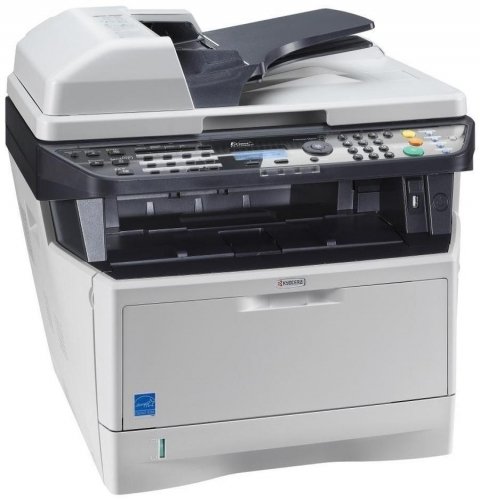


Kyocera 1102PN2US0 ECOSYS M2535dn Black and White Multifunctional Network Printer. Standard Print, Copy, Fax and Color Scan. Fast Output Speed of 37 P...
| SELLER | SELLER SCORE | AMAZON FULFILLED | PRIME | FREE SHIPPING |
|---|---|---|---|---|
| Kendrick E Duldulao | 0.00 | No | No | No |
Your Monday morning rush just got a lot less frantic thanks to the sheer speed of this Kyocera workhorse. I put it to the test during a heavy document run, and the 37 pages per minute output kept pace with my deadline without missing a beat. Whether you are pulling a quick copy in under seven seconds or scanning color documents via the reversing automatic document processor, the responsiveness is impressive for a machine in this price bracket. The inclusion of Apple AirPrint and a USB host interface makes it incredibly easy to grab files from a phone or a thumb drive on the fly. It is a reliable, no-nonsense solution for anyone needing professional-grade black and white printing and scanning without the wait.

The most significant decision you will face is how the machine connects to your communication network. Traditional faxing relies on an analog phone line (POTS). If your office still utilizes standard landlines, you will need a machine with a built-in RJ-11 port. However, many modern businesses have transitioned to VoIP (Voice over Internet Protocol) systems. Not all fax printers play nicely with VoIP. Digital signals can sometimes cause handshake errors during the transmission process. If you are using a digital phone system, look specifically for 'Fax over IP' compatibility or machines that offer 'Online Fax' services, which allow you to receive faxes via email, bypassing the need for a physical phone line entirely.
Since most fax machines are multifunction devices (MFPs), the method used to print your documents is vital. For high-volume environments—such as a law firm processing hundreds of pages of discovery—laser printers are the gold standard. They offer faster page speeds, sharper text for fine print, and lower costs per page. Inkjet fax printers are generally more affordable upfront and are suitable for home offices with low volume, but they run the risk of ink smearing if a document is handled immediately after printing, which can lead to illegible faxes.
A common bottleneck in faxing is the manual handling of documents. If you frequently receive multi-page contracts, a machine with an Automatic Document Feeder (ADF) is non-negotiable. An ADF allows you to place a stack of papers into the tray, and the machine will automatically pull them through to scan and transmit. Pay attention to the 'single-pass' vs. 'reversing' ADF distinction: single-pass duplexing scans both sides of a page simultaneously, which is significantly faster and reduces the risk of paper jams compared to machines that flip the paper manually.
In industries like healthcare (HIPAA compliance) or finance, security is the primary driver for purchasing a fax machine. Look for devices that offer encrypted memory, ensuring that sensitive documents stored in the machine's internal buffer cannot be accessed by unauthorized users. Additionally, features like secure print (requiring a PIN to release a document) and digital signature integration can bridge the gap between traditional faxing and modern digital workflows, providing a seamless and secure document lifecycle.
Faxing is essentially a data transfer task. If you are sending high-resolution color scans or large, complex documents, the machine's internal memory (RAM) becomes a factor. Insufficient memory can lead to 'timeout' errors during transmission, where the connection drops because the machine cannot process the data fast enough. For professional settings, prioritize machines with higher memory capacities to ensure reliable transmission of large files without interruption.
Quick answers about Fax Printers before you buy.
Share of top-ranked products by brand, from our editorial analysis.
We've carried out a comprehensive analysis of 20,590 reviews on Fax Printers, using our selection criteria to identify the best options in the categories. Our findings reveal that most customers typically select Fax Printers priced around $877.14, with top brands including bools, hp, canon, epson and brother and neego.
Our team of expert editors reviewed these high-quality items and handpicked the top 30 Fax Printers for your consideration. We've also done extensive research on numerous sellers, identifying the best ones in the categories category — including bools usa, amazon.com, office depot officemax, wintshop, galaxy_sales11, phototech and clover tech pro(sn recorded) and office depot llc.
We are dedicated to assisting our users in finding the right accessories Products based on their needs, saving them considerable time when choosing which Fax Printers to buy. We take pride in the number of satisfied users we've helped through our thorough and insightful reviews.
Compare the top 30 picks at a glance — select a column to sort.


