What Is a Password Manager and Do You Really Need One?
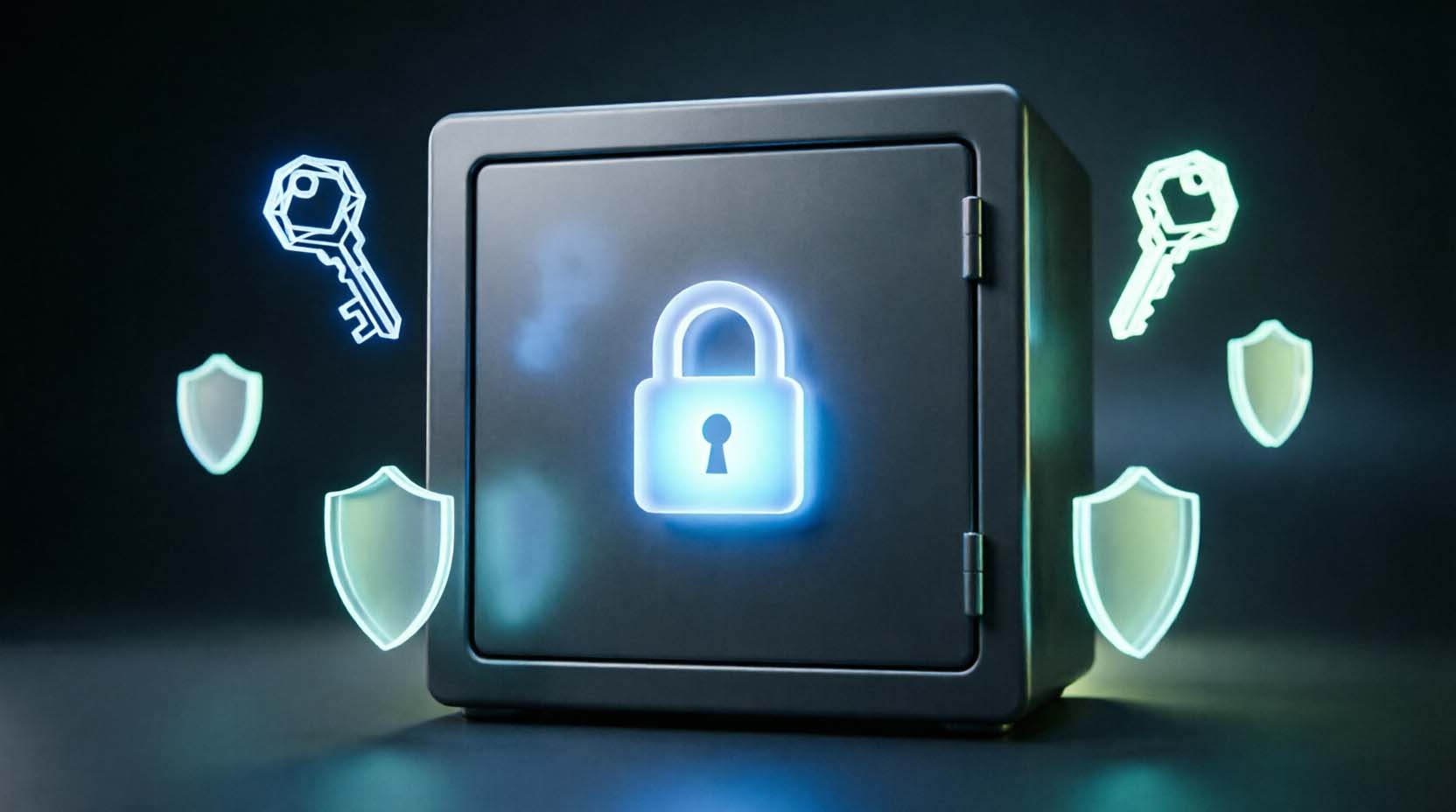
A password manager is an encrypted vault that creates, stores, and fills a unique password for every account. You unlock it with one master password. If you have more than about 10 online accounts, yes, you need one. Even a free option beats reusing passwords.
Key takeaways
- Reusing one password across sites is the single biggest risk a manager removes.
- A free or built-in manager is enough for many people.
- Your master password is the weak point, so make it long.
- Follow the 1-2-3 Vault Rule below before you trust the vault.
You got a "your password was found in a breach" email. Then you realized that password is on 20 other sites. That moment is when most people search for this question. This guide gives you a straight verdict, the real risks, and a 7-day plan.
What Is a Password Manager? (Plain-English Definition)
A password manager is software that generates long random passwords, stores them in an encrypted vault, and fills them in for you. Most also hold passkeys, two-factor authentication codes, card details, and secure notes.
Think of a safe-deposit box where you hold the only key. The bank stores the box but cannot open it. That is zero-knowledge design. The company keeps your encrypted vault, but only your master password can unlock it.
Vaults typically use AES-256 encryption. That is the same standard banks and governments rely on.
The process is the same across most products.
- You create a vault and choose a master password.
- Your device turns that password into an encryption key.
- You save or generate passwords, and the vault encrypts them locally.
- The encrypted vault syncs to the cloud so your other devices can open it.
- A browser extension or phone app fills logins only when the website address matches.
That last step is a quiet security win. A lookalike site such as "paypa1.com" will not trigger autofill. A human might fall for the fake page, but the manager will not.
Password Manager vs Browser Autofill vs Notes App
Built-in tools are free and decent. Notes apps are the weakest option.
|
Method |
Cost |
Cross-platform |
Sharing |
Breach alerts |
Main weakness |
|
Chrome or Google Password Manager |
Free |
Good on Chrome, weaker elsewhere |
Limited |
Yes |
Tied to your Google account |
|
Safari, iCloud Keychain, Passwords app |
Free |
Apple devices, limited Windows support |
Family sharing groups |
Yes |
Awkward outside Apple |
|
Dedicated manager (Bitwarden, 1Password, others) |
Free tier or paid |
Strong |
Yes |
Yes, often paid |
One more account to secure |
|
Notes app or spreadsheet |
Free |
Varies |
Manual |
None |
No phishing protection, weak encryption |
A spreadsheet named "passwords.xlsx" is not a vault. Skip that plan.
Do You Really Need a Password Manager? (Our Verdict)
Yes, for most people. The test is simple. This is the 10-Account Rule. If you have more than 10 accounts and cannot recall each password without a reset, you need a manager.
|
Your situation |
Verdict |
|
Reuse passwords on 3 or more sites |
Get a manager this week |
|
Apple-only household with an iPhone, iPad, and MacBook |
Built-in Passwords app is enough |
|
Mixed devices, such as Windows laptop plus iPhone |
Dedicated cross-platform manager |
|
Family sharing streaming, utility, and school logins |
Family plan or shared vault |
|
Freelancer with 50 or more client logins |
Dedicated manager with sharing |
|
Fewer than 10 accounts, unique strong passwords already |
Optional |
Who Benefits Most
- People who reuse passwords, even "just for small stuff."
- Anyone with 50 or more accounts. Nobody memorizes that many.
- A freelancer with a Windows laptop, an iPhone, and 60 client and tool logins.
- Families who need shared logins and emergency access.
Who Can Skip or Delay a Dedicated Manager
- Single-ecosystem users who are happy with iCloud Keychain or Google Password Manager.
- People with very few accounts and already-unique passwords.
- Anyone unwilling to store an offline recovery kit. A vault you cannot recover is a liability.
Be honest with yourself here. A paid plan is not a moral obligation.
Are Password Managers Safe? (Risks and the LastPass Lesson)
Generally yes, and far safer than reusing passwords. But "safe" is not "unhackable." Every option has trade-offs.
Zero-knowledge encryption limits the damage of a server breach. Attackers get scrambled data, not readable passwords. The strength of your master password then decides whether they ever open it.
The 2022 LastPass incident shows this. LastPass disclosed that attackers copied backups of customer vault data. Website URLs were not encrypted, but passwords and notes were. Security researchers and LastPass's own statements pointed to weak master passwords and older accounts with lower key-stretching settings as the risk multipliers. Check LastPass's current disclosures and reputable reporting for exact details.
The lesson is not "avoid managers." It is "make the lock strong."
Your master password should be at least 16 characters. Four random words is the floor, and 5 or 6 is better. Length beats clever symbols. "Correct horse battery staple" style phrases are easier to remember and harder to crack than "P@ssw0rd!23".
|
Risk |
How to reduce it |
|
Weak master password |
Use 16+ characters made of random words |
|
Phishing of your vault login |
Turn on 2FA, ideally with a hardware key or passkey |
|
Malware on your device |
Keep the OS updated and avoid pirated software |
|
Vendor breach |
Choose a zero-knowledge vendor with recent audits |
|
Lockout |
Save an offline emergency kit |
Lab claims and real life differ. On paper, AES-256 is effectively unbreakable by brute force. In practice, attackers go after the human, meaning the reused, guessable, or phished master password.
What to Look for in a Password Manager (Buyer Checklist)
Use these pass/fail thresholds before you commit.
- Zero-knowledge architecture. The vendor states it cannot read your vault.
- Independent security audit in the last 24 months. Skip any product with none.
- 2FA and passkey support. Hardware key support is a plus.
- Cross-platform apps for every device you own, including browser extensions.
- Standard-format export. Skip anything that traps your data.
- Emergency access or a recovery option. Know how it works before you need it.
- Secure sharing if you have a family or team.
- Breach monitoring for leaked emails and passwords.
- Clear pricing. A confusing tier chart is a red flag.
Best Password Manager Options Compared
Prices and free-tier limits change often. Confirm current details on each vendor's site on the day you sign up.
|
Option |
Best for |
Free tier? |
Cross-platform? |
Approx. cost |
Main drawback |
|
iCloud Keychain / Passwords app |
Apple-only households |
Yes |
Limited |
Free |
Clunky on Windows and Android |
|
Google Password Manager |
Chrome and Android users |
Yes |
Partly |
Free |
Ties you to your Google account |
|
Bitwarden |
Budget-conscious, mixed devices |
Yes, generous |
Yes |
Free, with low-cost paid plans |
Interface is plainer than rivals |
|
1Password |
Families and polished apps |
Trial only |
Yes |
Paid, a few dollars monthly |
No true free plan |
|
Dashlane |
Built-in VPN and monitoring features |
Limited or none |
Yes |
Paid |
Costs more than most |
|
Proton Pass |
Privacy-focused users |
Yes |
Yes |
Free, with paid upgrades |
Newer, with fewer advanced features |
Our default advice is simple. Apple-only, use the built-in option. Mixed devices or a family? Try Bitwarden's free tier first. Upgrade only if you hit a limit.
Is a Hardware Security Key Worth Adding?
Only for some people. Buy one if you run a business account, hold significant crypto, or want a 2FA backup that does not depend on your phone.
Buy two if you go this route. Keep one on your keychain and one stored safely.
Skip it if you use a phone and one laptop, both secured, and you enabled 2FA in an authenticator app. Two overlooked tradeoffs also matter:
- Keys typically store a limited number of passkeys, often 25 to 100 depending on model.
- A wrong PIN entered about 8 times usually locks the FIDO2 function and forces a reset that wipes stored credentials.
Verify current Amazon pricing and FIDO2 support for any model before you order. Expect roughly $25 to $75 per key.
How to Set Up a Password Manager (First 7 Days)
Do not try to change 150 passwords in an afternoon. You will quit on day two.
- Day 1: Create the vault and set a master passphrase of 16+ characters. Turn on 2FA for the vault itself. Print your emergency kit.
- Day 2: Install the browser extension and phone app. Import saved passwords from your browser.
- Days 3 to 4: Change passwords on your first 10 to 15 critical accounts. Start with your primary email, then banking, then your Apple, Google, or Microsoft account.
- Days 5 to 7: Update about 5 accounts per day, focusing on reused or weak passwords. Your manager's security dashboard will flag them.
- After week one: Delete saved passwords from your browser so you have one source of truth.
Method note: These steps follow official vendor documentation. Menu names change with app updates, so confirm them on each vendor's current help page.
What Happens If You Forget Your Master Password?
Usually, you cannot recover the vault. That is the price of zero-knowledge. The company cannot reset what it cannot read.
Some vendors offer account recovery, a recovery code, or an emergency contact. Options vary, so check yours before you need it. Picture returning from a long vacation and blanking on the passphrase. That user needs a backup.
Write it down offline, not in a notes app. Print the emergency kit and store it in a fireproof safe or a locked drawer. A basic fireproof document safe from Amazon works fine for this. You do not need a heavy-duty model.
Common Password Manager Myths
|
Myth |
Fact |
|
"If it's hacked, I lose everything." |
Encrypted vaults limit the damage. A strong master password decides the outcome. |
|
"Browser autofill is the same." |
It is decent, but weaker on sharing, cross-platform use, and auditing. |
|
"Paid is always better." |
Free tiers and built-in tools cover many users. |
|
"My passwords are strong enough to memorize." |
Most people cannot memorize 50 unique long passwords. |
|
"Passkeys make managers obsolete." |
Many sites still require passwords. |
Which Path Fits You? A Quick Decision Tree
- Do you have more than 10 accounts or reuse any passwords? Yes, go to step 2. No, a built-in option is fine.
- Do you use both Apple and Windows or Android devices? Yes, pick a cross-platform manager. No, go to step 3.
- Do you share logins with 2 or more people? Yes, choose a family plan. No, go to step 4.
- Are you Apple-only or Google-only? Yes, use the built-in manager. No, try Bitwarden's free tier.
- Do you run business or crypto accounts? Yes, add two hardware keys. No, skip them.
Bottom Line
A password manager is the highest-value security upgrade most people can make. It is not magic, and it demands a strong master password and an offline backup.
The 1-2-3 Vault Rule:
- 1 long master passphrase. At least 16 characters, never reused.
- 2 backup paths. An offline emergency kit plus a recovery code or trusted contact.
- 3 first-week migrations. Your primary email, your bank, and your phone or cloud account.
Your next three steps:
- Choose one option using the decision tree above.
- Create a 16+ character passphrase and print your emergency kit today.
- Move your email, bank, and cloud account passwords into the vault this week.
Frequently Asked Questions
What is a password manager in simple terms?
It is an encrypted vault that creates and remembers a different password for every account. You only remember one master password. The manager fills the rest in automatically.
Do I really need a password manager?
Probably. If you have more than 10 accounts or reuse any passwords, yes. If you have a handful of accounts and already use unique passwords in one ecosystem, a built-in tool is enough.
Are password managers safe to use?
Generally yes. Zero-knowledge encryption protects your data even if the vendor is breached. Safety depends heavily on your master password and 2FA. No tool is unhackable, so use long passphrases.
What happens if a password manager gets hacked?
Attackers get encrypted vaults, not readable passwords. A strong master password makes those vaults very hard to crack. Weak passwords are the risk, as the 2022 LastPass incident showed.
What if I forget my master password?
Most vendors cannot recover it. Use your emergency kit, recovery code, or emergency contact if the vendor offers one. Store your kit offline before you need it.
Is a free password manager good enough?
For many people, yes. Bitwarden and built-in tools cover the basics. Paid plans matter mainly for family sharing, advanced monitoring, and extra storage.
Is a browser's built-in password manager enough?
For one ecosystem, often. It struggles with cross-platform use, sharing, and emergency access. If you switch between Apple and Windows, a dedicated manager works better.
Are password managers better than passkeys?
They are not rivals. Passkeys resist phishing, but many sites still require passwords. A manager holds both. Use passkeys where offered and a manager for the rest.
Is a password manager worth paying for?
Sometimes. If you need family sharing, cross-device polish, or priority support, yes. Otherwise, a free tier is plenty. Anyone pressuring you toward a paid plan on day one deserves skepticism.